





















![EOF Implementers Meeting 46 [May 15, 2024]](https://i.ytimg.com/vi/MNu66PlQcQE/maxresdefault.jpg)


The Ethereum Virtual Machine (EVM) operates using four distinct data storage areas: the stack (a LIFO structure for 32-byte words used for computation), memory (a dynamic 32-byte word space with a free memory pointer at 0x40 initially pointing to 0x80), call data (read-only input data cheaper to access), and storage (permanent, expensive 32-byte word storage organized as Patricia Merkle tries). These areas interact through opcodes—single-byte hexadecimal instructions like PUSH, POP, MSTORE, MLOAD, SSTORE, and SLOAD—that execute function calls by validating inputs, extracting function selectors from call data, and routing execution to appropriate logic locations using conditional jumps (JUMPI).
Understanding the Ethereum Virtual Machine: A Technical Guide
Added:Basic understanding of blockchain technology, peer-to-peer networks, and the Ethereum state transition model.
Familiarity with writing and deploying basic smart contracts in a high-level language like Solidity.
Fundamental concepts of computer architecture, specifically how stack-based virtual machines, memory allocation, and persistent storage work.
Elementary knowledge of cryptography as used in Ethereum, including hashing algorithms (Keccak-256) and digital signatures.
Mastery of Yul and Inline Assembly to write low-level, hyper-optimized Ethereum code.
Advanced smart contract security auditing, including bytecode analysis, reverse engineering, and identifying EVM-level vulnerabilities like reentrancy and delegatecall exploits.
Implementation of complex gas-optimization techniques, such as storage packing, bit manipulation, and custom opcode strategies.
Study of client-level EVM implementations (e.g., Geth or Reth) and next-generation blockchain execution environments like the EVM Object Format (EOF) or WebAssembly (eWASM).
10.1K views388likes35:16Original Release: 2023-06-15
understanding and mastering the evm is a huge huge part of going from a beginner slash intermediate blockchain developer or security auditor to becoming a really fully fledged Advanced blockchain engineer or security researcher and so that is exactly what we're going to do today we're going to lay out a complete guide to the evm everything you need to know the structure of the evm how it actually ends up working out when we call a function and even some very sneaky sneaky gas optimization tips along the way so if you're looking for an easy to understand guide on mastering the evm then you're in the right place all right but of course first of all why should you listen to what I have to say about the evm my name is Owen and about two years ago I started building a protocol in the ethereum space and the process of that actually realized that the security space had a huge issue and so out of that I founded Guardian Audits and ever since then we've uncovered dozens and dozens of critical and high vulnerabilities and audited 12 over 100 smart contracts and spent personally over a thousand hours doing it and so my goal with all of the videos that I put out and especially this one is to distill down everything that I've learned along the way so that ultimately you can become a much much better blockchain engineer or security researcher alright with all that out of the way let's Dive Right In to a complete guide of the evm foreign [Music] great so in this guide we're going to cover all the different types of areas where data can be stored in the evm and then once we get an idea of the high level layout of all these different areas in the evm then we're going to dive in and see how these areas can actually be utilized during a transaction execution how the evm actually works with each of them all right so let's get started first of all there are actually six different places where data can be stored and this is of course most commonly the stack memory call data and storage but also you can store things in code obviously that is at any particular address and then also logs which is a right only way to emit events and log stuff so in this guide we're really going to drill down and focus on the first four here we're going to get a very solid understanding of the stack memory call data and storage okay so first of all let's dive into the stack now I'm sure many of you watching this video are already well aware of what a stack is and exactly how it functions but for those of you who don't a stack is a very simple data structure where you can just take items let's say I have this item here and I can push it onto the stack let's say this is my stack it's just a little cup here so then we put that item into the stack there it goes it's in the stack now so this item is now in the stack and then what we can do is we push another item so we take another item and we push that item now onto the stack and so now this item comes here we grab it and now this item goes onto the stack and then what we can do is we can pop from the stack and when you pop it comes from the top so the thing that I just put it on when we pop from the stack comes off right and that's what we get and then I can pop again and I can grab this thing and pop that off afterwards so what are these things that we're pushing in and popping off in the stack for the stack in the evm so in the stack for the evm we store 32 byte words and we push them on and pop them off so when I store something on the stack it will be a hex 32 byte thing right so if I wanted to store the number one then I would have a bunch of zeros here and then literally the very last hex character here would be one and then all of these this would be 32 bytes and remember each of these two pairs of characters here makes up a single byte right so if we break this off then we have four different spots we have zero zero zero zero and this gives us the first character of zero in our hex and then we have zero zero zero one and this gives us the second character in our hex of one and so that's our bite and in this first word the entire value for this first word is one so if I want to push one onto the stack I take this 32 byte word and I push it onto the stack and then you can push other words on top of that and pop those off and of course there are also functions to swap these around so oftentimes you'll have different so let's say you have multiple words let's say this is all on the stack here's a word here's a word here's a word you have o x and then a bunch of zeros right so you have all these words now often what will happen is the first one or two items the top two items on the stack will be used for interacting with a lot of op codes and we'll dig into exactly what op codes are in just a minute and of course the types of things that are stored onto the stack and pushed on and popped off and used to interact with OP codes like this are uints bulls addresses or even pointers to areas in memory and areas in storage which we'll get into right now now memory is somewhat similar to the stack in that it also functions based off of 32 by words but it doesn't use any sort of pushing on and popping off instead you can write two specific memory words and choose exactly the bits that you want to write to and so memory is used to store of course structs and it's even used internally by solidity behind the scenes so because memory is used in this special way it actually has a very particular layout so when we're talking about memory words then we have of course ox0 which is the first position for a word in memory and then of course you have all of the 32 bytes from there until you end up with Ox 20 and you'll remember that if we go to a python shell here and we go and type in Ox we could just put 20 here and 16 then we'll get 32 right so this is the hex value Ox 20 converted to a decimal so this is at a 32 byte offset from ox0 is the next memory spot and both of these memory spots here 0 0 and 0x20 all the way up to Ox 40 everything here all of the zeros stored here so you have a bunch of zeros here and that goes on and you have 32 bytes here there's 32 there and then of course you have the same thing here both of these words from ox0 and Ox 20 are reserved for solidity to have some scratch space to work around with when doing things like hashing functions and things like this and then at ox40 this word is the first word that's not reserved as scratch space but it is actually very special in that it is home to the free memory pointer and this word will initially be Ox 80. so what is the free memory pointer and why does it point to Ox 80 well the free memory pointer points to the first spot in memory the first word that doesn't already have something written to it or isn't reserved for some other reason and so this is so that if we ever want to write something to memory you can read the free memory pointer and then immediately know where it is safe to write something new to memory without overwriting something old and so the follow-up question is of course why does it point to Ox 80 when of course the very next word is Ox 60. so ox60 is also going to be completely empty with just a bunch of zeros but this word is actually intended to be empty always this is used for the initial value for dynamic arrays as just a zero value so of course this word in memory should never be written to and that's why the free memory pointer skips over it and points to o x 80.
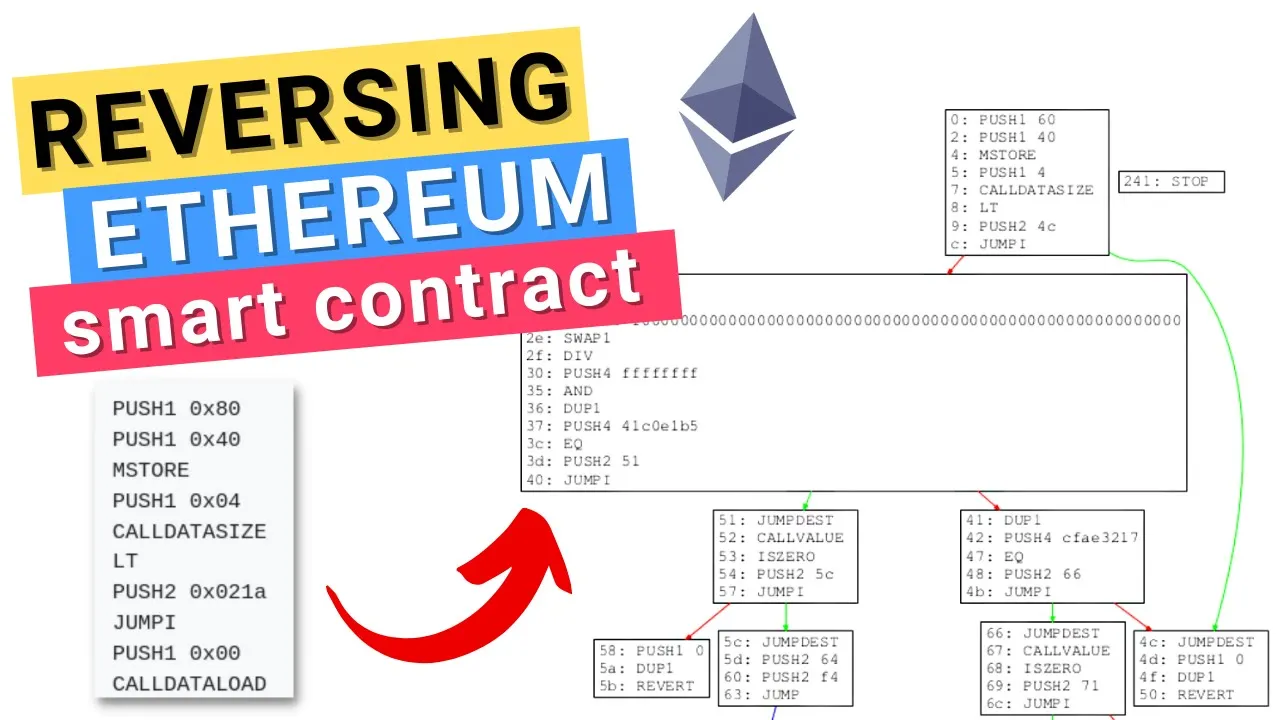
and so at ox80 it's going to be initially completely clean nothing will be stored here and it is actually safe to write new stuff to be stored in memory here and it's actually interesting to note that ox40 is the free memory pointer and it comes before ox60 because when initializing this memory to ox40 that means we only have to load in so many words before it and sort of allocate those as memory and so this way if a transaction never wrote memory Beyond this ox40 then we actually wouldn't have to sort of load in another memory word here and so this is a very slight slight optimization where if they were to be flipped then you would always have to be loading in some some empty Another Empty spot when we initially write to the free memory pointer in a new transaction which we'll see in a minute and to make what I'm saying here really clear if I go and I write to memory and I do what is called an M store op code which we'll see in a second and I say I want to write to some slot that is you know like some really really big number I want to write to some really huge number down here this is going to be extremely expensive due to memory expansion right so if I'm writing to this then we now all of a sudden have to keep track of all of these memory words below it and so as your memory expands like this the gas costs are actually going to exponentially increase all right then next is of course call data so call data also stores arbitrary bytes but the difference here is that in call data you can only read from this area you cannot write anything to call data and for this reason it is much much cheaper to be reading things and accessing things from call data and so of course if you can help it then always air error on the side of Simply reading things from call data and avoid copying things from call data into memory whenever possible so if you never need to modify something that is call data then always just read it from call data and do not copy it into memory and of course if you have a memory parameter for one of your functions but you never need to modify that memory parameter then use it as call data okay and then finally we have storage now storage is the most expensive of all of these different areas where you can store data but it is also the only one of these areas that is permanent all these other areas like the stack memory and call data they all go away they're all temporary places to store data during a transaction so in this sense storage is almost like the blockchain database that you can think about and it works in somewhat of a similar way to memory where we have 32 byte words that get stored in storage except this time we have storage slots and there are no reserved areas for solidity or no like free memory pointer or anything like this and so essentially if we think about the blockchain state and how we have you know all these different accounts like let's say we have a count here an account here an account here an account here then in for example if we go to to this account here then this account has a nonce associated with it it has a certain amount of ether so it has native tokens and then of course it might have some code associated with that address of course if this is home to a contract and then if it's home to a contract then it is also likely to have some storage and now storage also breaks down into these slots so we have all these different keys for storage and each of these Keys is essentially a uint 256 a 256 bit number or you know something that occupies a full word whereas the keys for the state of the blockchain in each of these accounts is of course a 160 bit number or address right and then both of these of course the the state of the blockchain with all of these different accounts and then of course the tree here for different storage slots are Patricia Merkel tries and we're not going to get into the exactly this video but this is essentially how the storage is ultimately laid out as a persistent piece of the blockchain state so of course how do all these different areas of the evm actually come together to give us what we know as ethereum so what brings it all together and makes all of these things interact with each other and really workable is this idea of op codes so we're on the ethereum yellow paper here and we have all of the op codes pulled up and we can see that essentially what an OP code is is a specific instruction to give to the evm in order to do something so imagine you had a little robot and you gave him four different spots to just put stuff and then you just gave him stuff you just handed him random crap and then told him instructions on what to do with it where to put it that's essentially what the evm is so we can see we have something like the add op code which literally just takes two items that are on the stack like we talked about and adds them together and then of course stores the result of that Edition into the first spot on the stack and you can see along the side here that for each opcode we have a corresponding hex code here and this will play into how exactly these op codes are able to be translated into something that can be actually executed by the evm but first before we get into that let's examine a few op codes that interact with the areas of storage and memory and the stack that we just looked at so here we can see we have a number of push opcodes which correspond to pushing things onto the stack so here we can see we have a push one opcode and it goes to push 2 and it goes all the way up to push 32 and each of these correspond to pushing a n byte sized thing onto the stack and remember it goes up to 32 here because 32 bytes is of course a full word and full 32 byte words are what is stored on the stack and so if I only push one then the other 31 bytes are essentially padded out with zeros and then you get that one single byte on the end that thing is pushed onto the stack then of course here we have Ox 50 which is the pop op code which removes an item from the top of the stack and right below that we can see M store and M load and so these op codes are useful for storing things in memory right mstore will take the actual position and so mstore will save an entire word into memory and it will take the first two things on the stack and use those as the value to be stored and then also the position at which it should be stored then of course M load is doing the opposite we are reading something from memory right so we're giving a location in memory to read and then we are getting that value and putting it onto the stack back and then you'll notice we even have a m store 8 op code here which saves a single byte to memory and then right below that we can see the S load and s store opcodes which do a very very similar thing just for storage right so I can store and load things at a particular storage slong so there are many many op codes and I encourage you to go read the ethereum yellow paper and actually see all of them for yourself get familiar with all of them but now it's time to see how these op codes come into play and are actually used by the evm so we'll remember that if we go to our ethereum yellow paper here we can see these op codes correspond to these hex values here these single bytes and we'll actually be able to see this if we go into chisel here we have literally just a example contract set up here and what we can do is we can get address this dot code and here we have individual byte codes for op codes right so some of these hex characters here are op codes and so we can see if I add a variable here we can add a uint i and we can say it equals to the type you went 256 dot Max now if we go ahead and look at our contract we've added this single Declaration of I which is the max value of the unit 256 and then now we can have a look at address this dot code and you can actually see here that we've gotten a good amount of extra F's here that we didn't have before right we had this 73 ffff here this is this set of F's but we didn't have this big statement of F's here so if we actually count this out the number of bytes here for this set of F's is actually 32 bytes of F's and this is the value for our I variable here this is the uint 256 Max right so unit 256 of course has 32 bytes and each of the bits inside of all of those bytes are one and so we have f for every single byte we have FF and so before all of these 32 bytes of F's we can see we have this 7 F byte right here so so if we go and find the op code that corresponds to 7f we'll see what exactly is happening with this big set of F's here so here we are at the 7 F opcode and this is the push 32 opcode so we're pushing a 32 byte word onto the stack and this perfectly makes sense right so we're taking this big 32 bytes of F's and we are pushing it onto the stack that's exactly what this statement here is doing now there's actually a wonderful website for distilling things down and actually getting to look at the bare op codes themselves and that is evm codes so we can see we have a basic sort of default contract here for a counter already set up for us and we can run the count method and we can see exactly all of the different op codes that it's going to run through and you can even step through all the them and see how the memory The Stack Storage is manipulated throughout the transaction but what we can do is we can actually walk through and see okay what is the evm doing at the op code level as we're reading this byte code here and executing the call data and then we can see how the transaction will function so here we can see I've called the count function and we can see a few things happening off the bat here so I can see a push one opcode of 80 and then so we're placing 80 onto the stack so that's our first 32 byte word on the stack is literally just a bunch of zero zero zeros and then in the literally the very last byte that byte corresponds to 80. so we have Ox 80 on the stack and then we push another word and this one is ox40 and then what we do with those two things on the stack is we m-store them and so what we're doing here is exactly what we talked about just a little bit earlier when we're talking about this free memory pointer so this is exactly what we're doing we're taking ox80 and we are M storing it at ox40 and so this is at the beginning of any transaction that happens is we're going to start up by setting that free memory pointer and then what we're going to do is we're essentially going to have a sequence of opcodes here to check if the call Value was non-zero because of course the function that we called is not payable so we're going to get the call Value that's going to place that onto the stack at the top we're going to duplicate it so now we have two of those so this will check is the last thing on the stack 0 if it is put a 1 there if it isn't put a 0 and then we're going to push 2 for this and so now what we're doing here is we're pushing two bytes onto the stack and we've got this 0 0 10 0 value so basically Ox 10 here that is the most recent word on the stack and then remember we have our is zero result after that and of course for this transaction I did not provide any any message.value so this is zero will result in true which means there will be a one there and then we get to the jump I instruction and if we go and find Jump I in the ethereum yellow paper then we can see conditionally alter the program counter so where the program is and we'll look at that in just a second so here the notation might be slightly confusing but they set the program counter to what is on the Zero width of the stack so whatever is literally on the top of the stack if that first value our result of is zero is not equal to zero so R is zero result was one and so it's not equal to zero and so what we will do in our case is we will actually jump to this program counter of 10 here and what this will do is it will essentially move us you'll see so the program counter here is right here on the side so once we get to jump I we're at OB and then what we'll do is we'll end up jumping to 10 here and so we can sort of Step through that and see that now we're at the jump test right we we just jumped to this destination here and you always have to jump to a jump destination otherwise the whole program will revert and then now that we're at the jump destination we've loaded in you know we've put the free memory pointer where it needs to be we've had that safety check that makes sure that we didn't send ether to a function that isn't supposed to accept it now what we do is we clean up the stack a little bit and then we push on on this 4 value and then what we do is we get the call data size and put that on top of it so what the stack looks like right now is we have four right here and then we have the call data size right here and then what we do is we have this less than op code and so the less than op code we'll check is this call data size less than four and that means four bytes right so if call data size is less than 4 then we're going to end up so so less than I believe it will put a 1 onto the stack if it is indeed less than which means that we will jump I to 004c if it is less than and then if we jump to 4C if we find 4C then we see that this ultimately leads to another revert case right so if we provided some call data that was smaller in size than four bytes meaning that it couldn't possibly even be a function selector then we need to revert as that's clearly invalid call data you're not even attempting to call a specific function and just really quickly on function selectors they are essentially the first four bytes of the ketchek hash of the function sort of parameters and and signature here and we can actually easily get the function selector if we do a cast Sig of let's say git and we can see that this is the function selector for git using the handy cat Foundry cast and then of course for the function that we called which is count we can cast that as well and get count and then see okay here is the function selector for count so when we supplied call data to call count we immediately gave this function selector as the first four bytes as a part of that call data to specify this is the function that we are calling so with that in mind let's step through let's see this validation of the call data size in action so we push that on we check if it's less than we push stuff on and we're going to see us not jump so jump I and then we're just going to go to 1A so here we are on 1A and then what we do is we load the call data and then you can see we're about to do a shift right and we're about to shift right by this e0 amount so it's important to note that call data load is going to load in a single word of call data onto the stack and then what we're going to do is we're shifting right by this e0 value so let's find out what e 0 corresponds to we can see e0 here and we can see that it is 224. so what's the significance of this of course is if we have 256 bits in a uint in a word that is 32 bytes then if we're shifting it to the right if we're taking a value shifting it to the right by 224 bits we end up with 32 bits all the way on the right and so essentially what we've done here is we've taken the call data whatever was in that first word of the call data now we have shifted it all the way to the right until there's just these 32 bytes here I'm sorry 32 bits here 32 bits that's literally all we're left here is 32 bits instead of having a full word We Shrunk it down to 32 bits which is of course 32 divided by by 8 bits per byte we have four bytes here and of course what is four bytes but a function selector so exactly what we're doing here is we're getting the function selector from the call data onto the stack and then what we're doing is you see we have these push fours you might actually recognize some of these selectors is we're pushing the function selectors in the contract onto the stack and we are comparing it against this value that we just got from doing this shift from our call data so we figure out essentially what function am I calling with my call data and then we say well what functions do we have in this contract and then we check one by one and we see does this function selector match this for instance this function if it does then ultimately we're going to push a location that sort of it maps to where that function begins where the op codes that can based basically play out the function logic actually live and if it doesn't then we're going to continue on and look at the next opcode so you might recognize this ox66 because we did a Sig of count and that is exactly the function selector for count here so we are actually on this first attempt going to see that these are equal and then we're going to push this on and then we're going to jump to that portion of the the op codes but before we sort of you know step this through and actually go there there's a few things to note of course why is it that this was first now you might be thinking that oh well it's just because count was first here and had this the auto-generated view function the getter function for count and you know since it's first here those were maybe just put at the top of the the contract or something like that but it's actually because the function selectors here are ordered by numerical value so for instance if I take this 066 here and if we want to make this into a decimal integer we can see it's this value meanwhile if I take the very next one and I go and we make this into a decimal here and we can see it is considerably bigger and then even more so if I go to the next one after that then what we'll see is we have this and then that one's even much bigger than the one before it so these are ascending in the numerical value of the bytes for the function selector and so when we have I think it's four functions or less in a contract it will actually do a linear search like this where it will go through all of them one by one and so it will actually be more gas efficient technically speaking at this opcode level call a function that has a lower byte value for its function signature because you only have to get to this first one and then you say oh well this is the first one that we're calling we don't need to waste gas doing all these other op codes checking for all these other function signatures we're just going to jump right to where that logic is and then execute it over when there are more than four different functions here in a contract then it actually switches to using a binary search right because all of these are actually ordered in order of ascending byte values okay and then we can see that we continue to walk through and then we push the selector on we see if it's equal then we push where the location of all that logic for this function is for this getter function and then we're going to jump to it we're going to jump to 51 here until we will ultimately get to an S load to actually load in that storage slot and then ultimately return it as a part of the return value of the view function so that is absolutely everything that you need to know about the evm and how these things actually execute and you know become executable as bytecode at a low level I really hope that this video was informative for you perhaps the evm was something entirely mysterious before this I really hope this made it very digestible and easy to understand and for those of you who already had a very in-depth knowledge of the evm I hope that this just confirmed your understanding and then of course maybe you picked up a few little things along the way that you didn't know so I really appreciate you watching the entire video up to this point of course if you are a protocol developer or you're working on a team and you're getting ready to launch some sick new defy application and you're looking for a security audit or beginning to think about that process then get an absolutely free set of first pass security notes from myself when you go to Guardian audits.com quote and you fill an application and then we will get back to you with some initial first impression security notes of the protocol and of course a quote for a security audit and of course if you know any teams who are building something cool and looking for a smart contract audit send them to Guardian audits.com quote and of course if you're looking for a community to connect with other security-minded individuals people who are interested in blockchain security and want to really grow out their skill set as security developers and learn from others connect with others in the space and even participate in team audits where you get the chance to team up with people from across the world and learn from their methodologies and get rewarded for findings that you come up with as a team and go check out lab.guardianonits.com and apply to join our community of growing Auditors all right that's everything for this time I can't wait to see you in the next one [Music] thank you
Up Next

3:59
Solidity Inheritance: Virtual & Override Keywords Explained
@smartcontractprogrammer
16K views•2021-11-25

52:00
Hybrid Key Establishment in Production: Post-Quantum Cryptography
@durumcrustulum
14.7K views•2025-08-27

45:41
GTDA Method for Smart Contract Auditing: Finding Critical Bugs
@0xOwenThurm
15.1K views•2024-02-01

11:49
Understanding Ethereum: A Comprehensive Beginner's Overview
@99Bitcoins
3.1M views•2018-06-26
Related Study Plans & Knowledge Roadmaps
Structured learning paths in Blockchain & Crypto
blockchain-and-crypto
MPC Wallets: TSS, DKG & Secure Custody
01Foundations of Cryptography & Digital Signatures
02Secret Sharing & Introduction to MPC
03Distributed Key Generation (DKG)
+ 2 more learning modules
24h5 modules
Explore Roadmap
blockchain-and-crypto
ERC-4626: Yield Aggregators & Leverage
01Blockchain, Ethereum, and Solidity Foundations
02DeFi Primitives: Lending, Pools, and Yield Farming
03Mastering the ERC-4626 Tokenized Vault Standard
+ 3 more learning modules
35h6 modules
Explore Roadmap
blockchain-and-crypto
DePIN: IoT Registries, Proofs & Rewards
01Foundations of Blockchain & IoT
02Introduction to DePIN and the Flywheel Effect
03Designing IoT Device Registries & Secure Identity
+ 3 more learning modules
30h6 modules
Explore Roadmap
blockchain-and-crypto
Building EigenLayer AVS: Operators & Contracts
01Blockchain, Ethereum, and Smart Contract Basics
02Proof of Stake and Ethereum Staking
03Introduction to EigenLayer and Restaking
+ 3 more learning modules
24h6 modules
Explore Roadmap