




![Algoritmo Solución laberinto | Seguidor de pared | Wall follower [ RoboMind ]](https://i.ytimg.com/vi_webp/KoSYNSvj6ds/maxresdefault.webp)

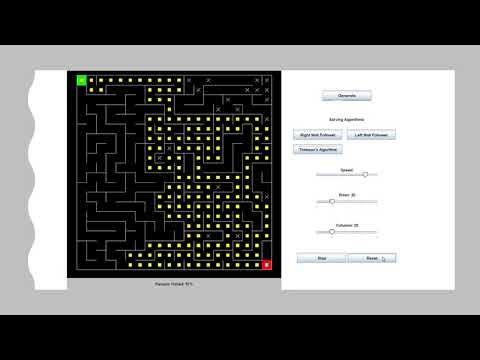














This video presents Maze Runner Core, a simplified and extensible software framework for UKMARSBOT micromice that implements a layered architecture separating hardware abstraction, configuration management, and behavioral logic to enable easy portability across different hardware platforms and facilitate collaborative development while providing a solid foundation for beginners to build upon.
UKMARSBOT Mazerunner Core: Micromouse Software Architecture Guide
Added:Basic understanding of Micromouse robotics, including sensors, DC motors, and the core maze-solving objective.
Fundamentals of embedded C/C++ programming, specifically modular programming, structures, and hardware abstraction layers (HAL).
Elementary maze-solving algorithms, such as the Wall Follower and basic Flood Fill algorithms.
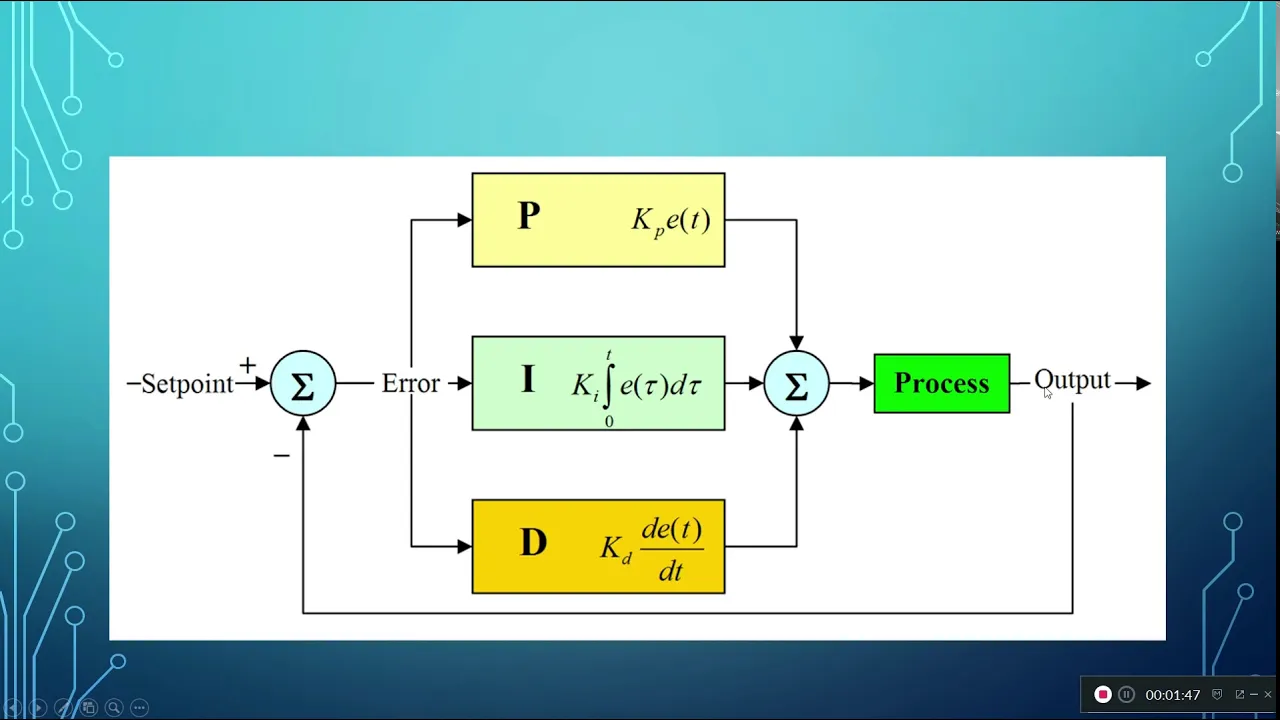
Core concepts of control systems, particularly proportional-integral-derivative (PID) control for robot motion and wall alignment.
Implementing advanced path-planning algorithms, such as diagonal pathfinding, speed-run optimization, and acceleration profiling.
Porting the Mazerunner Core framework to alternative, high-performance microcontroller architectures (e.g., STM32 or ESP32) to leverage increased processing power.
Advanced sensor fusion and calibration techniques, incorporating gyroscopes, encoders, and distance sensors for precise odometry.
Designing complex finite state machines (FSM) within the framework to handle robot states like search runs, speed runs, and error recovery.
2K views76likes21:22Original Release: 2023-09-09
UK Mars UK micromouse and Robotics Society was founded in 2017 with the aim of promoting interest in small robotics activities in the UK we have an active membership monthly online meetings and we run a number of events throughout the year these include a conference our main contest in the summer and an awesome event where we get to run contests and catch up with each other's progress to form a practical Focus point we decided to design a robot platform that would provide a basis for a number of small robot events and for general research use we wanted it to be inexpensive and make use forever possible of readily available parts for someone modular design makes it possible to add different sensor assemblies alternative processor options and a variety of monitor drives that robot is UK marsbot the robot's no good without software so today we're going to look at some aspects of the newest game available for the robot Maze Runner core having a versatile and easy to use robots one thing making it perform tasks is another give Builders the best chance of getting results quickly I wrote a whole bunch of software for it I knew what I wanted and I knew what I needed what I failed to do was distinguish between the need and the want as a result there's a bit of everything and that can only be confusing to the novice on newcomer there are two main software projects one is a set of examples illustrating how to set up and use the various features of the robot the other UK marsbot Maze Runner is a comprehensive project containing examples tests and configuration code as well as most of what is needed to make a working micromous robot or line follower all of this is in a relatively large project consisting of many files that are not well organized yeah from the perspective of the newcomer this will be very daunting even if they have good programming skills a while back I decided to create a new software project for UK marsbot that would hopefully provide a better starting point the aim was to simplify the code as much as possible while still providing a solid basis for extension and expansion there will be no point in creating a dead end for developers it was also clear that many Builders wanted to use different processor hardware and that there is always the possibility of building a completely different robot while still wanting to use much of the existing software thus possibility was also a major aim with these thoughts in mind I could lay out the key requirements for the new software some are needed some are wanted but this time I hope to get a better balance while the overriding requirement was to simplify the code that could still be done while improving some of the features I was Keen to ensure that portability was improved not only should it be easier to move the code to different Hardware I wanted to make it easy to run several robots from the same code base and in a variety of events if you have a fleet of robots as in a club or school this would make things a lot easier to manage so flexible configuration options are important the provision of the external serial port on UK marsbot makes it easy to attach a Bluetooth module like that in the hc05 that makes it easy to have the Builder use and always on command line interface to issue commands and get Telemetry and Reporting back without having to connect a computer and reset the processor many Builders still use the Arduino IDE for development so the code must build in that environment Library management is sometimes awkward so the software must use no additional libraries that will also make it easier to port to another environment or a language or processor I took advantage of the chance to run new code to manipulate the maze data in the hope that it's a little easier to understand and modify through all of this I wanted to make sure the user always has easy options to extend the software for more sophisticated use robot configuration has several aspects that I've divided into three sections first is the robot Hardware this deals with the processor used the associated pin assignments and the physical details of the controller board but excludes things like the drive system this is the lowest level of configuration and will probably include implementations for some aspects of the board such as how to set and reset pins and provide interrupt safe access to variables things like ADC configuration are not terribly important so there's no direct Association of ADC Channels with specific sensors from the perspective of the high level code with other configuration options the same there still needs to be a way to have different settings for the conditions and different events for example the wall sensor calibration will need to be different from practice at home compared to a real contest maze A Simple Choice can be made and enables the relevant configuration most of the configuration is related to the actual robot that is the combination of control board sensors and Drive Unit each robot can have its own conflict file where the physical characteristics of the robot are stored along the various settings for each event many constants used by the software are also pre-calculated here by the compiler to save processor time elsewhere this is also where the sensor readings are associated with a particular channel in a device independent way the ADC results are just stored in an array and the config file tells the code which array element to use for each sensor you can see how these things are put together in the main config file for the code we start off by deciding which Hardware platform we're going to support in this case there is only the UK marsbot 1.3 a board but if you had an older board or a different or custom board you could add it here and then select it selecting a particular Hardware platform pulls in a hardware specific config file so if I have a quick look at that you can see that in there we have the individual PIN numbers for the various functions of the robot we have names for the channels used by the ADC and we have some other items which are specific to that board so in this case we have the thresholds for the ADC converter connected to the switches since the UK marsbot 1.3 board is based on the Arduino Nano and uses the 18 Mega 328 this is an opportunity to provide some features which are specific to that device so here is a set of code for providing fast read and write access to the input pins and here we have a section which allows you to get safe access to multibite variables which may be modified during an interrupt routine back in the main config file the next section we come across is where we get to define the event this robot has run uh at home for practice it's run in the UK contest it's around in Portugal and it's around in Apec in the United States and so there are settings for each of these events at this stage we select the events and we may just choose to have a global goal associated with that particular event the actual value chosen is used later in the individual robot configuration file and that's the next section at the moment in this code I have settings for two physical robots one called Orion and one called chlorosmium the work that I've been doing lately is on robot Orion and so I have the names of the available robots I have a selection process here and then I can pull in the configuration file related specifically to robot Orion in the Orion configuration file and all the robot configuration files share the exact same structure but in this particular file I see that I'm using the home practice event and for that I have particular values for the sensor calibrations I have some threshold values which tell me when I need to turn and for other events I have other calibration values a little later I have the opportunity to Define which pins these are the these are kind of an indirection which pins are going to get used for different functions I can also say which of the ADC Channel numbers is being used for the various sensors I can set the ward rates the distance that the mouse has to travel to get from the back wall to the front wall and most importantly we come to physical constants associated with a robot so we've got things like wheel diameter and the gear ratio and how wide the mouse is and these values these constants are all precalculated by the compiler for us and they just save a bit of time later by entering the basic Dimensions all of these other things get calculated automatically we can also use the method described in another video to find the time constants and gain of the system for forward and rotational motion and if we do that we can then pre-calculate all the various controller constants again these details are shown in another video referenced above amazing finally we have performance constants where for this robot we might say we can achieve a search speed of 200 millimeters per second or or whatever other robots other speeds everything to do with the robot and its behavior is defined in one configuration file and different robots have the exact same structure but different values I've tried to develop the software as a layered system the idea is that each layer has a set of concerns and can only communicate with the layer above or below it queries can be made of the layer below and results provided to the layer above in this way layers can be modified or extended without affecting the rest of the code as long as the interface is maintained overall the software implements a micromous robot the mouse need no nothing of the motors used to drive it at that level it needs only concern itself with the operations in and on the maze user interaction path planning and execution motion control is handled by a separate layer which understands more about the capabilities of the robot and implements a basic drive system capable of controlling forward and rotational movement it looks after the overall acceleration speeds and positions and ensures that the demands from the mouse are met the motion controllers set the desired forward and rotational velocities for the robot and just assume that they will be achieved by the drive system it's unconcerned with how that happens it's the job of the motor controller to take these speeds and turn them into actual commands for the motors here is where the actual control is implemented this is the section that guarantees that the demands for Speed and position are all satisfied stop to a point if you want to change the drive system to a car like platform for instance you should only have to change this section of the code in general portability would be enhanced by separating out another layer for the hardware pwm this has not been done yet to reduce the number of files but it only amounts to two functions while not quite there yet the overall aim is to limit the scope of each layer or section to code extensibility is then a question of building upon the features provided by the other layers for example much of the code needed to create a line follow is going to be common to that needed by a micromouse most of that is in the task there will be differences in how the sensor data is interpreted and how to respond mapping and localization are different as our path planning and execution these are all behavioral aspects of the code and can be implemented independently of the robot platform as long as it's able to provide the required inputs and outputs I might expect that a potential Line Runner code base would only need some different configuration settings and to replace mails.h with follower.h the basic UK marsbot platform has a dip switch and a button that allow the user to select up to 16 tasks and start or stop them with a button press this seems flexible until you want to use the robot in a more interactive fashion such as viewing sensor readings or looking at the map the serial interface provided by the Arduino has two major limitations the most obvious is the cable which prevents movement and interferes with positioning for sensor calibration the other is that the processor resets whenever it's connected adding a permanently connected Bluetooth module lets you communicate by radio and makes for a much more flexible user interface you can start tasks such as sensor calibration and receive the results immediately real-time Telemetry and activity logging is also easy by providing a number of predefined reports it's easier to share data and compare results the serial i o has been made more flexible so that it's possible to log to other devices if required I've also implemented simple selection by including the sensors this is very useful when starting the robot in the Maze without physically disturbing it the more ambitious might added display device using I squared C and the wheel encoders can be used as inputs as well I hope that these features and other features you can find in the code will serve to illustrate how it might be possible to create and use a code base that is simpler in structure easier to understand and maintain while providing for future expansion by having features separated out into clear functional blocks with well-defined interfaces it's a much easier task to locate the proper place to make changes where possible this functional block should make a clear distinction between the hardware and the functions that use it that way it's easier to identify which parts of the code need attention when importing to new hardware for the long C or C plus user the same approach will help in development and will be easier to identify plots of code that can be translated and tested piece now for another language or environment maintaining the general structure will make it easier to work with others even if they're not using the same Hardware or even the same language flows With Many Robots whether they're individuals or groups duration method should make it easier to manage the individual robots while maintaining essentially the same core software you might note that the current state of decay does not entirely fit these requirements this is a balance between full implementation and convenience for users of the Arduino IDE much of the code is derived from the original UK marsbot Maze Runner code but there have now been so many changes and it should be regarded not as a development but as a whole new project development has been done using platform i o in Visual Studio code as this provides the most flexible option when you download it the main project directory is set up as a platform i o project and you'll probably have to edit the platformio to any file for your local environment I've also ensured that the code will build in the current Arduino desktop Ides ideally I would have split the objects up a little more finely but I wanted to ensure that the files that make up the project are all visible in the default IDE layout on a 1920x1080 screen Arduino IDE users need only open The Maze Runner core directory inside the project directory and it should load up without thus there are no external dependencies and no libraries to worry about the project is maintained on GitHub and I welcome any contributions ideally you would make a fork of the project on GitHub make your changes and generate a pull request if that's not your cup of tea then please use the issue system in GitHub to suggest Corrections or improvements that way everyone can see and contribute to the project in a more open manner the project is still under active development so you should expect changes frequently I hope to create a stable release soon that can be used as a common reference point so let's have a look at a live demonstration of the code running on a stock UK marsbot build this is the Orion robot it's run in a couple of recent contests in various places you could run in those contests isn't the actual Maze Runner core code and it has many more features even so I want to show that The Maze Runner core will run on the same hardware and provides all the basics digit to get you running in the maze so we'll start off by flashing the code to the robot flashing the code generates a pile of garbage on the Bluetooth screen you can ignore that but you can see that the robot has now reset and we'll just see that the wall information is appropriate if I want to be safe and sure I can always reset it and check again at this point now you can start the mouse either by using the switches and pressing the button to set it going or of course we have the function commands available over Bluetooth so I'll use F2 and the robot sits waiting for me to start it off and place it in the maze and Let It Go while it runs it generates telemetry telling you where it is where it's pointing and any other information that you might wish it to send when it's found the goal it tells you and then carries on looking to see if there's a better route for a while we have Telemetry coming from the robot so now we've finished our exploration and hopefully the robot's got a good idea of what's going on let's have a look at the walls and that appears to be a good representation of the map that we have the map is ready for use we can see how the mouse has flooded it by asking it what costs it has or if you prefer you can ask it what directions it will use when it next runs so let's set it going again F2 press return you can just about see the light flashing to tell me to get it ready and now it should take the best path the Telemetry is still running of course and then return to the start [Laughter] job done clearly you'd want it to be running faster than that but I have to leave you something to do Maze Runner core is neither finished nor is it the end of the road for micromass development with UK marsbot and similar Hardware rather it's a beginning for future development as it stands it provides what I think is a bare minimum of functionality for micromous Builders I don't intend to add much if anything in the way of performance enhancements after all as an educational tool it's meant to just get Builders off to a sound start it's up to individuals to work out how to run faster and more reliably measuring a core is an application Level code base I hope I have available separate projects designed especially for testing and configuration of the robot this will let Builders work out to keep parameters for their robot and then use those in the micromask code for some is an interest in using different processor boards and possibly different languages I would hope that the Maze Runner core code might provide inspiration for a better code structure regardless of the platform some effort has been made to make deporting to other hardware and other languages a little easier for future contests you should be able to see at least one demonstrated robot running The Maze Runner core and hopefully others using enhanced versions assuming the code structure finds a positive response I'd also like to look at developing a line follower using a very similar model all of this would be a whole lot more fun if there were several more contributors well that's more than enough from me it's probably a lot to digest in one sitting and examples in C and C plus plus and on everyone's idea of fun even so it's a good time to ask if there are any questions or observations on what you've seen so far I also welcome direct emails on more General aspects of the code but the greatest game would come from open discussion on the UK Mars mailing list or fire issues raised in the repository on GitHub thanks to the repositories we're on the final slide thank you if you want to have a detailed look for yourself this is where you can find the repositories referred to in the previous slides foreign
Up Next
25:22
Micromouse: The Fastest Maze-Solving Robots on Earth
@veritasium
23.5M views•2023-05-24

58:25
MathWorks Virtual RoboSub Simulation Environment | Webinar 2026
@RoboNationInc
209 views•2026-03-10
45:48
Wall and Line Tracking Control for Micromouse Robots | Peter Harrison
@MicroMouse
7.3K views•2023-05-22

58:11
Introduction to Robotics | Stanford CS223A Lecture 1
@stanford
744.4K views•2008-07-22
Related Study Plans & Knowledge Roadmaps
Structured learning paths in Robotics
robotics
Building Delta Robots: Kinematics & Pico
01Foundations of Delta Robots & Mechanical Design
02Electronics and Microcontroller Setup with Pi Pico
03Delta Robot Kinematics and Coordinate Math
+ 3 more learning modules
65h6 modules
Explore Roadmap
robotics
Building Ballbots: Dynamics, Kalman & LQR
01Embedded Electronics & Omniwheel Actuation
02Ballbot Kinematics & Rigid Body Dynamics
03IMU Sensors & Kalman Filter State Estimation
+ 2 more learning modules
42h5 modules
Explore Roadmap
robotics
Micromouse: Hardware, PID Control & Flood-Fill
01Electronics & Teensy Microcontroller Basics
02Sensors and Actuators: Motors, Encoders & IR
03Precision Movement: Implementing PID Control
+ 2 more learning modules
35h5 modules
Explore Roadmap
robotics
CDPR: Kinematics, Arduino & Winch Control
01Foundations of Arduino & Basic Electronics
02Stepper Motors and Winch Mechanics
03Kinematics of 2D Cable-Driven Robots
+ 2 more learning modules
28h5 modules
Explore Roadmap