









![Deep & Cross ⚔️ Networks[Paper Explained]](https://i.ytimg.com/vi/sxC7CrrqsUY/maxresdefault.jpg)
![[Paper Review]: Deep & Cross Network for Ad Click Predictions by Google](https://i.ytimg.com/vi/oh6tKK1Sgyw/maxresdefault.jpg)










The retrieval and ranking architecture for real-time personalized recommendations uses a two-tower embedding model where user query embeddings and item embeddings are generated from separate neural networks, then candidate items are retrieved using approximate nearest neighbor search in a vector database, followed by ranking with a separate model to reorder candidates based on additional features from a feature store, all within tight latency constraints of under 100 milliseconds.
Personalized Recommendations with Retrieval and Ranking Architecture
Added:Fundamental understanding of machine learning embeddings, vector spaces, and deep learning basics.
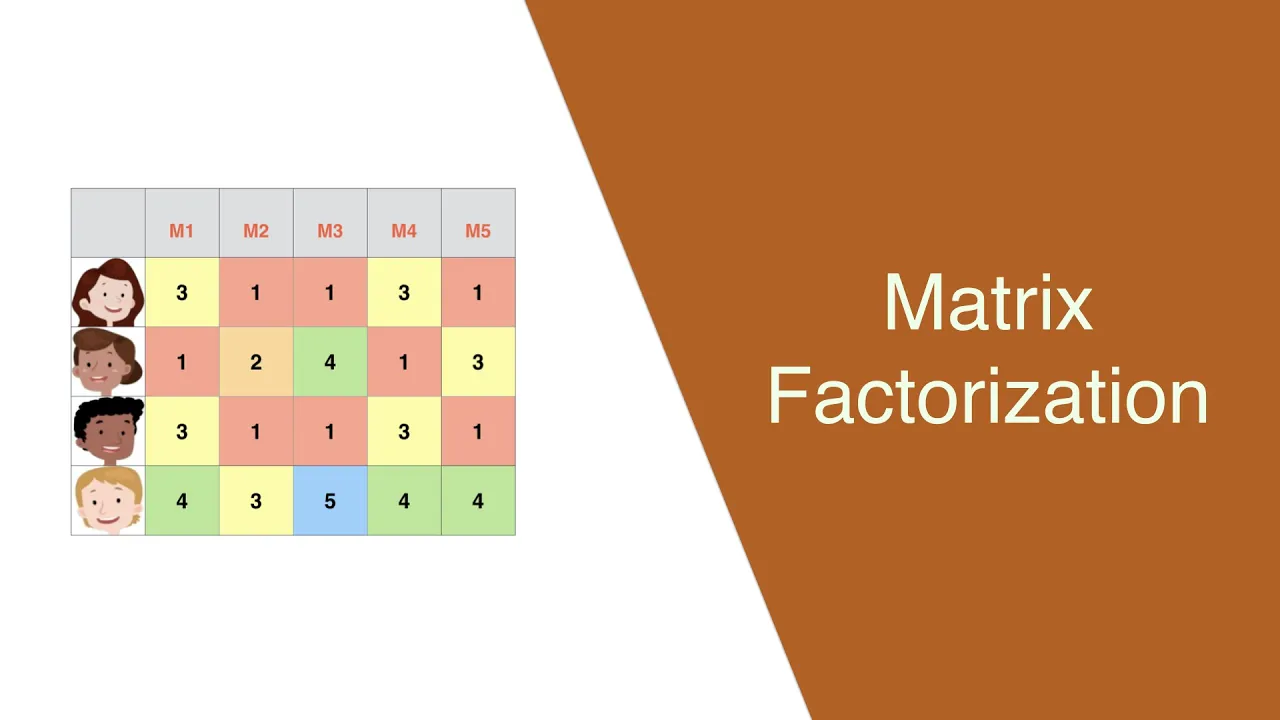
Familiarity with traditional recommendation approaches such as collaborative filtering and matrix factorization.
Basic knowledge of vector similarity metrics (e.g., cosine similarity, dot product) and nearest neighbor search.
Core data engineering concepts, particularly the role of Feature Stores (offline vs. online features) in ML pipelines.
Exploring advanced ranking models and deep CTR (Click-Through Rate) prediction architectures like Deep & Cross Networks (DCN) and DLRM.
Scaling vector search and retrieval using production-grade vector databases (e.g., Milvus, Pinecone) and Approximate Nearest Neighbor (ANN) algorithms.
Implementing real-time serving architectures, handling low-latency constraints, and deploying recommendation models in production (e.g., using Triton or TF Serving).
Designing evaluation strategies for recommendation systems, including offline metrics (NDCG, MAP) and online experiments (A/B testing, multi-armed bandits).
1.6K views29likes2:01:16Original Release: 2023-08-18
foreign [Music] thanks for joining so my name is Jim Dowling and I'm going to give this workshop on personalized recommendations and search with and search with retrieval and ranking architectures um and please chat talk in the chat so I don't know if you have access to talk to be able to interrupt me but if you write in the chat I will stop immediately as soon as I see it and try and answer you as best I can um we have a bunch of people in here so let's get let's get cracking So Daniel was going to get back to me who's the organizer but I think we'll go ahead um I have a bit of a cough It's Not Unusual so I'll try not to um hurt your ears with it if I cough I'll try and turn to the side and would be warned okay I'm gonna share my screen and we'll get kicking um so thanks very much you're super excited I'm even more excited um so I have the the agenda in the outline for today is that I'm gonna do two parts right there's gonna be a presentation and there's going to be some code and um I'm going to start with the presentation so it's a two-hour workshop and we'll have about an hour roughly an hour a little bit more maybe maybe five ten minutes more um where we go through the theory of uh retrieval and racking architectures in particular and real-time recommendations and personalized recommendations will be the main topic of the workshop and then we'll go through a worked example and everything will be an open source so we're using um the open source hopsworks platform and inside that we have open search which is a vector database or an embedding store and we have an open source model serving infrastructure called K server used to be called kubeflow Model serving but now it's called caser so is everything we're doing will be based on open source and you'll be able to re uh to um reproduce this yourself and hopefully you have questions about both the theory and the practice so I'm just going to switch over and back to have a look at the chat every now and again unfortunately I won't be able to see it all the time but I'll take breaks periodically where I'll have a look in the chat to see if you have questions let's get started I think the event is being recorded so um of course you'll be able to access it later so my name is Jim Dowling um I'm CEO of a company called hopsworks I'm also an associate professor at kth in Stockholm and I work in my research is primarily on distributed systems and AI so what we're going to do today is we're gonna we're gonna build in the end the system a personalized fashion recommendation system based on an open source data set called the h m um personalized fashion recommendations data set it's available on kygo the competition is there if you want to look it up uh just Google kaggle h m and you'll find us and the data set consists of three different um tables if you will right because this is mostly tabular data we'll be dealing with today we have articles which are are items of clothing primarily that are available at h m and you have detailed metadata on those articles and they're available for purchase and we have the customers so these are the people who who bought these articles and each customer has a unique identifier we also know some some information about the customers their age and we have a postcode for them and then we have what we call transactions and the transactions are the purchases made by customers so we have the date along with the purchase we also know whether it's in the online store or in the physical store and the goal of this recommendation system is to predict what articles a customer will purchase in it the next period of time now the competition it was actually seven days so within the next seven days what will the um the the the customer buy but we're going to look at seven seconds because the world has moved on from Spotify weekly where you've got your recommendations once per week uh in your mailbox or when you logged in to um the modern world which is people using Tick Tock and then your recommendations are updated every few seconds so we're going to primarily focus on the retrieval and ranking architecture for real-time recommendations but we will of course cover this batch uh prediction uh Branch recommendation architecture and which is the the seven day problem so seven days you have enough time to send out an email in an email campaign so people get offers and then um you'll see if they if they sell or not excuse me okay so let's get started we're going to talk about recommender systems this is a one slide intro to recommender systems so recommender systems are information filtering systems the idea is that you want to personalize information coming to a user based on their historical users so we're looking for um the context of what what's popular maybe right now what's trending and what is the customer user done in the past and there's different paradigms for how to build recommender systems and a lot of these are used in practice so collaborative filtering has been very popular for a while and the basic idea behind collaborative filtering um is that you have two similar users and maybe one user has maybe bought some item or article that a similar user might be interested in and will recommend that item or article to that user I'm going to use the term item rather than articles um and we're going to use the term instead of customer will use the term uh user primarily but then we think about the same things in terms of h m data set so um collaborative filtering is where we say okay this user is similar to this other user has maybe bought this item of clothing and we'll recommend it to this other user because they're similar at content-based filtering which is where we have the items are similar so maybe you have um a a pair of pants or or a dress and it matches very well with this top and people tend to have bought those two together so you might recommend that other item because it's similar and people who have bought the other item I've tended to buy both items together there are many other types of recommender systems you can have social uh recommender systems so where you look for people who are in different social groups so maybe we have got on h m and they have a particular style of clothes they like and you you identify this user categorize this users being a member of that particular community and then you can sell to them based on that social uh grouping that you've that you've attached the user to and maybe it's demographic so you're in a particular age group maybe you're a pensioner and we're going to sell to you based on that um or maybe you're an iPhone owner so we can maybe charge you a little bit more and then finally um contextual recommendation systems I think everyone who's used Twitter will know about things like what's trending um so uh you know trending issues would be more about contextual recommendations so what's the hot item of clothing that's available in h m right now that everyone has to have okay I'm just gonna have quick checks if anyone has any questions before we get started no chat yet so let's get let's get cracking okay so I'm going to do a little historical background on recommender system so we started out with the first kind of successful consumer-based recommendation systems where what we call analytical machine learning models or batch programs so Facebook posts and you would use collaborative filtering that we talked about so similar users or people who have many friends in common you could recommend content that's another user has clicked on because that user has many uh shared contacts with you and this can be done in a batch manner because when the user logs on they'll get the recommendations on Netflix it did something similar and they had a competition which is quite famous quite a while ago now maybe over a decade ago Spotify weekly I mentioned already you get your weekly recommendations for songs and and then from the data scientist perspective if you want to learn how to build one of these batch recommendation systems you might look at a data set like movie lens which is open source it has movies in there and you have the score of the movie so the review review score of them so you want to predict things like the review score based on some features related to the movie now one of the disadvantages of analytical recommendation systems is well for every user in Spotify weekly I have to make a recommendation for each one even if the user doesn't log in during that week I'm going to create a recommendation for them it's going to cost me compute it's going to cost me some storage so how do we build these analytical ml systems or batch recommendation systems well you start at the top we'll start at the top here we have some place where we have our data it doesn't necessarily have to be a feature store modern systems to tend to have a feature store but you could have a data warehouse with all your data and then you have some feature pipelines which will read up that data it will convert that data into features so compute some aggregations and Transformations on the data and then you're going to have a model so we're going to have to download the model from maybe a model registry into this batch program it'll be embedded in the program and then what we're going to do is we're going to basically make some predictions for each user so for each user we might look at a history of what they've looked what they've listened to and if we're doing collaborative filtering we might find some similar users to them and then we'll make predictions based on those features and the predictions that is the songs that the user might want to listen to we're going to write to in spotify's case to Cassandra and then when you log in to get to Spotify so this operational service here you're going to get your Spotify weekly predictions so you're just going to download the predictions so the the from a a latency perspective when a user logs in they get the predictions ready to go and that's nice from a user perspective the downside of course is that the the predictions were made once per week so where many companies have moved is towards um operational machine learning uh systems so online recommendation systems Alibaba are an extremely large retailer out of China and they do primarily item to item uh recommendations so they do a lot of recommendations based on your current session um maybe based on items that you previously bought so there's a lot of good papers in the space YouTube were the first uh organization to really Advocate the retrieval and ranking architecture we're going to talk about today um they do user to uh item recommendations and they do item to item recommendations um Tick Tock um that Andrea caparity describes as digital crack and I think he means crack cocaine and not in the Irish sense of the term crack which means fun um it's it's doing extremely fresh predictions about what the next piece of media you'd like to to watch is so as you're scrolling and as you're spending more time on videos it's learning in very quick time it's not training a new model what it's doing is it's updating the features so the features could be for example the amount of time you're spending on different categories of uh video clips and those feature as those features get updated then different predictions will be made about um the type of content that they want to show to you next so from a from a business perspective and I promise isn't the only business side in the entire deck and what you can see is that first you have to have your data in order if you want to build recommendation systems you need to have um probably some form of business intelligence infrastructure in place so a data warehouse or a data Lake um you can start doing machine learning on top of that to maybe see if if it's worthwhile investing in recommendation system like a laptop ml where you just train some models and see if you can fit your um data to a model and then if the if you can actually then beat a baseline in terms of random uh you know showing some random sounds can you beat that bass line and then we get up to the analytical ml these are a batch recommendation systems YouTube really is at this level which is the operational ml so real we're doing real-time retrieval and ranking we're going to do real-time predictions but we're going to use kind of old data the data might get updated once per day and at the very top we have Tick Tock where we're we're really updating the features on which we make predictions in real time so within seconds and you can see that that adds value to the likes of tick tock over YouTube because it really gives it feels like digital crack and that makes attracts more users and gives them a competitive advantage in the space so we're going to show how we can do that and throughout the talk today excuse me so what is this retrieval and ranking architecture that this Workshop is about well the basic idea is the following and this is an adaptation of the original YouTube paper on retrieval ranking architectures that you have a bunch of items so it might be the articles of clothing at h m you may have millions of them in the case of companies like Instagram you have billions or Facebook or behind Instagram and when you want to show a photo on Instagram or you want to to recommend an item of clothing at h m we have to generate some candidates we have to have some sort of user history and context about what candidates we want to show to them so we're going to use this user information about the the what they've maybe in the current session what they've looked at what they've bought in the past um maybe information about the you know the type of browser they're using if they're using an iPhone um and then what we want to do is we use all that information to generate some candidates and from there we're going to get several hundred candidates from the millions or billions we're going to rank those candidates we're going to we're going to then return only a few uh recommendations to the user so maybe up to dozens but but typically not too many to overwhelm the user so that's the goal and that's a challenge of retrieving ranking architectures we want to retrieve candidates we want to rank the candidates and then we want to present them to the user so these are some examples that Nvidia presented in and they talked about um retrieval and ranking architectures in the link below um and they gave the example of personalized music Discovery list we've kind of mentioned that but retrieval will be slightly different here we're going to talk about nearest neighbor search in the item embedding space I haven't discussed that yet we'll get into it later um but the kind of filtering things you want to do when you get your account that it's back is you want to say no I'm going to you know not show them tracks they've heard today in the last day so you could say before but that's a bit extreme right and when we rank them we want to reuse maybe the distance between the closest songs to the one you just listened to that you liked because you listened to the to the end and we're going to find a trade-off between you know this this distance other songs how similar it is to them and the beats per minute and song and and we don't want that two jarring track transitions so it's quite a quite a lot of sophisticated knowledge can go into building a ranking model for ranking the count that's to come back in in music I mean a social media feed retrieval might necessarily be using um uh approximus near its neighbor search we'll talk about that later you can do things like find candidates by walking a social graph for user and this could be posts or it could be um their friends and then you want to filter out things like posts that are from muted or blocked users and predict the likelihood and then ranking the the candidates you want to predict the likelihood of interacting with a post um but you want to do things like twiddle which is a technical term to to change the list of posts that they're from different authors excuse me um when we're working with e-commerce and we want to recommend what to add to your cart we might say well you know the user is it has placed some items in their cart so maybe we're not going to use collaborative filtering maybe we'll look up items commonly called purchase with the car contents this time so we're going to recommend with item to item uh recommendation system so that might be different from when you first log on you might log on and you'll get different recommendations because it might be using collaborative filtering so when we filter we want to remove candidates that are at a stop or maybe things that you've purchased in the last month or a year and when we're ranking we might want to predict How likely each candidate item of the user is to buy so maybe we have a you know we've learned some model about how much the user tends to spend and we don't want to show something that's maybe above their potential budget and but the goal will be to re you know to reorder these candidates to maximize expected Revenue so that's our optimization uh problem that this ranking model should be optimized to solve and then finally social media feed um you know you may have many candidate sources for the different uh rows or shells or banners that you see on the page and you want to remove things that are unlicensed for your particular country that's filtering and then ranking you want to rearrange them so that you know there's a a nice trade-off between the predictive relevance of the items and the genres are are not all the same genre um based on your previous consumption so there's a bunch of different examples you can have of this these different retrieval and ranking architectures and many of you will have seen this post I can recommend it it's a good post to read um Eugene Yan wrote it I think about nearly a year ago now and he wrote about the fact that pretty much every single um hyperscale AI company is building the recommendation systems on this particular retrieval and ranking infrastructure so you can see on the left hand side we have retrieval on the right hand side we have ranking and then at the top we have online infrastructure and the bottom we have offline infrastructure so this is primarily what I'm going to talk about in the first hour is what we need to have in place to build this retrieval and ranking infrastructure so you can see in the online case we need to have the user query so what the user maybe searches for or what they click on or maybe the last item they purchased and then the user's profile so this we're gonna we're gonna create an embedding from that information we call this the user or query embedding and we're going to use that embedding to find the closest items or candidates uh the top K probably 100 or 200 would be a reasonable number and then we're going to rank them with our ranking model but before we do that we're only going to get back maybe the IDS of our articles so the h m data set we'll just get back the IDS of the items of clothing but we want to get more features and we want to get the features for the user so we need to add features to these items that are candidates that we that we retrieve from the um the vector database this approximate snare's neighbor search and we're going to rank them then when we have the all of these candidates with their additional features so that's what you do in the online case but to get there you need to train an embedding model we'll look at training two models we have to build a vector database this is an approximate nearest neighbor index I'll describe what that is later if you don't know what it is we'll do that by taking all of the items in the catalog so in the h m case we'll take all the Articles and we'll create an embedding from each article and we'll we'll write it into this indexes Vector database and that's what's used again remember to retrieve the the closest matching candidates and then we're going to have to a feature store we're going to have the item features the the user features um and then the purchases uh and then we can train also the ranking model so these things need to happen offline and the other services need to be available online [Music] um I'll just see if there's any questions and I'll jump back no questions yet feel free to ask questions in the chat and we'll move on so this is a good read and I'm going to go into a little bit of details on it so this is a little bit more of a a concrete version of the previous slide so at the top we have somebody who says recommend me stuff and if you read the abstract for this Workshop it said we're going to do two Tower uh embedding models so the two term betting model and basically needs these three pieces of infrastructure we need a feature store to provide history and context so we need to know the history of user purchases and you know their patterns of behavior context what's trending we're going to get those from the feature store and that will in turn get them from feature pipelines from events happening in your platform as users click on things as users search for things they'll get pushed in here and then we'll create features and update the features that way and if you want to do Tick Tock you really need to go streaming to get uh streaming um engines so things like Flink and Spark streaming to get the freshest features but of course you can do this with python or or even Spark so um the feature store will give the history and context for for these recommendations um we'll use similarity search we're going to try and find items that are similar to The user's current query or their and their history and context and we're going to use this Vector database to do that and so we'll need to pass in an embedding we'll get back some embeddings as a a response and then we're going to need to use a ranking model so the ranking model is hosted on model serving infrastructure as are the embedding models so this this user query embedding will also be hosted here so we'll need to look up and re-rank the the responses we get from similarity search so this is basically the the infrastructure we're going to talk about today um and it's going to go along this line so we're going to start so that we talked already about retrieval filtering and ranking I'm going to go through in a little bit more detail here so we start out with this notion of embeddings and I will Define what embedding is in a minute but you take think of the embedding as taking the user's features so properties of the user what they've searched for what they've bought um you know the the what they've clicked on in this current session and we're going to turn it into an embedding which is basically an array of floats so it's going to be a bunch of numbers and and you decide how long that array is if it's a length 16 or 32 or 50 or 200 um but basically this this array of floats it captures the information about the user and their query and we're also going to use the same size array the same embedding to describe the items so the articles of clothing so we're going to have an item embedding model to try and distill all the information we have about the h m pieces of clothing into this 16 um floating Point numbers and then we're going to of course build this uh index of the items that we're going to be able to then retrieve I these items based on the user input so we're going to say okay what are the closest items to whatever the user uh has looked at recently or what they've searched for and then of course we want to filter out the candidates that are returned and we gave some examples of these already and then finally rank so this is the stages we're going to go through and um in the h m case we look at it again we'd like to do all of this in less than 100 milliseconds so if this is going to take too long you're going to be in trouble and honestly it is what we call a fan infrastructure as well problem because you can see what's happening at the at the left we we add the customer you know prior purchases or some model of them their age location and we create an embedding from it we then need to go look this up on a vector database the the hundred closest candidates we need to then filter out some of those and we're going to then go to the feature store to um we're going to go to this feature store to to retrieve a bunch of features for a hundred 100 100 different candidates so we can do 100 lookups here we can do that as a batch and do it as a single operation but it'll still take 20 or 30 milliseconds and then we're gonna have to rank all of those hundred candidates so we can do that with a batch request to our model A ranking model on on k-serv so we think about it end to end and we need to do you know a a look up on the feature store here we need to then generate an embedding from it here so we're looking at 10 20 milliseconds another 20 milliseconds or 10 milliseconds to to retrieve the candidates 20 milliseconds to look up uh the features and then another uh 10 or 20 milliseconds to to re-rank them and that gives us end-to-end you can get down to under 100 milliseconds in this case no I'm not going to go through all this in detail now but I'm just presenting what uh online interest offline infrastructure we will cover um later in the in the in the slides uh so we're gonna we're gonna look at how do we take our our input data remember we said at the beginning we have uh in information about the customers we've information about the Articles and then the the items that the articles that that the customers bought we call those transactions so we need to do some feature engineering um to to write those out as features to the feature store but once we have the features there we can train our embedding models so the user query embedding and the item betting model deploy those to model serving we can take those models that are computed and in this case we'll take the item model and we'll write to the index in open search and this is based on um fais which is um Facebook um similarity search so Facebook AI f for Facebook AI for AI and SS for similarity search so that's their particular approximals nearest neighbors um index that that is supported currently by open search it's pretty much the de facto there's a couple of different indexes out there scan is the other one by Google but we're going to work with Vice and then also once you have your features you can train your ranking model and again we can deploy it to model serving so we'll look at that in a bit more detail so I'm going to start at the beginning which are embeddings which is key to understanding the retrieval and um ranking architecture so what is an embedding um so an embedding is is a mapping of a discrete or categorical variable so you know categorical variable will be something like a string and so if we have a string which is your country name the country 11 well there's 192 of those globally um but we can what we can do is with an embedding is we can map um a discrete variable so a country name into a vector of continuous numbers this is an array of floats we can see here and we've only 192 countries we won't need that many floating Point numbers and to capture all of them doesn't need to be a huge array it could be a small one you can do the same thing with images you can see here we've got an image of of hops we've got different hops when you search on um Bing or on Google and you find something like cops and and you say show me similar images it'll basically use what we call similarity search it's going to take this image and it's going to compute an embedding on the image it's going to convert the image into this array of floating Point numbers and then similarity search is basically saying find me the closest images in this embedding space so in this High dimensional space so if I have 10 floating Point numbers in the in this you know space with 10 different numbers find me the items in here that are closest to the one this particular image the embedding I can be for this particular image what embeddings do is they create a denser representation of the calories and but they importantly they maintain some of the implicit relationship between items they're actually kind of you know they're almost like magic you can say and word to vacuum beddings is is where we take all of the words in English so if we take all of these words that are in the English language and we convert them into a number when I say convert them into a number what I mean is we're training um an auto encoder or an encoder to take these uh the this input which is a string or a categorical variable and then we're getting convert it into floating Point numbers so if I have a hidden layer which is my embedding layer which has let's say 50 units in it or 50 hidden units so we have 50 floating Point numbers and that is a representation of my word that I've put in so what you can do quite quite crazy with arithmetic of these uh words that we put in embedding spaces that I could say for example um Rome minus Italy and I'll get this Vector which is the distance between them in this embedding space and I could take this distance and apply it to London I mean the answer I get will be England the same uh the same distance just the distance between Rome and Italy I can apply to London I'll get England similarly for Paris I'll get France and that's because the relationship between Rome and Italy and London and England and Paris and France is that these are the capital cities and these are the countries similarly if you said uh you know what's the distance between uh slow and slower and applied that that Vector too fast you'll get the word faster so this implicit relationship between the items can be maintained in embedding space which is quite amazing here's another thing that's even more amazing is that yeah we can do that for words we can do it for I for for images what if I have two different things I have items which are the articles of clothing in our h m uh database and then I have the users who are querying for these items or articles now the user who's querying for them it'll have attributes such as the you know the the their age and and then their postcode that they live in and then they'll have a history of maybe the most recent item that they've purchased um how can I map that onto items in this embedding space in the items embedding space can you do it the answer is of course is yes and that's what the two term betting model does it takes user queries uh which are which are the features of the user and maybe the query or the most recent item that the user has purchased and it Maps them into the same embedding space that the items are in and we'll have a look at what that means in a second um what we need to be able to do this if you're going to map between two different spaces we have the user queries there's one space in the items another space we need to have the user item interactions so we need to have basically this user purchased this particular article so that creates a relationship between the user query on the one side and then the item on the other side and with that relationship we can train a two Tower embedding model so that tells you basically that the starting point for for training a two-term betting model where I can find items based on a user query is I need to log features so if I have a website like h m and a user searches for items of clothes or maybe they just click around and we will recommend some items on the right hand side here you can see now um we have items one to four that are being recommended um and then we have clicks two three and like and and users purchase number three so what we need to be able to do is score these different um items that we presented to the user so the item that was presented as number one we give it a zero because it you know it wasn't um the user didn't click on it and item number two we give score one item number three they purchased so we give that a score of five I'm Number Two we give a score of one because they clicked on it right and but item number four they didn't click on so give the score of zero so what we can do is we can basically um we can log the this information and you can do it um you know use you can log into Kafka for example and then and then feed it into your data lake or data warehouse and this is the basic data the interactions that we'll use to train our two Terra model now we'll need some more training data than just those interactions and the h m data set this is the um the purchases that the user made and what we also need is what we call implicit feedback and um and also negative examples so you you could augment this particular example with a lot more information now you know in the h m case there's no session information there's training there that would be great you know how long has these been on session what have they clicked on maybe Computing embedding over all of the Articles users clicked on or all of the searches they've made um but you can also get um augment this with implicit on explicit feedback so you know if the user sees a feed and selects the fifth item well this tells us that the other items could be ranked lower and we saw that already you know we can we can train our ranker model with this data so the ranking model later on we can train with with these scores here that we've we've we've computed when we in our feature logging um but you can also do explicit feedback you can actually ask a user please rate this uh article or rate this item of clothing um which is you know we find users don't do this so much anymore uh so implicit feedback tends to be superior to explicit feedback you can also gain explicit feedback you can have a you know competitor could negatively downgrade your rating of your particular uh article of clothing and um then we have negative examples so if we train a ranking model or uh if we if we uh train a retrieval the the two-term betting model with just positive examples they don't tend to to work very well so what you should also have are negative examples where this particular item and this user query are irrelevant they're not they're not uh close together so when user queries for this please don't show this particular article so negative examples and we'll show that we're going to just create some in the code so basically I do behind an embedding model is that you have some um static item features who features related to this item or article of clothing maybe the name of it description tag location uh in in h m case we have the the category of close it belongs to and so on and the price and and there will be an encoder that's that's trained to take all of these features and convert them into an embedding now we'll see that that this train this training process will happen as part of the two-term model but the basic idea is that you will have this item embedding so this particular trainable encoder item encoder we we can use later on to build up our um Vector database index now the user query are the features related to the user and then the the current query or or the the last item they've clicked on basically the input to your recommendation so maybe we know about the user's click history we know about what they searched on in recent time this information oftenly is uh it's very Dynamic so you know if we want to build a the freshest feature so we want to build a tick tock of um closing recommendation systems as soon as you click on something typically what you would like to happen is that your front-end system will push an event to Kafka or another message both like Kafka and then you'll have a streaming application will update the user click history so the user click history could be an embedding or it could be uh just some accounts or aggregations over how many times you've clicked on different things and but it'll update this within a few seconds ideally and similarly with your search history update that within a few seconds so then the the recommendations that will be made will be very based on the freshest features sorry we go back here one second um and then you will have static features so things that update very infrequently maybe you'll get from a data warehouse so that the age of the user at their postcode and so on things that you'll find in the user profile again we're going to have um a an encoder trained from all of this input and we'll call that the you know user query encoder and it will be trained with the two-term model and this is our two Tire model what we can see is that we have two towers on the left we have the user query embedding model and on the right we have the item embedding model so what we're going to do is we're going to feed in we're going to feed in the uh the interactions between the uh the the users and the items that means the purchases so our purchases are these interactions and we're going to feed those in and every time we we feed in a user query here we know in advance what the item that they both bought so what we can do is we can use uh we can find that the distance between uh what the user what the embedding that was computed from the user inputs here was and what the actual item that they bought was because the item will be in the embedding space somewhere here the user query will be embedding space here we want to train both of these models the item bedding and the user embedding models so that when an interaction happens so um when a user embedding and an item embedding pair that interacted is high the dot product um it should be close to one and when when they didn't interact it should be close to zero so I should say yeah when this should say um close to one if they've interacted and close to zero if they didn't and that's what the different loss functions you can use for this the dot product the sigmoid dot product is quite popular and an easy way to do and the way we look at getting started with this is that tensorflow have a library to help you train two Tower embedding models called the tensorflow recommenders library and we're going to use that in the example today and so the other thing that I mentioned earlier is that we often want negative examples so we want examples where we say that okay here was the user input and here was the item that was very far away from it so that should give us a zero and so again this will drive the loss you know we'll we'll put in we'll put in that as a training example we'll say that the output should be zero as a label and if it's not zero well then we'll try and update the weights to to push that closer to zero so let's have a look what happens when we've trained our both of our models we have our um and this is a really nice uh GIF by Google um so I'm just going to show it and we'll I'll talk through in a second you see the steps one two and three the first thing you need to do is train the neural networks which is what we talked about before with our positive examples of items users have bought and then the negative examples so once we train both our query Tower which is the user query embedding and then the item embedding um and we do that with the labeled data well then what we do is we push all of our items into the embedding space so we take every item and here it's it's books and where our Shakespeare uh um uh our famous book sorry and it's it's running them through the database Tower this is our item Tower and it's pushing them into embedding space and then finally at inference time you put in a new query that the user has and what we're going to try and do is recommend an existing book so the existing books were the ones that we've written to uh embedding space so you can see here we have Romeo and Juliet's in a bangspace great expectations is there King Lear is there and then finally we're going to do an inference time we're going to put in a new query the user's query Shakespeare tragedy where is that going to land oh it's closest to King Lear and Romeo and Juliet they're the nearest neighbors that's basically how similarity search works with embeddings and um to do is we're going to build this uh proximus nearest neighbor index and that's what we're going to start on here so I'll pause at this point to see if there's any questions on what we've covered in embedding so far excuse my cuff um access to the slides please Albert yeah I can give you access after I think it'd be difficult to do it right now um a question from Zoo Han Chen what companies typically use uh to store the embeddings we're going to look at open search which is aws's version of um elasticsearch it's a fork of elasticsearch and there's a plug-in called K M there are other systems out there that are pretty popular um uh off the top of my head I can't remember and the the the uh there's one called Pinecone which is kind of a SAS platform um and there's another one um I can't remember the name of the top of my head but it's quite popular um and probably they'll shout out you for not remembering their name um any particular reason for two-time approach is uh it's you this from years out is it due to data characteristics or did it beat out other approaches based on analog a little bit of everything the two-tire approach is is pretty much the state of the art for real-time recommendation systems I don't think anyone is doing anything else and I recommend reading Eugene Yan's post of edit to see what his opinion was thanks Michael um so our item inquiry and betting space is initialized we'll look at that in in a bit later um I will actually look at code and then Fang asks um how to best choose the best way to generate embeddings we're going to use the test for recommenders library and just standard very simple embeddings but of course and the basic idea of an embedding is that it it it captures as much space as much information as possible of the original input so you you can you can train autoencoders and then make sure that the output is as close to the input as possible to remove the decoder and then you've got an encoder um and if you're if if the encoder autoencoder works very well then great um okay so Albert asks about um do they support approximate and then or k n so yeah open search supports of course um exact matching as well as approximate so approximate is what everyone does because it's too slow to do exact uh k m Matrix factorization I'm not talking about some H factorization is kind of an older way to do collaborative filtering and you could do it on spark and there was like automated least uh squares as a way of training models these are deep learning models who are training with stochastic gradient descent so how do we address the cold start problem here there's no history available to first start the first tier and that's a great question by a theory here so what Google do in this case is um Google also have a Knowledge Graph so when a user comes in they'll ask you what are you interested in what are your what are your particular categories you're interested in you click on a couple they go to the knowledge graph and they they search for a load of words that are very similar in the knowledge graph to the categories you're interested in and they use that as information to bootstrap the user so in fact you'll see a lot of recommendation systems only use your session data and um they can still be better than the Baseline which is you know random recommendations and so you don't need a huge amount of data to bootstrap this um you can infer I gave you some examples like if you take the browser type of the person you can infer quite a lot already I'm using Chrome on Linux that tells you a lot about me and if I was using um you know Safari on Mac that would tell you more about me so there's there's a lot of basic information you can get um to just to bootstrap everything okay I'm going a little bit behind schedule so I'm going to move on thanks for all those great questions um it's great so we're going to talk a little bit about Vector databases like I said there are a bunch of them out there milvious is the other one that had escaped my memory it's open source and the base idea of a vector uh database or an embedding stores are often called is that you Jer you want to durably store these embeddings they're quite expansive to compute but they also give you one basic operation which is find me the nearest neighbors so you can insert data into these uh indexes and then you can say find me the nearest neighbor to this uh particular embedding I mentioned already phi's Google scan um and typically they use hierarchical um uh navigable uh small world graphs as a way to find so they're going to search using this hierarchical um small world navigation to find the closest neighbors and that is approximate it's not exact um and approximate is typically what you want to do because exact is very slow so I'm just going to show you how this works in in open search um and I'll show you some code in Python that kind of wraps this this looks pretty ugly because it's a it's a put request to http put request and that's what you'll see in the open search um you see this code under on their website but here we're creating a k n nearest neighbor index and we're adding uh you know we'll add some entries to this index it's a very simple one it's um you can see it's using the cosine similarity um space type you can see the dimension the size of our embeddings is Tiny it's only two for this particular one called myfactor one and then the other um index my Vector two has a dimension of four these are very small and um we can put some data in so we can say I'm going to put into um myvector one I'm going to put in an embedding with 1.5 and 2.5 because remember the dimensionality of that my Vector one is only two at two entries in the uh embedding and I have this additional you can see it says price here so price isn't part of our embedding it's just an additional attribute that we can add to the index and we can use that for filtering later on we'll see so you can see here we've added just five six uh entries or five entries sorry into the my k n index one excuse me um into the to the my Vector one um index in there and then the second my Vector two we're adding um and embedding with of length four so you can see there's four floating Point numbers in this embedding and we're adding different prices in there so my Vector one is embedding ninth one and my I have a vector two is an embedding of length four and each entry has a unique ID as well you can see here um so there's a unique ID here on the right hand side so how do we once we've inserted and you can do bulk inserts in in open search um open search scales so some of the properties of open search that we find really interesting is it's built-in support for security so you know we have things like access control with JWT tokens um and that does both authentication and access control um and then you have uh scale out so you can add nodes to make it scale out and then you've got things like backup and restore and so on so um how you make a query on a similarity search query on this index well you basically say I want to search my vector2 here's an input embedding um and that's what I'm adding here and then you say the number of neighbors that you want to return so this is two in this example so we're going to get two neighbors back and the size option here which says two indicates how many results the cream will actually return so this way this is this is what we'll um get back so you can also add filtering to this particular query so you can say hey I want a post filter now some people if you read on the internet people say well I prefer to the pre-filter currently open search does post filter so if you're searching and you're getting back 100 results and you want to for example um filter out content for people who are um maybe miners who are under 18 and maybe 80 of your 100 responses are are for content for people under under 18. well then you'll only have 20 candidates I have to work with but typically this isn't a big issue um excuse me so you can have this filtering in here you can see this is a simple filter it says give me um items back that are priced greater than five but less than or equal to ten greater than equal to five or less equal to 10.
okay um any questions on on the open search syntax I'll go into a little bit more and see if any questions here um no okay let's move on so we look um at ranking and refining recommendations and that's spelled wrong but we will ignore that so what a ranking model does is you get all these candidates back these are what we call the instances we want to Output A ranked list of these candidates so to train a model we need to have a correct ranking of these instances so if you remember earlier when we did the feature logging we got a score for the different um uh instances for a given user right so these were the items that were returned and here's what the user clicked on here's what the user bought so we can use that as the grand Truth for ranking uh of the instances out there so each instance the I user item pair is uh it's right it's got the it's got the features for the user and we can get them from the feature store we got some training data which are the the the purchases that the user made but also the clicks potentially um and then the label will be the this score the relevant relevance ranking so you know they bought it that was a five they clicked on it was a one they didn't click on it that was a zero uh ranking models have to be fast so whatever model we train here um it needs to to maybe we're gonna have to to rank 100 candidates and we've only got a few milliseconds to do that maybe 10 milliseconds so um you know decision trees are very fast so they're very popular way of doing it uh currently I would say there's a dominant way of doing it so um the ranking uh models they they um you know when we get back to candidates we saw in open search oh we got back where where the you know maybe we're going to get back just the ID of the articles that we're leading we don't have all the features related to that article or we don't maybe have all the customer features or user features so the ranking stage should pull in all of this information that we can and it's going to use the you know the closest items to the user querying embedding um but you know maybe we need to re-rank items based on genre diversity uh depending on the problem that you have there's different ways of re-ranking the the uh the the candidates and so we're going to use feature store to retrieve um features for the the Articles or items and the users and the queries um here's a reasonable link for you building a ranking model with TF recommenders which I can recommend and other things that you can do in ranking as well so if you're doing a recommendation system and you send some responses back to users and you have if your articles have for example um if they have these tags you can see these categories they belong to you know the user can click on these to refine their search maybe they're looking for casual or Trinity or aesthetic and this will then update the user query which maybe will give them a better set of recommendations so that's one nice way of doing it um and how you would implement this is then you can you know add these categories or tags to your set of features and you can either use those to then compute new embeddings or you can even have them as um or typically you would add them to the features used to compute the user query and embedding and some of these you know tags that we add can be static attributes as well so you might say well you know I don't want this particular type of uh response back or this category of item to be returned that could even be a category that you would a category name that we would filter out from the results in open sources the static attribute but the other ones the dynamic ones um we typically and we will pull out from the um uh the the the first embedding user query embedding and we can also add ones to to filtering foreign we need to look as well at the so we looked a lot at the online infrastructure so we're going to look a bit at the offline infrastructure for ranking and retrieval so what kind of infrastructure we need we said already and this is repeating what we looked at already we have our raw data here and so we have the purchases maybe we're going to find them from Kafka because they're arriving in we have a data warehouse with the user um profiles the item profiles um we maybe have historical purchases that were made and maybe these are the most recent ones in Kafka and we're going to look at just python for feature engineering but of course you can do things like Flink or spark streaming or spark or SQL even if your data is all in a data warehouse and we're going to start looking at the feature store so how do we get these features in there and then once the features are in the feature store and we use them to create the training data to train our embedding models and we use those features also to build the a n index and we use those features also to train the ranking model so we'll start with the feature store so if you don't know what a feature store is the basic idea of a feature store is that if you're an organization that have Enterprise data with data Engineers managing it and you give dumps of data to data scientists who dump models over the world to ml engineers then then probably you're not that efficient at putting models in production and the models themselves may need operational data from your Enterprise data so they need to go back there so the idea behind a feature store is that we have this collaborative platform where data Engineers ml Engineers data scientists can work together to take Enterprise data turn it into features and use those features for operational applications operational ml applications but also analytical ml applications what makes the feature store a little bit different from a data warehouse or an operational database is feature freshness so the feature store is a data platform so you know when you have a feature store in your recommendation system you do have to care a little bit about um what type of each store it is because remember you're going to have probably some end-to-end latency requirements and if your feature store is not highly available that could be a problem if it doesn't handle the throughput that you're getting that could be a problem if it doesn't give you the latency you need that could be a problem and all of these things you'll be familiar with from databases so there's nothing new there feature freshness is something which is a little bit new so does your feature store support getting very fresh features in there and that might mean something like streaming uh uh analytics or streaming engines to to stream processing to compute your features okay so let's have a quick look at some of these properties just before we get into feature stores so if your feature store is not highly available and this I know from I've heard as an anecdote from a large e-retailer and they had an in-memory database storing their um uh some of their user features and then the recommendations produced on Black Friday weren't so good because it crashed and so high availability is useful um if you you know you have increasing number of users visiting your system or increasing number of sales maybe the feature pipelines you're working with you start with pandas and it works great but then you might need to switch to Pi spark um you might need to if you if you're doing um video streaming you're trying to compete with Tick Tock you might want to consider moving from uh you know your feature engineering pipeline that that maybe updates the features every hour to to every every 10 seconds or even two seconds so going from stream spark extremely to Flink can can really get down your feature freshness and then also latency so you know in the Spotify case I'll just show briefly uh some work we did with Spotify um and they need to retrieve 250 uh lookups from the feature store in less than 30 milliseconds at P99 30 milliseconds so if they can't do that they can't get back their uh recommendations to the users in time so in a feature store basically gives you is this data management platform for your features you have some way of computing your features and writing them to the feed store we'll call that a feature Pipeline and then you'll be able to read from the feature store and you read inference data or or let's call them pre-computed features with what we call the online API this is very low latency access to the features and then when we want to create training data to train our embedding models on our ranking model we use the offline API so we can get also get batch data for batch scoring if we want to as well with that API so um the Frameworks that we support in hopsworks which is the example in open source feature store we're going to talk about later and it is the most advanced feature store um it it supports writing features in pandas or spark streaming or spark or Flink and you can even write them in your data lake so if you are data warehouse so if you've got features in Snowflake or or redshift you can compute them in SQL and we can mount them then as external um tables of features we call those feature groups in the platform so so future groups I just mentioned they're the tables and features in the feature store so we the data we're looking at for the h m use cases customer data articles data and transactions data it's all tabular data so it's going to be stored in these tables called feature groups and we write the data into these feature groups and we do the feature engineering before we do that and there's different types of feature engineering you can do aggregations and you can do Transformations sometimes you'll do you always do the aggregations before the feature groups and Transformations you can do before or after often will recommend doing them after so we'll recommend doing them here between uh when the users want to read the the data we can apply the transformation so we have something called a feature view as a logical representation of features taken from the different feature groups so there's no data stored for the features they're just a a grouping of features that you want to use to train a model so here we've got a grouping of features that we use to train the ranking model and then we have another feature view we call retrieval which is used to train the embedding models I will notice that the feature view is also used by the online API not just by the offline API to create training but the online API because we'll need to retrieve some of these features at the pre-computed features at runtime we'll need to basically say hey I need customer features I need item features that I want to rank this particular candidate so we use that we use the same feature views but we'll use the online API rather than the offline API so for training your models if you're using and this example we'll cover a bit later we're going to create training data from the feature views we'll say I need some customer training data some articles some retrieval training data and we're going to train three different models and the user query embedding model in tensorflow the item betting model in tensorflow with the two Tower model and we'll register with the model registry and then we're going to create a ranking model and that's going to be using cat boost so cap boost is by Yandex it's a for category when you have a lot of categorical features it's pretty handy model um the feature store is also used online not just offline to create the training data we also want to make the pre-computed features available so the context of the user and the history and so on and to our retrieval and ranking infrastructure so we want to be able to say hey um you know my ranking model needs these new features please read them at very low latency and then return your results so it has an online purpose so um all of these are put together these open source components in the hopsource platform we have a feature store we have open search as a vector database and we've k-serve as a model serving infrastructure so it kind of looks like this and I'm not going to stay too long of this slide but um the basic idea is that our data will come in and features keep getting updated here and if you want to do very fresh features you can have feature pipelines that run frequently um if it's python you can schedule them to run every 10 minutes if you need it for 10 seconds you can have a streaming pipeline and then periodically you'll be able to take create training data from the feature store train models register the models start those models serving and then open search this open search index the a n index and we're going to populate it and then our application will be able to use this retrieval and ranking service that we build it'll actually be just um on k-serv we're just going to make the application make calls direct encaser which will manage all of the infrastructure behind it so let's have a look at the uh you know what happens from a user query at the back end in this retrieval and ranking service on houseworks the user is going to query something and in the case of h m we're just going to say the user was the previous purchase that the user made item they purchased was this and here were their features at the time so in fact all we need is um and and we can simplify this somewhat the very simple model is just to take the current month of the user and from that month and with that user ID we can look up a bunch of features so if we put in the user's query with their user ID and let's say something like the month we can go to the feature store to get more features about the user so they're profile their age their their history and so on um with those features we compute the user in query embedding and we do that by going to the k-serv because we've hosted this embedding model in k-serv with that embedding the user query embedding we go to open search to retrieve our candidates so we're going to get back our 100 candidates now and we're going to with each of those candidates we're going to rank them so what we need to do first is we need to get the features back from the feature store for those candidates before we can rank them with the ranking model and the ranking model will be hosted in k-serv and then we'll return the ranked results to the user query we're not entirely done yet because we want to we want to make this system smarter over time so what we can do is we can return our feature logging so we can say this was what the user selected this is what they bought or clicked on and we pushed them back into the feature store so we got new features [Applause] to create new training data to make our models even better which hopefully will will get us more users which hopefully get us more training data and so on okay I'm going to see if we have any questions before I'll move on to um just I'll get into the demo in in a couple of minutes okay um okay so we have a question from Materia uh from Theresa count the size and the K parameter and open search inputs be different um yes I think so is the answer but you can look in the documentation to be sure don't believe in what me uh my word for it so Daniel asked the question what's your take on graph databases as data store for this type of product so I mean a graph database stores data uh it stores items in a graph and it's very efficient at finding uh close by items based on on the graph information so you have nodes you have edges and if you want to find the nodes uh within two hops of a given node it's very efficient at doing that compared to a relational database um it's not a feature store it's a way of storing data that can be useful if you want to use a graph embedding so I can give an example so we worked on money laundering with a bank and one of the problems with money laundering is that um the rules for money laundering and a rule-based uh money laundering identification system are that you know if the money is amount of money transferred is over a hundred dollars if it's to this country you know if the user has this history um so these rules are static and the way money launderers get around it is that they they create graphs of payments so they'll have uh maybe children they'll give them some money to to send some money on their phone to a node who collect it so they're going to Smurf the money to this kind of dandelion who collects money who then passes it up to another Hub and you can get this graph of money flows so the the existing systems don't find that so the graph database helps a lot here because if we store a graph of these uh money transfers we can compute graph embeddings efficiently over it so we can basically say okay show me within a period of time maybe one week all of the all of the uh transfers of money within the graph of this particular user and we can convert that into an embedding so that's what we did in that example um if you Google uh graph embeddings hopsworks uh Nvidia and sweatbank you'll find some information on that but in general it's just good for creating embeddings I don't think it's useful in the general case for retrieval and ranking infrastructures um question from ethereum what are was some of the best measure taken to meet the time constraint and Spotify example um I'll take that one here because we actually have the example here I'm just going to show you um some of the work we did here so um Spotify weekly as we said before is was the way that they were doing recommendations and they've been working on this for quite a while ranking a retrieval um and the basically so they're doing all they're putting all the bits together themselves because you know they're huge company you have lots of infrastructure and we worked with them on the feature store part specifically so how do you retrieve these features as as fast as possible that means with high throughput and low latency so we need to get up to six million lookups per second and we need to get the to minimize latency so you have feature pipelines or batch programs that would update the feature store and I think in their case it was um uh this is on gcp uh with data flow programs so it was actually being programs writing to the feature store and then you have this search engine that that would look up the features and then uh do some ranking with them so um our particular feature store hubs works it's based on a database called Ron DV so the online feature based on Ron DB and the inventor of it comes from MySQL so it's actually a fork of NDB cluster MySQL cluster and it has four interesting properties it has high availability high throughput low latency and also you can scale it you can add more nodes to scale it out so um let's quickly so we did some benchmarks this is public information there's a link in a bit you can see there's like basically a bunch of servers not they're not that that big but we had like six nodes so six database nodes or eight database nodes and we went up against aerospike which is the proprietary database and and for throughput you can see that that Ron DB was higher in throughput than um aerospike and we're handling I think 2 million requests per second here uh on six nodes and then the latency um you know if you take uh let's say eight eight clients in parallel the P99 latency is still below 40 milliseconds and you know and that's where that two million lookups per second so that what we're trying to do here in particular was was optimize the uh batch retrieval of features for ranking so you know you get 250 candidates back and you need to quickly get the features for all 250 candidates so we do is a batch primary key lookup of 250 key value pairs um and this is the kind of late so we're looking at p195 p75s of under 20 milliseconds and p99s of under uh 40 milliseconds for um six million for millions of concurrent lookups so roddyb is pretty amazing at this point this is a reference if you're interested in this Benchmark to find out about it um but I'm going to get into uh some code because I'm sure a lot of you like me uh are more show me the money and show me the code and I'm going to go through the the example of retrieval and ranking and you can see that there's a bunch of notebooks um and maybe I've lost half of you already because you don't like notebooks but notebooks are a great tool for um for teaching and I have a teaching background so I'm gonna I'm not gonna apologize for showing you notebooks of course you can productionize this as python programs uh that's no problem so we're going to see what the steps are um and we'll start with the data so we have we have these articles and these are the items of clothing at h m and there's uh customers you've got customer IDs you've got the age of customers their postcode and a couple other things and then we've got the customers who bought things so these are three pieces of data to start with so the first notebook we look at will create feature groups for these different uh CSV fonts and then what we're going to do is create feature views for the first one is what we call the retrieval feature view this is the training data but also serving data we're going to use um and we'll train then a two-terror model uh using the training data from here so we're going to train the the query user query embedding model and the item embedded model or the article embedding model then we're going to write uh all of the articles to the open search K N index um using the embedding model that we trade and trained here earlier and again it's just this is all a python and then we're going to create the training data set for ranking our models and then we're going to train the ranking model and then finally we're going to put it all together so we're going to deploy the models to k-serv and have some new code together and um this will basically be deploying uh we're going to deploy something called a Transformer we're going to deploy two models um we're going to deploy the user query model and we're going to deploy the ranking model to k-serv um we didn't need to we don't need to deploy the item or article model we don't because we're going to use that to write the embedding index so we start out in the model registry but the ones that are going to be running online will be the user query model and the ranking models and what we'll see is that we're able to add a function in in in a case serve called a Transformer which will be able to put all the glue code together it's going to be able to look up uh the candidate it's an open search it's going to be able to compute the embeddings from the model the user query model it's going to be able to rank the models and yeah look up the feature the feature store and return our results any questions on any of this I have a little demo I'll just show you it's like this is the demo I've been running earlier um I hope I haven't been timed out let's let's just press this button here um oh it's timed out okay um I need to restart this um so um basically maybe this one is timed out as well but the um we're going to put in some some user ID uh the month and then we're going to look up the features for the user from within there and it'll return our ranking I'm a computer engineer I'm not a ux person so I I'm not showing you beautiful pictures going back here but you can imagine a system that will convert the uh the article IDs that we get returned here and their scores we can just look up the images for them in the descriptions and show them okay let's see if there's any questions before we move on um okay no more questions so let's let's dive into some code okay uh and feel free to take a break whenever you want I'm not going to take a break I'm just going to run through we might finish a few minutes before the top of the hour okay um so I'm going to start at the first one feature engineering we're going to create feature groups for articles customers and transactions so it looks something like the following so the first notebook feature engineering we're just going to read up the um customer CSV article CSV transaction CSV and right into feature groups and then the second notebook we're gonna we're gonna create this feature view from these different feature groups and remember the transactions here are just the purchases you can have the customer ID the article that they bought the timestamp they uh when the purchase was made and then the channel the device online or in the store now um I'll just show you hop sorts here this is hopsworks and um I have something called project you have these things called projects and I'm working in this project called Rec this is actually self-signed so I just installed this myself but if you want to follow along go to manage.hopsworks.ai and um you can create an account here I actually am already logged in but you can create an account here and it'll give you access um to a cluster uh pretty much immediately and you can try out some of this stuff so excuse my cuff so let's get started um I'm going to use jupyter notebooks now you can you can run this code inside hopsworks or outside hop search a lot of people like to run outside hopsworks um so this is what the code looks like outside hopsworks and you can import our library called hsfs you have to pip install it first and then you need to read the data I put this data up on on this this URL I download the data um and then I can create the feature groups later on okay so in order to connect to the platform you need to um you need to specify an API Keys you need to download an API key and put it in here and typically you'll get the API key from a file and the URL for the platform if you're using the open source version and you installed the open source version you'll need to set hostname verification to false because we have a self-signed certificate on the open source version and and then the name of the project that you're connecting to so it's a little bit easier if we do this in uh in our platform in our jupyter notebook because we when we connect to the platform um we don't need to specify the API key and so on so I'm going to you run through our notebooks mostly in the platform um just so you get started okay so let's get started we have this thing called a project I'm in this project called Rec you can see a little overview of it we have data owners data scientists members and you can see there's two models running two deployments these are our two models running down here and we have feature groups we have feature views we have storage connectors I'm not going to go through storage connectors but you know if your data was in um you know a snowflake or bigquery or um Delta lake or somewhere like that you can connect up to them and pull in features from those and you'll pull them into these things called feature groups and this is what they look like here you can see I've already you know imported the the customer articles and transactions and but you know there's if you if you try out the the platform on the website you'll get a demo which will create a bunch of different feature groups related to sports so let's have a look at the first notebook and we'll kind of walk our way through it and please ask questions I'll check over on questions immediately so um I have some data in in these CSV files and basically I'm going to read them into Panda's data frame so I'm just reading them into Panda's data frames we have one called articles a data frame um I'm just casting it to a string because pandas is not super smart and um you know if the article ID starts with zero it'll think it's a number and strip off to zero um and you can see here's some of the data for the Articles we've got article IDs product code product name um you know and then we've got the the group which is quite a useful feature so it's the Garment upper body there are sort of images with this data set but we're not we're not going to go through the images today you can compute embeddings on the images it might be a nice feature as well and you know the department names a couple other things uh index group name is good that's ladies wear that's that's quite a good feature um and then section name is not too bad a Garmin group name is also a very good feature and and you could take these detailed descriptions and compute embeddings over those as well and make them features a lot of things you could do we're not trying to beat the um you know the state of the art in the kaggle uh competition in this case we're just trying to show how we can put the system together so we've got this articles data frame we have the customers data frame customer ID it's this kind of anonymized customer number and whether they're uh active in the club or they're subscribed to uh this newsletters um how often they receive these newsletters their age the postal code they live in not that much about the customers you really love to have session data as well you've looked up some session features coming in for what the user is doing uh right now so that would be really fresh features on sessions we don't have them in this data set but we'll make do with what we have and then finally we have the transactions which is this customer bought this article and this was the timestamp so we got the day of uh the price they paid you can see it's normalized and then the sales channel so did they buy online or in a store okay so what all we need to do to create the feature groups is pretty straightforward we're just looking there's this many transactions quite a big data set 31 million purchases in there and we sub-sample it because it's a bit too big if you're just going to do something on your on your laptop so we sub sample it to half a million 585 000 and we do a little bit of feature engineering now in this case what we're doing is we're taking the month of um purchase and we're converting it into a unit circle so we're the months in and month Coast now we're doing this is a transformation you could do this in a transformation function but I'm not going to introduce transformation functions which we have on the platform transformation functions um can be applied between the feature group and the feature view so when you define a feature group view you would say hey I want to convert the month into two different features months in and month costs when you create training data it will convert the month into these two features and similarly when you when you serve the feature month it will convert them also it'll apply the same transformation function so that that means that that you don't get skewed between training and serving because the transmission function is applied consistently across them in this case we're just doing the transformation before we write to the Future group because just for educational purposes it also means we'll need to do this again when we're serving um okay A little bit of cleanup um of Tropic missing values and then writing feature groups is really trivial you just connect to the feature store import the library and then create a feature group um in this case we're gonna we're gonna store the features for serving so we're going to say it's online enabled so the features need to be accessed online so we need the online API we'll set that to be true we do have to specify a primary key for the future uh it features in this feature group because we're going to look them up from the online apis we're going to look them up with the customer ID excuse me and then a description for the feature group um we saved the data frame that we read up earlier and we did some basic feature engineering on into this feature group it's warning me that I don't have a feature so feature groups are versioned which is great you should add a version number here because I didn't it gives me version number one um and you can see it's giving me the same warning here again for the the um transactions feature group so I I wrote these ones already I've done I've done these notebooks and we can see what the output is that we got these three different feature groups and you can see this one actually has two versions in it um but we can have a look at them one by one so look at the customer ones that we wrote so what do we find out immediately well we didn't apply any data validation you can have data expectations and we support Great Expectations you can write Great Expectations it will show the results of them in here if you if you have expectations to find over it we can see where the where this feature group is used the prominence of it is used in a couple of different feature views and you can have tags for it to search for them and you can have alerts set up and in this case I set up an alert to write to my slack Channel um when I write to it and then how to use the future uh group from from python there's a little bit more information here that um it's available online and we're caching it in the platform so that means we're storing it as actually hoodie tables in our platform hoodie is Apache Hood User it's a file format very similar to Delta Lake by databricks but it's fully open source and we can quickly preview the data in here so let's have a quick look at some of the data that got written um this is using the online feature store we can also look at the data in the offline because they're two different databases the offline one stores the data for for creating training data and this is the hoodie table and the online one is a bit faster because it's online um we can have a look at statistics so when we wrote the features the computed statistics automatically and because we we enabled them when we wrote to it now you can see for the age it gives us there were the minimum age of the users was 16 which is probably the legal minimum age and the max was 99 which is pretty impressive and the mean age was 36.
there are 82 different uh ages in in the data set and it was complete there were no missing values that's great and but for the other categorical variables which is a customer ID which is these are unique as our primary key and the postal code which are you can see there's quite a lot of different postal codes here so um you know they we don't automatically compute statistics if there's too much um uh variance and and distinctness between all of the uh rows and in any case um for categorical variables we don't compute distinctness um counts and uh obviously descriptive statistics because they're not meaningful except for categorical variables but we do for numerical variables like age I get a little bit of background what happened in here the activity on this feature group um and then there's metrics for online feed store but I'll skip over those so we've got we've got our three different you know feature groups um maybe we can see it's anything interesting on the articles there um no graphs or anything and then a quick look at the uh articles there's a lot more features in the Articles you can see here we've got a lot more features in there um and the statistics I guess they're pretty similar yeah not too much there so any questions on any of this before we move on we're going to look at feature views in a second um and how we create those to for the training data um okay so what if yeah I have a lot of Articles and customers can I keep adding articles customers the recommender system um yes of course so what you would basically do in this notebook here um is we would just we're going to get a reference to the feature group I'm gonna I'm gonna open up the second notebook and we'll show you how that works so I can connect to the feature store um I can get a reference to my feature group and then I can get a new data frame with my new data and then I just call Trans underscore FG dot insert and what it will do is it will actually write that data frame to the feature group and the feature groups are mutable they're updated the whole time and you can see their versioned as well so this is fantastic for ML Ops you can create a new version of a feature group with new features maybe drop some features you change implementations of them maybe change the size when embedding the type is the same but the embedding is different so you create a new version of the feature group and then you can go off and train models with your new feature group version while the production code works on the previous version so that's a really great way to you know the feature groups are meant to be updated and mutated we add new values to them the whole time the feature views on the other hand will see um that the training data that we create from them is going to be immutable um so there's another question here can we get these notebooks and the notebooks are not like I I don't think they're actually publicly available right now but they will be if you wait um two weeks I apologize for that Michael um and we're going to do a new release very soon and they will be available there's a few thumbs up there so um I I'm gonna ask you for a little bit of patience um on this but we um but I promise you they will be publicly available within within a couple of weeks um okay so let's go back and and and and and we're going to talk about future views so remember if we look back at our slides here the feature views we have a retrieval one I don't know if it's called that actually let's go back and see this articles FV and retrieval yeah and we've customized that fee so the retrieval one is the one I think I created in this notebook and basically what it's doing is it's pulling um features from the transactions from the customers and from the Articles and putting them together this is these are going to be the features that we're going to use to train a model with um so let's have a look at how we do that so the idea of a feature store is that we can take features from different feature groups put them together and reuse them to train different models many different models so the way we do that in hopsworks is really nice if you're a python programmer it's nice if you look at other feature stores they ask you to write horrible SQL and but in our case we have this nice DSL you can basically say from the transaction feature group I want these features and from the and I'm going to join them with the age feature from the customer's future group now here I'm saying explicitly I would like to join them together on customer ID so I'm gonna I'm gonna take all the transactions for this customer ID and I'm going to add the age to it for all these transactions okay and then I'm going to add more features the Garmin group name and the index group name these are like the types of glow that we bought and we're going to join on article ID so it's going to take the article ID here and it's going to add to each row we're going to have now the age and we're going to have the Garment group name the index group name this is going to be our training data and that we're going to use so what we do is we we we we use this query and with the query object you can do things like you know debug it you can print that the query string that was used you can get it as a data frame add the data back and then you know just inspect the data so when you're happy with it you can basically just create a feature view with the name of your feature View and this query object and then you've now created a feature group and you can click on the link to have a look at it and you can see again it gives us version one because I didn't specify a version but these things are versioned and it's best practice to put an inversion number in there so with the feature view object remember it has offline and online apis you can with offline you can say give me some batch data just head so we can see what the data looks like in here so you can see here this is our training data we've got customer ID article ID and we've got month cosine month sign uh age and garment name and an index group name when we train we don't need these These are these are primary Keys our ID and customer ID there's no there's no uh there's no information in them that we can use to train a model with um but so what we can do is we can create some training data and that will strip off the primary keys so this will create our training data set and so what we do with the future view object is we say just create train data set and this is going to actually write it to to um to a file system and it's going to write out a CSV files and we want to split it into training and validation data sets automatically and you can also use an API to say give me back um training and test there is another API which is uh train uh train test split which will give you back four data frames it'll give you back your training data uh your training features your test features and then your training labels and your test labels which is another nice API if you just want to work with everything in memory sometimes you want to write out data to train data to disk because you're going to maybe have another pipeline for training and then you just have this this is a particular pipeline for creating training data sets okay um so what we get back is this feature view here and this is our feature view here called retrieval it's got seven features in it and you can see we created a training data set from it so the next notebook created a training data set we gave it a name and we don't have any tags in here any questions on that before we move on okay um how to deal with the condition where features are learned by a network like features learned from the CNN for images um so when you say learn from by a network I assume what you mean is um outputs and features from uh so if I have if I have a particular so we do use learn features in in the example now we're going to use uh the the query the output of the query embedding will be a feature into another model right so you know if you're if you have the output of a CNN which is um you know let's say it's a a classification lectures becomes another feature that's an input to a feature group um so you can create what we call sorry um we can have a a um a feature Group which is derived from other feature groups so it's taking features as input from other feature groups so so you can of course create those as well [Music] um okay let's let's let's move on so so we've kind of done this so far and the next thing we want to do is we want to train our retrieval model so that this is our two Tower model right we want to we want to get out out of this we're going to get the user query embedding model and we're going to get the Isom embedding model um so and we're going to put them in the model registry so let's have a look at that notebook it's 2B and because we went to 2A so that's this one here and this one's a bit bigger so it's going to take a little bit more time to go through um what we do is we we get our training data set that we trained already and um we get a training a data frame a pandas data frame for training and it pans data frame for validation from from the data so we're just using apis of the feature store to get that data back it is actually CSV files you could read it up to CSV files it depends if you wanted to as well and we note already that pandas is not super good at these uh user IDs because it thinks they're ins and and we so we convert them to Strings so that we don't lose any information on them and we can see it's warning us to say well it's going to give you version one because you didn't ask for a particular version of your train data set but that's okay now um we're going to train this two-term model with a subset of features what we're going to use is for the query embedding we're going to use the customer ID the age and the month and the month will we're going to have this transformation function that that turns it into months in and month course so we're converting them into unit circle because you know December is very close to January so we we want that to be captured by the feature not have them far apart and for the candidate embedding or the item embedding model and we have the article ID and also the requirement group name and it's um index group name so we're telling the groups they belong to um because the the the article name itself is unique so there's not going to be much um information in there so for our query features we have um the customer ID age um and and then the the month sine and cosine we're going to train the model in tensorflow instead we would use tensorflow recommenders so what we need to do is convert our pandas data frame this is our Pan's data frame here into a a data set in tensorflow and that's what this particular line does here we take tf.data.dataset it converts our panel's data frame into a data set in tensorflow and it will for for a good measure we'll just Shuffle our training data as well and cache our validation data set in in tensorflow data set so one thing that you need to do in um the two-terror model is that you need to um you need to get the list of it for a categorical variable in this case the group garment name so this is remember the group garment name was something like you know is it a address or a pounce or whatever and the same for the index group this was also the category it belonged to we need to get the list of categories so we're going to get the unique list of categories turn it into a list and we get the Garment group list and the index group list excuse me again oh my God okay so that's just some pre-work we need to do and then we've got the list of user IDs and item IDs as well so um first thing we need to do is decide on the embedding intervention so we make quite a small embedding dimension for this problem because if you make them betting Dimension very large you can overfit the training data and you're just going to memorize so we don't want to just memorize we want to generalize so we made the embedding Dimension quite small and and we're going to do some normalization transformation in here so we're going to start with the user Tower remember we had two towers and let's go back to our diagram here and this is not the two term model but we can go back to the two terminal just have a look at it ever earlier on this was it here so we're gonna train this user Tower first it's called the user query embedding here it's the user Tower and then we're going to train the item Tower after and then the thing around it is called the two Tire this is going to compute the losses and actually update these models and update the weights in these models for it so you know if you're to do this as three separate kind of um uh models it would be quite complex we're using tensorflow recommenders as I mentioned already which makes this a little bit easier so we'll have the user Tower as one class and then we're going to have the item Tara and then we'll have the two Tower uh class as well so I have three classes here so um these classes as you can see they're Keras models we're extending Claire's models and we can see that there's an init here so in the initialization section this is our embedding layer an embedding layer and it takes the the list of uh user IDs as an input and it also takes it creates the embedding and this is our embedding size and we added actually an additional um uh count to the embedding because we for tokens that we haven't seen before so so this is the user query embedding this is the two layers that we're going to use to compute it we're going to for the age of the user they put in we're going to normalize it we're gonna get the age from the feature store by the way so the user doesn't need to enter the age and then we have another uh um uh feed forward Network that that will basically uh you know take our embedding in and produce the output um so uh when we this is the initialization of the user Tower but when we actually run through the data we're gonna it's gonna call it's gonna this call method will be invoked so call method will be input to this whole user Tower so what we need is the customer ID we're gonna have to normalize age as an input we're going to have the um the month sign and the cosine of the month as inputs um and we're going to push all of these into our feed forward Network and that will produce the outputs and this will be the output so that's how we get the output of this particular um user model and the output remember will be our embedding so so the way we initialize this user towers by basically creating an instance of the class and we apply then this transformation to normalize the age that's this particular one here it's a it's a tensor function and then we need to initialize the input so what's happening here is that we basically say that the query data frame that's going to go in we're going to convert it into the create data set and then we're going to this call to user model it basically initially call it makes it calls this particular function the call function with the query data sets because we can initialize the um uh in this case you can see it's going to initialize the size of the embedding and the variables so so the second class we have is the item Tower and again it extends the Keras model and it has an initialization section and the initialization section we have the embedding uh layers here we can see it uh it's the same as we had before with the with the query layer we have um different features in here we have the Garmin group feature and we have the index group feature and you can see that we're encoding them with the vocabulary that we passed in earlier so this is the list of all of the unique garment group names and the index group names so using this string lockup to to encode these categorical variables and then the the feed forward Network that we have here has a tensor with our our embedding and a relu and then we have the output will be uh the um the embedding Dimension so we'll have that many uh 16 outputs uh which will be the 16 floats that we get out from this uh item Tower so the inputs to the item Tower will be um here we can see the inputs will come in and we'll extract from the input the agreement guard name the Garment group name the index group name the article ID and and then we'll we'll convert that into the embedding and this will be embedding that comes out here so this is just a specification of our two towers the item that Tower and the user Tower there's no learning has gone on here we haven't trained any models um you can see what we want to do is we want to actually train the the uh these two models and we're going to do it with this two Tower model that's we're going to train them so the way we start out is we we we get we we go back and we get our item data set um that we had from earlier so we're gonna get all our items and um we're going to now Define the uh two Tower model so the two Tower model again is a Keras model so it's similar to before we can see however that it the init takes two parameters one is the user model and one is the item model so this two Tower model knows that there's going to be a user model inside it and an item model inside it knows it's going to have to update the weights of those models so whenever it computes a loss for a training sample it'll need to update the weights for these two models the other thing that we need to Define in it is well how do we Define the loss how do we Define the loss for a training sample and how do you define whether um a particular training sample has been good or not so the tensor recommenders has has a task called retrieval and you can look it up in the documentation but basically if you put in a random set of samples in here that gives you a baseline for um what you would expect when you when you when you pass in a user item and uh sorry user query and then and and the item that was actually discovered you want to compare the uh the distance between them with random samples so that's what we're doing here passing in some random samples and um and if it's much better than the random samples if we're closer together that's good if it's further away than running samples that's bad and the loss is bad so how do we train these models we will look at the train step first and then the evaluation stepper test step um it's using um a gradient tape to record uh the gradients so you can see what we do is we we pass in a batch of training data so it's going to be a batch of samples um and we run through this batch we we compute the user embeddings from the batch we compute the item embeddings and then we have this task that computes the loss so it's going to basically tell us from the user embedding and the iPhone beddings um what was the last remember the loss is relative to the to the Baseline which is random so if they're closer than the random ones were then then it's good if if they're further away then the loss is bad we regularize the loss and then sorry we compute the rate the loss that we had during regularization and the interregularization we had here was that we I don't know we didn't have any organization in here I don't think if you get lost from regularization it will compute it here and then we compute the total loss so then we record the gradient the total loss and um this trainable variables is part of the the two Tower model as in a very variable there sorry it's a parameter or sorry a um it's a yeah a a member variable of the two Tower uh training model and then um we can compute the gradients here so that's what's happening here in this the optimizer is applying the gradients and and calling the zip function algorithm so um so so so what we returned then is is the total loss the regularization regularized loss and then the loss itself so um this is what's happening during training and um all right so that means that every time we pass in a training sample it's Computing these losses and then it will feed the losses back to our user uh query embedding model and to our item band model and update the weights in them this is what the TF recommenders will do for you and there is a test step which is very similar it's just Computing the the the the on the test set or or the validation set it's Computing the the metrics of the loss on that so you can see here it's doing the same it's it's Computing the embeddings the user embedding the guys embedding and the loss over that using this task and the retrieval task and then it's returning that Matrix of the loss so this two-term model that we've defined here we have to set it up we have we you know to we have to say hey please start training the model right so what we do is we just like in classic Keras we create an instance of the model we attach an Optimizer to the model so we compile the model with the atom Optimizer in this case and we set some hyper parameters to the learning rate and the jump and uh then we fit the model using the training data so the training data in this case was the uh the training uh data that we converted into the tensorflow data set and um we pass in the validation date as well so the train data will obviously go run through this training step here and the validation data will run through the test step here and we train for five epochs and we can see it's not a particularly great um it goes from a loss of 15 000 down to 13 000 so obviously we can do a lot better on this one um but what we get out of it is we get models so we we um we have this two Tower model that we've trained but inside of the query model and we'll have the item model and we want to register those with the model registry so in hops Works what we do is we we connect to the model registry with this Library called hsnl because the Hops Works um um ml apps library if you will and um you can see that that um you know what we're doing here is something a little bit more sophisticated right so um not often you don't need to do this but what we actually wanted to do when we made a prediction with the model is we wanted to return the customer ID so what we did was we defined the signatures for the model in in tensorflow often you don't need to do this in this case we said this is the signature to our model in tensorflow um and um this particular user model module we we Define it here so we can get the signature of the model from from this and we we got it with this instance spec so we're getting that the interface effectively to the model so once we have this interface of the model we can save the model and this is um uh we we call you see this user model module this this one this instance here which we've created from the two tarot model and the user model that's inside the two Tower models this is our two term model and this is the use model inside it we've initialized our user model module with that and then we register that with the and we save it sorry locally as a tensorflow model and we save also the item model locally so then we we save these this is just plastic tensorflow code nothing to do with um our platform and now we just want to register those models with the the model registry in hopsworks so and to do that what we do is we basically um we take the query data frame because this is the input to our query model the the tensor model and we say we want a schema from this we want to create the model schema so remember the schema to the model can be different to the schema to the feature view or the feature groups and they can be slightly different so because we saw earlier you can do things like transform form the month into two different features so we need to know what is the schema for this model so we can get it from the training data because training days have the Transformations applied we have all of the features there and we can take this data frame we had earlier and say this is the the input schema and the output scheme in this case will be our error embedding and this is what it looks like the the the 16 elements in the array and they're going to be 32-bit floating Point numbers and so the the full schema has the input which we get from a data frame the output that we we specify here and then we put them together we got the full scheme of the model and we can have a look at what this is what our schema looks like and with that we can then register our model so we've got the the schema what we can also do when we're registering the models this is the schema that we're registering with the the model with this is the um uh this is the um input example so we actually can get a query example we can when we're test when we deploy our model what we like to do this is really cool and you don't have to do it but you can take a row from the training data and save it with the model so when you want to test your model there's a row ready you can just press the button and it'll test the the model for you which is really nice and then the name for the model and the query and the description and then we basically save that and it'll save it to the to the model registry and we do the same for the for the candidate or the item model we defined the input schema the output schema and then we register the model so it's not too difficult so let's have a look at what happened when we did that and this is it here the model registry you can see we have our query model the candidate model and the ranking model um I'm going to have to move a little bit faster so that we get we get done time um and you can get a bit more information on them do any questions here um okay slides in code yeah coming yeah code will come in in a week or two um we're doing a new release of the platform and it will come with that um okay let's move on to the next notebook so we've done two B's we're going to build the index um let's go to the very top so um the so we have our now we have our candidate model the embedding to compute the indexes so this is very simple python code what we do is we go to the model registry we download the model and then we've got in the model path and we can read it up as a tensorflow model so this is our model here and then what we want to do is we want to take all of the um all of the items and and compute the embeddings for them and write them to the uh open search the the embedding store or the in the the uh the vector database so what we do here is we we're going to get get the items from the training data set that we had earlier so we're reading that up here and um we basically get a data set in tensorflows and item data and tensorflow from this item data frame and then we're going to batch run this map operation through it so the map operation is basically going to compute the embedding for every row so every article is going to compute an embedding and then we're going to have this uh set of embeddings in this um this stick that we that has returned from the the map function on our on our tensorflow data set so this this has all our embeddings in here and it also includes the article IDs you've got the article ID and the embedding and what we want to do then is connect to open search so the way we do that is that this is an open search python Library called open search pi hopsworks knows configuration information for it so we can just get a connection by calling officers.connection it'll it'll get us all of the security information we need there's a JWT token that will get downloaded transparently the IP address to connect to open search the project that you're listing on um and we basically get our open search client then and with the client we can we can uh write to the open search index so the first thing we need to do is get an index and by calling open search uh AI which is the the on search client um and we call get project Index this is an index inside our project it's going to be private to my project in hopsworks um this particular index index name then what I can do is I can write to it so nobody likes writing code like this particularly much but you you kind of have to at the moment and there's no there will be a native python API coming soon to open search but at the moment we're kind of stuck with uh writing this large dict um so in this case what we're doing is firstly we're saying you know the index that I'm creating the index Dimension will look like this it's the size of the model layers and and the output and then the shape minus one and then this is we saw this earlier it's creating a Phi index um in open search and we're saying that the embedding dimension is this here which is 16.
so we call on the open source time we say create the index and this was the the uh the dick that we used to create the index with and then we got a response that's being created and now we need to write to the index so what we're going to do is go through all of these embeddings that we had earlier is that we're going to do four Loop through so it's a list of these embeddings and um we then we're basically getting out the two values the the item ID and then the embedding and then we we call append on uh uh this list so we're basically getting uh back an actions list which will be um what we're actually writing into open search so this actions list will be we're going to insert uh rows you can see we've got a dict with the index the name of the index the ID and then the actual embedding which is called myvector one so this bulk operation will take the the client that we had and then these this list of of these embeddings and write them and you can see it's really fast it's doing it in in you know sub millisecond latency and we just wrote 58 000 of them in in less than a second I think or a couple of seconds um so finally if you want to query it you can do it and this is just trying it out to query it we can see what the you know what we get back um and now we've written to the uh open search index okay no more questions so let's go back and look at where we were getting closer to to the end we've now built our index and um what do we want to do next yeah we want to uh yeah we've planned a retrieval model or the two-car model with our embeddings we've written to the index now we want to create the feature views ranking data set so let's have a go at that that's number four um okay so this one is pretty straightforward and we take the same train data set that we had earlier because we had all the the data that we wanted to and what we did need to do here is create negative examples because what we want to have with our ranking data set is we want both positive and negative pairs so we create 10 times the number of negative pairs as we have positive pairs the training data gives us the positive pairs because that's this user bought this particular item the negative pairs here are just random samples we're just taking random samples of of items and associating them with we're replacing actually the articles with random articles that's effectively what we're doing here we take the positive data set and just replace them at random numbers and these are considered our random uh actions basically what we're saying is um when we're training the ranking model is that this random product ID and this user query don't match together so this should be have a low ranking so we have the part and we set the label for the negative pairs to be zero and the positive pairs would be one so we have now a training data set which has some of the labels have some of the samples have one as a label and some have zero so the the positive ones are ones where users bought the item and negative is where we suspect they didn't but there's no guarantee um okay so what we do then is um so we're going to add a couple more features in here to this uh ranking model and um then we're going to train the model so let's have a look do we do that training it um we're just going to exclude a couple more features um sorry I'm going to train in the next notebook this is just creating the training data so it's a CSV file in the end um and then when we train that model let's have a quick look we go to the beginning and I said before it's a it's a cat boost model and we have two data sets we've got the ranking train data set and the validation data set and this is more classical like decision tree style model we'll have our data frame of the features and our data frame with the labels for training and the similarly we have a data frame of features and labels for testing or validation and they look like the following you can see that we have more features in here than we use for retrieval because in ranking we maybe want to use more features we want to get um better uh you know results by reordering them based on on the features of the Articles and users that that maybe we didn't use when we were retrieving so the catboost model is very straightforward it's basically taking all of these features um and uh as a panda's data frame and um we have uh we have our training and our labels our features and our labels and um we basically then fit the model and that's what we're doing here and you can see it it trains a model it's not particularly great in terms of the output um but the model that we get out this is our model here um you know we can just see the recall and F1 and precision scores for it and we can compute the feature importance for it we're basically going to upload it to model registry like we did before so the the ranking model and it's the same as the tensorflow model this is um we we want the input schema and the output schema um and then if we want a sample that we can include in there that's great as well because we can test the model easier and this is going to save our model then to the model registry so let's have a look at that we have we have these models in here the three models we saw and the models are deployed and the these deployments we can see here um I said we didn't need to deploy the um uh the candidate model because we only used it to build the a n index in open search so the two models that we're hosting are um these models here uh the the user query model in tensorflow which is going to compute the embedding for the user query and then the cap boost model is going to compute the ranking so in fact what's going to happen in the next notebook is quite a lot of you know quite a lot of putting stuff together the user query will come in and this is my user query here so I have this user ID and and the month of this is the particular customer in the month and then I'm going to pass back some recommendations for articles just based on the month but what's going to happen is um the user ID will be used to look up features so we're going to look up user features and we're going to add them in here and then we're going to compute the embedding let's test so this is Step number two step number three is we're going to actually call the other model from within this Transformer in in case Earth and we're going to basically say hey um here's the user embedding and here's user ID and um then I want to do stage four I'm going to look up candidates and then with those candidates I'm going to rank them all as number five and then I'm going to return the results to the user so there's quite a lot happening in it but let's quickly go let's not too quickly let's go through it so the first thing you do at the beginning is um we're going to connect again with hsml so we're going to connect to the model registry and which also happens to connect us to model serving um what we need to do when we're deploying a catboost model um is that we need to define something called a predictor in uh in uh you have a predict object so for case or you have to have this predictive implement this predict method and we have initialization step so what we do is we we we unpickled the ranking model and we have it available here so when this predictor gets deployed um what it will take is is the inputs in it will extract the features and article IDs in the input and then it will make the prediction on the features and the scores that we get back and it's going to return those scores along with the article IDs because what we want to get back from the prediction is we want to get back this article at this particular score so that's why we extract the Articles IDs separately from the score so we can return the two of them together you'll know what score each article had so intensive sorry in case we have both the predictor and the Transformer um so what we can do is we in this case we're just we're copying the Transformer to your models project in in our platform in the model registry so that it it gets deployed with the model the Transformer gets run before the predictor and you can see and this is the second one so we're doing a slightly reverse order this Transformer in the uh ranking one will receive as an input um the um as an input here it's going to receive the customer ID and the query embedding and but to initialize it it needs to get references to the uh the feature store we're going to have to return uh the article features and the customer features and we're also going to have to connect to open search and connect to the model registry so and download a model so that's what we do here we're downloading the ranking model here oh sorry not the end of the ranking model we're getting the schema to it here because we need that um later on so there's a few things happening in here and what happens is that the the first stage I'm going to jump ahead I'm sorry I'm jumping ahead a bit here but in the first step the user input comes in here and um we compute the embedding so we get the user's Age and and uh calculate the month uh sine and cosine we get those from the feature store and the pre-process stages of the Transformer gets run before the prediction so then the prediction will happen based on the user features in this case prediction means compute the embedding for the yeah compute the embedding for the user input and that embedding will get returned here we're going to return that to the uh to the next model the next model will actually get then get called um which is this one here and this is the ranking Transformer so to come back here the input here is going to be the query embedding and we're going to then look up the candidates so this is what we're doing with the user embedding we're looking up the hits we're actually doing some filtering here we're going to the feature store and say remove any items that this user has bought before so this customer has bought before um and we're doing with pure SQL on our feature store so then what we do is we we're going to iterate through all of the remaining um candidates and we're going to uh populate them with features and with those features we're going to then make the prediction on the ranking model so the ranking model is going to receive all of the uh features for the customer features and the article features put together and it's a big batch so a big batch that has here are the Articles the candidates and we have 100 of them and then here are the features for all those 100 models and then we're going to get back this response here which is the scores and the article IDs and we're going to sort them to to give the its highest scores first and then return that as ranking there's a couple of helper methods here like you know searching for candidates and so on um and then so this is basically the entire infrastructure and the rest of the code here is related to how do we deploy it in case serve so you know those were the the Transformers and predictors that we looked at we don't need a predictor for the tensorflow model so that was our uh our first model the embedding model but we did need one for the campus model um we already covered this this was the user uh query model the Transformer and um and then basically all you need to call once you've defined all those is is deployment this user deployment that we we've defined earlier um we deploy we started running and then finally we can test it out so let's have a quick look because I'm out of time I'm sorry I've rushed the last bit a little bit but we have our models running here and this is our query model and we get some metrics for it we can see oh that's the actual model I want to look at the deployment not the model so we can um have a look in here at the server so this is our model running here we can see any metrics on it so any predictions that were made I didn't make any recently we can test um to get some test results back because we supplied some test data there's a scheme effort and so on and then we have the same for our um our ranking model here and you can see there's grafana we can get the logs in kibana and so on and then finally we test it with this application here so you can see that uh just to finish up um because I'm ahead of time we've kind of gone through the entire process of of building that retrieval and ranking architecture in hopsworks we use the feature store we used open search as the vector database and we use k-serv for model serving so where are we going next well you really want to build a data frame flywheel here we touched on this a few times that you know captured that the user clicks and logs feature logging on your website to give you more training data to give you better models to give you more users and more training data and better models um what some people are doing and we've seen this at Instagram is is can we take all of the steps we went through and write a domain specific language for it and and that can democratize you know the development of these recommendation systems amongst more and more developers um so that's a really interesting Trend that we may see in the near future so that's uh I I'm Jim Dowling I'm from hopsworks um we're I'm based in Stockholm but we have offices around the world I mentioned already that that um you know the slides I can make available uh if you go to Twitter um I'll post them on Twitter after this um on SlideShare um but uh the actual code will be available in a couple of weeks and I'm sure the video will be available soon as well thanks everyone for listening um we have a couple questions before I finish can we support rankings and features behind the feature store implementation um to streamline the interface I'm not sure if I really got that essentially open search could be behind the feed store yeah you can you can of course add additional attributes in open search and have your features there but it's really only suitable for static features so it you can't update as frequently in open search as you can in the feature store so if you're only using static features potentially you can do use open search as your feature store for that um but you know if you want to have you know features that are fresh um and updated then then you need a feature store uh the streaming update support and open search says Slava um and and I'm sure there is uh okay thanks thank you everyone for listening and um good luck with the rest of the event and uh uh have a great rest of your day
Up Next

42:37
Building Real-Time ML Pipelines with Feature Stores and MLOps Frameworks
@ODSCAI
5.1K views•2022-02-20

57:48
Secure Multiparty Computation (MPC): Foundations & Challenges
@SimonsInstitute
7.3K views•2015-05-28

13:03
Bypassing Tor Censorship: Bridges and Pluggable Transport Guide
@Coding_ForEveryone
397 views•2024-06-11
18:41
Neural Networks Explained: Math, Layers, and Learning Fundamentals
@3blue1brown
21.9M views•2017-10-05
Related Study Plans & Knowledge Roadmaps
Structured learning paths in Artificial Intelligence
artificial-intelligence
Aligning LLMs: DPO, TRL & Custom Datasets
01Foundations of Python & Machine Learning
02Transformers and Large Language Models (LLMs)
03Aligning LLMs: SFT and RLHF
+ 3 more learning modules
24h6 modules
Explore Roadmap
artificial-intelligence
Federated Learning: PyTorch, Flower & Privacy
01Python & Machine Learning Foundations
02Deep Learning Basics with PyTorch
03Introduction to Federated Learning
+ 2 more learning modules
35h5 modules
Explore Roadmap
artificial-intelligence
Securing LLMs: Guardrails AI & NeMo Gateway
01Introduction to LLMs, Python, and APIs
02Understanding LLM Vulnerabilities & Threats
03Defending LLMs with Guardrails AI
+ 2 more learning modules
15h5 modules
Explore Roadmap
artificial-intelligence
Building Recommenders: Two-Tower & Vector DBs
01Foundations of Python & Machine Learning Basics
02Introduction to Recommender Systems
03Deep Learning & Representation Learning
+ 3 more learning modules
75h6 modules
Explore Roadmap