
![Day-54 LLM Attacks & Prompt Injection Part 1 - Bug Bounty Free Course [ Hindi ]](https://i.ytimg.com/vi/DANRXYsT4Bs/maxresdefault.jpg)



![DP(動的計画法)とは?お気持ち編[競技プログラミング初心者へ]【ゆっくり解説】](https://i.ytimg.com/vi/oB3L8yyHsFY/maxresdefault.jpg)
















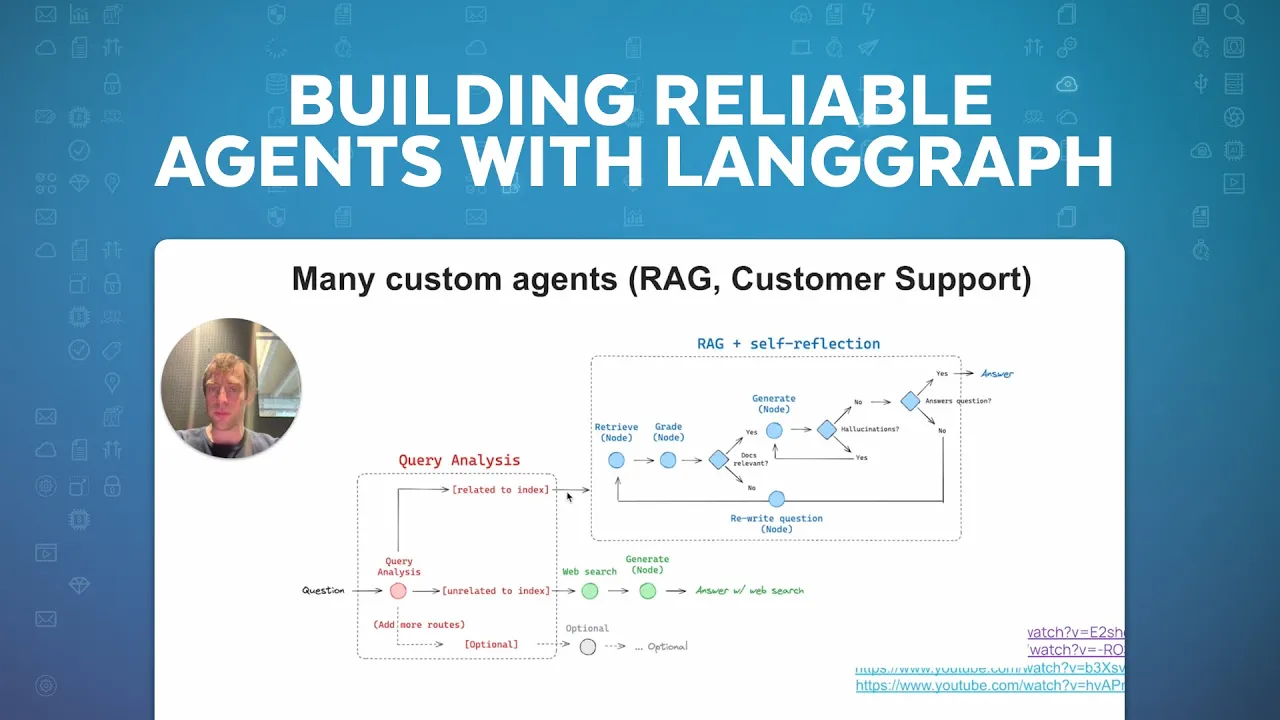
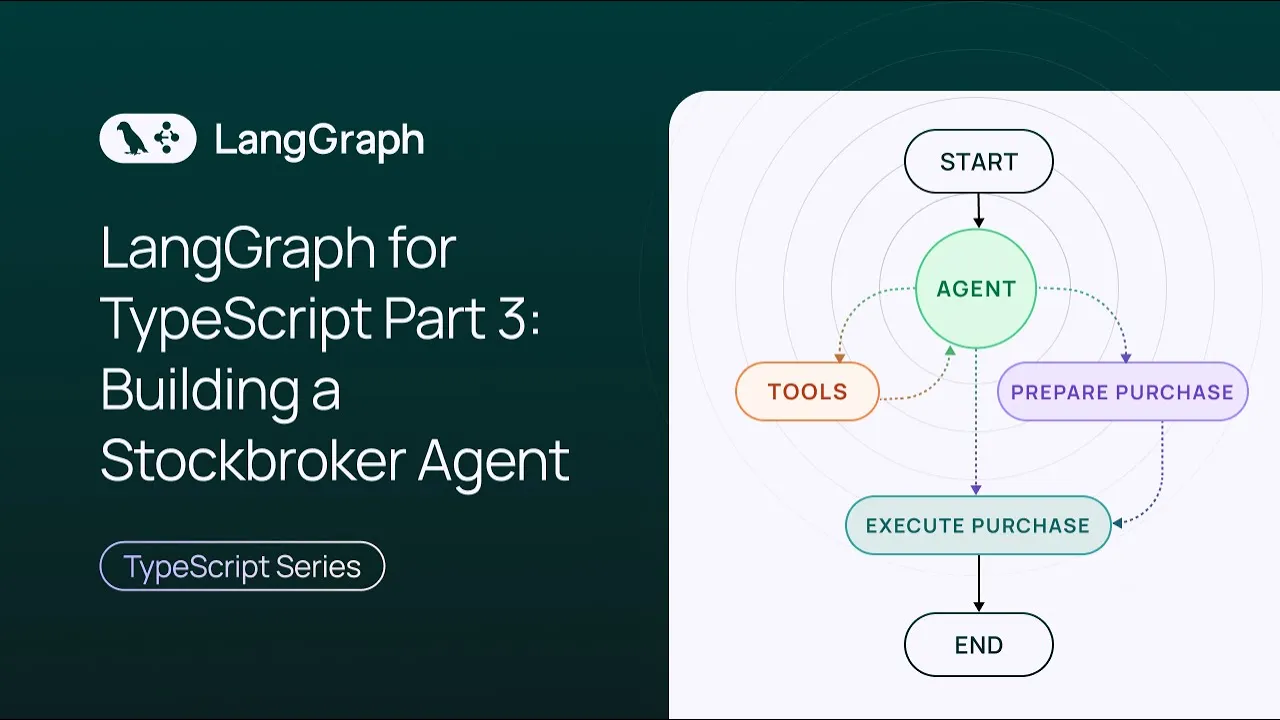

This video explains the distinction between workflows (predefined code paths with LM calls) and agents (LLMs directing their own actions through tool calls), and demonstrates how to implement common patterns including prompt chaining, parallelization, routing, orchestrator-worker workflows, and evaluator-optimizer workflows using LangGraph, a framework that provides infrastructure for persistence, streaming, and deployment without abstracting prompts or architecture.
Building Effective Agents with LangGraph: Workflows vs Agents Guide
Added:Fundamental understanding of Large Language Models (LLMs), prompt engineering, and API integration (e.g., Anthropic Claude or OpenAI GPT).
Proficiency in Python programming, particularly asynchronous programming (async/await) and state management.
Basic knowledge of the LangChain ecosystem, including LangChain Expression Language (LCEL) and core chain structures.
Conceptual familiarity with Graph Theory, specifically Directed Acyclic Graphs (DAGs), nodes, edges, and state transitions.
Understanding the mechanics of Tool Use (function calling), where LLMs generate structured parameters to invoke external APIs.
Design and implementation of Multi-Agent Systems, including hierarchical supervisor structures and collaborative peer-to-peer agent networks.
Integrating 'Human-in-the-loop' (HITL) workflows, state persistence, and manual intervention patterns for critical decision-making points.
Evaluating and monitoring agent performance, latency, and token cost using tracing tools like LangSmith.
Advanced cognitive architecture patterns such as ReAct (Reasoning and Acting), Plan-and-Solve, and self-reflection loops.
Production deployment of LangGraph agents using LangGraph Cloud, streaming agent states, and building resilient error-handling and retry policies.
193.5K views5.7Klikes31:49Original Release: 2025-01-27
hi this is Lance from Lang chain and thropic recently put up this blog post called building effective agents where they Define what an agent is and also explain what a workflow is so I'm going to build every workflow and agent that they talk about in this blog post from scratch and explain what they all are how to build them and why each one can be very useful so here's a simple way to think about their definition of a workflow versus an agent think about a workflow as some kind of scaffolding of predefined code paths around LM calls now this has been popular for years and it makes a lot of sense in many cases to take llm calls and embed them in some fixed set of code paths now sometimes you can actually have the LM decide what po what paths to take in a workflow and that's kind of this middle category that I drew here and we'll talk about all these in detail but that's kind of the intuition workflows are kind of like some scaffolding of predefined code paths and you can embed LM calls within it now agents remove the scaffolding so you're basically let an llm direct its own actions now in this particular case actions are typically tool calls and an llm will receive the feedback from those tool calls and decide what to do next I do want to call out that you can certainly have llms that perform tool calls within workflows but the difference is that workflows have some scaffolding around them whereas an agent is unbounded so an agent just directly re receives the output of environmental feedback from Tool calls decides what to do next without the kind of reasoning scaffolding around it so that's really the differentiation now just before I get started here it's important to call out why Frameworks okay so implementing these patterns doesn't require framework right sometimes this can be done in a few lines of code I completely understand that so you might say okay why are you talking about this why are you trying to promote Frameworks here's kind of my take on it Lang graph really means aims to minimize the overhead of implemen these patterns okay it doesn't abstract prompts it doesn't abstract architecture what's really happening with langra is it's supporting infrastructure underneath any workflow or agent that's the key point and really it's three things one is persistence this gives you memory this gives you human the loops the ability to pause for example while an agent is processing and approve a tool call pause and riew what the agent is doing this is extremely useful in many cases streaming so of course LM apis stream tokens we all know that but when you build these worklow rents sometimes you want to stream for example what certain steps output you might want to stream the outputs of tool calls you often want more flexibility over streaming than just what the llm calls produce and so Lang graph give you a lot of control over what you're outputting from your workflow or agent this is very useful when actually building these and putting them in production and the third is deployment so testing debugging deploying that is a big benefit of using Lang graph it is extremely easy to go from any workflow or h&u Implement to a deployment lra doesn't abstract prompts and it does not abstract architecture it's really giving you low-level infrastructure that sits underneath any of these workflows or agents so now we've laid the foundations let's talk through the various patterns laid out in the blog post first starting with the augmented L LMS can be augmented with many different things one is for example M we talked a little bit about that that's one of the things that a framework such as landcraft can provide also LMS can interact with tools and this is the foundation for building many workflows and agents so let's build this from scratch here's my notebook I've just pip installed a few packages set my in API key create my llm now let's show the augmentation for structured output I can take a schema in this case a pantic model I can bind it to my llm in this particular case I'm using Lang chain and I'm going to use the wi structured output method Lang chain to do this but again Lang graph does not require you to use Lang chain you can use the raw model apis it's completely fine I run that and the output adheres to my schema which I passed here so that's great now let's do the same with tool calling I'm going to take a tool I'm going basically Define this function multiply as a tool that the LM has access to I can use the bind tools method in line chain to bind it to my llm now I have an llm with tools I invoke it with an input that's likely to elicit the tool call and I get the output great you can see a tool call is produced it takes this input and creates the arguments necessary to actually run this function that's it remember when llms are creating tool calls they're really just giving you payloads to actually run that tool you could then run the tool pass the output of the tool back to llm and really doing that Loop gives you an agent like we saw before we've talked about augmented llm as a building block now let's talk about some of the workflow patterns covered in the blog post starting with prompt chaining here's the intuition each LM call process the output of the previous one when do you want to do this when you ATT tested you can decompose into a few different llm calls so in this little example they show there's an input call one you can have some gating on the output of call one output goes to call two that output goes to call three so let's basically build this from scratch and let's do an example we build a chain that takes a topic from a user the LM makes a joke we check to make sure the joke has a punchline and we improve it twice with two subsequent llm call now when I'm working L graph all I need to do is basically Define a container for everything that I want to modify over my workflow so in this particular case I'm just going to create a dict and it's going to contain topic that's we'll get from the user the joke will be the output of that first call improved joke will the output of the second call final joke would the output of the final call now when laying out workflows I actually like to draw them out anyway so this is kind of cool that the blog post has all these laid out and when you draw these out think about for example each of these calls or steps is just a different function so for this particular workflow I'm going to create a function generate joke improve joke Polish joke and those are all going to be just simple llm calls now what's interesting is with Lang graph this container or state that I Define is pass into every one of these steps and I can extract whatever I want from it in this case I go State topic to get the topic that written to state by the user and I can write things back to State just by basically returning this joke key the output of my LM call improve joke I populate improv joke final joke I populate final joke so what's happening is at each see these steps I'm making LM calls and I'm populating my state or this container in the workflow with the output of each llm call that's really all it's going on now notice in this workflow there's a gate here so in this case I'm just going to create some gating logic so what's interesting is I can take in the state and I can just check hey does a joke have a question mark or an exclamation point that's just some arbitrary criteria and what I can do is I can pass anything I want here just two strings pass or fail now this can be used as conditional Edge or gate in Lang graph so now I have a container that has everything I want to modify in my workflow I've defined each step of my workflow as an independent function I've defined a gate that's going to serve as that check on the output of the joke and now I lay this out in Lang graph as a simple workflow so all I need to do here is just take in my state initi ize the workflow add those three steps to it we added generate joke improve joke Polish joke and this is where I Define the connectivity of my graph or workflow so I'm going to start I'm going to go to generate joke first and you can see then I want to check the output of my first call to see whether or not it has a punch line so I add a conditional Edge that connects generate joke and based upon the output of this function if it's pass I go to improve joke that's my other node if it's fail I just end then I create the edges from improve to Polish Polish to end compile that as a workflow and there we go so that's the exact same workflow that they drew out in the blog post applied to joke generation now once I have this workflow I can very simply just run chain. invoke that's a very simple way to invoke any chain workflow or whatever whatever you have in Lang graph I pass in a topic from the user and we're can see the llms create an initial joke they improved it and Claude creates final joke so this is a very simple example of a chain great so we've covered the augment to LM we've covered basic prom chaining now let's get into some more interesting and complex workflows like parallelization now let's talk about parallelization do this when you for example have multiple perspectives that you want for single task so I've this quite a bit with things like multi-query rag if I have a question I want to Fan it out into like three or four different sub questions or when independent task can be performed with different prompts or different llms so lots of cases where you want to just paralyze tasks and workflows so let's just build this let's take a topic create a joke story and poem all in parallel so in the same way I did before I create my state again this is just a container for everything I'm going to modify in my workflow in this case I'll have a topic from a user and I'll have the joke the story the poem and all just combine them at the end now this workflow is going to have three LM calls they'll run in parallel and then one aggregation that'll pull them all together so all I'm going to do is I'm going to create a function for each of those different steps in my workflow LM call one is going to write a joke about the topic a story a poem and I'll just aggregate them all into a string super simple now just like I showed before we can build this in L graph pass in that state the container add the nodes and just connect them so in this case I go from start to LM call 1 2 3 and they all connect to the aggregator on the end and I can show it there you go so you have a nice visualization of your workflow and I can run it there we go so we have a story now a joke and a poem all created in parallel so we've covered the augmented elements our building block we talked about prom chaining we talked about parallelization now let's get into routing I've used routing a lot and it's extremely useful in a bunch of use cases when you want to decide for example if you want to only go to one of those steps which one to go to you can use LM to make that decision so a specific example this is I've used routing a lot in working with retrieval in taking a question and routing it to different retrieval systems so let's do an example where we take an input and we route it to either a joke a story or a poem generation based on what the user asks for now I'm going to show a very nice trick here for routing I often like to do this I basically take an llm and I give it a structured output so that guarantees the LM is going to produce in this particular case the strings poem story or joke as a structured object and I'm going to give it in this particular case a pedantic model just like before I'm going to Define my state again this is a container we'll take an input from the user we'll get the decision from our router and we'll get an output we'll save that as the final output now in this case for my nodes just like before four I'm going to have three different LM calls that will either write a story a joke or a poem and I'm going to have my router which is going to take the user input and basically decide whether or not to Route it to story joke or poem based on the content of the input and it's just going to return that as a structured object and I can extract from the data model the step decision write that to State as decision so remember if you look at the model here it's just a pantic model which is going to Output a single key step which is either going to be poem story or jokes I extract that from the pedantic model that is returned by the router and I write that to state so then I have my decision in state and now this is just going to be a conditional Edge that'll look at the decision and determine what node to go to super simple so basically if the decision is story go to node one joke 2 poem 3 that's it now you'll see in this toy example each of these steps are doing the same thing but in real world examples the router will send to different steps that will have different logic different LM calls this is just a toy example showing you how to hook up that logic between for example a router step a structured output and a decision about where to go next cool so this is showing you visualization of that you'll see what's kind of nice in Lang graph when we visualize this this dotted line means a condition Edge so it's going to go to only one of those three paths whenever this runs and of course that's going to be based upon the decision of the router now we can look at these nodes and just create a print statement that'll just tell us which node was visited to confirm we can run this cool so we know we go to the node that creates a joke and we get the joke output we've covered the augment elementer building block we talked about promp chaining we talked about parallelization we talked about routing and I'll talk about another workflow or rator worker now this is a really interesting one and I've used this quite a bit as well so this is a case where you want an llm to break down a task into a set of subtasks delegate each subtask to an independent worker and then synthesize the results so it's kind of like parallelization except the key difference is this worker assignment you don't know ahead of time so you're having an llm reason about something and then create a bunch of workers based upon its reasoning so again in this case the LM is kind of gating or creating the control flow just like in the case of routing so here's an example that I've used quite a bit report writing maybe you've played with deep research and llm reasons about the plan for the report and dynamically generates a bunch of report sections and then goes and does research on all them classic example of an orchestrator worker type workflow so let's actually do that right now so for this the trick is I'm also going to use structured outputs so I'm going to create a data model for a report section it's going to have a name and a description and I'm going to have a list of sections here so what I'm going to do is I'm going to bind that section list to my llm and that's going to be my planner so what's cool here is the planner is going to take an input reflect on it and produce a list of sections based upon Its Reflection so this is dynamic I don't know how many sections will create a priori that's why this is a very good orchestrator worker use case now in line graph look like before I create my state now in this case what I'm going to do is I'm going to create a state for my orchestrator graph which is going to have like a topic from a user a list of sections a list of completed sections which the workers will all write to and a final report okay so that's State one now this is where things get interesting with orchestrated worker workflows in langra the way we often like to do it is for the workers give them their own state so why is this because each of those workers you want to handle independent inputs and they're kind of all self-contained objects think about as their own little buckets in which work's being done and different Works being done in each one but they're all writing out to the same output and this is why I include this completed sections key in the worker State and in the graph state so what's interesting in line graph is when you have overlapping keys and you write to for example this completed sections key in each worker the outer state will also have that update reflected so what's going to happen is all the worker is going to write to this completed sections key in parallel and we structure this key with an annotation that allows for the addition of new elements so that's really all we need to do so here I'm going to create a work an orchestrator and this is basically going to be my planner I'm going to invoke it with the input topic from the user and I'm going to tell it to create a plan then I'm going to have this LM call which is my worker it takes in the worker state and it basically says write a report section and that's all I need and I just pass it the section name and section description and this completed sections is a state key that all the workers can write to in parallel that's the key point and all those sections are going to be accumulated in that completed sections key then I'm going to have a synthesizer that's going to read out the completed sections and just write them all out as a string that's it write that to the final report key in my state now this is the only thing that's new and a little bit special in orchestrator worker style workflows because this is so common we have a special API called send and Lang graph that allows you to basically spawn these workers dynamically and what's happening is remember my planner wrote the sections of the port to the state and I can iterate through those sections and I can basically assign each section to an independent worker just like this for each section in section s send to llm call that's my worker and basically initialize the state as section when I do that so then that LM call you can see receives worker State and it's receiving from State the section name and description and then it goes and writes that section it writes it output to completed sections which my orchestrator has access to and then the synthesizer basically just grabs completed SE and combines them that's it you're done that's all you need to do now I can build this workflow and there we go so this dotted line just shows you that you use the send API to spawn a whole bunch of llm call workers you don't know how many a HEB ton that's why it doesn't draw out each one specifically it's going to be dynamically determined based upon the orchestrator plan that's the key characteristic of these orchestrator worker workflows you don't know a priori how many workers you need the llm will determine that on the fly now let's Show an example this I want a report on L scaling logs so what's kind of cool is this runs fairly quickly you can see the planner generate all these report sections great and I can look at the final report and it concatenates them all together and you can see I get this Rich introduction and then I get you know fundamentals scaling relationships following the plan now in reality when I do this I have much more detailed prompts I showed here this is really showing you the workflow rather than the particulars of How I build a high quality report writer in fact I've have separate videos on report writing you could check out but this is just showing you how to set up an orchestrator worker style of workflow if we just talk about the orchestrator worker workflow let's talk about something that's a bit related the evaluator Optimizer workflow in both these cases you're going to have llms directing the control flow through predefined code paths we have one llm gener response and another kind of grade it and give feedback in a loop now I've used this quite a bit for example grading responses from a rag system for hallucinations or for factual accuracy I've used this kind of like kind of evaluator Gates and if for example there's hallucination in the output that isn't grounded by the documents I send it back and have a regenerate response and here I'm going to use structured outputs again you see there's kind of a trend here structured outputs is like kind of all you need and quotes it's extremely convenient because you can really build all these workflows just of structured outputs you don't have to use tool calling for example you can use routers to basically conditionally determine where to go next you can have then nodes that for example just call tools depending on the result of the router itself so really just structured outputs is a nice way you can build a lot of complex workflows in this case I'm going to create a structured output that's basically my my grader model that's going to be grade and feedback decide if the joke is funny or not in my case and if it is not funny give some feedback okay so that's going to be my evaluator and again I'm going to find the graph state in this case I'm going to take a joke based upon a topic from a user I'll generate the joke and then I'll grade it is give it feedback determine if it's funny or not based on the feedback I'll go back regenerate a new joke that's it nice and simple so this is going to be my generator it's going to generate a joke now you'll see some do something kind of interesting here I'm going to check if there's feedback in the state okay now there might be because I've basically looped back to this node if I determine that the joke is not good so there may be feedback in the state if there's feedback included in my prompt otherwise I just say write a joke about the topic so nice and easy and then I have an evaluator that basically takes in the joke from State and grades it again this evaluator has structured output so it'll basically produce a grade and some feedback and then I have additional Edge that'll look at State funny or not so again that's like kind of my grade and if it's funny route to accepted if it's not funny route to rejected and feedback so again this is the initial ledge I use to determine where to go next just like we saw it's routing build My Graph and you can see has everything we want here here's the generator here is the evaluator based on the evaluator we either go back and again you can see we set that conditional ledge up right here so that route joke conditional ledge we just talked about it if funny or not if it's funny we go to accepted so if accepted we go to end if it is rejected in feedback we go back to LM call generat so you can see when you st the initial Edge this is how you can basically route from the output of your logic your Edge logic to the next node to go to that's it it's extremely simple and you can see you get a nice visualization of it so let's give this a shot run it with an input of cats so we get the out of the joke and we actually can look at the state to see what the feedback was so State feedback in this case it seems to like it and let's check funny or not and it determines it's funny okay so greater like the joke we went ahead and returned it then to the user we ended and so we can see that the greater was initiated and decided to like the joke so it passes and we finish so we talked about a number of different workflows that use llms within some kind of reasoning scaffolding and in the case of orchestrator worker evaluator Optimizer routing you actually do let the L M make decisions to Route the control flow through that scaffolding now let's remove the scaffolding and let's talk about agents with agents You're simply allowing an llm to form actions in form of tool calls and directly receive the output or feedback from those actions and so in the workflow case we talked about there are always kind of these predefined code paths that we had an llm kind of follow and kind of route through in the case of an agent we've removed those now when do you actually need an agent this is kind of the big question you see agents being used in cases where you really have open ended problems that you cannot easily capture in a workflow for example you want llm to utilize different Tools in a pattern that you just cannot predict out priority so it's not easy to lay it in the workflow so it's kind of open-ended task we some some really interesting examples of challenges like s bench so a benchmark for software engineering in which anthropic actually used a agents architecture just shown like this and achieves very strong performance so we know for certain open-ended tasks agents are appropriate I do want to caveat in the event that LMS get extremely proficient at tool calling it's also possible that a lot of the scaffolding that we talked about with various workflows is unnecessary today if you know roughly the sequence tools need to be initiated it's often better just capture it in a workflow in terms of reliability than just give it to an agent let the agent hopefully call that correct sequence now let's just set up an LM with tools I'm going to give it multiply add and divide nice and simple now I'm going to Define three nodes so I'm going to call my LM and I'm going to basically allow the llm to call a tool okay so I'm using my LM with tools and in this particular case I'm saying you're a helpful assistant task with performing arithmetic so the output of that tool call is going to be saved to this messages key in our state so what's happening is my state has a single key in this particular place messages which is going to accumulate what I pass as the user what the LM produces and so forth so what's going to happen is I have another node called tool node it's going to look at the state look at the last message determine if it's a tool call if it is it'll go ahead and just call that tool that's it nice and simple and it's going to return that to state so what's interesting here is I'm G to have a sequence of human input model agent in this case the size to call a tool this tool node looks and sees oh the LM decided to call a tool it actually runs that tool call that then is written to State messages as a tool message this is that environmental feedback thing you hear about so you talk about agents they can perform actions that's the tool call done up here fine they also can receive feedback from the environment and act on it that is the output of this tool noes this tool Noe is basically the environmental feedback saying here's the output of the tool call the llm then we'll get that decide what to do next that's it that's an agent now the only other thing I need is this conditional ledge that basically says was the last message uh a tool call if so I'm going to go ahead and route to the tool node and if not I will end so you know you can modify this in different ways but a lot of times people basically just say allow the agent continue making tool calls until it decides it doesn't need one anymore and then you don't and then you're done so there we are I mean that's our agent Loop that you know and that's kind of why agents are elegant they're extremely simple in this kind of formulation all is it's basically an llm initially with a bunch of tools and it's like a tool node that will run the tool for you and return that environmental feedback to the llm and let the llm keep spinning until it decides you don't need a tool call anymore then you're done that's really it now again this tool call thing think about that is actions so this LM can perform actions the actions are determined by the user so you can pass in any set of tools to this LM it decides to perform those actions now you need some system that actually does those actions so that's like that's what we create with this tool node and this just Loops until the LM says I don't need a tool call anymore and then that conditional Edge says okay I can just end that's really it so let's see an example of that I'm going to basic tell this agent add three and four then take the output and multiply by four okay now look this is extremely simple and LM can just do this I totally get it this is more showing you the principle setting up an agent with these tools for Edition and multiplication and testing whether or not it can correctly perform these tool calls in sequence and looking at the flow of messages so here we go this is pretty cool now again this is like a toy example Le but that's showing you the flow and that's what matters you have an input from the human my instructions the llm looks at that and says okay I need to make a tool call makes a tool call the tool node executes the tool call returns environmental feedback to my llm as the result of the tool call which is seven my agent thinks about it makes another tool call responds with 28 agent thinks about it final result is 28 here's how we got there no more tool calls needed done for all the hyp agents that's all it is extremely simple is tool calling in a loop now again why don't we just do this because look a lot of problems can be solved with workflows which are bit simpler agents haven't been particularly reliable to date particularly with large numbers of tools or complex trajectories of tool calls and so blot people actually in production prefer workflows I've done a lot more workflows than agents to be honest over the last year or two but I completely acknowledge in the event that you have ver capacity reasoning models that can perform low latency high quality tool calling and we have more kind of confidence that they can perform reliably in production I think you will see the movement to this classic style of very simple tool calling agent in production but the game in the field today is a little bit more like people are saying well I want to put workflows into production because they're a little bit more trustworthy again I have some scaffolding around the core kind of L calls now I do also want to show this is looking at the documentation that we do have AE pre-built method called create react agent that basically wraps what we just built from scratch right here for convenience now this depends if you want to build it from scratch yourself just as we did that is completely fine if you want to use the preo method that's fine as well but it's available to you and I will be sharing the link to this tutorial page which has everything we just went through so all the different uh workflows we talk through are all in this tutorial which I will be sharing but just from this little tutorial you've seen here's how you can lay out all these different workflows and an agent all in Lang graph if I go back to the Y langra story when you get with langra is when you compile those workflows or agent in langra you're getting a persistence layer for free which gives you short and long-term memory and that also gives you the ability to stop perform interruptions review and continue IE human in the loop it gives you a whole bunch of streaming capacities you can stream independent values from your State at any point in time you can stream of course tokens out of LM calls and you also get deployment so we have a very nice and easy onramp for testing debugging and deploying any of these so you could take any of those workflows R we just built and deploy them in like five minutes so very very quickly that's really what you're getting with the framework and you can also see with L graph it's pretty easy to lay them out and actually working on making it even easier so we're trying to reduce the overhead so you can lay it out almost as if you're writing python you're not even thinking about the framework but you're getting these benefits kind of for free when you do use a framework that's kind of the big idea here so hopefully this was a helpful overview to present uh how to lay these various workflows or agents out using Lang graph and what benefits you may get from L graph as a consideration so thanks very much feel free to leave any comments below
Up Next

128:48
Graph-Based Long-Term Memory for Agentic Workflows
@neo4j
280 views•2026-06-03

57:48
Secure Multiparty Computation (MPC): Foundations & Challenges
@SimonsInstitute
7.3K views•2015-05-28

13:03
Bypassing Tor Censorship: Bridges and Pluggable Transport Guide
@Coding_ForEveryone
397 views•2024-06-11
18:41
Neural Networks Explained: Math, Layers, and Learning Fundamentals
@3blue1brown
21.9M views•2017-10-05
Related Study Plans & Knowledge Roadmaps
Structured learning paths in Artificial Intelligence
artificial-intelligence
Aligning LLMs: DPO, TRL & Custom Datasets
01Foundations of Python & Machine Learning
02Transformers and Large Language Models (LLMs)
03Aligning LLMs: SFT and RLHF
+ 3 more learning modules
24h6 modules
Explore Roadmap
artificial-intelligence
Federated Learning: PyTorch, Flower & Privacy
01Python & Machine Learning Foundations
02Deep Learning Basics with PyTorch
03Introduction to Federated Learning
+ 2 more learning modules
35h5 modules
Explore Roadmap
artificial-intelligence
Securing LLMs: Guardrails AI & NeMo Gateway
01Introduction to LLMs, Python, and APIs
02Understanding LLM Vulnerabilities & Threats
03Defending LLMs with Guardrails AI
+ 2 more learning modules
15h5 modules
Explore Roadmap
artificial-intelligence
Building Recommenders: Two-Tower & Vector DBs
01Foundations of Python & Machine Learning Basics
02Introduction to Recommender Systems
03Deep Learning & Representation Learning
+ 3 more learning modules
75h6 modules
Explore Roadmap