





























Tonic is a Rust implementation of gRPC that simplifies service development through automatic protobuf compilation via build scripts, compile-time contract checking, and straightforward server/client code generation, enabling developers to build production-ready gRPC services with minimal boilerplate code.
Building gRPC Services in Rust with Tonic: A Comprehensive Guide
Added:Fundamentals of the Rust programming language, particularly async/await syntax, error handling, and the Tokio asynchronous runtime.
Basic understanding of Protocol Buffers (Protobuf) syntax for defining messages and services.
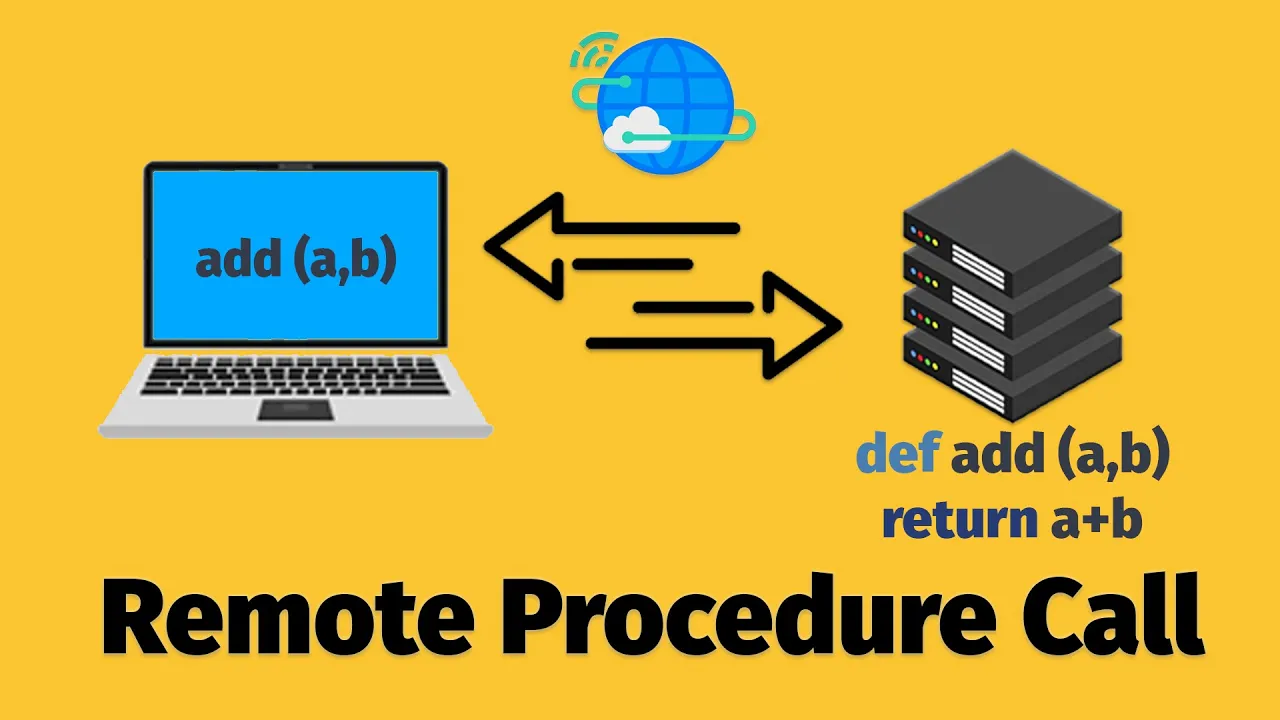
Core concepts of the Remote Procedure Call (RPC) paradigm and how it differs from RESTful web services.
Familiarity with the HTTP/2 network protocol features, such as multiplexing and streaming, which underpin gRPC.
Implementing production-level security in Tonic, such as configuring Mutual TLS (mTLS) and token-based authorization via custom interceptors.
Integrating comprehensive observability, logging, and distributed tracing into Tonic services using OpenTelemetry and the Tracing crate.
Designing resilient microservice architectures with load balancing, service discovery (e.g., Consul), and circuit breaker patterns in Rust.
Deploying and orchestrating Rust gRPC services in cloud-native environments using Docker and Kubernetes, and managing Protobuf schemas with tools like Buf.
71.6K views2.4Klikes19:07Original Release: 2024-02-22
rust on the web is constantly getting better compared to just a few short years ago we now have a whole Suite of crates allowing us to build production ready applications for the web one of these crates is tonic which provides a rust implementation of grpc and having played with it for a little while I can confidently say that it makes grpc stupidly simple when it comes to rust it earns this prestigious classification through the use of some wellth thought out features features such as automatic prod debuff compilation whenever you build your code simplified importing through macros compile time checking of your implementation as compared to your grpc contract and perhaps one of the greatest features I've seen in a grpc implementation web support with about three lines of code to show all of these features in action let's go ahead and build something with it to get started first create a new project using cargo this project is going to be a simple calculator app using grpc and tonic under the hood in order to do this we're going to need to add tonic and a couple of other dependencies to to our project therefore go ahead and open up the cargo. TMO in your favorite text editor once inside add in the following line to set tonic as the first dependency of our project as tonic is built on top of the Tokyo stack we'll also need to add this as well below this Define an entry for The Prost crate which is used to serialize and deserialize into protuff lastly we have one final dependency to add at this stage which is tonic build however this goes in a different section called build dependencies this section is used to define the dependencies for any build we might have in our case we're going to set up a build script that will compile our protuff whenever our project is built before we add that in let's first create our protuff definition to do so first create a new directory called Proto which contains a file called calculator. prototo inside this file is going to contain all the protuff definition for our calculator service once it's created go ahead and open it up first add in the following line to define the syntax as Proto 3 and below it set the package name which in this case is calculator underneath this we can Define our calculator service and then Define our ad method inside using the following code this method takes a calculation request message as its input and returns a calculation response the calculation request message wraps two integers A and B whilst the calculation response message wraps a single integer called result that wraps up our protuff definition for the moment if you're not entirely sure what's going on here then I have another video that goes into this protuff in a little more detail which I would recommend watching with our buff defined now we can move on to the fun stuff code generation in order to do this we first need to install the protuff compiler onto our system on Mac OS you can do this using Homebrew and on Linux you can use whatever flavor of package manager your drro provides with the protuff compiler installed we can now go ahead and add in our build script that I mentioned before to do so create a new file in the rout of the project called build. RS once created open it up and add in the following lines inside of the main function we're using the compile Proto method of the tonic build package passing in the path to our calculator's protuff definition this is all it takes in order for us to compile our protuff whenever we build our project compared to other languages tonic makes this seriously simple with our code now being generated we're ready to move on to setting up our calculator service to do so head on over to the main. RS file inside of your Source directory the first thing we want to do inside of this file is import the compiled Proto buff into our code to do this let's first create a module of Proto in order to namespace our generated code then inside of this module block use the include Proto macro from the tonic crate in order to import our calculator package which is the name we gave to the package inside of our calculator. prototo with our Proto buff included we can now go ahead and create our actual service to do so we need to create a new type in order to implement the services methods in our case this is going to be the calculator service struct in order for the struct to implement the methods of our RPC service we need to import these Services trait from our Proto buff definition we can do this with a used declaration importing the calculator trait from the Proto module this trait was created by Tonic and represents the same interface we have in our protuff definition for our calculator service whilst we're here we may as well add a declaration for the calculator server as well with our trait imported let's go ahead and implement it for our calculator service type because tonic uses Tokyo under the hood that means that the traits contain asynchronous methods therefore we need to use the tonic async trait macro on our implementation with that done we can go ahead and now implement the ad method that our trait expects this method is cooled with a tonic request that encapsulates a calculation request message from our protuff definition the return type of this method is a result which either returns a tonic response which encapsulates a calculation response from our protuff or it returns a tonic status in the event of an error for the function implementation it's rather simple to pull out our input message by reference we can use use the get ref method on our request type then we can craft a calculation response with the result being the sum of input a and input B then we can wrap this response in a tonic response which in turn will wrap in an okay with that our service is complete the next thing to do is to get it running to do so head on down to the main function and turn it into an asynchronous Tokyo runtime returning a result next we'll specify the address we want our server to run on which is going to be on our IPv6 loop back at Port 50,000 and 51 next we'll create an instance of our calculator service and then add in the following lines which creates a new tonic server using the server Builder wraps our service in a calculator server and adds it to the Builder and then listens on our IPv6 address lastly you'll need to add a Ed declaration for the tonic transport server with that our initial service should be ready to run let's go ahead and test it first run your code by using the cargo run command if everything was built correctly you shouldn't see any errors with our server running we now need a way to send a grpc request to it my preferred tool for doing this on the command line is grpc curl which is a CLI tool that has a very similar interface to curl but works for grpc you can install this as per the instructions on their documentation once it's installed we can then send a request to our grpc server using the following command let's take a moment to break it down the first flag we're passing is the plain text flag which tells the client to not use TLS next is the dash Proto option which tells the command where to find our protuff definition this is needed by the client in order to interact with the service next is the- D flag which is passing in our request data in the form of Json this will be serialized into a protuff message by the client and in this case represents the calculation request message in our protuff definition next is the servers URL followed by the servers RPC method which in our case is the ad method of the calculator service found in the calculator package if I go ahead and execute the this command I get the result back of five which by my calculation is correct with that we've successfully managed to set up our grpc server and hit it with an actual request now is a good time to improve our service by enabling reflection reflection is the ability for a service to communicate its grpc contract to clients eliminating the need for the client to have the prabu definition to enable reflection in tonic takes a couple of steps first we need to add the tonic reflection crate to our cargo. tml after that we need to make a CH to our build. RS file in order to compile the reflection descriptors first add in the following line for a couple of types in the standard library next we want to create a path from the following environment variable which is set and used by cargo to place all of the build artifacts in our project lastly add in the following lines which will compile our protuff into the file descriptor set with that we're ready to move over to our main. RS file in order to add reflection to our grpc service to do so add in the following two lines into our Proto module this loads in the file descriptor set that we just set up to compile in our build script next head down to the main function and add in the following lines of code which builds a tonic reflection service using the encoded file descriptor set of our calculator service that we just imported finally use the ad service method of the Builder in order to add reflection to it now if we go ahead and rerun our code we should be then able to hit it with grpc Co without needing to provide the protuff definition whilst Reflections simplifies the command line it works even better when it comes to grpc UI clients take grpc UI for example by using reflection it shows us all of these services and methods that our server provides as well as the expected request data for each method because of this reflection makes it a lot easier to work with internal Services when it comes to grpc with our server in a good State now is a good time to start thinking about building out our grpc client but before we do that let me first talk about the sponsor of today's video brilliant.org If you're looking to level up your knowledge knowledge in computer science maths or data science then brilliant can help brilliant is one of the best ways to learn these subjects in an interactive way providing bite-size courses that cover a range of subjects such as algorithms and data structures probability and even coding in Python if you're looking to level up your skills or even learn something new Brilliance makes it easy to do so by selecting the course you wish to take Brilliance will ask you some questions about where you want to go and what your current skill level is suggesting the best place for you to start recently I picked up the course on Quantum Computing in order to better understand this emerging field because brilliant provides this course in bite-size lessons I was able to easily progress through this course during my spare time making it work for my schedule so to try everything that brilliant has to offer free for 30 days visit brilliant.org sreams or code or click the link in the description down below the first 200 to sign up will receive 20% of brilliant's annual premium subscription a big thank you to brilliant for sponsoring this video as well as servers tonic makes it extremely easy for building out grpc clients let's go ahead and build one for our calculator service to do so we need to set up a new binary build Target inside of our cargo. Tomo which we can do using the following lines this also adds in a binary Target for our server as well you'll notice that the path for our client binary is pointing to the source client. RS file let's go ahead and create it and then open it up inside we want to create a new main function that conforms to the Tokyo runtime afterwards we then can import our generated protuff using the exact same way we did on our server with the include Proto macro from tonic to make the code a little more concise add in the following use declaration for our calculator client then scroll down to the main function first Define a variable that stores our server's URL next let's create an instance of our calculator client using the connect method passing in the URL we just created afterwards we can Define our request parameters using the calculation request type and then wrap it in a tonic request finally all we need to do is pass this request object to the ad method of our calculator client and we can then print out the result from the response message let's go ahead and execute this code using the cargo run command and if everything is working correctly we should get back our expected result with that we've managed to set up a grpc client in just 21 lines of code the next feature I think worth looking at is how to handle errors when it comes to Tonic in order to do this we need to add a new RPC method to our protuff definition one that can cause an error fortunately for us there's an obvious choice The Divide method let's go ahead and add this into our service by the way if we now try to build our server code following this change we'll actually receive a compilation error this is because our protuff is automatically compiled and the calculator service type inside of our code no longer matches the generated calculator trait this is one of the features I absolutely love when it comes to Tonic let's go ahead and fix this error by implementing our divide method the function definition and implementation is pretty much the same as our ad method with the only difference being the use of the division operator instead of ADD adding our two input values together if we go ahead and run this code and then send a request to divide the number 10 by two we get back the expected result of five however if we then try to send a request dividing 10 by Z we receive back an error and our server panics this is because we've attempted to divide by zero let's make some changes inside of our divide method to better handle this error let's add in the following line to perform a validation check on our devisor value if the value is zero then we want to return early whilst providing an error back to the client this error expects to wrap a type of tonic status which is used to represent the various status codes you can return with grpc the applicable status code in this case is invalid argument which we can generate using the following function this function also expects a string which will be passed down to the client as an error message now if we run this code and send up another request to divide by zero instead of our application panicking we receive a response with the invalid argument status code and a message telling us we can't divide by zero when it comes to building service in Rust State can sometimes be a little tricky to handle in the case of tonic however it's yet again rather simple let's add State into our service by implementing a request counter which will track the number of requests made to our calculator service to do so we first need to Define our state type this type is an unsigned 64-bit integer wrapped in a Tokyo sync read write lock which in turn is wrapped by an STD sync Arc this provides us a thread safe value which we're able to access and mutate ins inside of our services methods next let's add an instance of this state type into our calculator service then we'll add a new method in order to increment this counter in a thread safe manner I'm also going to add a print statement here in order to visually see the counter incrementing All That Remains is to call this function in both the add and divide methods of our calculator service with that our counter is now incrementing whenever we send a request to the service however in a real world application you probably want to have another method to obtain this using grpc to do this let's create a new service called admin in our protuff definition inside of this service let's add a new RPC method called get request count and then Define our request and response messages as follows with that our protuff is yet again ready to go without us needing to compile anything by hand if we jump on over to our main. RS file we can start to implement this Service First add in the following use declaration for both the admin trait and admin server next Define a new struct called admin service which will contain a property of our state then we can begin implementing the admin trait for the implementation of the get request method first obtain the count from the state using a readlock followed by returning it as a counter response message to our client next we can create an instance of this service and then add it to our grpc server the final thing we need to do is to make sure both our calculator and admin service are operating of the same instance of a shared state to do this let's create a new instance of the state in our main function and then provide an instance of each service using the Clone method now when we run our code we're able to pel out the request count whenever we want using the get request count method of the admin service with that we've managed to add state to our grpc server the next feature of tonic we're going to look at are interceptors which allow you to add simple middleware to both your services and client implementations to demonstrate this we're going to add a very simple Interceptor to our admin service in order to check authentication in the requests headers to do so let's first add in the following use declarations to make our code a little more concise then we need to create our Interceptor function which has the following interface inside of this function let's define our expected token type and then pull out the authorization token from the requests metadata if it exists we'll then compare it to our token and return an okay with our request if they both match this will enable our request to proceed to the service if the request does not contain any authorization metadata or the token check fails then will return an error with a tonic status instead this status will be returned to the client and the request will be proved prevent it from continuing now to make use of this Interceptor head on down to where we construct our admin server and change the new method to be a with Interceptor method instead passing in the same admin service but also passing in the Interceptor as well now when we run this code and attempt to send a request to our admin service we'll receive back an unauthenticated status code if we attempt to do so without the correct authorization header when we send a request with the correct header then we receive the expected result this is pretty great but I have to say it's probably one of the weakest parts of tonic that I've seen unfortunately the Interceptor interface does not support any asynchronous operation and therefore only supports very simple use cases in order to use more powerful middleware it's recommended to use Tower instead the documentation gives some examples on how to do this additionally we're also going to make use of a tower middleware layer in our next feature the last and certainly not least feature I want to demonstrate is the ability to easily support grpc web without the need to run a proxy server such as Envoy to do so we need to add another two crates to our project tonic web and Tower HTTP make sure to use the same version as I am and to enable the cuse feature for the tower HTTP crate then heading over to the main function in our main. RS file add in the following line to enable http1 support on our tonic server next we need to enable CES for our web app to communicate with our grpc server to do so let's add in the cuse middleware from the tower HTTP crate as a layer for our server using the following code this line enables a permissive configuration for Cores which is fine for us to develop with but in a production environment you'll want to set a more restrictive configuration the last change to make is to wrap our calculator service in the enable function of the tonic web package with that we're now able to connect to our service using grpc web in order to demonstrate this I've created a front-end web project you can use to test this out to use it first clone it down onto your system then run the mpm install and mpm runev commands you can then access this web app on local host 5173 if everything is set up correctly you can then enter numbers in the two input fields and then press the add button to send a request to our server which updates the result with the response all of this is done using protuff and grpc honestly this feature is perhaps the most stupidly simple way that I've seen grpc web be implemented if you check out the documentation for grpc web they give you instructions on how to set it up for use with Envoy and yeah there's nothing simple about this especially when compared to the three line it took us with that being said there's still a couple of improvements I'd love to see come to Tonic with the most notable one being async interceptors during my research I did find this project which does provide an implementation however I didn't find it perfect and I'd still love to see a version come to the framework itself even without this however I'm still rather impressed by Tonic and it makes setting up a grpc service stupidly simple still I'd love to know your thoughts is tonic something you're interested in trying or are you still playing around with grpc yourself let me know in the comments down below otherwise a big thank you for watching and I'll see you on the next one
Up Next

4:39
Understanding the CAP Theorem: Consistency, Availability, Partition Tolerance
@rabidhamster1971
76.6K views•2010-07-04

87:26
Introduction to Secure Multiparty Computation with Yehuda Lindell
@fhe_org
7.7K views•2021-02-04

7:04
Async Rust with Tokio: A Comprehensive Starter Guide
@dreamsofcode
116.1K views•2023-03-01

19:25
Enigma Machine Mechanics: WWII Encryption Explained
@JaredOwen
13.2M views•2021-12-11
Related Study Plans & Knowledge Roadmaps
Structured learning paths in Computer Science
computer-science
Container Runtimes: Namespaces, Cgroups & Go
01Linux Systems & Go Programming Foundations
02The Core of Isolation: Chroot and Filesystems
03Linux Namespaces: Process Isolation
+ 3 more learning modules
32h6 modules
Explore Roadmap
computer-science
Building a CHIP-8 Emulator: Rust & CPU Basics
01Computer Architecture Foundations (Bits & Bytes)
02Rust Programming for Systems Development
03CHIP-8 Virtual Hardware Specifications
+ 2 more learning modules
32h5 modules
Explore Roadmap
computer-science
Building BitTorrent: Go, P2P & Concurrency
01Go Fundamentals & Concurrency
02Networking Foundations & P2P Architecture
03Bencode Parsing & Torrent Metadata
+ 3 more learning modules
26h6 modules
Explore Roadmap
computer-science
Actor Models (C++ Concurrency & Lock-Free)
01C++ Multi-Threading Foundations
02Thread Pools and Task Scheduling
03Atomics and Lock-Free Queue Design
+ 3 more learning modules
45h6 modules
Explore Roadmap