




![Odyssey Recommended performance specs = 30 FPS?! [Elite Dangerous]](https://i.ytimg.com/vi/V8wBvtI3yaM/maxresdefault.jpg)


![[CppIndia] C++, A Compilers Perspective by Darshan Bhat](https://i.ytimg.com/vi/pUpPVPnF5Ik/maxresdefault.jpg)



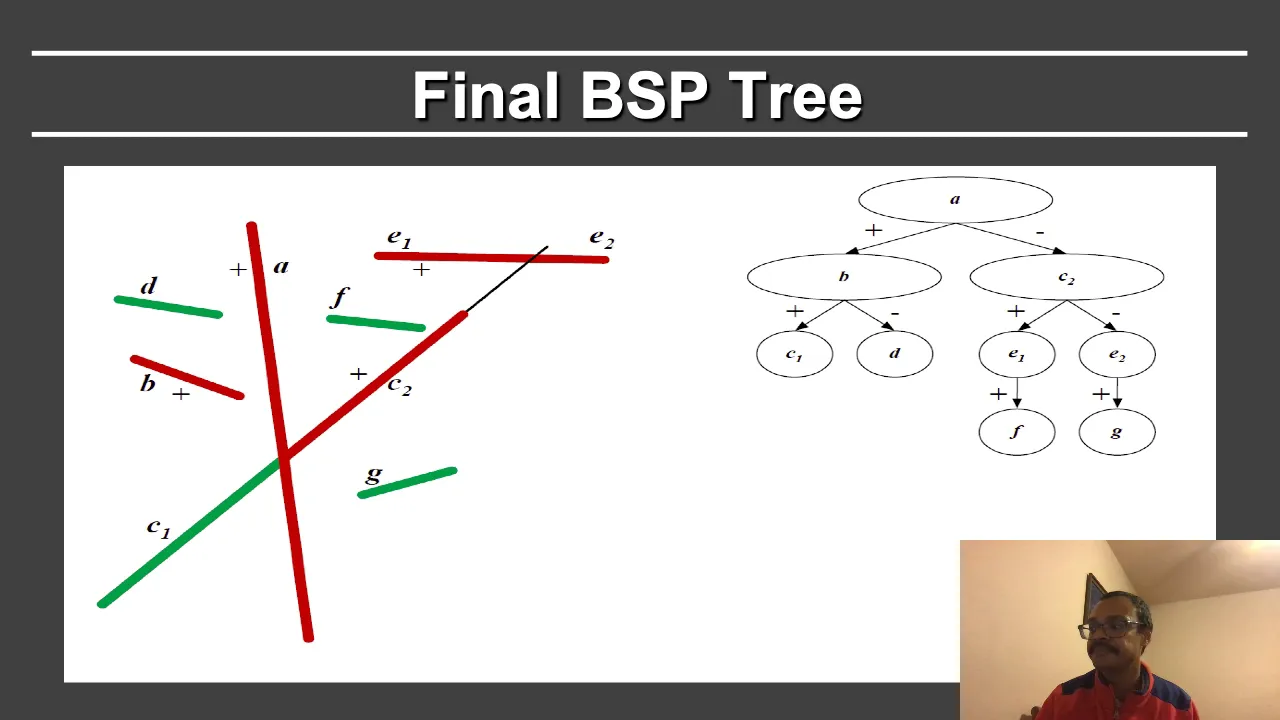
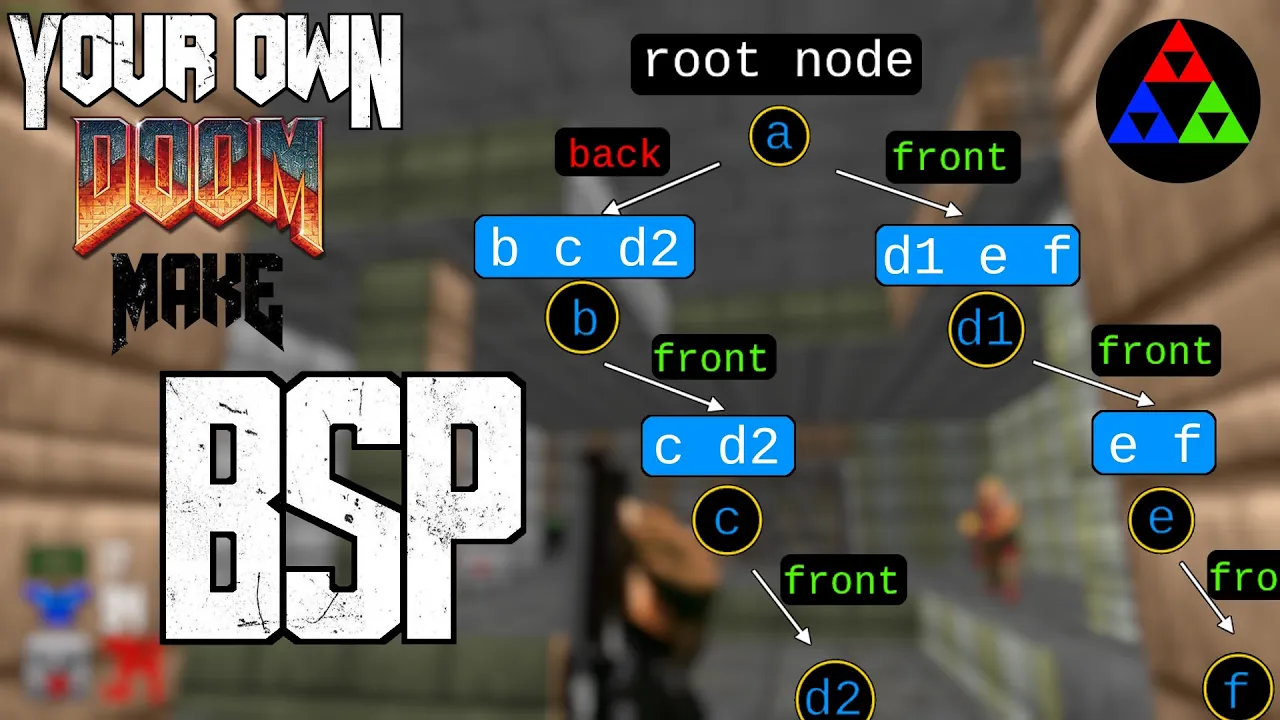










Bounding volume hierarchy is a rendering optimization technique that groups nearby objects into hierarchical bounding boxes to efficiently determine visibility, significantly reducing CPU workload by culling entire groups of objects with single checks rather than checking each object individually.
Portal on Nintendo 64: Performance Optimization and Technical Challenges
Added:Basic understanding of the Nintendo 64 hardware architecture, including its MIPS CPU, Reality Coprocessor (RCP), and severe memory bandwidth constraints.
Fundamentals of 3D graphics pipelines, specifically rendering techniques and the concept of geometry culling (such as view frustum and occlusion culling).
Elementary compiler optimization concepts, including how high-level languages like C/C++ are translated and tuned for specific hardware targets.
Concepts of memory management in embedded or vintage systems, particularly dealing with highly limited RAM (4MB to 8MB) and storage (ROM cartridge sizes).
The study of advanced spatial partitioning structures, such as Binary Space Partitioning (BSP) trees and Portal rendering systems, to optimize complex environments.
Low-level homebrew development for legacy systems, utilizing modern SDKs (like Libdragon for N64) and customized GCC/Clang toolchains.
Advanced asset pipeline engineering, exploring how modern high-poly 3D models, textures, and audio are compressed and downsampled for retro hardware.
Writing custom microcode for the N64's Reality Signal Processor (RSP) to achieve hardware-accelerated T&L (Transform and Lighting) and custom rendering pipeline features.
599K views26.5Klikes11:33Original Release: 2023-11-16
[Music] Cave Johnson here. We're getting complaints that our tests are too dangerous. A bunch of sissies, if you ask me. I had the boys in the lab come up with a new solution, gaming.
Introducing the Aperture Science Thermal Pack, the pinnacle of haptic feedback.
We've harnessed the power of repulsion gel, that bouncy blue stuff, and miniaturized it to fit right in your controller. But, we didn't stop there.
The Aperture Science Compiler Optimization Suite ensures faster rendering of those intricate portal graphics, so you can traverse the Aperture Science Enrichment Center with the speed and finesse of a ninja on roller blades. We've expanded our scientific prowess to encompass not just the laws of physics, but the intricacies of language. Now, you can enjoy testing in your language of choice. So, whether you're saying hola, bonjour, or konnichiwa, Aperture Science is ready to accommodate your linguistic needs. And remember, at Aperture Science, we're not just changing the gaming industry, we're obliterating it with science. Now, to our top engineer to tell us how it all works. James, take it away.
I turned on compiler optimizations.
Okay, so I did a little bit more to optimize the game, but that alone did quite a bit to increase the frame rates.
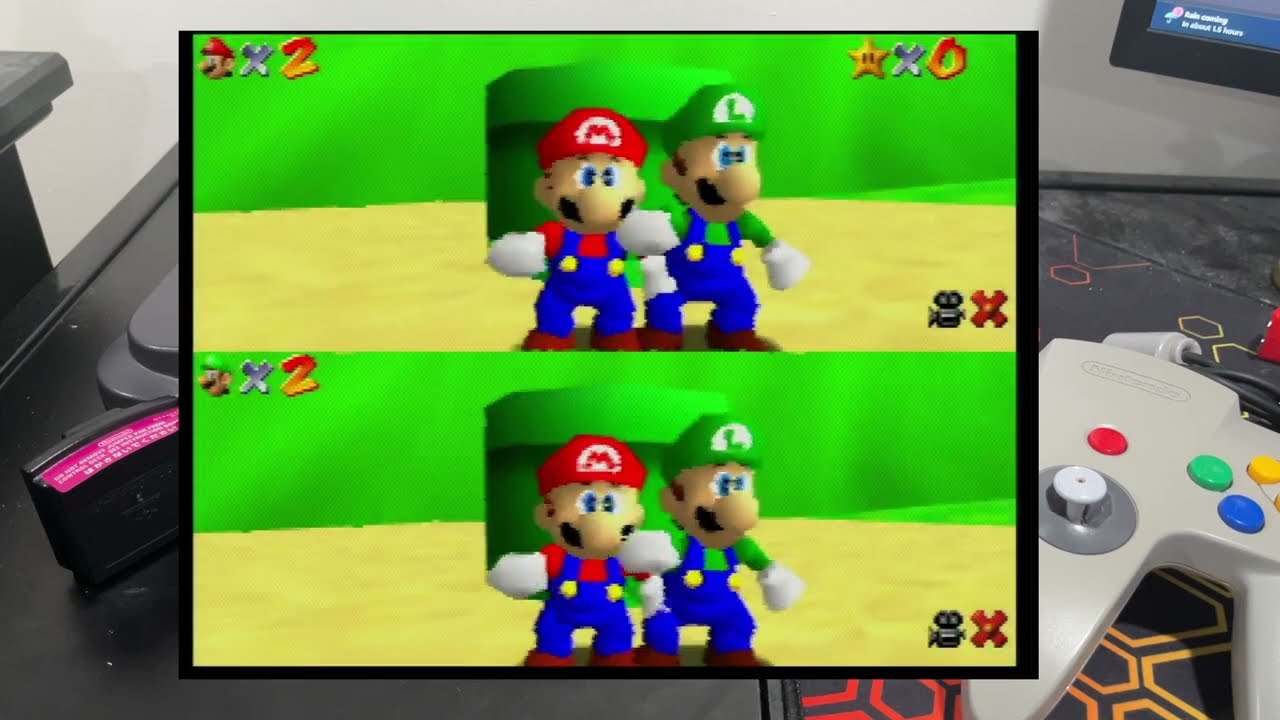
Other great things I added, well, the game now supports rumble pack.
Got that right here. And um translations. So, now you can turn subtitles on for a variety of languages.
You know, let me go and start this.
Mind you, the the translations probably never would have happened without the contributions of West Encorder and HackerGrid.
Uh they've been contributing to the project and and and other other improvements other than the translations, and without their input, that would not have happened.
Hey, sorry to interrupt, but I just wanted to take this time to tell you about this video's sponsor, World of Warships. World of Warships is a free-to-play game where you take control of historic warships. Choose between a variety of ship classes, each with their own strategic strengths, weaknesses, and their own unique play styles. Take part in massive 12 v 12 battles in more than 40 unique maps with dynamic weather.
Would you look at those graphics? Oh, those are some nice graphics. You won't see anything like that on an N64 anytime soon.
Or ever. The game stays fresh with new content every month, including new ships, in-game nations, cosmetics, or even ship classes. In the past, some of these updates were even themed after Transformers, Azur Lane, or even Popeye.
Right now, they have a High School Fleet themed in-game event. So, if you use the link in the description, you can download World of Warships, and be sure to use the promo code HSF2023 to start the game with 200 doubloons, 1 million credits, 7 days premium account time, and two High School Fleet Commanders. Oh, and did I mention you can even play on console? So, thanks again to World of Warships for sponsoring this video, and now let's get back to it. As you can see, I have the game in Spanish right now. You can go I'll just show you the options. You can change it to a variety of languages. The menus aren't fully translated yet. If you have any recommendations for improvements to the translations, please submit that to the GitHub project. The link's in the description below. But, let's go ahead and just start a nueva partida here.
And um I'm going to jump into this test chamber.
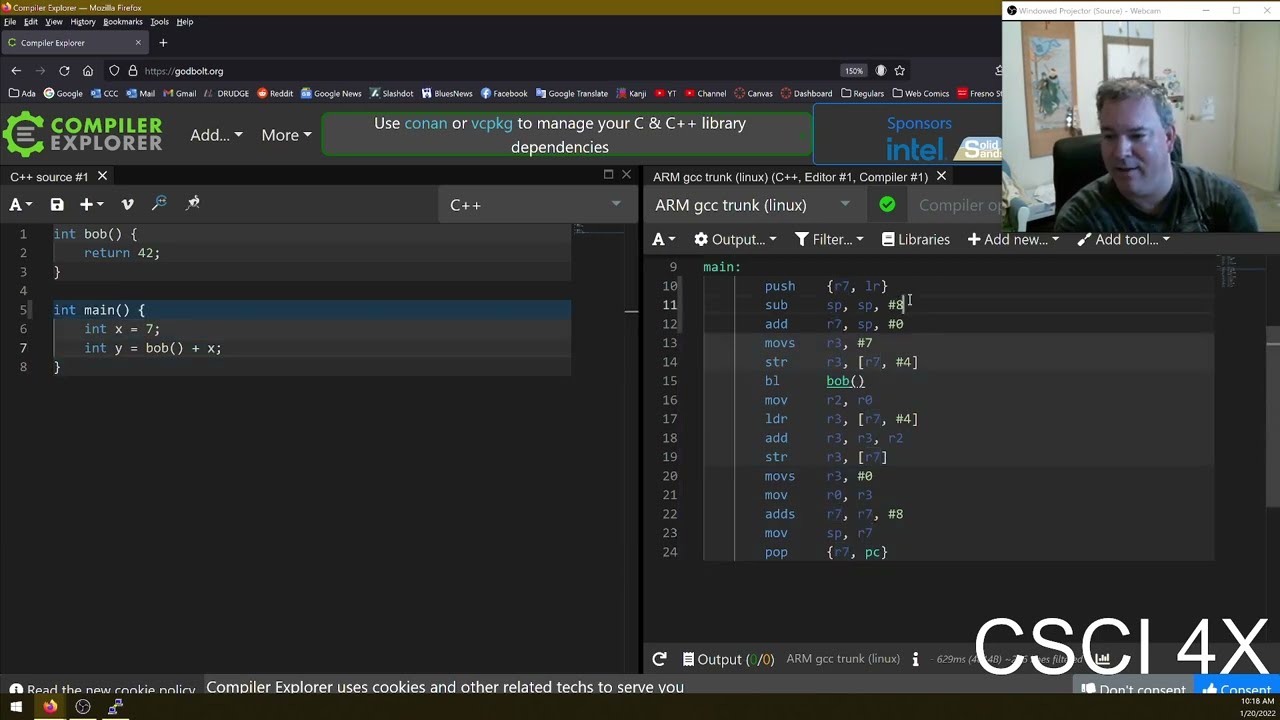
So, turning on compiler optimizations, that was probably something I should have done a long time ago. In case you're not sure what compiler optimizations are, so I was reviewing my footage, and I didn't like the explanation I gave while playing of compilers and optimizations.
So, I'm just going to redo that really quick. A compiler is a program that can convert code into a program. So, for example, I have this very simple program here, and then when I run the compiler, it generates a program that I can then run.
Optimizations are settings for the compiler that improve the performance of the program. These optimizations come at the cost of compile time, making it longer to build the program, and the ability to debug the program, making it harder to track down bugs. So, moving forward, I turn off optimization to debug, and then turn them back on for releases. I hadn't had optimizations turned on for a while now, and I was kind of nervous to turn them on because there are some bugs that are only present when optimizations are on.
And I was worried I'd have some of those, so I turned it on, and I was lucky because there were no problems, despite my poor planning, because I could have done the way the other way.
Because as the game gets more complicated, there's more potential places where I might have just had an oversight about volatile memory use or some other thing that optimizations would create a bug, and it just wasn't there. So, that was fortunate. But, of course, I didn't stop there. I also profiled the code to see if there's any bottlenecks in my code, like where were the slow points, at least on the CPU.
And I was expecting the physics to take a pretty big toll on the game's performance, but it actually ended up not being a problem, which is why you need to profile code. If you're trying to make things fast, you really should run it, measure the performance, and see where the performance problems are, because it's hard to predict them sometimes.
And once you know where they are, you can focus your attention on improving those. And it turned out for my case, the slow point in the code was the rendering. So, when I render the scene, I only send I try to only send the visible objects to the GPU to be rendered. So, that way the GPU doesn't spend as much time processing things that aren't visible on the screen. And it also, if done well, helps me prevent texture swaps. So, it's just give the GPU less work to do.
But, I was taking that too far. The CPU was doing a lot of work. I was actually and every every everything that's visible on screen, I was checking to see if it was visible on the CPU first. Well, I was just doing a pretty naive approach where I just loop through every single object and check it one at a time.
But, there's a way you can really improve that using what's called a bounding volume hierarchy. And how that works is you take nearby objects and you group them together in their own it's called a bounding box. So, you can think of a bounding box is just a a box that fits what's inside of it. That's not a very good description. It's the smallest box that can surround something or more than one something in this case. And so, I would just combine bounding boxes of nearby objects into one. If I check that one bounding box, if that's inside, then I can render everything inside of it. If it's outside, I can exclude everything.
It's only if that box is partially inside and partially outside the view that I need to then check the contents of that box to see if it's visible. And the cool thing about bounding volume hierarchies is you can actually take the groups and put them together in groups, and then take those groups and put them in groups to the point where you can cull out an entire room with just a single bounding volume check. And so, that that reduces the amount of work that the CPU needs to do to determine what's visible while not sacrificing a lot of performance improvements by giving still by still giving the GPU the minimum amount of work that it needs to do. So, that was an improvement I made, and in test chamber 11, it makes a huge difference. The frame rate is just massively improved in test chamber 11, where there's a lot of things on screen.
So, that is a big win, and I just don't know how to beat this test chamber, guys.
I it's impossible.
So, um where was I? Oh, yeah, rumble pack support. When you fire portals, it rumbles.
And uh if you walk through, I'll put it up right up next to the microphone so you can hear this. Boom.
Boom. Okay, I'll be ex I'll be making the sounds myself.
So, yeah, and you walk through portal you walk through the emancipation grill, it rumbles slightly. And so, rumble pack was actually kind of tricky because uh it wasn't very reliable. Um and it actually comes down to the fact that you connect this in to the back of the controller, and the pins might actually lose contact in the connector as it's vibrating. So, it actually is very unreliable when you try to turn off the rumble pack after it had been started. So, there were times where I'd fire the the portal, and it rumbled, but it wouldn't st- it would wouldn't stop rumbling after.
Oh, that's that's exciting.
I ended up having to send like three commands to tell it to stop, but even that wasn't really perfectly consistent.
So, really, I just send a command to stop rumble pack every frame just in case it's running when it shouldn't be.
But, sending commands to the controller actually takes about 2 milliseconds to do a round trip, and I have to do that to get the controls, like the normal controller data, but also for all the rumble pack management, and it ended up being about 10 milliseconds of total round trips per frame that I'd have to spend managing the controller. For reference, 10 milliseconds is about, you know, that the each frame is supposed to be about 33 milliseconds. I'm targeting 30 30 frames per second. That's about a third of the frame, a third or a fourth of the frame.
Um Oh, wow, that's a new bug.
Not supposed to be doing that. Anyway, about a third of the frame spent managing the controller. But, the good news is that time is just idle.
And so, it's not actually doing anything. It's just waiting for a response from the controller. I just put the controller logic onto a separate thread. Anytime the controller thread is waiting, the CPU is freed up to do other tasks. Multiple threads on the N64, you don't get any performance gains by being able to put things in parallel, it's really just helpful for managing multi multiple tasks.
Like what I need to do with the controller, right? I need to manage the task of a controller and the task of Not impossible.
Take that GladOS. Anyway, new thread for controller logic.
That's good. Lets me do rumble pack support. And lastly, I just wanted to mention translation.
So, you'd notice I put the game in Spanish here.
And let's also we can change the audio as well. Which I don't know. I tried the Spanish audio earlier and it sounded really weird to me.
I'm not sure if I'm changing the frequency.
I don't think I am.
Uh if I am, then I need to fix that, but it just it does not sound like GladOS. That is all for this update. And thanks again.
I don't know what that was the robot vacuum.
That's all for this update. And thanks again to World of Warships for sponsoring this video. There is a link in the description. If you download the game, be sure to use the code HSF 2023 to get your huge starter pack including doubloons, credits, premium account time, and high school fleet commanders.
So, I thank you all for watching and until next time, take care.
[Music]
Up Next

13:40
CKY Algorithm for CFG: Construct Parse Tree | NLP Numerical Solved
@ataglanceofficial
31.1K views•2023-12-29

57:48
Secure Multiparty Computation (MPC): Foundations & Challenges
@SimonsInstitute
7.3K views•2015-05-28

13:03
Bypassing Tor Censorship: Bridges and Pluggable Transport Guide
@Coding_ForEveryone
397 views•2024-06-11
18:41
Neural Networks Explained: Math, Layers, and Learning Fundamentals
@3blue1brown
21.9M views•2017-10-05
Related Study Plans & Knowledge Roadmaps
Structured learning paths in Artificial Intelligence
artificial-intelligence
Aligning LLMs: DPO, TRL & Custom Datasets
01Foundations of Python & Machine Learning
02Transformers and Large Language Models (LLMs)
03Aligning LLMs: SFT and RLHF
+ 3 more learning modules
24h6 modules
Explore Roadmap
artificial-intelligence
Federated Learning: PyTorch, Flower & Privacy
01Python & Machine Learning Foundations
02Deep Learning Basics with PyTorch
03Introduction to Federated Learning
+ 2 more learning modules
35h5 modules
Explore Roadmap
artificial-intelligence
Securing LLMs: Guardrails AI & NeMo Gateway
01Introduction to LLMs, Python, and APIs
02Understanding LLM Vulnerabilities & Threats
03Defending LLMs with Guardrails AI
+ 2 more learning modules
15h5 modules
Explore Roadmap
artificial-intelligence
Building Recommenders: Two-Tower & Vector DBs
01Foundations of Python & Machine Learning Basics
02Introduction to Recommender Systems
03Deep Learning & Representation Learning
+ 3 more learning modules
75h6 modules
Explore Roadmap