
























![New to Make.com? Master It in Just 2.5 Hours [2025 Edition]](https://i.ytimg.com/vi_webp/l5e71_SUjr0/maxresdefault.webp)
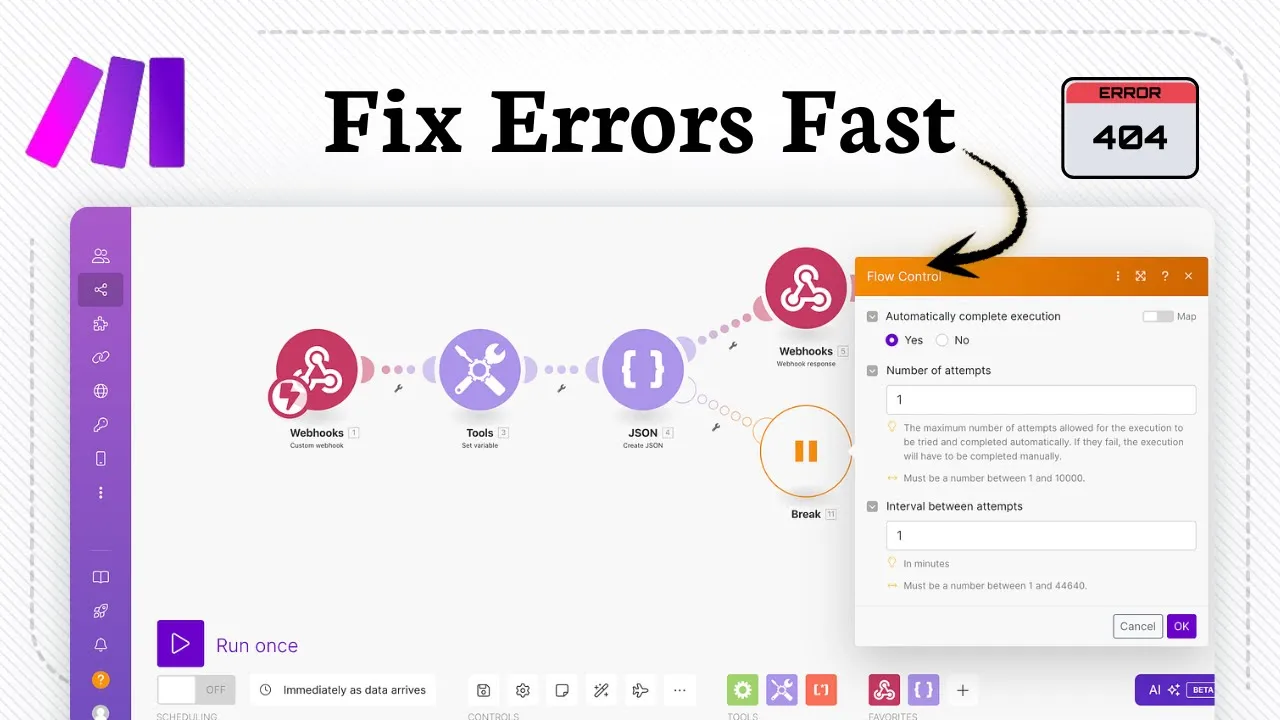










This video demonstrates how to build an automated web scraping system using Make.com, Google Sheets, and OpenAI. The workflow involves: (1) creating a Google Sheet with URLs in the 'Link' column and columns for desired data fields, (2) using Make.com's Google Sheets module to search for rows containing URLs, (3) making HTTP GET requests to fetch HTML content from each URL, (4) using the Text Parser module to clean HTML into plain text, (5) leveraging OpenAI to extract specific information like product names, descriptions, and prices from the cleaned text, (6) parsing the JSON output, and (7) updating the Google Sheet with the extracted data. This automation can be scheduled to run regularly, ensuring fresh data without manual effort.
Automated Web Scraping with AI: Make.com and OpenAI
Added:Basic HTML and CSS Selectors: Understanding how web pages are structured to target specific elements for extraction.
Introduction to Cloud Automation: Familiarity with workflow-based automation platforms, including triggers, actions, and data mapping.
API Fundamentals and JSON: Knowledge of how web services communicate via HTTP requests and how structured data is formatted.
Basic Prompt Engineering: Understanding how to instruct Large Language Models (LLMs) to output consistent, structured formats.
Handling Dynamic Content: Learning to scrape JavaScript-heavy or single-page applications using headless browsers (e.g., Playwright, Puppeteer).
Advanced Error Handling in Make.com: Designing robust workflows that can handle rate limits, API timeouts, and website structural changes.
Data Warehousing and Scalability: Moving from Google Sheets to relational databases (e.g., PostgreSQL) or data warehouses (e.g., BigQuery) for handling large-scale scraped datasets.
Retrieval-Augmented Generation (RAG): Storing scraped structured data into vector databases to build domain-specific AI chatbots or search engines.
20.7K views609likes14:47Original Release: 2024-11-19
hey guys today we're diving into the ultimate guide on how to scrape any website 100% automated whether you're looking to boost your productivity streamline your workflows or Master the art of automated web scraping this video will cover it all we'll be breaking down every step so you know exactly how to implement this and get results right away are you ready let's get started so first of all thanks for coming back and a big welcome to all of the new subscribers joining us today for those of you who don't know me I'm Jake Dawson and I'm here to bring you the latest in AI sales and automation workflow hacks in a way that's easy to understand and apply and as always remember that everything we cover here is to help you succeed these are not just theories but actionable strategies that you can use right now now if you're new here or looking for more ways to level up don't forget to check out the school Community linked below inside you'll find exclusive make.com templates including the exact one we're using today that you can import directly and start start using immediately we've built a whole space for Learners and doers just like you where you can ask questions get direct help and connect with like-minded folks who are ready to take action and of course you can always subscribe and hit that Bell button to get notified of our bi-weekly videos live sessions and more let's Jump Right In before we dive into the workflow there are a couple of important steps you need to take before jumping into make.com first open Google Drive and create a new spreadsh sheet by clicking the create button and then selecting Google Sheets this sheet is going to be the backbone of the whole operation so give it a super cool name like websites once your spreadsheet is ready set up the First Column to store the URLs of the websites you're planning to scrape let's call this First Column link because well that's what it is this column is key because it will hold the links you'll be working with later on in the automation workflow go ahead and paste the list of websites you want to scrape under this column to get the sheet started you'll thank yourself later when everything is neatly organized now while you're in spreadsheet mode think about the kind of data you actually want to scrape from these sites go ahead and add columns for the specific info you're after things like product name description price phone number Facebook link or anything else you'd like to scrape from these websites these extra columns will be where the scrape data magically appears after the automation does its thing setting it up this way keeps everything organized and makes your life a lot easier when it's time to review the data it's like setting the table before a feast makes everything go smoothly once your URLs are listed and your data columns are ready you're all set to dive into make.com and start building the automation workflow now that your Google sheet is looking sharp head over to make.com and create a new scenario to kick off the automation the first step in this whole process is to add the Google Sheets module and set the action to search rows this module lets you pull specific data from the Google sheet you just created specifically from that website sheet with all the juicy URLs that you want to scrape after selecting the Google Sheets module you need to pick the correct spread sheet that holds your data in this case it's your website sheet so make sure you don't pick the wrong one and end up scraping your grocery list or something unless you really need to automate that once you've got the right sheet you'll set the search criteria IA since the goal here is to scrape certain URLs you'll want to focus on the link column after you've successfully grabbed the correct rows with the URLs it's time for the next step adding the HTTP module and setting the action to make a request this is where the real magic of web scraping happens in this step you'll get each URL in your spreadsheet so paste the URLs you got from the search rows module into the URL field of the HTTP module it means you're telling the system which URLs to Target once that's set up you'll choose the HTTP method which in this case is get the get method is like saying hey website give me your data it's designed to pull information from the URLs specifically the HTML that behind the scenes code from the web pages after everything's mapped and set go ahead and run the module to send the request to each URL once it's done check the status code a status code of 200 means everything went well it's like a thumbs up from the internet if you see that you're ready to move on skipping this step would be like not checking your gas tank before going on a road trip you might find yourself stranded later if something didn't go right now that you have all that HTML content from the URLs it's time to clean it up add the text parser module the thing about HTML is that it's full of all these tags and Gobbledy goop that make it messy to work with the text parser module strips out all that unnecessary stuff and leaves you with clean readable text it's like taking a messy burger and pulling out all the toothpicks and napkins now you can actually enjoy it to set this up put the HTML output from the HTTP module into the text parser module once you've run it the module will turn the HTML into plain text now you got the clean data and you're ready to move on to the next step using open AI to pull out the details you care about now for the fun part add an open AI module and set the action to create a completion open AI is basically a super smart tool that looks at the text and figures out what you want from it think of it as a digital Sherlock Holmes you'll set up open AI by defining the roles as system and writing a clear prompt to tell open AI what to look for in the text whether you're after product details company info or contact details be as specific as possible the more clear you are the better the results will be for example we'll use a format called Jason to keep everything organized like putting all your groceries in separate bags so nothing gets squished you can ask open aai to find things like product names descriptions prices or even contact info like emails or social media links basically all the juicy stuff you're after and hey if writing prompts isn't your thing don't sweat it I've got you covered you can grab the exact prompt I use by checking out the community l Linked In the description below trust me it'll save you the headache and get you scraping like a pro in no time Jason keeps everything nice and tidy making the next step super easy Once open AI does its thing you'll want to run it once to make sure the info it gives you is accurate if it looks good move on and add the parse Json module this step breaks the data down into easy to use chunks whether it's product details emails or whatever else you need map the output from open AI by going to choices message content and put it into the parse Json module to run it now everything is neatly organized and you're ready for the next step in the workflow with your data all cleaned up and organized it's time to update your Google sheet with the new info add another Google Sheets module but this time choose the update row action this module will update the correct rows in your website sheet with all that new data just just like before you'll map the row number for the search rows module to make sure you're updating the right row then map the data fields like product name description email or social media into the correct columns after everything is set up run the module to update your sheet with the newly scraped data the result will be a neatly organized sheet all filled out with the information you scrape from the websites it's like seeing a blank puzzle finally come together at this point you're almost done the last step is to take a good look at your Google sheet and make sure everything is filled in correctly just like proof reading a paper before submitting it double check to make sure nothing went wrong along the way if it all looks good you can now set the workflow to run automatically you can schedule it to run daily weekly or whenever you need it that way your data stays fresh Without You lifting a finger this automation is a timesaver and ensures everything stays up to date without you having to check it all the time now let's take a moment to talk about why the setup is so powerful make.com is an incredibly versatile platform that serves as the ultimate connector for all your apps and services the drag and drop interface makes it easy to create complex workflows even if you don't have any coding experience this accessibility is a game Cher for businesses and individuals who want to automate their operations without the need for a development team you can streamline processes reduce man ual effort and free up time to focus on higher priority tasks all while knowing that your automated workflows are handling the repetitive work for you open AI adds another layer of sophistication to the setup by providing Advanced AI capabilities that allow you to extract meaningful insights from the data you scrape it's one thing to scrape data but it's another to process that data in a way that provides actionable insights with open AI you can take raw text and turn it into structured useful information that you can immediately act on whether it's for lead generation market analysis or other purposes the combination of make.com and open AI creates a powerful end to-end solution for automating data collection and Analysis of course like any system there are pros and cons on the plus side this workflow is incredibly cost-effective by automating the process you significantly reduce the costs associated with manual labor whether that's hiring someone to gather data or using expensive third party lead lists you also save a ton of time no more manually scouring websites for information or waiting for virtual assistance to do it for you another major advantage is that you get fresher more relevant data which gives you a Competitive Edge instead of using stale data from outdated lists you're generating your own tailored to your specific needs that said there are some challenges to be aware of the initial setup can take some time especially if you're new to make.com while the platform is is user friendly there is a bit of a learning curve it might take a little time to get familiar with the interface and all the different modules but once you're up and running the benefits far outweigh the effort another potential downside is overuse if you're scraping a lot of data in a short period of time you could hit API limits which temporarily restrict your access the key here is to pace yourself and ensure you're using the system efficiently now once you've got this automation up and running you'll probably wonder what else can I do with this well buckle up because here are some Pro tips and tricks to take this automation even further set it and forget it by scheduling your automation to run on a regular basis like daily or weekly this way your data stays up toate without you having to lift a finger new products on websites new contact info no problem your Google sheet will always have the latest info making you look like a productivity Wiz get specific with your prompts if you want even more data by being creative with your open AI prompts for example instead of just scraping product names and prices ask for reviews ratings or even the availability of items if you're scraping for competitor's websites you can even ask open AI to summarize key marketing strategies or trends that it spots automated alerts are also a great feature to use set up Google Sheets or make.com to send you email alerts or notifications when new data is scraped for instance if a new product hits a competitor's site or if contact info changes you'll get notified right away you'll be the first to know when something shifts giving you a Competitive Edge you can also clean your data automatically by adding a step in your workflow to clean up the data use make.com filtering features to remove duplicates or to only keep records that meet specific criteria like only scraping items over a certain price point this keeps your data fresh and relevant without extra work on your part bulk scraping multip websites is another way to take advantage of this setup got a big list of websites no problem just load them into the Google sheet and let the automation do the heavy lifting you can expand your reachs to scrape hundreds of sites without breaking a sweat once you've mastered this workflow you can even turn it into a service plenty of businesses would pay for regularly updated data on competitors products or market trends you've already got the tech just Market it as a lead generation or competitive intelligence tool and boom you've got yourself a side hustle you can even combine this automation with other apis after scraping product data for instance you could use an email marketing API to send automated Outreach or product alerts or combine it with analytics tools to track Trends and see how scrape data Compares over time by leveraging these tips and tricks you're not just automating data scraping you're building an Unstoppable system that can keep feeding you fresh valuable insights helping you stay ahead of the game while doing less work so there you have it we've just walked through the entire process of setting up an automated web scraping system using make.com Google Sheets and open AI with this setup you're not only saving time and money but you're also creating a system that works for you around the clock imagine having a workflow that continuously scrapes and processes data giving you a constant stream of fresh leads or insights this is a GameChanger for any business looking to scale its operations and maximize efficiency now it's your turn to put this into action take the steps we've discussed here today and start building your own automated workflow the possibilities are endless and once you see the results you'll wonder how you ever manage without it if you found this deep dive helpful make sure to hit the like button subscribe to the channel and turn on notifications so you don't miss out on any of our upcoming videos and if you want access to more advanced templates and support check out our school Community linked below it's packed with resources direct help and a network of like-minded people ready to take action thanks for tuning in guys I'm here to help you make your workflow smarter faster and more profitable keep automating and stay ahead of the competition see you in the next one
Up Next

14:13
Reverse Engineering GPTs: Prompt Injection Techniques and Defenses
@show-me-the-data
128.1K views•2023-11-30

87:26
Introduction to Secure Multiparty Computation with Yehuda Lindell
@fhe_org
7.7K views•2021-02-04

4:55
HTTP Requests Explained: GET, POST, PUT, DELETE
@codecademy
103.1K views•2021-10-07

19:25
Enigma Machine Mechanics: WWII Encryption Explained
@JaredOwen
13.2M views•2021-12-11
Related Study Plans & Knowledge Roadmaps
Structured learning paths in Computer Science
computer-science
Container Runtimes: Namespaces, Cgroups & Go
01Linux Systems & Go Programming Foundations
02The Core of Isolation: Chroot and Filesystems
03Linux Namespaces: Process Isolation
+ 3 more learning modules
32h6 modules
Explore Roadmap
computer-science
Building a CHIP-8 Emulator: Rust & CPU Basics
01Computer Architecture Foundations (Bits & Bytes)
02Rust Programming for Systems Development
03CHIP-8 Virtual Hardware Specifications
+ 2 more learning modules
32h5 modules
Explore Roadmap
computer-science
Building BitTorrent: Go, P2P & Concurrency
01Go Fundamentals & Concurrency
02Networking Foundations & P2P Architecture
03Bencode Parsing & Torrent Metadata
+ 3 more learning modules
26h6 modules
Explore Roadmap
computer-science
Actor Models (C++ Concurrency & Lock-Free)
01C++ Multi-Threading Foundations
02Thread Pools and Task Scheduling
03Atomics and Lock-Free Queue Design
+ 3 more learning modules
45h6 modules
Explore Roadmap