














Linux namespaces are a resource isolation technique that wraps global system resources (such as mount points, process IDs, network interfaces, and user credentials) in abstractions, allowing processes to have their own private views of these resources while sharing the same kernel. This enables lightweight virtualization (containers) where processes appear to have full control within their isolated environment while remaining unprivileged on the host system. The seven main namespace types—UTS, mount, IPC, network, PID, cgroup, and user—can be combined to create isolated environments with varying degrees of separation, making container technologies significantly more efficient than traditional hypervisor-based virtualization.
Linux Namespaces Explained: UTS, Mount, Network, and PID Isolation
Added:Basic Linux Operating System architecture, specifically the distinction between user space and kernel space.
Concepts of process management in Linux, including Process IDs (PIDs) and parent-child process relationships.
Fundamental computer networking concepts, such as network interfaces, IP routing, and loopback devices.
The Linux file system structure and how storage mounting works.
Control Groups (cgroups) in Linux, which manage resource limitation (CPU, memory, I/O) alongside namespace isolation.
Building a basic container from scratch using low-level tools like 'unshare', 'chroot', and 'pivot_root'.
Advanced namespace types not covered in depth, such as User Namespaces (essential for rootless containers) and IPC Namespaces.
Container networking architectures (CNIs) and how container engines (like Docker or Podman) orchestrate namespaces behind the scenes.
24.5K views661likes53:38Original Release: 2019-09-19
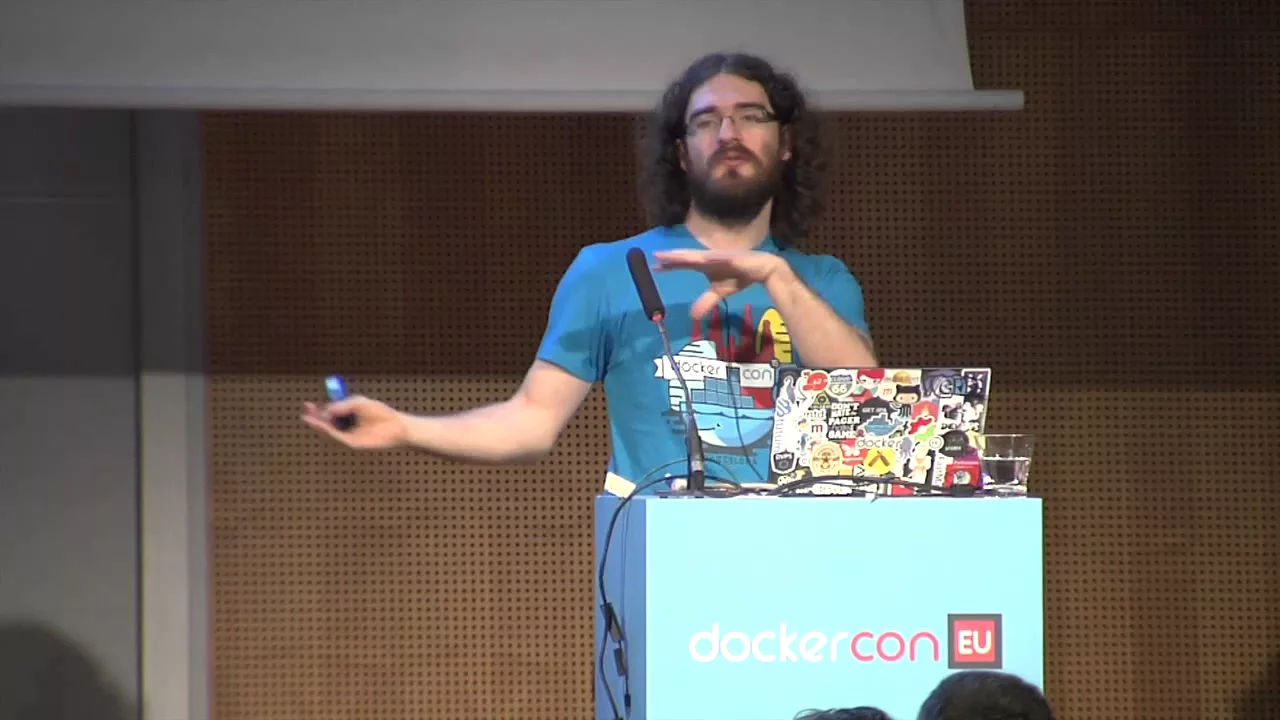
okay I think we're going to be good to go thank you for coming along so I'm gonna do two presentations in on end this piece is sort of introduction to namespaces in general or Linux what they are what they allow us to do but then one of the most interesting types of namespaces is user namespaces and that's what I'm gonna sort of drill down to in in in the second piece because user namespaces sort of bring all the other namespaces together in a way that let us do some quite powerful things things like unprivileged containers for example and I want to just describe how how that's possible how it's possible to be super user inside a container or inside some other sort of isolation framework while being unprivileged outside okay so um just a little bit about me I'm the maintainer of the Linux man pages project I've been doing this for quite a few years now this doesn't mean I'll look after tens of thousands of manual pages there is a certain project that for historical reasons has called man pages it provides the manual pages that document the system calls of the Linux kernel and see library functions and a few other bits and pieces and there's a bad thousand pages there and as I've been doing that for a wee while along the way I wrote a book and these days pretty much my full-time workers doing training courses and I like Norway okay alrighty so just a bit of background information that you want to might want to go and look at eventually I did write a long series of articles about namespaces a few years back on LW in you might find that useful look at at some point by now I've also a bunch of manual pages talking about namespaces you can find them on your nearest Linux system one other place that I like to point people ass is a webpage written by an engineer in California she wrote the title in about four or five years ago containers in five hundred lines of C she says nowadays is a bit more than 500 lines parent it's about five hundred and seventy CC she says I swear it was five hundred but it's added a few pieces and the point I want to make there to begin with is doing the container thing you know putting a process into a sort of an isolated environment or on on Linux the amount of code that you need to do that is remarkably small the thing that makes container systems and other sorts of rating systems so so complex is is all the orchestration that goes along with it but the actual putting a process into an isolated environment the amount of code that's needed to do that is it's very small so it's really hard to come up with a simple one-sentence definition of what a namespaces this is this is sort of my attempt a namespace wraps some global resource to provide isolation of that resource Linux supports a number of different namespace types the the list has been growing over time and it's about to grow a bit more very soon I think within within the next few months that's going to be another namespace but for each one of these namespaces the is multiple I'll rephrase that one or more name space instances on the system when systems booted up there's one instance of each kind of of these namespaces and every process resides in one instance of a particular namespace so currently the seven namespaces each process resides in one instance of the seven different namespace types for the processes that are living inside that namespace instance they see a certain view of some resource and that view of that resource is private to them and if one of those processes changes that resource the changes are visible to the other processes in the same namespace but the change isn't visible to processes that are in other namespaces when a new name when a new process is created that's in the same namespace as as parents so we've got at the moment seven different types of name place starting with mount namespaces what we're seeing here is a list ordered by time so the very first name space type was added back in 2002 the most recently added one is 2016 and I expect I'll be able to add ones that list still this year so there'll be one in new in 2019 and we're seeing there also the Linux kernel version where the namespace types were added and these constants here these clone new Flags these are constants that are used in various api's when you want to refer to different types of namespaces system calls that work with namespaces now you you can use individual namespace types on their own so going back to this timeline for instance way back early mount LAN spaces were aid invented in 2002 this is quite a while before people were thinking about things like containers and that's because people had particular use cases revolving just around the use of name Mountain in space there's nothing to do with containers so some of these names place you can use them on their own but often you want to use several namespace types together to build some sort of application one reason is that some of the other namespace types like IPC namespaces see group namespaces PID namespaces they make use of file systems that need to be mounted and probably in order to have the mount points not visible to the rest of the system you create a mount namespace at the same time because that's what mount namespaces do they isolate the set of mount points seen by a group of processes in a container type framework you're probably using all the namespace types together docker for example uses nearly all of the namespace types it hasn't caught up with c group namespaces yet as far as I can see but I think that's just because Dockers a bit slow to catch up with things sometimes and and see groups control groups are thrown into the mix as well so it's a bit abstract so far and I want to make it a bit more concrete with a example of a namespace UTS namespaces make it easy to provide an example because they're relatively simple in terms of what they do and in terms of understanding how namespaces work the idea with UTS namespaces is they isolate to system identifiers the so the the node name and the domain name the node name is what we more normally call the host name the domain names has got nothing to do with dns this is the NIS domain name or if you're old enough to remember what it used to be called the Yellow Pages domain name it's just a system identifier the reason why it might be useful to isolate these identifiers is for instance memory container perspective you can have containers that have different host name and different domain name and for instance some sort of initialization software in the container might broadcast its hostname to DHCP so that the container gets assigned a unique IP address the name UTSA comes from an ancient [Music] abbreviation the the the UTSA comes from a structure called UTSA name which is returned by the you name system call which returns these identifiers the reason the UTSA name structure has its name is because this system call returned the identifiers that were unique for your verse your particular instantiation of the unix time sharing system because back then you know time sharing was a thing it was sort of a new thing so the original name of UNIX was the unix time sharing system okay so on am on a any particular linux system there might be multiple UTS namespace instances and within a particular UTS namespace instance instance the processes there will see a particular host name a particular domain name if one of those prices processes changes the host name the change will be visible to the other processes that are in the same UTS namespace but that change won't affect processes there in other duteous names baseness so each suit is namespace has its own host name its own domain name and so we have a situation like this branch we've got on our system preps and I'm sorry about the interlacing on the screen I hope you can still read it okay the we've got three UTS namespaces here with some black circles some processes inside and each namespace has its own host name these processes here see this host name take a poll if one of these processes change that host name the changes we visible just to these processes the processes over here are seeing a different host name and changes over here won't affect these processes so we've got some api's we've got some commands for working with namespaces one of the things we have in terms of interfaces is the proc ped directory there's a subdirectory called NES and inside that ns4 namespace obviously and what's inside that directory is a bunch of symbolic links and these are kind of magic symbolic links that give us information telling us which namespace does this process belong to and you can see it as well that yeah there's one or two other sim links in there as well but there's seven some links that are interesting to us at the moment and there's one sim link for each one of the namespace types so see group IBC Mount and so on and the content of these symbolic links normally the target of a symbolic link is a path name but if you read one of these symbolic links using say read link you find a rather unusual string inside and that the strings look like this some kind of namespace name colon and then in square brackets an inode number just behind the scenes and you can't see this from outside the kernel namespaces are implemented using a file system internal to the kernel and what you're seeing here is the unique inode number corresponding to this namespace that's a sort of an irrelevant implementation detail in a way the main point is this number is unique for this namespace instance so one of the uses of these symbolic links is you can look at two differents for two different processes you can look at the symbolic links and compare them if they are the same then the two processes live inside the same namespace if they're different the two processes are in different namespaces there's some system calls I'm not going to try and drill down to these system calls in any sort of way but just to mention we've got clone clone is a sort of more general version of the fork system call it allows you to create a new child process but at the same time you can say I want that new child process to be in some new namespaces and you use some of those flags that I showed you in an earlier slide there to say which kinds of new namespaces shares a bit like it creates new namespaces but it doesn't create a new process it moves the calling process into those new namespaces and then there's a system call called steadiness which allows a process to move itself from one namespace where it's currently resident into another existing namespace and the shell commands layered on top of these system calls there's a command called unshare which lets you create new namespaces and execute some command in those namespaces then there's InnoCentive this allows you to move into some existing namespaces and execute some command in those namespaces and each one of these commands has some flags that say what kind of namespaces do you want to deal with so for unshare for instance you can say unshare - lower case you create a new UTS namespace and there's different option letters there to create different kinds of namespaces and correspondingly within Ian's Center what you can do is I want to go into some existing namespaces one way of doing it you say I want to go to the existing namespaces orange from the existing namespace the same as some target PID so you say - TP ID and then you might say oh and I want to go into the same UTS namespace as their process so you you say - you there's some there's some privilege requirements around creating namespaces to create user name spaces which I haven't yet said anything about yet much you don't need any privilege but most of the other lofts I'll rephrase that for all of those types of mainstays you have a privilege that is the caps sis admin capability okay so this yes I'll take a question with respect to any one particular namespace type the process is in exactly one instance of the namespace now there are seven different types of namespace but at any particular moment you know say with respect you tease namespaces the process is in one UTS namespace it can't be a member of multiple UTS namespace instances when you say independent namespace types independent I'm not sure UTS yes you can you don't have to create yeah you can create individual namespace types independently or a namespace instances I should say yes for some of the namespace types that's useful to do this for individual namespace instances for just for some of the types but for some others it's probably less interesting to do so okay but you know for instance mountain spaces which I mentioned they were they appeared earlier on they were invented because at that point people only thought about isolating mount mount point lists they weren't even thinking about other types of namespaces the whole container idea only emerged into the consciousness a few years later and then all the other namespaces started getting added enough that sounds odd your question or not but I would say you want to come to the second session because I think you think you will some pieces will come together okay so it's going to the demonstration so what I've got here is two shell windows these these two shells are in the initial instances of each of the seven different namespace types and what I'm going to do up here is just just show that these two shells are in the same UTS namespace so I'll say read link proc dollar dollar PID of the shell UTS oh ah but of course yes Innes there we go okay we see a certain number there just yeah there's the PID of the shell and then down here the ID of the shell and then I say relink /proc slash Dola Dola Dola NS UTS okay we see the same number these two shells are in the same UTS namespace now what I want to do then down here is say well what's the host name on the system okay BN now of course the host name up here is is the same but what I'm now going to do is say sudo unshare - you create a new UTS namespace and I'm gonna say run a shell in that new beauteous namespace all righty now if I look at the hostname here it'd still be in now the reason is that because when a new UTS namespace is created it it inherits a copy of the host name and the domain name from the previous UTS namespace but what I could do now oh one thing I should do perhaps to illustrate the point if I say read link dollar dollar UTS failing to learn from experience I see a different number now there this shell is in a different UTS namespace from the shell in the lower window so now I'm gonna change the host name and just verify that change okay different host name there but down here the host name that this process this Chelsey's is to be in okay now I could go a little bit further I should just echo the PID of the shell okay one four eight zero five and then down here I could say sudo any Center going to some some of the same name spaces as the PID one for like she won't do one more thing before I do that I should realize just to demonstrate something else oh yes thank you at least someone's reading my slides okay these two processes are still in the same mountain namespace what this means I haven't said too much about mountain there so this is yet but I mean hinting at it means they see the same set of mount points and the point is about these two shells they are in the same instances of each of the other six different namespace types they're in the same PID a space they're in the same network namespace they're in the same user name space and so on they only differ in their membership of the UTS namespace now what I'm going to do down here now is use the NS inter command saying I want to go into some of the same name spaces as PID 1 4 8 0 5 - you go into the UTS namespace or at the same UTS namespace as their process and I'll just run a bash shell and of course I need to say sudo and now if I say well first of all let's try saying read link /proc back up here should really just there was the UTS namespace membership and now can let's compare that with the UTS namespace membership down here same number the shell down below is now in the new UTS namespace and now if I say host name IC cakehole okay now I think I've covered all that yeah so what is this about why are we doing it well one of the important uses of namespaces is to do what people sometimes call lightweight virtualization what they more commonly call containers when and what I mean by virtualization is isolation of processes putting them in their own private world in some sense the traditional way of doing hive of doing virtualization is hypervisors the idea that you've got a host kernel and right on top of that host kernel there's a number of guest kernels and with that sort of scheme the processes that are running on a particular guest colonelcy their own private world created by that guest kernel and it's completely isolated from the world provided by another guest kernel okay you just do this Firefly the kernel and another guest kernel and you get sort of isolation for free by having a new kernel but also this has some some some problems one of the things is that you your isolation is all or nothing either two processes are in the same guest Colonel I see the same view of the world well there are two different guest kernels I see completely different worlds and there's nothing that's sort of halfway between when we do virtualization via namespaces then what's being done the isolation is being done in the context of a single kernel and one of the results of that is we can do partial isolation we don't need to isolate on all the possible dimensions you know we might have processes that are in the same UTS namespace and same mount Lane space but are in different PID namespaces for example so we we can have degrees of ization if it suits our application hypervisors relatively speaking because i have to put the word relatively in there because people pull me up on this relatively speaking they are simple to implement okay you've got to architect the conversation that goes on between the guest Colonel and the host colonel but once you've architected that conversation you get isolation for free just by firing up another guest colonel and the fact that this is these that hypervisors were relatively simple to implement I mean that the first hypervisors actually appeared really quite a long time ago happy 20th birthday VMware and the first free hypervisor implementations in had already appeared back in 2003 one of the other issues though with hypervisors is if you want to do isolation you need to fire another guest Colonel this is a relatively resource intensive way of doing isolation takes a while to fire up the colonel the colonel needs resources that the guest Colonel if we do isolation using namespaces containers this is much cheaper in resource terms because there's only one colonel involved we can have degrees of isolation and but the downside is it's much more work to implement because there needs to be a whole lot of refactoring in the colonel to create the concept of separate instances of these global resources so some of the main space types were especially complex to implement use namespaces perhaps the most outstanding example of it took several years to complete the implementation and well it's not a stool being implement to do the initial sort of complete release took several years so what are the kinds of namespaces do we have we've got mountain lane spaces what's being or backups in these were the first namespace type that was implanted a motion to command line Colonel back in 2002 the clone flag their clone new NS the kernel developer back then still very much on the scene with Linux these days so went off into the woods for a few months and came back and said I got this new thing I call it a namespace and here's the flag clone you inis okay that point you know no one had cotton on today that will you know we might want to isolate other sorts of things as well so a better name for the slag would have been your clone new mount but its history what's being isolated here is the city the set of mount points that is seen by a process and all that amount pointers is at Apple that connects amounts or some sort of device to a path name and one other thing that's power well there's a few things that are part of the trouble but the one of the other key things that's part of the tupple is an idea of a parent mount because the interrelationship of mount points the parental relationship that defines the single directory hierarchy that you see so all that's being isolated by mountain name spaces is this list of mount points this these tuples of mount source path name parent mount ID and this means you can have processes that are own different round name spaces that see a different set of mount points and they so therefore they say can potentially a completely different single directory hierarchy tree I get a completely different set of mounted file systems this means of course your container can have its own set of file systems that are visible to other containers and you know heart necessarily visible to the outside world either okay it means also of course you know that many system calls needed to change in a mount and unmount they formerly worked on a single global list of mount points that was shared by everyone on the system nowadays they needed to be retained then they need to be refactored to deal with the fact that they should operate only on the mount namespace that the mount point list of the mount namespace of the calling process and what can we do with mount namespaces we can have the idea of per process private filesystem trees for example you know you've got a multi-user system some user logs in there's a pam module that kicks in the pam module create a new mount namespace mount some file systems that user including perhaps their home directory and then a second user comes along again a Pam module kicks in mount some file system including that users home directory so the set of file systems that are seen by the two different users could be completely different and in particular they couldn't even see each other's home directories because the amount points are private to the mount namespace you can do the sort of thing that people traditionally have done with chroot were you confine a process to a subtree of the filesystem but you can do it much more flexibly with not only its basis you can completely rearrange the view of file systems that processes the processes in the mount namespace is seeing chroot of course only issue say I want to limit the process to some subtree of the existing single directory hierarchy but mountain ice isn't spaces let you completely rearrange what processes are seeing one of the things that's useful in the context of other namespace types and particular PID namespaces is you can mount certain file systems like /proc without having side effects on processes that are in other namespaces so one of the that you want to do with a PID namespace typically which I'll talk about soon each PID in space has its own set of P IDs and if you want to see those PID is in a slash proc file system you need to mount a slash proc file system show those pids too so quite commonly when you creates a PID air space or for that matter an IPC namespace or C group namespace at the same time you also create a mountain in space so that you can mount the necessary file systems for those other kinds of name space without having side effects on the wider system I don't know if I need to walk through this altogether we've got as I say there was a lot of stuff that need to be reworked inside the kernel when mountain air space to read it now new mounting system calls changed but everything that had anything to do with path names because path names of course are interpreted with respect to mount points all of that code and the kernel neat that needed to be refactored so it was quite a big piece of work yeah now I'm just going to mention because I I don't have time to drill down at this feature when mount main spaces were initially implemented what happened was we had the possibility of isolating a set of mount points and you're gonna have mini mountain name space instances on the system and then people have to offer after this implementation had been done people raised actually this is too much isolation we don't always want this degree of isolation and the classic example use case that is often mentioned here is you might have a system that had multiple mountain name spaces on it you know for different users log in or whatever and maybe there's an optical disc drive on that system and you're not you want to put an optical disc drive into the disc and you'd like it to be the the mounted optical disc to be visible to every mountain in space well in the original implementation the only way you do that was to do a mount in every one of the mount namespaces which and that's what I mean by too much isolation it would have been nice people realized if you could just do the mount once and have it automatically propagate to all the other mountain namespaces so three years later a feature called shared sub trees was implemented and it allows you to do exactly there propagate mount events across mount namespaces it's it's kind of surprisingly complex but it does the job unless you do many sort of quite magical things so right what other kinds of namespaces do we have IPC namespaces what these are about is isolating certain IPC I see IPC resources in particular system 5 IPC objects as shared-memory semaphores message queues and so-called POSIX message queues as well and the idea is that processes that are in a certain IPC namespace instance they'll see a certain set of set of those IPC objects but those IPC objects will be invisible to a process in another IPC namespace instance and vice-versa so each namespace has a set of IPC objects instead of identifiers for those objects it has its own /dev /mq file system which you see the POSIX message queue objects there's a certain files that are private and /proc and when the namespace is destroyed then all the IPC objects in the United space automatically evaporate okay now I'm not gonna talk about sea route namespaces really because we'd need to understand what sea groups are and either you do or you don't but I can't do that here what I want to say is you know see groups control groups are you know moderately complex pieces of infrastructure and that makes you think that secret namespaces must be really complicated and not that's super simple but to understand the way in which those super simple you need to understand what what's what see groups are but all I'll say is if you're interested go and read the secrets men our secret namespaces a manual page and then just as an aside I'll say all that's happening with these namespaces is certain path names that appear in certain prop files are being virtualized and that's all that C group namespaces are doing it's no it's notice so it's really not complicated then we've got network namespaces now what network namespaces are doing is isolating a whole bunch of network resources things like routing table rules firewall rules the socket port number space some directories in /proc net and sysclass net and a few other bits and pieces and the general idea here is let's make our containers useful from a networking perspective we can have the idea that each container could have its own virtual networking device a virtual Ethernet device a death device and each container has its own socket port number space so you can use these virtual Ethernet devices to connect the container to the outside world there are two other containers for example or perhaps with some NAT rules out onto the big bad internet and then on each container you could run a web server on port 80 for example because every container has its own socket port number space so what sort of things can you do with network namespaces well you can have containerized network services where the services live in their own sort of isolated world you can do things like instead of if you want to develop a set of firewall rules and routing table rules for a real physical network you could do the sort of ladder on the testing with real physical wires and boxes but then you know when you get things wrong you have to move the wires and the boxes around potentially but instead you could do an emulation and software using network namespaces and do it all in software and then when you work out your firewall rules and your routing table rules are all correctly tested and working then you set up your physical devices and wires that connect them and install the routing table rules and the firewall rules there's even an emulator arm out there that lets you do exactly this the common open research emulator someone's already done the work for you a lot of the use cases for network namespaces resolve around or revolve around security because the thing about you know network service if you put a network service up there it's fair game for any attacker to try and connect to that service so what sort of things can you do then with network namespaces in there since one of the things is you can completely isolate a process from the network when you create a new network namespace to begin with it has no no network device if you've got a process inside their network namespace then if it gets compromised somehow it can't do bad stuff on the network because it simply can't create a network connection because there's no network device another possibility is you can have you might have an internetwork service which has helper processes helper processes that live inside network namespaces and the idea would be that the the network service it's taking connections that come in from clients on the big bad internet and it passes those connections to helper processes that are living inside network namespaces and inside these network namespaces there are no network devices the helper process inside the network namespace deals with the client and does whatever needs to be done but if the client is somehow a malicious or somehow bad acts badly and the the hell proces gets compromised it can't create new network actions that can't you the attacker couldn't construct a compromise that would enable you know the helper process to say you know create a new network connection cinder corporate database out over the Internet to the attackers home base or something I've glossed over a little bit of magic here because I said the help of the the master process the master server passes the network connection to the helper process and I didn't say how that's done there is a technique for doing this it's a weird and wonderful techniques have been available in UNIX systems for a long time including Linux where you can have a UNIX domain socket connection between two processes and one process can pass a file descriptor to another process over there connection so the idea would be that the master server accepts a connection gets a new file descriptor for a new socket which is the socket this connect connected to the the client passes that file descriptors of the helper process inside the network namespace and then the helper prosess has that connection to the client okay no I'm doing good for time okay prae no spaces now what's being isolated here is process IDs the either is inside a peon airspace there's a certain set of P IDs that are visible only inside the PID namespace they're not visible outside the PID airspace why is this useful well one one relevant use case we have the technology nowadays where you can have a container that's running on one system one physical system and you can sort of freeze that container transfer across the network and then reanimate it on another system now of course if you were able to do that or you can do that that container was using a certain set of P IDs now if we move that contain to another system maybe some of those PID s are already being used on that target system it's not a problem with PID namespaces because the P IDs are only visible inside the PID namespace so there's no possibility of conflict with existing PIDs another benefit of PID namespaces is so nice a set of P IDs and you can have a PID one an init process and PID one does you know some special things on any unix-style system and it does special things in your container one of the things for example PID one becomes the parent of orphaned processes and it's usually responsible for doing certain system initializations piano namespaces are different from all the other namespaces I mentioned so far they live in a hierarchy what I mean is each peon in space has a parent P or any PID in airspace has a parent PID namespace going all the way back up to the initial PID main space there is a maximum nesting depth but doesn't seem to be a problem for anyone yet next nesting depth of 32 there is an API which I'll just gloss over the week and you that you can actually use to discover these parental relationships got a blog post there about it but I won't say more now the thing is because of this hierarchy a process is a member of its own PID namespace but it's also in effect a member of the parent PID man space and the grandparent PID namespace and all the PID node space is going back to the initial pyrénées PID namespace but in each one of those levels it's almost certainly going to have a different PID okay from the initial PID namespace you can see all the processes on the system but in a dissenter in an inferior a lower PID airspace the only thing that you can see the process inside that pran space can see are the processes that are in that namespace all lower levels the processes and lower-level pioneer space can't see the PID s in a high level PID namespace picture helps here I think okay the idea here is then we have the initial PID namespace and again I'm sorry about the rendering the initial PR United States and here's our true init process PID one and perhaps PID one creates a new process which has PID 'the 304 using for the black arrows represent calls to fork and perhaps that process then uses a clone call with the clone new PID flag to create a new PID namespace well the very first process in that new PID no space will have PID 1 in that namespace but that process is also visible on the level above where they have some other PID maybe this process turns around in users fork to create another process prep which perhaps has PID 3 again their process is visible at the higher level where it's going to have some PID maybe this process turns around in users clone with the clone new PID flag to create a grandchild namespace the first process there has PID one but it's also visible at the next level above where it has some other PID and it's visible at the level above that where it again has some other PID make sense okay so when you call when a process calls get PID what it sees is its PID from the perspective of the namespace where it lives so if this process called get PID it would see one what about if it call get PP ID any thoughts get parent process ID I should say any thoughts there's no visible parent is there not in this namespace in that case get PP ID return zero no there's no visible parent there is a parent but we can't see it from here okay all right I'll skip over that now we've got the proc pin directory that contains the shows information about the pids of a particular process visible in a particular PID namespace and this allows us to do certain kinds of discovery so I'll just perhaps try quickly another demo so I'm gonna say unshare - pee-ew I'm sure - P create a new PID namespace and I mean these another flag that I don't want to try and explain which is useful for with PID namespaces and say run a bash shell and echo Dola Dola this shall has PID 1 the thing is if I go and look and /proc and look for all the entries you know the big whose names and numbers - D I just wanna see the directories not the contents of the directories I see a bunch of files which is weird isn't it because as far as you know there's only one process in this PID namespace the reason is we're seeing a /proc mount that corresponds to the initial PID namespace so one of these you need to do when you create a new PID namespace is also renounce /proc but you don't want that slash mount to affect the other process on the system so what you what we should have done was created the new mount namespace at the same time so I'm gonna undo what I just did there and then I'm going to create a new PID namespace again but at the same time there's a credit amount namespace and then I'll say mount - or first of all let's look and let's look in proc again okay it's a mess okay just by the way we can we can we can see that something weird is going on if we go and look at safe slash prop we know whether the show has PID 1 let's go and look at /proc / 1 / status anyone this is a bash shell with PID 1 no see that that's system D at system D in the initial PID namespace okay so what I want to do at this point is say mount oops mount - T proc source none because this is a pseudo file system and then /proc and now when I look and /proc I see the right information okay that's why I said you often want to use mount namespaces in conjunction with some of these other namespaces because you want to mount file systems where they're having side effects on the wider system okay that first process that PID one insider namespace it's a new PI that fit that PID one and the new PID airspace is special it's the init process becomes the parent of orphaned processes generally it does certain kinds of initialization so it will do some initializations in your container for example it's also special in the sense PID one on traditional unix system is special if it goes away i you know somehow it gets killed or it terminates the colonel says the colonel knows that PID winner's fundamental to the operation of the system and that in that colin that situation unix kernels panic and reboot the system it's a similar situation with PRT namespaces a PID won't one goes away the namespace is considered to be unusable after there all the other processes get killed and the namespace is dead okay who's coming back for the next hour anyone not coming back i won't hold it against you okay i'll just say just two minutes thing about user name spaces but you want to come back you for the next hour you do and what this is about is ID i isolating the UID now the user IDs and group IDs the particular idea here is you never process it since i do user name space it has well outside the user name space it has an unprivileged user ID but inside the user name space it has UID 0 it is super user inside the user name space and it can do privileged operations in a certain context and this lets us do some really very interesting things and i think i'm just going to say if you want to know more you're gonna have to come back in the next hour because i've reached the end of my slides and thank you for coming along and if there are any questions we took a couple minutes so is this some sort of inheritance with mountain namespaces I do so I think there was a point that I go I sort of didn't say anything about when new mountain ice mountain ounces base is created it inherits the mountain point list from the previous mountain namespace so there are there is a set of amount points initially but then afterwards some processes inside that mountain own space can rearrange the set of mount points add some remove some and so on yes okay so if you add a new I'm sorry I should that you continue but I think I know where you're going yeah yeah so if you add a new mount point in the namespace and you add a file in that mount of file system what's the effect and this is a point that people often get confused about all that amount namespace is doing is providing a set of mount points those mount points there might be different mountain spaces that mount the same file system it's the same file system the files on that file system ah it's one set of files so you know if two different mount namespaces happen to mount the same file system and one of the prices in one file system sorry in one mountain space change one of those files well the change is gonna be visible in another mountain a space where that file system happens to be Mountain it's only the mount points that are being isolated not not the file systems now if you don't want those file system to go changes to a file system by one mountain a space to be visible in another manís place then don't mail bay at file system in the other mail namespace that's that's that's how it works other questions to another yet to a helper yes yep no no I just need to have a UNIX domain socket connection and that's enough now they can be they can mean different namespaces of different types or not that it's it's it's this is an orthogonal technique well so people people commonly call this technique passing a file descriptor in reality what's being passed is a reference to the open file description probably you know in layer the the sending process might be using a certain file descriptor number the receiving process gets a reference to the open file and probably it gets a file to could be allocated in its file descriptor table it's probably a very different file descriptor number so even though it's called commonly file descriptor passing it's not strictly accurate it's a reference to an open file that is being passed and probably the receiving process uses a different file descriptor number other questions see some of you in 20 minutes [Applause]
Up Next

25:51
Linux Network Namespaces Explained: Mininet & OpenStack
@DavidMahler
132.8K views•2015-07-01

87:26
Introduction to Secure Multiparty Computation with Yehuda Lindell
@fhe_org
7.7K views•2021-02-04
61:50
Advanced cgroups v2: Release Notification, Delegation, Thread Mode
@NDC
5.6K views•2021-11-03

19:25
Enigma Machine Mechanics: WWII Encryption Explained
@JaredOwen
13.2M views•2021-12-11
Related Study Plans & Knowledge Roadmaps
Structured learning paths in Computer Science
computer-science
Container Runtimes: Namespaces, Cgroups & Go
01Linux Systems & Go Programming Foundations
02The Core of Isolation: Chroot and Filesystems
03Linux Namespaces: Process Isolation
+ 3 more learning modules
32h6 modules
Explore Roadmap
computer-science
Building a CHIP-8 Emulator: Rust & CPU Basics
01Computer Architecture Foundations (Bits & Bytes)
02Rust Programming for Systems Development
03CHIP-8 Virtual Hardware Specifications
+ 2 more learning modules
32h5 modules
Explore Roadmap
computer-science
Building BitTorrent: Go, P2P & Concurrency
01Go Fundamentals & Concurrency
02Networking Foundations & P2P Architecture
03Bencode Parsing & Torrent Metadata
+ 3 more learning modules
26h6 modules
Explore Roadmap
computer-science
Actor Models (C++ Concurrency & Lock-Free)
01C++ Multi-Threading Foundations
02Thread Pools and Task Scheduling
03Atomics and Lock-Free Queue Design
+ 3 more learning modules
45h6 modules
Explore Roadmap