













![[디지털포렌식시리즈] 삭제 파일 복구 기술](https://i.ytimg.com/vi/60FtdnBey-E/maxresdefault.jpg)






![Module 6 : Part 1 ~ Anti forensics [Theory + Practical]](https://i.ytimg.com/vi/L6cREjSGeXk/maxresdefault.jpg)

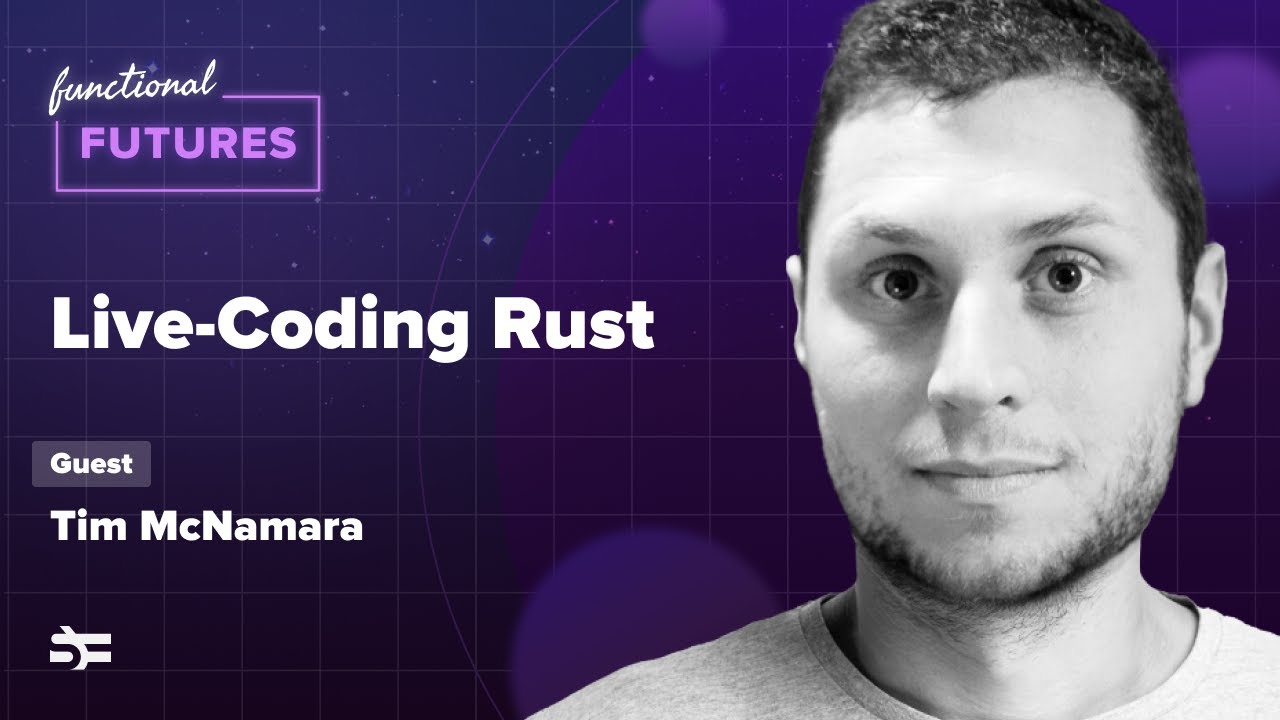
This video demonstrates two key file forensics techniques implemented in Rust: extracting ASCII strings from binary files by reading files in chunks and filtering characters within the printable ASCII range (32-126), and detecting file signatures by comparing file bytes against known signatures (like PNG and JPEG headers) using HashMaps to store and match byte sequences. The presenter explains that Rust's memory safety features make it valuable for security applications, and demonstrates practical forensics tools including file metadata retrieval, hex dumping, and signature-based file type identification.
Building File Forensics Tools in Rust: ASCII and Signature Analysis
Added:Basic proficiency in the Rust programming language, including handling I/O operations, matching patterns, and working with byte slices.
Fundamental understanding of binary data representation, hexadecimal values, and how computers store data on disk.
Conceptual knowledge of file signatures (often called 'magic bytes') and how they are used to identify file formats.
An understanding of character encodings, particularly ASCII and UTF-8, and how text is distinguished from raw binary data.
Developing advanced file-carving tools in Rust capable of recovering deleted or fragmented files from raw disk images.
Deep-dive structural parsing of specific file formats (such as PE, ELF, PDF, or JPEG) to extract embedded metadata.
Implementing parallel processing using Rust concurrency libraries (like Rayon) to scan large volumes of storage media efficiently.
Exploring anti-forensics detection techniques, such as identifying file obfuscation, entropy analysis, and steganography.
708 views17likes1:50:05Original Release: 2019-03-24
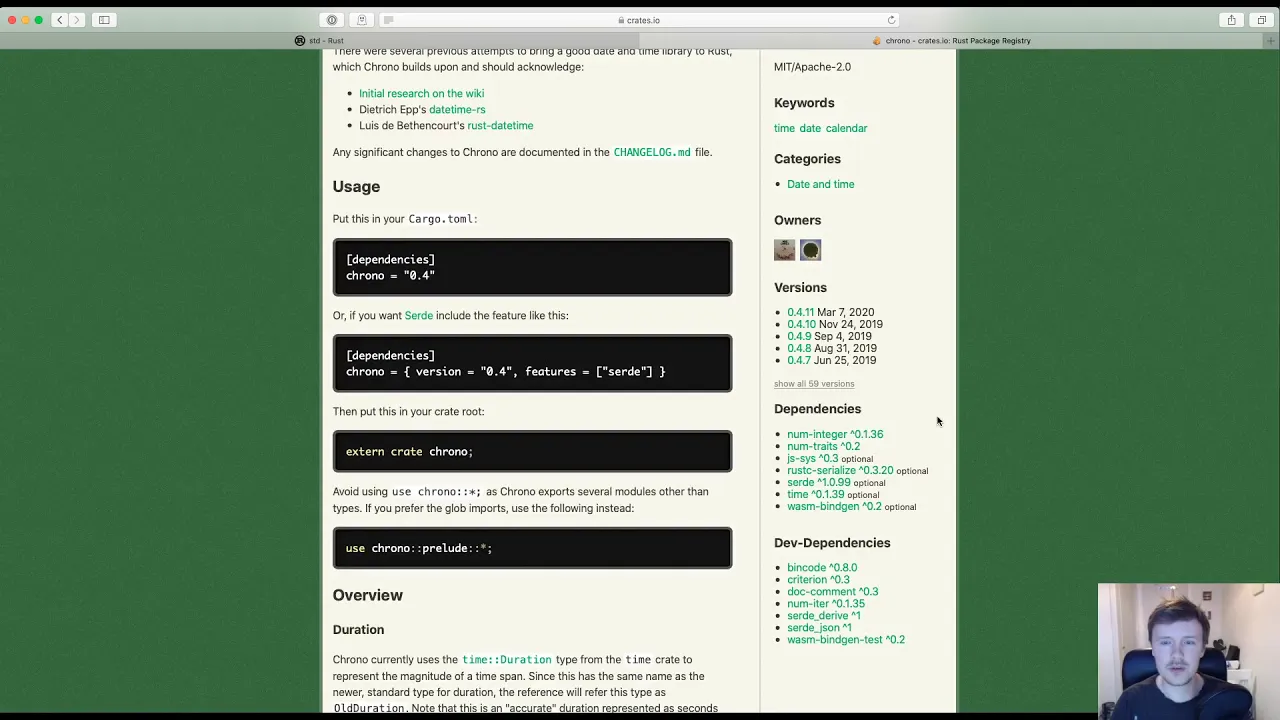
[Music] [Applause] [Music] [Applause] [Music] hey everybody welcome back to some more live coding today we're gonna pick up where we left off last night in doing the file forensics with rust and we did a lot of good work last night but a lot of it was kind of learning learning the intricacies of rust but today we're going to review so we we did an example of how to get metadata from a file and to dump the hex value so let's run those and just kind of make sure everything looks good still so the first one was to get filed metadata so let's try cargo build and then we want to go into target and it's got a debug and there it is there's our application it's called get file get file metadata we can run it we'll get the help information says we need to provide it a file so why don't we provide it the file itself let's get the metadata about it and here we go the name is it a block device knows a character device no is it a FIFO no is it a socket no it's none of those things is it a directory knows of the file yes the permissions 775 last modified 324 301 which is UTC which is a minute ago which is accurate all right so that one that one works that one looks good still what was the other one we did we did dump hex so let's do the same thing here we'll cargo build it go into the target debug and run it dump X okay gives us the usage information we need to give it a file same thing let's don't do it let's dump it I look how long that was long that's megabytes and megabytes of data I suppose we could why don't we do that through less then we can actually kind of look through it so cool we've got our file dumped and you can see there's some kind of signature at the top and some empty values a lot of empty values here a lot of empty space that's most likely some of this probably stack space but that's fine so now we're gonna work on some new examples and start knocking out the rest of the ones on this list so we did those we're gonna use those as a starting place to do the next ones and so one common task is if you have a file you have a binary file let's say it's an executable you don't know what it does one of the quickest and easiest things you can do to start looking through it is just start looking for a ski strings inside of the binary and a lot of times you'll find text that gives you clues about it so what we're gonna do is write an example that will go through a file and if it finds characters that fall in the ASCII range it's gonna print them out otherwise it's gonna skip the character that way we can quickly find all of these strings in there together without having to dig through ourselves so okay we're gonna go back to our rust directory and we're gonna say Cargo new and we'll say find ASCII in file it's kind of a long name I know but it's gonna be easier in the future when I need to come back and find my example so there it is find ASCII and file and now we've got a nice empty file what I'd like to do yeah so now we have this other file as an example okay so let's make this bigger we're gonna work out of these two files so let's see what we want to do let's start with the main well I guess first we want to check the arguments check the command-line arguments and we're gonna need a file right get a file from CLI other one and then we're gonna need to open it fitter eight through looking for a ski bytes okay so why don't we do the same thing we've been doing in the other one we'll create a function called check arguments and since we're gonna be doing the same thing and just capturing a file name we expect one argument and it's to be a file name so why don't we go ahead and copy our check arguments and if you missed it we wrote this one last night and all it does is it pulls the arguments from the environment using n args collect then we get a vector of strings which is the arguments and then we take the file name or we created a variable named filename and we are getting the first argument or not the first one but the one in index one which is actually the second argument which is supposed to be the file name but if it doesn't exist and they didn't provide it then we say hey there's no file names provided we print out the usage and then we exit we exit with an error code anything nonzero in this case one and if we did get it we just return we return the file name as there's just the string of the filing that was pulled so then what we can do here is say let file many people check arguments and that will print out the usage it calls print usage but that doesn't exist yet so let's also go ahead and copy over the print usage function as a starting place and the nice thing is because we we are passing it the executable file name which is argument 0 then we don't have to rewrite any code here it's actually going to dynamically use whatever compiled file name it is so if you ever rename it it doesn't matter it'll always use the file name which is nice which is what we want and then we've got our main function which is so we do want to open the file right and we're gonna read it so once we have a file then we're going to open it and then read it and so in this case let's say open file name let open file equals up a file and then so what do we have here what we get back is Oh hold on need to attach it to the current cargo project so we need to find find s key and file and attach it to the cargo Tamil which is like the package metadata file so that it knows we're working on this specific application and now it can tell me oh hey wait you're missing these imports so I'm going to do alt enter and just hit import and it's automatically going to pull in use standard ends at the top same thing with this red one alt enter import and because there's only one match that it found it automatically did use your standard file system okay so now we've gotten here we've got the help information now you can see it says this is a result and the result we have to see if it's an error or if it is good so what we're going to do is say if open file dot is error then we're going to print the line that's as no good error opening file and then we'll print out the file name so then we'll say a file name sorry couldn't open the file and then we'll do a system exit so just like we did system process exit standard negative process exit with the co2 one which is means an error anything nonzero okay so if there's an error go ahead and bail otherwise we can keep going and assume the file is good so then we'll have open file dot unwrap to actually get the value itself so I guess to be more accurate we could say this is like the open file result and because we're still getting used to rust I'm going to go ahead and be a little more explicit and name it that way and then we have the actual open file the actual open file is going to be the unwrapped value so yeah now we actually have the file object itself and that's what the great the gray text is saying so when we have the open file we should be able to yet read and then we're gonna have to pass it the buffer that we want it to read and we can just have it read one byte at a time I don't think that's the most efficient way to go through a file so we'll do it in larger chunks I think and which file is that it's the dump x1 in the dump X file we have a nice example of reading here we go and in this case we're saying we made a loop that just as well while there's data to keep reading we'll go ahead and keep reading so I also want to copy over the creation of this buffer here we go so we'll creat the buffer here how would we need to be clear that it's supposed to see it knows that it's a UA here or an unsigned 8-bit a bike basically a char but how come it's not inferring that is it because I'm not using it yet [Music] [Music] interesting I wonder if I just run it or if I just build it what it's gonna say on use that's okay not in scope okay let me let me make these two actually I don't need to I don't need a sort of call let me cut out some of this stuff actually let me comment out pretty much everything except the read logic itself so we'll say let keep running equals true and then we're going to say yeah so what happens is we're calling we're gonna say keep running and we have an infinite loop basically and we're gonna say okay read read from the file and say if you actually got data if there was no error rather then go ahead and keep going otherwise there was an error then keep running these false oh yeah we're gonna have to stay beautiful let you there we go then here we go so if there if it if the read went okay there was no error keep going but then when we unwrap it we actually see how many bytes for read so if there were zero bytes read that means it's pretty much done there's nothing about to read so then we say so I guess at this point to is where we would say break [Music] or continue actually break might work break might work instead of having to call to keep running so can we break direct let's we're going to find out you know great directly instead of using the wheelbarrow okay either way that's fine it will keep working without it otherwise we do have data [Music] oh yeah the data is going to be in the buffer so what we'll do is say for [Music] here I'm gonna have to store this so let's say let numb bytes read people's data unwrapped and then we'll say if num bytes read equals zero then that and then we can reuse this year and then we can say for I and zero of the number of lights red then do this and in this case we're just going to say how about Prince just have it just print it that's it me bucko don't care buffer careful I actually don't want print money I just want crit okay so let's try and run it this should just print every character as it is and then we're gonna add in a conditional that says only printed if it's a nasty one actually cargo build check out everything we did wrong unused unused import okay what else oh yeah we are comment didn't like my weird comment document okay so three three slashes is a docstring a document comment okay expected value okay line 46 what about line forty-six doesn't it like let's see well let me just try building it now that I fix the other things the expected value found macro oh I think I was supposed to do no that's how I did it here file that read the mutable file equals open file the unwrapped I think I have to do that mutable file oh it's because it's actually called open file and then I need to read back okay I was referencing the I was referencing the wrong thing okay so now I need my 31 I needed to fix I need to fix an ownership problem so I can't pass the filename because it's owned and so what I'm just gonna do is take loan and pass it a copy of the string which is totally fine passed by value okay so now built now that's good so now let's try cargo run it says our usage why don't we try and print out about the tombow five okay cool so it's printing everything we expect it to now let's go back and modify this so instead of just printing everything we want to say what if I do it like that will it print it out as character you know hold on let's look up the format characters rust format characters [Music] here we go I want it says if you do nothing display I want the bite as a ski let's see [Music] I don't want it to print out the numbers let's see so what if we actually put a space just just kind of double check yeah so it's the bytes 91 1 12 between 0 and 255 but let's see rust train a ski care for bites oh do I need to convert it I need to convert it to a character type [Music] so maybe I can do dot - there we go - ASCII lowercase - s key uppercase well can I just do - ASCII can I just do - whatever ASCII it already is I don't want you to change it I want you to use wait now that didn't do anything let's try it like that [Music] okay well that doesn't seem actually do it [Music] let's see hold on rust convert fight to care here we go using ASCII coding 65 you a does care as care so instead of that I say as care like that I'm basically casting it to a character what am i doing I need to try down here yeah there we go okay so you basically cast it using as I mean normally I guess you would do it like that can you do that and rust can you say print so take a secure character no didn't like that at all not a function yeah got it okay so I guess that's how you cast things as char as character okay so now I don't want to print that anymore there we go so now we're just printing out the file as it is but let's see what if we picked a binary file like target debug for DES key a file so now you can see there's all kinds of junk there's blank ones there's messed up characters but there are some strings in there so what we want to do is say instead of printing everything we want actually want to say if the buffer the character which is element in buffer index I is greater than what is this of the check that's key character tones 65 is capital a I think so we want everything from we're going to use the decimal values so we're gonna say everything from 32 which is space everything from 32 all the way up to 126 [Music] we say greater than or equal to 32 or buffer element I is less than or equal to 126 then we will print it out but what's gonna happen here is it's gonna print everything all lunch together and you know what this let's see how this space is a big problem no that's yeah so sometimes the spaces do let's let's see should we cut out the spaces too we could make it an option we could say to do add a flag to skip spaces then ignore ASCII 32 okay we're just gonna go ahead and ignore it so if we read that we shouldn't get so many spaces now yeah now we see all where does it start we shouldn't see any spaces I guess some of those spaces are actually other characters [Music] or that I guess maybe their new lines or characters that you can't see wait 32 was space right yeah 32 is face [Music] is that right [Music] hold on a second [Music] I used to have a big ASCII poster that hung on my wall back in the days of QBasic [Music] yes so ASCII 32 [Music] not hang on a second something dark kotor says hey a dark odor welcome back yeah decimal thirty-two thirty-two space so we want to ignore thirty-two so say charcoal bill just make sure it's still build and everything looks good okay so let's try it out now we built it cargo bill so we should be able to go into target debug and now we have this file so I'm going to move this file into my my home bin folder so now yeah I should be able to run it from anywhere yeah so I can run up from anywhere now so I'm gonna go check out like okay how about we got to find some binary files right Wilda bin folders gonna be full binaries so we'll try find ascii and file i guess some of them let's find out some over just yes so those are just scripts most of them are actually that one's a binary then actually it's a really big file so it's actually like it's still going through the file it's taking a while to go through the whole file and parse it how big was that one five megabytes so it took a few seconds let me try running it in the in the terminal as opposed to inside Jeff drains so it's called fine ASCII and file and that was a five megabyte file which one was like Oh packages I'm gonna do a time on it I want to see how long it takes and instead of printing it out to the console - I'm gonna dump it out to a file so we're gonna call it ASCII dump txt and just see how long it takes okay when you're not printing it out to the console it only takes you know one second so why don't we try opening that file with Visual Studio code and check out the file that it created because it is either binary or uses an unsupported text coding so why hold on a second maybe maybe I'm checking this wrong oh yeah I don't want hold on my logic here I think my logic strong if if it's greater than 32 and less than 126 that's my that was my big problem so let's go back into let's go back to our project rebuild it real quick cargo build I'm gonna go ahead do the target debug [Music] I'm gonna copy it there again so now let's go back here we're on the same file one 1000 you have about one second now let's try and open it up in Visual Studio code again yeah there we go so now it's one big long let's do alt Z to turn on word wrap and now there's definitely no spaces it's all mushed together so let's see I want to at least separate groups so I want to I want to know if where the groups are so let's at least put a space in there so we'll add our own artificial spaces any time they are not consecutive so we're gonna have to say let me the bowl consecutive ASCII is false or let's see how are we gonna do that we're going to say last care was ASCII is false and then let's see so before we print it we wanna say if last care was ASCII then we want to print it like normal but if the last care was not ASCII then we want to actually print out an extra character do that and then we'll say last hours SD equals true so now it's gonna happen is if the characters are consecutive it will print them out and as soon as there's anything non ASCII it will at least at one space between them so let's try this again let's say cargo run and then we'll run it on the what is it then go packages then we'll dump it out into a file called ASCII dump and then we'll open it in code [Music] what did it say could not find cargo tamil oh I'm in the wrong directory there we go okay so now we've got it now this looks a lot better now we can see at least where there is some brakes at the very beginning boom now we can clearly see a LF and that's gonna be a binary type so right there it paid off and now we can see here like okay these are separate these are just kind of some random things separated there's a group here there's a group here so now if we were looking for like a key like a secret key or something now we have at least a better chance of going well at least these are consecutive if we know maybe the key is 8 characters long then we could do something like I expect it to be a digit I guess can you do reg X's you have to turn on reg X to do digit times eight is how do you do [Music] - I forget I'm not you mess with the random sessions well you good you know I mean you could go look around and be like hey I need a four character string that's what I'm looking for as we go through we can see a lot of these dollar sign ages that's probably just some binary representation for something so you can see clearly a whole section full of those HH dollar signs that's probably all the variable declarations and stuff like that and as we go on we clearly see another section and that looks like it might even be some debug information where it's point pointing out function names oh look at that now we've got a whole bunch of strings strings that are probably used in this application so that'll help us tell what this application actually does awesome now you can see runtime stuff and more strings and as you look through you can find more clues but I think this what we've got right now I think we can call this done I think this is helpful enough those spaces definitely critical to breaking this apart now you can really clearly see what the words are awesome so I'm happy with that for now so let's go ahead and clean this up [Music] is there any refactoring we want to do Oh actually what I want to try out is if I get rid of this whole idea of keep running can I just say break what I need to just break then I'll just break out I'll just break out of the loop when I need to so let me try yeah we try this again we're just okay these are warnings I guess I don't even need that variable at all anymore give it a view now let's see did it work I'll try and open it up then yeah I mean it looked like it still worked okay and did we have any errors so let's let's try running it and then I'll echo whether any errors or did it exit cleaned it exited cleanly with the zero so that's good okay then the brake is good and then we don't have to mess with this logic of setting a keep running variable so we'll just call brake and that'll break us out I guess we could no I don't wanna yeah we'll just hit break okay so now I'm just cleaning this up let me I'll put the buffer up there too and I guess we can make the buffer bigger what I wanted to do is reduce the number of reads that we did on the file on the disk so yeah it's warning about the infinite loop but that's okay it's just a warning and so it still ran okay okay I'm happy with this the way it is I'm going to go ahead and add it and do a commit and adding it's time ASCII in file application push so Kaustubh asks why using rust why use rust well there's a couple reasons but primarily because there's there's been a lot of interest around frost Elite be particularly in the in the security community people have been pretty interested in it and I'm interested in it because for one it's supposed to be very very safe memory wise and I'm seeing that it is they have very very strict rules on ownership and access of variables and because you get low level memory access then because of that I think it also lends itself well to reverse engineering so I'm just exploring it for the uses in security and so it's partially a learning experience and to see if it's useful in this area ok so that one is done we can say that one's done and move it up here so what's up next looking for file signatures well that's really just gonna be a slight modification of what we have in this other project so this one will say cargo new find file signatures it's gonna be the name of our application five file signatures and we'll open it up and why don't we just go ahead and copy over oh wait that's not the right one I don't want to copy that one over I want to copy over the last one we did which was blind ASCII okay then we need to attach the right cargo tamil file and so what we're gonna change here is basically say what file signatures are we looking for so why don't we just start with maybe some basic image moves image file signatures so how about PNG so this they're saying this is the signature for a PNG about a JPEG okay we'll go with that for now okay now instead of looping through the whole file we might want to do something a little different so I'm gonna comment that whole part out but we still want to start with basically getting a file from the command line and then working with a file let's see [Music] Penndel says I think rust having conventions to call infinite loop just loop Oh interesting are you saying that there's no true you just say while oh wait now it's saying it expected something it expects an off yeah that's just I think that's just a linter thing [Music] okay so this is the signature I want to look for right now now what should we do should we convert the hex to decimal and then compare each byte or should we compare should we take the bytes convert them to hex in the comparative this signature custom says file input through stream is better for direct low-level file read so I am doing I am reading it in chunks I am manually reading it in chunks that's what you mean by a direct low-level read I'm reading it in the chunks of the size of the buffer and I chose the buffer of size 1024 at least for the last one so this one like let's see we're gonna want to check for at least more than one signature so yeah why don't we try the PNG and the jpg ones okay so now we've got at least a field and this one's gonna be jpg we need a label for them and I'd like to I'd like to be able to make it at least kind of user friendly to create it or create them right so it would be cool if we could just say like put the string in there just like that so what I think we'll do is convert the file pieces to hex and then compare them I'm not sure if that's the best way to do it or not but I think it's what we're gonna do and it also matters where the signature is so for example if the signature has to be at the beginning then you want to make sure like this only happens in the beginning but some of them are at the end actually I think zip files have their signatures at the end if I'm not mistaken but we're gonna do sort of a naive check and we're just gonna say hey if if these exist anywhere in the file in that order we're gonna say we go ahead and found it it's not gonna be very good because short ones like this might show up but we'll see I'm still not convinced this is gonna be the cleanest way to do it but I'm gonna go forward with it anyway so I like this one was actually P&G not JPEG so I guess I'm gonna start pseudo coding out my idea here so we're gonna basically going to for each signature there should be a Sikh - let me kind of make sure well there should be a Sikh so let's try this for each signature seek to position zero and then a read like the signature bytes should we go through the whole thing each time or should we just look in the beginning let's go with a very naive one we're gonna say just look for these at the beginning so right now it's only going to support signatures that are at the beginning and then later we can expand it to add on to search everywhere and maybe even be more intelligent and say hey you can add here like in this case you could make some kind of struck that says expects this to be it offset zero or like from the end I don't know maybe we'll have to make more of like a plug-in system where you have to create kind of an interface for each type of one that way you say okay for each one run through the function that checks for each signature that way for each one you can have a custom function and say this one should just read the first eight bytes of the file and compare done next this one check the last eight bytes and compare or this one you know do this or that or whatever and this so we're gonna start off with the very simplest case which is just finding them at the beginning customs says nin programming languages good try it's a mix of Python Pascal and C++ now I don't know if you were the one who recommended it the other day but somebody did bring up NIM and I did look into it and it does look interesting I can see how it's got like the Python Python ik style syntax Pascal where you define all your variables up at the top is one big block and I guess yeah it's supposed to be like typed and compiled and everything so but it's interesting that it compiles to see I found that pretty interesting now I haven't checked it out yet but maybe maybe soon yes [Music] we'll start with one I guess read signature and then see compare by its read to signature [Music] okay so that's that's what we're going to do or try to do at least okay so we're gonna say open the file [Music] we're gonna open the file oh we already did to the opening and the unwrapping so we're gonna pull the data and maybe we can specify the size of the buffer let me try something you let PNG signature equal this that's a string yeah so what I want to do here is say length of string divided by two because there's two there's two characters for each byte that will end up being read so if we just create a buffer that is exactly the size of this each time then it will read exactly that I wonder if we could just tell it how to read and we could say read eight bytes yeah I guess the second one would be now let's just be like that so then let's just try to print the data okay let's just see if our program even works so this one's five file signatures we're gonna say cargo build okay doesn't have a size at compile-time yeah okay okay so we can't do that I didn't think so but I was curious so we'll create above her a 1024 that should be big enough for anything that we need but well I think we should be able to do here and say read [Music] that land / - maybe that we can tell it just to read that many bytes expected one parameter shoot how do we tell it rust file breed and bytes I want to read specifically read exact there we go I want to read exactly P&G signature like / - expected one parameter [Music] which parameter did you expect [Music] the buffer read the exact number of bytes required to fill up shoot that's not what I want [Music] read the string shoot can I just not tell it hey I want to read 7 bytes even though I have a buffer bigger than that [Music] well I guess we can just read [Music] it and then we'll just check the first ones I but yeah I guess I guess Kyle Stubbs point here is that if you read well I'm only reading 1024 so I'm not reading the whole file I'm totally okay with just taking a chunk of 1024 characters so then why don't we say if [Music] no I think what I'm gonna do is convert these I'm gonna convert these to decimals and I'm just gonna make it an array of bytes so let's plus the outfield cap calculator and we're in programming mode which is what we need but we want to go into hexadecimal and so yeah FF is gonna be 255 d8 is gonna be 216 FF is gonna be another 255 and then DB I guess it's only gonna be 3 3 higher than that so it should be 219 DB 219 and we're gonna say let PNG signature equal that excellent and then what I will do is just leave that as a comment so we know what it is okay so now we don't have to do any funky conversions and then we can just say how about this we'll just go through each we'll go through the length we'll say for so we have to say let a equal 0 let a equal do it to do it in parenthesis we'll find out I is less than PNG signature dot length I plus plus hold on what's wrong oh wait I forgot they have like their own their own for loop syntax it's or I in Xero to the signature like there we go I think that's what I need so now that's just going through the index it will say if buffer of index I does not equal our signature at index I then we're gonna say match equals false and we'll go ahead and assume that match equals true identifier expected dot match [Music] hello why is it [Music] hold on Oh matches the keyword isn't it [Music] yeah I think that's that was the problem matches a keyword okay so now we'll just go and we'll check the signature and see if it matches what does it say unused unused assignment oh because we're not we're not doing anything with it so if signature matches then we'll go ahead and print the line and say signature found that's gonna be a hit so and then which [Music] how are we gonna label which signature it was I guess we could have like a change into a hash hash map to do convert to dictionary or a hash map with named indices then we can say like signatures PNG equals this like signatures let's how do you create a hashmap than rust hashmap knew the type inference lets us own it explicit types okay so what we want to do is say signatures is new hashmap okay we have to do an import I'll enter import let's import it directly by name okay and what we have to do here was call insert oh we need a comma here there we go awesome so now we can start adding them like that and then we can actually have some keys with some indices now we can actually say like hey it actually found a PNG instead of saying hey we found signature FF FF da but [Music] okay we're gonna have to change the code a little bit to accommodate this so instead of just saying in PNG signatures we're going to say signatures dot how do you get in elements now let's see you've got get hitter yeah I want to kind of iterate through each one there we go for key value in Matador boom that's what I wanted so we're gonna replace this four with that one so basically we're gonna say this is going to be the signature name or I guess we could say it's the file file type and the value is gonna be the signature bytes and the map is actually going to be the signatures so we're going to iterate through the signatures and then we'll say in this case it's going to be the signature bytes just not equal wait a second that we do want the buffer and then we want to check here the signature bytes and then if the signature matches then we can actually print out oh you know how are we going to do that should we should we create a new now well hold on so we're gonna loop through this first I want to print out whether it matched or not but I want to do it for each one okay so we're gonna have to do another loop inside here so this is what we're gonna get the file type in the signature bytes and then we're actually going to have to loop through the bytes themselves though so that's going to look more like for I and 0 through signature bytes length then go on yeah that's right and then outside of that is where we're gonna put this and then we'll move on to the next signature there and then we can print out the the name of it which is going to be the file type okay so let's try this now hashmap new help unexpected value found struck to use : : oh it's not dot new I guess it's calling : new since it's a static new is a static function now where is it a hashmap there you are okay now we're getting some better help here topic signatures beautiful okay now let's try recompiling beautiful beautiful output nothing so we can we built it we can also say cargo run and I think I might have a JPEG somewhere yeah there we go I've got a picture there that will says okay that's not what I was looking for exactly okay that's nice to know though oh that's probably this one here otherwise we can say else in this case we'll go ahead and print out a message say no match but we don't generally in the in the future want to print out misses but just to kind of confirm our logic is doing what we think it is [Music] yes signature not found but it is a PNG so it should find then so let me actually let me try something just to make sure so let's go check out the picture and let's open that up here [Music] we'll say reopen with ink oh shoot I forget how do I [Music] how do you specify the open with encoding I forget here [Music] shoot I forget okay sublime open P&G is hexed there's a trick to this [Music] oh I think they basically just said just change it to adopt in and then it doesn't know what to do yeah okay there we go then it turns off the internal image viewer so let me make sure does this PNG actually match what they told us it would oh no it's the wrong one then because that was actually a jpg signature so that was like a JPEG alternative to or whatever so that's fine let's actually just duplicate this and we do want to make it work with multiple ones anyway so let's add a PNG went in there and let's do like that I wonder if I could put that whole string into the calculator here now okay let's try this then so it's gonna be 137 now wait a second yeah 50 there's gonna be decimal 80 [Music] 478 four seven [Music] 71 okay D is 13 right or is it 14 at this 1513 cheese onions make sure you have 13 a is 10 1 a is 10 plus 16 6 and 10 what what isn't it like that [Music] expected oh no you can't even mix the types I guess what I need is a vector then huh can I create a vector of you eight like that hold on seconds rust vector of bytes characters back new I'll write back new but I do want to specify the type is that not how I do it let's see can I here we go the Veck macro is provided to make initialization more convenient thank you okay so we do what Zack let me pass it the list okay awesome that's very helpful and that's pretty much exactly what I was looking for so now it shouldn't complain because now they're both of type vector and that's the PNG so now let's see if the PNG is detected okay hold on I need to fix a missing parentheses [Music] okay so seeing that you're not found for P&G let me make sure I didn't mess up these values calculator all right let's double check 89 13750 KD for e 78 for 7 is 71 0 D is 1308 10 1 a is 26 and 0 is 10 so what do we have in our file 8950 for e-470 d 0 a 1 a 0 a okay so those are accurate and those do indeed match so why does it not find let's figure out here so why don't we actually print [Music] will actually print both of the values [Music] to see how they're coming out and so that's actually going to be the the bike that we're checking from each one [Music] okay so now we should get some more debug information oh okay oh it worked that time it says signature found hold on okay I don't maybe I uh cargo run soon that you're not found say that you're found [Music] see that you're not found not found signature found if what is going I look at that it's going back and forth on whether it found it or not it found it sometimes it doesn't the other what is going on there it's not like it's to creating threads that I have to wait for or something [Music] thread No [Music] that's really weird is it not does that seem weird to you guys that I can run it against the same PNG and sometimes it finds it and sometimes it doesn't so let me let me go back here it will say print line checking for it will print out the name that we're actually checking for some more debug information checking for signature of a file type okay [Music] checking for P&G oh oh I forgot we need to seek we need to seek back two to zero it was only working when it happened first okay because we're only reading wait a second well we read the buck we only read the buffer once we only need to read the buffer once but wait where are we are we unwrapping the data where we pulling the data out because that's a result oh that's right the the data is the one telling us how many bites it read and the buffer should be filled once and we shouldn't ever have to change it we should be able to read it just once hold on say for each one we need to do this we need to set it like this match the true there we go so for each file type we need to reset our match [Music] okay let me try this again signature found PNG yeah now it's now it's way more consistent even though it's only [Music] printing out some of them oh it's only printing some of them out because it's only printing out the ones that match okay so now it'll print out all of them now we can confirm like okay hold on so what we'll do here is say vial byte is gonna be that one and we'll do hex we'll do upper hex and then same thing with this one will do can we do a tab yeah perfect we'll do a Tapio two tab DX the tab to the signature bite and then the tab okay cool so now we can see ok checking for a PNG and we can see each byte as it goes through and checks for it match film signature found and then here we can say checking for P and JPEG boom so what we can do what we could do I'm not gonna do it now but like people say to do a dash dash debug or verbose to toggle this output so that way we could say okay if we want the real verbose one then we could see like oh you know what it's one of those ones that was only off by one or something and or we could just say give us the plyatt one and all the output only output what we need okay so [Music] let's see I guess we could add maybe [Music] maybe one more JPEG signature [Music] [Music] just to make it a little more complete and you know what we could do mmm well I was thinking because this one has like optional variables maybe we could put like a negative one in there for those so then we could say something like if it's negative one then just skip right so like if they match or the signature by its is negative one then we're just gonna skip it or I guess we could say if these bytes don't match and the signature sorry it's the signature bytes of index I does not equal negative one so it's saying okay if they don't match and if you don't get the special symbol telling you that it can be anything then it doesn't match so let's try that and see if it barks on us or if it works [Music] okay so we'll call that one jet pick three there we go and let's let's go ahead and convert those real quick just so we have them in there and then I'm gonna call it pretty much done and then what we want to do I want my calculator again calculator [Music] well you know I'm not gonna bore you guys with that right now well you know what I really did want to see whether that negative one thing works or if it breaks everything so these first three okay and then we've got easy row which we actually yeah these are long I'm not gonna bother doing that right now I will I'll do this I'll leave them blank and then come back to them and we can still leave this logic here it's not gonna hurt anything I'm assuming that now see here it says they're vector of unsigned 8 so we can't have a negative 1 with an unsigned an unsigned value now [Music] maybe I can be explicit here I'm gonna say [Music] and then this I want to be an int now wait a second oh it's a bag that's right it's a vector so it's going to be a vector of int32 [Music] let's shoot what's the int type rust in type [Music] but data types integer types oh it's just I so I guess we can say hi 32 [Music] hold on it doesn't like my [Music] because I had too many [Music] it's hold on hashmap new rust something's weird it doesn't like my syntax or I'm doing something wrong how do I do it with explicit types addresses so is that how I do it is that actually do I do at a stir like that [Music] what is the complaining about here had been [Music] I'm really confused about why it's what it's actually complaining about here [Music] yeah there's an example there [Music] how is it does it need also be like an address [Music] oh do I need to do it over here so I need to say over here is ready to find the tide and then over here I just called new [Music] there we go that's what I was doing wrong I'm supposed to define the type over here with the variable name not over here when I call knew that was my problem and then here I do I want to make it interesting why does it assume [Music] mmm hold on a second it does it's it's here it's creating the vectors of type u8 and i want it to be like an i-32 so let me see what this vector macro does because I'd rather do it myself [Music] [Music] okay can I [Music] how do i juice how do I do it without real I guess it would be the same way so I'd have to create it first no I should just be able to say new [Music] hmm can I can I do it there like that no I think that breaks the macro [Music] maybe I can do it there the whole I'm going to try this out Veck macro specified type rust [Music] [Music] okay if I want to call new I want to call new but I want to pass it the values it doesn't seem to just kind of doesn't know what to do with this yeah new doesn't take any parameters so can I append a whole list at once [Music] what's going on here starting dude let's see [Music] the vector of five thirty twos no wait I'm gonna have to do it like I don't know how to do without defining it like this and saying like let signature of type Vic equal BEC new and then like appending it to it [Music] like that like that works but [Music] teacher yeah so like I'm trying to understand these types here [Music] because I don't want to have to create a new one each time like that but if I if I did want to and just returned a new one like [Music] okay how about like that let's see like when you specify the type like that it just kind of throws up at you dynamic new vector Russ I know there's the macro but the macros not really so let's see there's new construct a new empty one will not allocate until elements are pushed to it [Music] it's too bad there's no just like maybe uh maybe there's a way to convert a ray to vector rust maybe that's what I need to look into - Beck okay so maybe I can do that because before I was just passing the numbers that way I was doing Jack right but maybe I can do to bec like that [Music] why won't it just why does it insist on treating these as bites instead of as integers like do I have to do that for each one what do I have to do to convince this that they should be high 32 oh okay hold on it's actually getting closer expected the address found that okay how do you get [Music] so that actually seemed to finally convince it top deck as can I do like that as a victim oh no way did that finally work okay because then I can actually keep doing it like this and I could say to vector as this kind of vector specifically I thought it was just working a second ago okay yeah there we go okay let's try running it again now [Music] unexpected you ate found by 32 okay that's that's totally fine that the only reason I'm I'm even using them even temporarily as these I 32s is so that we can put the negative 1 value in there because if they're just unsigned once we can't use them so we know the bite is gonna be a bite so we can I think convert it and be like hey let's just I know you're I know you're an unsigned byte but we're still gonna treat you like a signed 32-bit byte and good it's working still so moral the story there - vector as vector I 32 from a list or an array now why not let's just go ahead and knock these out come on calculator [Music] while I'm doing this maybe you guys can what do you guys think about rust have you guys ever used it any thoughts any thoughts just from watching me we mess around with it 2:16 okay ffs 255 easy ro 224 0 0 0 1 0 is 16 for a it's gonna be 64 plus 10 that's 74 for 6 is gonna be for less than that so 274 9 will be 3 higher than that so it'll be 73 4/6 again zero one awesome these calculator 2 5 5 d 8 it's going to be 216 FF 255 II 1 e 1 is gonna be 225 and then these are actually going to be negative ones and those are the special values and then 45 this will be 64 + 5 69 78 78 78 hexadecimal is 120 69 is 105 66 I guess would be 102 0 0 okay so now we've got a handful of signatures in there and I'm gonna want to change how these are done actually you know what because the first one specified the type these other ones seem to be falling in line now because I specified the very first one the other ones are like okay now now we understand what you meant to be used here so it looks like I can still use the vector macro as long as the first one so that the the implicitness gets set cool so let's try some JPEGs and I'm actually gonna comment that out because it's a little too verbose so do we have any JPEGs let's go find jpg three JPEGs yes you guys know where I can find any free JPEGs [Music] Oh that does look like a JPEG how about this save image is it a JPEG are you a JPEG dot are you a JPEG on my desktop all right let's try this out cargo run on desktop are you a jpeg signature found jpg - ding ding ding ding ding okay now again let's hide the not founds and let's also get rid of this checking for so now let's fix this hold on let's fix these warnings too over here consider using underscore sig warning unused variables Oh which one am I not using that one oh right the problem let's just delete it and data data is not being used either hold on wrist data yeah I guess we can just discard it this is run using it it has a result that must be wait there we go now we're all good no more warnings so we are nice and rust compliant now look at that it found it it was a JPEG indeed after all and let's try our PNG again awesome signature found what about the one that's just uh yeah this weird copy pin-up signature found PNG so there's a way for you to check file signatures as long as they to do support signatures that are not only at the very beginning of a file so it's a little limited right now and fairly stupid is it'll only check the signatures that happen at the very beginning of a file otherwise I'm happy with this this is useful so if we needed to look for some specific signatures we could do it here otherwise what I would do is like create an array of all the functions and then create a specific function for each one to check and then each function can control each signature can be a function that's checked uniquely for its own special logic that's going to do for now so at this I'm going to say adding the fine file signatures application awesome so these are all some very basic tools but they're useful they actually have practical use cases that you can use and apply you're doing reverse engineering CTF so you're just trying to like figure out what's going on with the file so where we at right now an hour and a half let's see briefly I'm gonna check out let's skip ahead I want to see what about the exit data exit data rusts brains we're looking for yep here we go a rust crate that supports eggs if that way we could do something like scrape like if we find the image like we just use this one that says looking for file signatures and we're able to detect pngs and JPEGs now now what if we took it a step further and said okay if it's a PNG or a jpg see if there's any eggs if information EXIF information if you don't know is the metadata that's usually on files and images and video and things so it contains things yeah like geolocation what kind of camera the picture was taken on the date the shutter speed all kinds of information and if it's like you can even have information like your username and things like that so I just want to see if there was a library out there and it looks like there's actually a couple so there's this there's this one this one okay so it looks like a handful of them are actually just only make this bigger some of these are just bindings to live exit which is the the C library which is fine here we go exit parsing library written purely and rust this library can parse TIFF and JPEG images okay I'm not gonna implement this one right now but it looks like check out third party crates and then steganography so the idea with the steganography is the easiest way to do it is to take take like a zip file so watch will will zip that into that was it for second okay I don't know why I'm having some kind of brain fart there but like let's say compress into a zip we'll call it test dot zip okay and then we'll take we had a peon a jpg on the desktop right yes so let's actually change that to jpg so what you can do is something like this you can cat the jpg are you a jpg and the test dot zip into a new file we're gonna call it just an image okay so now we should have here we go so here we see we have a jpg file we've got a jpg file all you know it's all good it is the same same image and quality and everything but if we look at the details [Music] of the images you can see this one here is 32 sorry it's kinda hard to see this one is 32 point 4 K this one is 30 2.8 K so where's that extra 4 K it's because this zip file is actually embedded in there and so you can see that one is about 400 bytes which is 0.4 of a k so check this out you can it still loads up just like an image right but if you say open with another application and you open it up like let's say with ARC archive manager oh it's not gonna do it so but you can do like this you can say unzip just an image and you pop it out it says warning there's a whole bunch of extra bytes at the beginning do you want to do it anyway yes I basically see it just inflated hello J s and now we actually got the file out of it so what happens is you have its what happens is because the JPEG has the file signature at the very beginning and the zip has the signature at the very end so when you when you go and say unzip it's jumping to the end of the file and saying okay how many files how many bytes do I need to go find and unzip from the end that's why I'd even warned me it was like hey you know you've got a whole 32.3 kaiba Ginn of junk well you know we can still process it because we're gonna ignore it but I'm letting you know there's much extra data and that's the JPEG so when you when you open any kind of JPEG viewer it's gonna do the same thing it's gonna look at the signature at the front it's gonna go okay this JPEG is 32 K so I'm gonna read the next 32 K bytes and if there's a bunch of stuff at the end I don't care I'm gonna ignore it so both of the tools treat it just fine like it's you can treat it like a JPEG or a zip and if I rename it to a zip then when I open it with the archive manager oh this one actually has a problem with it as you can see on the command line that worked okay it works just fine I can't even do it again but that's interesting that this one broke still anyway but that GUI one doesn't play well with it but you can still unzip it so the idea is you're hiding you're hiding a zip file it works with rar files as well so you can basically have an image that looks like it's just an image but actually have a hidden zip file in there and that's where finding the file signatures would come in handy because you can go oh look that one is called the dot zip but there's actually an image in there or vice versa okay so basically all you're doing is excuse me concatenated the bytes together there so we basically say write the bytes of the jpg and then right right after it the bytes for the zip [Music] now another form of steganography that's much harder to detect excuse me is doing it inside a video audio or doing it within the data of the image so for every pixel in the image there's generally the arch the G and the B value and what you can do is you can take the low bits you can take the load just a couple bits of the low bits that make very little difference in the color and you can use like two bits out of each pixel and you can splice together a file that way so you have to have much more specialized software to do that but we can make one of those potentially two so smugly says aren't there programs that will sprinkle the bits throughout the image yeah exactly that's exactly what I was talking about so I know for example if you go pull up the go image library they have a very nice format where you can say like you just load up an image examples yeah decode a JPEG image so basically once you once you decode an image you can access each elements this is not a good example [Music] neither is that one anyway it becomes pretty easy once you have the right package to open the image data because otherwise you have to be you have to like decode the header from the JPEG image from the body but if you've got like that JPEG parsing library it makes it much easier to just just easily cut out the last two bytes to bits out of everybody and so these the big trick for these where we say let's like let's go through a directory or a whole disk and look for large files that recently changed files the big trick there is walking the directory and so there's probably rust Walker directory read oh yeah they do so they do have a built-in unstable the precise semantics and defaults for our recursive walk may change and this may end up accounting for files such as siblings differently okay so they don't they don't particularly recommend you relying on it but walk dirt yes so you basically get a result of a walk dirt a walk dirt type a struct rather okay so they have a whole struct called a walk and donor and that's you can iterate through it so you can say okay go through each one and then you can just say go through each one and then do a comparison and then sort the results at the end so that's the idea behind those the exit is just going to be using a third party package steganography is going to be one copying the raw two files back to back and then maybe exploring an image library to hack away at the low bits and then modify the timestamp and access times should be should be relatively straightforward spudley says of course it's all still very detectable would probably want to encrypt whatever you're putting in there yeah yeah you're right it's not encrypted so if somebody had the right tools and they wanted to go through and say okay try pulling one low bit and putting it together a piece of data okay how about pulling two bits piecing together did have it pulling three bits of the low bits and placing it together someone could potentially eventually go through and find your data if you're putting your bits in just the low bits that none of the file signatures should get triggered but you're right you absolutely would want to encrypt it but the problem there is if you're encrypting it and you're sprinkling into the low bits you need a lot of pixels in an image so you need a really big image with lots of pixels you know so that becomes you need like a massive massive image but anyway I think that's all I'm gonna cover for tonight so you know last night we did getting the file metadata and dumping hex values tonight we looked at how to look for ASCII characters in binary files and how to have a collection of file signatures and look through them so our cookbook for for file forensics and rust is getting better basic file forensics again nothing nothing too fancy so before I log off I'm gonna do do my plugs real quick so go ahead and subscribe if you're not already subscribed I've been doing nightly live streams and would love for you guys to come out and chat some more I really love the chat makes this a lot of fun and I learned a lot from you all too so I hope you guys enjoy it too if you want any of the code go to github.com slash dev dungeon and tonight the code that we've been working on has gone into the cookbook repository under the rust folder in the cookbook and so there's find ascii and file dump hacks wait did I forget - did I forget to push one yeah let me push there we go [Music] okay so we should also have there we go find file signatures so there's our example for that one okay cool so I don't know if I'm gonna do these tomorrow but I'll probably do these in a very soon upcoming stream if not tomorrow maybe the day after that I think tomorrow I might go back and do the bug bounty plugin the firefox browser extension that we've been working on to build a bug bounty helper tool I'll probably work on that tomorrow so also if you're not on the discord server to come hang out and chat go to dev dungeon comm and in the right sidebar there is a join me on discord button click that come hang out and chat buy a few copies of my book security with go you can buy physical copies or ebook copies and check out that dungeon comp or a bunch of other tutorials and blogs and things so again I really appreciate y'all coming out I will see you guys tomorrow [Music]
Up Next
81:48
Live-Coding Rust: Building a Generic Breadth-First Search
@Serokell
4.4K views•2022-03-15

87:26
Introduction to Secure Multiparty Computation with Yehuda Lindell
@fhe_org
7.7K views•2021-02-04

4:55
HTTP Requests Explained: GET, POST, PUT, DELETE
@codecademy
103.1K views•2021-10-07

19:25
Enigma Machine Mechanics: WWII Encryption Explained
@JaredOwen
13.2M views•2021-12-11
Related Study Plans & Knowledge Roadmaps
Structured learning paths in Computer Science
computer-science
Container Runtimes: Namespaces, Cgroups & Go
01Linux Systems & Go Programming Foundations
02The Core of Isolation: Chroot and Filesystems
03Linux Namespaces: Process Isolation
+ 3 more learning modules
32h6 modules
Explore Roadmap
computer-science
Building a CHIP-8 Emulator: Rust & CPU Basics
01Computer Architecture Foundations (Bits & Bytes)
02Rust Programming for Systems Development
03CHIP-8 Virtual Hardware Specifications
+ 2 more learning modules
32h5 modules
Explore Roadmap
computer-science
Building BitTorrent: Go, P2P & Concurrency
01Go Fundamentals & Concurrency
02Networking Foundations & P2P Architecture
03Bencode Parsing & Torrent Metadata
+ 3 more learning modules
26h6 modules
Explore Roadmap
computer-science
Actor Models (C++ Concurrency & Lock-Free)
01C++ Multi-Threading Foundations
02Thread Pools and Task Scheduling
03Atomics and Lock-Free Queue Design
+ 3 more learning modules
45h6 modules
Explore Roadmap