












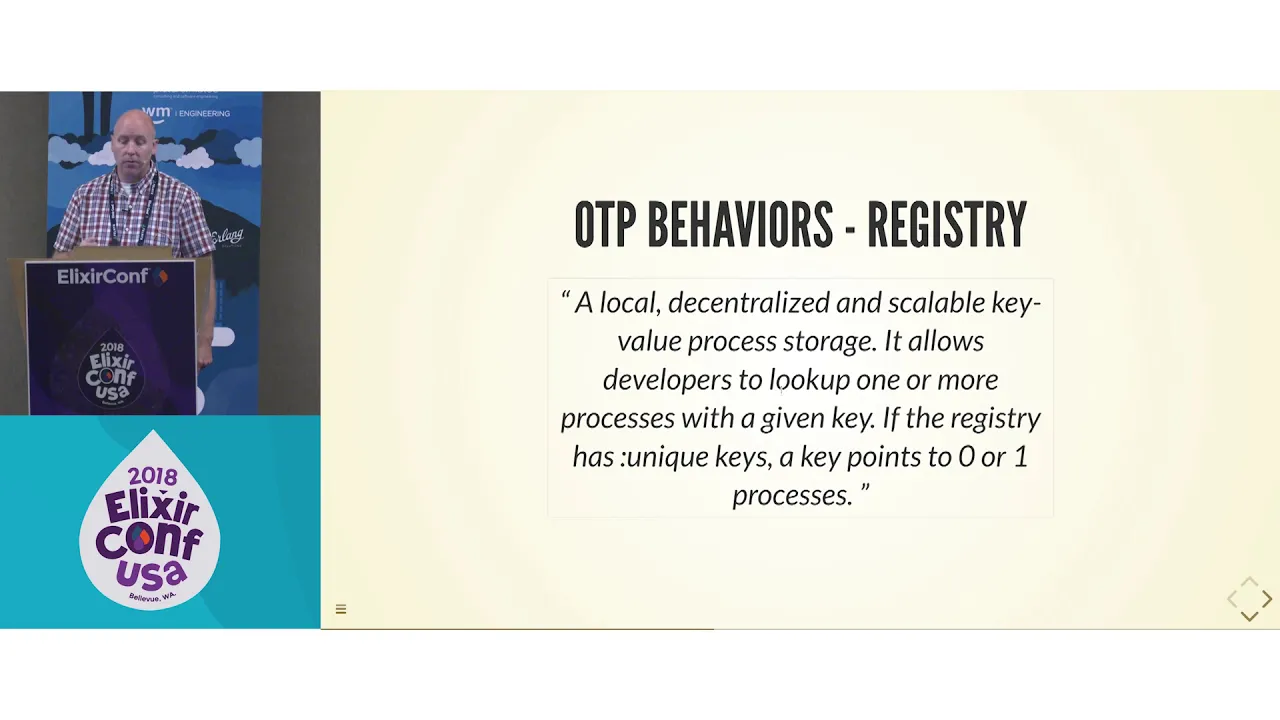










OTP (Open Telecom Platform) is a collection of Erlang/Elixir libraries that enables building fault-tolerant applications through a supervision tree architecture, where lightweight processes communicate via messages and supervisors automatically restart crashed workers, making transient bugs easier to handle by simply restarting the affected component with fresh state.
OTP Fundamentals for Elixir & Erlang: Supervisors, GenServers, and Resilient Systems
Added:Basic syntax and functional programming concepts in Elixir or Erlang, including pattern matching, immutability, and recursion.
The fundamentals of the Actor Model, particularly how concurrent entities communicate solely through asynchronous message passing.
Low-level process creation and communication in the BEAM virtual machine, specifically using 'spawn', 'send', and 'receive'.
The concept of state in functional programming and how it is traditionally maintained across recursive function calls.
Advanced supervision designs, including DynamicSupervisors and PartitionSupervisors for handling dynamic runtime processes.
Distributed Elixir/Erlang, exploring how to cluster nodes, replicate state, and handle netsplits in a multi-node OTP system.
Data ingestion and processing pipelines using GenStage, Flow, or Broadway to manage backpressure.
Production debugging and monitoring of BEAM systems using tools like the Erlang Observer, Telemetry, and live tracing.
25.1K views665likes42:20Original Release: 2017-03-23
so I've got this buddy right now and we're both kids of the'80s and we're we're both really into synthesizers but he's really in the synthesizers right now uh he's got uh or he used to have this little one called the op1 uh and this thing is awesome for just like fiddling around it's really easy just to make some uh really fun awesome music uh but the other day he sent me a picture of another synthesizer that he saw and it looked like this and that well first off that looks awesome I want to play with that but I don't think I I know how to make it make any sound I don't know how to do anything there there's like 100 knobs and there's like cables just sort of like strewn randomly about and I would have like looking at this I have no idea where to start and this I think is a really good example of what OTP looked like to me when I was first looking at it I knew there was a lot of power there I knew it could do some cool stuff but I just had no idea how to do any of it um so let's just do some quick overview what is OTP anyway um well there's a lot to it but basically um a collection of libraries and the hierarchy of Supervisors and workers that's sort of when someone says hey you need to learn OTP that's generally like what they're talking about there's um so the main OTP libraries are supervisor and gen server and if you're using Elixir there's a agent and task which are like abstractions of gen server uh but there's a whole lot of other components to OTP uh there's application uh there's gen stage dialer etss uh the list just keeps going on and this is not a complete list there's so many different tools and aspects to uh OTP that when you're a beginner like uh I was it's kind of overwhelming it's hard to know where to start but in general when people are saying you need to learn OTP they're talking about supervisor and gen server so to learn supervisor and gen server we got to start at the basics and that's with processes um and this isn't like an operating system process uh processes in Elixir and earling are super lightweight you can just spin up like a thousand on your laptop and not break a sweat um so let's go ahead and see what that looks like so we're going to jump into I which is the reppel for uh Elixir basically like your playground TR out code um so first we'll call spawn and that's going to spin up a process and then we're giving it a function for what to do so we're saying okay spin up this process and once you start process I want you to run this function that's I.P puts and then hello ef7 so the process starts up and then prints out hello ef7 and then we have this orange thing here this uh if you haven't seen it before it's kind of weird looking the hashtag P ID with some numbers and that's your uh process ID or commonly just called a PID and basically that's how we're going to track this process so we didn't capture so let's go ahead and just spin uh spin up the process again and this time we'll capture the process ID in the variable PID so run it up at prints out hello ef7 and now we've got that process ID captured in the PID so let's go take a look at what our process is doing so we'll do process. alive just to make sure it's still alive and it is not alive what happened to our process um so when you spin up a process it g it runs the function you give it and then it immediately just gracefully dies and that's just how how the processes work you give it the work to do it does it and then it's done um so this is great so now we know how to do processes we're going to start throwing them in our application but at some point you're going to give a process a lot of work and halfway through it's just going to crash and it's not going to die gracefully so how do we deal with that um so we're going to do some error handling here um as I'm sure many of you have heard in the world of Arling and elixir commonly commonly said is let it crash like that's just the solution to everything um and when I first heard it I was like I I don't want my application to crash I don't understand how this is going to solve things um and part of that was the way I was thinking about applications um but when you think like outside of apps that you write you think about like um like Photoshop I'm a designer so Photoshop is something that I often have issues with or um just your whole operating system in general or maybe your video game console your phone uh some of my kids electronic toys your TV a problem happens with that and what's one way that's going to fix it most of the time for all of those does anyone here watch The IT Crowd yeah have you tried turning it off and on again and this works it works like universally for a Computing and electronics like 90% of the time this actually does fix the problem why why does that work so the reason that works is because because you're starting over that device or that app or whatever it is with brand new state what happened somewhere along the way that that thing that had the issue got corrupted State something weird happened and then it CRA or and then it had some issues but restarting it you're giving it fresh State and you don't have that problem anymore so the supervision tree is based on this principle um because uh the way apps work in Elixir and earling is you have these clusters of all these different processes uh we can try turning it off and on again at a very specific level so we don't have to crap let the whole app crash we're just saying that little piece that's not working right now because the state got corrupted or whatever we're going to let that crash so so in this tree basic tree we have right here we've got some supervisors and then we have some workers um and supervisors are just other processes that have really really simple job because you don't want them to crash so all they they do is they start up the processes the children processes underneath them or they when they see the state go bad and and the process crashes they restart it and restart isn't quite the right term because they're actually starting a brand new process that has the same starting State um so if you're look at this tree look at this tree right here the worker down there on the bottom right if that if that crashes the supervisor Right Above It Is Watching and says oh hey that that just crashed I need to restart that and it'll try it a few times and then if that doesn't work it's going to crash itself um and then the supervisor above it will try restarting it and it can kind of cascade all the way up um if your top supervisor uh crashes well then maybe you just need to rewrite because you got a really serious problem but that's sort of uh the basic idea of the supervision tree um and when I learned this I was like okay that that sounds great like it seems Seems cool seems useful but what if that working on there what if I'm just a bad coder what if I just have bad code in there um this how is this going to magically fix my bad code that's just going to fail every time you restart it and the answer is it's not that code is not going to magically get fixed by OTP um so if it doesn't fix that what is it doing so this is a part that took me a long time to figure out um but there's this really great article by Fred abar uh called the Zen of erlang and he goes over this um he identifies bugs as being of one of four types so you've got your uh core features in your app um and your secondary features and then of those kind of U bugs you have the ones that are easily repeatable and the ones that are transient so the first off our core feature that's easy to repeat it's pretty easy to find those bugs like those are like oh you do this you do that and you do this on this main feature of our app it you know this bug happens so those are pretty easy to find uh secondary features also pretty easy to find but often you overlook them because they're like oh I forgot our app even did that that's a feature we made two years ago and we forgot users actually use it so sometimes those are the ones that you can uh Overlook but the transient bugs these are the ones where you get the bug report and you're looking at it you're like I cannot get our app to do this how how did they do this this does not make any sense and these are the ones that are really hard to find because there's some crazy sequence of steps that some went through to cause the state to get uh to get into this weird state where this bug shows up um and so because of this the kind of bugs that happen in uh production the core feature ones that are repeatable those should never happen uh they do but they shouldn't ever happen um the secondary features those ones happen pretty commonly that's often because you forgot about a feature and you're like oh that's thing I'll fix it real quick and we'll push the production this afternoon um the ones on the right though the transit bugs those have happen all the time in prod in production because they're hard to detect they're hard to find um the great thing though bugs that are handled by restarts not really the repeatable ones but the transient bugs restarting that part of the the app fixes that problem so we have these kinds of bugs that are are hard to find and hard to detect before they get to production but restarting usually is a way to fix that bug so we talked about all these just independent little processes um and they're actually they're memory independent which is great so restarting them doesn't affect any of the other processes in your app um but they have to have a way to communicate and the way they communicate is with me with messages so every process has uh the PID we looked at earlier the process ID which is like the mailing address for that process and so and they also all come with a mailbox so they are ready when you spawn it up it's ready to receive messages we have to tell it what to do with the messages but at start it's ready to receive those messages excuse me so let's go ahead and see how this works um so I'm a big I'm a big fan of fantasy football and uh it's never too early to get started for the next season um so we're going to build a real basic little app here that just lets us store uh the players in our team with some basic stats and this past summer while I was uh doing some learning of Elixir I I created a quick API wrapper for the fantasy football nerd API and so that's going to let us just feed a player name and then it'll return back a bunch of data about that player so the first thing we need to figure out for our new fantasy team app is how we're going to store the state um so there's a lot of different ways you can do it uh if you're from Ruby you're like all right time to build a database because that's kind of how you do it um and there's nothing wrong with that like we can do that if we go to production with this app maybe we're going to build some database using Ecto or maybe we could use uh ETS for more long-term storage um there's um nesia um there's some other options but for now we're just doing kind of our own little app for us we're just going to store that state in the process and that'll be fine so this here is the uh this is our basic process that's going to let us add players to our team remove them and store them and return the uh the full team so let's go ahead and walk through this so we've defined the module at the top fantasy team. Basics we're just doing our basic process here and then we have the start function so this is the one that's going to kick up the process um and there we have the familiar the spawn process we did earlier instead of giving it a direct function we're actually giving it a set of instructions so first we're going to give it the module to call and we do double uncore module here which just references the the name of the module you're in which in this case is fantasy team.
basic so when you compile this it's just going to replace that with fantasy team.
basic and then uh yeah that's the module and then the second one is an atom and this is actually telling it which function to run under that module and then the third is a list of arguments in this case we only have one argument which is just an empty map um and so basically what we're doing is we're spawning at the process and we're saying hey take that module and that function and these arguments and then run that so in the process starts up it's going to run basically fantasy team. basic. loop with an empty map as a function and that's our starting stake our team to start with has there's no players it's just an empty map ready ready to receive data so now we'll go down and check out that Loop function we're telling it to run so we've got Loop state so at the beginning state is just the empty map and then we have this receive do block so before we had our process that immediately died when it finished uh printing out hello e uh e F 17 um in this case it's actually going to sit and wait to receive a message so at this point it's just sitting there it's not like uh eating up memory it's not like blocking or whatever but it's just sitting there waiting not doing anything until it receives a message so the first kind of message we want to be able to send it is this uh Tuple that starts with an ad Adam and then the name and the name will be a string like Russell Wilson in quotes so we'll take that name and then uh we'll we will run and this is a function we have in the background that does the API that calls up the data so we're going to take that name Russell Wilson we're going to run fantasy team.
player.in Russell Wilson and that's going to return for us this big map with a bunch of details about that player so you know like college Wisconsin team Seattle position quarterback Etc so now we have this player variable that's got a map of all that information about the player we just added and then we're going to Define an a variable called New State and this we're taking the existing state which is an empty map and then we're adding the um we're adding the uh key of Russell Wilson and then all of his information as the value for that so now we're going to have a map that has one uh one item in it which is Russell Wilson and then all of his stats and if we just stopped right here it would create that state and then it would just die so we would lose it um because we haven't looped it again so the here's where we have recursion so after we Define what the new state is we're going to run the loop the loop at the top again we going to run this function again but now our state instead of being an empty map it's the map with Russell Wilson and so now so now that we run loop we're back at the top and now we're waiting to receive another message so the second kind of message we have listed is remove a player and it's the same thing it's uh the remove atom at the beginning of the Tuple and then the name that we're trying to remove and then we don't need to check the API or anything cuz we were're just removing the player so we Define the new state as the existing State minus minus this this player that we want to remove and then we Loop it again back up at the top and then our third message that we're going to receive is an Adam with team and then the PID because when you uh when you're calling this you need a message back you're asking for send me back the team so when you send this message you're sending like yourself the process sending this message is s sending its own process ID so that this processor that we're spawning up knows where to send the message to so like if we were an IEX and we sent um a message to this it would send its own process ID with the message so that um our process we're defining right here could send the message back to IEX um and then we do that with the first uh thing here we just do send to that sending PID and then send it the state and then we're not changing the state at all so we're just going to loop back up at the top with that existing state and that's it so this is our basic process model module um let's go ahead and see this in action real quick uh so we'll jump over to IEX and we uh we're starting up fantasy team. basic. start and capturing that PID so we can send it some messages and first we're going to send it uh send it the message the tupal add the name Russell Wilson so then we see the return like there's the message being sent at Russell Wilson and now we're going to do it again we're going to add Doug Baldwin and then we'll actually try out just to make sure it works we'll remove Doug Baldwin and then we'll call we'll send the message for the team so we didn't get we it sent off the message you see right there team and then our process ID but we didn't actually get anything back um and that's because I isn't built uh to do anything with that message so the message was sent but it didn't do anything with it and so we can just flush out the mailbox and then see oh there there there it is there's our map with Russell Wilson and his details so it did get the message it just wasn't uh didn't have any way to handle it yet so this right here uh we just walked through this is a really really really common pattern um in Elixir and lling and it's so common that they've built uh a generic library to emulate it which is called gen server um what what we've done here it's it's pretty easy to kind of walk through and understand but it's actually missing lots of edge cases there's there's a lot of issues this looks nice and clean and simple but there's a lot of issues with it uh having to do with uh compatibility with supervision trees Deadlocks message ordering tail call optimization Dynamic tracing and I don't even understand what half of that is but luckily really smart people do understand what all that is and they've been working on gen server for 20 or 30 years um behind the scenes so it has a lot of history behind it making sure it's battle tested and taking care of all the edge cases I don't have here and do not understand so let's go ahead and see what it looks like if we take what we built and move it into a gen server so um might be a little hard to see in the back we are going to zoom in so on the left it looks like it's about twice as much code but half of that code is actually convenience functions um so we don't even like really the code that's doing most of the work is pretty much the same there's not really that much more so we're going to go ahead and go through this so that it all makes sense um so to start off uh we do the line use gen server and that's like saying yeah we want to use all that great stuff that the OTP team has built so we're going to go ahead and bring that in here and that's going to let everything else uh work um in this module so we start we always start with the use gen server and then now we'll jump down to those uh functions at the end there the ones that are similar so well first we have our our start function so that's the one that kicks it off um and it does kind of the same as before before we had spawn with the process uh spawning the process that had the module the function and the uh arguments over on the right and on the left now we just do gen server.
start and we give it the module name which again that double underscore is just pulling the name we have at the top of the module and then we don't actually need to give it the name of the function to run because it has its own Loop function we don't we're not going to have to Define how the loop function works it kind of has that already um so we're just going to pass it in okay Tuple here uh and then the third uh list there that's for options we don't we're not going to use any of those uh today so now we'll jump back um so we have this init function and this is something you do in every gen server when you do the first thing gen server start that's going to start up the process and it knows to look back at the module because we defined that as the first argument it's going to look back at the module and say hey I'm a gen server I need an init function what is your init function and so we Define it right here and all it is we're just doing an okay Tuple and then the second part of the Tuple is the state there's so there's our empty map that's where we're going to Define our state here um and then we're going to jump down to uh this uh function here called handle cast so before on the right we had this big encompassing Loop function that had receive du and then all of our messages so with Gen server we don't have kind of a wrapping function a wrapping Loop function like we did over on the right now we're actually going to be able to handle each message individually and gen server is handling the looping in the background so so with this hand handle cast um we have the part handle cast is receiving the message add name like before we had under the receive block now we just have it is the first argument of handle cast and then the second uh second argument is the state which instead of putting it up in the loop function because we don't have that we're going to Define that as the second argument of every handle cast and then we'll jump down to this part and this is exactly the same we're looking up the player in the fantasy football uh nerd API and we're defining it and then we're creating the new state by adding that player to it and now instead of running our Loop function like we did on the right because again we don't have it here um we are just going to return a tuple that starts with no reply because we're not sending a message back to the calling process and then the new state and then gen server knows how to now maintain the loop with this new state um yeah so then we have our second one here the handle cast with the remove function uh pretty much the same thing we've got the message received there as the first argument and then the state um yeah the state is the second argument which is again is at the top of the loop on the right side and now we have this line which is the same thing we're defining a new state which is removing that one player from the existing state um and then we have a no reply tupo with that new state in it so the third one instead of handle cast this is handle call um and the way gen Ser works is it kind of has two types of messages that you can send it you can send it a cast which is kind of like sending a postcard like you're not expecting a reply you're just like hey do this and now I'm going to go ahead and do my own thing or you can send it a call and that's where you're asking for a return you're like hey do this thing and then tell me when you're done like I want to know what the result of this is and so in this case the result is I want to know what the team is so I'm going to send the message uh with that's just the uh Adam team and then we also sent a second argument there is uh from and that's the sending process ID and most of the time you don't actually need this there are some cases where you do but we're just going to precede that with an underscore because we don't actually need that value um and then the third one is the state so all we need to do here is return a return uh a three element Tuple that starts with the hashtag or the hashtag the Adam reply I've been doing too much Twitter thinking lately I guess um and we have state in here twice so the the first one is that's actually the message that's going to be sent back so before we on the right we did send to that process ID the state because that's what they want they want to see the entire team so here on the left we've got the first or the second argument there which is the first state and that's the message being sent back and the second one is that's the state that we're going to save so in this case they're the same but like if we had another handle call that was like quarterbacks I just want to see all the quarterbacks that are on the team the first one would be all the quarterbacks and then the second one would be the full team because we still want the full team uh to be the state okay now we'll jump back up to the top and there's our convenience function so we have the start uh right at the top that we already went over and then now we have our add remove and team functions so first we've got add and remove and they work pretty much the same um first you will list the uh the process ID um and of this Pro this gen server that we're starting up and then the name like Russell Wilson you want to add Russell Wilson or remove Russell Wilson and we're going to take that and then we're just going to do gen server.
cast and so what that's going to do is it's going to um when you run my uh fantasy team. myy server. add uh process ID Russell Wilson it's going to do gen ser cast and it's going to cast a message to that process ID we gave it um and then send it the message uh add name and then remove name and then those will be handled by the handle cast and the handle call that we went over already and then with the team we um oh we don't have to supply a name so we're just supplying the PID and it's going to do uh J server. call and that's going to send the message and wait for the reply um yeah yeah so there we have our full gen server um and the one thing that's really kind of annoying with this setup though is we have to track that process ID and that sucks so we're going to get rid of that because we're for this example I'm just trying to track my own team I'm only on one league so I don't need to worry about a whole bunch of stuff we're just going to make this real easy um so we're going to add a name to this um to this module now we're going to call it single server and so here we have a module attribute that just defines name as the module name and then we're going to start plugging that that into our convenience functions so now when we do gen server. start um before we didn't have any argument or any options on the right so we just had an empty list now we're going to say when this process starts I want to give it this name of fantasy team. single server um and why would we do that well now we don't have to we don't have to cast to a process ID we don't have to keep track of that anymore because because we know the name so now in the Gen server. we can just plug in the name right there and the cool part about that is now we can take the PID out of our uh function name so now it's just uh fantasy team.
single server. add Russell Wilson and it knows what the Gen server is and knows the process ID and we don't have to keep track of that because one of the most annoying things about all this is tracking process IDs um so anytime we can get rid of that I I'm going to do that um so there we go so let's go ahead and see what we've built in action here so we go ahead and start up that that gen server fantasy team. single server.
start um we see the process ID right there but and oh with Gen servers it returns rather than just the process ID it returns a tuple it starts with okay and then the process ID um but we don't need to capture it because it has its own name so we can just right from here say fantasy team. single server. add Russell Wilson and it just returns turns like okay which is like sweet okay I guess it's working um we'll go ahead and do it again with adding Doug Baldwin and then we'll remove Doug Baldwin and then we'll go ahead and do our team call and that gives us the return value uh of the team so there we see it so cool um one thing if you if you're using uh Elixir uh they've done this thing where they take gen server and gen server kind of what we've used it for is basically just storing State like it's not doing any complicated stuff it's just storing ing the state um so Elixir is kind of taken the other thing you can do with Gen server is do a lot of kind of complex uh work and like concurrent tasks and stuff and we're not doing any of that here but Elixir is kind of Taken abstractions from gen server and so it has agents which just do storing State and then it has tasks which just do kind of all these concurrent work um so let's go ahead and just see what we've built already we're going to see it as an agent real quick and this is it this is the full code that does everything our gen server did but now it's as an agent so it's a lot less code because we have kind of those convenience fun functions where it's just my agent. ADD and then it runs everything from right there so we have um agent. update and that's one there's like there's only kind of a few functions that agents do because all it's doing is storing state so one of them is uh update so when you do agent. update we give it the name um or the process ID if we're not using the name uh named server and then we send it the function for how to update the state so in this case you're taking that the state and then you're saying map put the you know the new player into that state on the same with uh remove map delete that that player from uh the state and that's all all you need to be able to maintain state with an agent um oh yeah there yeah yeah yeah yeah um and then we have uh for the team we're just trying to get the current state so we can use agent. get and then our function is just like like hey function State yeah the state send us that back um there's a few other functions you can use like uh instead of just update you can say get and update and that's going to uh you're going to want to return a two element Tuple so the left one is the state you want to see first and you can do other stuff with it right here we're just returning it as the first element and the second element is going to be the new state that we adjust here with the map by either adding the player or removing the player um and then there's also agent. P so all of the other ones update get an update those are all calls so you're actually when you uh when you run agent. update you're waiting for that response to uh for like an okay tole or um to find out like okay yeah it added the player with the cast you're just like you know uh fire and forget like you're like yep go add the player and I'm going to do my own thing I don't need to know that you did I trust that it's going to work out or whatever okay so one thing um if you're more familiar with this you might have been wondering like why I'm using start and spawn instead of start link and spawn link and if you're not wondering that then let me tell you why we should be using that um so when we had our supervision tree before I talked about how a worker would crash and then the supervisor would see it crash and restart it so the way that works is processes need to be linked together so when you instead of running uh spawn if you run spawn link that links it to the calling process so if you're in IEX and you run spawn link a process and then that process crashes IEX itself actually crashes too because they're linked to each other if one of them crashes the other one goes down the cool thing IX is Aller using the supervision tree so you might not even notice because IEX will go ahead and start right back up again which is uh pretty awesome so that's a really quick way to see a supervision Tree in action is just run a spawn link uh and do like the function you know one divided by zero or something um and it'll just kill it and res start EX for you which is pretty cool um but the problem with this like well you don't want the supervisor to go down if one of its child processes go down so supervisors have this thing that's called trapping the exits and basically that's saying like oh it went down I'm going to not crash myself and instead I'm just going to restart that process um so yeah as I said before we had um some functions that are just start and they would spawn or gen server. start agent. start all we do is change those to uh adding the underscore link so spawn uncore link or gen server. start link and then we're going to we would go ahead and change the actual starting function names to that too which we don't I guess technically have to but it's just common pattern you want to have that so that when you start up you know its linked process um so we're doing pretty good here but if our gen server goes down it's still just going to die because we don't have anything actually supervising it so let's go ahead and do a supervisor real quick um and this was supervisors were really intimidating for me but there's really not that much to it um they work like I said before they're really simple all they're doing is starting processes or restarting them when they crash um so at the beginning we just do this used supervisor just like we did with Gen server and that's kind of getting all the magic that the uh earling OTP team have been working on for decades which is uh pretty nice uh real easy just like oh yeah one line let's use all that awesome stuff you guys have done um and then we're we're going to start up our supervisor with start link and then that'll do supervisor. start link and we give it the uh module name that we're in so fantasy team. myy supervisor which is at the top there and then we have the options and we're not going to use any options here so it's just an empty list um so that supervisor process is going to start up and because it's using supervisor similar to gen server it's going to look back at our code at this module that we gave it and say okay where's your init function because that's what I need now that I've started so we do our init function function here and we're just going to give it the uh empty list because it doesn't have any any uh Advanced options and then we're going to Define a variable called children which is just a list of the processes that we want it to start up uh in this case we're just going to have it start up our uh single gen server so we give it a worker function and we would do this for if we have if we wanted it to start like um say like three workers and one supervisor we would just have three functions in here in this list and a supervisor function um so but in our case we're just having it start at the one gen server that we're going to watch um so we say worker and then the first argument is the module name of the process we want it to watch which is our single server and then again empty list for uh no options there and then the thing that that makes this all work we end our init function with a supervised call and so this is going to take our list of children which is just our one server um and then it's going to give it a strategy and so there's a few different strategies like your basic one is this the one for one that means if you have a supervisor that has like four processes underneath it if one of them dies it's just going to restart that one uh there's there's some other ones like restarting all of them if one of them dies and a few other ones uh I think there's just four and they're they're pretty simple once you understand uh once you understand one of them kind of it's pretty logical to go down the list um but for this case we just have the one process so we're just going to do uh our strategy is one for one um um and that's it so now instead of starting our gen server with fantasy team. singles server. start link we would start with um fantasy team. myy supervisor. start link and then this will go ahead and start up our gen server as well and now it's being monitored and good to go um so quick recap uh so we built a we started with processes and then we built a gen server we named that gen server so we didn't have to track the process IDs and then we built a super supervisor to keep track um of that gen service so that if something goes wrong it'll go ahead and restart it um if if you're more advanced with OTP you may see a few flaws in what we've done uh because there's a there's a lot to OTP uh like I said before and there's a lot more you can do to make what we've done work a lot better um but what I did teach you is this and you can make some music um you maybe you can't do a lot with all of this but you can do a little bit um with this thing called OTP enough to kind of make some stuff work and now you can like well hey what happens if I grab this cable from over here and plug it in what else can I do you have kind of that Foundation to be able to start learning some of the other things from OTP like maybe you want to like well I want to figure out how earling term storage Works ETS or ETS whichever way you want to pronounce it um like now you have kind of a model to build off of to do that um yeah so that's it uh you can follow me at Jesse J Anderson or Jesse J Anderson as all my friends call me because it looks like that on Twitter um and I also created a quick link uh a bitly link for ABC's D of- OTP that's got a bunch of uh links to different books uh that have really helped me to understand OTP um Dave Thomas and Sasha urick both have books that are great um one that really clicked for me was uh Benjamin tanway how uh he has the little Elixir and OTP guide book and that was kind of the the light bulb moment for me where it finally started to all make sense um there's also a new book that's just kind of came out in beta by Lance alerson I think he's here um and I I read the first like third of that book on the plane ride here and it's fantastic highly recommend that one too and that one's called uh functional web development with Elixir OTP and Phoenix by Lance howon so uh that's it uh thanks is there any questions any questions right so um just repeat the question oh yeah yeah yeah sorry uh the question was when do you use agent and when do you use gen server so there's kind of different views on this uh I now that I really un like I feel like I understand OTP at least the basics of it in gen server I like to always just use gen server because then if I need to change it later like I want to add some more difficult stuff to it that isn't just State I have it but agent's pretty nice is a tiny little amount of code so if you know like this is never going to do anything more than just store State agents are kind of a great way to go but there's really there's not a right or wrong answer it's kind of personal preference yes right uh so the question is about agents and tasks uh and I talked about agents I didn't talk about tasks um so tasks are um I haven't used them so I'm not super familiar with it but kind of the idea is like if you have some complex like maybe you're doing like machine learning or something like you have a bunch of complicated work you want to do and you want it to run concurrently so it's using kind of all um the different uh processors in your machine or whatever uh tasks is kind of a great way to uh just send out and have it like it automatically kind of can run that stuff really well I don't actually use tasks so I'm not super familiar with it but that's kind of like the idea you want to do you have a lot of work you want to be done and it's going to be done better if you have a lot of processes kind of doing pieces of the work and tasks tasks are really great for that but I'm not familiar with a lot of usage of them yeah yes oh perfect there you go if you want to talk to someone about tasks it's the same issue AG yeah if you want to do anything it right it's really great and you're like oh now I got to make it a gen server anyway maybe I could have just started there yeah cool any other questions yes is there unit testing or integration testing what's the philosophy for Elixir testing um the question is about unit testing uh with Elixir yeah there's uh some great testing um I don't know the knowledge off my head but yes there uh xunit I think it's called doc test yeah yeah and Doc oh doc tests are awesome you can ED like what you expect from a return of function and then you add that to your test Suite that way your dos are even T So yeah so Elixir really encourages you to use documentation in your functions because you can do dock test so your documentation in your uh in your modules will have little examples of how to use that function and Doc test will actually run those to make sure that they work which is really really cool yeah for anyone that's read crappy yeah it will force you to uh improve your documentation or you'll have a lot of failed tests yes with elix with the introduction of the like how does that kind of fit into managing right uh so the question is about um Elixir 1.4 and how it added this new thing called registry um I don't know I'm excited about it I've heard good things about it for managing process IDs um but I'm not familiar with it I'm excited to learn because Pro managing that has definitely been one of the pain points for me and trying to do anything kind of more advanced so yeah question back manio awesome I I probably have that saved in Pocket ready for me to read later any other questions yes what happens the state of the server St right so that's one of the things I talked about where someone more familiar with this was like yeah but you're not you're losing the state if it crashes and that what we went through you would lose that state and that's some of the stuff I refer to like ETS and niia and other ways that you can save that state in a more permanent place yes how does this how does this help get the state that is causing the negative side Saed just reloaded all right so the question was about what if the state is uh bad in permanent storage and you're just sort of refreshing it with that bad state is that is that right um so uh you have a um supervisors have like a limit so they'll try to restart it a limited number of times and you can adjust that and if that fails it'll kind of cascade up um if you have a really bad situation it may you may need to get in there and fix it like if it's some somehow the state got corrupted and there's not you haven't like engineered a good way to clean that state if that makes sense um so hopefully that's the sort of thing that you would be able to that it would be caught before it went to like permanent storage if that makes sense yeah anyone else awesome if you uh if you have any other questions and you see me around go ahead and ask I'd love to chat all right thanks
Up Next

99:33
Erlang Multi-Agent Programming: Supervisors & Demonware
@PeterVanRoy
109 views•2022-12-23

87:26
Introduction to Secure Multiparty Computation with Yehuda Lindell
@fhe_org
7.7K views•2021-02-04

4:55
HTTP Requests Explained: GET, POST, PUT, DELETE
@codecademy
103.1K views•2021-10-07

19:25
Enigma Machine Mechanics: WWII Encryption Explained
@JaredOwen
13.2M views•2021-12-11
Related Study Plans & Knowledge Roadmaps
Structured learning paths in Computer Science
computer-science
Container Runtimes: Namespaces, Cgroups & Go
01Linux Systems & Go Programming Foundations
02The Core of Isolation: Chroot and Filesystems
03Linux Namespaces: Process Isolation
+ 3 more learning modules
32h6 modules
Explore Roadmap
computer-science
Building a CHIP-8 Emulator: Rust & CPU Basics
01Computer Architecture Foundations (Bits & Bytes)
02Rust Programming for Systems Development
03CHIP-8 Virtual Hardware Specifications
+ 2 more learning modules
32h5 modules
Explore Roadmap
computer-science
Building BitTorrent: Go, P2P & Concurrency
01Go Fundamentals & Concurrency
02Networking Foundations & P2P Architecture
03Bencode Parsing & Torrent Metadata
+ 3 more learning modules
26h6 modules
Explore Roadmap
computer-science
Actor Models (C++ Concurrency & Lock-Free)
01C++ Multi-Threading Foundations
02Thread Pools and Task Scheduling
03Atomics and Lock-Free Queue Design
+ 3 more learning modules
45h6 modules
Explore Roadmap