












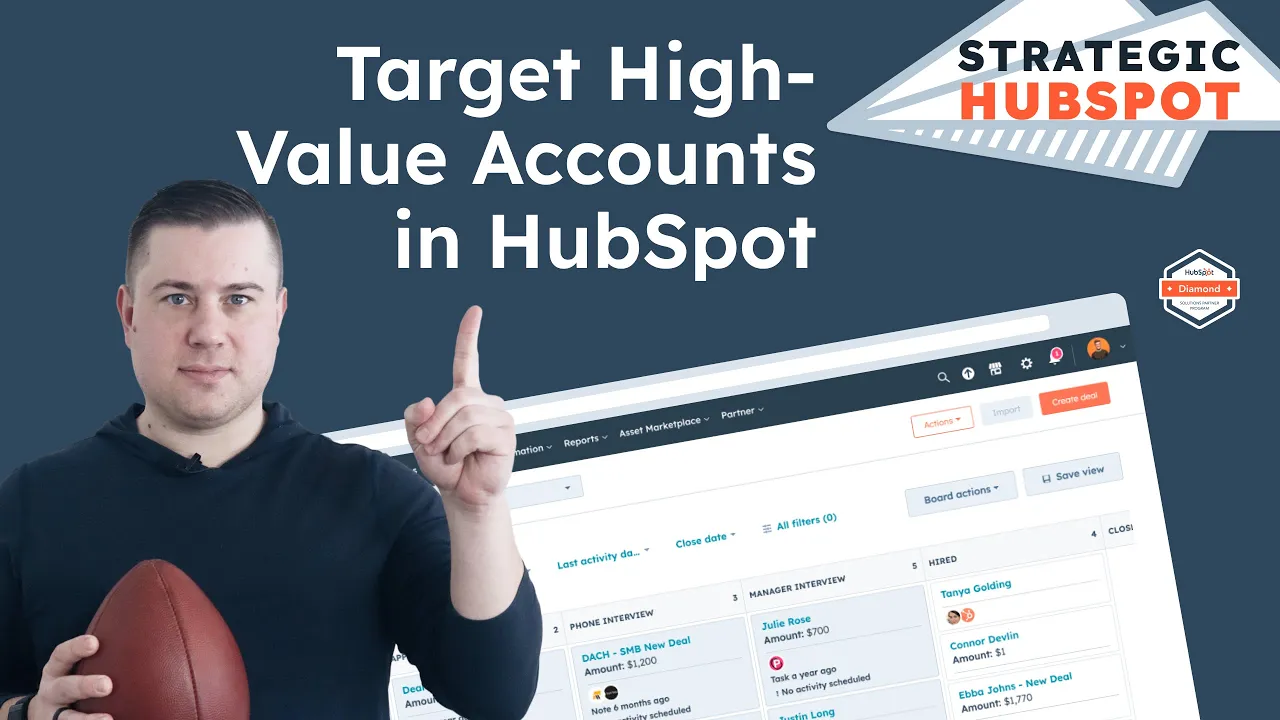

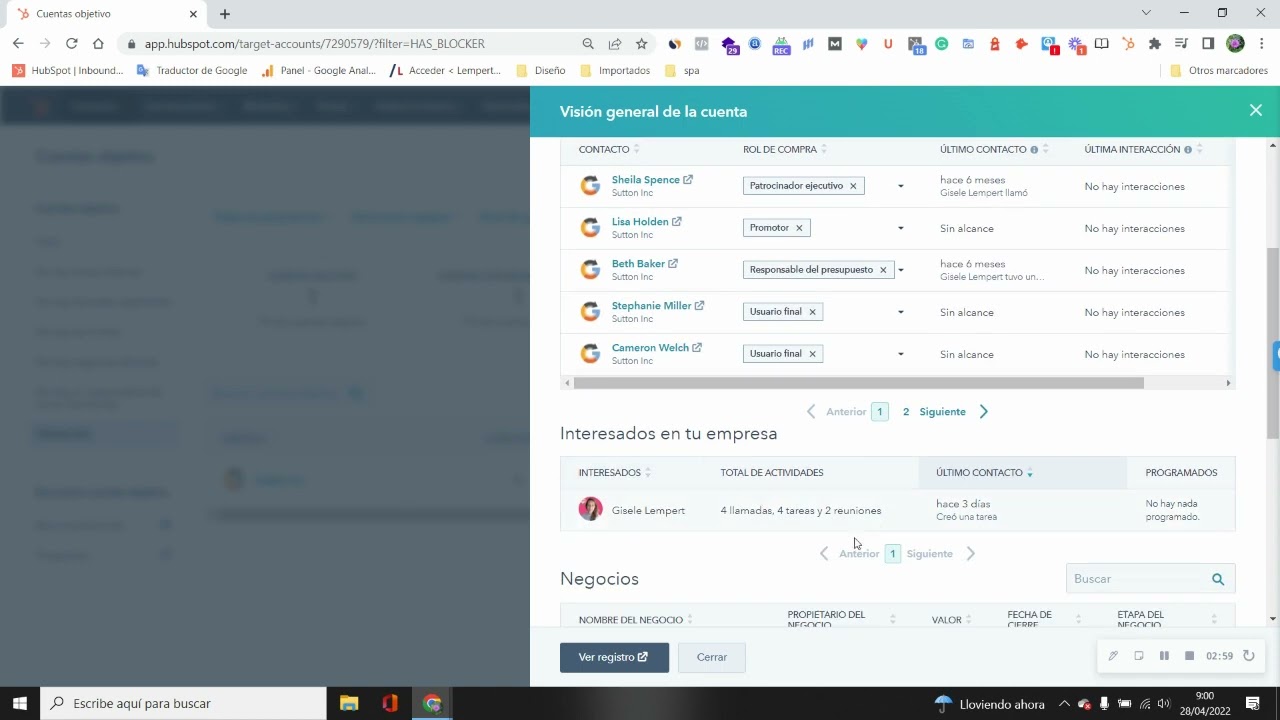






In B2B sales, mapping buying committees within HubSpot CRM allows sales teams to visualize and manage the full decision-making team by creating company-centric buying groups that include multiple stakeholders with assigned roles such as decision maker, champion, blocker, and legal reviewer, enabling better strategic targeting, activity tracking through heat maps, and improved win rates by understanding the complete organizational structure involved in purchasing decisions.
HubSpot Buying Groups: A Guide for B2B Sales Teams
Added:Fundamental understanding of HubSpot's CRM data model, specifically the relationships between Contacts, Companies, and Deals.
The concept of B2B Buying Committees, including key stakeholder roles such as Champions, Decision Makers, and Gatekeepers.
Basics of the B2B sales pipeline and the complexities of multi-stakeholder sales cycles.
Familiarity with HubSpot Association Labels and how they are used to define custom relationships between records.
Implementing Account-Based Marketing (ABM) strategies in HubSpot utilizing mapped buying group data.
Designing automated workflows to flag deals missing critical buying group roles (e.g., no Economic Buyer identified).
Configuring advanced HubSpot reporting and multi-touch attribution to measure the impact of specific committee roles on win rates.
Developing sales enablement playbooks and targeted content tracks tailored to the distinct personas within a mapped buying group.
299 views11likes12:53Original Release: 2026-03-02
If you're a sales team using HubSpot and you're still selling to just one contact when maybe there should be six people involved in the decision-m, well, this HubSpot feature is for you. Today, we're going to be showing you how to use buying groups, a true decision-making map right inside of HubSpot. And if you're new here, this is HubSpot Hacks by Simple Chat, your go-to channel for practical HubSpot tips and tutorials that help marketing, sales, and ops teams streamline their workflows and unlock more value out of HubSpot. So, let's get into it.
So jumping right in here, our bind groups are going to exist in two areas in HubSpot. So first we want to remember that buying groups really is company ccentric. So we are starting at the company record, but we can also see our buying groups in our deals, which is of course where we're going to be trying to move that needle. So starting off in a company record here, I've got my buying group summary card already added to my overview um view tab. So, if you have not used a buying group before and don't have that available in your view, we can do that pretty easily by coming into our customize option directly from a company record.
We can go ahead and update our view. So, if you have multiple, you'll go through um you any of the different ones that you might need to set it up for, but we'll just go ahead and update our default. And then we would simply be adding in that new card if we don't again already have it. And so you can go ahead and search for that buying group summary and you'll have an option to add that card directly in. So once you do that, you are at least all set with the first step. So coming back to our record here, we can go ahead and start crafting our buying group.
So as we get started here, we are actually going to have um some options to even craft the map itself. So, you can create a buying group template, which I would recommend spending the time to get that template built if you sell to the same types of companies within an industry that have the same similar structure. So, if you know, it's always going to be, you know, a CEO at the top, a director of marketing underneath that, a marketing manager from there, and then maybe a couple of other, you know, employees nested underneath it. Um, if you know that that's typically the structure, then I would recommend going ahead and using a buying group template so that you don't have to start from scratch every single time. And you can essentially craft um a little map yourself here to add in different roles. So, we'll do director.
And then we can always do options to add left, right, and down until you're happy essentially with the entire flow map of your organization chart. Again, you typically would expect to see. So that's if you would like to use a template if that works for your type of company and your type of business. Um, otherwise we can go ahead and go back, get out of here, and click back one more time. And we can actually just assemble by hand, which we'll go ahead and do um, for this time sake. Um, but you can also also do a automatic build. So, this can look at the um different job titles and roles that maybe already exist within your contact records that are associated to the company and it's going to try to craft it and then of course you can make edits from there. But otherwise, we can just also assemble this by hand if we kind of want to make our own chart that we want to graph out. So, we can start with just going ahead and adding in different people. And we can decide, you know, is this person a manager, an employee, uh maybe just an individual, you know, rep that that helps with that company. Um so, we can go ahead and let's see, add in those different relationships. We'll just add a couple of people here.
All right. So, let's say this is our chart for Gilmore Girls. We've got Suki as our head chef, who is going to be our ultimate decision maker. Got Lauraai here in the middle. Um, and then we've got some additional employees underneath her. So from here we can see, you know, just a quick snapshot of some of the contact information, but also even starting to see, hey, we do have some deals that are associated um in particular with these contacts. So kind of gives you a nice big picture of what's going on. So once we've got this kind of charted out with our people that we need to pull in as part of the the buying group and decision-m process, then we can start to assign those different roles. So once you've clicked on uh that contact, you can go ahead and set that buying role and you'll see these are all of the standard options that we have out of the box from HubSpot. Um now you can customize these a little bit. Um we don't have full control. So we cannot delete or rename any of the options that are here, but you can add to this list and make a more custom list if you don't love the uh language that HubSpot is using. And then you can also come over here to the side and choose to essentially kind of edit uh these colors a bit. I think the ones that are in here kind of make sense, but if you want to really have control of colors and branding, so you can update um those labels and then you can go into the settings for the the actual property for buying ro and you can add additional options if you'd like to. Um but otherwise we can go ahead and start updating exactly what the different roles this person u might have as part of that buying committee. So here we'll go ahead and add Lauraai with a couple of different roles. So she is definitely still part of the decision maker. She's the influencer and we'll say she's also part of the legal and compliance. But then we might have um Rory down here.
Let's go ahead and still make her a decision maker, but she is not, you know, ultimately someone that has, you know, budget authority or anything like that. And then maybe we have someone that is a little disgruntled and is not exactly an advocate for us. So maybe they are a blocker. Um, and then over here we could go ahead and add Jess in and say, I don't know, that he is still somewhat of an influencer in this decision making process. So kind of zoom out and start to see exactly um you know what we need to be targeting and focusing on when it comes to our you know sales approach with this company in particular. So um again multiple roles can apply and really the idea is to help you identify where the gaps might be in this decision making chart when it comes to our buying rules. So if we only, you know, really know that we have one decision maker tagged and everyone else is kind of questionable, it means we need to nurture that relationship a little bit more. Start to understand exactly how these people are working together and what role they might be playing in particular with whatever product or service you're trying to sell. Um so that we're overcoming different obstacles when it comes to that. Um especially if you know there is a you know long procurement process um for selling to them. Well, we need to know who is on that legal and compliance team. who do we need to make sure we're we're speaking to and getting across those different roadblocks.
Um now with this we can also turn on an activity heat map which is a pretty cool feature. Um since these are test people are not going to show us a whole lot of information because I don't have any activities being tracked here. But you can break this out into both sales activity and marketing activity for you to be able to see um you know who within our buying group is actively in conversations with us. Um do we have deals that are open with them? Are they opening and engaging with any of our marketing materials that we're sending?
So we're able to start understanding a little bit more um about the habits and activities going on with our contacts that are um associated with our buying groups. So, you know, this is very much coaching data. This is something that will help you if you are a sales manager, you know, ask better questions to your sales reps as you're doing, you know, regular checks and reviews. Um, you know, instead of this being a a status update about your deals, this can now turn into more of a strategic session where we talk about, okay, how do we find out more information? How do we need to be speaking to um this particular buying role a little bit differently? What can we do to overcome certain objections that they might have?
Ask the budget holder. Ask someone that is in legal in compliance or maybe um you have a blocker of someone that had a bad experience with your company in the past. Um you know, there's a ton of different explanations as to why um you can have these different rules and how you can speak to them and really help push that sale. So I think this is a very powerful tool as you know both a sales manager and someone on a sales team who is you know really trying to level up their use of HubSpot really understanding their data and their deals. Um so of course this is at the company level that I started but we can see this exact same information at the deal level just like we can at the company level. So I'm going to go ahead and just close this out.
All right. All right. So now we still have that same visual once we've closed it out. You can kind of zoom in a bit and see that information. But let's go ahead and jump over to a deal that we are working in particular.
And then we will still have the exact same visual available. So again, if you don't have that automatically, you'll go to customize. You can add that card into your overview section here. And you're still able to toggle on things like the the activity heat mapping that we were while we were um had the buying group open and we were editing it. And then we can even change this to be more of a list view if you're not a super visual person. But I personally like the uh the visual so that I can see kind of the hierarchy. But up to you and your preferences there on you know which visualization works better for you especially if this is a very large chart. You might be hard to start seeing some of the names and things like that.
Uh and then we have that toggle for our activities and being able to to change between sales and marketing activity as well. So, we will be able to see again this data both on the company and the and the deal. Um, I just would recommend starting at the company level because you can always make tweaks if you need to for a particular deal in particular.
Um, you might have someone that has a little bit more influence for whatever reason, you can always add those people in. But I do think strategically thinking about this, think about it from the company level first before you tailor it to any specifics for um deals that you're working. So other ways that this data can be used that's valuable um we can use this in marketing. So not just sales but making sure that we build out some either campaigns or maybe just providing additional material for sales speaking to those different types of buying roles. I'll go ahead and open this back up so you can see again what all the options are for the different buying rules. So, as someone that, you know, might be helping create collateral for someone in sales, um, you want to be able to maybe create different pieces of content that speak to people that are budget holders, um, that are decision makers, that are sponsors, that are legal. Um, and then of course you can create other options as well. Um, but you can leverage this type of information in workflows, in lists. So, this information transfers to every area in HubSpot. um we can report on it as well to even see based on you know deals that are won did all of them have a champion um right and if that's a big deal for you if you notice that that win rate is much higher when there's a champion um associated into that buying group versus when it's not that kind of tells you we need to always make sure we're identifying that type of champion um or if we start to notice that we have a lot of blocker roles being added and we're losing a lot of deals that also gives you other indicators so I think this is a very powerful tool to give you more insights into your deals and the relationships that you have with the people that are ultimately making those decisions. So, I hope that you found um this helpful, but really that that's it for our demo um of buying groups for today. So, if you also would like to get more tips like this that are delivered to your inbox every week, you can always join our HubSpot Hacks newsletter that is linked in our description. We do share real strategies, product updates, and even client testimonials of things that we're actively doing for our clients every single week. So, be sure to subscribe there and check us out for our next video. Thanks.
Up Next

11:48
5 Reasons an Enterprise Account Executive Career Is Lucrative
@TrentDressel
13.1K views•2022-04-11
46:36
Retention Habits of Top DTC Ecommerce Brands Revealed
@SendItPodcast
44K views•2026-03-03

15:23
Decoy Effect: How Pricing Psychology Influences Consumer Spending
@bobinvestsUS
90K views•2026-01-05

17:30
The Planned Obsolescence of Light Bulbs and Tech
@veritasium
25.3M views•2021-03-26
Related Study Plans & Knowledge Roadmaps
Structured learning paths in Business
business
Pop-Up Retail: Strategy, Design & Execution
01Introduction to Pop-Up Retail & Strategic Goal Setting
02Budgeting, Site Selection, and Legal Essentials
03Experiential Retail Design & Visual Merchandising
+ 2 more learning modules
15h5 modules
Explore Roadmap
business
Reg CF: Startup Funding, Marketing & Launch
01Introduction to Equity Crowdfunding & Reg CF
02Platform Selection & Legal Preparation
03Crafting High-Converting Campaign Assets
+ 2 more learning modules
14h5 modules
Explore Roadmap
business
Productized Services: Scaling Solo Freelance
01Foundations of Productized Services
02Packaging and Scope Definition
03Pricing and Subscription Models
+ 2 more learning modules
15h5 modules
Explore Roadmap
business
Gov Procurement: Find, Bid & Win Contracts
01Introduction to Government Procurement & Business Setup
02Small Business Certifications & Set-Asides
03Finding and Analyzing Contract Opportunities
+ 2 more learning modules
14h5 modules
Explore Roadmap