



![Day-54 LLM Attacks & Prompt Injection Part 1 - Bug Bounty Free Course [ Hindi ]](https://i.ytimg.com/vi/DANRXYsT4Bs/maxresdefault.jpg)





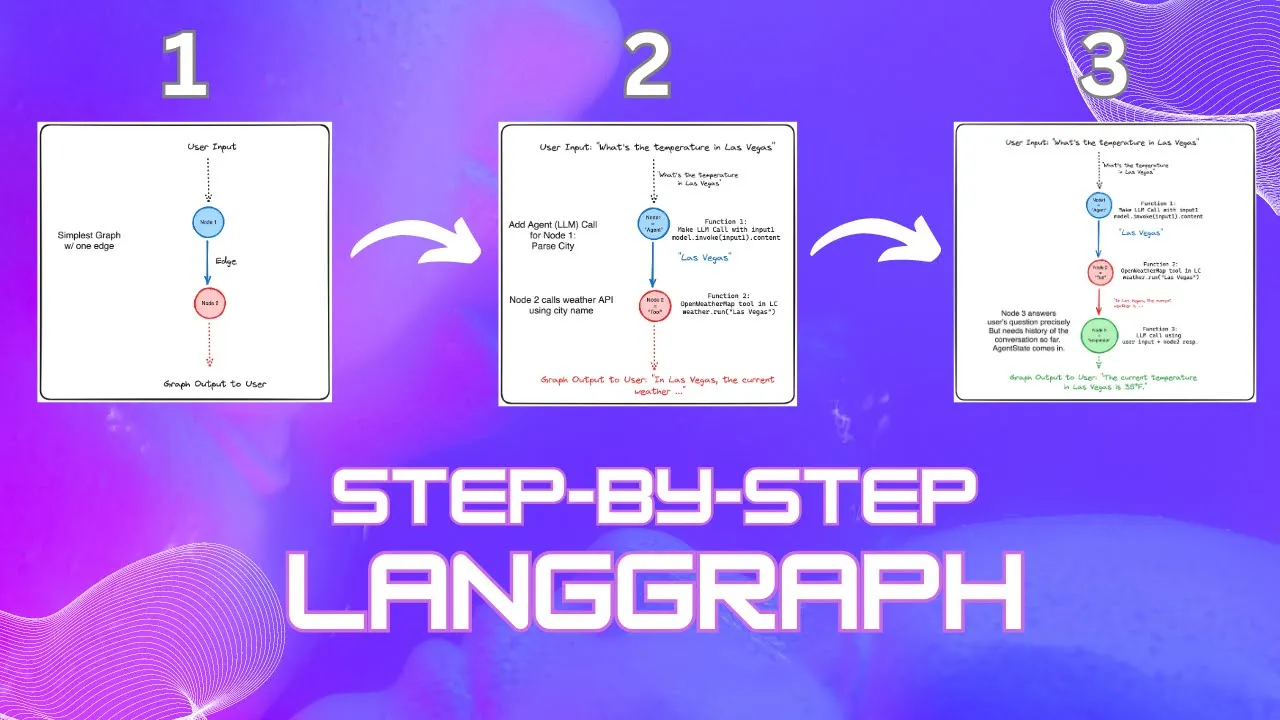





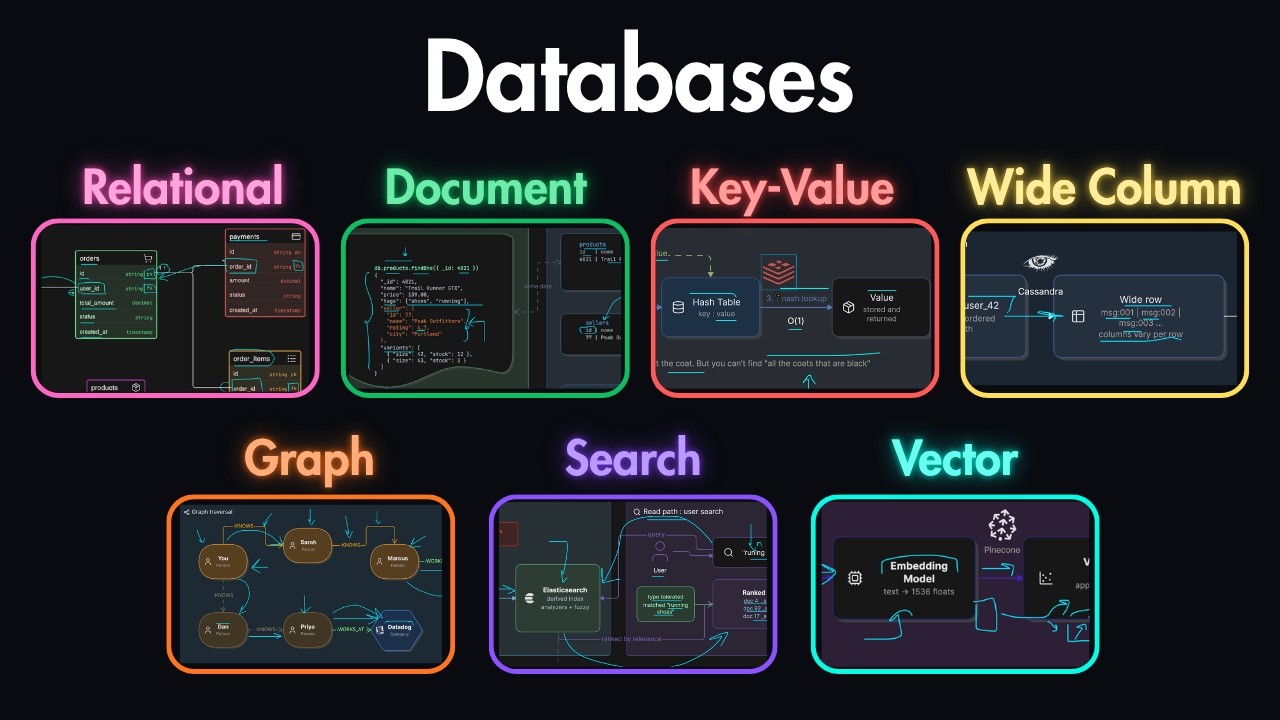





LangChain JS is a JavaScript framework that enables developers to build AI-powered applications by connecting large language models (LLMs) with modular components like prompts, chains, embeddings, vector stores, and retrievers, allowing for semantic search, memory management, and intelligent decision-making without requiring Python or complex machine learning expertise.
LangChain JS Crash Course: Build AI Applications in JavaScript
Added:Proficiency in modern JavaScript (ES6+) and asynchronous programming concepts such as Promises and async/await.
Basic understanding of Large Language Models (LLMs), prompt engineering, and how API-based AI models operate.
Familiarity with the Node.js runtime environment, package management (npm/yarn), and integrating external APIs.
Fundamental concepts of data representation, specifically how text can be represented numerically.
Advanced LangChain architectures, including multi-agent systems, custom tools, and utilizing LangGraph for complex state management.
Evaluation, monitoring, and debugging of LLM applications using specialized observability tools like LangSmith.
Deep dive into specialized Vector Databases (such as Pinecone or pgvector) and advanced retrieval techniques like hybrid search and re-ranking.
Production deployment strategies for AI applications, focusing on data privacy, caching strategies, and managing token costs.
510 views14likes58:36Original Release: 2025-05-14
[Music] If you have ever gotten lost in a YouTube rabbit hole or spent hours trying to find just the right video to learn something, you're not alone. In this crash course, you and I are going to build a smarti agent that actually helps with that. You'll type something like, "I want to learn React with hooks." And this agent will scan videos from a YouTube channel, understand what each one teaches, and recommends the best match with links, thumbnails, and even a reason why it picked that one.
And here's the cool part. We are doing all this in JavaScript. Yes, not Python, not Collab, just clean modern NodeJS with langjs and OpenAI. If you're a full stack of front-end developer curious about AI or someone from the AI world wanting to work in the JS ecosystem, this is your bridge into the future.
You'll walk away with real working code and a deep understanding of how Langchain connects language models to logic tools and memory. And along the way, you'll naturally pick up lang chain building blocks like LLMs, chains, embeddings, and retrieval without getting lost in theory. This is the kind of experience we are building together and we'll break it down step by step.
But before we dive in, tell me in the comments, what's one thing you wish AI could help you learn faster. All right, by the end of this crash course, you'll know how to use lang chainjs to talk to OpenAI's GPT models, embed and search YouTube video content like a pro, and build AI chains that make decisions, not just chat. and you'll walk away with a complete mini app that's actually useful. We'll keep it simple. No frameworks, no clutter, just clean NodeJS code that talks to AI and delivers real value. So, let's roll up our sleeves and get building. By the end of this, you won't just understand lang chain, you'll own it. Before we dive into building, let's make sure you're in the right place. If you're comfortable with JavaScript and NodeJS, even just the basics of async aait, you're ready for this. If not, we have a JavaScript crash course on our channel to get ready in no time. You don't need any background in AI, machine learning, or fancy math. You won't be training models or tweaking neural nets here.
Instead, you'll be using powerful AI models as a developer the same way you use APIs for databases in your app. If you're a full stack of front-end developer looking to add AI superpowers to your project, this course is made for you. And if you heard about OpenAI or Langchain, but felt overwhelmed by Python world, don't worry. We are staying in the land of JavaScript the whole way through. By the time we are done, you'll be able to say, I didn't just play with AI, I built something real with it. So, all right, let's get your project set up and start coding. So let's get you set up so we can start building. You'll need three things available on your machine to start.
NodeJS from nodejs.org which you can download and set up on your machine. If already installed, make sure it is version 18 or higher and you can check using node-v command. As you can see even that is reaching the end of life in April 235. So best to use the latest version. This will also install node package manager or npm in the same go.
Second is our free editor of choice visual studio code which you can download from code.visisualstudio.com and install.
Lastly, you'll also need open API API key to use OpenAI or chat GPT API for free. I'll show you how to obtain and plug that in securely in a while. So, pause to set up NodeJS and Visual Studio Code for now. If done, let's go. As a first step, we are going to create a new folder and initialize it as a node project. Let's step into it. Do npm init-y. This command is going to set it up as a NodeJS project. Okay, it's done. Now, let's install our main packages. npm install lang chain open aai.
env search. So, lang chain is the star of our show which would be used for orchestrating our AI components. OpenAI package is used for accessing GPD models and talk to GPD. ENV is used to manage environment variables and securely load our API keys without embedding them in the code itself. And YT search is a package that is used to grab YouTube videos data on the fly. Let's wait for it to finish. Okay, our project is set up. Let's see what it has. So, it has the package JSON and node modules. Next, we need to set up a folder structure and create two folders and two files. So, let me do this first and then I'll explain why I did that. So, we are going to put our raw video data in the data folder and all the helper functions in utils folder.
Now let's open this in Visual Studio Code using the code dot command. This is going to bring up Visual Studio Code in context of our current folder. Here we need to create two new files in root folder. These are index.js. This is going to be our main entry point in our recommener. We also going to need another file called env.
This is going to hold our API key which is supposed to be secret and hence we shall access it using environment variable. Now to interact with OpenAI's models, you need an API key to obtain that we need to go to OpenAI's API keys page. Navigating to which is a bit convoluted. So the easier option is to just Google for it and it's going to give us the first result as platform.openai.com/api-keys. So I'm going to open it. If you're not signed in, it's going to ask you for authentication. Once you sign in, you're going to be in the API keys page. We are going to create a new secret key. And here you're going to give a name like lench chain recommener. And then create the secret key. Right? I'm not going to show you the next steps. You're going to do that and it's going to generate a key which you're going to copy and store it securely in your env file. The way to do it is you're going to go to env file and type open AI API key equal to and then paste your key here. You can pause do these steps and then resume once done.
So why did we use env storing API key in an environment variable keeps it secure and out of our source code for real world use? Ensure is listed in yourit ignore file to prevent it from being committed to version control by accident. Your API key must remain with you as a secret and should not be used in code or uploaded to public repos. All right. Next, in our index.js js file. We are going to load this env file using the env package. This line loads the environment variables from our env file making the API key accessible in your code as process.env.openai_appi_key anywhere within our application. You'll see that being used later in the application. Now before we move on, there's one small but important thing to set up. LangchainJS is designed to be modeler and lightweight. Instead of bundling every AI provider inside the main package, it lets you pick exactly what you need, almost like plugins. Since we are specifically building with OpenAI models in this project, we'll now install the OpenAI specific modules separately. That way, we keep our project clean, avoid bloated dependencies we don't need, and stay futurep proof if we ever want to swap providers later. So let's quickly install that now. And we can do that using the built-in terminal in Visual Studio Code. So the command is npm install lang chain/openai. Let's wait for it to finish. And that's it. You now have a working project setup with lang chain, openai, and the YouTube search tool all running in JavaScript. Your project structure should now look like this with data utils env index.js and package JSON files. With this setup, you now have lang chain and open AI packages installed. Your open API API key is securely configured inv file and the project is ready for development in Visual Studio Code. In the next section, we'll start writing langain code and your first AI powered output is just minutes away.
Before we start writing code, let's reinforce some important concepts. You have probably used Chat GPT or at least heard of it, right? These tools are powered by something called an LLM, a large language model. You can learn all about those in our Chad GPT course on the channel, but for now, just think of it like a really smart autocomplete engine. But here's the thing. When you try to build real apps with an LLM, not just chat with it, things get complicated fast. Suddenly, you are not just sending a question and getting an answer. You're trying to control the conversation. You need the AI to follow multi-step instructions, pull in outside data, maybe even call real world APIs.
And if you are doing that with just the raw API calls, it feels like trying to build a Lego set without the instructions. You might get there eventually, but it's messy and frustrating. That's exactly where lang chain comes in. Langchain is like your framework for building with LLMs. If raw GPT like GPT4 is the engine, Langchain is the car chassis. It gives structure, wiring, and control. You get reusable plug-and-play building blocks like prompts, chains, memory, tools, and retrievers. All modular, all composable.
So you are not reinventing the wheel every time you build a new AI feature.
And the best part, we are doing all of this with the skills you already have, modern JavaScript and NodeJS. So if you have ever thought, I wish I could build real API apps without switching to a whole new language like Python, you're exactly where you need to be. So let's test it out. We'll make our first lang chain call, a simple one, just to confirm everything is working.
So to do that we are going to go to our index.js file and write some code. Right? With these two lines we are going to pull in the chat open AI model one of lang chains rapper classes and load our open AI API key from the env file. So let's make our first lang chain call. Okay. Why am I getting this error? Okay, sounds like my info is outdated already. That's how fast things move. So, this line calls OpenAI's GPT model, but through lang chain. No raw HTTP requests, no messy JSON configs, just clean, reusable JavaScript. And here's a quick note about temperature. A lower temperature like 0.2 makes it more predictable, great for facts or summaries. A higher temperature like 0.7 or 0.9 which we are using makes it more creative or playful. Perfect for brainstorming jokes or fun facts. So here we are telling the AI have a little fun with it. So let's execute the file and see what we get. Let's save it. Open the built-in terminal and type node index.js.
And there you go. With hardly a few lines of code, lang chain just helped you call an LLM cleanly and modularly.
Did you even imagine it to be this simple? We have a working Hello World example in minutes. Now imagine what you can build on top of this. So we got our hello world example working. In the rest of the course, you'll use rank chain pieces to build a fully functioning agent. One that fetches YouTube videos, understand your learning goals, and recommends exactly what to watch.
So earlier we asked the model for a fun fact about JavaScript which worked great and I forgot to mention that it worked without us specifying the API key anywhere because lang chain looks for some specific environment variables to obtain API keys including open AAI API_key which we have defined in ourv file. So we didn't need to explicitly specify it in the invoke call. Now imagine you are using this in a setting where you want users to pick any topic not just JavaScript say Python, React, AI or any topic of their choice. Now as an intelligent developer obviously you won't be hard coding strings like this anywhere in your code to get the job done. And if you're like me you would use template literal to inject the topic in the overall string. Like for example and if I execute this You see it now works for Python. So for simple cases like this template literal are fine but lang chain gives you an even better tool prompt templates which are customuilt for use in the AI context. It lets you define the structure of your prompt once and reuse it for any number of inputs. Prompt templates are not available in the lang chain package itself. So you need to install a core package by going to your terminal and typing npm install lang chain /core. Okay, with that installed, let's go to the code. So I'm going to comment this out. Okay, so here we are creating a template with a placeholder called topic in curly braces. And note there are no dollar signs here. And by declaring input variables, Langchain knows what to expect when filling it in. It's like setting up a form where you know exactly what blanks user will fill. Let's continue and see how we use this prompt template. Now instead of rewriting the whole string, we just drop in the topic dynamically like by specifying the topic react. Let's see what the result is. Guess something went wrong. Okay, prompt template is not defined. I think we need to define it explicitly since it comes from the prompt subp part which Visual Studio Code is not importing automatically. So all right, let's try it again. Yeah, and this time it worked.
Formatted prompt gave me study tips for learning React. Perfect. Let's use it in a model. So I'm going to copy paste these two lines. And here we go. This is 10 times better than hard-coded strings and way more scalable if you're handling real user input. And your future self will thank you for sure. You can think of brown template like a recipe. The structure is always the same. Boil pasta, add sauce, season, but you swap the ingredients depending on what you're cooking. You get the same flow and different dish prompt template give you the same structured flexibility and that's exactly what you need for AI powered apps. This is a core lang chain building block and now we are ready to link this with your model in a seamless pipeline. Up next we are going to look at LLM chain where isolated components start clicking together into real powerful AI logic flows. Right, it's time to step things up a notch. We have learned how to send prompts plain or templated to a large language model. But here's the big question. How do we really connect all these building blocks together? Imagine this. A user types something that's raw input. We take that input and format it nicely into a prompt. We hand that formatted prompt to a language model. The model thinks about it and generates a response. And that whole flow, that's what a chain captures and manages for you cleanly and consistently. Like a simple pipeline that wraps this into a single reusable unit. Chains aren't just about saving lines of code. They are the foundations for multi-step workflows, smart agents, and memory powered apps. Once you master LLM chain, you're thinking like an AI engineer, not just an API caller. It's like moving from playing random notes to composing full songs. Structure, flow, and creativity. Time to get our hands greasy and build our first real chain. So, let's start by modifying the template by introducing another input variable. And this time, I'm going to say audience. And I'm going to modify the template as notice how we now personalize the response based on the audience too, not just the topic. Now we connect the prompt template and the model together using the new dotpipe method. So I'm going to get rid of this part and instead do all right see what we did. We connected the model and the prompt into a single unit called chain. The chain now knows what it expects as an input, where to send that input, and how to return the final output. You might ask, couldn't I just call model.invoke manually? Yes, you could for simple cases, but chains are much better. They enforce structured inputs and outputs.
They make composing complex flows easier, including memory, retrievers, tools, and agents. And they are modular, reusable, and testable. Think of chaining as your AI assembly line, which is consistent, repeatable, and scalable.
Too many heavy words being used. Let's get beyond that and see the chain in action. To do that, we can get rid of this and say, "All right, let's see how our chain responds." Awesome. We are now seeing AI explains moons of Jupiter in a fun studentfriendly way. With chains, now you're not just sending prompts, you are building full mini programs with AI behavior baked in. To recap what we did, we created a prompt template which designs the prompt shape and define the input variables to use. We create the chat open AI model with our temperature variable to control creativity. And then we use the pipe function of prompt template to glue them together into a reusable chain. This pattern is critical when building real world AI apps. What we just built is just the starting point, a baby chain. Think of it like learning to ride a bike with training wheels. You're just getting familiar with the basics first and benefits of using chain might not be visible yet, but very soon we'll move on to more complex chains, ones that can think, search, remember, and act on their own and then the benefits would be properly visible. In the next section, let's dive into embeddings and vector stores and see how AI can recall and search information including your custom data like a pro.
Now we are diving into one of the most powerful concepts in AI embeddings and vector stores. So how does our AI agent understand what the user really wants?
Not just matching words, but matching meaning. That's where embeddings come in. But what exactly are embeddings? Let me break it down for you. Imagine this.
You walk into a massive intelligent library. You ask the librarian, I want to learn about React. But instead of just searching for books with the word React in the title, the librarian understands what React is all about, the concepts, the usage, and how it relates to other topics. So they hand you the books like React for Beginners, JSX Crash Course, React Hooks Explained.
This is semantic search at work. The librarian isn't just matching words, but matching meaning. And that's exactly what embeddings allow us to do. convert text into meaning so we can search by the idea behind the words not just the words themselves. Sounds really abstract, right? So let's see how this works in code. Let's create a new file called memory.js and add our code to it.
All right, before you hit the X button, let me tell you that this last part with crazy complicated looking code is just for a demo and you won't have to write it to use embeddings and vectors in your agent. So hold your horses and bear with me and it will help you understand inner workings and intuition of embeddings.
While this looks complicated, vectors are arrays and we are just logging the initial part of vectors in this for loop to the console. So let me execute this mmemory.js and see the results. It couldn't find the open AI API key. So because we never copied over this line, let me do that.
Save. And here we go. Notice the first two, React tutorial for beginners and introduction to React hooks. Their vectors are pretty close, small, similar numbers. But look at how to grow a YouTube channel. While there's not a glaring difference from earlier examples, the numbers still shift more noticeably. When the model looks at the full vector, all the tiny changes combined, it knows that React tutorial and React hooks are much closer together. and YouTube channel growth is actually quite far away. In other words, that's how the AI knows the React topics are related. But YouTube growth is something completely different. This is the algorithm that makes embedding so powerful. You have just uncovered one of the core secrets behind how AI truly understands meaning. A mystery most people use every day without even realizing it. Now, let's focus our attention on the difference between embeddings and vectors.
So embeddings are the process. It's the method that converts text like React tutorial for beginners into numbers or vectors that represent its meaning. The vector is the output of that process.
It's the actual list of numbers that encodes this meaning. To make it simple, embedding is the magic that transforms the text into numbers. Vectors are the result, the thing we actually work with.
To walk away with a visual image, consider embeddings to be the magic wand that transforms a prince into a frog.
Magic wand is the process or embeddings and end result of frog is like our vector. We work with vectors because they are the final form that we can search, compare and use in our AI system. Now that we have these vectors, we can store them in a vector store that's like our AI's memory. So let's create a simple vector store and store our documents.
So earlier we generated embeddings manually just to show you how text gets converted into vectors. Now we are doing it properly for our app. In fact we can get rid of this demo code so that there's no confusion or in fact outright delete it.
So first we are wrapping each piece of text inside a document object. A document can be as small as a sentence just like in our case or as large as an entire book. It simply holds the full content that we want our AI to understand. Then we use memory vector store dot from documents. It takes all those documents, generates fresh embeddings for them using our embedding model and organizes everything into a memory system that the AI can later search through based on meaning, not just words. Now, our agent has a memory it can search through. In real world applications, this is exactly how companies train AI agents on their own proprietary data. These are the two magical lines you need to understand.
You might have thousands of internal documents, manuals, reports, emails, even legal contracts. By turning them into documents, embedding them and storing them in a vector database, you give the AI the ability to search and reason over your private knowledge without retraining a full model or publicly exposing your information. This is the magic behind custom AI assistants, smart search engines, and even internal company chat bots. So now our agent has a memory it can search through. Now how do we actually find the most relevant videos when the user types something? We can use the vector store search to compare the user's query vector to the stored vectors and find the closest matches. In this code we use similarity search on the vector store to find documents that are closest in meaning to the input query. In this case, beginner JavaScript. The similarity search method returns the top matches based on vector similarity and we log them out. This is how we pull the most relevant data to feed into the rest of our agent. All right, let's give it a try.
Starting with a simple search, we'll ask the agent for something like beginner JavaScript. It will look through the vector store and find the most semantically similar documents.
Okay, the results are here. Notice how it brings up the React tutorials first, which makes sense. React is built with JavaScript. But interestingly, we also see YouTube growth showing up. This is because both topics involve internet learning, content creation, and skills for beginners. So, the AI sees a faint relationship, but it's not as strong as with React. Just to prove that AI isn't just giving results based on the order we fed it in, let's shuffle the text around and try the search again. Notice how the results are still sorted by relevance, not by order of the input. That's because it's comparing the meaning, not just following the sequence. Next, let's use a slightly different method, similarity search with score.
This not only brings back the matching documents but also shows a similarity score for each one. All right, it is starting to make more sense now. Again you see the first two have scores very close to one while YouTube is lagging behind. So here you can see that YouTube growth still having a good score is a weaker match compared to the first two. So you can use this technique to filter out results that fall behind a certain threshold. So again emphasizing the YouTube channel growth is not completely unrelated.
After all, creating a YouTube channel does involve beginner skills, tech knowledge, and online education, just like JavaScript tutorials. So, even when it looks a little surprising, the AI has a good reason behind its matches. And that's the real power of vector search.
It's not just matching keywords, it's matching meaning at a very deep level.
Once you understand this, you can build search engines, recommendation systems, chatbots, anything that needs to understand concepts, not just words. So let me quickly recap the power of embeddings and vector scores. Embeddings take text and convert it into vectors that represent the meaning. We store these vectors in a vector score of our AI's memory system. When a user types something in, we convert that input into a vector and find the closest matches by comparing vectors. With this setup, our app is able to recommend content based on meaning, not just keywords. This is the backbone of smart search and recommendations in AI. So now that we understand embeddings and vectors, we are ready to take it to the next level.
In the next step, we'll use this logic to build an even smarter system that can recommend the perfect videos to our users. All right, now that we know how to store and search vectors, let's make this process even more smoother. That's where retrievers come in. Simply put, a retriever makes it easier to pull relevant documents from a vector store without manually writing low-level search logic every time. It's like giving our AI a little research assistant who knows exactly where to look. So, picture this. You're back in that smart library we talked about earlier, but now instead of you personally scanning shelves and comparing books, you have hired a professional research assistant. You tell them, "Hey, find me the best beginner reactor sources." and this print off scan the entire library for you and return with the top picks all based on meanings not just matching words. That's exactly what a retriever does. It takes a query, searches the vector store behind the scenes and brings back the most relevant documents without you needing to write a custom search function every time. And here's the best part. If you ever upgrade the way you store or search, your retriever can adapt behind the scenes without breaking the rest of your app. So let's see how it works. So I'm going to comment this out for now and type this. So let me comment these out for now and type. All right, here's what's happening under the hood. As retriever turns our existing vector score into a ready togo retriever and invoke takes in a query like learn react fundamentals and automatically finds the most semantically similar documents. Note we are logging out the page content that's the juicy text inside each document object that holds our full information.
And just like that we have an easy way to fetch meaningful content without worrying about vector math consign similarity or thresholds.
But you might be thinking, wait, why even bother? Why not just search the vector store directly like before? Good question. Right now, calling invoke manually might feel almost the same. But retrievers have two huge advantages.
Instead of manually handling scores, thresholds, or search options every time, you just call invoke with your query. Simple and standardized across your entire app. Today your retriever might just run basic vector search but tomorrow you can upgrade it to add metadata filters like only fetch react videos hybrid search where you combine keyword and vector search ranking strategies like boost newer content or even switch to a completely different search back end without changing the way your app asks for documents. Think of it like this. The retriever is your smart interface. Whether today it's a tiny electric scooter or tomorrow it's a full-blown Tesla, your app just presses go without worrying about the engine underneath. In short, Retrievers future proof your project. All right, that brings us to the end of Retriever section. Here's the quick mental model to keep in your back pocket. Vector store is our big memory. The retriever is the smart assistant that fetches what we need. We ask it a question. It finds the best matches based on meaning, not just keywords. This will be super important when we start recommending videos later because we'll need a fast, clean way to pull the right ones for each user's goal. So, at the moment, we are in a great spot. We can embed data.
We can store it and retrieve the best matches quickly and easily. In the next section, we'll dive into memory in lang chain and why sometimes it's crucial for our AI to remember things across multiple steps. Imagine your agent not just finding answers but remembering your preferences like a real conversation partner. Stay with me. We are about to unlock even more power. Before we start wiring everything together, there's one last key concept you need to know. Memory in lang chain.
You might be wondering, can the AI remember past conversations? Or if I ask follow-up questions, will it know what we talked about earlier? So, let's break it down. Here's something most beginners don't realize. By default, LLMs or large language models don't remember anything.
Each time you send a message, it's like a blank slate. Even if you asked it something 2 seconds ago, the model has no idea what happened before, unless you manually pass that info in again. Say it with me. LLMs are stateless by design. Now, you might think, "No big deal. Can't I just send everything we have said so far? Technically, yes. But there are two big problems. LLMs like GPT4 can only handle a limited number of tokens per call. If you keep sending massive chat histories, you'll hit the cap fast and parts of the conversations will get cut off or the model might crash. The next factor is cost and speed. Longer prompts means more tokens which means higher API costs. Plus, large inputs slow down the model's response times noticeably.
Bottom line, we need a smarter way to manage conversations history. Lang chain gives us tools to simulate memory by managing context behind the scenes. The two most common strategies are window memory. Think of this like a rolling window. It only keeps the last few exchanges, say the last three to five messages. Great for short conversations where recent context matters most. And then there is summary memory. Instead of keeping every message, it summarizes older ones into a short paragraph.
Perfect for longer chats where you need the gist without overwhelming the model.
Both methods let the AI feel like it remembers while keeping things fast and affordable. Now, here's the cool part.
For our YouTube recommener project, we actually don't need memory. Why? Because users will give one learning goal and the system will respond immediately without any back and forth conversation.
But if you ever build a chatbot, a virtual assistant or anything with ongoing dialogue, memory becomes absolutely critical. Since this is not just a recommended project video, but rather a crash course on lang chain, I'll try to balance things by showing you a quick example without going in much detail. Here the important thing is buffer window memory from langchain/memory module which is initialized with a k variable indicating how many conversations to retain. Note a gotcha here is that lang chain uses k steric 2 in its implementation as it considers a conversation cycle as one unit. So here's the implementation with ks2. We construct a chat history with user and AI messages and then I use that conversation to create a chat history used by model.invoke. Note model.invoke expects role to be system user or assistant. So we construct it accordingly. Also this load memory variable function is a standard function used to provide the conversation history from the memory object. Let's focus on the model.invoke call itself. The system role is used to tell the model what its behavior should be like followed by previous conversations and the last entry would be the current prompt. Note here that I am asking what my name is and giving k as two in my memory object and it would be able to correctly remember my name with memory and won't remember my name if I don't provide shared history. Let's see that in action.
So here first I logged what load memory variable function returns and this is the history that it returns from the memory and note that it gave us the entire thing back right and then with with memory here it correctly remembers my name your name is Ali but without memory it says I'm sorry but I'm not able to know your name as we are communicating through text how can I assist you today right But note what happens if I go ahead and change K to one. Now it should be able to remember only this part of the memory. So let's see and see it only logged this part as returned by load memory variable and it is unable to remember my name with or without memory. So this is how the window memory work. The summary memory is going to use pretty much similar logic but would use conversation summary memory as the class instead of buffer window memory. I won't go into detail of that one in this video but if you are interested you can tell me in comments and I'll cover this in a separate video or guide you to appropriate resources.
One last thing I would mention is that this is a working but a bit convolated example to visually show you the inner workings of the memory system. You can look up conversation chain class of lang chain which takes a memory argument where you pass in the memory object directly. If that does not help, let me know in comments and I'll help you out with reply or dedicated video which might already be uploaded by the time you see this. We're going to stop here with introduction of memory system for now. Before we dive into actually building the YouTube recommener agent, I want you to have a clear mental map of how everything fits together. Think of it like Google Maps for your AI workflow. So, here's the basic flow. The user tells us what they want to learn like I want to master React hooks. We create a smart prompt that frames their request clearly for the large language model. The model processes that request and if needed we generate embeddings. We turn text like video titles and descriptions into vectors using embedding. Basically smart mathematical fingerprints that capture meaning. We store those embeddings in memory. So we can search them later based on meaning, not just keywords.
Instead of searching manually, the retriever finds the most relevant videos quickly and efficiently. Finally, we feed the most relevant chunks back into the model so it can generate the best most human friendly recommendation. We show the user a final clear suggestion complete with title, explanation, and link to the video. If you ever feel lost while coding, just come back to this flow diagram. It's like the GPS for your project. Knowing this flow will make the next step 10 times easier. All right, now you are fully equipped. Let's roll up our sleeves and start building the YouTube video recommener agent. Trust me, once you see it working, it would be so satisfying. See you in the next section.
All right, it's finally time to start building our YouTube recommener. First, we need some real data to work with. And since we are building a YouTube video recommener, this means pulling videos from a channel. We'll use a handy npm package called yt- search to search YouTube and get back video data. Let's see how easy it is to set that up. If you remember, we already installed that using our setup. So, we are going to use that this time in a new file called YT- YT recommener.js. So, I'll write some code and then we are going to discuss it in detail.
Here's what's happening. We call YT search with a channel name or search term. In this case, our own channel learn awesome. Though the official way is to use YouTube API to fetch data but this is a more convenient method that does not require any API and you can use in any node application and hence I'm demonstrating using that so that people who do not have a YouTube API would be able to follow as well. The limitation being that it returns 15 videos only per search. So to get a bigger data set we are calling it with multiple queries to get a range of videos resulting in bigger data set with a variety of videos on different topics. The fetch channel videos runs a loop executing each query.
It returns a bunch of videos with their metadatas based on the search queries.
We clean that up removing videos that do not belong to our channel as well as duplicates and search based query would result in same video popping up multiple times. We return a list of videos with junk property containing title and description of video and metadata property containing just the title, URL and thumbnail for each video ensuring it only contains info that we actually need. Now we have a nice clean array of videos ready to embed and recommend. So it's time to try it out. Perfect. YT search did its magic and we have the raw materials that we need. So here's what we just did. We searched YouTube using YT search. We grabbed the video title, description, link, and thumbnail and cleaned up the data so it's easier to work with later.
This gives us a starting data set that our AI agent will use to make smart recommendations. Now that we have our videos, the next step is to turn them into embeddings and store them in memory so that AI can actually understand what the videos are about.
Okay, it's time to embed that data, meaning turning the titles and descriptions that we have into vectors and store them in a vector store for fast searching later. We are combining the title and description into a single text chunk for each video. And if you remember, here's where the chunk was coming from. This way, when we embed it, the model captures both what the video is about and the extra details in the description. We could also clean up or truncate long descriptions if we wanted, but for now simple is better. Let's create lang chain documents from these chunks.
Now we just created lang chain document for each video just like we did in our memory section uh over here. And now we are going to create a vector store from this document. So here goes.
All right. Now, we are doing two things at once. Generating embeddings from the video text and storing those embeddings inside a memory vector store. The memory vector store acts like an in-memory database of our video content ready for semantic search. In real production apps, you'll probably use a real vector database like Pine Cone, but memory vector store is perfect for small projects and learning. At this point, we have the list of videos, their embedding stored in memory, and instant search capabilities based on meanings, not just keywords. We are setting up our recommener system piece by piece. This is the foundation we need before we can recommend the perfect videos to the user. All right, the data is embedded and ready to go. Next up, we'll accept a user learning goal and use our vector store to find the best matching videos.
Okay, now that we have embedded all our videos, it's time to let the user tell us what they want to learn. We'll take their goal and later match it to the best video. For now, we'll hardcode a learning goal like this. I want to learn React with hooks. Later, you could easily collect input from a command line prompt, a web form, or an app. When working with large language models, clear structured prompts make a huge difference. Here's the idea. Show the large language model the user's learning goal. Show it the available video options and ask it to recommend and explain the best match. Let's preview what that final prompt might look like after filling in real values. This is just a quick mockup showing how the real prompt will look like after we dynamically insert the goal in video options. Later, we'll build a dynamic prompt template to handle this automatically. Behind the scenes, we'll feed the user's goal and video options into the prompt. The LLM will reason about which video fits best, and it will explain its choices, making the recommendation feel smart and personalized. Next up, we are going to search through a vector store to find the videos that best match their goals based on meanings, not just keywords.
Let's move on.
Now that we have the user's goal and vector store, we'll use a retriever to search for the closest matches. All right, let's invoke the retriever and get the most relevant video chunks. All right, here we first created a retriever from our vector store and then we are telling it based on this user goal find the most relevant documents. The retriever uses semantic search to find the closest matches. No manual searching needed. Let's log its output and see what we get. Sorry, I forgot the await. And we have our results. Uh let's look at them. What did it find? So the first video it found was the complete React 19 crash course which was the most relevant result. The second yet another fullstack development course is a playlist which contains React content as well. And thirdly, chat GPT assisted React front-end development. All three are related content for our user goal.
So overall, great job by our retriever. And just to recap what the retriever does, it embeds the user's query into a vector and compares it to all stored videos and finds the one closest in meaning. Right? This is meaning based search much smarter than simple keyword matching. So here we created a retriever from vector store and we found the top matching videos based on user's goal. Now with the best matches ready, we can move to the next step asking the large language model to recommend the single best one and explain its reasoning. All right, our top video matches are ready. Next, let's feed them into the large language model and generate a recommendation. Here we are this close to generating our final recommendation.
The first step is going to be creating a recommendation prompt that we would be using. So, let's get to it. All right, we set up a prompt template like this. Here's the user's learning goal. Here's the list of video options. Please recommend the best one and explain why. Clear instructions, better large ringit model answer. And this template is very similar to the demo prompt that we created earlier except for the last line. But I think that's fine. Okay. Next, let's create a chain and put everything together. All right. Using lang chain makes it super clean. Uh we are creating a chain which connects the prompt to model to output. This modeler setup keeps everything neat and scalable. Time to run the chain. So let me write that code as well. Okay, here we are passing two things. The user's learning goal and the top matching video chunks combined into a single string delimited by new lines.
The model processes these and picks the best match to see the final output.
Let's log it.
All right, we are ready and I am excited to see what we get. So, here goes. Oh, uh I think I think we should have only logged the content. Let me do that. Is there text property? That's okay. Here's the result. Let's go through it. So, it says I would recommend the complete React 19 crash course with V.JS. JS uh blah blah blah. This course covers everything you need to know to get started with React, including important concepts like use state, use effect, and advanced concepts. It's designed for beginners and provides a comprehensive overview of React with hooks. Additionally, the use of wheat as a tool for setting up React project makes learning process faster and more efficient. Overall, this course offers a solid foundation for learning React with hooks and is a great choice for beginners. So I would say the final output is clear, personalized and human readable. The large language model is acting like a smart teaching assistant which reads the goal, analyzes the video options, recommends the best fit and explain the reasoning clearly depending on the user's goal. True AIdriven guidance. This makes our app feel intelligent, not just a basic search tool. Awesome. We have now captured the user's goal, found top relevant videos, and recommended the perfect one with a detailed reasoning. In the next section, we'll polish the final output formatting even more. Let's keep going. Now that we have a recommendation video, let's format the final output nicely for the user, showing the title, explanation, and link clearly. Let me come up with some code.
All right, here we are matching the recommended text back to the actual video so we can retrieve its URL and thumbnail. Next, uh to display the output in different colors, we would need to install an npm package called chalk. So I'm going to install it using npm install chalk command. Okay, then we need to add the relevant import statement.
Okay, and finally let's write the code to display a corrected console log.
Okay, using chalk, we make the output clean, colorful, and super easy to read.
Title and explanation in bright white, link and underlying cyan color, and thumbnail in light gray. Perfect for a professional console app. With this final output, our AI feels helpful, humanlike, and easy to trust. With this final output, our AI feels helpful, humanlike, and easy to trust. And with that, we have built a full working project. Before we move on, let's take a quick moment to review the entire flow to really cement how everything fits together. Here's the big picture step by step. We have user input, embed, retrieve, and recommend. Let's break this down a little bit more. In step one, the user tells us their learning goal like I want to learn React basics.
This input would guide our search and recommendations.
Next step is embedding the videos. We embed the video data, titles, and descriptions, turning them into vectors using Lang Chain's embedding tools. This gives us a smart searchable memory of the videos. In step three, we retrieve relevant videos. Using a retriever, we search the vector store for videos that match the user's goal semantically, not just by keywords. Langchain handles all the low-level similarity search magic for us. Step four is recommending the best match. In that step, we feed the retrieved results plus the user's goal into our LLM prompt. The AI recommends the best video and even explains why it's a good match. All beautifully packaged up for the user. Each piece you learned, prompt, chains, embeddings, retrievers, fits together into this awesome little AI system. And the best part, you didn't just learn about lang chain in theory. You built something real and useful with it. Big win. Now that you have seen everything working together, you might be wondering again, why use lang chain at all? Why not just call the open API API directly yourself?
So now it's time to revisit that question and break it down. Langchain gives you clean modular pieces like LLMs, prompts, retrievers, chains that you can mix and match as needed. It's like using React components but for AI workflows instead of UI. It's way easier to build and extend projects. Instead of hard- coding your AI logic everywhere, Langchain lets you reuse and compose logic cleanly. You can swap prompts, models, or even data sources without rewriting your entire app. Less spaghetti code, more scalable systems.
And that's not all. Langchain already integrates with tons of useful tools like OpenAI, Enthropic, Pine Cone, Chromma DB, APIs, file systems, SQL databases, and a lot more. So no need to rebuild those connections yourself. And because we are using land chainjs, it fits right into the JavaScript world you already know. You can connect it to NodeJS backends, React and Next.js apps, and fullstack projects without changing stacks. No Python STS required and most importantly it helps you move faster and build smarter AI systems. That was it for this project. Later I'll show you how to expand this project and make it even more powerful. With that console based recommener behind us, you must be thinking what's next? How do I level this up? So let's talk about it. Right now your agent runs in the terminal but you could easily build a front end to let users type in their learning goals.
See video recommendations instantly. Get thumbnails, titles, links, all visually.
Imagine a mer app where the back end runs lang chain and the front end updates live. You can make your app even smarter by using lchain agents.
Langchain agents can search live data, call APIs, and make decisions dynamically. Instead of just recommending videos, your agents could search YouTube in real time or even summarize videos automatically.
Also, at the moment, we are using in-memory vector storage. That's fine for a small project. But if you want to scale, you could plug into a real vector database like Pine Cone or Chroma DB.
This would let you store thousands of videos and do super fast semantic searches. Also, instead of hard- coding a single channel, you could ask the user for any YouTube URL, fetch videos from that channel dynamically, then recommend the best ones. That way, your agent could work on any channel instantly. So here's the road map. Add a front end, power up with agents, move to real vector databases, and support dynamic channel input. Each upgrade makes your project more powerful and teaches you new lang chain skills at the same time.
Later on, I'll leave links to follow-up crash courses where we'll build each of these upgrades together. In this one, we are just getting started and the AI dev world is wide open for you. If you want to go deeper into Line Chain, their JavaScript talks are incredibly useful.
They've got examples for agents, tools, memory, chains, and more. Definitely bookmark that page. You'll refer back to it a lot. That's it for the first Lang chain project we are building together.
If you found this helpful, make sure to subscribe and hit that bell icon so you don't miss the next build. Thanks for watching. Happy coding. Goodbye.
[Laughter]
Up Next

5:25
Run Local LLM Coding Assistant in VSCode with Ollama and Continue
@dutchalgotrading
82.4K views•2025-02-02

12:54
Triumph of Orthodoxy Icon: Byzantine Art & History Explained
@BenCallan
2.1K views•2024-08-06

9:49
FastAPI vs Flask vs Django: Choosing the Right Python Web Framework
@TechWithTim
302.5K views•2024-05-26

1:42
Game of Thrones Opening Credits: A Cinematic Analysis
@gameofthrones
46.3M views•2011-04-18
Related Study Plans & Knowledge Roadmaps
Structured learning paths in General & Interdisciplinary Studies
general-studies
Elevator Engineering: History, Physics & Cities
01From Hoists to Safety Brakes: The Dawn of Vertical Lift
02Hydraulic vs. Traction: The Engineering Physics of Elevators
03Modern Speed, Safety, and Algorithms
+ 2 more learning modules
12h5 modules
Explore Roadmap
general-studies
Rubber: Material Science, History & Geopolitics
01Origins of Natural Rubber & Mesoamerican History
02The Chemistry of Natural Rubber & Vulcanization
03The Geopolitics of the Rubber Boom & Colonization
+ 2 more learning modules
12h5 modules
Explore Roadmap
general-studies
Containerization: Evolution, Logistics & Trade
01Ancient Trade & Bulk Cargo: Amphorae to Barrels
02The Industrial Revolution & Cardboard Packaging
03The Containerization Revolution: Malcom McLean
+ 2 more learning modules
12h5 modules
Explore Roadmap
general-studies
Textile Tech: Evolution, Labor & Global Impact
01Pre-Industrial Textiles: Handloom & Cottage Industry
02Mechanization: The Spinning Jenny to the Power Loom
03The Factory System & Global Labor Transformation
+ 2 more learning modules
10h5 modules
Explore Roadmap