





![[인공지능 친해지기] Hugging Face - (1) 코딩 몰라도 가능한 AI 다루기 - 텍스트분류(감성분석)과 개체명 인식](https://i.ytimg.com/vi_webp/HwTaVeRzy5M/maxresdefault.webp)

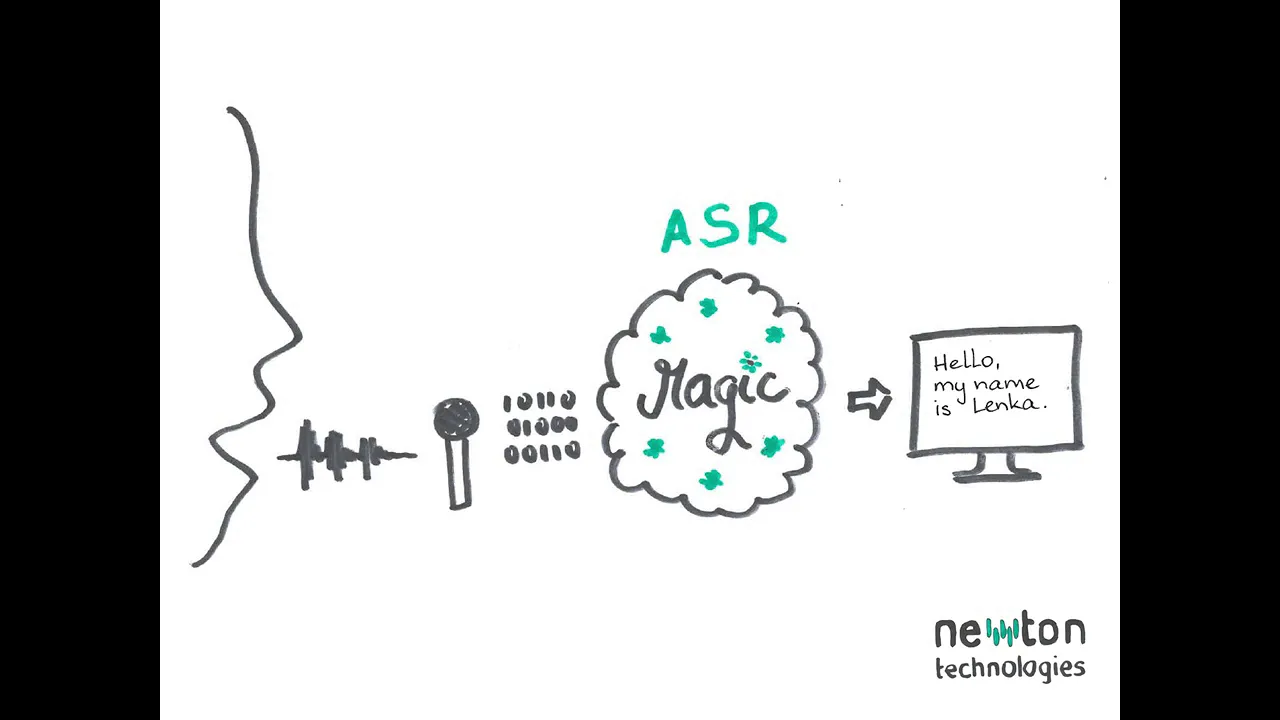
![Lecture 9 - Speech Recognition (ASR) [Andrew Senior]](https://i.ytimg.com/vi/HyUtT_z-cms/maxresdefault.jpg)






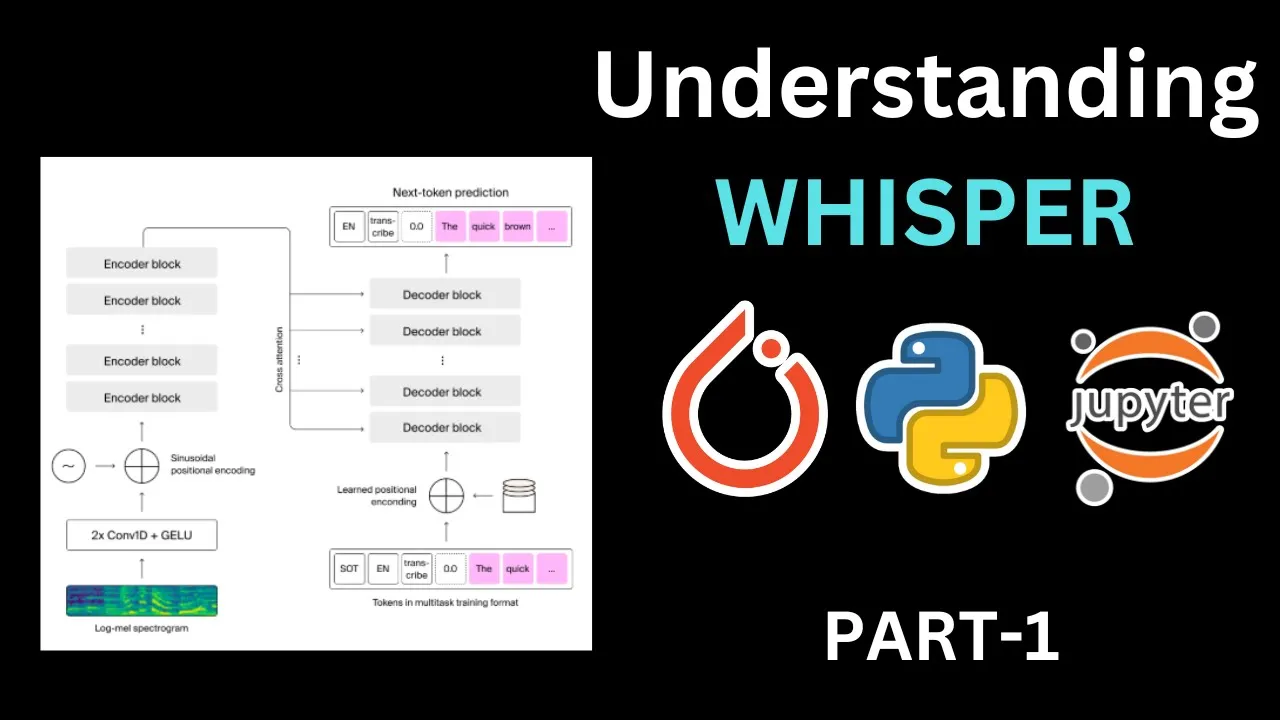




This tutorial demonstrates how to implement automatic speech recognition (ASR) using OpenAI Whisper through Hugging Face Transformers Pipeline in just three lines of Python code: importing the pipeline, creating the pipeline with the 'automatic speech recognition' task and 'openai/whisper-medium' model, and calling the pipeline with an audio file to generate text output. The Whisper model, trained on approximately 680,000 hours of audio data, provides state-of-the-art multilingual speech-to-text conversion capabilities.
Speech-to-Text with OpenAI Whisper in Python | Hugging Face
Added:Fundamental Python programming skills, including installing packages via pip and working with virtual environments.
Basic concepts of digital audio processing, such as sample rates, audio channels, and common file formats (e.g., WAV, MP3).
Familiarity with the Hugging Face ecosystem, particularly the 'transformers' library and the concept of pipeline abstractions.
Introductory understanding of Automatic Speech Recognition (ASR) concepts and the difference between acoustic and language modeling.
Advanced Whisper features, such as real-time audio streaming translation, language identification, and generating word-level timestamps.
Optimizing Whisper inference for production, including quantization techniques, using 'faster-whisper', and leveraging GPU acceleration.
Fine-tuning OpenAI Whisper on custom, domain-specific, or low-resource language datasets using Hugging Face's Trainer API.
Deploying the speech-to-text model into web applications using frameworks like FastAPI or Gradio for user-facing interactive demos.
22.6K views294likes9:24Original Release: 2022-10-11
welcome to one little code in this Python tutorial we're going to learn how to do speech to text in just three lines of python code or even like listed than that using hugging face Transformers Library especially using their pipeline feature if you have seen our Channel you know that I've used pipeline multiple times in the past that makes it really really easy for you to do a lot of NLP task machine learning task computer vision task so today we are going to do using pipeline but using open AI whisper we're going to do speech to text and speech to text is also you know automatic speech recognition is not a very simple task to do but since open AI whisper came out you know that there are a lot of applications that are being built primarily because open a whisper is really really good at what it does and it is also multilingual so what I'm going to show you in this tutorial is how you can use hugging face Transformers pipeline feature to download the model from hugging face model Hub especially open AI whisper medium model and then do speech to text and while I'm talking it all looks a little big but ultimately it's going to be a very simple Google collab notebook with few lines of python code and you have the state of the art machine learning to do automatic speech recognition or speech to text using hugging page Transformers open AI whisper let's get started this is the announcement that took me in to this particular tutorial so Arthur's record actually posted that hugging face um model Hub has been has got open a whisper in the Transformers and if you want to know a little bit about open AI whisper so it is a speech recognition Transformer model that is trained on almost like 680 000 hours of audio can even believe it the number of hours so I have put together a quick tutorial of how you can use it first you need a Google collab notebook make sure that you have got GPU runtime if you do not have GPU runtime it's still completely fine um if you just have CPU it still works fine but if you have GPU the inference is going to be faster and I'll also tell you um what kind of change that you have to make if you do not have a GPU the first line Nvidia SMI is to check whether we have got GPU yes we have got GPU we've got a Tesla T4 machine that is well and good the next thing that we're going to do is we're going to install the Transformers Library hugging phase Transformers library from their GitHub directly First Step install Transformers library from their GitHub at this point we are set like for example if you want to deploy this as a web application or if you want to deploy this anywhere else you don't have to now um do this again and again because you're going to specify the library requirement in your requirements.txt or config.yaml somewhere around that but rest of the code that you are going to see is going to be the exact code to do the speech to speech to text or automatic speech recognition ASR so the next step is from Transformers import pipeline once you import pipeline you know if you're familiar with pipeline you can use pipeline to specify a machine learning task so for example in this case you can give sentiment analysis in this case you can give text classification you can give summarization so all these are different kind of tasks so here we are particularly giving automatic speech recognition a point to note is that hugging face pipeline already had automatic speech recognition but they were not using open a whisper previously because the model was not available so now given that open AI whispered medium or large even large model is available on hugging phase model Loop what we can do is after specifying the task type which is automatic speech recognition we can say what is the model that we want to use which is open here whisper medium I have found whisper medium to be really good um it's a good trade-off between the tiny base models and also you don't need larger like large models so that's that's how we are striking the balance here and personally whenever I've used I've found medium model really doing good the next thing is we are specifying device equal to 0 because we have got the GPU if you do not have a GPU or if you do not want to use the GPU you rather want to use the CPU available you can just simply say um nothing just the in that case device would default to -1 you can just leave it out as it is so but because I've got a GPU here I'm specifying device equals 0. once we have done this thing this is probably you know technically like one line of python code two lines of python code for us to do the speech recognition once that is done now we need to have an input audio file for us to do speech to recognition we need an MP3 file where somebody is talking and and that that message is there for us to use so what I'm going to do is I'm going to go to this website where they've got a lot of movie dialogues and I'm taking um I'm taking one that um The Joker talks about so uh if you see this this talks about yeah sorry this one where which one die yeah it says uh starting tonight people die so I'm a man of my word so this is what I'm copying but I right click it copy the download link copy the audio address come back to my Google collab notebook paste it here run this and this is going to download the audio clip so now the audio clip has been downloaded and saved as a file called audio dot MP3 once the audio clip is downloaded and saved I'm just displaying it here for you to play and then see you know if the audio works fine and once that is ready I'm going to use whisper audio dot MP3 which is basically the name in which we saved here run this and then we have got the text output saved here so I'm going to print the text output which is just this and it says starting tonight people will die I'm a man of my world which is exactly what it says here starting tonight people will die I'm a man of my word which is from the movie The Dark Knight where Joker actually says with a lot of noise if you play this you would actually hear a lot of noise um and then you can also feel that um it's it's it's it's not easy for anybody to transcribe this so let's pick up one more thing so let's say this this this one says this town deserves a bitter class of criminal and I'm going to give it to them download it copy it here come back to the Google collab notebook paste it here so that I can download this using W gate which is a bash command Linux command um and now once downloaded it is saved to the same name called audio dot MP3 and I've got audio.p3 I'm going to just play it and then see if it is correct you may not be able to hear yeah let's see if it works fine um I think it'll be a little difficult given that there is a lot of noise but let's see this town deserves a better class of crew I think it didn't catch the word criminal and it caught it as crew and I'm gonna give it two two two two two two to them um yeah so you can see that it has made mistakes with two words here but again the audio clip is quite noisy and it's quite understandable because we have not done any pre-processing before sending the audio feed into it but ultimately the point here is that you can use hugging face Transformers which is like a One-Stop solution for a lot of machine learning problems these days and you do automatic speech recognition especially using open AI whisper which is nothing short of the state of the art model these days and it is also multilingual you can transcribe audios that is not just English that is any language and if you want to make changes to the model the way you can do is you can have a tiny model or a base model or a large model like if you want a large model you can call it large here if you want a base model you can call it base depending upon what is the use case where you're going to deploy this are you going to liberate CPU or not based on these things you can you can play around with this here but overall like I said at the start of the video just three lines of python code one from Transformers import pipeline to create a pipeline that can um download the model and create like a pipe machine learning pipeline that will do the task for you in this case automatic speech recognition and then three all you have to do is whisper or pipe whatever you have created an object and give the audio file you have the text file ready so literally in three lines of python code you have the state of the art machine learning model for automatic speech recognition and not also any random library but you can use one of your favorites or if you have got a pipeline setup with hugging page Transformers you can literally use hugging face Transformers to do the pipeline automatic speech recognition and do speech to text using open a whisper all the models are available on hugging face model Hub I hope this tutorial was helpful to you the Google collab notebook will be linked in the YouTube description if you have any question let me know in the comment section stay safe peace [Music]
Up Next

22:58
Running Free Hugging Face LLMs Locally with LangChain
@TechWithTim
223.8K views•2025-02-18

12:54
Triumph of Orthodoxy Icon: Byzantine Art & History Explained
@BenCallan
2.1K views•2024-08-06

9:49
FastAPI vs Flask vs Django: Choosing the Right Python Web Framework
@TechWithTim
302.5K views•2024-05-26

1:42
Game of Thrones Opening Credits: A Cinematic Analysis
@gameofthrones
46.3M views•2011-04-18
Related Study Plans & Knowledge Roadmaps
Structured learning paths in General & Interdisciplinary Studies
general-studies
Elevator Engineering: History, Physics & Cities
01From Hoists to Safety Brakes: The Dawn of Vertical Lift
02Hydraulic vs. Traction: The Engineering Physics of Elevators
03Modern Speed, Safety, and Algorithms
+ 2 more learning modules
12h5 modules
Explore Roadmap
general-studies
Rubber: Material Science, History & Geopolitics
01Origins of Natural Rubber & Mesoamerican History
02The Chemistry of Natural Rubber & Vulcanization
03The Geopolitics of the Rubber Boom & Colonization
+ 2 more learning modules
12h5 modules
Explore Roadmap
general-studies
Containerization: Evolution, Logistics & Trade
01Ancient Trade & Bulk Cargo: Amphorae to Barrels
02The Industrial Revolution & Cardboard Packaging
03The Containerization Revolution: Malcom McLean
+ 2 more learning modules
12h5 modules
Explore Roadmap
general-studies
Textile Tech: Evolution, Labor & Global Impact
01Pre-Industrial Textiles: Handloom & Cottage Industry
02Mechanization: The Spinning Jenny to the Power Loom
03The Factory System & Global Labor Transformation
+ 2 more learning modules
10h5 modules
Explore Roadmap