


















![[pinecone] Filtering with Metadata](https://i.ytimg.com/vi/51k4ZKvFyJQ/maxresdefault.jpg)
This tutorial demonstrates that combining BM25 keyword search with fine-tuned semantic similarity models achieves superior retrieval performance (over 90% accuracy) compared to using either technique alone, with fine-tuning providing better latency-performance trade-offs than reranking approaches; the key pipeline involves: (1) document chunking with sentence-aware boundaries, (2) BM25 for keyword-based retrieval, (3) fine-tuned encoder models for semantic similarity, and (4) optional reranking using cross-encoders or LLMs to narrow down retrieved chunks before feeding them to the language model for final answer generation.
Retrieval for LLMs: BM25, Fine-Tuned Embeddings, and Re-Rankers
Added:Fundamental understanding of Retrieval-Augmented Generation (RAG) architecture and why LLMs require external data retrieval to reduce hallucinations.
Basic concepts of vector embeddings and semantic search, including how text is converted into dense vectors and compared using similarity metrics like cosine similarity.
Familiarity with traditional lexical search concepts, specifically Term Frequency-Inverse Document Frequency (TF-IDF).
High-level understanding of neural network training concepts, such as loss functions and fine-tuning.
Advanced RAG techniques, such as query transformation, Hypothetical Document Embeddings (HyDE), and agentic retrieval strategies.
Evaluating RAG systems using specialized frameworks like Ragas or TruLens to quantitatively measure retrieval recall and generation faithfulness.
Fine-tuning custom Cross-Encoder models to serve as highly specialized re-rankers for niche or domain-specific taxonomies.
Optimizing and scaling vector databases (e.g., Pinecone, Milvus, Qdrant) for production, including index selection (HNSW vs. IVF-PQ) and metadata filtering.
12.6K views518likes1:50:08Original Release: 2024-07-05
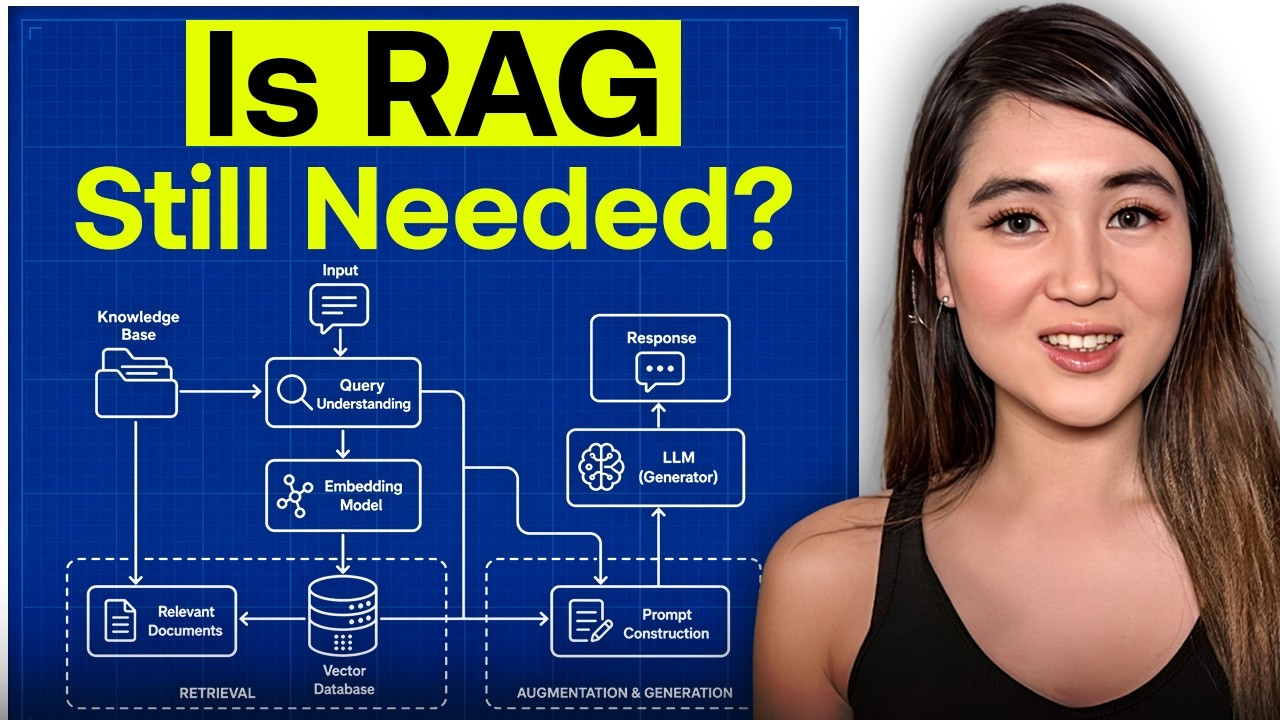
this in-depth tutorial will be particularly helpful if you're using large language models to query books instruction manuals custom call histor regulatory documents or financial reports I'll start with keyword search and gradually add in new techniques to improve the performance of retrieval starting with bm25 then Vector search and lastly reranking using Cross encoders or an llm I'll even show you how to fine-tune encoders to further improve your performance if you're new to any of those terms don't worry because I'll be explaining everything from scratch on the other hand if you're familiar with retrieval techniques stay tuned for some tricks both new and old to clean up that dirty rag okay let's take a look at the video overview so I'm going to start by explaining a worked example it's going to be about touch rugby rules one of my favorite topics and I'll just show you the document that's going to serve as the database for the retrieval we do through out then I'll go through a very quick summary of the techniques we're going to cover in this tutorial and I'll then go through a baseline performance analysis so I'll just ask the language model to answer 11 questions about touch rugby without doing any retrieval and that will just give us a basis for the number it gets correct with no assistance from any added information into the prompt I'll talk a little bit about chunking documents there is a naive way of just chunking by tokens and there's a better way of chunking respecting sentence boundaries then I'll talk about the first technique for retrieval uh bm25 it's actually quite an old technique but you'll be surprised how effective it is there's a joke that bm25 beats most embeddings approach is used today and the thing is it's not really a joke it uh really does beat a lot of embedding approaches so it's very useful to include bm25 along with any similarity approaches that you use so yeah after bm25 I'll cover cosign and Dot product similarity uh I think it doesn't really matter which one you use but I'll talk a bit about the Nuance in the difference between the two then I'll touch on fine-tuning the model you use for similarity this means fine-tuning a small transformer a small encoder model and I'll run through a notebook for doing that that does improve performance quite significantly which you'll see in the performance graphs and lastly we move on to rankers so this is where you use some initial techniques like bm25 and similarity to pick out a large number of chunks maybe like 24 chunks is what I'll do and the ranker reen Narrows that down maybe to uh six chunks as I'll show later and there are a few ways to rerank One is using what's called a cross encoder it's a small transformer that takes in the query and the passage at once and sees how relevant they are and you can also use a language model to rank the relevance of chunks that's something I covered in a video called all sort um so have a look at that if you want to see how to set that up for low latency uh but I'll cover it in um in some detail today not as much as the other video but at least to explain how you can use it as a ranker and then I'll have some final tips uh for what you can do to get the best type of retrieval uh using these techniques and I'll emphasize for all of these approaches um it really is difficult to have perfect retrieval I don't think there's any sense in which using language models even with retrieval techniques can provide any guarantees around accuracy um so I think still uh caveat is that using retrieval is best done in a co-pilot type fashion where you have a human in the loop using these tools so with that uh let me start off with the background I'll just show you the document I'm going to use as the database and this is included in the repo that I'll use for all of this tutorial it's called Advanced fine-tuning and you can get lifetime access to this repo including any future scripts I update and there's a massive backlog of probably um 10 different branches covering all the way from orpo fine tuning to DPO to unsupervised and supervis fine tuning chat fine tuning um so you can check that out if you go over to tr.com and you can just look for advanced fine-tuning scripts and you'll see some options here to purchase individual scripts or you can purchase the entire repository which is what I'm showing you here actually I'm just showing you one branch of this entire repository there are many branches and you can also buy the entire repository but you can buy the other repositories that trus has as well covering Advanced Vision Advanced inference and advanced transcription for uh transcribing from audio to text okay so in this repository here um I'm going to cover uh this Branch so I'm in a branch called retrieval that will cover performance evaluation so how do we evaluate performance of an llm with and without retrieval how do we prepare documents for retrieval do bm25 there are scripts for similarity retrieval scripts for using rankers um both of the Cross encoder and the llm ranker type so what I've done is H get cloned that repository and I have it now available on on VSS code so let me just go over to VSS code and open up uh the repo there here we go and I'm in the retrieval branch and I'm going to show you just the document that we're going to use as a basis for this video so here is the PDF the international playing rules of touch rugby um it's not a particularly long PDF so probably with a strong llm you could just put it into the llm and it will do reasonably well well at answering those questions but just for the demonstration um it's useful to have something that I've almost memorized myself and I can manually review the questions for accuracy very quickly so here we have that PDF and it describes the rules those rules are not very familiar to Lama 38b which is the model that we're going to be using today um for any retrieval questions that we pose now I've also prepared this test.js or file it has questions and answers for 11 manually curated questions we'll be going through this a few times today the first question is in the context of touch rugby uh what is the purpose of the dead ball line and the last question here how many points is it Tri worth H one point so these are manually curated and one of the first things we'll do is run these questions using zero retrieval so we can see a baseline for the language model and how it performs before we do that though just a very quick graph overview of what I'm going to cover here's an example where I'm asking a question what is it try worth that's like the last question I just showed and I've got a pipeline here the most um well I won't say the most basic the most basic would have no retrieval but one pipeline here considers having the rule book so this the rule book split into chunks so we've many chunks of about 250 tokens each is what we're going to use and then using two techniques bm25 and similarity I'm showing here we're going to pick out the most relevant chunk now in later examples we'll pick out the most relevant three or 12 but here I'm just picking out the most relevant chunk and then you can see I'm feeding that in the prompt to the llm as background so rather than just asking the question in the prompt The Prompt also will include background information this is the whole idea of retrieval augmented generation or rag it's um generation and it's augmented with this uh background information that we have retrieved so retrieval augmented generation so here's the prompt and this gets sent into the language model and the language model now hopefully because it has the relevant background information should be able to answer that a try in touch rogueb as one point so this is one pipeline that we're going to go through and I want to emphasize how much bm25 helps I know it's old but it can outperform similarity and it works very well when you use it with things like cosign or dot products search that I'll describe later now as one Improvement on that I'm going to show you how to fine-tune the similarity steps so this is the dot product or cosign step and I'll show you how by fine-tuning the encoder model that generates the embeddings we'll talk about all this by fine tuning that to your use case you can significantly improve the performance of um of retrieval and what I mean by performance of retrieval is you want the chunk you want to pick the right chunk here that has the information about what a try is worth that's what performance is all about it's about picking the most relevant chunks so you have the right information in the background for the LM to answer now here's the third uh let's call it the second Improvement or the third uh kind of pipeline where I've Incorporated a ranker so let's see what happens here we still have the rule book with chunks we still use bm25 in similarity but here we now pick two chunks from each of these giving four and we use the re ranker to narrow that down uh to two chunks and that can be done in two ways it can be done using a small transformer called a cross encoder that will compare each uh of the chunks with the query to see if it's relevant and take the most relevant ones or you can actually use a language model you can just ask a language model hey is this chunk relevant on a scale of 1 to five and you can then take the most highly ranked chunks and put them in uh here to the top two now again I'm just demonstrating here in practice you would usually uh select a very large number of chunks maybe 12 chunks here in the early stage and rather than feeding in 24 chunks which is a lot of information that could confuse the language model or indeed in some cases go beyond the context length we're going to use a ranker to narrow it down so here I'm narrowing it to two later on I'll narrow it down to uh six so in this case we have the top chunk and the second chunk again and hopefully these will be the most relevant chunks so that we get a good answer at the output right here just to give you a little flavor of how the performance Compares with these techniques here's a graph I'm going to explain a few times so don't worry if you don't understand everything on the x-axis I have the percentage this is the percentage of the correct of the questions where the correct chunks are retrieved so there are 11 questions and if my retrieval pipeline so if this pipeline here manages to always have the relevant the most relevant chunks here as per ronin's manual inspection if it always manages to have the most relevant junks then we will say it receives one point on that question so for a score of 100 on this uh the retrieval pipeline we've built would have to be able to precisely identify the most relevant chunks for all 11 of the questions okay so that's the percentage so higher is better on the y axis here we've a list of the different approaches and you'll see we're going from uh bm25 which is just a single technique where we pick the top uh three chunks according to bm25 and you'll see in about 55% of the questions that retrieves the most relevant chunks similarity search interestingly is worse than bm25 when used on its own in this case here if we combine bm25 and similarity so this is the combined approach getting three chunks from each then we're able to um get about 75% or 76% of the most relevant junks for the questions now if we search not just for three chunks using each technique but we include the top 12 chunks so we're now including a lot more chunks which gives us a lot better chance of having the right chunks included so if we go to top 12 with bm25 we already are able to get the relevant information for over 80% so just using naive bm25 uh if you include enough chunks you can really get quite far and you can also get really far if you include a lot of chunks using similarity in fact it's able to get all of the chunks all of the relevant chunks for each of the 11 questions and of course because similarity gets all of the chunks if you combine similarity with an additional 12 chunks from bm25 some of which are the same chunks actually and you're of course going to get 100% as well so don't worry too much if you don't understand this just yet but what I want to illustrate is the Cascade of starting from something simple with bm25 on its own or similarity on its own and as we add more Advanced Techniques we will improve the performance and I'll go through this kind of graph as well for fine-tuning to show you the Improvement fine-tuning brings and I'll go through a similar graph as well to show you what reranking does and the benefits that reranking brings so the first thing to do is to establish Baseline performance on the 11 questions using Lama 38b and the way I'm going to do that is using an endpoint that I set up on runpod runp pod uh using VM so I can actually just click on this one click template here in uh the advanced fine training repo by the way if you don't have access to the repo you can find uh one click templates on oneclick llms so if you just head over to trus one click llms you can find all the links to the one click templates there um so this will bring you directly to a page where you have um the option to select a GPU I usually take an A600 and you have this VM template that you can just uh Deploy on demand now I've already deployed One On Demand it's up and running here it is looks like there's a critical error it seems to be working though and what I'm going to do is copy this uh pod ID and I'm going to place it into my uhv file so if you go to uh sample EnV you'll just want to input here um the Pod ID so that the URL is well specified and you also want to specify uh The Meta Lama 38b model I like specifying the new research one just because it isn't gated so I don't need to enter an access token and you'll see also in this file that you'll need to specify an embedding model when it comes to using cosign embeddings or a fine-tuned one and later specify uh a ranker okay so I've got my endpoint up and running and I can hit that endpoint and it is an open AI style API so I can now make queries to that and I'm going to do that from uh vs code so the way I'll do it is following the readme file instructions and for that I'm going to just check out um testing performance so to test performance it's simply Python test.py and with this flag I can specify prompt Das print prompt which is going to print out every single question um and the answer so that's nice because I'm able to manually inspect so here it's going to ask me a series of questions as to whether I want to use retriev or not so I'm going to say no I'm not going to use bm25 I'm not going to use similarity and I'm not going to use any reranking right now and I will run it on all rows which means I'll run it on all 11 questions now if you've more questions in your test.
jonel it's going to run it on more so here it goes and it's just generating the answers I'm going to find that specific model um it's going to be this Baseline model there's no top anything there's no reranking so this is the one that we want to look at and we're going to check out the questions here and you can see that the prompt is very short it's just asking the question it's saying you're a helpful assistant but it's not providing any retrieval information and here you can see it's giving uh the answer so so what I do is I manually inspect every one of these and I check the answers and put those answers into a spreadsheet so here I've got a spreadsheet and I can increase my screen size a little bit but yeah this is something I recommend doing I know it's a lot of work but if you want to get good performance on retrieval you kind of have to put in the work to do the manual inspection on performance so here's the Baseline and you can see there are two things I grade I grade whether the correct chunks are retrieved and then I grade whether the answer is correct now in the Baseline case there is no retrieval so there's no grading here so I just put in the answers and you can see that even with no retrieval it's getting for these questions right so it's just kind of getting them from background knowledge or maybe it's kind of hallucinating them from rules of normal rugby but in any case it's getting a baseline of uh 36% so four out of 11 questions are correct right there and what I'm going to do now is show you each retrieval technique and show you how uh this improves performance as we move through those techniques so next up I want to talk a little bit about chunking the document and first let me just say that in this case you could just put the document straight into chat GPT copy the test text and ask the question on that basis now there are two reasons that can be a problem in practice the first is if you're dealing with a very large amount of documents and by the way you can use the approaches we're talking about today with many many documents uh even if You' have a very long context model like Gemini with 2 million or or something at some point you're still going to have a database uh for some applications that will be much larger than that and you'll be forced to decide which chunks or Which documents to use now the second thing is that even if you include a lot of long documents in the context and the model supports that um it's known that the accuracy decreases H quite simply the more information you put in the more entropy there is the more information uh the model has to go wrong in predicting the next token and at some point if you increase the amount of information it actually confuses the model and you'll see that later on in some of our results when we send in a lot of chunks to the language model we sometimes get answers uh less answers correct even though we have more correct background information so I want to give that as context as to why narrowing down and giving the right information helps you maximize the chances of a correct response so when we do narrow down any the information the way we do that is by chunking the document and the size of chunks first of all is something to think about I have used 250 tokens and the reason is because the embedding models we're going to use which are from sentence Transformers they're trained on token length of 250 and so if I use longer H there's going to be in accuracy because I'm outside of the training data set now if you use embeddings from open AI or other places you probably can use longer uh lengths of chunks and I suppose the benefit of using longer chunks is that if you you have meaning or content that spans a full paragraph um it might be important that that's all in one chunk whereas if you have smaller chunks that might split up the meaning and you might not be able to find that meaning as easily now even if you could include larger chunks you don't necessarily want to do that because the larger your chunks um it means that very specific pieces of information become very diluted within that chunk so if you have a word like dog but it's got many many other words in that chunk um dog itself is not going to have a very strong signal in that chunk so there's a balance that you have to strike between having short and long chunks and empirically it seems maybe 250 maybe 500 is a reasonable length to pick but 250 is definitely a good maximum if you're going to use the embedding models that I am because that's the maximum training length so let's um take a quick look at document chunking there are two ways to do it the first well there are probably many more but the two that I'm going to describe are naive chunking and then sentence-based chunking and the way I'll do this is just by looking at some scripts here I have um a script for a constant token chunks so I'm just going to run this script and you'll see how it's going to break this text which I've just pasted I've pasted a piece of my Rugby document you see here I just have a raw piece of the document so let's see how it does Breaking that into chunks so we'll do uh Python utos and then the name of the script CST to token chunks.
py and this is now chunking into five chunks and let's just take a look here at the end of Chunk three so you can see it's breaking the chunks up uh in the middle of sentences it's a very naive chunking with a maximum chunk length of 250 tokens which you can see right here and it also has an overlap of 50 chunks so there's an overlap between chunks of 50 and the reason that you do that is if you have a given chunk you might have a key piece of information that's in the previous chunk and that will make it harder to detect the kind of whole of the meaning of that paragraph or of that sentence so you typically use a small amount of overlap to improve the performance and in my experience that does that does definitely have some positive Improvement on the performance but as you can see with this naive chunking you split uh sentences in a way that's not kind of um grammatically or from a meaning from a meaning standpoint it's not as easy to understand maybe for the language model so an improvement you can make on this is to go to sentence-based chunking so here um what we do is we use a package called nltk the NL is for natural language and it uses specific uh rules basically uses rules to detect full stops and by doing that you're able to more naturally split the content into sentences and you can also add in rules that will detect if it's a number followed by a DOT or for example if there's maybe um an abbreviation that has a DOT which kind of gives a false positive for it being the end of a sentence so all of these little grammatical deterministic rules are Incorporated in the nltk package and so when we run this script here it's going to more naturally uh split up the sentences so you can see here um we tokenize the sentences so it'll break the sentence up into small little tokens and then it will apply the r set to those and help us to detect the sentences so let's run that script which is going to be um sentence chunks and we'll see how that compares and again I'm using some overlap which is kind of a subtle point but every time I have a chunk which will still be a maximum of 250 now so it won't be exactly 250 but a maximum of 250 and a minimum of 150 I'm going to include the last sentence in every chunk within the next chunk as well so I'm using this kind of sec sentence overlap concept that hopefully should help uh improve performance too and you can see that when we chunk I think it's a similar text to I chunked already there are more chunks because now every chunk um will be a bit shorter than 250 because when it tries to add a sentence that's a partial sentence it will say no I'm not adding a partial sentence let's push that to the next chunk but you can see now that um the sentences are nicely completed so here's a sentence that finishes off with uh full stop finishes off with a full stop um so this gives you very nice chunks and hopefully this will help you to improve performance now I have to say empirically I did test the overlap with naive chunking and the overlap with sentence chunking and I didn't see a large difference I did see more of a difference when it came to fine-tuning with um these nicely arranged sentence chunks so my good feel is if it definitely doesn't hurt performance and if it plausibly can help performance then probably it's a good idea to do it and so this is the default I use the sentence-based chunking for the rest of the video now that we have our documents split into chunks the question is what technique can we use to find the most relevant chunks for a given question and the first technique I'm going to talk about is bm25 and this is an old technique as I mentioned and it's easiest to think about by starting with a keyword search so let's say we want to just do a keyword search to decide what chunks uh should be included so we can go to a PDF document like this and we could have a query maybe like uh how much is a try worth and so what we could do isrl F and search for the word try now the problem is maybe you can't see it here but there are 52 matches for this uh word try so how would we decide which of the chunks uh we should include just by looking on a keyword and furthermore the question is actually not just the keyword try the question is um how many points uh for a try so should we be looking for how should we be looking for many should we be looking for points should we be looking for try it's not obvious how a keyword search can narrow things down and particularly give a rank to the chunks just by doing this uh naive key search which by the way works very well if you're a human you just control F and you kind of gauge well if there's way too many this won't be a good approach but if there's only 10 then it's a good approach I can just manually check them and bm25 is kind of the answer to this because it's a keyword search that weighs two things so the first thing is it will score highly chunks that have words in common with the query so quite simply if the question is how many points for a try then it's going to check which chunks have got the word try the most which chunks have got the word a the most which monks chunks have got the word for ETC and this is definitely an improvement on our naive H search because it's more likely now to return paragraphs that have this word try many many times but the problem uh with just looking at the frequency in this way is there are many words that have high frequency like the or a and they're just going to be high frequency in all of the chunks and just because four happens to be in the question it doesn't really help us to identify which of the chunks is relevant and that's where the second part of bm25 comes in which is that it more heavily weighs words that are infrequent across all chunks so if there's a word in the query and it could be let's say uh it could be forward like forward pass if that word doesn't appear much throughout all of the chunks then it's going to weigh that more highly when it's deciding uh which chunk to choose as most relevant and actually just these two rules when you put them together in a formula they're the basis for bm25 now there is one more more subtle thing which is that it will normalize for the length of the chunks but actually in our case all of our chunks are the same length so that normalization it's there in B25 and you can have some different flags but it's not particularly relevant because we've already got chunks of similar length so the key thing is bm25 it looks for words that are high frequency um from the query and then it will extra away words that are not common throughout all of the text and this technique then uh tends to work very well now to implement bm25 you have to split up the query the question into uh words and you have to also split up the text itself into words and there are again two ways to do this one is just naive based tokenization which means you take the query and you use the space to separate the words into individual words and the other way is to use uh some better rules from the nltk library again now one of the problems with with the naive approach is that if you have um the word now followed by an exclamation mark if that's um so just something like go there now when you tokenize that just based on Spaces it's going to give you go it's going to give you there and it's going to give you now so that's not necessarily uh going to be ideal but if you use nltk it's going to recognize that now and that exclamation mark should be separate because it has rules for the exclamation mark so you're going to get something cleaner and this is important because the word now might appear with an exclamation mark in the text but it might appear with a question mark in the question and so if you don't have that careful tokenization you're not going to find some matches that really should be there so nltk uses again some deterministic rules to separate out these special characters it also does things to handle uh words like don't or isn't or words like this which might be accidentally separated when they shouldn't or vice versa so let me show a very quick script here for bm25 again it's in the UTS and you can check out uh bm25 and I will I will note some more Advanced Techniques too at the end of this but first let's just look at the simplest script for finding the closest chunks and you can see here we need an input of the query the question the chunks how many chunks I think there's 47 if you split up the rugby document and then we need to say how many of the top chunks do we want to keep so the default here is 12 sometimes I'll use three so the first thing to do is you need to tokenize uh the chunks so this line here is taking in the set of chunks and it's splitting them into word tokens but using those rules that avoid like special characters Etc the next thing is uh we set up bm25 this um is going to handle how we Implement that algorithm that prioritizes frequency and also um extra prioritizes words that are not frequent throughout the entire chunks we need to tokenize the query as well so that needs to be split into words again using word tokenize instead of naive space based tokenization and the last step is then to actually get the scores so once we have the tokens we can run this formula that considers frequency and get the scores for each one of the chunks and once we have each one of the chunks we can sort that list uh we can reverse it so that it goes from high to low and then we can pick out the top 12 of those chunks so this is how uh bm25 works and I'll show you that it works really well now there's one Improvement you can do here I played around a little but I didn't end up using it in the results I show but one of the problems with bm25 is that it's still direct matching so if you have the word rugby um it's going to look for rugby it's not going to look for rugger uh some word that like is kind of related to rugby but um it's not going to find that cuz it's not an exact match so one of the ways you can improve performance is you can do what's called query expansion so you can take the question and you can find synonyms for some of the words and you can include that in a in an expanded query and there are libraries like wordnet um so you can actually play around with this if you want to just expand the query uh by including some syn synonyms and probably you could think about this in more detail and maybe I'll do a video on it but if you have a given database that is essentially a dictionary for words and you could probably use a language model to figure figure out the sets of synonyms that are relevant and then you could use that dictionary in order to generate synonyms uh for your questions that are more targeted to your use case Okay so this uh is how bm25 works and it relies first on you having tokenized hopefully with something a bit better than naive spaces so let's just go back and take a look at the results from the bm25 and I'll show you here so basically just by doing the top three chunks so by using bm25 to find the top three most relevant chunks we're able to identify more than 50% uh the relevant passages for more than 50% of the questions and it actually outperforms doing uh dot product similarity which is what I'm going to cover next um and in fact if you look at doing the top 12 you're able to get the relevant Snippets for uh over 80% of the questions so think about that without using any similarity just just using bm25 in this case for touch rugby I'm able to get the right Snippets um for over 80% of the questions just using bm25 and the top uh 12 chunks so yeah I think that should that should send the message home about how it it really can uh get a lot of the right chunks even without doing any type of semantic search so that's what we're going to get to next is adding in semantic search and uh if you think about it ground up the way I'm doing right now the reason you would add similarity is because what bm25 which is essentially keyword search what it cannot do is semantics it's not able to recognize the meaning of a sentence is kind of happy or the meaning is kind of in direction of dogs versus cars it's only able to look at exact words whereas if you look at embedding models that we're going to cover now you're able to get this more abstract meaning like happiness or like dogs or kind of doggy or these kind of more abstract Notions and match the chunks in that way so they are somewhat orthogonal although um there is an element in which doing similarity search is also kind of just matching uh the exact words too so I wouldn't say similarity and bm25 are totally orthogonal in fact you can see that here um when you add them together you get some improvement um because they're partially orthogonal so they're partially complementary so let's move on and take a look at how similarity Works time to look at the second technique now which is similarity we've already covered bm25 and by the way I'm going to use the exact same chunks so it's the same the document is chunked in the same way for bm25 or for the similarity approach I'm going to describe now and other words you might have heard for similarity are vector search um embedding search uh cosign or do product these are all related ideas uh so you may have heard them by different names in fact when people say rag or retrieval augmented generation they often mean similarity search although retrieval augmented generation just tells you that you're using retrieval it doesn't actually specify the method you're using and it's perhaps unfortunate that people associate it only with similarity because as you saw other techniques like bm25 um that are a lot quicker and take uh a lot less compute are quite effective and probably should be considered uh in a complimentary way or even on their own in some cases with that let's take a look at how similarity works so there are two parts um two similarity the first is you prepare what are called embeddings or vectors uh using a sentence Transformer um which is also called somewhat confusingly a buy encoder and what this buy encoder does it's really just a model like GPT that takes in a text a string of text I can even write that there string of text and it converts it through a number of layers like maybe 10 layers that have a tension and and multi-layer perceptrons it converts it into a vector so this is a four dimensional Vector I've shown so basically every word like dog might be pointing this way or car might be pointing this way so the direction and the ma the direction is representative kind of of the meaning and the magnitude of the vector is the quantity of the meaning so if you have a sentence that mentions many types of dogs it might be a long Vector in the direction of dog just for example so this is the first step is getting each uh string of text which by the way can either be the question or it will be the chunks we use the same model in similarity for both and this is actually very important because it means we can calculate um the vectors for each of the chunks in advance now we don't know what questions we're going to ask in advance but we do know what documents we have so we can generate the vectors for the documents in advance and that means we only have to generate the vector for the question at runtime so that's why similari is very fast it's because we only generate the vector for the question so we' one uh forward pass to run through this very small model and then we have to compare that Vector to all of the chunks and that's the second step here which can be done either using cosine comparison so we have say a question that says how many dogs and we have then um dogs that's pointing this way or maybe it would say three dogs and we're trying to see if this Vector dogs uh which would be one of our chunks is very close in angle or close in length and angle if it's dot product to the question of uh how many dogs so as I said you will first uh get the embedding or the vector for every single chunk so if I 47 chunks I'm going to have 47 vectors and these won't be four dimensional they'll be much more like maybe 384 I think actually that's the number of dimensions in the model that I'll be using and the Second Step then is at runtime when you're asking the questions you get uh an embedding for the query and you take that embedding for the query and you either do a DOT product or a cosign product with each of the chunks and then you rank them and the largest the largest values are going to be considered the ones that are the most relevant as chunks now there are models that are trained using cosign and there are models that are trained using dot product there are models that are trained uh specifically using queries and using paragraphs that were retrieved say from being search that are relevant and it's important to know how the model was trained because that influences whether it's better to do dot product or to do cosign and there are in theory there's a difference between why you would use cosign versus dot product dot product allows you to gauge the amount of the quantity of information so if you have a long paragraph that mentions dogs many times that's going to score more highly than a short sentence that mentions dogs whereas if you're looking at cosine really cosine is only going to look at whether it mentions dogs at all it's not going to consider the quantity of information so you could argue that dot product is better because it considers the quantity of information and that is important when you're finding the right chunks there's one other point um I'll mention which is that in terms of computation time it's quicker to do dot products than cosiness and the reason is to do a cosine you're finding the angle between two vectors you need um to actually do a DOT product but you then need to normalize so you need to calculate the Norms so I think very roughly you probably need to do about three times more calculations to do a cosine than to do a DOT product so for that reason I would also prefer doing Dot products but those calculations are probably uh fairly small relative to doing the forward passes through the model so I wouldn't overthink that basically I think you should look at what the model does was it trained for cosign or Dot and you should do whatever it was trained for that is probably the best way to go and I don't have a really strong preference for one over the other just to put this uh in graphical terms uh maybe this slide here should come first I've drawn you here some representations like dog let's say this is a dog vector and this is a vector for wolf hounds are a type of dog so you can see this Vector is like it's kind of in the same direction as dog but it's longer because it contains more content of information about dogs and meanwhile there's this uh phrase here apricots are a type of fruit and that's kind of ortogonal you know it's not really related to dogs so that's why I'm drawing that vector orthogonal and now let's put in a question here and just it's kind of a silly question but who's dog and this is the vector here again it's kind of in the direction of dog because it relates to dogs um doesn't have that much doggy information so it's maybe a bit shorter than this one here okay so this is a representation and as you can see you would expect that using either cosine or dotproduct uh whose dog is going to be found to be uh more related to these chunks than related to this chunk and uh actually I'm going to just draw out how it works uh for cosine I'll turn on the pen so let's take a look at cosine so if we look at cosine we would have uh this angle here so cosine of this angle cosine of this angle and cosine of this angle here and uh maybe maybe I kind of Drew the angles a bit wrong like maybe I should have put whose dog up here but the point I wanted to show was that the angles here ideally should reflect that wolf hounds and dog are going to be closer to who dog and so these should be the preferred chunks in that case now conversely for DOT product let me just pick a different color here the way uh dot product works is by projecting uh the vector on to the other Vector so here if we have dog we're kind of pro injecting this on so we get this kind of a a DOT product for asking who dog and for this one here wol hounds you know we have some longer larger dot product and for this one here um for this one here we've got this kind of a projection here which is only going to give this small Arrow here so when we do product you can see well the dot product for apricots is going to be pretty low compared to um whose dog the dot product here if we look at uh wol fans are a type of dog is going to be the largest in fact it's going to be even a larger dot product than just dog because it has all of this information about dogs so I don't know if you can see but I'm trying to illustrate that with DOT product um the quantity of information matters and that can result in giving a different priority than cosign because it's clear that cosine in cosine terms uh dog is clearly the closest to whose dog but just because there's so much doggy information in this one the dot product is actually larger than the dot product with dog on its own so hopefully that gives you a little bit more of a nuanced explanation of why dot product and cosign are different and why dot product includes the quantity of information and not just the type of information before we run B25 bm25 or similarity we need to convert the PDF into text and then convert that text into chunks so there's a script here PDF to text that we can use through the formor it just takes in a document PDF and page is true uh Page by Page using the Fitz uh library and it will append text from each page into a single string which is then written to the raw train file so here we have the touch rugby rules all written out in text format now we want to convert that into chunks and we also want to calculate the embeddings for each chunk using the model I just showed you in hugging face for that we'll use the create train cues and embeds this script will also create training questions for later on which I'll talk about when we get to that point so let me focus on calculating the chunks and the embeddings for that we need to load an embedding model um here you can see it's being loaded uh from the environment variables this is the name uh the slope of the model from hugging face that we looked at here I'm just reading the text file that we created with the raw training data next we're going to process this on uh into chunks so we'll read the file uh we'll Define a tokenizer that's necessary because we need to count the tokens and make sure each chunk doesn't have more than 250 and we'll pass that tokenizer and the raw text into the get sentence chunks function you'll remember that we looked through earlier just as a reminder if if we go to sentence chunks you'll see um if we scroll down here it takes in text it takes in tokenizer it sets a minimum chunk size a maximum chunk size and it also uses an overlap of one sentence between adjacent chunks just to ensure that we have um contiguous meaning within each chunks as you recall we are getting the sentences so we have some nice clean sentences from that raw text then we set up some parameters to initialize the chunks and what we do now is iterate through the sentences so for the first Chunk we we'll iterate through sentences and we'll keep adding sentences until we go over the maximum number of um number of tokens that we have in each chunk and then we'll move to the next chunk we'll copy paste the last sentence from the first chunk to start the next chunk and then we'll keep adding sentences again until we hit the maximum chunk length so this is pretty much how the code works here and by the end that's going to give us chunks that have a maximum token length there'll typically be a few tokens short because we never want to add a partial sentence towards the end of the chunks okay so now we have the chunks and the last step I wanted to mention here is calculating the embeddings so to get the embeddings for all of the chunks we'll go through uh chunk by chunk and we will get the embeddings for a given chunk now there's a function called get embeddings par parallel this allows me to use multiple cores of the CPU to make queries and calculate the chunks in parallel so we can take a quick look at the embedding py file this has a straightforward function just to get embeddings you can see here the embeddings involve encoding the chunks um using the model and that's the embedding model that we've loaded and get embeddings parallel is the same but it uses a threadpool executor so that we can do things in par for improved speed up so with that we now have some uh training chunks so for example this is the very first chunk I can show you here this is the very first Chunk in our text we do have some questions those are relevant later for training and here we have the embedding for this chunk which I think is uh 384 long in length and then you'll see we get to the next question sorry it's hard to scroll so here's the next question another chunk uh right here and this has got its embedding and so on for the rest of the 47 chunks just so you understand how we calculate the embeddings at runtime then I'll go to test.py and now we're going to run with bm25 I'll do first and then I'll do similarity but I'll show you how the code works for both right now so here we're just indexing through the questions we're going through all 11 questions and we're pulling out the questions that's from my Json file and we're also pulling out the correct answer just to print it out so we can compare it to the lm's response so in the case of similarity we're going to get the embedding for the question and that's using the get embeddings function that I just went over of course for the chunks we've gotten the embeddings previously and just stored them in that Json file but at runtime we're going to calculate the embedding for the question now using the embedding for the question and using the chunk embeddings which I've just loaded in some script above here from the stored values we're going to find uh the closest chunks and we're going to find notably the top n which I'm going to specify three and then I'll specify 12 in line with the table of results I showed earlier on and last of all I'm going to select the similarity type which is going to be either cosine or um dotproduct and you'll see I do that via the command line when I call this script so the find closest chunks function if we just search for that you'll see it just sorts through the chunks so it will calculate the similarities and then for cosine or for DOT product it's going to get those similarities and we simply sort them um from smallest to largest but then using this reverse equals true parameter that will make them largest to smallest and we will return the top end chunks um from that function with bm25 it's a similar approach we're going to call the finded closest chunks uh bm25 so here I'll just take a quick look at that function which is imported so it means that we're going to import it from the bm25 utils script here and here we have fine closest chunks and this is the function I've already gone through it will take in the query the chunks tokenize the chunks and the query and then it will return by default the top 12 but I'll specify the top three and later I'll do the top 12 so that's the top script or rather the test script and it just shows you how we return the chunks there's one more uh small thing to mention here which is that when we've selected the top three or the top 12 whatever the case may be I like to sort the chunks at the end in the order of their original appearance so there are two ways that you can well there are more ways but there are two sensible ways I think of presenting the chunks as information to the language model the first is rank them in order of importance that kind of makes intuitive sense but the other is to rank them in the order of the original document and because the original doc document probably has some sensible order in which it's presenting things like having definitions first I find sometimes it can improve performance to actually order the chunks at The Limited top end chunks according to their original order not necessarily according to the order of highest similarity so I'll just do Python and test.py and I want to print the prompts and save them just so we can inspect them together so the first test I'm going to run here and I do need to make sure I have the right uh EnV file so let me go to my EnV uh and make sure I've selected the right embedding model and the model we're going to use is a multi QA min mini LM which is trained for DOT product you can check it out if you like on an hugging face so let's just plug it in here and you can check in the files have a look at the configuration it's a sentence Transformers model and you can see here um it's got 512 embeddings actually I think I said 384 but this looks like 512 it's got a tokenizer about 30,000 tokens it's a birt type model um we'll be looking a little bit more at this when we find tun later on but yeah it's a Transformer that will encode from a string into tokens and then into vectors and those vectors will get transformed through the layers of the Transformer until there's a final Vector that comes out uh representing that and you should also note uh we'll see this again when we fine tune but there is pooling so pooling is where you basically combine the vector representations of smaller parts of the paragraph to get one final representation because what we want is just one vector that's going to represent uh all of the paragraph and likewise when we put in a query we just want one vector representing that query because we'll do bm25 first I'll just say yes to bm25 no to similarity and here as you saw in the results I've run it with three chunks and I also run it with 12 chunks that's the number of chunks that will go in h to The Prompt so let's just do three for now and we're not going to use a ranker and we're up and running here and we can check out the results this time we're using uh bm25 but we're not using any reranking so we can check the questions and here you can see um this question is getting correct on the dead b ball line let's see the next question here I've done this so many times I'm just quick at seeing it so we have how many players in the field 14 six Max allowed on the field and this one here by the way you can see here's the prompt so you're a helpful assistant here's the background information you can see there are three chunks here and then you have the question and I'm just wrapping the lines here so you can see all those chunks in detail but three chunks CU that's what we've Chosen and here um it's asking what happens when our forward pass and the answer is uh correct as well and this one here is around how many meters the defending players must Retreat it's correct as well so this is just bm25 and it's getting all of the answers pretty much correct and I've also checked the correct chunks are there as a background so here it's saying there's no specific mention of the number of substitutes during a game and but the answer is there's no limit and I know to search uh for No Limit and I'm not seeing it appear in any of the paragraphs so here I know the retrieval is not correct it has not gotten the right chunks which should be there and so on you go through all of these chunks and you can see uh how the performance is so I'll just very quickly show you now running with similarity in instead of bm25 and you can just say yes to both if you want to run both at one time so I'll say no bm25 yes to similarity and now I have a choice of running cosigner dot product which I should do according to the model that I've excuse me that I've selected and because my model is fine-tuned um for DOT similarity that means uh I should use dot similarity so I'm going to do dot product and the number of chunks will be three and I'm not going to use a ranker and I'll run on all of the questions so again I'll run through this I'll find my results and I'll look manually at all of the questions this time I'll be checking out top three there's no reranking but I am using this uh encoder model here or by encoder you could say so I can again take a look at the questions and see how the answers compare so with that let's take a look at the results again and I mean you've seen these already but just to highlight that when we do the top three approach and actually I'm going to show you this in code uh you'll see that the similarity is resulting in lower performance than bm25 when we' have three chunks but higher performance when we have 12 chunks and actually when you include both together um I mean you're capped because we're already at 100% performance which means if we go up to 12 different questions we're getting very high performance um by using similar and by using both techniques if you had more difficult questions or maybe a larger database you'd be able to see a bit better how those two would be um complimentary when you combine them let me just show you here um the answer percentage so in blue I've been talking about the retrieval accuracy but in red I've got the answer accuracy and this is simply how many questions it gets right regardless of whether the information is included in the chunks or not so you can see the Bas line model gets some right because of background knowledge of the model and then after that you can see that um right towards the top when we put in 12 chunks the answer accuracy is lower so basically What's Happening Here is that the information is in the chunks um it's in the context but the model is not getting the answer correct and that's um that's because the model is not strong enough Andor it's just getting confused by having too much information whereas um you can see here maybe when you've looked lower chunks there's less of a gap between uh the answer and retrieval and notice also that it's possible to still get more answers right than the information in the retrieval because the base model by itself kind of has some background knowledge so when we're at three chunks you can have cases where you're still getting uh higher answers than retrieval and just also interesting to note that um it is possible to also get more answers so you can both get more answers correct in retrieval or less answers you can get less correct than retrieval if the model is confused but you can also get more correct than retrieval if you're kind of benefiting from uh the model's background knowledge so really what my message here is that bm25 on its own is powerful it's complimentary and you can see that complimentary effect when you combine it uh with Tre chunks from the similarity approach and as you might expect retrieval performance improves if you just increase the number of chunks that you put into the prompt that kind of makes sense and in this specific case it's improves enough to be able to include all of the relevant information now for all of the graphs I'll show in this video you can check out this presentation and you can even check out the spreadsheet where I break down in detail you can see here for example if we look at uh this case here um not bm25 but let's look at similarity with the top three you can see there are cases where the information is not there but the model gets it correct and you can also see cases I think maybe in bm25 here's an example where the information is there it's in the top 12 chunks that bm25 found but the model is not getting the answer correct we're making good progress here and I've gone through now the basic methods of retrieval uh so bm25 and cosign or dot product similarity and just using those you can get really high uh performance in most cases but I'm going to show you some ways to improve performance further and I'm going to start by showing you how to fine-tune the uh sentence BT model the sentence Transformers models and to do that uh I'm going to use a jupyter notebook you can actually fine tune on your laptop like your Mac or your Windows computer because these models are so small um you can probably find tune in just a few minutes you could also do it on a Google collab notebook but I'm going to do it uh on a Jupiter Notebook on runpod that's running on an a6000 uh so for that I've just started up uh a run plot oneclick template the trellis one click fine tuning you can find it in the oneclick llms repo it's a public repo and then once I've started up that instance uh what I do is upload uh The fine-tuning Notebook that is in uh the retrieval branch of the advanced fine-tuning repo so basically what I'm doing is going to let's see here minimize this I'm going to the fine-tuning scripts and in this Branch there is one script for cross encoder fine-tuning which we'll talk about later with rankers and the one I want is sentence Transformers fine tuning so I'm just going to go to fine tuning scripts and uh upload sentence Transformers fine tuning and we'll open that up here and the idea is to load the model that we talked about so we're going to load this model here onto the GPU or CPU if it's on your computer and then we're going to fine tune we're going to do a full fine tune uh on this channel uh often it's Laura you can probably Lura fine tune this if you load it with Transformers but if you load it with sentence Transformers which is a different package uh I I don't think Laura is so straightforward there it may actually add some benefits so I wouldn't rule out that that's a good idea um but we're going to do a full fine tune on the model so there are instructions in the notebook here and setting up um if you want to run on uh run pod or if you want to run locally if you are running locally you may want to set up a virtual environment this can be useful just to keep all of your packages separated from the base packages installed on your computer it's not really necessary if you're on collab or if you're on uh runp pod now I'll run through these installations I've run this earlier so I don't need to run it now and I'll run ipy widgets that um will allow us to display boxes like hugging into hogging face now as per usual I need to increase my screen size significantly and once you've entered your hugging face token uh you should be ready to start loading the models now you only need to load your hugging face token if you want to push um the fine tune model up to hugging face so what we're going to do now is load the sentence Transformers model I just mentioned and then we're going to print the model and what you can see here is that the sentence Transformer model uh it's got a few settings so it's got a Max sequence length of 512 um the word embedding Dimension is 384 so actually maybe I was right about the 384 uh for the word embeddings and we can see that pooling uh mode mean tokens so this is taking a mean across tokens for calculating a final embedding this is true and you can also see how the model is a birt model which is kind of standard transformer for converting from strings of text um or tokens into embeddings here's where you would apply Laura but not with sentence Transformers you could do it and I with Transformers if you want to load it that way now the next thing we're going to do is we need a data set that we're going to fine tune on and I'm going to show you that data set and then I'm going to show you how to generate that data set so let's head to hugging face this is public if you want to check out the data set and there are two ways to go one way is by using pairs where you have a question and you have a related chunk and the idea is you get the model habituated to associating this question most closely with this uh specific chunk here and now there are some other data sets too like uh triplets touch rugby and I'll just show you what this data set looks like um I find it actually works fine using a small number of pairs triplets is a more comprehensive way to go and I've generated quite a lot more data like about 11,000 RS of data the idea here is not just to have an anchor question with a positive Associated chunk but also to have a chunk that you want the model to know is really not related to the Anchor question at hand so once you have uh this data set and I'll explain how you can generate this uh you're then going to be able to run fine-tuning on the model in order to get the model to match more closely to uh the behavior that is exhibited in this data set so as to how you create both the pairs and the triplets let me briefly talk about that it's quite simple we have chunks already so we have 47 chunks and what we do is just send each one to a language model and ask the language model to generate five questions that are answered by a given chunk so we generate five questions answered uh by each of those chunks so for generating pairs that would be 47 * 5 rows of data that we would have and naturally those questions will be associated with the chunks now the way we do triplets is a little more involved uh well not too much really we take each of the chunks and we take each of the questions that we've generated from the pairs and we send pairs of those into the language model and ask the language model to rank the relevance on a scale of 1 to five and in this way we know which question chunk pairs including mismatch question so a question with one of the chunks from down here we know what the ranking is of the relevance for each of those and when we have that it allows us to construct triplets where we have a question we have an Associated chunk that's just the question that was created for a given chunk but then we select a question that has got low relevance like 1 2 3 4 or five not five to be a negative pair now you don't want to select one that's really close because then you're going to train the model to think that something that's close is actually uh far or something that's yeah which is not what you want and but you do want to provide difficult examples so you do want to train the model that okay the positive one is five as a relevance and the negative one is four because that means the model is able to discriminate and that will give you better performance now the procedure here for creating the data set is first we need to generate the questions for each junk then we need to create pairs so we have question chunk Pairs and then we can create question chunk junk triplets so I'll show you first how to generate the questions and this is actually part of a script we've already run called create train cues and embeds I already showed you how this script will create embeddings well first it will create chunks and then it will create embeddings so I'll show you the rest of the script that creates questions for each of the chunks and that's done using the functions generate questions for single chunk and generate questions for all chunks so I'll just take a look at this because it's a a simpler version if you just wanted to do one chunk and the key to making the questions is again using this forced reject matching when we call the llm so we're calling the language model and we're P we're sending it a chunk within the prompt and we're saying generate five relevant questions for this chunk and in its response we're enforcing uh rejects so we want it to respond with a very specific pattern this is an array pattern so we're getting it to respond with an array of questions and in this way I'm guaranteed that the response from the llm is an array so it's very easy for me to parse that response and save it to adjacent now here is the prompt so it says generate an array of five questions based on the following text and I pass in the chunk and I give an example here of an array where there are um five or rather I'm just giving three here but that's fine it's just a small example and then um I get the prompt which is going to be using the context and it's important I pass in the context here this is something I give on the command line the context is simply International touch rugby rules but it's good to frame the context when the questions are being created because if you have some question in isolation that is say how long does the match last and you send that into an llm well what kind of match a rugby match a soccer match so the context is important when framing questions and therefore when we create questions it's important to send the context in the LM okay so we will send in these chunks and get five questions for each and that's why when I save um the data which I can pull up here training chunks with questions you'll see that I have and I'll just scroll back to the first one I have a chunk so this is the chunk of text that's less than um 250 tokens and then I have questions that are related and you can see that these questions they just ask questions that are answered directly by this chunk here so for example what's an infringement what is the link in touch rugby and the link is the player beside the wing player so this is how I'm getting questions that are definitely associated with the chunks and these will form um the positive pairs so I can say for any of these questions say for this one here the positive pair the positive chunk is just going to be this chunk here and if I'm just training with pairs the algorithm is going to automatically pick a random other chunk or actually all of the other chunks and consider those as negative pairs so creating pairs from here is straightforward and you can follow the instructions in the readme it's going to be the script um create Q chunk pairs. py and we can take a very quick look at that script it's really just doing assembly so it's taking a look at this data here and then it's creating a first row of data that's just the question and the chunk then a second row of data that's again the question here then the chunk third question chunk fifth fourth fifth then it will move on to the next chunk first question chunk second question chunk so this is uh very straightforward as you can see it's iterating through questions exactly what I described and doing question and related chunk pairs then it's uh saving that data set and pushing it up to hugging face so we can easily create that I won't run the script now but it would just be python then create Q chunk uh pairs in fact I can just run it if you like and it's going to ask me if I want to push the huging face I'll say no and then it should create the pairs uh which will be saved right here in parket format which you can't easily view but you can view it when it's up on hugging face so that's the Paris database and if you want to take it a step further you can create the triplets and the way the triplets are created uh is described in the create triplet script so we take a quick look at this it's a little bit more involved but it gives us a much bigger data set so what's going to happen here is we're going to for every question we're going to calculate how relevant all of the other chunks are because every question is associated naturally with a chunk that's how we created the initial data set but what we want to find out is how well related are the other chunks and then we want to take the other chunks that are not very related and use those as the negative column so then we'll have question we'll have chunk which is just the same as our Pais database but we're going to additionally add a negative now which is going to be unrelated chunks as determined by relevance so to do that for every question we're going to calculate the relevance of a chunk to that question and the way that works is using uh the assign relevant score function which is imported so we'll take a look at the utils here and this is being done within relevant score we'll actually use this later on for doing uh reranking using an llm but uh very briefly how it works is we send in um a snippet let me just expand here so we send in a chunk of text and we say on a scale of 1 to five how relevant is the above snippet to the following question and we give the question and then the llm will respond respond with a number going from 1 to five and we also provide some examples in the prompt of what a four score is and what a two- score and a one score is and just note here that we send that into uh open AI the open AI style endpoint we send it in as a message so the prompt is going in as a message and then we have this enforced rejects here where we're forcing the llm to respond with a number between one and five and I do just want to show this chat completion request function once so let's uh just search for that quickly and it's being imported so let's take a look at calling VM and we have the chat completion request so I'll scroll down here to the function and this syntax should look familiar if you've called uh any API like open Ai and we have a chat completion create we pass in the model we pass in the messages the temperature I like low temperature just for higher accuracy Max response tool to 500 should be plenty but notice this extra field here that VM supports um there's a similar field supported by TGI but this is not a field that typically supported by open AI or Claude I expect they will allow structure generation in future but anyway it's a very nice feature with v llm and it's called guided Rejects and it allows us to force the llm to respond with certain rejects which is very useful if we want to force it to respond with a number from 1 to five it's also very useful when we generated the questions you remember I forced it to respond with an array of questions so that's how this is working in detail so just going back to creating uh the chunk triplets let's go back uh to where we were in the code we've calculated uh the relevance of the score and once we have that relevance we're going to um use it in order to assign it as a negative for a given question chunk pair and you can see the way we do that is quite simply we consider it to be a good negative if the score is four or lower we don't want to put it as a negative if it's highly relevant five because that would be training the model wrongly we'd be basically saying that something that's very relevant is not relevant um because by definition a negative has to be not relevant but we also want to have some what are called hard negatives hard means that uh by scoring it or if it has a score of four it's kind of relevant but it's not highly relevant and this makes the model able to uh distinguish or discriminate very well between things that are extremely relevant like five and four so that's why I'm including as hard negatives anything that's rated either 1 2 3 or four and that's what gives us our data set which would be the anchor question the positive chunk which is just the associated chunk the question was generated for and then a negative chunk that's going to be ranked either 1 2 3 or four according to the llm relevant score so with that I'm now going to load that data set and you can see here that once it's loaded uh we should see that 10,000 rows I've automatically split it so that 10% of the data is being used as an evaluation data set or a test set so that we have right here and next up we're going to define the loss function so we need to talk about uh how to calculate the loss which is going to uh help us optimize the model and the way to understand this is to go across and look at the loss overview on sentence birth and you'll see here that depending on your input structure you can use uh different loss functions and one of the common ones that can be used actually for pairs or for triplets it can be used for pairs because it will automatically select other random chunks as the negatives and that one is called multiple negative negatives ranking loss and this is what we're going to use and it takes in three columns or two columns of data definitely an anchor definitely a positive and optionally a list of negatives this uh function here for calculating loss what it does is it will look at a question and it will look at all of the chunks so it's considering how a question relates to all of the chunks and it's going to calculate a probability of each chunk being the most related to the question and for each row of training data we provide it's going to consider that whatever we Mark as a positive should have 100% probability so it's going to incentivize the model to move the positive chunk towards being 100% likely as the choice among all chunks and conversely it's going to try and ensure that the negative chunk is at a 0% uh likelihood so this is very Loosely how the multiple uh negatives ranking loss works and you'll see that there are two parameters uh in addition to the model you need to specify the model that you're optimizing which is this uh model being put in here so you can see I'm passing that in and then there are two other parameters so there's the scale and the similarity um so the similarity function is just whether you're going to train for DOT product or cosine um now I'm going to train for DOT product because that's what my model is fine-tuned for and the second one is scale so the scale basically will kind of expand the value of the probabilities and it basically will make it will force the distribution to be more spiky or to be more Smooth by using larger values you force it to be more spiky and it's just a convention that for cosine this is often set to 20 that's kind of a good balance for getting the right smoothness or spikiness of the distribution um but for DOT product this is not a relevant parameter so I just have it commented out and notice that when I'm setting the similarity function here if I'm using cosine I can just comment that out because it defaults to cosine similarity but I have to comment it in if I want to use productd and I have to Define what that product is which is simply this map mole between a and then uh B transpose so here we've initiated our loss function and um it looks like first I didn't Define the model which is correct so I'm going to just make sure that model is loaded uh which it is now and make sure my loss is loaded and it is now and next up I'm just going to set some parameters for weights and biases which will allow me to track my training so I'm going to recommend training for two Epoch and I'm going to train for two uh constant Epoch so just constant learning rate I'm going to use this loss function MN orl I'm going to use triplets and I'm going to use dot product here so I'm using dot similarity could put do Sim if you prefer and the learning rate I'm going to use is 2 e minus 5 the reason is because that's what they use in the training script so if you go back uh way back to where we had a look at that model and if you go to the files and if you check out the training script here um there's a learning rate of 2 e minus 5 so I always recommend if you want to pick a learning rate see what the people who actually trade the model used cuz that's probably going to be a good value at least if they got good results um now batch size um all set as 32 and um what else yeah I've just got GPU to say that I'm running here on GPU and with that I'm going to specify some things like the notebook name and the Run name here so weights and biases will initialize um I did say I'd put my eval size to 32 so I've done that now and I've got my learning rate uh to be set to 2 eus 5 I'm using a GPU so I can set bf16 to true because a6000 they support bf16 if you're in collab uh using a T4 you'd set fp16 to true and if you're just using your computer you set these both to false so with that I think we're ready to run the training so let's see this should be fairly quick yeah um so looks like using a GPU in a6000 it's going to take us a bit under a minute we'll see here the training loss um 1.8 validation loss 1.7 and this should hopefully fall it's already falling a lot as we get to the oneir point now just while this is training you can also train a ranker which I'll talk about later using the exact same uh script or R I do have a ranker script script uh built which you can see uh right here so just so you're aware of that it's pretty much the same process you even use the same data sets the same triplets if you're training uh a cross encoder it's just that uh the forward pass is going to be different but that's all being handled by the model configuration already so you can see here it's training quite well my loss is kind of coming down and ASM toting nicely I could take a look on weights and biases if I want to see in a bit more detail how that would work and here I would just give uh the model a tag so that uh I can push it up so maybe I want to call it um touch rugby and I'll call it triplets I'll just call it ft um and that should pretty much do it and I would push that up to HUB and then I'll be able to use that for doing another run so that's an overview of uh the fine-tuning as I said you can use it for uh reranking but the idea now is to take that model that we have up on hugging face and I have a model that I've just fine-tuned earlier and I've specified it in myv file so here rather than using the base model what I'll do now is swap in um a model that I fine-tuned earlier I fine-tuned it in the same way so I did uh two constant EPO mnrl triplets 2 e minus 5 bat size of 32 and yeah I just have this parameter overlap that just means that my data set the chunks in it they have an overlap of one sentence which I actually did do earlier on if you remember that so this is the embedding model and I can again just run with um python test.py print prompt and here I'm able to just run the same code but this time using um yeah I could use say bm25 retrieval and use similarity use that product and it's just going to make use of a different embedding model this time and I could pick my number of chunks for retrieval and no reranking because we haven't gotten to that yet and I could just run one and you can see here I picked uh 12 different uh chunks to be included and so that has run now and it's included in the results under the uh top 12 now this time and it will be used using bm25 now I ran this earlier so all of the questions are included but this is the question that we just ran and you can see it includes 12 chunks from bm25 and 12 chunks uh from similarity and indeed it does get the question correct so let's take a look at the results overall if you do find tuning because that's the whole point we want to see if this even helps so what we do is take a look here at the percentage um correctness of retrieve Ral so just looking at retrieval percentage here and as uh copied over from before we had a retrieval percentage of BM 25 over 50 45 for similarity and notice how when we fine-tune the encoder we're able to get the retrieval from 45 up to about uh 70 above 70 so there's a pretty this this is the comparison you're looking at and there's a pretty meaningful Improvement when you fine-tune the embeddings on your use case now I've copied over the combined uh approach combined just means combining similarity plus bm25 and for comparison now I can do a combined approach with bm25 Plus fine-tuned embeddings or fine-tuned similarity and you can see in this case I get up to about 91 or 2% by taking that approach so if you remember earlier the only way we got to high retrieved performance was by including 24 chunks that's two from beond 25 and two from uh similarity but now because we fine-tune the embeddings were able to get pretty close to that performance um but this time using far less chunks because we have fine-tuned the model and what you can see here is that actually the answering performance has improved as well so there's less of a gap when we have a smaller number of chunks uh compared to here where we retrieve all of the chunks but get some of the aned wrong and the reason for that is the language model generally will be able to read reason better if you have a smaller number of chunks so I know there's a lot of nuance in here but um yeah this is kind of a key point if you are able to Target fewer more accurate chunks you are more likely to get a better answer and that's reflected here in the fine-tuning um you're getting the the highest number of answers correct you're getting I think it's nine out of 11 answers correct and you're retrieving the correct information for 10 out of 11 answers again if you want to dig deeper on the results you can check out uh the link right here and now we're getting to the last set of techniques which is around the use of rankers so until now we had a rather simple pipeline we would use bm25 to get some chunks and use similarity to get some chunks and then we would use those to hopefully get a better answer but now we're going to add in a further uh reranking step and move towards a system that looks a bit like this so we'll keep bm25 we'll keep similarity but we're going to use reranking to kind of narrow down those answers and this um in principle is useful because it allows us to keep more of the chunks from retrieval uh which hopefully should mean we include more relevant information and we know more chunks helps because we saw 12 junks is better than three but also by narrowing down we hopefully improve the quality of the answers because we've less rubbish included in the background information so the way we can further narrow down is by hopefully using some some more powerful at least in theory and you'll see practice different than Theory but in theory we want to use approaches that are more powerful than the simple similarity or bm25 and the two ways we're going to look at are a cross encoder and llm based first cross encoders so we've talked about buy encoders or sentence Transformers that's what we use to generate embeddings so a buy encoder it's like GPT it's actually like GPT but there's no soft Max at the end so there's no conversion from uh vectors to probabilities which tells us the next token so if you think of GPT without the softmax that's an encoder it generates vectors from text or tokens now a cross encoder is really similar um it's got two differences and they are as follows first of all it's got a classification head so after these vectors it adds a classification head that will convert into uh a classification going from 0 to one and the 0 to one zero means not similar and one means really similar or the same and the second difference is that the cross encoders take two inputs and there are specific uh positions or specific matrices that are used for the query and specific matrices that are used for the chunk whereas with the buy encoder sentence Transformer we use the very same matrices uh whether we're going to process the query or we're going to process a chunk we do each of those separately and we use the same uh piece piece of Machinery here the same Transformer whereas just to repeat myself yet again with the Bert encoder for cross encoding there are specific matrices within the encoder for the query and specific ones for the chunk and there's a benefit to putting both the query and chunk into the same uh encoder and that benefit is you're better able to gauge the relationship at runtime between those two things remember when we do similarity in advance we calculate the embedding for all of the chunks and at runtime we get the embedding for the question and then we compare them so we're only comparing embeddings whereas here at runtime we're going to put in the chunk and the query and we allow for more complex interactions within the layers of the encoder and in principle this should lead to a better classification of whether the the chunk is relevant or not to the query so there are two steps uh when you're doing a cross encoder and uh we might just look back to what we were doing first when we had a buy encoder so if you remember when we're doing similarity we do every Chunk in advance and at runtime we only have to get the query embedding so that's what we do for the buy encoder for the cross encoder we do nothing in advance so we can't do anything in advance because you literally have to feed the query and chunk into the same piece of Machinery so everything happens for the cross encoder at runtime which means you need to run the query through separately with every chunk so it needs to be paired with chunk one all the way through to chunk 47 CU that's what I have for touch rugby rules and you need to get a classification out for every chunk and that's fundamentally why using a cross encoder is slower it's slower because you have to run every single chunk through the Machinery at runtime compared to being able to do all of that in advance so if you think about this in terms of speed versus accuracy uh the buy encoders which we use for similarity these are fast because we can embed all of the chunks in advance and the cross encoders these are going to be slower because we have to uh run through the forward pass for each chunk at runtime however they're hopefully going to be more accurate because they can catch a more complicated relationship between the query and the between the query and the chunk because they both go into the Transformer now the other way you can think of measuring or reranking chunks is just to use a language model so quite simply you can ask a language model to rate the relevance of each chunk um rank it from 1 to five and I can just show you a quick code snippet for this here if we go to again utils and take a look here at um what did I call it relevant score so here in relevant score you can see assign a relevant score to a chunk based that's relevance to the question I'm giving the arguments of the text Chunk in question and uh it will will return a relevant score between 1 and five so the prompt is as follows Chunk on a scale of 1 to five how relevant is the above snippet to the following question I give the question and then consider the following examples and their relevant scores so I'm using a a multi-shot example here to get the language model to Output a score and you can see I've curated some examples here that are appropriate for a score of four a score of two a score of one and I add in some more Nuance here you can see it in the all sort video too um but yeah I'll just give you one example statements that contradict or provide evidence against sentiment should also be considered relevant and given a score of three or four that's because if you're asking a question of like is Johnny sad um if there's something that says he's happy like that is relevant so you want to make sure that that's going to be rated as relevant by the language model and this is then going to return uh a relevant score so this is the approach that we use for assigning scores and we do that by making a call to our API endpoint and you can see there's one other trick I use which I also use in all sort which is called reject matching and what it does is it forces the llm to respond only with the number between one and five and this means that the process is reproducible the language model is blocked in only being able to answer it one through to five open AI or Claude don't allow for this yet I assume they will at some point but this is a very nice feature of V M and TGI as well by the way but I'm using VM here which allows you to force the language model to just respond with one with one number this means the response is extremely fast it just has to forward pass on all the tokens and then do one more pass to give you actually technically two passes because it will give you the number and the stop token and but this means it runs really fast and you can actually hit the par the llm in parallel with many requests at once which is something I Do by using bat um within the test script so we can take a very quick look at um my test script here and we can look for um relevance so it's called assign relevance and you can see that this is happening within uh a thread pool executor so we are using multiple threads to query the API at once so this allows us to actually not have a lot of latency and make this rewrite ing process really fast even though we're using a full Lama 38b llm for this application so if we think now about using an llm as a ranker here's where it would be it's definitely slower because you have to forward pass through this very large model like 8 billion parameters compared to I think um maybe hundreds of millions or I should figure out how many let's see how many parameters um this model here is if we go to the files and you can see yeah it's like 10 megabytes uh compared to order of magnitude 10 gbt for Lama 3 so Lama 38b is 8 billion parameters this is basically about 10 or about 1,000 times less so you're talking about 10 million parameters so these models are going to be really fast for forward passing whereas the llm is going to be really slow but the llm is probably going to be more accurate and I will say that it's not perfectly accurate there are cases where chunks are not recognized as relevant often when there's like one word that makes it relevant but the rest is not so relevant so I wouldn't say the llm is entirely foolproof but it's certainly a lot more accurate than using a cross encoder as a ranker now you might be wondering can I just directly use an llm or cross encoder why am I even bothering with the similarity search for example can I just take my chunks and just use the ranker can I use the cross encoder or the llm and the answer is yeah you can that's what I do in the allsort video I just use um the llm and it gives very high quality results albe it with a little bit more latency but yeah it's going to be slower and probably the approach of using an llm for a ranker or just a ranker is underappreciated for tasks that are not time sensitive so check that out more in the allsort video um but the general idea is that you want to minimize the latency you want want to maximize the speed so really you want to be doing similarity as much as you can and only adding a ranker if you have to to speed up that last portion um and get down to a smaller number of chunks rather I should say not speed up but just get down to a smaller number of chunks now let's take a quick look at the script for doing the reranking so if we choose to rerank and this will be set from the command line there is a choice to either rerank using the cross encoder or using the llm based approach if we do the cross encoder based approach we're going to calculate the closest chunks using this rerank chunks function here so let's take a look at that function which takes in the query and it takes in the chunks and it takes in uh the cross encoder which has been loaded uh from the EnV file so it's the ranker that uh I have specified right here so this cross encoder is being passed into the rank chunks function and we're going to use the cross encoder to predict the scores and what goes into that is just the query chunk pairs so these have to be set up as an array that contains the query and then the chunk so we have a series of queries and junks that are going into the cross encoder and we have the scores that are coming out and just notice that this uh predict function here it's part of sentence Transformers and so we're able to make use of that utility without having to Define it in detail ourselves and once we have the scores we're going to sort them and we're going to sort them uh going from low to high and then reverse that so we have uh from high to low and then we're going to return the rank chunks and the rank scores so that's what happens in the cross encoder case and let's take a quick look now at what happens in the llm case so we'll go back to uh re rank chunks and now we move down to the L&M case and here I'm using a concurrent Futures and threadpool executor in order to make multiple requests to my API endpoint that has the llm that's going to rank the chunks and allow us to then uh rerank that order so you can see we need to calculate the relevance of each chunk I've already gone through that uh twice throughout the tutorial the first time we were getting the relevance so that we could decide on negative chunks for the triplets uh data set and the second time I went through it was for this here where I was showing you how you can use the llm to rerank or to give a relevant score to each of the chunk so we can rank so we get the relevant score um well we Define here first assign relevance and then we get the relevance score uh for every chunk so you can see here we're in parallel getting the relevant score for every chunk for the given query and you can see us iterating through the chunk there and once we have those scores we can sort those relevant scores again we're sorting them from low to high and then reversing to get high to low and then we're picking out just the top uh the reranked top n which I am setting to six because I want to compare with our Baseline of retrieving three chunks with bm25 and three from similarity whereas in the rerank case I'm picking out 12 chunks with bm25 12 with similarity taking those 24 and reranking them to just put out the top six of those and with that we're able to construct our prompt which will include uh now the top six chunks and the question and that will be prepared into a prompt that goes in and provides the background information constituted of those six junks now if you want to apply the ranker approach uh you can do so using the same uh test script here I'll I'll just go through the script once to show you the options but again we'll be asked if we want to start off by doing the bm25 which will say yes we'll do similarity we'll do do product similarity um using the train model because that's what I have set in the N variables and now I want a large number of chunks because I want uh a large pool that will be ranked so I'll go at 12 chunks that means 12 for bm25 and 12 for similarity so that means a Max of 24 uh overlaps will be removed and now I'm going to specify that I'll use uh cross encoder for reranking you can also choose the llm and now it's asking me how many chunks after reranking so it's just asking me after the reranking step how many chunks do I want to narrow that down to and usually I'll pick six I'll pick six also because that's um the number that of chunks I have when I just use retrieval and bm25 with three each so I would go with six and then I would run that process so there are a few things I want to say about using rankers cuz I think um they're not necessarily as useful as you think they might be um broadly speaking a ranker is only as good as the original retrieval so if bm25 and similarity is bad in other words if it's missing some of the key chunks um you won't necessarily get those key chunks just by adding more chunks as an input to your ranker for example if you've a wide variety of chunks and the right chunk is way out here um increasing the chunks over here is not going to get you to that outlier chunk so it's really important that your bm25 and similarity you're getting really good performance before you even consider using a ranker because otherwise you're just going to be missing chunks anyway and the other issue is that if you're original retrieval with bm25 and similarity is very good then the benefit of the ranker gets to be smaller and the ranker itself can make mistakes and introduce errors on top of what is there so to some degree you're stuck where if your similarity works really well you kind of don't need a ranker but if it works really badly the ranker won't work well anyway so that's something to keep in mind empirically just from running through a lot of examples it's not guaranteed that your cross encoder is better than your buy encoder so while in principle there are theoretical reasons why the cross encoder should be better than the similarity those may not match in terms of performance and you might end up degrading your results at the cross encoder step llm ranking it makes mistakes too the quality is generally very good uh and stronger models will help I use a lam 8B model for reranking if you use 70b that would probably do a better job of reranking so keep in mind reranking can make your results worse I'm not saying that's common I'm not saying it's guaranteed but it certainly is possible and if you want to Inuit it why that might happen you can think about uh retrieval approaches that are good at meaning and retrieval approaches that are good at keywords so bm25 is fundamentally a keyword type of search it's good at keywords but it's not able to detect meaning between queries and between chunks meanwhile an llm it's kind of good at both like it's able to do kind of picking a needle in a hay stack if it's a good llm and it's also able to do meaning and then you have um buyer cross encoders and these are going to be generally uh good at keywords to some degree and they will be good at meaning to some degree as well but they won't be as good as larger models so if you think about the diagonal here this is really increasing size and the bigger the model the better it's going to be at meaning and at keywords but the key point I want to show on this graph is that an llm can never be as good as direct keyword match purely for a keyword match process what I mean is if you do contrl F on the word rugby you are guaranteed that you're going to find the word rugby within that text unless it's some kind of misspelling so by definition for exact spelling an approach like bm25 is always going to be more accurate than using something like an llm and this is part of the problem of using these rankers if you are reranking inputs that is coming from keywords the quality of that keyword uh of that keyword ranking is going to be worse than the inputs so by definition you can be degrading the quality of picking out chunks based on keywords by using that ranker I realize this is Maybe getting a bit abstract but hopefully it helps you appreciate why uh reranking with something that is better at meaning but worse at keywords it may well degrade the performance and the junks that were selected because of their keywords and finally I've got the results maybe I should have showed these first just to make it more intuitive but again I've copied over the combined approach combined means bm25 in similarity with three chunks from each and that was able to retrieve over 7 % of the passages with fine tuning we got that up to retrieve over 90% of the passages and you can just see here that when we use x rerank which is my sign for cross encoder reranking and we're using bm25 as well so the Comm means combined so bm25 plus similarity plus uh reranking with 12 chunks from each then narrowed down to six so the reranking is going from 24 down to six you can see that we pretty much get the same performance as where we just do retrieval on three chunks with bm25 and three from similarity however if we use llm reranking we're able to provide six chunks into the model uh total of six which is the same as 2 * 3 um but we're able to get better retrieve performance so what this tells you is if you add in a ranker it's going to take you it's going to improve your performance um versus just using retrieval approaches however in this case it's only going to get you to Performance that's kind of similar to what you get with fine-tuning so you could either fine-tune your retrieval model or you could add a ranker and we know that fine-tuning the retrieval model is going to be a lower latency approach so that's probably a superior approach here just because it's going to yeah it's just going to be lower latency than using the llm ranker and meanwhile the cross encoder unfortunately I think because my retrieve is working very well it's not adding anything to the performance so we're not really able to outperform using uh more chunks from retrieval and reranking we're not able to outperform just doing a retrieval only approach so I think that's why it's important not to start designing your pipeline with a ranker you need to start just using retrieval see what your Baseline is and then see if adding ranker improves on that baseline or not and for the sake of completeness here we can see again the same retrieval answers but this time uh we can see added in here some of the answering percentage and it's interesting to note that um there is some Gap here all of these examples have got only six chunks going in so there shouldn't be too much confusion over the number of chunks but even still there are cases where we retrieve the right information and the llm does not answer the question exactly right if you want to look more into detail on these results of fre ranking versus Baseline you can check out uh the results over here and I will just show you maybe one example of a result where we have the correct answer retrieved but we don't have the correct answer so maybe what I'll look at is the case where we use llm reranking and I'm going to go and find what question uh it gets wrong so here we have llm rerank and we check out the maximum number of substitutions question five and so here's question five and the question is in touch rugby in touch football there's a maximum of eight substitute players uh rer that's the answer but the question was how many substitutions and the answer really should be that there is no limit so the answer here is not correct but when I contrl F I'm able to see that the phrase here about there is no limit to the times a player can interchange is clearly uh in the text so this is an example of where well you know maybe we're providing too much information but we're certainly providing the right information and the language model is getting the wrong answer again if you used a stronger language model uh it would have more of a chance of getting this correct but still the illustration would still apply that the more information that you provide uh the more difficult it can be for the language model to pick out what is correct so that brings us to the end of all of the comparisons and I just want to wrap up with a few uh summarizing points the first is is hopefully you can see the value of creating questions manually and testing them out manually both on the retrieval performance and on the accuracy performance I highly recommend using bm25 I think it's probably underused at least um with a lot of videos including that I make um it's just underused in general as a technique because it does give you some a agonal to similarity and it even performs well on its own um next I do think you can get value from fine-tuning your embeddings if you fine-tune a buy encoder you can get significant approval in performance and it definitely is better to fine tune then to try adding a reranking step which will add complexity and latency to your pipeline so that's my last tip here is only at the very end consider adding in Cross encoders or llms be aware that this can degrade your results as much as improve them so I certainly don't recommend starting off with a pipeline that contains everything instead try buildup from start from scratch on a small number of questions like I did all right folks all of the materials are available over at travis.com Advanced finetuning and looking forward to seeing some of your questions in the comments cheers
Up Next

25:36
Build a Local RAG Chatbot with Arcee Trinity Mini and LangChain
@juliensimonfr
19.3K views•2026-01-09

57:48
Secure Multiparty Computation (MPC): Foundations & Challenges
@SimonsInstitute
7.3K views•2015-05-28

13:03
Bypassing Tor Censorship: Bridges and Pluggable Transport Guide
@Coding_ForEveryone
397 views•2024-06-11
18:41
Neural Networks Explained: Math, Layers, and Learning Fundamentals
@3blue1brown
21.9M views•2017-10-05
Related Study Plans & Knowledge Roadmaps
Structured learning paths in Artificial Intelligence
artificial-intelligence
Aligning LLMs: DPO, TRL & Custom Datasets
01Foundations of Python & Machine Learning
02Transformers and Large Language Models (LLMs)
03Aligning LLMs: SFT and RLHF
+ 3 more learning modules
24h6 modules
Explore Roadmap
artificial-intelligence
Federated Learning: PyTorch, Flower & Privacy
01Python & Machine Learning Foundations
02Deep Learning Basics with PyTorch
03Introduction to Federated Learning
+ 2 more learning modules
35h5 modules
Explore Roadmap
artificial-intelligence
Securing LLMs: Guardrails AI & NeMo Gateway
01Introduction to LLMs, Python, and APIs
02Understanding LLM Vulnerabilities & Threats
03Defending LLMs with Guardrails AI
+ 2 more learning modules
15h5 modules
Explore Roadmap
artificial-intelligence
Building Recommenders: Two-Tower & Vector DBs
01Foundations of Python & Machine Learning Basics
02Introduction to Recommender Systems
03Deep Learning & Representation Learning
+ 3 more learning modules
75h6 modules
Explore Roadmap