














This video demonstrates building a fully local RAG chatbot using Arcee's Trinity Mini (26B parameter MoE model) running on Apple Silicon with llama.cpp, showcasing advanced retrieval techniques including hybrid search combining vector similarity and BM25 keyword matching, MMR (Maximal Marginal Relevance) for diverse results, query rewriting to improve retrieval accuracy, and cross-encoder reranking for precision, all without cloud APIs or usage costs.
Build a Local RAG Chatbot with Arcee Trinity Mini and LangChain
Added:Fundamental concepts of Retrieval-Augmented Generation (RAG), specifically how a standard ingest-retrieve-generate pipeline functions.
The theory of vector embeddings, semantic search, and the mechanics of querying vector databases.
Basic proficiency with the LangChain framework, particularly its abstractions for document loaders, text splitters, and vector stores.
Familiarity with local LLM execution environments (e.g., Ollama, Llama.cpp) and setting up python-based environments on macOS.
Evaluating RAG pipeline performance using specialized frameworks like Ragas or TruLens to measure context precision and faithfulness.
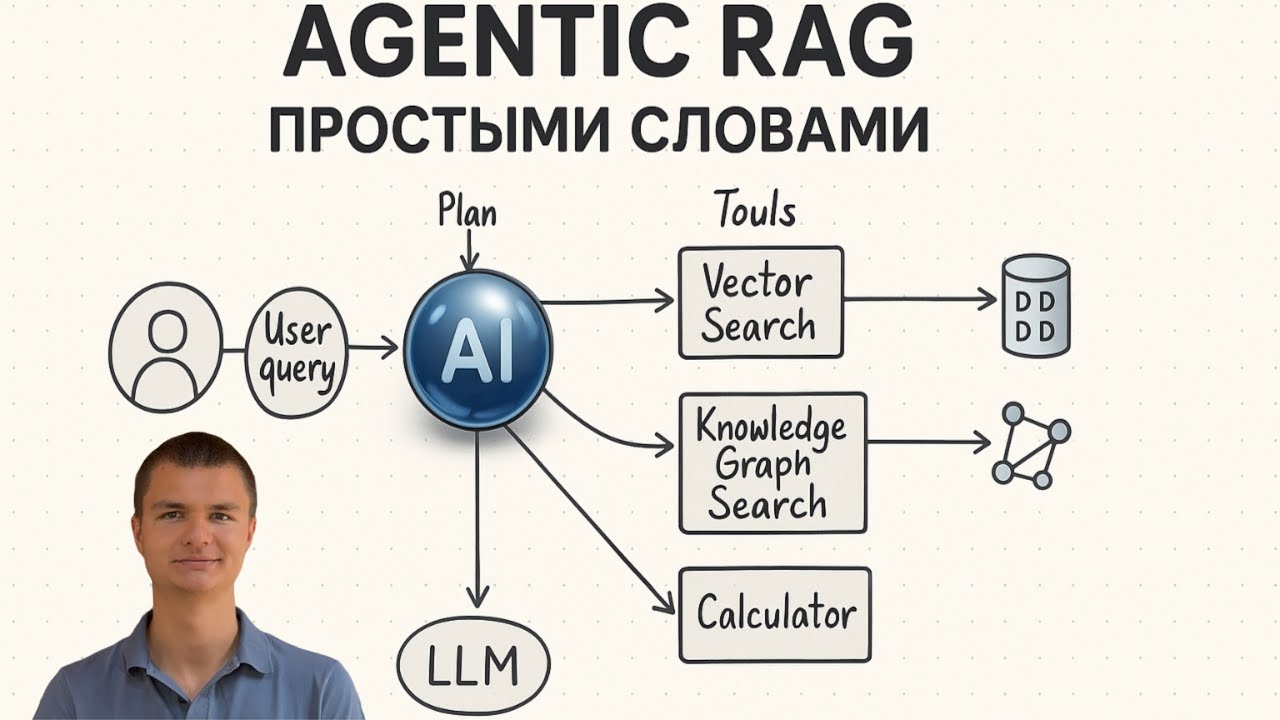
Implementing Agentic RAG, which introduces reasoning loops, tool-calling, and autonomous decision-making to the retrieval flow.
Fine-tuning domain-specific embedding models or small language models (SLMs) to improve retrieval and synthesis quality on proprietary data.
Optimizing and scaling local LLM deployment for production-level throughput using high-performance inference engines like vLLM.
19.3K views32likes25:36Original Release: 2026-01-09
Hi everybody, it's Julian. A few months ago, I showed you how to build a rag chatbot using RC conductor for intelligent model routing in the cloud.
But today, we're going fully local. I'm going to keep the same rag architecture with lang chain chroma gradio for the UI, but I'll be using RC Trinity Mini running locally on my Mac with Llama CPP. I've also added some powerful retrieval features since the last video such as hybrid search query writing or reranking. Let's get started. So why would you want to run a local model instead of using cloud APIs? I can think of a few reasons. Uh the first one of course is you don't need internet access. uh you could be on a plane or you could be at customer premises where you don't have internet access and still get work done on your local machine. Uh second of course um you don't need to pay for API calls. No paper token just run on your local machine. And third I guess is privacy. Uh documents are on your on your local machine and you don't need to send them to uh any third party APIs. So there are some good reasons why you would want to work strictly locally.
So here I'm going to use RC Trinity Mini which I already discussed. It was launched by RC about a month ago now and it's a 26 billion parameter model with a mixture of experts architecture and it was specifically trained on high quality data for enterprise usage. And the cool thing is it's got an Apache 20 license and the model is available on hugging face and uh it's also available in GGUF format um with different quantizations and in fact in my demo I'm going to use the 8bit version of the model. Okay.
Okay. So, you can just go download that from hugging face, launch it locally with llama CPP like I'm going to do here and uh and you're good to go. You can also try smaller versions. I would say uh smaller quants like six bits or five bit. Um there might be a bit of quality degradation, but honestly, it's it's worth a shot. Maybe it's good enough uh for the job at hand. But here I'm I'm using the uh the 8 bit model which is you know still fairly large but um you know small enough to run on my machine.
Okay. Um I'm also using Chromo which is a very cool uh vector DB if you want to call it that. And uh and I'm going to show some uh some of the uh more advanced retrieval features available in Chroma. Okay. And as usual I'll use radio for the UI. So, um let's take a quick look at the app first. Um this is what it looks like. Okay. Um it's a simple chatbot. I can enable rag mode or vanilla mode. Okay. I've got obviously an input box here. I've got some sample prompts. Okay. And uh and I'm running this on a collection of energy uh related documents. So, um I actually downloaded uh let me find those docs.
Here they are. I have about I think it's 94 or 95 PDFs from the um energy u uh domain. I think it's the World Energy Agency.
Okay. And um it's about 10,000 pages if I recall correctly. Okay. and they're indexed uh in Chromadb and I can go and uh and query those. Okay, so you can use any um you can use any files. I'll I'll I'll explain that later. But that these are the ones I'm using right now. Okay, so my chatbot is running as a Python app um on radio. So default port is 7860 and I've got Lama CPP running here locally port 8080 on that 8bit Trinity Mini uh model. Okay, so these are the building blocks and again I'll put all the links in the video description.
Okay, so let's uh start testing the app and and looking at the code and figuring out how things work. Okay, let's start in vanilla mode. So no rag, right? just sending the question to the model. So let's try let's try this one. What are the key policy recommendations for accelerating clean energy transitions?
Okay, so we send that to the model. We see the model doing its thing. My Mac is fairly busy which is fine. And then we're generating an answer. Okay, so typical uh model invocation.
This is fast. Um it is 58 tokens per second which is great. Um and if we look at the answer there's certainly nothing wrong with it. Um but you know it feels a little high level. Um I'm sure Trinity Mini saw some energy domain data. Um but how do I know this is the you know the best answer? Maybe it's outdated. Maybe it's a imprecise. Unfortunately, maybe it's hallucinating.
I'm not getting any numbers here. Um but sometimes you get numbers and you go yeah is can I really trust this? And um and that's why you know rag is such a powerful technique. So let's enable rag.
Okay. And we can pick from different retrieval techniques. So let's start with similarity which is exactly what the name says. We'll try to find content in the knowledge base in the chroma. um uh document collection that is as close as possible to my query. Okay, so let's just go and try this one again.
So now we're retrieving context as you're seeing here. Okay, and we're passing the context to the model and now it's generating.
Okay, so there's just a bit of extra latency because of course we need to go and query um the knowledge base. I'm using uh a small embeddings model from from hugging face as you would expect but it's a fairly fast operation right so let's look at the answer now um so we have context right we see the context is quoted directly in the answer so we could go and check page 56 and uh and page 18 of those docs and see for ourselves that these are actually the policies mentioned in the dog. Okay. And uh I'm also printing out the actual retrievalss here. Okay. And uh the highest uh score or the most relevant is the one with that little star. Okay. So that's I think that's useful to see.
Okay. What did we retrieve? Uh is this really relevant? Is my retrieval mechanism really working? I like to do that. uh more transparency is always better. Okay. So, let's try another retrieval technique.
Let's clear this.
Okay.
And now we're going to try MMR. Okay.
So, I need to explain what MMR is. So, MMR means maximal marginal relevance.
So where similarity is looking for the closest match between the the query and the the document chunks, MMR will actually look for diversity. It will fetch a number of candidates and it will select uh chunks that are relevant but diverse. Okay. So for research work, for exploration work, um this is quite useful. um you're not asking you know very pointy question where you know the answer is just you know just a number or stat. Uh here you in this particular case we're trying to get a sense of what those policies are. So maybe exploring and just not strictly looking for similarity match is interesting. So let's give it a shot. Okay. So we're quering the the collection again. Um and uh we're probably going to return different chunks and see uh see what we get here.
And you can see this is a different answer. We're actually quoting from different documents, right? And um and well, I I guess both answers will be would be interesting. And um and you know, mixing and matching the two would be great. Uh so uh you know why would you stick to uh to one retrieval technique uh when when several are available in chroma and it makes no difference to to trinity you just you're just passing different chunks and and then it's uh you know it's doing its thing right so if you want to relax the similarity constraint uh you can do that and as always uh we have hybrid mode so let's just try hybrid mode clear And as you would expect, hybrid is a mix of the two, right? And there's a there's a parameter to uh to decide, you know, how much MMR you want in there and how much similarity you want in there. Okay.
Um we'll just uh stick to default. So let's h try this one and see if we get yet another answer to the question.
Okay. Well, it it I don't know if it looks like a mix. Um, looks like it did hit different documents. We still get that uh US 2024 doc, but this one I think is again a different one. Um, so again, there's no black or white answer to this. Uh I think generally if your rag wants to help users answer very pointy questions like data questions uh you know what's the what's the margin in Q3 for company XYZ okay probably similarity works um if you're doing you know open questions maybe like this one um maybe MMR opens up um the uh the the universe a little bit more and I guess hybrid again is is a mix of the two. So um you know you could you could try all of them um and see what works better for a particular class of questions. Okay. And you you could actually expose that to users, you know, and maybe explain a little bit what those things are and uh and over time learn that well um one retrieval technique works better for a certain group of users and then make that one default. Okay. Um and we could ask follow-up questions, right? Let's let's try follow-up question here. Um something like this. Are there any China um specific policies. Why not?
Okay, we're we have history management here. So, um you should be able to follow up on that.
Let's see what we get.
Okay, so in that knowledge base, we don't have any specific policies for China.
we just have a few uh a few data points but again they are clearly um pinpointed and and we could go and double check right so this will build a lot of confidence of course in the system um instead of just getting an answer where you know you're never sure how much you can trust the model okay so let's look at a few more techniques to further improve our rack system and now I'm going to show you two pretty cool techniques. The first one is called query rewriting and the other one is called reranking. So let's start with query rewriting.
That's exactly what the name says. Um before we query the document collection, we are going to rewrite it to improve our um hit ratio I suppose. So why would we do that? Um, you know, user queries have a lot of useless words. Um, and and we don't want to match those. Um, we want to match the key topics and maybe if it's a short query, we want to expand a little bit on it to uh try and find, you know, more chunks, more relevant chunks. So, instead of teaching your users to write good queries, um, let's use the model. So, in this case, Trinity Mini again.
to improve the query and then send it to the to the document collection to find uh better chunks. Okay, so let's just go and enable this and again it will add a bit of latency because that's another round trip to the model but it's uh it's probably worth it. Okay. Okay, let's illustrate what rewriting does. First, we're going to ask a pretty basic question. Okay. And I've I haven't enabled rewriting. Okay. So, let's see what the model does here. It's going to do rag, but it's going to do rag on that pretty dumb query.
Okay.
So, you could argue, well, I do get an answer, right? Um, it's okay. Actually, yeah, it did match documents, etc., etc. uh it's not super detailed. So now let's run the same uh we'll use MMR again but this time we'll add rewriting okay and ask the same thing.
So first we rewrite the query okay second we send the query to the knowledge base and third we generate the the answer. Okay, so here it's written at net zero carbon emissions definitions. Okay, which is a little better, right? And you can see the reasoning, right? Uh behind the behind the rewriting here, removing filler words, expanding a little bit on the technical concepts, etc. So that's probably uh that's probably uh a better answer here. Okay. Um, let's try yet another one.
Let's try MMR rewriting.
Explain what net zero means to the industry to the car industry.
Let's see.
Let's see if writing gets a little more creative here.
Oh, that's very interesting. Okay, so it's rewritten as net zero automotive sector emissions blah blah blah vehicle life cycle which are all good things. And so now I'm actually matching the good stuff, right?
I'm actually matching the good stuff.
All those terms are high value and they're certainly present in um in the do in the document collection. And now I'm getting a better answer here. Right.
So query writing is a is a pretty cool technique. Okay. Okay. Now let's look at reranking. Okay. Let's look at reranking now. So what does rearranking do? So rearranking adds an extra step to evaluate how well each retrieve chunk matches the query. Okay. So now things go like this. We send the user query to um the uh embedding model to retrieve chunks.
Then we take each chunk with the initial query and we pass that to a reranking model or scoring. Okay. And once we've scored all the chunks with respect to the user query um we return the top scoring uh chunks to the model for generation. Okay. So it's retrieval first um ranking second with respect to the query to double check that um the the the match is actually good and then third we use the model uh the small language model trinity here for generation. So this one adds a bit of latency again although the the ranking models are very small models. So even though let's say we retrieve 10 chunks, uh ranking the 10 doesn't had a a ton of of extra time. Okay. So let's go and try this one. Okay.
And uh we'll see uh we'll see a little more activity here.
Okay.
So here um we did retrieve chunks, right? I'm only retrieving three. You could retrieve more. And and then we're scoring each chunk with respect to the initial query. And the best one was this one, right? And maybe without reanking it wouldn't be, right? So, uh if you if you tend to retrieve lots of chunks, uh reranking is a good technique that could help surface maybe uh a better top chunk um than the one that was uh initially discovered. Okay. And then of course we can we can enable all those things right. Um so we could uh let me uh clear that discussion here. Uh we could try and put all those things together, right? Why not?
So now a lot is happening. So first we're rewriting the query. So that goes to Trinity. Then with the rewritten query we hit the document collection with the embedding model. And then for each of the chunk we hit the ranking model uh to rerank the chunks and then we pass the reank chunks back to trinity mini for story generation. Okay. And I mean these are simple queries and and my doc collection isn't uh insanely large and you can see this is um this is still plenty fast right? So we can see the rear right, we can see the retrieve chunks etc etc. Okay. So again um there is no Swiss Army knife set of techniques that works every single time. You have to go and experiment um and um and find you know which ones uh work best. So if you have um if you have an evaluation set for uh for your rack system um this is fairly easy to run automatically and you know enable those different options and see um you know in general uh when you when you get u the the most performance right and some of those uh some of those techniques do have extra hyperparameters so you may want to to explore that a little bit but in any case we can See, um, all of that stuff is running local.
Um, it's certainly fast enough. Uh, I mean, I wouldn't mind working with this system. Um, and you know, maybe try to cut down on the the Trinity latency.
Maybe try maybe a Q6 uh model instead of a Q8. But the quality is good. You know, we it's generating nicely. It's uh it's definitely understanding the context, etc., etc. Okay. So, um that's that's pretty cool. And then, like I said, we could filter on on particular documents if we knew, you know, we were looking for uh uh yeah, let's try one maybe. Let's try uh let's clear that stuff and let's go and enable um yeah, let's do hybrid and query writing and reranking and let's take uh yeah by John. Why not? Okay. And let's go and ask what are the net zero initiatives.
Let's see.
So now we're doing the same thing as we've done before except we're only uh hitting that particular document. Right?
So let's see if uh anything happens here.
And yes we do. This is pretty cool, right?
We get as our badge on specific information. So obviously we could have gone and queried the full collection but uh you know sometimes you know the information is going to be there or maybe you want to chat with a specific document and uh and you just go and uh and hit that document directly. Okay.
All right. Uh enough of the demo. Let's uh let me walk you through the the code really quickly and and show you how you could add your own PDFs and your own documents uh to this. Okay.
All the code is on GitHub. Again, I'll put all the links in uh in the video description.
And um the main thing you want to know is how do I add my files to this? So, basically, you need uh a PDF folder with all your PDF files, right? And just dump them here. Um and Chroma when the app starts Chroma will detect any new file that hasn't been indexed so far and uh it will you know chunk it and ingest it. So you could do it gradually. You can start with a few files and then you can drop and then you can drop more files uh over time. Okay. Um if you want to clear everything because you messed up your document collection, that's very simple.
You just clobber this directory here.
Okay. So if you just delete this which is obviously where chroma index is everything you can see my collection here is about 300 megs right. So just nuke that folder and uh and then when the you restart the app um chroma will just reingest everything.
When it comes to the code I've tried to keep things organized and and maintainable hopefully. So uh this is all about chroma ingesting etc etc. This is all the retrieval code. So hybrid uh MMR etc etc. Um, and um, and that's the Q&A chain from Lang Chain, right? So, should be fairly uh, fairly easy to understand.
And I've got a bunch of tests as well if you want to tweak and run the tests again. Okay, that's really what I wanted to show you. Um just you know building on the previous rack chatbot, showing you more advanced techniques, showing you how to work completely local with um the RC Trinity mini model which is uh you know more than capable of dealing with all those uh rag queries and uh and generally to show you that local work is possible and uh you don't need to pay a fortune for uh a model AP. API. Uh you don't need to go to the cloud if you don't want to. Working local is great.
It has a lot of benefits. All right, my friends. Thank you for watching. I hope you liked it. And until next time, keep rocking.
Up Next

37:21
RAG Evaluation with RAGAS: Advanced Retrieval Techniques
@AI-Makerspace
35.4K views•2023-12-04

57:48
Secure Multiparty Computation (MPC): Foundations & Challenges
@SimonsInstitute
7.3K views•2015-05-28

13:03
Bypassing Tor Censorship: Bridges and Pluggable Transport Guide
@Coding_ForEveryone
397 views•2024-06-11
18:41
Neural Networks Explained: Math, Layers, and Learning Fundamentals
@3blue1brown
21.9M views•2017-10-05
Related Study Plans & Knowledge Roadmaps
Structured learning paths in Artificial Intelligence
artificial-intelligence
Aligning LLMs: DPO, TRL & Custom Datasets
01Foundations of Python & Machine Learning
02Transformers and Large Language Models (LLMs)
03Aligning LLMs: SFT and RLHF
+ 3 more learning modules
24h6 modules
Explore Roadmap
artificial-intelligence
Federated Learning: PyTorch, Flower & Privacy
01Python & Machine Learning Foundations
02Deep Learning Basics with PyTorch
03Introduction to Federated Learning
+ 2 more learning modules
35h5 modules
Explore Roadmap
artificial-intelligence
Securing LLMs: Guardrails AI & NeMo Gateway
01Introduction to LLMs, Python, and APIs
02Understanding LLM Vulnerabilities & Threats
03Defending LLMs with Guardrails AI
+ 2 more learning modules
15h5 modules
Explore Roadmap
artificial-intelligence
Building Recommenders: Two-Tower & Vector DBs
01Foundations of Python & Machine Learning Basics
02Introduction to Recommender Systems
03Deep Learning & Representation Learning
+ 3 more learning modules
75h6 modules
Explore Roadmap