






![Como fazer requisições para a API da OpenAI? Passo a passo do seu primeiro projeto IA [ATUALIZADO]](https://i.ytimg.com/vi/fpZRKw8ikUg/maxresdefault.jpg)













Retrieval-Augmented Generation (RAG) is a technique that optimizes large language model outputs by referencing an authoritative external knowledge base outside the model's training data, thereby preventing hallucinations and enabling integration of organizational data without expensive model retraining; the complete RAG pipeline consists of two main stages: the data injection pipeline (which involves document parsing, chunking, and embedding into a vector database) and the retrieval pipeline (which converts user queries to vectors, retrieves relevant context from the vector store, and augments LLM prompts with this context before generation).
RAG Crash Course with LangChain: A 2.5 Hour Practical Guide
Added:Proficiency in Python programming, including working with virtual environments, package managers (pip), and asynchronous execution.
Fundamental understanding of Large Language Models (LLMs), including how tokenization works, context windows, and basic prompt engineering.
Basic knowledge of APIs (Application Programming Interfaces), specifically how to securely handle environment variables and make API requests to external LLM providers like OpenAI or Anthropic.
Familiarity with the concept of Vector Spaces and Vector Embeddings—specifically how textual data can be represented as high-dimensional numerical vectors.
Advanced Retrieval-Augmented Generation (RAG) paradigms, such as query rewriting, self-querying retrievers, and re-ranking algorithms (e.g., Cohere Rerank) to improve retrieval precision.
Evaluation and benchmarking of RAG systems using specialized frameworks like Ragas or TruLens to measure hallucination, faithfulness, and answer relevance.
Transitioning from static RAG pipelines to Agentic RAG, incorporating multi-step reasoning, tool usage, and routing mechanisms using LangGraph or LangChain Agents.
Production-level deployment strategies, including vector database optimization (e.g., indexing methods in Pinecone, Qdrant, or Milvus), caching strategies (GPTCache), and handling document access control and security.
159.1K views4.4Klikes2:08:09Original Release: 2025-10-06
Hello all, my name is Krishna and I am super excited to announce this amazing crash course on rag that is retrieval augmented generation. Uh in this specific crash course it'll be somewhere around 2.5 to 3 hours but we are going to discuss everything that is related to rack completely from scratch. Uh we'll be talking about the entire pipeline from data injection to retrieval pipeline to output generation. how to use LLM models, how to use embedding models in this uh along with this uh what should be the right strategy of using chunkings and many more things right so we will be deep diving into both the theoretical understanding along with the practical implementation and we will initially go ahead step by step we'll start with the basic implementation and then as we go ahead in the advanced section we'll also implement the modular coding right the main aim of the modular coding is to link the entire pipeline in a way so that you should be able to understand how rag actually works and also implement it in your company use cases.
Let me tell you one very important thing. 90%age of the use cases that are currently been worked in all the companies are specifically related to rag. So this crash course will be an amazing one for you all of you. We'll keep a simple like target of thousand uh try to complete it as soon as possible and we'll also keep a like target to some uh comments target of 500. So please try to complete it and yes go ahead and enjoy this particular crash course. Thank you. So this is a simple definition that uh I have put up over here and uh in this definition first of all we'll try to understand rag. Okay.
So first of all let's go through the definition and then I will give you a brief idea what exactly rag is all about you know. So here you can clearly see that rag is the process of optimizing the output of a large language model. Okay.
So it references an authorative knowledge base outside of his training data set source before get generating a response. LLMs are trained on vast volume of data as we all know and use billions of parameters to generally original output for task like question answering, translating and completing sentences. Rag extends the already powerful capabilities of LLM to specific domain or an organizational internal knowledge base all without the need to retrain the model. Okay, it is cost effective approach to improve LLM output. So it's relevant, accurate and useful in various context. So this is just a basic definition. You can refer to this particular definition. So guys, now let's go ahead and understand about rag. So let's consider that I have a generative AI application. And as you all know in a generative AI application, usually let's say that I have an LLM. So this is my LLM. Now usually whenever we have a LLM what happens is that let's consider that I have a user a user is asking a query. So this is a my query from the user and before it is sent to the LLM we do add a prompt right we do add a prompt and this prompt is just like an instruction to the LLM like how the LLM should work okay and then based on this we actually get an output now this is a simple generative AI application wherein the LLM is used to generate the content Okay, generate the content. So obviously by using this specific technique we give a query and this LLM you know that it has been trained with billions of data okay different kind of data that is available in the internet and based on this it will be able to generate the output. One of the disadvantage of this, let me talk about the disadvantage of this particular approach. As you know that every LLM that is trained, you know, it will be trained for a specific set of data. So let's say right now it is 31st August. Okay, 31st August.
Let's say this is my LLM model and this is basically GPT5 which is the recent model from OpenAI.
Now as you know that when this model was launched this model may be trained by may be trained with data till 1st August. Okay. So this LLM will not have any idea what has basically happened in the current world between 1st to 31st August. Right? And let's say if I go ahead and ask a specific question to the LLM which is between this specific dates for any kind of events the LLM will start hallucinating. So one of the major disadvantages of only using the LLM is that it will hallucinate. Okay. When we say hallucinating what does this basically mean? It means that even though it does not have the knowledge what has happened between 1st August to 31st August any events even though we ask any question the LLM will try to generate it own answer because it does not want to look like a fool. Okay, that is the best example. It does not want to look like a fool. So it will try to generate some answers and it will make sure that it'll it'll show you answer that you may also have to believe it.
that is how it will be written you know in terms of the output that we get so usually this condition is basically called as hallucinating okay so this is one of the major disadvantage the second disadvantage that you have so let's say that I'm using this LLM and you know this LLM has been trained with huge amount of data now what happens is that I'm running a startup let's say now in my startup I'm solving a specific use case and I have some data which again I need to use this particular data along with my LLM. Okay.
So let's say that I have some other data like you know um policies policies of my company I have HR policies of my company I have finance policies you know and this policies all will not be available in the it will not be available publicly because it is my startup so these all data has been protected now I also want to use this specific data and probably create a chatbot okay now how do I do this Now one way is that many people will say hey kish we can take this particular data and we can fine-tune the model right we can simply fine-tune the model yes this is a very good solution but understand fine-tuning a model is a very expensive process very tedious process because this LLM whichever LLM we are using it has billions of parameter and tweaking this billions of parameter usually takes a lot of time Right? So obviously this is a solution but this is a very expensive solution. Okay. Now do we have any other way? Any other way and remember these all policies and these all data will also keep on getting updated as we run the startup. Right? So every time we cannot just go ahead and finetune it like every day we not fine-tune it. Right? So we should try to find out a solution like how do we prevent this? So this can again be prevented with the help of rag right now how it will be prevented with the help of rag I will talk about it okay so here instead of fine-tuning I'm saying that hey I will go ahead and implement the rag now you'll understand only when we understand the pipeline of the rag which I will discuss in this specific video okay now these are the major two disadvantages that you see right over here and yes they are some more disadvantages which we'll just deep dive more as we go ahead. Okay. Now what happens in uh if we use rag and how we are preventing it. See rag is nothing but it is it is saying that is a process of optimizing the output of a large language model. So it references an authorative knowledge base outside of his training data. Now how do we solve this hallucinating and this problem that we have. Okay. So let me just go ahead and draw the diagram again. Okay. So here is my LLM. Okay. And here is my query. So let's say that uh I am coming up with an user query. So let's consider it over here. Okay. And here I'm drawing a user I'm user. Okay. And this user will first of all give a query.
Okay. Now what happens is that there will be two important pipelines that will be created. As I said over here we are trying to optimize the output of a large language model. So it references an authorative knowledge base outside of it training data source. So as you all know this is my LLM right? This LLM is already trained with huge amount of data. Now along with this I will be having an external database and this database we basically say it as vector database okay external vector database now you you know that this LLM is already trained with some amount of data and any additional data let's say my startup data my policies HR finance whatever data is there we will try to create a data injection pipeline over here data injection pipeline over here. Now what will be this data injection pipeline? So let's say I have my data from this data we will do some kind of parsing and from this parsing we will do embeddings embeddings and then we finally store it into the vector store. Okay. Now whenever we talk about the specific data this data can be in any format. It can be in PDF format. It can be in HTML format. It can be in Excel format. It can be even in SQL database format or unstructured format. Any format. So what we do initially we take this data and we do data parsing. Now here data parsing is a very important step. I think if you crack this step then developing a rag application becomes very easy. Data parsing is all about how do you read the unstructured data or the structured data that is present inside this and how do you chunk this data right? How do you chunk? How do you divide the specific data into chunks? Chunking is very important because you need to save this data inside some kind of vector store.
This is nothing but vector store or vector DB. Okay. Now vector store and vector DB is nothing but it will actually help you to save vectors inside this. Okay. So once you do the chunking after doing the chunking you pass it to the embedding models. Now here in the embedding models you basically convert text to vectors.
Okay, vectors is just like a numerical representation for text so that you will be able to apply algorithms like similarity search, cosine similarity techniques that are already available, right? Wherein similar kind of results based on a specific query can be retrieved from this particular databases. Okay, so here whenever I talk about vector DB, this is my vector DB or vector store. Here we are storing embeddings. Okay. And this embeddings will get applied to every chunks.
Embeddings is nothing but we basically use we convert text into vectors. Here we can use different different embeddings like Google gemin models. We can use openi embedding models. We can use hugging phase embedding models and each and every embedding models exist with different different cost and there are also open source embedding models which will actually help you to convert the text into vectors. Now this is one specific pipeline which we call it as data injection pipeline. At the end of the data injection pipeline, you are able to store the text into vectors inside your vector DB. Now how rag is different from the previous one, right?
So initially you had this data injection pipeline where you are converting all your data into vectors, right? And this data is specifically for this particular startup. And now I have created a knowledge base. So this is my knowledge base. External knowledge base or internal knowledge base whatever knowledge base I have. And this knowledge base does not exist with this LLM. Right? Yes, some amount of information may be available but not the entire part. Now see the definition. It is a process of optimizing the output of a large language so that it references an authorative knowledge base outside of this training data. Now what will happen when user gives a query? Now this query instead of directly going to the LLM will go to this vector database right and before going here also we need to go ahead and apply embedding right because this query will be converted into vectors right why we need to convert into vectors so that when we are hitting this query to the vector DB this similarity search is basically applied and based on this we get some kind of context we get some information from the vector DB and now whatever query I'm asking okay if I ask hey what is the leave policy of my company right now what will happen first of all it will go to the vector store it will gather all the related information that is available over here and that information when it is sending it to the lm it is called as context Now we use this context along with we go ahead and write a specific prompt.
Now this prompt is an instruction to the LLM and it says that you can use this context to answer the question and finally you get a output.
This is the entire pipeline. This pipeline is basically called as retrieval pipeline.
Retrieval pipeline. And this is a very good example of a traditional rag.
Now you may be thinking kish what about other types of rag. Don't worry thumb don't worry I will explain it completely from basic to advanc with implementation each and everything because later on we'll be discussing about agentic rags.
We'll be discussing how agentic rags actually work each and everything. But I hope you got an idea with respect to this. Now here you will even not be seeing this particular problem like you'll not completely remove hallucination but some amount of hallucination if any queries that is asked related to the data that is present in the vector DB I will definitely get some kind of context and my LLM will give me the output as let's say that if that data is not present over here then LLM can hallucinate right but here we are doing this see one best example that you can do is that you can use perfectly Perplexity.
Perplexity is nothing but it is based on rag. It is completely developed based on rag applications. Okay. Rag it is it is a kind of a rag application. In perplexity you have connected to various retrievers. You are connected to tools.
You are connected to web search right and then it is summarizing the output and giving by the LLM. Right? and it also uses various LLMs itself. I'm also planning to mostly start a startup soon enough within couple of weeks I guess and the kind of application that I'm developing is a rag application only and it solves a very good problem for a developer. Okay. So that is the reason I'm not even able to upload a lot of videos because I'm pretty much involved in those startups and working and developing a product that India can definitely remember. Okay. And this is how you know this is this is this is how things are and you can basically see how good uh you know the pipeline actually works and this is basically a traditional rack. Now you may be thinking what all things we'll be discussing. Okay fine we have discussed about a traditional rack in the future classes what coding we'll be doing. Okay so let's go ahead and talk about it. As I said two important pipelines we'll go ahead and create one is a data injection pipeline and one is a retrieval pipeline. Okay. Now in the data injection pipeline you'll be seeing that we will be performing data injection.
Along with the data injection we will go ahead and do data parsing. Then we'll perform embeddings. Then uh we will store everything into the vector store.
Then we will create a ve retriever for this. And whenever a user ask any queries, it will be able to give the context to the LLM. And then finally we will be generating the output. So here this is retrieval. This is auggmentation right? This is augumentation over here.
Augmentation basically means what?
You're giving a context to the LLM along with the prompt to generate the output.
Right? So this is basically called as augumentation and finally you're generating the output right which is nothing but generation. So here you are basically generating. Now in the next session how we are going to implement it. First of all I will show you how to perform this two steps in a very efficient way. Okay sorry not these two steps. I will show you how we can perform these all steps right data in data parsing and embedding. Here we are going to consider different different files like PDF, HTML.
Okay. Um PDF, HTML, you can consider Excel, you can consider SQL database, you can consider any kind of files. Then we'll do document parsing and we will try to convert this into document. So document is an amazing data structure which you can basically use it and you can even parse this do the chunking and store it in the vector embeddings sorry vector store then we'll perform embeddings here we will use both open source and we are going to use paid embeddings for the same okay and then finally we go to the vector store then based on a user query how do we go ahead and apply the same embeddings we are going to see that okay and then finally we'll be developing this So mostly I really want I'm I'm focusing more on making bigger videos so that you don't just follow a playlist. Okay, I want to basically cover a lot of stuff in one video so that uh you should also be able to efficiently cover it instead of covering 50 different videos. Right now when we are doing data injection and data parsing right there are various techniques. See we are going to see about optimization.
We are going to see about various chunking strategies, context engineering, these all kind of topics will be coming up when we talk about data parsing you know u what is semantic chunker you know how do we go ahead and do the chunking in those strategies and all everything we'll try to discuss as we go ahead but I hope you got a very super cool idea about what exactly is rag hello guys so we are going to continue the discussion with respect to rag already till now we have understood what is rag then what are the main drawbacks we are fixing with rag and along with that we have also understood how the rag pipeline is right it usually consists of two important pipeline one is the data injection pipeline and one is the retrieval pipeline which includes this two box okay now we are going to go ahead with some kind of practical implementation now the major thing that usually comes in my mind right whenever we go ahead and start any new series that is how should we cover a specific topic you know so that we can understand the coding from basics and we move towards modular coding so that is how I'm going to implement this entire pipeline initially we will go ahead with some basic code we'll try to understand the fundamentals and then we will start writing more complex code we'll be using modular coding also so initially we will write all the code in Jupyter notebook then we'll increase the complexity we'll write uh code in terms of class reus reus usability and then we'll try to see that how we can actually create the pipeline. So that is how the agenda will probably go ahead as we go ahead right.
So two important things that we'll think about. The first important thing is to understand about the document structure.
Now whenever we work with any external knowledge database any data that needs to be feeded into the vector DB you definitely need to know about this document structure. Why? Because inside this data injection pipeline the first step is data injection. Now whenever we talk about data injection here we can have any kind of files right we can have PDF files, HTML file, DB file, Excel file. Our main aim is to read all this particular file content and probably convert into a structure wherein we can additionally do uh we can apply strategies like chunking embedding and store it into the vector DB. That is what this entire pipeline is all about.
So for that you really need to understand this document structure. So if you see this diagram right so since uh these two are the main topics that we are going to cover in this particular video initially we will go ahead with document structure understanding this and then we'll try to build our complete rag pipeline in our complete rag pipeline we have two important step one is the data injection pipeline and the other one is the query retrieval pipeline now whenever we talk about the data injection pipeline let's let's talk about this in complete depth right so initially you have this data injection pipeline Right? In the data injection pipeline, the first step is data injection. That basically means let's say that you have you may have different kind of files like PDF, HTML, right?
Excel, you may have uh DB file, you may have unstructured file, any kind of file format. So in data injection what is our main strategy is that how to proceed with reading this particular file. How to perform data parsing.
How to perform data parsing and then finally how to convert this into a document structure.
Document structure. So that is the reason in this video right as I said we're going to first of all understand about document structure. how to build this document structure, what is metadata? Now, inside this document structure, uh you will be learning about important components like metadata.
You'll be learning about content. You'll be learning about how the structure of the metadata exist each and everything, right? So, we will be covering completely in depth like how these things actually work. Okay? Once you understand this that and this data parsing is really really important step because of this you know later in the retrieval pipeline that is the query retrieval pipeline based on this parsing it can become much more efficient right you'll be able to get the results much more accuracy much more accurate so that is the reason you need to really focus on the data parsing now after doing the data parsing the next step usually is something called as chunking right so Here in the chunking we we convert this entire data into chunks multiple chunks.
So this chunks is like let's say this is my chunk one this is my chunk two this is my chunk three this is my chunk four okay then as we go ahead after applying chunking. So chunking basically means and why do we apply chunking? Chunking strategy is very simple. Whatever documents we have, we are just dividing this into smaller parts or smaller chunks. The reason we do this because whenever we consider with respect to any LLM model or any L embedding models, let's say here the next step is all about embeddings. Okay. In embedding with respect to every LMA model, there is a fixed context size. Okay.
Let's say if I take the complete 100 pages PDF and I directly try to give it to a L model for performing the embeddings like uh if I give it directly to an embedding model for performing the embeddings and embedding basically means you convert text to vectors. It will not be possible. It will say that hey you have you you are providing data more than the context size and that will not be possible in order to convert the text into vectors. So within the limit of the context size you really need to give the data and this is for both embedding models and even in the later stages whenever we use any kind of LLM model because for every LLM model there is a fixed context size. Yeah different LLM model may have different different context size. So that is the reason and it is always a good strategy that we try to divide our data into chunks so that we fit them in a way that we uh in the later stages we'll be able to efficiently put them into the vector database which is this. So after chunking for every chunk we go ahead and apply embeddings. Okay. So we go ahead and apply embeddings and from the embeddings we finally store that into our vector DB. Now inside this vector DB all this will be stored in the form of vectors. Like let's say this is my record one record two record three record four like that right so this is one record two record this is my third record then fourth record fifth record this you have right now from this particular vector DB you will definitely be able to apply any kind of similarity search similarity search now in this specific video what we are going to do is that I will be using any of this file and I'll create this entire pipeline.
Okay, I will I'll just create this entire pipeline and you also need to probably work along with me later on.
For any other files, I will give you an assignment. Okay, I will show you with couple of files. Let's say I'll take PDF file and I'll show you this entire data injection. Then what you do is that as an assignment you use any of the other file format let's say Excel, CSV whatever file format you want and you try to complete the same pipeline. Okay.
So that is what is my strategy and please make sure to complete the assignment also and we will go step by step completely from scratch so that everybody will be able to follow. So first of all I will go ahead and open my empty folder and in this remember I will be using lang chain uh and this is just a traditional rag right now in the later stages we will move towards aentic rag.
So from this particular command I will just go ahead and open my command prompt. I will open my VS code. So let me quickly go ahead and open the VS code. Now from the VS code the next step will be that I will quickly open my terminal terminal and let me just go ahead and write uv uh I'll just go ahead and initialize this particular workspace as my repository. So yt rag is my workspace. Now I will just go ahead and also go ahead and create my environment.
So if you're using uv package so you can just write uv env. So my Python 3.13.2 will be the recent uh Python version that I'm specifically using for this particular project. And then I will go ahead and create activate this particular environment. Okay, perfect.
Till here we are good enough. Now I will go ahead and create my requirement.txt.
Now from this requirement.txt txt. Let me quickly go ahead and install some of the packages like lang chain lang chain core uh core lang chain dash community uh the all things are there. Let's me quickly go ahead and install these packages. So uv add minus r requirement txt. Okay, txt.
So this is done and along with this I will also go ahead and install some of the libraries like pi pdf pi mu m new pdf. Okay so these are all libraries I'll be using. I'll talk about why I'm using pi pdfd pi mu pdf right.
This is specifically to read my pdf documents. So one example that I'm actually going to show you is with respect to PDF and then you should also try to create the same pipeline with the help of any other uh data types. Okay, data formats types like let's say it will be it can be JSON, it can be anything as such. So uh my requirement txt is filled. Now what I will do is that I'll quickly go ahead and create my data folder and here I will also go ahead and create my notebook folder quickly so that I can start working on it and then along with this I will also go ahead and add UV add ipi kernel. Okay so that I will be able to work along with my Jupyter notebook. So ipi kernel has got executed. Now quickly I will first of all start with my Jupyter notebook and at the first thing that I told you it's related to document data structure right document what is document and what is how document can be very very helpful if you are using in the document data uh in the data injection pipeline okay so I'll quickly select my kernel and these all things you really need to be a good at Python programming language see there cannot be anything that you uh you can skip Python programming programming language. So my suggestion would be never do that. Okay. So Python is must and this time I'm just going to use some more advanced coding and it will not be possible for me to write line by line. So definitely I'll go a little bit fast to in order to explain you. Okay.
Now as I told you if I go back over here in the data injection our main aim is to load some data apply some chunking then convert into embeddings and finally store it into the vector DB. That is what my entire data injection pipeline is all about. Right? For understanding this, we need to understand a document structure because all this chunking that is done, you know, the final output will be documents. Now, what exactly is a document data structure? So here I will go ahead and write what exactly is a document data structure. So for this I will go ahead and import from lang chain or to probably show you this. I will be showing you some kind of uh file so that you'll be able to understand it. Okay, let me put this file over here.
Okay, I have some file over here and then we'll try to understand. Okay, what exactly is a document structure? See lang chin document structure. So langchen uh document is a kind of a data structure which will be able to save some data in some format where we have two important things. One is the page content and one is the metadata.
The page content will basically have the content that is present inside that particular file. Okay. So if you are reading the file inside my page content all those detail all those content that is present inside the file will be available over here and metadata will be some more additional information of the file like it can be the file name it can be how many number of pages are there how what is the time stamp of the file each and everything. So this way whenever you read any kind of data and you convert them right in a document data structure this format will be very very important because at the end of the day we will be doing the embedding on this particular data and pushing it into the vector DB and when we do that specific task pushing it to the vector DB we will be able to apply different different uh algorithms like similarity search cosine similarity and we'll be able to retrieve the results. So here you can see that all the information regarding this is given over here. So usually langchen document structure it has two important core components. One is page underscore content and one is metadata. And here page content will be the actual text uh content where all it will be very very handy in research papers if you want to probably create a rag application or research papers product manual. So you can specifically use this in lang chain you definitely have different different loaders. Okay, loaders like you have something like PDF loader, you have CSV loader, you have web- based loader, you have directory loader. Now see all these loaders what it does is that for PDF loader will be used to load the PDF files and once it loads the PDF file right it will be giving you the output of the documents in the form of a document structure.
Okay, I will show you practically also why I'm specifically saying and stressing on this. Okay, it will definitely give you all the output in the form of a document structure.
Similarly, in the case of CSV loader, here we are giving the CSV file, but it will try to convert the entire content that is present inside that CSV into a document data structure. Similarly, with respect to web brace loader, clarity loader. Similarly, there are so many different different loaders over here, right? You can use any of this particular loader to load the data and at the end of the day uh this loader will finally give you the output in the form of document structure. Okay. So I hope you got an idea about what exactly is document structure itself. Okay. So now quickly what I will do I will go ahead and uh start explaining you about like how we can start with the document structure. So for the document we need to import from langin.
langchen dot there's something called as text splitter and uh sorry langchen core it is present inside core dot documents import document okay now this document you will be able to see that if you just hover over here you'll be able to the class for storing a piece of text and associated metadata okay now if you really want to understand a document structure so first of all I will go ahead create one document let's say manually I'll go ahead and create so I will use this document and inside this we will be using two parameters one is the page content let's say this page content I'm writing this is the main text content uh content uh I'm using to create rag okay so I I've just basically written some some basic content over here let's consider that this particular content is coming from a txt file Okay, but along with this content, if you really want to improve the search query retrieval from the vector DB, you need to also go ahead and write metadata. So the second parameter that you'll be able to see is something called as metadata. Now inside this metadata, you can write different different information because at the end of the day this is text. You can write like okay fine this is my source. The source is basically coming from example.txt file. Okay. Then let's say the number of pages are uh equal to one.
Okay. Total number of pages are like one. Uh I can also go ahead and write some more information like okay who is the author for this? Author is nothing but crush nayak. So this is the additional details that you'll be able to see it. Okay fine. Let's go ahead and write date created. So date created.
Right. Date created. And here I can go ahead and write 24 -01 - 0 like it's like first 2024 or first 2025. Now why these all metadata will be really really important because once we consider this document right once we do the chunking once we do the embedding and once we store into the vector DB when you're doing the similarity search you can also apply filters that is the most important thing of this and when you apply filters let's say that I am applying a filter uh I'm searching what is the main text content for building the rag some information is there let's say there's some information related to the rag if I ask that particular question and I say by author Krishnaak I just had that particular filter then it knows from which document to probably pick up because it is going to apply a filter by using the name of author right and that is why this metadata will definitely play a very important role now if I just go ahead and execute this doc you'll be able to see that fine I'm getting this particular document here you can see metadata is there and as you go ahead you'll also be able to see page_content right so these are the two main important parameters with respect to this which everybody can probably go ahead and use it. Okay. Now I hope you got a very clear idea about it. Uh now what I'll do I will just go ahead and create a simple simple create a simple txt file. Okay. Now for creating a simple txt file what I will do I will just go ahead and import OS. Okay. And I'm saying OS domake directory data / text file. So I'm trying to create this particular inside this f folder I'm creating this particular folder name okay and if it already exist I'll say that don't do anything right so as soon as I go ahead and execute it you'll be able to see that okay it is going inside the notebook file I'll remove this and let me go ahead and write double dot slash let's see now you can see over here text file is present okay so text file I'm I've just done that inside this now let me go ahead and manually create a text file with the help of Python code. Okay. So I will just go ahead and use a Python code. See guys, these are all our basic Python code. I don't want to write each and every line of code and make it very very big. Our main aim should be that understand concepts quickly show you multiple use cases and then try to implement this. Okay. So now you will be able to see I have created this simple text. I've given the file name something like this. So let me go ahead and write this to it. Data text files python intro.txt. And this is some content that is present inside that particular key name. Okay.
So this is my file name. You can see this is key is my file name. And then here I have specifically my Python content. Okay. Here I'm saying for file content in sample text do items. I'm telling to open the file name. I'm saying that write the content. Okay. So this file path is nothing but my file name. Okay. So if file is not there, it will try to create python intro.txt.
So now if I go ahead and execute this.
So it is saying me no directory. Okay, let me just go ahead and create one file. Okay, python intro um text file. Okay, I have to give the path because there are two files that is over here. One is okay, one file is also over here. Okay, so I'll just go ahead and write dot. Okay. So now here you can see my sample files has got created machine_arning.txt and python intro.txt.
Now what I will do see I've created some sample file. I could have also manually created it instead of doing the code.
Okay. But I really wanted to show you all the things. Now what I will do I will show you how to read this particular text using text loader. So one of the loader that is present inside langin is something called as text loader. So here I will go ahead and write from langchain dot document loaders import text loader.
Okay text loader. So here we have imported text loader and uh along with this uh see if you don't want to also use this if I execute this this is also there before if I talk about it right when langchain keeps on changing its library here and there. So there we used to use langun community.d document loaders. This also we used to use import text loader.
So any of them you can actually use unless and until you get a deprecated warning. Okay. Now the question is that how do we go ahead and read the text. So I'll write loader is equal to I will initialize text loader. Give let's give the path. The path is nothing but parent folder. We go to the parent folder data /ext files /ython intro.txt. So here I have actually given my file name whatever file name we have actually created and we can also go ahead and use encoding UTF8. Okay, encoding UTF8.
So once I do this okay and now once I go ahead and read this loader now what it is giving it is giving me an object of um text loader right now in order to get the content inside this I will be using loader.load load. Okay. And here you'll be able to see that I will be getting the document.
Okay.
Now let's go ahead and print the document. So I will write print document. So let's say this is my document. I'm going to print it. So here you can see in the document you are getting metadata. You're getting the entire information and this is your page content. Now this is what it is doing, right? This text loader is by default giving you the data in the document structure. as soon as it is reading. And here the best part is that you can also see some of the metadata information has also got updated like what is the source right you can still go ahead and and manually change more information inside the metadata but by default the best part is that whenever you're using this all libraries then also it will be able to give you the content in the document structure which is really really good because in the document structure you have two important things. one is the metadata and one is the page content. So this is with respect to text loader right I have just read the text loader and I'm able to get this in this way.
Okay. Now one more way what I will do I will show you with the help of directory loader like if I have all the important files in my directory. Can I read it like that also or not? Okay. So for doing this let's use uh one more library which is called as directory loader.
Right. So here you can see lang community.document document loader import directory loader now inside my directory loader you can see that I'm giving this particular file again this file should be uh parent folder does this and here I given the pattern to match see this function basically you can give a pattern to match all the files then you can use loaderclass loaderclass basically means which file you are planning to load if it is a PDF one you can directly go ahead and use PDF okay so what I can actually do is that I can also go ahead and insert PDF files over here. I can also provide this in the form of list so that it will be able to read both the content. Okay. So once I go ahead and execute this, you can see here also I'm using the encoding and all these things. And here you can see uh once I go ahead and write directory loader dot load okay and here you will be able to see documents.
Okay. And then now if you just go ahead and print the documents you should be able to see this. Okay. I'm getting an error to log the progress please install pip install tdk. Okay. So here we have enabled the parameter show progress is equal to true. Let me make it as false.
So that I don't need to probably go ahead and install this. Now here clearly you can see that there were two text txt file. I got two documents. Yes. Now further you can do chunking and all right based on the number of documents over there I was able to get it. Right.
So this is the most amazing part uh about this. Now what I will uh quickly do is that let me go ahead and create uh a PDF file also. Okay. So here I have some examples of the PDF file. Okay. So let me quickly go ahead and copy this and paste it over here. Reveal explorer data. I have text files. I have PDF files. Now inside this PDF file now my main aim is to read both the text and PDF files. Let's see. So here I have attention PDF, this PDF, this PDF. Okay, so this is my one document. Okay, let me go ahead and write the same code. Copy and paste it over here. And this will basically be for the PDFs. So for PDF I will be having from langchain lang core dot document loaders import pipdf.
I think pi pdf is not available over here. Let's see where is this specific library. I'm just checking out the documentation. Uh PI PDF. Oh yeah, it should be there. So it should be here in the inside my community dod document loaders. I have two different types of library. PI PDF and PIMU PDF. PIMU PDF is better when compared to PIP PDF. You can see uh PI PDF shows load and parse a PDF file using PI PDF library. And similarly if you go ahead and see py mu pdf it loads and parse pdf file using this provides method to load this this this is there all the information you can see the differences which one is better which one is not better in the later stages. Okay now what I'm doing is that I will give the path over here. So from data / data and here you can see the path is nothing but PDF here I will go ahead and write PDF instead of writing text loader I will go ahead and write pi mu PDF let's go ahead and use pi mu PDF I can also include encoding in this and here what I will do I will quickly write PDF documents is equal to directory loader dot load Okay. And then if I just go ahead and see PDF documents, you should be able to see there are so many different PDFs.
Okay. I'm getting an error. Uh get text got an unexpected argument. Okay. Let's remove this. I will not be requiring anything. We don't need to apply any encoding by default. Okay. So here you can see I have got all my documents.
Yes. So how many different files were there inside PDF folder? One is attention. PDF, embedding, PDF, object detection. These are some of the research paper and with respect to this all we are able to see this and now the best part is that when you're using Pymo PDF here the metadata information is completely different seeation date source file path total pages right format see total pages is 15 for the first one then 27 then 21 see you can see it so beautifully it is there see I have also created some of the PDFs there also you'll be able to see some kind of author's name also right it tries to bring up all the entire source information and this is your page content right so beautifully you are able to see the entire content quickly right so that is what this all PDF is all about and here at the end of the day even though we use this specific libraries we are getting this in the form of a document structure it is a list of documents so if I go ahead and say what is type of PDF document of zero You'll be able to see okay it is of a document type right now that is the most important thing if you now see that we have understood about document structure we know how to read PDF and txt now don't you think you can actually easily find out how to probably go ahead and read the Excel DB any kind of files and this is the task that you really need to do how you'll do it just go to lang chain document loaders right and you will be able to find out everything over here. Just go ahead and try it out. Try it out. Try it out. Try to see if the document structure that you're getting is good or not. So here there are so many different things you can go just go ahead and try it out. If you want from a AWS S3 you you want from AWS S3 directory go ahead and just install this particular library give this but before that you have to do the authentication and all right. Once you do this and uh once you're able to do it, you can use any kind of document loaders as you add but at the end of the day what is what is the best thing about this at the end of the day you are able to convert everything into a document data structure right now if you see with respect to data injection here you have actually completed now the next step is that I will move towards chunking okay I'll move and show you how the chunking can be specifically done what are the different ways of chunking um that you can actually do you know and then finally we'll see that how we can even convert into embeddings we'll try to use an open source embeddings for this and then finally a vector DB so yes I hope you have understood about the data injection part now let's move towards the chunking part where we will understand uh how we can actually performing chunking and I have also told you what is the importance of chunking so guys till now we have already discussed about the entire document structure and uh I've also shown you how with the help of PI PDF loader PI MUD MU PDF loader and how with the help of text loader you will be able to read the txt file and PDF file. All the other files again you can go ahead and see the langun documentation you have different different document loaders which I have already discussed right and these are some of the document loaders that you can specifically use uh which I have already shown you um from the documentation page now we going to go ahead one step ahead you know um because we have just started with this we understood about data parsing and we were able to create the document structure itself now I really want to probably go ahead and do the chunking uh then after the chunking I also want to probably go ahead and do the embedding and finally whatever text to vectors is basically converted this vectors will be stored in some kind of vector store DB okay so let's go ahead and start building this entire pipeline okay so uh and this pipeline will initially build it we'll start from complete basics since this entire rack series we are learning from basic stuff right so definitely you'll love it you'll love to expl explanation that what I'm doing you know so here uh what I will do I will go ahead and create one more file quickly and I'll say hey this is nothing but PDF loader ipnb okay and uh here I will go ahead and select my kernel this is my kernel and let's go ahead and start the entire rag pipeline and this pipeline is nothing but data injection to vector DB pipeline okay vector DB pipeline we are going to go ahead and build this quickly.
So, uh first step as you know that I already have one data folder over here.
So, this is what is my data folder and I definitely have a lot of PDF files inside this PDF folder itself.
So first thing first uh what I will do I will go ahead and create a function you know uh saying that uh where in I will try to read all the documents from this and I will try to uh read the data inside this particular document that is PDF file and then uh we may use pi PDF folder PI PDF loader and then finally convert that into a document. Okay. So for this what I will do I will quickly go ahead and create a function and this function will be nothing but uh this is a markdown. Let me just go ahead and make a code cell. So uh before I go ahead I go I want to import all the important libraries that are available.
Uh some of the libraries that I will be noting down over here is nothing but import OS. Then you have something called langin document langen community langun community document loaders. I'm using pi pdfd loader and all then you also have this langchen textsplitter and recursive character textplitter. Okay so u otherwise instead of writing in a new file I will let's go ahead and use okay this file is fine so I will just go ahead and execute this I will I don't require the path library. So once I execute this these all libraries will get executed now we will be able to use this. Now since my first step is related to data injection. Now whenever I really want to specifically do data injection, what I will do is that I will try to read all the PDFs. So we will read all the PDFs inside the directory. Okay, directory.
Now guys, uh you need to have some knowledge with respect to coding. So otherwise if I keep on writing line by line, it'll definitely take a lot of time. So here we are going to create a function which is called as process all PDFs. Here we need to give the PDF directory. Once you give the PDF directory uh we will probably go ahead and take the path. So for this also I will be requiring the path library over here. So once we get the path based on the workspace location here we are going to get the PDF directory path. Then we'll list of all we'll go ahead and apply this regular expression to get all the PDF files. Then here I'm printing what is the length of the PDF file and we are processing every PDF files. So here you can see that I'm using pi pdf loader str of pdf file name whatever file name then I'm doing documents is equal to loader.load load here I get the document okay here what I'm doing I'm adding some more information related to metadata so here you can see doc metadata of source file I'm giving the pdf file name I'm also saying that hey what is the metadata file type so this is my new keys inside my metadata to some put some more additional information and finally you get a PDF I'm just mentioning some more metadata information so along with this I've put up this metadata information like file type source file now you can add keep on adding any number of metadata information like you want right and once we read this entire documents we are going to go ahead and store in this particular variable that is called as all documents which is nothing but it is a list of it is a list it is an empty list okay so once we do this here we'll be able to see it is returning this all documents so this function what it does is that from inside a folder it reads all the all the uh PDF files it reads the content inside this it adds this kind of metadata information and finally it is basically storing in this particular variable. Okay. Now we call this particular function process all PDFs. I'm giving the data folder over here. So once I execute this you'll be able to see that it has found out four PDF files and attention. PDF had 15 pages. My embedding PDF had 27 pages and object detection PDF had 21 pages. And this is proposal one page. Okay. So all the information I have it over here. Now if I go ahead and check my all documents.
So if I go ahead and check just this particular v variable all PDF documents you should be able to see that this is my list of documents right and the best part is that for every PDF you'll be able to see by default some of the metadata information along with this you can see there is an author metadata keywords mode date all this modified date right all these information are basically present in the metadata information now here what we have added we have added source along with the source you can see we have also uh total pages is also added at source file is also added and these are my text which is present inside my page content right so for every PDF whatever is the possibility size of the document we have we are able to read it now this is a step that we have done right now we have to go to the next step and perform the chunking now how do I go ahead and perform the chunking now I have my all my list of documents so what I will do I will just go ahead and quickly create a function and this will be specifically text splitting get into chunks. Okay, chunks I have over here. Right. So, first of all, I will go ahead and create a function which is called as split documents.
Split documents. And inside this documents, I will be giving my parameters. The first parameter is nothing but documents. Then I have my chunk size is equal to,000. then I have chunk underscore overlap is equal to 200. Okay. So I have given all these things. Now you know how to do the chunking. It is very simple.
You go ahead and directly use the recursive character text.
And for this we we definitely require recursive character text which we have already imported I think right. So on the top you'll be able to see that we have imported this which is present in langin.extplitter.
So inside we are taking this text splitter which is nothing but recursive character text splitter. Now this is recursively split all the document size based on the chunk size that is 1,000 chunk overlap 200. Chunk overlap basically means some number of text will be able to get overlapped between two different documents right when we are doing the splitting. And uh here you can see we are also using separators right this is just like an empty space like a blank uh sorry this is an empty space this is one more separator this is a new line separator now you tell me in the comment section what separator is this okay so we can use different different separators you can also use comma um we'll be seeing different types of chunking strategies in the later stages but let's let's start creating this one pipeline then you'll be getting a clear idea about it like how this entire pipeline works Okay, then you have this text splitter. Uh once you uh specifically have this text splitter, you can actually use this to do the splitting. Right. So now what I will do, I will create a variable inside this and I will write textplitter.split documents. So we are using the split documents and we are giving the documents and these all are the default parameters that we are giving over here.
Now once we do the split, you'll also be able to see what is the page content.
I'll just try to display 200 characters from the page content and you can also see the metadata right so once we go ahead and execute this this is going to return the entire split documents now let's go ahead and use this split let's say here I'm just going to go ahead and get all my chunks I will be using this function split documents and let's give the documents here we are going to give the list of documents right uh like uh what are the list of documents so list of documents is nothing but all PDF document. So I will give it over here and let's see the chunks. Okay. So now if I go ahead and just go ahead and print the chunks, you should be able to see that my all my data is basically chunked, right? And uh you can see that we have splitted 64 documents into 359 chunks. So these are all my chunks that we have done it, right? That basically means we have converted all our text into smaller chunks, right? Based on the uh chunk size and the overlap. So like this kind of chunks we have how much 359 I guess how much it is 359. Initially we had only 64 documents right for every page there will be a separate document structure. Perfect. So we have done this and uh we have done the splitting part.
Now let's go to the next step. The next step will be quite interesting because now if you see from this particular pipeline right what are we doing right?
So here we have done the chunking but these two are the most important steps.
One is the embedding right we need to perform some kind of embeddings over here right embedding uh generation embedding generation and vector store DB right embedding you can use any kind of models but I will try to focus on using open source model so that everybody will be able to just try it out you know uh for this what I will do I will just try to use some kind of modular coding so I will try to create some classes you know for embedding I will create a separate class and inside this we will try to define different different function Because in embedding uh you know that you are converting text into vectors right so for converting text into vectors I may define different functions like loading the model generating embeddings you know that kind of and in vector DB like again we'll try to create this as a separate class. So let's go ahead and probably go ahead and discuss about this uh wherein we work on the embedding part quickly let's go ahead and see the embedding part. So for the embedding I will just go ahead and write a markdown.
So let me quickly write embedding and vector store DB right. So we are going to specifically go ahead and implement these two important modules. Now first of all what I do do is that I I definitely require some kind of libraries over here right for embeddings. So for embedding uh we are going to use sentence transformer. uh we are going to use a model that is available in hugging face and for that I will be using the sentence transformers library along with this uh I also want to use some kind of uh you know vector store so this is the vector store I may use that is fire CPU you can use fires or you can also go ahead and use chromb so these are some very good open-source vector store that is available um now these all libraries will be more than sufficient to get started with. So quickly let me go ahead and install it.
So I will write uvad minus r requirement.txt.
So once I do the installation you'll be able to see that.
Okay the installation will get completed.
So once the installation gets completed it'll take some amount of time because we are loading the entire transformers.
So here you can see that quickly it has got installed. Now I'll go again back to over here. Now once I go over here what is the first step that I'm actually going to do is that I will quickly go ahead and import some of the libraries that I require like this right so I'm importing numpy from sentence transformer I'm importing sentence transformer my embedding model right will be available inside this then I'm importing chromadb then uh we also importing the settings from this we are importing uyu ID the reason of creating this uyu ID is that because every record that we specifically insert into the vector dv we'll have some kind of id over there we'll generate that then along with this we will also be importing list dictionary ne and t pupil and uh since we are going to apply cosign similarity while doing the retrieval from the vector db I also will be importing this and this is available in skyitler so let's quickly execute this okay and till then I will go ahead and create more number of cells now as I said for embedding I will go ahead and write one different class So I will say embedding manager. So this will be responsible in doing the embedding part.
So first first thing is that once I am creating this uh for every class that we specifically create, we need to write an init function. Okay. So init. So this is my constructor you'll be seeing that it handles document embedding generation using transformer. Here we are initializing the embedding manager and the model name that we are giving is all mini LM L6 V2. So this is available uh in uh hugging face this specific model all mini L6 V2 and this is responsible in specifically converting a text into vectors and you get somewhere around 384 dimensions. Okay. Then uh we initialize the embedding manager. Then model name is nothing but hugging fist model name for sentence embeddings. We are going to use this. Okay. So here we are initializing the model name. Uh we are saying self domodel is equal to none.
Okay. Because here uh later on we'll initialize this value. This function is very important load model. So that basically means my next function will be load model. And this model work is very simple. This function work is very simple. It is going to load this model that is all mini L6 V2. Okay. So I will create another function which is nothing but underscore load model. Why we write underscore? Uh this is just like a protected function. Uh if you know about classes, we use something called as a protected function. And within this protected function within this class only it'll be accessible. So here uh what we are doing we using the sentence transformer and whatever model name we have we are loading it. Okay we are loading it. So selfro model of sentence transformer model self model name then this will be modeled uh loaded and here you'll also be able to get the dimension. For that we use a function called as get sentence embedding dimension and by default it will be uh somewhere around 384 dimensions. Okay, that basically means every text will be converted into 384 dimensions. So once we have this init function, we have the load model. Now one more function that we require is generate embeddings, right? So here uh you'll be able to see that I will be seeing this generate embeddings function. Okay. So generate embedding is nothing but it takes the text that is nothing but list of string and it returns a numpy array. Okay. So here it generates the embedding for list of text very simple. So here what we are doing we are basically using this self domodel dot encode is the function that we have to use on text whatever text list of text we give and we also giving show progress bar is equal to true so that we should be able to see the progress bar and we return the embeddings. Okay. Now generate embedding is one function. Load model is one function. We have al also used get sentence embedding dimension just to get the dimension. Okay. Now for this you can either get I can you can either create this particular function or you can also remove this it is not necessary but what I did is that to show you much more in a better way we will create this function get sentence embedding dimension. So here is my get embedding dimension self. So here what we are doing we just written model get sentence embedding dimension. See instead of doing like this also I can write like this only over here. Okay I can just quickly write this particular function over here. Okay. So sometime it is not required you can also. So I will just go ahead and remove it if you want. Okay I will just remove it. Perfect. So I have these two three important function. Now we can initialize the embeddings. Okay.
Uh sorry we can initialize the embedding manager. So here I will write embedding manager is equal to embedding manager.
So I hope this is the class name should not be underscore it should be like this. Okay now once I go ahead and write this and once I execute it this will just go ahead and initialize the constructor. Right. So here you can see it is loading the embedding model. All mini LM V62 model loaded successfully and here you can see the dimension is 384 right so it has been loaded so when we calling this particular function this is basically getting loaded right so my embedding manager now has the model information over here great so I have my model ready so if you see from this particular graph this entire class has been created now we go to the next step and create this specific class that basically means over here we have our model embedding ready we just need to use it. Now, similarly, we'll go ahead and create it for the vector store also.
Okay, vector store is just like a vector DB database where you can store all the vectors that has been converted by the embedding layer inside it so that you can apply any kind of similarity search into it. Right? So, first of all, let me quickly go ahead and define a class for this also. So, here I will go ahead and write vector store. Okay, vector store.
Uh remember guys the code that I'm showing you is very simple if you just see you need to have some coding knowledge if you really want to become better in rag. Okay now we'll go to the next step with respect to the vector store. Now in the vector store we are creating a class vector store. Again here we are using a init method. We are giving a collection name. What should be the collection name for the vector store itself. And uh here the collection name we giving it as PDF documents. We are also giving the persistent directory which will be this particular directory that is inside my data folder.
Persistent directory means whatever vector store is basically created we are going to save it that in the hard disk.
So here uh first of all I'm giving the collection name I'm giving the person directory collection is none. Self docolction is equal to none. Okay. And then we are initializing the store. Now whenever we initialize the store that basically means this function will be initializing the vector store itself.
Right. So for this we need to create another function again and see the code.
Okay, just observe the code. Here we are initializing chromab client and collection. So here we have written osmake directory of self.persistent directory whatever directory path is there. If it already exist we are just going to keep it like that otherwise it is going to create a new directory. Then we create a client self.client wherein we are using chromadv.persistentclient function and we are given the persistent directory over here. So what it is going to do? It is basically going to create a client which will be having a reference to the chrom vector store. Okay. Then we go ahead and create a collection. So here we write self.colction. Then self.client dot get or create collections. We're giving the collection name and we're giving some metadata information like what is the collection information. And here we basically create a collection uh collection basically means it's just like uh where we are going to store the uh vector uh where we are going to store the uh vectors inside my vector store. So it'll be stored inside this particular collection name. Then we are initializing this with the collection name dot collection count. Okay. So as soon as we execute this that basically means my chromb client will be ready and my collection will be created. Okay. Now the next function is that usually whenever we create a collection we need to add the documents right. So for documents we will be creating another function. So quickly let's go ahead and create this because whenever I have a document I will go ahead and create this particular connection. Okay. So here you can see I've created another function which is called as add document. Here we give the list of document. We apply the embeddings.
Very simple add documents and the embeddings to the vector store. And here you can see if length of documents is not equal to length of embeddings. Here you can actually see this. Now we are preparing the data for chromb. We require ids, metadata, document text and embedding list. So now whatever documents I have over here. Whatever documents I'm getting, I will be zipping it means I I'm creating a pupil with embeddings and then I am creating a UYU ID. Why I require UU ID? because it's just like a id for a specific record, right? And that will be my doc id. Okay, doc id variable and I'm appending it over there. Then we are preparing the metadata. Whatever doc metadata we get.
Remember we are iterating through this documents. So we have all the information. So that all metadata we are putting it over here. Doc index content length. We are just adding some more metadata information to put it inside my vector db. Then we get the document content from doc.page_content.
And we also get the embedding where we are converting this embedding to list.
Okay. See two information is basically required right over here. If you see uh from this particular function one is embedding which is my MP. ND array right and this embedding is coming from where from the previous function right generate embeddings where we have done it. So it's all linkage. See the reason of creating this particular in the form of class because I want to link each and every pipeline right. So here we are writing embedding list.append embedding.2 two list. So we have the page content, we have this list. So what I'm doing I'm adding that entirely in the collection. So for this we require ids, we required emitting list, we require metadata, we require document text. So whatever we have prepared, we're just adding it over here based on the parameters, right? And finally you'll be able to see the how many number of documents has been inserted.
Now quickly let's go ahead and initialize.
Let's go ahead and initialize my vector store. So I'll write vector store is equal to uh vector store and I'll initialize this. Okay. So quickly I will go ahead and write vector store. So now this is basically going to initialize the entire vector store itself. Right. So here you can see this is my collection name and existing document in collection is zero since we did not add any number of records. Okay.
Now, if we want to add any number of records, we have to call this function add documents, right? So, let's uh go ahead and do that and let's call it.
Okay. Now, first of all, uh you know that I have already done the splitting of the chunks, right? So, here if you go ahead and see this, this is my split chunks, right? Uh sorry, that was the variable. Let's see which variable it has got saved. Okay, it should be chunks, right? So these are my chunks right now chunks what I am actually going to do is that I will extract all the text from that particular chunk and we'll generate an embedding. Okay. So for that what I will do I will say I will put a list comprehension. So here now let's convert the text to embeddings. Okay we're going to go ahead and do this. And here we are basically going to write chunks.
First of all, I'll iterate. Okay, I will say that hey for doc in chunks.
Okay, and we are just going to take this doc dot page content. Okay, so we are going to take all this page content and basically go ahead and create my text text variable. Okay. So once I go ahead and do this, you should be able to see this is my text, right? All the text that I have and this text I will pass it to my embedding manager, right?
Embedding manager which I have actually created. So what I will do quickly, I will just go ahead and execute this once again. I have all my text.
Okay, I have all my text. Now from this we will go ahead and generate the embeddings. Now once we generate the embedding how do we generate the embeddings very simple we use this embedding manager which object we have actually created what object we have created earlier if you see over here this is my embedding manager right so we are using this embedding manager dot generate embedding and here I have to give the text in the form of a list list of strings right so here quickly I will call this particular function dot uh dot generate generate generate underscore embeddings. Okay.
And here you will be able to see that I'll be giving my text. Then let's store store in the vector database. So after we convert that into an embedding, we store everything in the vector database.
Right? So here I will use vector store.
vector store the variable that we have created dot add documents and this is a small letter add documents this is a function that we have used and inside this if you remember we have to give our we have to give our entire chunks okay whatever embeddings we are specifically applying okay so once we do this You can see this embeddings whatever we have got and the chunks the documents the entire documents we're going to do this okay so let's quickly execute this and I think now my embedding will happen now you can see that for 359 text this is happening and it has got converted into so many number of batches uh vector store is not defined why it is not defined let's see what I have defined over there okay it should be vector store so this should be the spelling of my vector store instead of that. Okay. So now let me quickly go ahead and execute this. Now inside that same vector store it'll get it'll get executed. Okay perfect. Now you can see that the total document in the collection is 359. So if you see over here uh inside my u notebook file inside my data file here there is something called as vector store and we have done the persistent over here right. So persistent basically means the now now f the it is saved in this particular hard disk. We can just load this hard disk and we can probably go ahead and execute anything as such.
Okay. Now perfect. Now you can see that we have completed this entire pipeline.
Now we have all the data available over here in the vector store DB right in the form of vectors.
But now the main thing is that how do we perform the retrieval? Because retrieval see in retrieval what happens is that whenever we have a user query we have to take this query we have to convert that into embeddings again okay and then we basically go ahead and hit the vector store in the form of a retriever and then only we get the context. So in our example first of all we'll try to get till here. Okay, we have a user query.
We convert that query into embeddings.
Then we hit this particular vector store and we get the context. So let's go ahead and create this specific pipeline now. Okay. And for this pipeline, we will try to create a rag retriever.
Okay. So we will try to create a rag retriever. So let's quickly go ahead and do that particular thing. Till now we have created all the amazing pipelines.
We have created this embedding manager.
Now we also have this vector store. Now what I will do is that I'll create another pipeline which will be a rag retriever. Okay, just to get the specific context. So let's go ahead and discuss about that. So guys, now let's go ahead and create the rag retriever pipeline. So first of all, what we are going to do is that I will go ahead and create a class which is called as rag retriever. Now this rag retriever class you will be able to see that it handles query based retrieval from the vector store. So inside the constructor we will be giving two important parameters.
One is the vector store and one is the embedding manager. And if you remember we have created both this. We have created the embedding manager. We have created the vector store manager. Right now after giving this we will be initializing two class variables that is vector store and embedding manager and we'll be assigning with this. Now whenever we create a retriever one thing you really need to understand this retriever is actually built on the top of a vector store and retriever is nothing but it is a simple interface based on whatever query we get this retriever is just going to give you the response back. Okay and this retriever is basically a kind of interface which is connected to the vector store and chart. Okay. Now uh the next step that we are going to create is another function which will be called as retrieve function. Now this is really important because this retrieve function main work is to retrieve based on a specific query. So let me go ahead and define the specific function.
Now this function again see to write it will definitely take a lot of time. So we will try to understand this particular function. Okay. So here a retrie function you can see we are giving query we are giving top key results. How many top key results we want and there is also a threshold value. By default it is 0.0. zero and this function is basically going to return a list of results. Okay, so here you can see retrieve relevant document for a query arguments are the search query, top K documents and score threshold and it returns a list of dictionaries contain the retriever documents and metadata. At the end of the day this function is actually help us to get this specific context.
So you'll be able to see over here we are using that same self embedding manager and we are calling this generate embedding function. Now if you remember this generate embedding function is already defined in my embedding manager right. So if I go on the top so here is my generate embedding function and this is nothing but this is basically uh you're just using model.enccode and you're giving the text and it is converting into embeddings. Yeah. So that is the reason we are basically using this because at the end of the day first of all whenever we get a query right so let me go down over here inside this retrieve whenever we give this query first the query needs to be converted into an embeddings right so this query that is given we need to apply embedding for this also so that we can do a um similarity search in the retriever itself right so the first the query is basically converted into a vector by the help of embedding manager dot generate fun embedding functions.
Then we are going to use the vector store dot collection and we are going to use this dot query and here we are going to give our query embedding which is nothing but this embedding in the form of a list and then we are also going to give the top results. So by using this this is basically going to hit the vector DB whichever vector vb we have initialized and it is going to give you the results. Once you get the results, the results internally there will be a key which is called as documents. Okay, you can get document information, the mech metadata information, the distance information and some of the ids information. So all the specific information we are using it and here you can see very similarly what we are doing we are using all these parameters like ID, documents, metadata and distance. We are zipping it. Zipping it basically means we are just trying to create a pupil over here and then for every values we are just trying to calculate the distance right one minus distance 1 minus distance will basically give you the similarity score like how similar those text data is basically coming up outside this vector store. So we are creating the similarity score and if the similarity score is greater than the threshold then what we do we basically add this inside my text context documents and context documents is basically created in this particular variable which is nothing but retrieve docs which we have kept it empty over here. Okay. So all the information we are just trying to add it over here so that we'll be able to see it. Okay. And finally we return that retrieve docs. So if you say step by step we're not doing anything we like not very complex thing we are getting the user query we're converting this into embeddings we are hitting the vector store right then we are getting the response okay once we get the specific response that context we are putting it in the form of a list if you just go ahead and see the code that is how things are happening okay so this is one of the very important function uh that you'll be able to see now here what I can do is that I can quickly go ahead and create a variable called as rag retriever and I can call this same class.
So if you see over here I will use this same rag retriever over here and let's give our vector store vector store which I've defined it earlier which is my vector store manager and then my embedding manager.
Once I do this I should be able to see this. Okay. uh it should be vector store file right so now you'll be able to see this is my rag retriever rag retriever it is an object of this now if I call this particular function with a query right I can call dot retrieve with a query so let's go ahead and do this okay so here I will write rag retriever dot query sorry dot retrieve is my function Okay. So here you can see quickly this is my function retrieve right and I need to give a query. Now let's test for a specific query. I'll say hey what is attention is all you need because I know inside my data there is a PDF file which is called as attention or I have also created some kind of proposal over here embedding some files are there. So we'll try to execute this. So here you can see as soon as I asked what is attention is all you need. Now it is giving me the top K for all it is printing all the information and it is generated embedding for one text. Right? And the text shape is 1, 384 because I have used the embedding that is called as all mini LMV6 that creates a 384 dimension. Now once we go ahead and apply this particular function right this function it is basically getting the results over here and we are printing that same thing right and at the end of the day we we we can also go ahead and return this retrieve docs okay so in short this is basically this function is going to give me all the retrieve docs so this is the retrieve docs you can see content metadata author so these are my context information so here you can see attention function can be described as a mapping a query as a set of this one and this entire entire thing is basically the context. So from this particular diagram here you can see easily we are able to get the context right and this is nothing but this is your context. Now let's try some more things. Okay I will just go ahead and open some PDF. Okay.
Um this is some very new research paper embedding technical report. Okay. Uh we'll search for any topic over here. Uh embedding model training. I'll just go ahead and search for unified multitask learning framework. Okay, because this information also we have put it over there. So here I'll go ahead and create one more this one and I will copy this entire code. Okay, quickly and this is the query that I'm actually going to give that is nothing but unified multi multitask learning framework. So if I go ahead and execute this you can see that I'm able to get this and then you can see content benchmark ranking over on both the leaders effective of our approach. So we are able to get the response very very much quickly right and this response is basically coming from the vector store right in a very similar way very easy way uh we are able to get the specific response over here right and let me tell you right this is the most easiest way like how things are basically happening over here right now uh what we can do is that see if you know if you have created all these things right till here you have created now the further step is that you have to just integrate LLM with the uh with this specific context. Okay. Now for this LLM with this specific context, what you can do is that you can directly take this particular context and give it to the LLM and that is what we are going to see in the next video. But in this particular video, we saw the entire thing the complete rack pipeline from data injection to the vector DB pipeline. Right now you can go ahead and write any kind of queries and definitely with all these information here you can see similarity score is also coming up right distance is also basically coming up all the information you're putting it over here and we have also used modular coding right now in the next step what I'll do I will take this vector store and uh we will go ahead with the next integration that is llm and output which I will say it as a retrieval pipeline but this entire data injection pipeline with this uh query retrieval we have actually created. Now the next two steps will this one and after doing this we will try to convert the same code whatever same whatever code we have basically written over here in the form of modular coding right we'll try to see that how we can put this inside our source folder so here what I will do we'll quickly create a source folder and inside the source folder I will show you that how we can take this entire pipeline and how we can actually create it in such a way that we have a kind of pipeline over here right pipeline basically means from data injection to vector embedding how in a sequential way we can actually go ahead and call it.
Hello guys so we are going to continue the discussion with respect to rag. Uh till now we have already discussed about the entire data injection pipeline and with the help of user query you know we are also able to retrieve the context.
uh we have completely implemented this first pipeline that is called as data injection pipeline where we did the data injection. We did the chunking uh then we converted the text into vectors and after that you know uh we were able to probably store everything inside a vector DB and we also persisted in the local directory so that we can always read whenever we definitely want okay based on a specific query. Now we are going to go towards the second pipeline that is the query retrieval pipeline wherein we are also going to use LLM with it. Okay. So here we are going to specifically use LLM models and this LLM models will actually help us to generate a summarized output. Okay. In the rag.
So the entire pipeline will look something like this. And uh when we talk about this query retrieval pipeline, we are specifically talking about something called as augmented generation. Okay.
See in retrieval uh rack basically means retrieval augmented generation. And this augmented generation how does it specifically work? Okay. So let's consider that this vector DB is already ready and you know that how did I create this particular vector DB? By following this particular pipeline, right?
Now once we follow this pipeline the data is stored inside the vector DB. Now whenever a user gives a new query okay it has a new query related to the documents that are already ingested inside the vector DB then what we do we take up this query we apply the same embedding and in this particular embedding what we do we convert the query to vectors right and then from this particular embedding we hit the vector DB we get the context and then whatever context we get along with the prompt engineering like basically with a simple prompt we give that instruction to the LLM right so prompt is just like an instruction to the LLM like how the LLM should basically work now once we are doing this right this this step is basically called as augmentation okay this step is basically called as augmentation wherein we are giving we are taking the context and along with that we are also combining it with a specific prompt And finally you'll be able to see that we'll generate the output from the LLM.
And this step is nothing but generation right this is the retrieval step. So here I have my retrieval step wherein we are giving a query we're converting that into vectors and we hitting the vector DB. So you really need to understand the entire concepts with respect to rack.
Okay. So let's go ahead and implement this entire retrieval uh query retrieval pipeline along with the LLMs. Okay. Now here we also going to go ahead and set up the LLM. So guys, now let's go ahead and implement this uh with the help of practical implementation. So here we are going to integrate vector DB context pipeline with LLM output. U as suggested we are going to implement the augmented and generation. Now first first of all what we going to do is that I'm going to use the my Gro API key. Okay. Okay, so I have updated the gro API key over here in the ENB file and uh you know here we are going to probably go ahead and create a simple rag pipeline. Okay, uh with the gro lm okay so first of all what we are going to do is that uh again uh if you remember in our requirement.txt we will go ahead and import this two libraries that is called as langin-g gro and then you have python.nv PNB okay and then after this uh we will go ahead and uh you know quickly initialize from langchain grock import chat gro okay along with this I'm also going to go ahead and import os then from env I'm going to use load env so that we import or we load the entire environment variables then the next thing is that we will go ahead and initialize the gro lm and set your environment gro API key inside this.
Okay. And in order to do this again here you'll be able to see that I'm using gro API key OS.get env something like this.
Okay. If you just go ahead and call this sometime uh my suggestion would be that directly don't call from get env.
Initially you can directly test it by pasting the environment keys directly over here. Okay. So here I will go ahead and paste it. Otherwise you go ahead and replace it. Just for testing purpose I'm actually doing this. Now we'll go ahead and initialize our LLM model chat gro and here I will use my gro API key is equal to API sorry gro API key okay and then model name is gamma 2 temperature I will select it as 0.1 and maximum number of tokens it will generate is 1024 okay so this is my lm we have initialized the gro lm now the second thing is that we will quickly go ahead and create a simple rag tag function and this is going to integrate everything from retrieve context plus generate response and if you remember guys here is my retriever before class like the previous u session we have already seen that how this rag retriever was actually created we created a class for that okay so here uh we are going to probably take two different parameters inside this we'll first of all define a function called as rag simple and then here we are going to go ahead and give our query Then we are going to go ahead and give our retriever llm top k is equal to three. Okay.
And then uh over here quickly let's go ahead and first of all retrieve the context. Yeah. So we'll going to retrieve the context. So here I'm going to write results is equal to retrie dot retrieve query. So here you have this query and top k is equal to k. Okay. And then uh we are just going to get the context or I'll go ahead and define my context. Inside this context I will say that hey whatever information I'm getting from my results right just go ahead and combine everything and put it inside this. Right? So here I'm saying that hey for doc in results whatever content I'm getting I'm going to join it with a uh double new line over here. If results are this empty, we are just going to keep it as empty. So this is my context over here, right? then uh I can still go ahead and write one more condition saying that hey if not context okay we just going to go ahead and return saying that no relevant context form okay to the answer question and then we are going to generate the answer using grock lm okay and now I'm just going to go ahead and define prompt obviously I required a prompt. If you remember here I can again use a prompt template also I can directly use a prompt over here. So here with respect to the prompt I will give a query saying that hey this is what you really need to do. You need to go ahead and answer this specific question and you should probably get a response for that. Right?
So here what I will do I will quickly go ahead and paste it. Use the following context. So here you can see use the following context to answer the question uh uh question concisely. Okay. And here what we can basically do is that we can just go ahead and um do one thing on over here quickly. I'll say just put tab. Okay. So use the following context to answer the question uh precisely or concisely. So here I have given the context. Here I've given the query.
Okay. Now the next thing after this is that we will go ahead and create a response. So response is equal to this time we going to use llm dot invoke.
Okay. And here uh let's go ahead and put something like prompt dot format.
And here we are going to write context is equal to context and here you have query is equal to query whatever query I have. Okay. And then we go ahead and return the response dot content.
So once we do this uh then we can specifically call this particular function. Okay. So now what we are going to do is that I will just go ahead and write answer is equal to rag simple and let's say I go ahead and ask a question.
What is attention mechanism?
Okay. And here I need to give my rag retriever along with the llm and then we can go ahead and print the answer.
Okay. So here you can see attention mechanism is a function that maps a query in this right and we are able to get the answer over here. This is really good. See a very simple pipeline where I have initialized my lm model. I've defined a function and then this function what it is doing first of all it is hitting the rag retriever retrieve function. It is getting the context. it is combining the context and along with the prompt we are hitting the llm. So if you remember we are we are just following this entire process and generating a proper output right if that particular output is available inside the uh vector DB right now guys uh what we are going to do is that we are going to enhance the rack pipeline the simple rack pipeline that we have created over here okay we'll enhance in such a way that it will have more amazing features in it okay so now we're going to go ahead and create an amazing enhanced track pipeline and this is the code so now you can see over Here we have a function called as rag advanced. I'm giving a query retriever lm topk elements like how many we want minimum scores return context is equal to false.
So here you can see that um before we were simply like we were just combining the context we are putting the information in the prompt and we were probably generating the response. In this what we will do is that here we are going to generate this entire pipeline with some more additional features like what all additional features we'll be requiring. See here we are directly getting the answers right but we do not have much information about the source about the context over here right. So here what we are doing we will return answers sources confidence score optionally fully context full context okay so first of all again the code will be similar where we are retrieving the context so this becomes my context when we are retrieving it from retriever retrieve and then uh I have written if not results if results are empty we are saying that no relevant context found and here we are giving sources is blank confidence is 0.0 zero and context is blank. This context is basically coming from the vector DB. Let's say that if we are getting some kind of results over here, we are combining all those results and we are preparing the context over here and then we are adding sources. See this sources which is the list here we are adding metadata information source file right and along with that you can see metadata page number from which page number you are able to get then what is the similarity score and here what I will do is that I'll just try to go ahead and you know display at least 300 um length of the content right so up to 300 characters we'll try to display and then we are going through each and every docs that is available inside this results then we are going to calculate the confidence uh we are actually getting that information in this doc similarity score. Here is my prompt. In this prompt we are giving context query each and everything and we are invoking it and the output will be in this format. So let's now go ahead and execute this rag advanced function. Here I've given all the information like I've asked what is the attention mechanism?
What is rag retrieval like rag retrievy I'm given over here llm return context is equal to true minimum score all these things is given right. So now I'll go ahead and execute this. Now as soon as I ask what is attention mechanism here you'll be able to see that I'm getting this particular information right and it is also giving me the source information which number page number what is the score and what is the preview information along with that here is my final information that you can see right where we are displaying the first 300 characters let's say that I go ahead and change my question okay I I ask something else I'll say hey u attention mechanism was one of the thing but if I go ahead see my data, my PDFs. Okay, I will go ahead and ask something else.
Okay, let's see what I can ask. So, I'll go to embeddings PDF. I'll say okay. And then let me search something else, right? I will say hard negative. I'll ask this question hard negative mining techniques. Okay, so I will go to my question over here.
hard negative mining techniques.
Okay.
And I'll go ahead and search this thing from my vector retriever. So here you can see that I'm able to get this entire information. The test is several hardcand embeddings NV retriever all these information and again you can see that embedding.pdf PDF page 4 I'm able to see all the information along with the context right so this is uh really amazing and here we have just created an Nstrack pipeline why we say this as an NS rack pipeline because here we are providing information related to answers we are providing information related to confidence score and each and everything now let me just show you one more amazing way and this is also an advanced rack pipeline but this time I will tell you to probably go through this particular code and tell me so here what What we doing? We're doing streaming, citation, history and summarization. So all these things we have included over here and uh you can just go and search for this and you can see the answer.
Okay, final answer roment context found because that question may not be there.
Okay, I will just or let me just change this minimum score to 0.1. I think we should be able to get something. Still nothing. Uh let me change the question. Let's say hard negative mining techniques. And here we are just going to go ahead and display this particular output. Okay. So now you just go ahead and explore this. Okay. I'll keep this for you at least see some kind of coding. Okay. So here uh we are not able to get anything as such. Uh let's see advanced rack query hard query to top querying summarize equal to true. Uh no relevant this one. Let's see that I go ahead and ask what is what is attention is all you need. Okay, I'll go ahead and execute it. So here you can see that I'm able to see all these particular answers over here. Right. Yeah, for some of the queries this will not it is not giving there may be some problem with respect to the context size but it's okay. You can try out with different different things. If it if something is not coming then we'll try to optimize that also as we go ahead we'll try to see this. So here we have seen three amazing rack pipelines. One was a simple rack pipeline. Here was an enhanced rack pipeline. And here uh in the last one we have made sure to put streaming citation and history and summarization with all this kind of information over here. You just go ahead and check it out all the information and just see the code. I think you should be able to understand it. So overall uh if you see I hope you were able to understand this particular video and uh yeah this was about rack pipeline. Now in the upcoming videos what we will do is that we will try to create some modular coding because see here the entire everything is basically created in one IP file. So guys now it's time that we implement the entire rack pipeline in the form of a modular structure. Already in our notebook we have seen about PDF loader.pipinb IP and B you know wherein we discussed how to probably go ahead and create the entire data injection and how to probably store all the information into the vector DB and finally you're also able to make the query right along with that uh I have also shown you how to work with typesense uh which was an open-source uh vector store itself which was also again amazing for searching anything in a quicker way right now all the kind of implementation that we have done what we are going to do is that I'll try to show you how in a modular way you can go ahead and integrate this in a form of a pipeline. Okay. So already we have this source folder. Now inside this source folder, what I am actually going to do is that I'll go ahead and create my_init_.py file. And after creating this particular file, what is the next step is that I will go ahead and create all my components important components that will be required in order to create your uh rack pipeline. The first important component is nothing but data loader. Right? Data loader. py file.
Right? So this will be my first component because initially we need to load the document. We need to do the chunking and then we need to probably go ahead and store it into the vector store. Right? So inside my data loader you know I I will just try to go ahead and read all the documents uh that is actually required. Okay. Then uh after this uh the next step should be your vector store. Right? Now the vector store what vector store we are basically going to use. Uh so for that I will be creating my another file. So here inside my source I will go ahead and create one more file which is called as vector store. py. Okay. So this is my next file that is basically created. Okay. uh along with this uh while while actually inserting anything into the vector store I also need to probably go ahead and do some kind of embeddings right and uh I will try to show you some open source embeddings that we are going to use. So for that I'll be creating my embedding py file and finally uh the last file that I really want to create is something called a search py. Now my entire rack pipeline needs to be integrated in such a way that there should be a linkage between all the specific files. Now the first case is that I will go ahead and start working on data loader. Now you know data loader work is nothing but it should be reading this particular data. Okay, it can be from any source itself. Um we will try to read this specific data itself.
Right? So for this what I'm actually going to do is that I'll go ahead and import some of the libraries. So quickly I will go ahead and import these all libraries like uh pi PDF loader, text loader and all. Okay. So I'll start working on this because I need to form a pipeline itself right. So inside this particular file my main code should be in such a way that I will go ahead and read all the documents let it be of a PDF text loader or CSV. Okay here I'm also going to give you some of the assignments because uh in this entire series of videos we have discussed about this. Okay. So quickly what I'm actually going to do is that I will go ahead and create one function which is basically called as load all documents. Now see this. Okay. So here I'm just going to go ahead and write this function. Now please have a look onto this particular function. This function function definition is load_all documents. I'm given the data directory.
This should be in the form of string format and it is returning list right list of anything right of any kind of data type. Now the main important thing about this function is that it loads all supported files from the data dictionary and convert to langen document data structure because as soon as we read any kind of data like PDF, CSV, TXT, right?
We need to probably go ahead and convert that into a langen document structure then only we'll be able to apply the chunking. Okay. So here you can actually see that I have used data path uh of the data directory itself. the data directory I will be giving in the runtime and obviously by just seeing this the data directory is nothing but data itself. Okay. Now this is the code specifically to read all the PDF files.
Okay. So here I have created a list documents which will be storing all the documents itself. Uh here we have used data path globe globe function and here I have used this pattern this kind of regular expression to match all the PDF files. So what it will do is that inside this data directory it will start looking for all the PDF files. So inside this you know that in the inside my PDF folder there are some PDF files. So it is going to go ahead and read all these particular PDF files. Okay. So once it reads the PDF files uh we will be having those PDF files over here in the form of a list. Okay. Then what we are doing we are writing for PDF and PDF files. We are going through every PDF and then we are using pi PDF loader to read the content inside this and we are using loader.load and finally I get all the information over here and we are going to extend that documents. Now this is just an example of PDF files right now.
Same thing you can also do over here for text files. Okay, text files. You can also do it for CSV files. Right? See similar kind of code is basically suggested by GitHub copilot. But I really want to give you an assignment.
Okay. So this will be for CSV file. This can be for SQL files. Any kind of files that you really want to work with. you can go ahead and write that particular code and keep on appending inside this particular documents. Okay. So as soon as you do that automatically you'll be able to do this specific stuff and you'll be able to get all the documents.
Okay. Now what I will do just to test it out whether my PDF files is working fine or not. I will just go ahead and create one app. py file over here. Okay. Now inside this app py file let me go ahead and import some of the libraries. So first of all I need to read everything over here right. So I have written from source dot data loader import load all documents. So this load all documents is nothing but this is the same function that is present inside my data loader.
py. Okay. And then from source dove vector store files vector store and rack search I will create in the later stages. So right now I'll remove this.
Okay. Now let's try to test the example.
So example usage I will write if name main okay and then here I will go ahead and write documents is equal to load all documents and I'll give my data folder okay data folder then what I can actually do is that I can just go ahead and print my docs okay if you see inside this data loader what this is returning right now it is not returning anything so what you can actually do do is that from here so here what we are going to do is that we are going to return the specific documents over here so that we should be able to print that particular documents over here right now what I am quickly going to do is that I will just go ahead and write open command prompt okay and here I'm going to go ahead and write python app py now let's see whether it'll be able to read the uh pdf files or not now here you can see it has found four pdf files all the pdf file URL is over here and you are able to see that it is also able to see all the content that is available inside that particular documents which is good right and this is basically in the form of a document data structure I guess yeah so all the information is basically happening so that basically means so clearly I can see something really amazing over here is that my entire data the PDF code that we have written is working absolutely fine okay now uh comes the next step.
Now the next step you should probably start thinking whether we should basically go ahead and work with embedding so that to do the chunking and all right so here uh I will go ahead and start working on embedding now inside my embedding what we are going to do is that I'll be importing these libraries now these all are same thing repeated but here I'm using classes and function definition so here you can see that after reading all the documents after loading all the documents I'm going to use sentence transformer recursive character text splitter and here you can see I've defined a function uh class called as embedding pipeline right the model that I'm going to use is all mini v6 uh lm l6 v2 chunk size is nothing but 1,000 and chunk overlap is nothing but 2,00 200 then here we are writing self dot chunk size chunk self overlap and then we are also initializing the sentence transformer now in the next function that we are going to go ahead and do is nothing but uh we are going to go ahead and create a function which is called as chunk documents. Now inside this chunk documents we are giving the documents which can be a list of any documents. Here we are applying recursive character text splitter based on all these values that we have initialized. Along with this we have also used different different separators if you're interested or you can directly use this blank separator. Okay. Then you can see that I am also using the splitter.split split documents over here and then you will be able to see the remaining chunks over here itself. Okay.
Now this is for uh any document that I pass inside this particular function right but one thing is very important is that because after the chunking is done right you need to also convert that chunking into vectors with the help of this particular model. So for that I will be creating one more function which is called as embedding chunks right. So here what I will be doing is that I'll create this particular function called as embed chunks. Here we will take this chunks. So what happens is that first the load all documents will be called right after that the chunk documents will be called wherein all these documents will be chunked. Then all the chunks will be passed through our model to probably convert that into a vector embeddings. Right? So here you'll be able to see self domodel.enccode.
So show progress bar is equal to true.
Right? So here what we are doing we are reading all the page content and we are performing the embeddings and finally we return the embeddings over here right so this is what we are actually doing right so two important function one is chunk documents and one is embed chunks inside a class called as embedding pipeline now the same thing you can go ahead and test it in your app py right so in the app py what you are going to do is that here um I will just go ahead and go ahead and just a Okay, let me go ahead and initialize just a second uh the embedding pipeline. Okay, so here what I will do, I will go ahead and write from from src dot embedding import embedding pipeline.
Right? And once you do this, I will go ahead and initialize the embedding pipeline. Okay? And then I will just go ahead and give this right. So this basically becomes my vectors sorry embed chunks it is there right so embed chunks before that I need to chunk the documents I also did not call the chunk documents so let's first of all call the chunk documents over here okay and then this will basically be my chunks and finally you can also go ahead and write over here as my chunk vectors ve chunk vectors is equal to and here uh you can go ahead and use the same embedding pipeline dot embed chunks right and finally you can go ahead and print the chunk vectors. So once you do this that basically means you'll be able to understand whether the chunking is happening or not. So let's quickly run this particular file again. And now you should be able to see the chunking that may be happening over here. Okay. So it'll take some amount of time because it is going to load all the documents again. Okay. And then the chunk document function is going to get applied over here. The chunk documents what it does is that it is just going to apply recursive character text splitter on every documents that we specifically give. Right? And once we do that you'll be able to see that it is loading. You can see all the things are happening over here. 21 PDFs, one PDF like 21 pages PDFs is over here with respect to this proposal load embedding all models splitted 64 documents I got into uh 359 chunks you know and then we basically go ahead and store this. Now the next step is that after this uh I will try to create a vector store and uh we will try to save those embeddings also. Okay. So here you can see all the chunks is uh vectors are visible over here right. So this is really really good. So just just imagine right in a pipeline it is specifically working one by one right it is it is working over here and that's that's the best part out here right now the next step is that what I will do is that I will try to create some more functions uh which can be for save and load uh like if I want to save this entire chunks how do I go ahead and save it you know u what do I save it each and every information that you'll be able to see over here Okay. Now, uh this was about uh the two important pipeline which is basically load all documents and uh embedding pipelines with uh two important function. One is chunk documents and one is embed chunk.
So guys, now the next step is that what we are going to do is that now already we have created this embedding pipeline, right? Now let me do one thing because after performing the embedding, we also need to store it in some kind of vector store and it should be persistent in any kind of directory or in cloud. Right? So for this I will start working on this vector store. py file and here I'm going to use some code. Now you can see what all things I'm actually using. So I'm using the sentence transformer and embedding pipeline over here. Fiest vector store is the class name that we going to use. Uh I'm going to specifically use fis. Uh here we are going to use the same model. All mini l6 v2 chunk size everything is over here.
And uh we are also making some kind of directories. the persistent directories like fire store should be the name and then here you'll be able to see I'm initializing the embedding model sentence transformer and all now the first step is that build from the documents now see here uh the same code we will go ahead and write what we had written in embedding pipeline right so here we are initializing embedding pipeline model dot self embedding model chunk size and I've given the chunk documents embed document embed chunks I've got the metadata and I'm adding all these embeddings inside my vector store and once I use selfsave Save. What is this self dots save? Save is a function which is going to save all the vector inside this index dotpickle files.
Right? So metadata is basically getting saved in pickle file and files.index will basically be my vector store which will be in the persistent directory. So that is the reason I have written files.right index self.index files path right with open metame this and all information is there right. So this same method is basically there add embedding method is over here. Add embedding is nothing but it is basically taking it it is adding as a index flat tail two. So these are some basic stuffs when you actually work on this. Along with that I've also created two more function load and search. Load and search what it does is that it will actually allow you to load the files index the vector store.
Okay. And will uh load it in the read byte mode and then with the help of search and query you should be able to ask any kind of queries that you have.
Right. You can also use this query method. Uh here you can see we have written self domodel.enccode with respect to the query test as type float 32 and with the help of query search you'll be able to get the output. Okay.
So this was about my vector store. Now in the app py what I am actually going to do I will just go ahead and make some changes. Okay. Now what what are the changes that I will be making? Okay.
Instead of calling this two, okay, I will just go ahead and write store is equal to first of all let me go ahead and initialize this files vector store. So source dot embeddings files vector store here okay and here I will go ahead and initialize this and let me go ahead and give the path name. The path name is fires h o r e.
Okay. Now initially if this p path is there then it is fine. Otherwise it'll go ahead and I'll just go ahead and write store.build from documents of all the docs. That's it. Now if I do this it is just going to go ahead and for the first time it is going to build it. Okay it is going to build it. So let's see whether it'll be able to build it or not. So here I'm going to clear the screen. Python app.p py let's quickly see this now it is going to read first of all it is going to read it then this is fine loading perfect load all the PDF files perfect now the chunking will happen automatically and it'll save it in the vector store inside that particular folder that is files let's see now it is generating 359 chunks all the steps are almost same what we have discussed from starting but this is A very super cool way of building something. Right? Now you can see save files index metadata to fire store vector store also. So here you can see fire store is there fires.index and metadata.pickle right now we need not run it each and every time right uh because uh once we have this right from the next time what we can do instead of always building unless and until you have a new documents I can also go ahead and write store.load okay if I go ahead and write store.load.
Okay, I should be able to print anything that I want, right? Let's say I will go ahead and print something like this. I can use the same query method that we had. What is attention mechanism? Top K is equal to three. Right? So once I do this, you should be and this time I don't think so we need to also read any kind of documents also over here. Right?
So I'll comment it down over here. This also you can uncomment it if you really want to or you can also give another conditions. Now what it'll do, it'll directly go ahead and read from the vector store. It'll pick it from the persistent directory and it'll give you the output. Let's see.
So from the fire store, it'll go ahead and pick it up. And here you go. Here you get the answer clearly, right? See loading embedding models. This is there loading fire index and metadata. What is attention mechanism? All the information is over here. And this is the output that you are able to get. Right.
Perfect. This this is what exactly uh I was actually talking about. But the best part is that we have created this in the form of a pipeline. You have data loader, you have embedding, you have vector store. Now for search what you can do is that you can integrate any LLMs over here. Right? So for this also I have written the code. Again I don't want to discuss it step by step line by line. So that it'll be again taking a lot amount of time to complete this.
Right? So here I have my load_.env.
You can just go ahead and load all these things. Groc API key is given over here.
You can use it or you can use your own Gro API key. It's fine. Okay. And then we are doing the search, right? Wherein we are using this vector store do.query getting all the documents getting all the metadata and then we're giving some prompt and we are invoking it along with the LLM. So once we do this, it is superbly easy to execute this. Anyhow, you can do the research because I have discussed all these things in my Jupyter notebook, right? Uh now what I will do in my app.py py I'll see what changes needed to be added and uh what I will do is that I will first of all import rack search again from search dot search import rack search and then I will go ahead and initialize like this right and now I don't even require this okay now let's see whether it'll be able to give the summary or not it is loading from the vector store now I'm asking the question search and summarize This is the function here. What we do? We first of all do the query from the vector store that we were usually doing before.
Then we give a prompt and then finally LLM will be able to give the output. So, so here you can see if my LLM is fine then I think I should be able to get an answer. So here you can see all the output is basically over here.
So this was a complete idea or a kind of crash course that I really wanted to give on the entire uh rag. Rag is one of the most important use cases. That is what I always believe. Most of the companies are specifically building rag applications. So I think this is really really important and super cool topic. I hope you like this particular video.
This was it from my side. I'll see you on the next video. Thank you. Take care.
Up Next
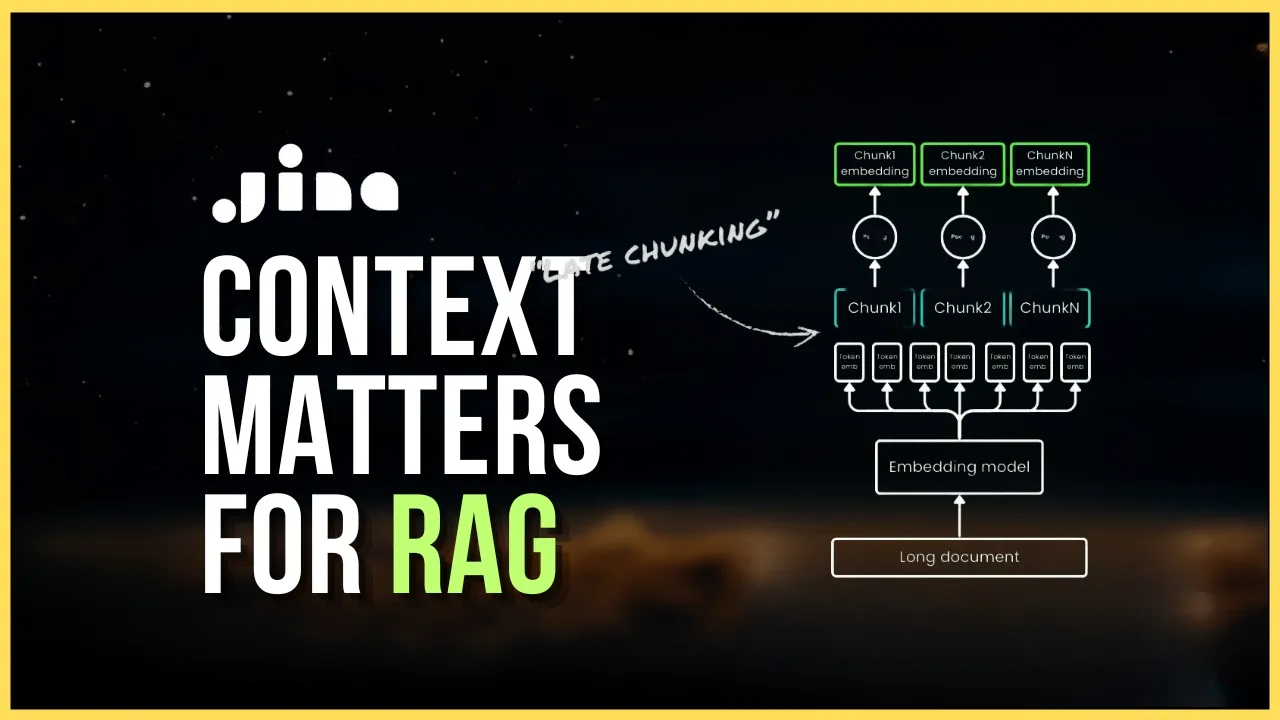
16:48
Late Chunking for Enhanced Retrieval in Long-Context Embedding Models
@engineerprompt
31.3K views•2024-10-11

57:48
Secure Multiparty Computation (MPC): Foundations & Challenges
@SimonsInstitute
7.3K views•2015-05-28

13:03
Bypassing Tor Censorship: Bridges and Pluggable Transport Guide
@Coding_ForEveryone
397 views•2024-06-11
18:41
Neural Networks Explained: Math, Layers, and Learning Fundamentals
@3blue1brown
21.9M views•2017-10-05
Related Study Plans & Knowledge Roadmaps
Structured learning paths in Artificial Intelligence
artificial-intelligence
Aligning LLMs: DPO, TRL & Custom Datasets
01Foundations of Python & Machine Learning
02Transformers and Large Language Models (LLMs)
03Aligning LLMs: SFT and RLHF
+ 3 more learning modules
24h6 modules
Explore Roadmap
artificial-intelligence
Federated Learning: PyTorch, Flower & Privacy
01Python & Machine Learning Foundations
02Deep Learning Basics with PyTorch
03Introduction to Federated Learning
+ 2 more learning modules
35h5 modules
Explore Roadmap
artificial-intelligence
Securing LLMs: Guardrails AI & NeMo Gateway
01Introduction to LLMs, Python, and APIs
02Understanding LLM Vulnerabilities & Threats
03Defending LLMs with Guardrails AI
+ 2 more learning modules
15h5 modules
Explore Roadmap
artificial-intelligence
Building Recommenders: Two-Tower & Vector DBs
01Foundations of Python & Machine Learning Basics
02Introduction to Recommender Systems
03Deep Learning & Representation Learning
+ 3 more learning modules
75h6 modules
Explore Roadmap