















RAG Fusion is a technique that improves Retrieval-Augmented Generation (RAG) by rewriting a single user query into multiple related queries, performing separate vector searches for each, and then combining the results using reciprocal rank fusion to produce a more comprehensive and accurate final answer.
Advanced RAG 06: Implementing RAG Fusion with LangChain
Added:Fundamentals of Retrieval-Augmented Generation (RAG), including vector databases, document chunking, and basic semantic search.
Familiarity with the LangChain framework, specifically its components like retrievers, chains, and the LangChain Expression Language (LCEL).
Understanding of vector embeddings, similarity metrics (such as cosine similarity), and the limitations of single-query semantic retrieval.
Basic knowledge of search relevance concepts, including how search engines match user queries to document corpora.
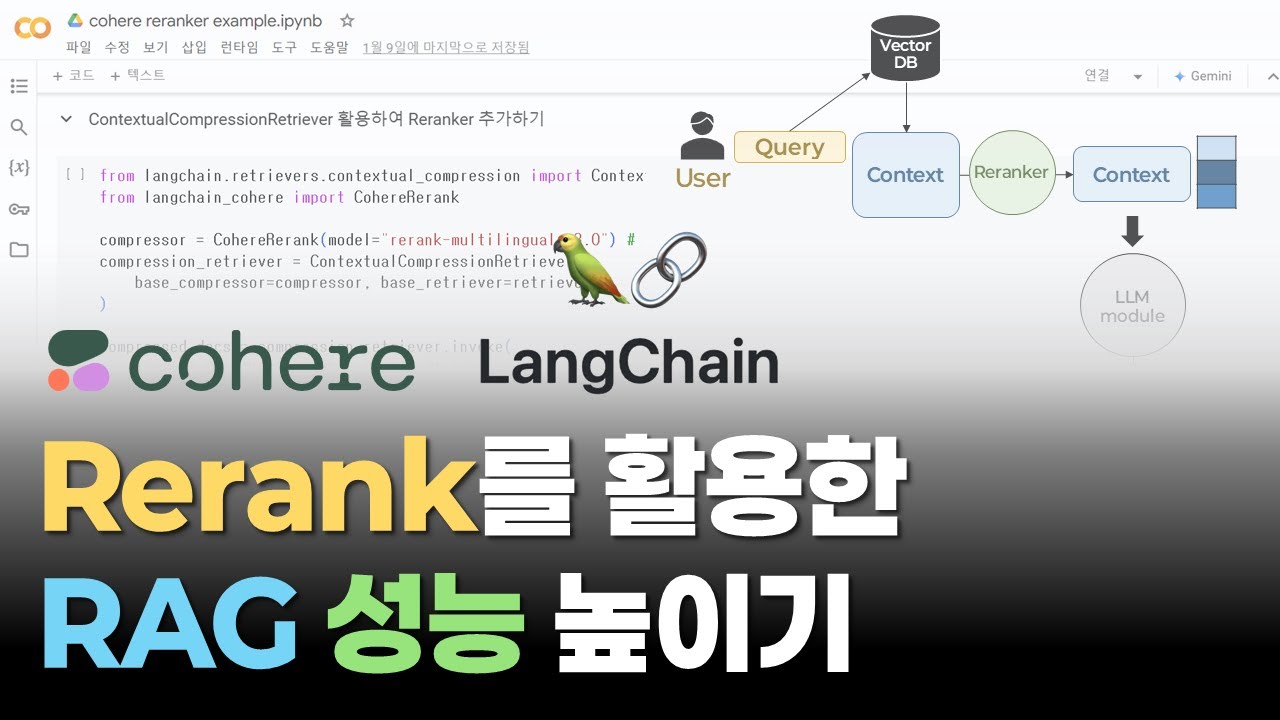
Integration of deep-learning-based cross-encoder re-rankers (such as Cohere Rerank or BGE-Reranker) to further optimize RAG Fusion outputs.
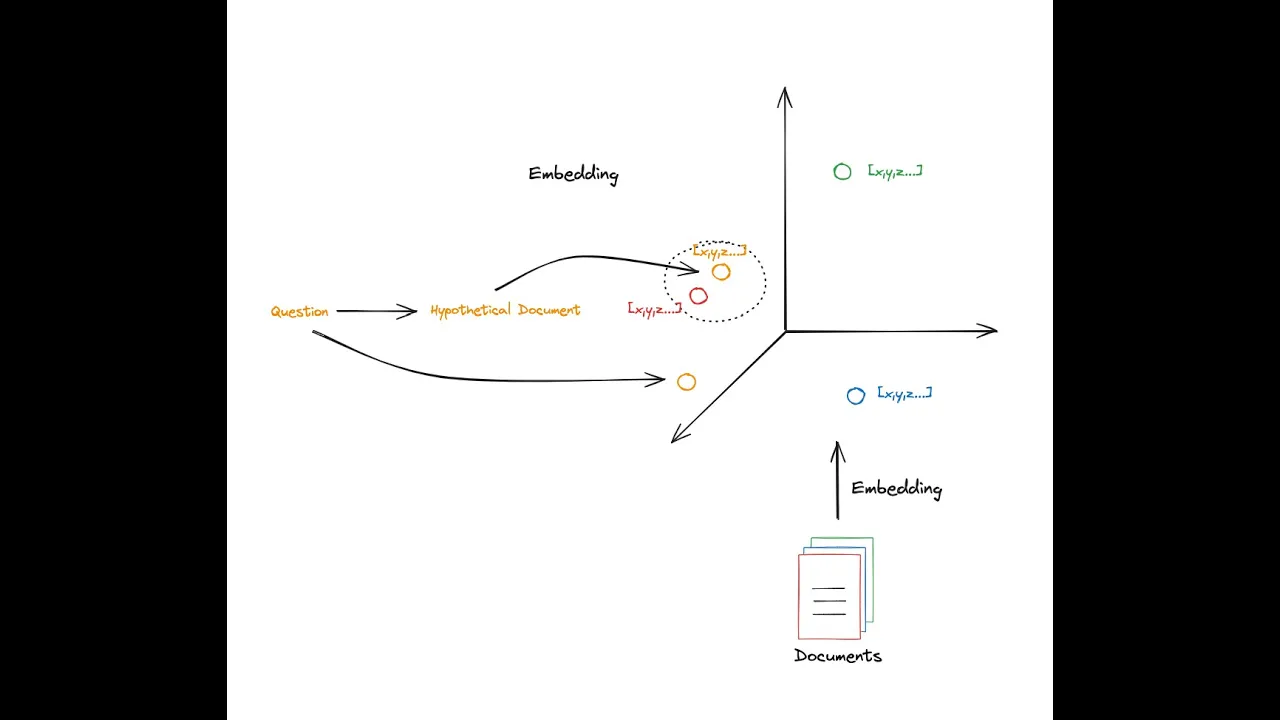
Exploration of alternative query transformation techniques, such as Hypothetical Document Embeddings (HyDE) and Step-Back Prompting.
Quantitative evaluation of advanced RAG pipelines using frameworks like Ragas or TruLens to measure faithfulness, answer relevance, and context precision.
Implementation of agentic RAG architectures where LLMs dynamically route queries and decide when to employ multi-query fusion.
26K views659likes13:05Original Release: 2023-11-19
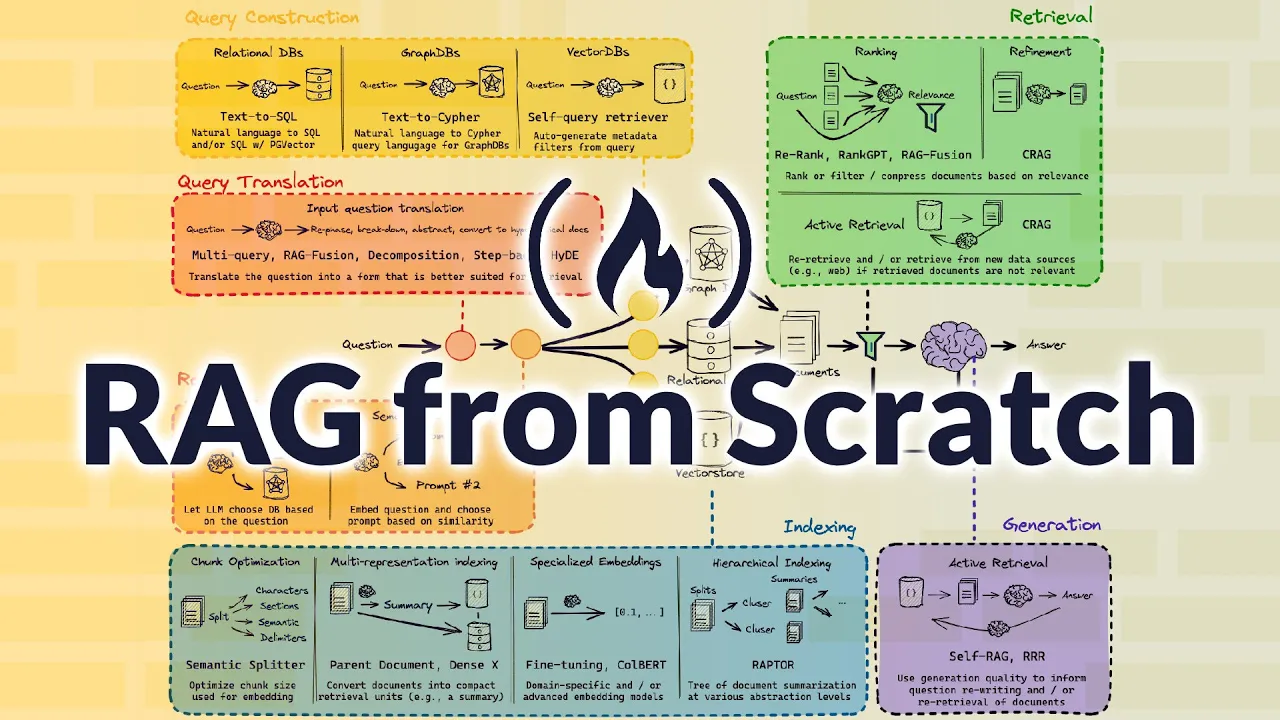
okay so in this video I want to take a look at rag Fusion so I think this is a really interesting technique as far as I know there's no academic paper for it there's a blog post by this person I think who's created it called Adrien rder school and I think this technique is really interesting in a number of ways so we have a number of key ways that we can improve rag so I talked about this in the sort of tour of rag talk I gave recently but here we've got basically you can rewrite queries you can change retrieval you can store data better and stuff like that you can Rank and filter things back then you can change your llm you can change the prompting that you're using here so a lot of what the rank Fusion is going to be doing you're going to see is rewriting queries and then filtering and ranking things in a better way so let's have a look at how they actually do this in here so this is from the blog post so I like that he talks about that rag Fusion aspires to bridge the gap between what users explicitly ask and what they intend to ask so this is one of the common problems that you see with rag is that someone really wants to know a variety of different things about a topic but they just type in that topic it's the same issue that search engines have for a variety of different things like that so the idea here is that this is going to do a number of sort of key things first off it's going to do query duplication with a Twist so basically it's going to rewrite the one query from the user into being multiple queries here and they're going to send each of those for a vector search lookup so the idea here is that the user is going to put in their query it's going to generate multiple similar queries to this and then each of these queries that comes out is going to have its own Vector search to bring back different things so in this case you can see that the one query is being turned into five different queries and each of those will bring back different results then those results are ranked using reciprocal rank rank fusion and this is where the sort of fusion part comes in and so using that algorithm it will basically rerank the outputs from multiple ones of these and we can look at different types of reranking perhaps in another video but the idea is that then you're getting the best of various queries from your vector search database here we then basically take those reranked outputs and treat them as if they're the general context and pass them into the generative output where the large language model will combine it with the original query and the prompt and then formulate an answer for this so one of the nice examples that it gives in the blog post and one of the things I think you could be really playing with this idea for your own particular rag is that you can take that user input and you can rewrite different versions of it so in this case is showing that okay you know if someone's asking something you could take it directly but then you could you know ask sort of rephrase it to be to get one of the queries about the economic perspective of this and another one to be about the public health perspective of this so you're sort of coming at the same topic from different angles when you actually do your searches in here so this is something that I think is really key for dealing with certain kinds of Rags where people are not asking very specific questions they're asking perhaps vager questions but they want a wide variety of data in the response coming back so let's jump into the code and have a look at how this can be done with Lang chain now okay so in this notebook we're going to look at reproducing rag fusion and playing around with it using Lang chain in here so I've got a bunch of standard inputs here for this we're actually not going to be using open AI we're not going to be using Tik token I'm actually going to be using the Palm 2 model for this so you can also use it as an example to see how the Palm 2 model actually works so I've made a data set of scraping some articles about Singapore tourist attractions and a number of things like like that but I've also saved it as a pre-made chroma DB in here so I will walk through doing the sort of pre-processing so that you could use that for your particular task but we're actually going to just download the chromer DB and and put it into uh collab here and use it this way so here I'm using the new Google collab secrets so if you see the key on the side of collab nowadays that allows you to basically sort of pre-install environment variables and bring them in like this which actually makes it quite easy to do lots of notebooks and then change your keys when you want and have these available here so when you go through you'll need to actually make a key you can actually make a key for Palm 2 make a suite at the makea suite site you can just get an API key for free currently Google is letting everyone use the pal 2 model for free so why not try it out while we're doing this okay so I've got some of my inputs here and I'll be bringing in some other things later on we'll use the Google Palm chat model as we go through but we're going to basically just bring in you know if you're running the sort of ingestion process and like I said you know later on you can actually just load the chroma DB directly in but if you wanted to do the pre-processing yourself here is just basically taking in a folder of text files running it through loading these up then splitting those documents into text chunks I haven't done a lot of checking with the chunk size here or anything like that if I was actually going to use this in production I put a lot more effort into getting the chunk sizes right but I've got the basics here going on we're using one of my favorite embeddings the BGE embeddings here this is a nice small embedding but actually gives us really nice embeddings back so here if you actually making the chroma database you would uncomment this and put this together otherwise you can just load in the chroma database here which has the embeddings are all computed already for the text and the text there and you just need to pass in the embedding function so that you're going to be using the same BGE embeddings that I used when I made it if you are saving out the the chroma database I've left the code in there for that so you can see that when we do a simple sort of query using our database we're getting some things back related to what we want to do in here so next up we want to set up a retriever so this is the sort of simplest way we can set up a retriever if we wanted to add MMR and maybe I will do a whole video just quickly about MMR in the future you could add these things in to improve the results here but we very quickly get to making a simple sort of chat chain here so here you can see that we're using the chat Google Palm model we're bringing in the the chat prompt template so basically we're bringing in a number of things to use the Lang chain expression language in here I'm setting up a prompt so we've just got a very simple prompt going on in here and then we're making a chain and remember we're just passing these through to basically put a chain together so we've got the the tree getting our context we're passing in the question into the prompt we then basically pass that into our model and then our string output passer put this together and sure enough now if we do something like tell me about Universal Studios Singapore can see even when I've left out the s or spelling wrong it's getting it quite well we're getting back a pretty good response back from this at this stage so in this case probably the rank Fusion is not going to help it hugely and maybe because my question was actually quite Broad in the first place but you could imagine that if I just typed in Universal Studio Singapore or something like that then this is where the rank Fusion could help out a lot so the rank Fusion we're bringing in a lot of the same things you'll see we've got our chat prompt template here so we've basically got our system template or our system prompt is that you're a helpful assistant that generates multiple search queries based on single input and then we've got a human prompt template that we're going to actually pass in and you'll notice that this is what we're passing this into here is to generate multiple search queries related to the question so we're actually going to Output four queries from this as we go through so this is the first part of the rag Fusion right where we need to generate similar queries for this as we're going to go through you can suddenly play around with the prompt here you may want to have it so that you've got you know one query coming from one angle and another one from a different angle if you wanted to have something approach it from some other way that kind of thing you would play around with getting this prompt right but then once we've got that we're going to just generate this query chain here so you can see this query chain is just basically taking in our prompt go passing it through to our llm which is in this case is the chat Google Palm remember you can get a key for this for free from Google for make a suite and then we're basically passing the output here and we're going to split these queries up so that we can pass these in so you can see here if I pass in my original query of just Universal Studio Singapore first off it's going to basically take this through and split this up after that it's going to do the ranking so in this case we've got the function here for doing our ranking this is something you could certainly change to do the ranking in a variety of different ways but then the idea is that then we basically have this rag Fusion chain which is going to first take off our generate queries train it's then going to basically map to our retriever so that we get the results back for each of those queries that we ran through and then finally it's going to put it through the reciprocal rank Fusion here so if we turn on Lang chain debugging we can actually look at what happens here we can see that okay we start off with this query so we've got the prompts as we go through this and it's got to generate our multiple answers back here so this is where lsmith can be really useful for getting these traces but anyway if we look at this output here we can see that here are four search queries related to the universal studi Singapore okay what are the rides at Universal Studios Singapore how much does it cost to go there what are the best things to do there and what time of year is best to visit so these are are four of the quiz now we could have sort of guided these by telling it we want one query about times one query about pricing of getting in or something like that if we were just going to be doing things about theme parks or tourist attractions that kind of thing we've now got these that it can basically pass through and it goes through and gets out the various contexts that it's finding for these and we can see that some of them are going to be heavily related to Universal Studio Singapore some of them are not going to be related you or certainly not as related to this so the retriever will then basically go through all of that and bring that back back and really the next thing we want though is we would want to basically now pass this into a final chain so at this point we're getting our retrieved responses back that have been sort of filtered from this and are ready to go into our final chain so let's make the final chain we can just use what we had earlier on of just answer the question based on the following context except now we're passing in those filtered returns that we got from this which has basically used scores that we got back from this and we're feeding that into the context here and then we're feeding in the original question in there as well so now if we run this through the whole thing so just putting it together as a full rag Fusion chain we've got basically the chain going to get our context and get our our question from the start through this prompt to the model to our string output passer now we go through the whole thing you can see that okay we've got a bunch of different queries that have come through we've got it doing the searches and returning these and as it basically filters out those searches does those things eventually it comes back with our final response here so this is going to be sort of the amalgamation of finding the best things from a variety of different searches and then combining them with the original query that we had back so this is basically what rag Fusion does it can certainly be a little bit confusing to look at all the able Lang chain expression language stuff being put together but it's something that once you sort of get used to this you can actually write a variety of different alternatives to this so you could do the rewriting of user queries in a whole bunch of different ways so maybe that's something we can look at just sort of playing around with the Lang chain expression language and uh rag stuff in the future if people are interested anyway as always if you've got questions please put them in the comments below if if you found the video useful please click like And subscribe and I will talk to you in the next video bye for now
Up Next
3:12
Lexer Explained: From Characters to Tokens
@TsodingDaily
44.1K views•2023-02-07

87:26
Introduction to Secure Multiparty Computation with Yehuda Lindell
@fhe_org
7.7K views•2021-02-04

4:55
HTTP Requests Explained: GET, POST, PUT, DELETE
@codecademy
103.1K views•2021-10-07

19:25
Enigma Machine Mechanics: WWII Encryption Explained
@JaredOwen
13.2M views•2021-12-11
Related Study Plans & Knowledge Roadmaps
Structured learning paths in Computer Science
computer-science
Container Runtimes: Namespaces, Cgroups & Go
01Linux Systems & Go Programming Foundations
02The Core of Isolation: Chroot and Filesystems
03Linux Namespaces: Process Isolation
+ 3 more learning modules
32h6 modules
Explore Roadmap
computer-science
Building a CHIP-8 Emulator: Rust & CPU Basics
01Computer Architecture Foundations (Bits & Bytes)
02Rust Programming for Systems Development
03CHIP-8 Virtual Hardware Specifications
+ 2 more learning modules
32h5 modules
Explore Roadmap
computer-science
Building BitTorrent: Go, P2P & Concurrency
01Go Fundamentals & Concurrency
02Networking Foundations & P2P Architecture
03Bencode Parsing & Torrent Metadata
+ 3 more learning modules
26h6 modules
Explore Roadmap
computer-science
Actor Models (C++ Concurrency & Lock-Free)
01C++ Multi-Threading Foundations
02Thread Pools and Task Scheduling
03Atomics and Lock-Free Queue Design
+ 3 more learning modules
45h6 modules
Explore Roadmap