














Networking is the process by which computers communicate with each other using standardized protocols and addressing systems. Each network interface has a unique MAC address (hardware address) for physical identification, while IP addresses provide logical addressing for routing across networks. Data is transmitted in frames containing source and destination MAC addresses, with IP packets encapsulated within. When computers need to communicate, they use ARP (Address Resolution Protocol) to discover MAC addresses corresponding to known IP addresses, storing these mappings in an ARP cache for efficiency. For communication across different subnets, routers with multiple interfaces and IP addresses forward packets between networks, modifying MAC addresses while preserving IP addresses. The Internet Protocol Suite organizes networking into layers: Link Layer (frames/MAC), Internet Layer (IP packets/routing), Transport Layer (TCP/UDP ports), and Application Layer (HTTP/FTP). TCP provides reliable communication through a three-way handshake (SYN, SYN-ACK, ACK) and acknowledgments, while UDP offers faster but unreliable transmission. DNS translates human-readable domain names to IP addresses using various record types (A, AAAA, CNAME, MX, NS, TXT). Load balancing distributes traffic across multiple servers using algorithms like round robin or least connections, with transport-layer balancers operating at TCP level and application-layer balancers understanding HTTP protocols. NAT (Network Address Translation) allows multiple devices on a private network to share a single public IP address by rewriting source and destination IP addresses and ports.
Networking Fundamentals: From MAC Addresses to TCP/IP Explained
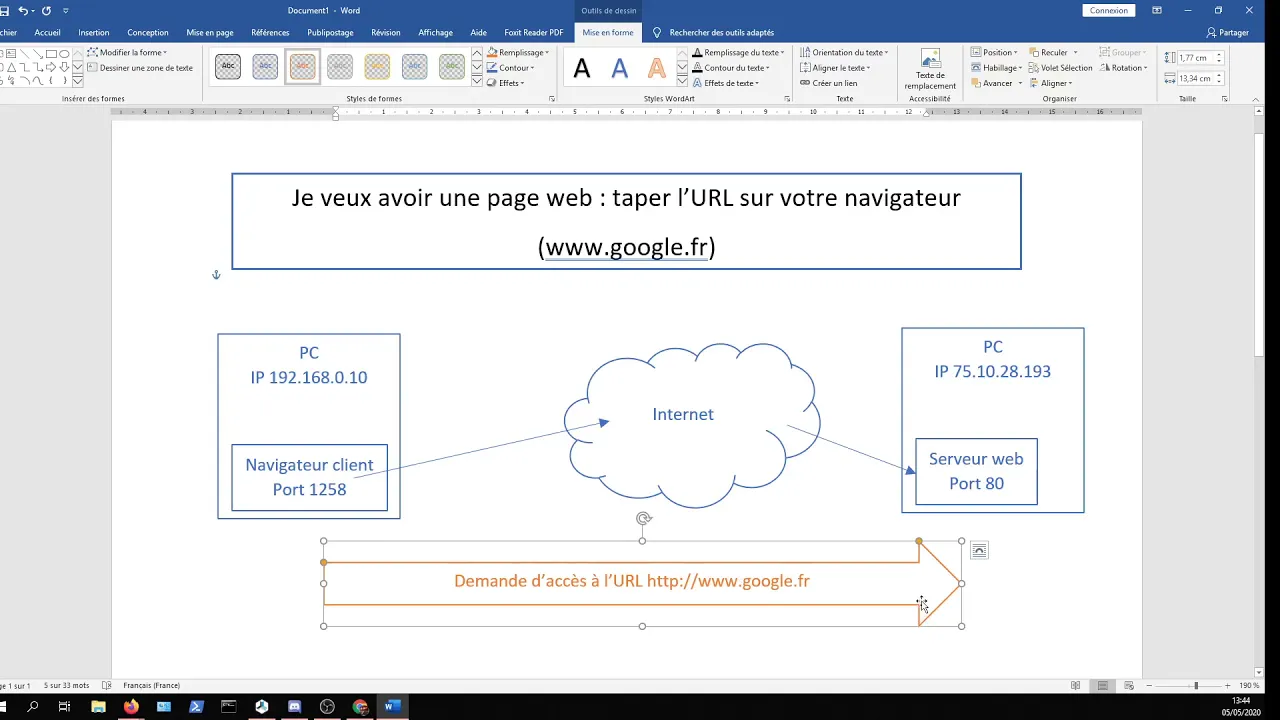
Added:so i think it's about time to talk about networking we've got 34 people watching which is probably a record for me um the uh video will be going up on youtube uh pretty much as soon as i can get it online after the stream but uh the idea is that we're going to talk about networking so like not from networking for dummies sort of a perspective you know it's it's not going to be suitable for suitable for young children not because they'll be cursing although they might be um so you're kind of expected to have a certain amount of competence with computers and that sort of thing but i'll try my best to answer questions as we go along uh and i'll try trying out my laptop in a slightly better position so i can see the chat a bit better uh so it can do as good a job as i can of that so if you have questions about whatever it is i'm whispering on about pop it in the chat and i'll do my best uh so networking then networking it's when two computers talk to each other right so or two or more but the simplest case that we can start off with is two and i'm going to pretend that they are connected to each other with a network cable so both machines have a network interface but they're just bits of wire right so there has to be some kind of convention that they use in order to talk to each other um just like random voltages on a wire isn't really going to mean anything to a computer so each computer has a network interface um which would be like a network card or something like that although you know if you're in the cloud you might be a virtual interface if it's a laptop it might be wi-fi uh for for us we're gonna stick to physical network cards for now um so each network card has this thing called a media access control address or a mac address some people call it a hardware address i'm gonna call it a mac address and they kind of look like this so here's an example of wonder five zero four six five d five four nine four two three um and this is something that was set at the factory where the card was manufactured and it's often possible to change it on many network cards um but in theory at least it's globally unique so every network card that you buy will have a different one of these um and it doesn't necessarily have to be globally unique the important thing is that every network card on your network uh has a unique address and we'll see let's see why shortly so data's sent around the network in little chunks called frames so when you've got two computers talking to each other you imagine they want to talk back and forth and when you add extra computers they want to talk too so you don't want one computer to be talking all the time so no one else can and for a variety of other reasons uh we want to chunk up data into these little frames and basically every frame and you can think of it as being a little bit like uh an envelope i suppose for like the physical mail system uh has a source and a destination mac address just like when you send you know a real letter in the mail it has a destination address otherwise it can't get to where it's going and if you want people to be able to reply you need a source address too so you might be wondering you know if i want to send a message to someone how do i know the address right i've got two computers connected together with a piece of wire how do i know what the destination mac address on my frame or my little chunk of data is gonna be and the answer is well you don't uh or at least not initially um but you do know the ip address because you as a user uh in some way shape or form you tell your computer what the address you want to talk to is so it might be one like this 192.168.0.1 this is an ipv version for address i'm going to talk about ipv6 today um partly because i don't want to be here all night and partly because i i don't think you really need to know in order for sort of understanding networking basics so there's this real neat trick right where a machine if it knows an ip address can ask the whole network if any of the machines have that ip address and because machines ignore frames that don't have their mac as the destination um you can safely send packets or sorry send frames to as many machines as you like uh but there is this special anyone or broadcast mac address of ffffffffffffffffffffffffffffffffffffffffffffffffffffffffffffffff y pronounce it i suppose um but this is kind of a special destination address and it means everybody should pay attention to this doesn't matter what your mac address is at all if you see this address as the destination you should pay attention to it um [Music] yeah so i'm brief aside again it's been a while since i've looked at this uh slide decks so if you want some information about your network interface on linux you can use uh ifconfig interface configuration tool um or you can use the ip tool um which is technically newer and not deprecated but at the same time i know which one of these is much easier to remember so we'll mostly skip over that cool so like what happens when one machine wants to talk to another so we're going to have two theoretical machines here machine a and machine b so i've given machine a an ip of one line two once you say 0.1 and a mac of all a's or ah [Music] make it nice need to remember which one is a uh machine b has an ip of 192.16802 and a mac of bb bb bbb yo i guess just to really hit home that this is machine b so the very first thing that machine a is going to do is send a frame with this information in it so it has the source mac address that hardware address is all a's because that's the machine it's coming from and the destination mac is all f's because it doesn't know where this machine is it's trying to talk to so it's going to do a broadcast it's going to talk to everybody um and it's going to have some data in that frame as well which is not written in uh english text like this it's a it's a slightly different format but for our purposes this is good enough something like who has 192680.2 tell 192.168.0.1 which is machine a so every machine on this network although in our case it's only uh two machines because they're both connected with a bit of wire is going to receive this frame saying who has this ip address tell this ip address machine b is going to see that frame with all f's as its destination and go oh this is broadcast i need to pay attention to this and read the data and go oh the ip i'm not going to say that 1921 can say that 0.2 i have that ip so i'm going to respond so it sends out a frame onto the network with the source mac of its own or bs and the destination mac of all a's because it knows where the request came from it was in the in the source mac of the original frame and the data is going to look something like 0.2 is at bbb bbb so now both machines store those ips and the corresponding mac addresses in a thing called their arb cache so this thing this um process of finding out the mac address for a machine given its ip is called the address resolution protocol or arp and once you've done it once you store it in a cache so that the next time you need to send a message you know where it's going so i quite helpfully uh decided to illustrate this um you have to excuse my drawing so each box here is a frame machine a uh sends out a frame from a to all f's asking who has 0.2 tell 0.1 machine b sees that message that frame with all f's as the destination the broadcast goes oh i've got the ip address so i'm going to respond so a frame goes out saying from b to a 0.2 is that orbeez i said that mac address which email received that now it has its information and now they can talk to each other so you know the very next message that happens machine a wants to talk to b again but this time machine a has that mac address in its arm cache so it can easily send a frame with the source mac of all a's a destination of all bees because it knows where it's going um and inside that frame as we've been calling it this little chunk of data is an ip packet so networking uh conjures up many many uh visions of layers or things being encapsulated in other things we have a frame which contains the ethernet stuff and in that is a packet which contains ip stuff or internet protocol stuff so we got the mac addresses in the frame the frame contains the packet and the packet is the ip stuff and it's really similar you know so we have the source mac and the destination mac in the packet we have the source ip and the destination ip and then we have the data and when we saw data in the last slide that was actually an arp packet um and you might wonder you know why have a mac and an ip you know what's the point of these two different things and one is you need one to look up the other but also machines can have lots of ip addresses like per mac address as well if you wanted to and there's other reasons as well which we might uh touch on later just checking the questions someone said can you turn that broadcast off or is it fundamental um you technically probably could but it would probably require some driver hacking and things like that and then you also wouldn't be able to do any networking so you probably would not want to do that so here's how that sort of the full picture looks when you have um the mac address you need in an art cache you get the frame with the from and the two of the source and the destination mac addresses and uh and then inside that you have the packet with the from and the two uh ip addresses which is uh an ipe packet and then some data but we don't really know what that is we'll care about it right now so like a useful thing you can do on your own machine is you can see your neighbors the other machines on your network so ipn on a linux machine will show you your arp cache and there's a way to do it on windows as well but i forget what that is because it's been a long time um an ip might work on a mac as well maybe someone in in the chat knows so this is a list of some ips on my network or my old network at least um and then this is the name of my network interface in p3s0 um and then this is the associated mac addresses for all of those different ips so given this up cache if i want to send a packet to 1.23 uh the mac address is sat there waiting ready to go so the network drivers can stuff that into the destination mac field uh maybe a mask please tell me this stream will be saved yes it'll be on youtube so don't worry if you uh don't manage to catch something cool so like what if you have more than two machines um which is pretty common on a network i know that there's uh i think it's probably 30 or 40 machines on my network um not all pcs you know laptops tablets phones uh internet connected toasters that sort of thing um but pretty common i wanted more than two machines to connect each other uh and pretty much the the most simple thing you can do to connect more than one machine uh in modernish times anyways to use a thing called a hub so uh oops pretty dumb uh not very smart it does pretty much exactly one thing which is if it receives a frame on one physical port uh it sends that same frame out to all of the other ports as well and then it's up to the computers on the other end of those ports to decide whether they are going to pay attention to a frame or whether they're going to ignore it and they work kind of okayish uh but they're very very slow so you know like a 10 megabit hub uh is pretty or was pretty common uh back when i first started playing with networks you might get 100 megabit if you're lucky but usually only if you've only got sort of two machines on them um and you get these things collisions which is machines all trying to talk to each other at the same time um and we can do better than that anyway but you know what a hub looks like is machine a's trying to send a message to machine b again um they're all connected to a hub and machine b does receive that frame but machine c and d also receive it because that's what the hub does you can you can kind of think of it as a repeater so the way we can do better than is with like network switches which is something that probably most of you will be at least a little bit familiar with and the difference between hubs and switches is that switches are a little bit smarter a bit more efficient um so they do this clever thing which is they remember the source mac addresses in the frames that they've seen on each port and if you see a frame with a source mac on a particular port you know that that machine is physically connected to that port might be via another switch but uh you know somewhere down that piece of wire exists a machine with the mac address that was in the source on that frame so in general ideally frames only get sent to the port and mac address is actually connected to once the switch has learned what machines are on each end but that tends to happen pretty quickly you know as soon as you sort of turn the switch on it will act like a hub but then within probably seconds if not fractions of a second basically every machine connected to it will have sent at least one frame and the switch will have figured out where everybody is um so in the event the switch doesn't know where our mac address is acts like a hub sends it to all ports um and then interesting thing is it can never really learn where ffff and all fs that broadcast mac is so if it ever receives a packet like that it always acts like a hub and everything goes out to all ports so big advantage we get fewer collisions it's much faster you can get gigabit switches are common 10 gigabit is also increasingly common in data center networks but also in some people's home networks um or if you're a fan of uh linus tech tips for example you might know that uh they do run like 100 gigabit switch networking over fiber and all sorts of crazy stuff for their um big servers with lots of storage and so all our editors can use stuff very cool to see people using that stuff so for a switch it's kind of like a hub but this time you know c and d they don't see a frame provided the switch has already learned where machine a and machine b are and what ports they're physically connected to on the switch um yeah switches so like machines can talk in this way only if they're like kind of directly connected to each other through hubs and switches or um just a network cable between two machines and if they want to talk to a machine that's off the network they need to do something else um so we need a way to kind of define like what a network is you know if i'm a machine trying to talk to some ip address i need to know whether i can talk directly to it by setting its mac address as the destination in the frame or whether i need to do something else that we'll talk about in a bit and the way we do that is as well as each machine having an ip address we can configure it with we give them a thing called a subnet mask and you've probably seen these if you've ever delved into the network settings on your pc so two this one two four five dot zero and that's used in combination with the source and destination ips to decide if they're on the same network or in this case the same subnet um because our overall network is going to be made of many subnets um and i always thought that these are actually really difficult to understand like two five five two four five two four five zero what does that mean um and unlike just about everything else in the world i think it's actually a lot easier to understand uh in binary so at 255 turns out to be an 8-bit binary number which is all ones so the rule is if two machines are on the same subnet if the bits in their ips match where the corresponding bit in the subnet mask is a one so let's take a couple of examples to kind of see what that really means so these are two machines that are on the same subnet so we've got 192 and say 0.1 and 0.2 and they both have the same subnet mask two four five two four five two four five zero and in binary what that looks like is you know all ones for the two five fives and then all zeros for the zero because it's zero um and then these are these two ip addresses translated into binary here and i said the rule is if the bits are one in the subnet mask then the ones in the ip have to match the corresponding ones so if you imagine this is a series of columns here everywhere there's a one if these match then they're on the same subnet that's the rule so we can see here these bits differ this is zero one and this is one zero which is uh in decimal one and two because we've got the ones column the two's column the fourth column the eights and so on um but because the zeros here that's fine they can differ but if we look at two machines that are on different subnets instead so this is uh on 0.1 and 31.2 we can say there's a 255 here in this corresponding segment and if you know about subnetting already you will know that means they're on different networks but why they're on different subnets really is because here where there are ones in the subnet mask the corresponding bits in the two addresses differ so when any machine is going to send out uh and gonna try and communicate with another machine using ip the internet protocol pretty much the first thing it does is it looks at its own ip address the destination ip address and its subnet mask to figure out whether it can talk to that machine directly and if it can it will either look in its arp cache to find the mac address or it will use art to figure it out like we talked about at the beginning and if it turns out it's on a different network it's a little bit scuppered for now at least and we'll figure out what it does soon so uh kind of a quick aside because who wants to say 255.255.255.0 it's a really large amount of syllables i really don't want to do it there's also this uh cedar or cider notation the classless inter-domain routing notation um and all this is is how many consecutive ones there are in the uh subnet mask so this sort of classic two five five two five five two five zero you might hear referred to as a slash 24 uh and what that means is there are 8 16 24 ones in a row in the subnet mask and they have to be contiguous as well it's worth pointing out it's not valid to have a zero in the middle of here and then go back to ones they all have to be stacked towards the left hand side so other um network sizes you would hear you might hear about a slash 8 for example which would be just eight ones and then these would be all zeros uh and that makes the network bigger so here we've got up to 255 and kind of 254 machines that we can have all on one network if these were zeros as well then we would increase that by a factor of 255 for a slash 16 and then another factor of 255 for slash 8 so this effectively controls the size of your network so we mentioned uh like we use subnet masks to figure out can one machine talk to another one directly and if it can it just does and if it doesn't it does something else and this is what that something else is is rooting so if i want to send a packet an ip packet to a machine on another subnet on a different subnet i don't set the destination mac address to be the machine that i'm talking to because i can't figure out what it is it's on a different subnet um i instead use my default gateway or some router on my network so our router usually has more than one network interface like physically more than one mac address too it effectively sits on different two different networks at once um and it always has more than one ip address at least one per subnet so in an example here we've got uh machine a which is on subnet one has a mac of all a's an ip of 0.1 192.168.0.1 and then our second machine has a mac of all b's but it's on a different subnet so we can see there's a 255 here in the subnet mask and it's on 1.1 instead different network we can't talk directly to it the router though or router i'm going to say router has two mac addresses two ip addresses it sits on both networks so it has mac one which is all cs and sits on our first network uh and is uh 0.254 and my second mac address is all ds and it's on the other network uh at 1.254 instead so an example hop between networks might look something like this so machine a wants to hook to b they're on different subnets so machine a sends a frame using the mac for its default gateway or the router on the network as the destination mac so the source mac is all a's that's machine a and the destination mac is all c's that's the first mac address of the router a source ip is 0.1 the destination ip though is machine b's ip so you can think of it as the ip information stays the same across all of the networks but the mac addresses the hardware bits kind of get a little bit messed with um so the receives the frame and it sends on the second network a frame with a source back as its own its second mac address and the destination mac becomes orbeez because the router is on both networks it can talk directly to even machine uh so the source ip remains the same the destination ipv remains the same so what the router really did between taking a message from one subnet and passing it to another as it modified the source and destination mac addresses machine b receives the frame from the router so in my own unique style machine a uh sends a fr a frame uh source or laze that's its own uh the destination though is c's that's this interface on the router but the packet has source ip of machine a and the destination ip of machine b and then on the other side when the routers handle it the source becomes this interface on the router and the destination mac address becomes machine b's mac address um and again the packet the ip bit that stays the same um and that means you know when machine b wants to reply to machine a it knows it should reply to using a destination mac of all these because that's where it came from so the router because it handed the message over in the first place pretty much knows you know almost guaranteed to know where to send the message so um there might actually be a situation here where you have uh multiple choice so machine a send the frame to what we call it's default gateway which is something you'll probably see if you configure uh the network interface manually on windows for example there's a field to put it in default gateway and that's usually something like 192.168.0.1.254 on many home networks by default um but it doesn't have to be that way you could have more than one so you can have a thing called a routing table where you have different options to choose from so we've got three routers sitting on this network theoretical network here we've got 0.254.253.252 and they each represent a different network so if my machine wants to send a packet to um anything starting 192.8.2 does something it will use this gateway if it's one dot something i'll use this gateway and then all zeroes here this is the default gateway uh which is a.254 so we're not going to touch too much more onto onto routing tables or anything but i just want you to know that they exist and and it's not the case that there's always one router uh and on sort of internet infrastructure and that kind of thing uh you know almost always there's gonna be more than one uh so multiple networks get connected together with routers and we call that the internet effectively there's you know more bit more to it than that and how these routine tables get set up is a subject that we're not going to be covering but uh i can still give you a reasonable idea of how it all fits together um to be able to understand how things are going on and so i'll just have a quick check in the chat um assassin rooting nine says any good sources to learn networking well i don't know how to take that this one i hope again i tend to just google things wikipedia is remarkably good um a long time ago i read a big thick orange book called networking complete um which talked about token ring networks and that sort of thing and um i'm not entirely sure whether i'd recommend it but that's the one that i read okay cool let's find out what's next in the slide deck oh yeah so this thing called the osi model which you might have heard of seven layer networking model uh we're mostly going to ignore it because largely because when it gets to layers five and six it's a little bit annoying and well mostly five but also because people smarter than me came up with an alternative that they call it internet protocol suite it's a much simpler model and as with all models it's not always a completely accurate description of everything that exists it's just a way that we came up with to be able to talk to each other about things in this case networking and being reasonably on the same page so these four layers then at the bottom we have what they call the link layer and the unit of data in the link layer is frames which is the first thing we started talking about so mac addresses that sort of thing then we have the internet layer layer two the unit is packets which is where we do ip and ip addressing and rooting and that sort of thing so we've talked about that too already but then we get another couple of layers we haven't really touched on yet so the transport layer which deals with segments we get things like tcp and udp which we'll talk about and then on top of that we get the application layer where the unit is just data all of the segments from the layer bow get assembled so you at least in theory don't have to worry about that stuff anymore um and we get things like http which you hopefully familiar with uh ftp smtp many other different application layer protocols um and the rule is as you go up the layers you are increasing the amount of abstraction so you know down here in in the link layer you have to care quite a lot about the physical network and how it's connected and that sort of thing uh on the ipl layer you have to care about routers and stuff on the transport layer you have to care about things we're going to talk about in a bit but by the time you get to the application layer you can kind of almost pretend that there's just machines that can talk to each other in some continuous fashion and you don't care about packets and segments and things anymore so that's why we have this kind of layered model in which to talk about things uh alia two asks do i have to know the rsi model or should i just know the internet protocol suite i think it's kind of useful to be aware of both because these models like say our way uh to help understand what's going on but they're also a way to help people communicate with each other so i can have a conversation with someone in which i say oh there's this application layer protocol and they know what i mean without having to explain it so you know the osi model very quickly you know is very similar so we have like the physical layer at the bottom which we kind of ignored on the other one and its unit is bits and you can think of as you know there's voltages on a wire with some additional um uh error correction and things like that ben eater has a fantastic series on networking on youtube if you want to know about how they physically work like hooking wires up to an oscilloscope and stuff then we've got the frames which kind of matches directly the packets on the network layer that kind of matches directly as just the transport layer but then we kind of miss out this session and presentation layer so the session layer often doesn't really map to things that well that people tend to know about you can argue the presentation layer is where you do things like encryption and tls and then we have the application layer which maps kind of directly in the internet protocol suite we tend to just kind of group things like encryption into the transport layer uh tls stands for transport layer security so uh you would certainly hope it ends up in there so it's kind of like grouped in with things like tcp and udp which we'll talk about so let's talk about tcp so you know so far we've mostly thought about one-way communication only um but it turns out the network is unreliable you know people with jcbs dig up cables in streets when they shouldn't and and break people's connections uh and also you know routers sometimes drop packets you hear about packet loss um and i always used to wonder where did they go you know you they can't just sort of fall off the side of the wire somewhere escape through the insulation at the side and the answer is you know these routers have if we're talking in a simplified way a couple of chunks of memory in them for a receive buffer and ascend buffer because one machine sending voltages on a wire and if the router is not ready to read those voltages at this exact moment in time it's not going to see them you know they're going to be gone so you have a bit of code effectively or being hardware in reality but you know reading those voltages off the wire and throwing them very quickly into a piece of memory where something written in higher level code is going to process them and do all kinds of things with them and then there's going to be another bit of memory they get put into and then as and when the network interface is ready to put more voltages onto the wire it can do that but memory is a finite resource so you know if it's full at the point that some set of voltages arrive on the wire then that data's gone forever um or maybe it's technically speaking recoverable from the effects it had on the surrounding area and that's quantum meat stuff that i don't know anything about so we're not going to go down that route um so you know on the networks i'm reliable we need reliable communication um and how we do that is through convention so one of the questions i like to ask people here is you know how do you know if someone got you you got the letter you sent them ignoring things like recorded delivery that some postal services offer uh the only answer really is in your letter or ahead of time you ask them when i send you a letter send me one back acknowledging that you received my message and if i don't get an acknowledgement after a while i'm gonna send another letter i'm gonna try again and tcp is a convention that uh does effectively this so it provides reliability for ip packets so until now we you know talking about ip and uh these packets going from one machine to another there's no kind of reliability tcp is a convention that adds that reliability and we'll talk about exactly what that looks like uh shortly but it also has another thing as well it has ports so we can have more than one conversation going on between two ips um they're just a number um and like ips you need a source port and a destination port and what that really looks like is if i have a web server for example running you might know that a web server listens on port 80. but you know what does that really mean and what it really means is when you start the web server it tells the operating system hey by the way if you get any packets that arrive that are tagged with 80 as the destination port give them to me please and when you make an outgoing connection you have a source port so i think you'll probably ask the operating system hey give me a source port for this communication and then when the data comes back it's kind of as though you're listening on that port and the terminology doesn't doesn't quite work out that way but uh yeah and if you if you don't need the reliability tcp provides you can use udp which just adds ports and doesn't do the reliability thing so it's kind of like almost like raw ip but you get ports too so you can have multiple things listening and talking which i think is you know a very worthwhile thing because i don't know about you but i tend to have more than one application running on my computer at once let's check the chat um when we talk about ping does also have anything to do with the data transfer and packet loss or it's being completely different ping is a protocol runs over ip called icmp and i can't remember what it stands for uh it's like the internet control messaging protocol we're going to have to look it up aren't we that's the mp it's the internet control message protocol i think that's what i said yeah which is basically the short version at least is you send out an icmp packet and machines generally speaking are configured to reply to you with their own icmp packet and you can track the timing um between when you sent one and when you got one back um and that timing gives you i think of the round trip time or the network latency how long it took to get one message there or message back um yeah cool uh i think that's all the questions cool so let's talk tcp so if i want to have a tcp connection between two machines this is kind of what it looks like so we've got machine a and machine b again a machine bay says hey can we talk machine b says sure machine says okay let's talk let's recall the three-way handshake and don't worry we'll use the right the actual terminology on the next slide but for now and then we kind of have the the data bit of this conversation so the convention is when one side sends some information or some data the other side acknowledges it so machine a might say so can you do this thing for me machine b says yeah i hear you sometime later says here's the thing you wanted machine b a says got it and then one of them machines decides that it's time to end the conversation as it were and says i'm leaving it's a very uh passive aggressive machine machine it's fine me too machine b says good and at that point the tcp session as it were is considered to be terminated so that's kind of the the analogy version um the real version is a bit more like this so machine a is actually an ip and port pair so we've got this this is our source ip and the source port and then our destination ip and destination port which is 80 in this case which is the default for plain old http so the initial packet is called the syn packet synchronize packet saying i want to synchronize with you let us be synchronized so that we can talk uh the second machine sends the syn ack bucket an acknowledgement of the synchronization request and then finally machine a sends an ack an acknowledgement packet back that's the tcp three-way handshake and then we get to the conversation part so we get data one way and an acknowledgement back and then data the other way and our acknowledgement back any other way uh and then sooner or later and there's more than one way to close down the tcp session but this is one way in this case machine b wants to close the connection sends a fin packet a finish packet machine a acknowledges it machine b acknowledges the acknowledgement and there we go and like that's all you know fine nothing went wrong in the situation um but in a situation where something didn't happen so in this case you know the sender didn't receive an acknowledgement after a while it will resend the data so we were kind of compressing the handshake here we were ignoring it so some data gets sent an acknowledgement is received and then some data gets sent in the other direction some time passes uh how long that is is configurable in tcp settings and drivers and things um did not receive an acknowledgement and it will try again and at this time it does receive an acknowledgement and then when the conversation's done one side will terminate the connection or maybe this will fail over and over and over again and after a predetermined number of failures the tcp session will be considered dead if for example you know someone with the jcp pulls up the network cable that's that connection is pretty dead now uh someone's asked would you mind sharing the slide link yeah i can do that later um i'll share it as a pdf or something and tweet it so if we were talking about the osi model at least we're going to skip skip up to the top and talk about http an application layer protocol and version 1.1 is just plain text um we're not going to talk about http 2 today uh it's binary and more complicated and we're going to ignore it for now uh it might be encrypted with say dls but we're also going to ignore that um but you know when we're talking about application like protocols we can mostly ignore the lower layers which is the nice thing about that layered model in general and i've got note here to say you know http 1.1 it's so simple you can write it by hand and i'm not generally speaking one to make claims without backing those up so i'm going to give you an example of what http looks like so we're going to use this program telnet to connect to example.com and all telnet does is it handles those lower layers right up to the tcp part it establishes a tcp connection for us but it doesn't know anything about application layer stuff or http or anything it's just handling the tcp stuff and our destination port is going to be 80 we get to specify that and http looks a bit like this so we have a verb something like a method something like get or post a path like index.html and then the http version that's the first line uh then we get a carriage return and new line character um and we specify the host we're trying to connect to in this case it's example.com and the reason we do that is because the receiving end doesn't know what we typed here you know dns figured that out for us we're connecting to an ip and the receiving end needs to know and this is basically the minimal http request so uh if we hit return a couple of times so an empty line signifies the end of the request and we'll get the response back um and the response looks something like this so we got a status line telling us they're also speaking http version 1.1 the status was 200 okay and a bunch of these headers which kind of give us metadata on the information and in this case also a content length which tells us how many bytes we need to read after this so we get an empty line followed by all of the html that comes back and you know you know my tcp connection is still open still sat there i can send another request to get slash with hdb 1.1 um my host is still example.com um but this case i can tell example.com when you've finished sending your request i want you to close the tcp collection so this is kind of an example of where the application layer stuff kind of dips down a layer into tcp stuff so if i send that request you'll see i get this message connection closed by foreign host um so hb 1.1 pretty simple um so here is a kind of our example in the same context that we had our tcp conversation before we've got a source ip import that's on our client machine we've got a destination ip import that's our web server we do a tcp handshake and then the data that's sent over uh looks like this uh and the acknowledgements and things kind of happen uh behind the scenes so to speak so the request part of the http like i said each line in the request is separated by a carriage return and a line feed character so a crlf sequence you might hear about uh crlf injection for example this is where you can inject in some cases uh your own headers into a http response for example and the quest is terminated by two of them and the headers are sent in the form and key and value and there's lots and lots and lots of different headers including non-standard ones that start with x-dash and that kind of thing um but just some examples of what these really mean so we've got the request line with the method you know get me the file at slash index.html by the way i'm using http version 1.1 the name of the host we're cutting tuned for the host uh connection we've just seen in action so it tells the receiving end please close the tcp connection when you've sent me the data um let me get kind of headers that technically don't really do anything but they provide information to the server side so the user agent they'll be like you know what browser you're running what version is that can be useful for servers not just to do analytics and things but some websites will also send you for example a different version of the website if you're using a mobile browser or something like that i'm not entirely sure i agree with that practice but uh there you go uh other headers things like accept so telling you what kind of data you'll accept this might be except text html or application slash json or something like that or here star star i'll accept anything and then the response again also separated by crlf sequences and the response body separated from headers by two of them so you get the the status line i think i think that's what the rfc calls it although don't quote me on that uh saying you know i'm also using this htb version which tells the hdb client how it should interpret the rest of the response if this was 1.0 it would be slightly different or the response code so 200 for okay you've probably seen other response codes things like 404 is probably the most likely one you'll have seen the general rule is if it starts with a 2 it means things are alright if it's a 3 it means you should go somewhere else a four means the client screwed up and a five means the server screwed up it doesn't always quite work like that but that's the way i think of it also get a description of the content type so you know how probably this is going to be a web browser um should treat the data that's coming back whether it's javascript or html or whatever the content length also you know say after you finish with the headers you need to read 1 37 bytes to get all of the response body it's very useful because you know how else would you know unless that you've told it to close the connection and then a great deal of other headers things like location headers and things which can have an effect depending on what the response code is and what the client wants to do and so on but the point is you know http you know when it comes down to it is it's a really pretty simple protocol um which i personally happen to think is nice that's a good thing so you know we've been talking about ip addresses a whole lot but it'd be good to know at least a little bit about dns because i don't know about you but i would much rather remember example.com instead of 93.184.
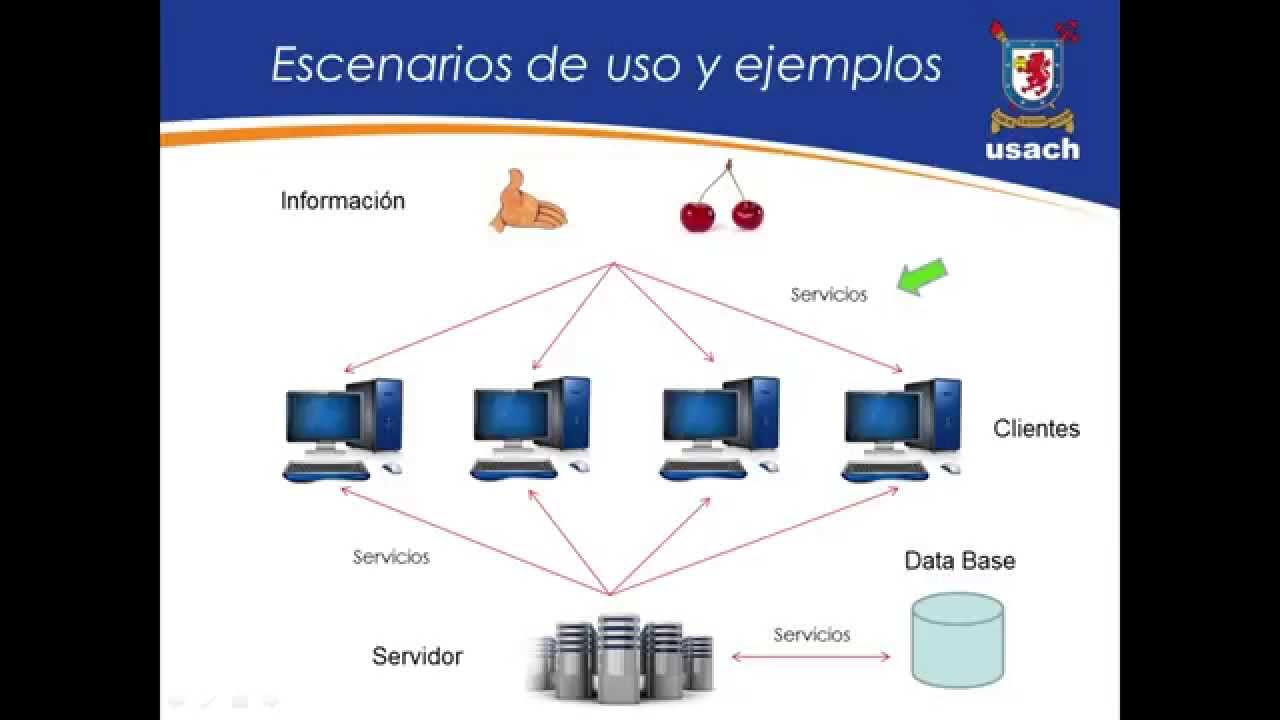
etc and if you want to talk about ipv6 you know i really can't remember this at all so we use this thing called the domain name system to translate names into ip addresses in a variety of ways so dns uses udp most of the time it uses tcp in a few situations but we're not going to get into those and it usually listens on port 40 53 udp so udp ports are different to tcp ports so you know this is if you recall some software running on a server somewhere and when it started up it told the operating system hey when you receive uh udp uh packets uh on that are tagged with port 53 give those to me they're mine so clients request records from dns servers and it kind of looks like uh and those records there are different types of so this is a non-exhaustive list so each record is stored against some kind of name so a name might be something like example.com um or it might be subdomain.example.com that's the name part and the different types that we'll cover here is we have an a record or an address record which is an ipv4 address so for example.com it would be this one there's also four a's or the ah record which is an ipv6 address uh let's look at cnames canonical names so they are an alias for another name so that's very useful when you want to refer to something but you have no guarantees about what its ip might be so its ip might change um very useful when using things like cdns and so on uh mx records are a male hunt mail exchange handler so if i want to send mail to someone at example.com my email client would look up the mx record for that domain we get the ns records as well the authoritative name server for a domain so um which dns server effectively we should go to to find out um uh get records for a particular domain and we get text records as well so uh some human readable text and they get used and abused for all kinds of things from you know verifying that you own a domain to setting some uh things to do with email which were kind of backhoed onto it um yeah but again not an exhaustive list but just to give you an idea of there's this directory system where we're looking at records that look like this so um an example lookup then is you know dns queries use udp as we've talked about so there's no handshake um well that kind of means it could be difficult to correlate requests and responses right so when we're talking tcp we had this whole conversation a tcp session with source ports and destination ports and things and there's other things that we didn't talk about but we knew which uh what conversation every segment was a part of because tcp does that for us udp doesn't really so if i'm going to send out a request to a dns server saying you know what ip address is that this name and i get a response back that's just an ip how do i know what it's an answer to and the answer that is the response includes the question so when we send a query it would be something like i want the a record for example.com the answer will come back includes the query so that you can do that correlation um and again you know this isn't actually plain text it's a binary thing but it turns out binary is quite hard to read in slides um i have a question where can you find the slides for this i'll tweet a link to them when i'm done streaming because i haven't done that yet so that's dns uh c names worth dwelling on a little bit you know they crop up quite a bit in things like subdomain takeovers so you know we need an ip address to make a connection to a host we can't connect to a name you can't send an ip packet to the name instead of an ip but there's no a record for the name but if there is a cname the dns server will respond with the cname record and the a record for that name if if one exists so here our query is i want an a record for example.com which turns out there isn't one there is in reality but in this example um so the response come back saying well the query was for an a record for example.com but actually there's a cname for example.com instead and that points to origin.example.com and that itself is a cname for webserver.example.com and that has an a record which is 93.184.216.34 in this example uh so you know you don't have to ahead of time figure out oh well i might have you know is there an a record or is there only a c name and i need to work that out as a client you don't the server works that out for you if you ask for an a record it will try its damn hardest to get you one which is awesome so uh something you might see at the other end of a network is a load balancer so you know one server is really enough to handle all of your traffic um or at least for the target audience for uh that this slide was originally for that was definitely true i was working a company who you know their background load never really fell below about five six hundred requests a second uh and it many times was in the tens of thousands so you need more and more webserver so you might use a thing called a load balancer to do that um and as i think many of my audience are people doing book bounty and that kind of thing i think it's important to know a little bit about low balances and and why they exist and what they do so some of them work at the transport layer so tcp load balancers they're relatively simple ones and they split traffic between multiple servers others though which are a bit more interesting look at the application layer so transport layer ones are kind of easier they require less cpu time um but application layer is more powerful so you know you can send requests to a particular http endpoint to a different pool of servers so request going to example.com slash login can go to a pool of servers that handle authentication and ones that go to slash anything else go to a different pool of general application servers and so on um and for some requests you can respond to them without even hitting your back end server at all so things like redirecting you to a localized version of a website or from a url that doesn't exist anymore to and you you can do that fully in a load balancer without having to hit your application servers at all um both kinds of web server of load balancers you know use different load balancing algorithms so they can use round robin weighted round robin so where they just go first request goes to one server next one goes to another server next one goes to another one and so on round in a circle or you can use uh least connections load balancing where the labancer keeps track of how many connections are currently active to every given server and any new collection arriving will go to the server with the least number of connections um you can have them hashed on some property of the connection like the source ip as well so or in an application layer load balancer might be some http header like the user agent um so that any connection coming from that ip in this case or that user agent in the other case will always hit the same backend server um or it could be random as well uh and and there are others as well but they're kind of the main ones that crop up so transport layer load balancers you know they um deal with tcp level stuff so all packets for a particular tcp session get sent to the same backend server uh and the advantage that is it works for like basically any tcp server so it could be a database server could be a web server internet enabled toasters anything like that that speaks tcp they can work for udp too but the application layer protocol on top kind of must be stateless or or you need to use hash based load balancing things can get a little bit tricky that way um but big advantage you know no need to decrypt the traffic in transit so if the traffic's tls encrypted uh a transport layer load balancer still can work with that fine because the destination ips and source ips and ports and things they're all still in plain text it's only the data that's encrypted um so they can still work for that and you know requests can only be split based on transport layer stuff so you end up doing things like lease connections load balancing fairly uh limited in their capabilities generally much more interesting though the application layer load balancers they actually understand the application like protocol and probably the most common kind you would come across is http but they can technically exist for anything so you know i think it was youtube developed a mysql low balancer effectively they might not call it a low balancer but it kind of is and i think it was called the tess um that did all kinds of in-flight query rewriting and stuff like that very cool but you know it doesn't have to be http but you have to write every application load balance layer load balancer specifically for its application or someone has to but unless you do really useful stuff like split request based on application layer details like the hp path the query string the cookies um and you know that kind of comes up turns out to be quite important when you're trying to do recon on a site you might think you know they've this target has only got one domain but there might be many different web servers with different configurations behind that one domain and there's a load balancer in the way that's changing what you hit depending on what your path is your query string or even your cookies as well i know for a fact there are systems out there which if you have a particular value in your cookie you'll be hitting a different pool of servers running completely different tech whether that's through migrations or from one tech to another that are currently in progress or for other reasons it definitely happens again as we mentioned you can respond to some requests without hitting a backhand server at all that's like redirecting http to hbs um so it might be that you know you've been trying to break some redirect as an open and turn it into an open redirect on one part of an application and then you see something on a different part of the application and you think oh well the same rules will apply uh but not necessarily because it might be being done by a load balancer and they can also do edge side includes i think something i think uh to look out for i know that uh cloudflare support edge site includes uh some uh other load balancers do as well you can also you know block requests that you suspect are malicious so like an hp request containing a possible cross-site scripting payload hard to do properly but it definitely does happen the downside though is you know it takes a lot more processing power to run an application like a load balancer um they're only made for one protocol so like you can't use an http balancer to balance my sequel connections just doesn't work uh and if you're using encrypted transport like tls like basically everyone else is everyone else these days means you have to decrypt the incoming traffic before it can be processed and that means you know that's probably okay but it means your private keys have to be accessible by a load balancer so it can do it takes a certain amount of cpu time and also in some situations you might have to re-encrypt as well so like if you've got card holder data running across an internal network you probably want it to be uh encrypted anyway so our application layer load balances and i think this is around one of the last things that we have to talk about here actually so uh network address translation um it's something that almost certainly happens on your home network uh so you know ipv4 space is kind of limited there's only like 4.2 billion ip addresses uh around in theory and absolute maximum because they're just a 32-bit inside integer and that's max int uh but there's a ton of reserve ranges as well so actually it's only three point seven billion ish um there's this is so this is when i wrote this slide deck march 2018 or 7.6 billion people on earth that's more than their ip addresses i like how many internet connected devices do you have because i know i have a lot and that is a solution to the ipv4 space problem but also a good way to make sure your network is really actually private because private addresses can't be rooted from the public internet so you get these reserved ranges so we've got uh three main private ones uh ten dot something one seven two dot sixteen dot something uh one two one six eight dot something um and if you remember this uh ceiling notation we get a slash eight slash twelve and a slash 16.
um we've got the local and loopback ranges 127.something and zero or something and there's like 10 more ranges that are reserved for a bunch of different reasons like documentation and broadcast ranges and the most annoying one future use which is you know someone wrote that in the late 80s early 90s or something like that maybe even earlier like this is for future use and then they never did it's 20 21 i'm pretty sure it's the future now we should probably be able to use them uh every question did you learn networking from a book or course like ccna or network plus uh no not course that's for sure i did read about networking in a book a very long time ago um i had a guess around 2002-ish or something like that from a big orange book called networking complete i think it was cybex publishers or something like that uh networking complete look second edition yeah cybex so i read probably the first edition of this at an age that people thought it was weird that i was reading a book about networking while i was on holiday um it was a long time ago it really was uh complete yes it was just published 2001 so there's a bunch of stuff it won't cover for example but i i read about i read that to kind of get an idea initially and then most stuff that i learn i just tend to google as them when i need it or i do experiments to figure stuff out so we only have one slide left so i'll uh i'll show you some of that when we're done so the great thing about network address translation is i i you know originally thought oh it must be scary and complicated and that sort of thing but we kind of already know how it works or we know enough to figure out how to implement it in a way so we have you know machine a on my home network behind some network address translation it wants to connect to google's dns servers 8.8.8.8 nice easy to remember ip machine a sends a packet the source mac is all a's the destination mac is all c's if you remember that from earlier on that's the internal interface on my default gateway the source ip is my internal private ip 126 and some source port that i was allocated by my os and the destination ipo port is 8.8.8.8 for a destination.53 now the default gateway receives this packet and like the router that we talked about at the beginning that rewrote the source and destination mac addresses that happens but it also rewrites the source and destination ip so the source ip becomes the public ip of the router and some other source port and the destination ip and port stays the same and that translation is recorded so that the return traffic that comes back from the dns server can have its destination ip import translated back to my internal ibm port so like i was really quite pleased with that because you know i originally didn't didn't know how that worked and was like it must be really complicated but after i sort of sat down and figured out how routers work in the first place it turned out to be actually you know kind of simple so i said i would kind of show uh one of the ways to sort of figure things out and google for things and for networking i think one of the absolute best things you can do is run wireshark um so if you're not familiar wire shark is a network analyzer and i'm gonna guess that my font size isn't super great on here so i'm gonna pump it up a little bit uh i'm gonna do is go to capture and options and i'm gonna select my main my network interface and then i'm going to get ready to run a curl command here to example.com so i'm going to hit start i'm going to run that connection and i go back to wireshark and i'm going to hit stop i'm going to take a look at a real http request in wireshark just to prove that i wasn't talking a load of bollocks uh so i typed http into this filter window here and uh you can see it's got two things here with protocol http i'm gonna do is right click on one of them and then go to follow uh tcp stream so this by default pops up a window showing me all of the text that was transmitted so you know this should hopefully look quite familiar this is our request here's our response but the really interesting stuff is back here so this is all of the tcp uh segments and things that were associated with our http request so we get the very beginning we get a syn packet so this is going from source 192.178.38 which is my local machine and the destination 93184 21634 which is example.com and we can see the source and destination ports here 35130 which was chosen by my os and 80 which is the default for http so we can see that syn packet on the first let me see the synthack in the other direction so note the source and destination ips have swapped and so of the ports and then we get the ack then we get the http part the ack for the request and then we get the response the act for the response the finn with the back flag set the finac and then the ack at the end that's the termination so it looks like we got that uh fairly accurate in the slides which is awesome um but uh you know we can drill down into things down here as well so we can see hopefully this has been split into a few layers for us by wireshark so we have a frame which is just kind of like the raw information um decoded ethernet information so this is our ethernet frame it has a destination and a source mac address uh and here this is going from my machine to example.com so the destination mac will be the mac of my default gateway and the source is my local mac address and then just something that tells us what type of data is included in this case it's ipv4 and then we can look at the ipv4 information so we get a source ip is my local private the destination one is example.comsip there's a bunch of flags telling you about you know what protocols being used and the length and stuff like that but and then we get the tcp layer information which in this case mostly is you know the ports is the uh the useful interesting bit that's the bit we've been talking about so the source port is some high numbered one that my os came up with the destination is uh 80 for http uh and if we're looking at an hp packet will get an extra layer as well so all four layers of the the internet protocol suite we've got the the it's right the link layer where we get ethernet frames and things the ip layer where we get ip addressing the transport layer where we get ports and transport control and then we get http on the top of that so um highly recommend you have a play with wireshark and just you know have a play around and see what uh networks going back and forth uh start capturing things and then turn your network interface off and back on again and see if you can figure out how dhcp works to allocate an ip address because you know the stuff that we talked about early on doesn't doesn't quite explain how that ends up working uh but uh you know wireshark definitely is uh it's good fun to have a play around with and learn a bit more about it and if you don't understand something you can google for it and and find out what it is that's the way i tend to learn at least let's have a look at the chat so um 73 says hi tom can you do a future section on session on linux please quite possibly um i think i do have a slide deck for the linux stuff but i i'm not super happy with that i'll probably try and come up with something else uh redhawk5 says hi tom can you do similar videos when you did with stock talking about using javascript for hackers uh yeah i'm planning to do some more stuff with stock uh we don't know what yet um and will i upload the stream yeah i will i'll upload the stream don't worry uh so um i am quite horse at this point i've been talking for a while it's been an hour and 22 minutes um it was a real quick blast through networking as a as a concept and there's a whole bunch of stuff we didn't talk about but you know i wanted to try and give people at least a mental model for how computers talk to each other so that they can find out more for themselves uh and i think for a lot of people that's the really hard part is how to get started and hopefully this has helped at least one person uh get started so uh thank you all for listening to me drone on and uh i'm gonna go and get a drink so have yourselves a lovely evening morning afternoon or whatever time of day it is where you are and uh hopefully i'll see you soon
Up Next

Load Balancer vs Reverse Proxy: Key Differences Explained
@hnasr
110.8K views•2018-12-21

Introduction to Secure Multiparty Computation with Yehuda Lindell
@fhe_org
7.7K views•2021-02-04

HTTP Requests Explained: GET, POST, PUT, DELETE
@codecademy
103.1K views•2021-10-07

Enigma Machine Mechanics: WWII Encryption Explained
@JaredOwen
13.2M views•2021-12-11
Related Study Plans & Knowledge Roadmaps
Structured learning paths in Computer Science