











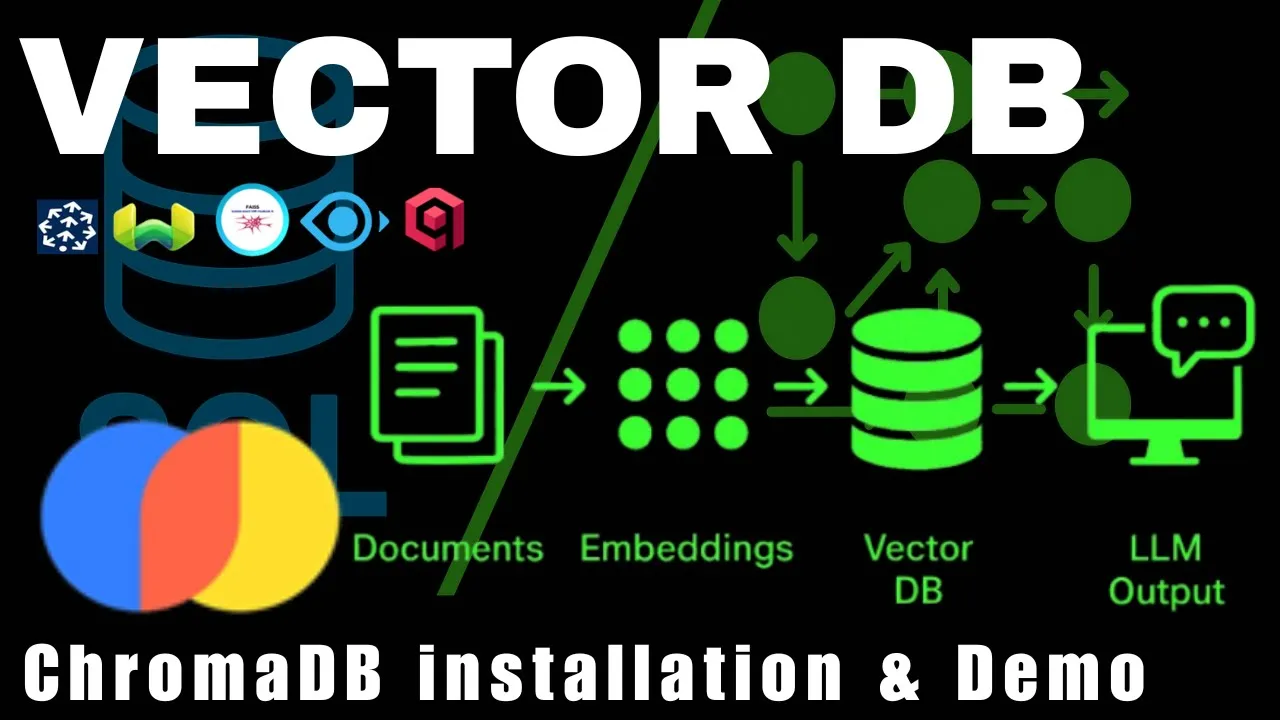














This tutorial demonstrates how to build a retrieval-augmented generation (RAG) application using Python, LangChain, and the OpenAI API. The process involves transcribing a YouTube video using Whisper, splitting the transcript into manageable text chunks, generating embeddings for each chunk using OpenAI's embedding model, storing these embeddings in a vector database (Pinecone), and creating a chain that retrieves the most relevant chunks for a given question before passing them to a language model (GPT-3.5 Turbo) along with the question itself to generate contextually accurate answers.
Building a RAG Application with Python, LangChain, and OpenAI
Added:Proficiency in Python programming, including handling environment variables, packages, and working with external APIs.
Fundamental understanding of Large Language Models (LLMs), prompt engineering principles, and the API-based consumption of AI models.
The conceptual basis of vector embeddings—how textual information is translated into high-dimensional numerical vectors for semantic search.
An introductory understanding of database structures, specifically how vector stores differ from traditional relational or NoSQL databases.
Advanced RAG optimization strategies, such as parent-document retrieval, sentence-window retrieval, and query expansion techniques.
Implementing hybrid search (combining keyword-based BM25 with dense vector search) and integration of cross-encoder rerankers to improve search precision.
Evaluation methodologies for RAG pipelines using frameworks like Ragas or TruLens to quantitatively measure context recall, precision, and faithfulness.
Building Agentic RAG systems using frameworks like LangGraph, allowing the application to autonomously decide when and how to query external knowledge bases.
103.4K views3.2Klikes1:12:39Original Release: 2024-03-05
hi so today I want to show you one of the hottest skills in 2024 which is how to build uh retrieval augmented generation systems using python using the openai API specifically we're going to be using the GPD uh 3.5 turbo uh model and how to use Lan chain and the reason I I picked Lan chain is because it's by far the most popular fretwork to build llm application now by the end of this video I I I not only want you to understand how to put together the code but I want to explain I want you to leave understanding the reasoning behind every single component that we use to build this solution uh so let me go here let me show you uh really quick what you are going to find I'm going to be using visual studio code throughout this video to run the code uh the code code it's in a in a jupyter notebook now I'm using the extension the jupyter extension within Visual Studio code to run my code within Visual Studio but if you want to run it outside you can just install Jupiter and do it outside you will find um a link in the description of this video uh for the repo containing all of the code uh this is the repository here and there is a quick setup instruction is very simple to follow so BAS basically the first step will be installing a a python environment a virtual environment and then running the requirements there are a bunch of uh libraries that we're going to need to run so all of them are listed within the requirements dxt file uh the second step is just to create a pine cone account I'm going to explain what pine cone is when we get to that point and then copy the API key and finally is to create a m file so it's an environment file where you are going to host uh or save the open AI API key the pine cone API key and the pine uh pine cone API environment you are going to get those values from within pine cone now this obviously we're going to be using the GPT 3.5 turbo which is very cheap but you are going to have to uh you're going to need an API account uh with open Ai and you're going to need access to GPT uh in order to do this you're probably going to be uh have to have a credit card there to do this I promise just running this code it's just going to cost you sense if anything it's just very light uh but just just be aware of that so after you do the installation uh you can open this rack uh file and this is sort of like the notebook that is going to show you step by step what we are going to be building here so here this diagram here uh represents the application that I want to solve together with you okay it's a very simple application we're going to start with a YouTube video any YouTube video and what I want to do is being able to using a model an llm model or the GPT 3.5 model I want to be able to ask questions about that video now you can imagine a student that has the videos of of of a class that it's going through and the student wants to just ask questions that are going to be answered from the content of the video that's the application that we're going to be uh we're going to build together uh here so at the end of today you're going to be able to use your own video whatever video you want that's what you're going to be able to use uh for this example I'm using this particular interview with Andrew karpati uh Alex Freeman it's a three hours and a half interview so it's a long long long video and what we're going to be doing is asking questions from this interview okay so that's sort of like the process so going back to this diagram you'll see that the idea of how to do this uh it's it's kind of simple right we're going to grab the YouTube video we're going to generate a transcription out of that YouTube video going to get all of the text the entire transcription of the video and together with a specific spe ific question we can give those two pieces of information to a model in order to get an answer okay so the idea will be something like hey what is the I don't know what is artificial intelligence that would be the question and then answer the question from this transcript so we're going to give the entire context of the video or content of the video to the model and the model will look up what artificial intelligen is within that transcript and will give us an answer so very very simple so how do we accomplish this how do we do this well I'm going to start this notbook here by just loading uh using the do uh Library here I'm going to be loading the environment variables in memory remember we added the open AI API key uh to those variables so I need to load them that's what I'm loading here because I'm going to be setting up a model and I'm going to need that AP I key and this is the URL of the video again this is the interview between Lex Freeman and and Andrew G party that's the video that I have here you can use your own video okay so I'm going to load this all good and now I'm going to set up the model okay so this is the main component that we're going to be using if I go back to the diagram that I have here that's this blue square here that's going to be our model like I said before we're going to be using the the GPT 3.5 turbo model you can use GPT 4 if you wanted to GPT 3.5 is is good enough here notice I'm using Lan chain Here For the First Time Lan chain supports uh multiple models like you can use l chain with any sort of model you can use it with llama open source models you can use it with mixol you can use it with Gemini you can use it with any sort of model specifically here I'm using the chat open AI class it's a pretty fine it's a it's a outof the Box class that's going to give me access to uh open AI models and I'm initializing that class with the key and with the name of the model okay so after running this now we have a variable here a variable model that will give us access direct access to that model so let's let's try it out let's let test it so I can just invoke that model with just a question and this is just to see whether the model is actually working or not you can put here any question I specifically run it using a question what MLB team won the World Series during the covid-19 pandemic and you can see here the answer coming back from the model is an AI message with a Content inside that says the Angeles Dodgers won the World Series blah blah blah blah blah okay that answer is correct so this model is clearly working you're going to notice something here that's going to be the same for many different components from L chain and it's that invoke function so all of these components we can call them using an invoke function and we're going to pass a query inside and those components are going to do what they're supposed to do all right so so far we have a model and we can ask anything we want to that model uh just let me add just a new line here I'm G to add something invoke uh how much is 2+ two just just to make sure this is actually working and you get here back okay so the content is 2 plus 2 equals 4 okay so this model is clearly working that's fine the only thing that I don't like at this point is that as you can see the the the output coming from the model is an AI message so it's it's is an object what's coming back I would like just to get a string back unfortunately uh L chain supports the concept of a parser and this is the way it works it's just very very simple we have our query which is how much is 2+ two we send that to the model the model is going to give us us back a response and we can take that response through a parser which is going to be a class that's going to decide how to format how to Output that result okay in my case here for for what we care about I'm going to be using a string output parser which is the name suggest is very very simple it's a very simple class that is going to take that AI message instance and turn it into just a string okay and here for the first time we start seeing the main idea of Lan chain which is precisely the chaining portion of their name so we can start chaining components together in order to accomplish something or a task that's a little bit more uh complex than what a single component can do by itself so notice here I'm creating creating the parser and it's just a string output parser again this is just going to take whatever the input is and turn it into a flat string and then I'm going to create a chain and a chain is putting together the model connected to the parser and this is the symbol in Python the pipe symbol is how we're going to make that connection so I'm saying okay just call the model and take the output of that model and that's going to be the input of the next component in this case is going to be the parer and let's ask the question again so now we're going to invoke it with the same question we asked before what MLB team won the World Series and when we run this now we are going to get the same answer back but now notice it's just a string it's not an AI message anymore it's just a string and this is going to make things a little bit clearer okay all right so let's let's take this to another level uh if we go back up and we see the diagram uh what we want to send to the model are two pieces of information we want to send a question but we also want to send a transcript so we want to ask the model answer the question from this transcript or this context right so we need to combine those two pieces of information in the prompt that we're gonna use with the model okay so in order to do that is I could write that just in a string but we're going to introduce a new component from L chain in order to set up a prompt it's going to be a little bit more complex than just just a string so here is our prompt and because the GPT 3.5 turbo model is a chat model it's not uh a completion model but a shat model I'm going to be using the chat prompt template class from Lan chain again Lan chain supports a bunch of prompts by the way uh here I have the Lan chain documentation with all of the models here the modules here and it you can go through the modules and you can find everything that the day support uh I'm just going to focus on the ones that I'm using here so the chop prom template uh here is the string that I'm going to be using with the model it's very simple it says answer the question based on the context below if you cannot answer the question reply I don't know so that is is that simple and then I give the model the context and we're going to be using this context to inject the transcript from the video and I'm going to be giving the model a question okay so very very simple this is my template string and now I can create my prompt object which is a chat prompt template from this string here notice the syntax that I'm using to specify context and question that syntax is telling lanching to create two input variables and you're going to see how we pass those right here notice that I can say prompt which is the variable that we just created format and then I pass the context and then I pass a question okay so these two correspond to these two variables that now I can pass these two arguments or parameters that now I can use together with the format function in order to generate the full template okay now I'm using here sample context I'm saying Mary's sister is Susanna and the question would be who is Mary's sister and again this is just a sample and when we execute this let me do that again you're gonna see the output from that prompt or not the output remember here we're not talking to the model we're just generating formatting that prompt it says well the human is saying answer the question based on the context below blah blah blah and then over here you're going to see the context says Mary's sister is Susana and then the question is going to be who is Mary's sister so it's sort of like putting together or replacing those variables context and question by the values that we are passing here so very straightforward this is good so if we shame now together if we take that prompt and chain it together with the model and with the parser we're going to get something that looks like this we're going to get something that looks like this I apologize about that I hit the microphone for some reason uh so we're gonna get the prompt right expecting two parameters the question and the context that prompt the output of that prompt which is basically formatting the question the context with the with the overall template that output is going to go to the model that's going to be the query that we're going to send the model the model is going to process that query it's going to take the response take it to a parser and finally that parser is going to parse out that answer that what we want so this is sort of like the full chain so far so let's see that chain in action you're going to say that I'm going to be using the pipe symbol like we did before I'm going to be chaining the prompt with the model and then with the parser and again the output of the prompt becomes the input of the model the output of the model becomes the input of the parser and when I invoke the chain now we need to pass two parameters because the prompt is expecting those two parameters so I need to supply those two parameters to The Prompt so I'm going to invoke the chain with the parameter context when I say hey Mary's sister is that's the example context that I'm showing the model and a question and that question is who is Mary sister and now when we run this you'll see that the model is returning the right answer so the model is basically what we sent to the model is hey answer this question from the pro from the context below and the context is Mary sister is Susanna and the question was who is Mary's sister the model is just going to PR process that and it's going to say Susana pretty awesome this is how little it takes right so obviously after defining the prompt the model and the paror my Shain is just add putting together every single component okay so this is good uh before we get into the transcript of the video let me show you how powerful chains can get because you can now combine different chains together you can create very comp Lex systems by combining different chains together so I have this section here again this sort of like a like a small Rabbit Hole doesn't necessarily is going to help us solve the YouTube problem but I wanted to show the power of the chains here I'm creating here uh a new prompt template that I'm calling translation prompt uh we did we already have a prompt which is the The Prompt of answer from the context below this is a new from uh template that says translate one parameter answer to another parameter which is language so this is a new prompt that I just created here okay and now I'm going to combine this prompt with a model to perform what the prompt is doing with the previous chain okay so this is what that is going to look like looks like a little bit complex but I promise it's very simple so we have our original chain at the top question context goes into a prompt The Prompt goes into a model the model goes into a parser but now I'm going to use the output from the parser which is that answer that's coming from the parser and that is going to be one of the inputs of my second chain that I'm going I'm going to create now so you will see the answer going into the translation prompt which is the one that I just showed you and I I'm going to need to specify a language as well so I specify a language I'm going to use the answer coming from the previous chain and then I'm going to take that through a model I'm going to get the answer from the model and I'm going to parse that answer out to get my final response so if you haven't noticed already what I'm doing here is I'm creating a TR translation chain or I'm going to be creating a translation chain that is going to translate the answer from the first chain into any language I want okay so this is what that translation chain is going to look like I have an answer and I have a language these are the parameters that I'm going to be expecting from outside okay and this is sort of like a a little bit of syntax sugar to specify parameters here uh as part of this chain notice how I'm using like the curly braces the answer parameter is coming from Shane and Shane is the previous chain that we defined before okay that is where the answer is coming from and then I have language which is coming from and I'm just using the item getter function to grab the language from the invoc a of the Shan so whenever you invoke a Shan and you pass parameters if I use item getter here I I can just grab that that parameter from the invocation of the Shan so these are my two parameters and then I'm going to get all of these two things I'm going to get them into the translation prompt okay which is the prompt that says translate this whatever we get here into this language here okay that's my translation Pro prpt we defin it before and then I'm going to take that into the model which is the GPT 3.5 and then I'm going to take that through the string output parser okay and now I'm going to invoke the chain so the context why do I need a context here well remember we we are chaining a chain so we still need to pass the context here so that context gets used by the original chain the contact says Mary's sister is Susana she doesn't have any more siblings okay the question is how many sisters does Mary have and the language is Spanish okay notice I have three inputs let's check the diagram here really quick you're going to see the question the context and the language those are the three inputs that my overall chain is expecting like the big one here right two of them will go to the previous chain the third one will go to the translation chain why I don't need an input an input for answer because answer is coming from the output of the first chain all right so let me run this just make sure it still works it doesn't it says that translation prompt is not defined that is because I forgot to run this line here do that now we run this and here you go Maria Susanna very nice way of answering this question but it's correct so just here hopefully this makes clear how you can have separate chains different doing different things and you can connect them together in order to accomplish something that is much more complex which is I think is really cool all right let's get back to the YouTube video problem that we have uh and so far what we have right now is we have a template that expects two variables the question and the context we have a model we we have that template connected to a model and that model connected to a parser to an output parser so I think those are the big components that we need what we need to do right now is just grab the YouTube video transcribe that YouTube video get the text and use the text as the context and that's it that's pretty much it right well not really but we're going to get there so to transcribe the video I'm not going to spend too much time on how to transcribe the video uh I'm going to explain this really quick but basically I'm using the whisper library and Whisper is uh you know can get a link here so let me just open this link I don't even know how to open a link here uh yeah let me grab this link I don't want to click on the link because it's going to open Chrome and I'm going to show you so here is uh the whisper Library uh again whisper is open source you can read here the whole explanation of how it works uh it's it just works great in my experience it's very very good at what it does so I really don't have a need to use anything else so the way the code is working is I'm first checking whether transcri ron.
txt exists again this is a three and a half hour video so I don't want to trans transcribe the video over and over again so I'm going to check if the transcription exists if it doesn't then I'm going to download the video and transcribe the video if it does already if it exists already I'm just going to skip all of this that's what this line is doing uh I'm using the YouTube class from PI YouTube is just a library that you can install will give you access to YouTube videos so I'm just initializing the YouTube class here or the YouTube instance here and then I'm going to grab the audio from the YouTube that's the only thing I care I don't care about the video only the audio so I'm going to grab the audio I'm going to initialize the whisper model I'm using the base model this is not the most accurate model that whisper has to offer but it's very very good at a very decent speed if I were to use an even more accurate model is going to take longer to transcribe the the video so again depending on what you're doing just consider that there are models that are going to be even more accurate than the one that I'm using here so I'm initializing or creating the whisper model here and then I'm going to just download the audio okay to a file and I'm going to transcribe there is a function called transcribe whisper has supports that function I'm going to transcribe that file okay and I'm going just just going to grab the text and save it to a file all right so if I open the file you'll see it here uh I have it because I did it before you will see this is just is obviously three and a half hour conversation so it's a block of text with all the entire conversation between corpa and and Le all right so that's awesome I have the transcription so here I'm showing you so I'm gonna run this not gonna do anything because the file is in there uh this cell here uh opens the file and just displays the first 100 characters just to make sure that everything is in there good and now I'm going to be invoking my chain so very simple I'm going to grab my chain we already defined it before and I I'm going to invoke the chain passing my context which is going to be the whole transcription I'm passing the question and the question is is reading papers a good idea they talked about that so I want to know what their opinion is about that and notice that I added a try except exception here for a good reason when I run this what is going to happen is that we are going to get a 400 error code back so it's not going to work now the message is where you're going to find the clue of what's Happening here it says this model's maximum context length is 16,000 tokens 16, 385 tokens however your message resulted in 47,000 tokens like I don't know like three times more tokens than what the model supports please reduce the length of the message in English what this is telling us is the transcription is too long and the model does not support such a long transcription now the the error talks about tokens let me explain really really quick without this being uh a video about tokenization let me explain what that this is remember these models uh that are processing text are using behind the scenes it's just a big neuron Network and we have to find a way to vectorize the text turn text into numbers for the neural network to work like the neural network is not going to work directly with letters with characters right it's going to work with numbers so we have to find that translation between the text and the numbers and that it's it's using a process or we use a process to do the translation or that conversion that's called tokenization where we tokenize text now here's a link and I added that that link here here in the in the notebook uh I'm going to show you here this is Tick tokenizer it's just a website that's published online uh that you can use and specifically I'm going to be using the CL 100K base tokenizer which is the one that's using open AI behind the scenes a notice here that uh hello this is the year 2024 I'm just type in a sentence and over here on your right side you're going to see how many tokens come out of this sentence so it says hello this is the year 2024 notice that with colors you get what the tokens are right so 9906 is going to be the word hello 420 is going to be space this right 374 is going to be space is right now notice it's this is funny the year 2024 2024 is not going to be tokenized as a single uh value instead there are two tokens for the year 2024 you get 202 okay which is 2366 and you get four which is 19 okay and there are a bunch of quirky situation uh is this correct and is this and this is correct all right so bunch of ways to represent things here notice this so is lowercase or Capital capitalize is is going to be 3957 all capital is is a different token is 1669 space is is 374 so notice these three is concepts are represented with different tokens here right now there multiple reasons for that to happen uh you can play with this TI tokenizer here to see how it works or why not this is what's important just to remember as a general rule uh think of tokens at 75% of what the number of words that you have Soh for a thousand words you can count approximately they're going to be like 750 tokens approximately uh so that's like roughly uh what it comes out to after you tokenize a text but when the model when we get an error saying that the model has a maximum context length of 16,000 tokens you can do the math there and determine how many words you can actually fit remember that's how big that prompt is going to be when we send it to the model obviously in a three and a half hour video there is just too much context okay okay and you can go beyond YouTube videos you can think about a company which is a very very common request right now they want to process their knowledge base with a large language model but they have a gigabytes of data not only three and a half uh our transcript they have gigabytes of data that they want to process with a large language model let's say they're creating a chatbot for their customers to ask questions about the company about the products of the company uh the company cannot fit their entire knowledge based in a single prompt so they need to find ways to split to chunk the their entire knowledge base split that into most relevant context like if you were doing this information or if you were doing this problem sorry and you wanted to solve it manually what would be the first idea that comes to mind okay in my case well obviously we cannot send the whole transcript to the model we need to somehow send only a portion of the transcript that makes sense for the model to use to answer that question okay so let's say we have two classes one class is a math class and another class is a history class and both of those classes are within our knowledge base if the user asks a question about math we don't need to send the entire class of the entire history class to the model we will only send the math class and if the user asks anything that's related to history then we will only send the history class so we need to find a way within this transcription to somehow select find and select the portion of the transcription that could could potentially be helpful for the model to answer the question and that is precisely what makes rack applications a little bit more complex to build that selection process that chunking and selection process is what makes these applications a little bit more complex so this is uh sort of like this idea represented here in the diagram right we want to send the question to our model but somehow we want to take that transcript split it into documents and only send the document to the model that is relevant for that question that is our challenge right now how do we do that okay that is what we want to do all right so in order to get there the first thing that we need to do we obviously need to split our transcript we cannot work with the whole thing so let's find a way to just chunk it out just just split it into separate portions uh so to get there I'm going to I'm going to be using a text loader so we're working with a text file so I'm just going to use a simple text loader this is another component from L chain and as you can see the text loader is just simply loading that file in memory it's going to be easier for me to work like connecting this text loader later to a splitter so we can actually split text so I'm going to load this text document or this uh file into a variable called text documents I'm printing out here text documents let me run this and you're gonna see it says well there is a document here and and the the content is going to be the entire transcript okay uh you know I can keep sort of like scrolling and I see the entire transcript that's what happens when I load this text document in memory now we need to find a way to split it and there are many many different mechanism to splitter uh to split text I have a link here let me open that link really quick so if I open this link and I open it up here all right you're going to find the types of text Splitters that you can use that are supported by line chain and there is recursive there is HTML if you're using HTML documents and you want to split HTML documents well the HTML text splitter knows about characters knows about HTML characters so it's it's a good idea to use it you get markdown if you're processing code files you get a code splitter supports Python and JavaScript right you get a token a character and you get a semantic chunker this is a very interesting one okay so this this just splits the document in a smart way again it's experiment but anyway here you can find the entire list of Splitters uh and we're going to be using a very simple one we are going to be using let me just execute this we're going to be using a recursive character text splitter so this is the way it works okay we're going to take our entire transcript and we're going to specify uh a pretty fine length like how many characters we want on every chunk or every document and then we're going to specify a little bit of overlap so we're going to get let's say from the character Zero to character 100 and that's going to be the first document and then we're going to go back 20 characters that's going to be our overlap and go from character 80 to character 180 and then go back to any characters and do the same thing so we're going to have that overlap between documents here is the example let me run this I'm going to use the recursive character text splitter and I'm specifying a chunk size of a 100 and 100 is just too small but just to show you here how it works I'm going to probably set it to a th later but you're going to see chunk size a 100 and the overlap of 20 and I'm going to split the document that we loaded here which is just a big document at this point and then I'm just displaying the last five uh or the first five documents here that we created so notice this it says I think it's possible that physics has exploits that's how this document starts notice that the document ends saying to find them arranging some and the document ends there and if we go to the second document it says arranging some kind of a crazy Quantum see how there is an overlap of 20 characters there let's see how this document ends the second document ends with you buffer overflow and then the third document says buffer overflow somehow gives you a rounding so that is the way I'm splitting this document okay so I have a huge transcript that I'm gonna be going and chunking out into documents of specified length now a 100 here is just for me to illustrate what this looks like but 100 is probably not enough so I'm just uh doing a thousand here just execute the same thing but now doing it a thousand you can try or this is going to be a hyperparameter of your system that you're going to have to try and experiment with if you're going to be using a recursive C text splitter you might want to try with 2,000 maybe uh 3,000 uh change the overlap depending on your document this is something that you're going to have to try it out all right so uh having done that now what we have is what we wanted so we have a bunch of smaller documents and each one of those documents will fit the context which is good right we don't need to send the transcript anymore the problem however is that we need to understand which of those documents to send to the model like we get a question about artificial intelligence how do we know which of those smaller 1,000w documents are the ones that we need to combine and send to the model that is the question that we need to answer next and this is one of the most fascinating topics of working with large language models and working on these type of systems that you are going to find and it's the idea of embeddings okay so let me show you first what this looks like here okay and you're going to have to trust me for one second and then I'm going to make this a little bit more clear uh so this is my proposal so if we start with the transcript and we split it into documents we already did that and we have all of those smaller documents imagine that there is a magic formula for us to compare a question with all of those documents and that magic formula that I'm calling Computing similarity here that magic formula will tell us which of those smaller documents are the most similar to the question that the user asked and using that similarity we could return the documents that are the most similar so we could select the documents that we want to send as a as context to the model so the process of doing that I'm I'm saying this magic formula what this actually exist we can generate embeddings for every one of those documents and generate embeddings for the question now what what an embedding is is just a vector in space you can think of coordinates in a multi multi-dimensional space of where a specific idea is located okay so here is the way it works imagine that I talk about books grab a book this is the Deep learning with python book from Fran Chet and I'm talking about books and I generate the location in this multi-dimensional space of where you would put this book and that book will live here in this location here I don't know if you can see it in the camera I probably can but imagine actually let me just let me just put this here let's say I locate this book that corner over there okay that that is the coordinates where this book is going to be located as a concept in my world and now I grab a can Okay so grab a can and this is a very different concept so it's not going to go close to the book it's probably going to go to a different corner of my room so the coordinates representing this can are going to go somewhere else and now I'm going to grab another book this is a human in the loop book this is a very similar concept to this book so if I were to locate this if I were to generate coordinates for this book those coordinates will probably place this two books very close to each other over that corner and very far apart from the can that's located on that so hopefully these are like 3D IDE makes sense but the embedding is basically a function for now we can call it a magic function that given a concept given an idea a text a word an image it locates it's sort of like a generates a coordinate in multi-dimensional space of where that concept idea object is is should appear and related concepts are going to be located very close to each other while separate concept Concepts that are not similar should be located far apart so let me give you one specific example and I'm going to be using for this example I'm going to be using the coher playground coher is an amazing company uh they they they have a very good large language model they have a playground which is what I'm using here and that playground I'm using their embedding uh section of the playground to generate the location of several ideas that I added here so you're going to notice I have seven different sentences H Mary's sister is Susanna Jon and Tommy are brothers Patricia likes white cars Pedro's mother is a teacher Lucia drives an Audi Mary has two siblings and Mercedes are amazing automobiles okay so seven different sentences and I generated embeddings for all of these sentences what coh here is going to do is going to generate those locations those vectors but what's really cool about this playground is that those vectors by the way they have multiple Dimensions because they are uh those are coordinates in in in multi uh Dimension space but cohere is sort of like displaying a compressed version of those vectors in two Dimensions so we can visualize and see what happens with those vectors so this is the output after we did that so the first thing that you are going to notice is that there are four sentences toward the left and three sentences toward the right so let's explore which sentences coh here decided to group together so sentence number three Patricia likes white cars is close to Mercedes or amazing Automobiles and close to Lucia drives an AI so the three sentences that somehow talk about cars are close to each other now this is what's really cool about this okay notice that the sentence says Lucia drives an Audi it doesn't say the word car it doesn't say the word automobile it says AI the third sentence uses the words White cars and somehow coh's model knows that why cars is a similar concept than odies or AI in this case same thing with automobile and Mercedes see how these three concepts are together now let's see this here you get John and Tommy are brothers and that's close to Mary's sister is Susanna that's close to Mary has two siblings notice how these three sentences are closed together they're talking about sisters brothers siblings and then you get ped's mother is a t-shir which is a little bit farther apart from The Sibling idea but still close by embeddings are an amazing idea that makes everything that you see here possible okay so if we go back to our diagram if we generate embeddings and this is the the section that says embed here if we generate if we can generate embeddings for each one of the documents that we generated right each one of the Chucks we generate embeddings for them and we also generate the embedding for the question we can then compute the similarity how similar how close are those embeddings and basically grab the most similar chunks or the most similar documents and use those most similar documents as the context for our model so if our content was about the question that the user is asking is about cars and we generate the embeddings of all of these questions then we could potentially send these three chunks these three sentences three five and seven to answer a question about cars if the question was about family relationships then we will send the closest of these four here or maybe all four if they fit right that is the idea behind using embeddings to solve the problem with the transcription so how do we do that well you'll see uh fortunately open AI or not open AI but L chain thought about this and they offer the ability to use embeddings from open AI so they have a class it's called the open AI embeddings that we can use to autom atically generate not automatically but generate the embeddings for anything right so here's one example uh I'm creating this instance is called embeddings and I'm embedding a query who is Mary's sister okay so I'm going to generate this embedding here by by call it embedd and query and then I'm printing out the result and you'll see this is the embedding and it's just a long long Vector remember this is just the location in a multi-dimensional space of where that query is going to live just wanted to show you what it's going to generate the length or the number of Dimensions is 1536 so 1,536 Dimensions here that's how many uh Little Numbers here or small numbers here are going to be within that Vector now that that is interesting we're going to use that later but for now we have a way using open AI or using chain to generate the embeddings let's see a little bit more let's see how these embeddings work now just to make sure we have all of the ideas that we need to solve this problem I'm going to generate now two more embeddings in this case embeddings for two separate sentences okay so the query was who is Mary's sister the sentences are Mary sister is Susana and Pedro's mother is teacher okay so obviously I generated three embeddings of what I want to show you is how we can compute how close these embeddings are to each other and if everything is working as it should then this the embedding for who is Mary's sister should be closer to Mary's sister is Susanna because that is the answer the direct answer to the question that I'm asking how do I do that well I'm going to be using coign similarity there are many different ways to compute to take two vectors or two embeddings and compute how close they uh they are to each other the most popular Way by far is cosign similarity so I'm using cycle learn cycle learn provides cosine similarity function so I don't have to implement it it's not hard to implement but anyway I don't have to and then I'm going to be Computing the cosine similarity between the query the embedded query and send sentence one and the embedded query on sentence two okay so these are the two similarities and when I print that out let me execute this line by the way when I print that out you're gonna see that the similarity between the query who is Mary sister with the first sentence uh the first sentence was Mary sister is Susana the similarity was 91 remember similarity of one with be perfect zero will be very very dissimilar and the similarity of the second sentence is 76 so clearly the embeddings are working I'm getting that Mary sister is Susana is the correct answer or it's the the closest not the correct answer I'm sorry it's the closest of the two sentences to the query that I asked okay awesome so how do we use the concept of embeddings right how do we use we we already know that we can use embeddings we already have a chain but we need to find a way to take that transcript and put it all together with our chain so the process works uh without without any Interruption so there is one more problem that we need to solve and is that if you think about it if you get a three and a half hour transcript that's a huge amount of content and we split that we have many many different documents potentially thousands of documents that we're going to have to go through and compute similarity when every every time we answer a question we're going to have to compute this the embedding of the question compute the embeddings of every single document and then find which of those documents are the most similar there is a lot of processing there fortunately we don't have to do any of that by hand because there is a a new idea it's called a vector store a new idea here for us in the video obviously it's a vector store which is a database for vectors a database for embeddings that's very simple and the whole idea of a database for embeddings is that we can use that database number one to store all of our content all of the documents from that transcription number two to automatically generate the embeddings for all of those documents and store those embedding so we don't have to regenerate them every with every question and number three and it's the most important one vector stores are optimized to do similarity search really really quick so that means that we can give a vector store uh an embedding and say find me this many documents or the top three documents that are the closest to this embedding and the vector store will do that really really quick which is precisely what we need for this right so let's set up a really quick a vector store this is how the process is going to look right we're going to get a transcription split it into documents we already did that we're going to get all of those documents and we're going to generate the embeddings for all of those documents that's going to happen behind the scenes all of those embeddings are going to get stored in a vector store and then that Vector store is the one that we're going to use to get the question and produce the most similar chunks or the most similar documents from that list okay so for starters and just for this example here we're going to take it to pine cone in a second I'm going to be using a doc array in memory search Vector store this is just a vector store that's going to work in memory okay in the memory of your computer so I don't have anything else to set up and just for the example I'm going to use the same seven sentences that uh I showed you in the coher playground so these are the seven sentences that I'm loading into my Vector memory Vector store so notice here I'm going to run this how I'm saying hey just generate this memory search from this texts so I'm just loading that into memory and I'm using this is important I'm telling this Vector store which class should use to generate the embeddings and because we're using the open AI embeddings here we're using the open AI NPI we need to use the embedding model from open AI if you were using a llama model you will need to use a different way to generate embeddings if you were using the coher model you would need to generate embeddings with the coher embedding model OKAY in this case I'm using the embedding models from the open AI API cool so after executing this I have Vector store one that's the name of the variable which is a vector store and now uh notice this I can just call similarity search with score just a function and I can pass a query who is Mary's sister and I can specify how many chunks I want back by the Fall it's going to return four I'm just specifying three here just for the example but just so you know by default you're going to get four the the top four most similar documents back so I'm saying who is Mary's sister and I'm getting in order Mary sister is Susanna Mary has two siblings John and Tommy are brothers those are the three most similar documents from this uh Vector store uh to this question here awesome all right so how do we connect this Vector store to the previous chain so we're going to need a new concept that's called a retriever okay very simple uh you'll see how it works right now so this is remember that our previous chain required two parameters required a context and it required a question and remember our previous chain started with the prompt and we passed that context and we passed that question now it's just going to look a little bit different so now the way it's going to look is well we're going to add a retriever in front of the prompt that retriever is the class that will take care of connecting to the vector store and retrieving the documents that will become the context okay that's why you see here that the context is coming now from the retriever into the prompt okay so let me show you the code and how to create how to set up a retriever really really quick from any Vector store here you can just generate a retriever by the way there are multiple retrievers are not only connected to Vector store you can have a retriever that's going to run a different algorithm behind the scenes to select different documents like for example like a like a page rank algorithm to do search like Google does for example and select documents using that algorithm in this case I'm generating my retriever directly from the vector store so I'm say hey off of this Vector store one just G gave me uh give me a retriever and now if I invoke my Retriever with a question the retriever behind the scenes will take care of everything the retriever is generating an embedding for that question is sending that to the vector store and is retrieving the top four documents and sending them back that's all of that is done by the retriever the retriever is sort of like a the Gateway so I can connect it to a chain and the retriever is the gateway to that Vector store notice here who is Mary's sister is returning I'm going to just run it is returning Mary's sister is Susanna Mary has two siblings John Andia Brothers Etc okay so the retriever is working now we need to connect that retriever to The Prompt okay The Prompt expects two parameters the context and the question okay so this is how you can connect the retriever to The Prompt remember that before when we generated a translation prompt I show you a little bit of syntax sugar to do uh uh curly braces to specify the parameters here I'm just going to unravel that a bit we're going to be using a class that's called um runnable parallel which is a l chain class that is going to let us do two things at the same time okay so the two things are very simple in this case I'm calling this a setup and the setup is well the context is going to come from from the retriever one it's the one that we just created that's where the context is coming from okay from the Retriever and the question is going to be a pass through so I'm taking the question I need to specify the question because the retriever it's using the question so it meets the question but I'm also telling this runnable parallel class to pass that question through the next step in the process because the prompt requires that question as well retriever requires the question because it needs to generate the similar documents but the prompt the following component on the Chain when we connect this retriever to the chain we need that question therefore I'm going to do a runnable pass through okay and now you can see here how this runnable pass through is just going to return a map exactly what my prompt is expecting so I invoke it with what's a great car tell me what what what's a great car and you're going to see that the context that it returns is Mercedes are amazing automobiles notice how how I I have to just just just one second I appreciate how good embeddings are but I'm asking I'm using the words great and car and the idea is well Mercedes instead of car and Automobiles instead of car and amazing instead of great and still these two concepts are very close to each other just just close parenthesis there here on my yeah Amusement so anyway when I invoke this runnable parallel class with that question I'm GNA get a map back with a context variable containing an array with all the four documents that are the most similar and a question and the reason the question is coming back is because it's a runnable pass through and because it's a runable pass through it's just going to pass it through the output as well and the question is what's a great card all right so now I can get this set up and put it together as part of my chain okay it's very simple now I can just I have my chain here and I can add the setup connected to the prompt connected to the model connected to the parser and I can ask my question what color is Patricia's car and if I run this it's going to say is white and it's getting that so it's going to the setup it's going to the vector store remember the setup is going to call the retriever connects to the vector store find the top documents that are the most important ones to answer this particular question then he's taking that connecting all of that into the prompt template The Prompt template go into the model the model outputting into the parser the parser is just giving me that final string uh the second question is what's a great car and then the answer is going to be Mercedes so it's getting that answer from The Prompt all right so all of this is good but we really need to do this with the transcription which is the huge document right now it's just just sample so let's load the transcription into the vector store this is going to be very very simple at this point uh I have my uh Vector story memory class here and there is a from documents and I can pass just the list of chunks that we created remember that we split the whole subcription into multiple documents well I can just pass that here by the way let me just check um because I don't know what is the length of document like how many chunks do we have we have 221 chunks and just to make sure that we're working here with what I want I just want to see just document zero I think it's possible that physics has exploits blah blah blah so that's the first document here all right so awesome so 221 documents I'm loading into uh a new Vector store that I'm calling Vector store 2 okay and remember I need to pass what are the embeddings that I'm going to be using how am I going to be generating those embeddings what is the class and these embeddings is the open AI embeddings that we generated cool awesome so now that I have here this is the synta the syntax sugar back again instead of using the runnable parallel I could use the runnable parallel but instead of using that I'm just going to be using the squiggly uh thingy here the the squiggly braces here notice that I'm saying okay so I need uh the context is going to come from the the a retriever that I'm generating from Vector store to and the question is a runable pass through because I need to pass that to the prompt as well then connect it to the prompt then connect it to the model then connect it to the parser okay and by the way this is exactly the same and I'm just going to show you here just so it's clear so this here that we just did is exactly the same as if we do setup two runable parallel context yes this is cool co-pilot generated all of that code really quick so I'm going to put uh setup two all right so these two are equivalent I'm just showing you a little bit of syntax sugar on how to do that let me run this here uh well maybe not because V toor store to is not doesn't exist because I need to run this first okay now let me run it okay so this is my chain and actually I need to invoke the chain if I want something to happen I'm going to need to invoke the chain uh what car does Lucia Drive let me ask a question uh it says I don't know that's that's awesome of course not because this is using the vector store to which is the vector stores that's connected to the transcript uh so let me just do something what is Agi let's see I don't know I don't even know if they answered this question AGI stands for artificial general intelligence okay that's good and let's this the second chain again this is exactly the same thing as I did before but instead of using the runable parallel class Direct ly I'm just using the syntax sugar with this quickly braces and what is synthetic synthetic intelligence I'm when to run that and then it's going to answer synthetic intelligence is described as the next stage of development in the context blah blah blah this answer is coming from the transcript now we have it in this Vector store cool we are almost done just one more step and is that that vector store is in memory at this point we don't want that Vector store to be in memory we want it to be physically stored somewhere in an actual Vector database there are many many different Vector stores that you can use here I'm going to be using pine cone it's very popular so I created a pine cone account uh before recording this video uh you can see it here and I have a project that I call YouTube and I'm going to create an index here it's really fast so I'm going to create an index and I'm going to call it uh YouTube index okay so I'm going to call it YouTube index what does it say can only contain lowercase letters didn't I YouTube okay YouTube index that's going to be the name of my index I'm going to copy that because I'm going to nit it and then it says how many dimensions am I going to use uh remember it's 1536 Dimensions you can also go here set up by model and you can find F uh this is the embedding model that we're using so it's 1536 Dimensions this is the number of Dimensions the embeddings uh the embeddings have okay so because we're using uh the open AI we have 1536 diags okay awesome so this is I'm going to click create Index this should take just a second to have this index ready there we go no records yet awesome I'm going to go now back to my code and here in my code uh you're going to find a variable that's called index name and I need to paste here the name of the index that I use which is YouTube index and I'm going to run this cell and what this cell is going to do notice we already did this before for the memory store the memory Vector store where we loaded all of the documents that we generated in that Vector store in this case I need to specify documents that I'm going to be loading which is the transcript chunks from the transcript the embedding model that I'm going to be using and then index name so I'm going to do this this is loading it's going to take a few seconds and that's it 3.5 seconds is done let's go back to Pine Cone and if I refresh this screen we should see hopefully there we go so we should see all of the vectors already here in this index so notice that you get the source which is the txt file the text this is the entire text of this chunk or the original document this is the content that we give the model later and we also get the vector which I don't see here uh it might be you know what it might be because it's well maybe not it doesn't show it doesn't show like the actual Vector values not that that is important but anyway so I have everything here in Pine Cone so now the rest of the code is is just the same that we saw before right I can show you that this is working by just running a similarity search over pine cone we already did this before with the memory database and you what is Hollywood going to start doing that is just a question I'm basically saying return documents that are similar to this question I'm getting three documents back because I'm just limiting here how many documents are going to come back and then I'm going to set up a new Shain but this time I'm using pine cone so I'm passing the retriever coming from Pine Cone and everything else is exactly the same and when we execute that uh you're going to get Hollywood is going to start using AI to generate scenes etc etc so it's answering that question from the pine cone database that's uh live so uh that's it so hopefully this makes sense hopefully this showed you a little bit more about embeddings a little bit more about tokenization and a little bit more about how to use l chain to put all of this together um I'm going to be recording more videos related to L chain and large language models in the coming few weeks so yeah stay tuned if you want to see more of these videos and let me know in the comments if you have any questions or if you have any topics that you would like me to discuss uh thank you and bye-bye
Up Next
42:52
Large Language Models: Applications, Risks, and Limitations | GOTO 2024
@GOTO-
149.4K views•2024-07-19

57:48
Secure Multiparty Computation (MPC): Foundations & Challenges
@SimonsInstitute
7.3K views•2015-05-28

13:03
Bypassing Tor Censorship: Bridges and Pluggable Transport Guide
@Coding_ForEveryone
397 views•2024-06-11
18:41
Neural Networks Explained: Math, Layers, and Learning Fundamentals
@3blue1brown
21.9M views•2017-10-05
Related Study Plans & Knowledge Roadmaps
Structured learning paths in Artificial Intelligence
artificial-intelligence
Aligning LLMs: DPO, TRL & Custom Datasets
01Foundations of Python & Machine Learning
02Transformers and Large Language Models (LLMs)
03Aligning LLMs: SFT and RLHF
+ 3 more learning modules
24h6 modules
Explore Roadmap
artificial-intelligence
Federated Learning: PyTorch, Flower & Privacy
01Python & Machine Learning Foundations
02Deep Learning Basics with PyTorch
03Introduction to Federated Learning
+ 2 more learning modules
35h5 modules
Explore Roadmap
artificial-intelligence
Securing LLMs: Guardrails AI & NeMo Gateway
01Introduction to LLMs, Python, and APIs
02Understanding LLM Vulnerabilities & Threats
03Defending LLMs with Guardrails AI
+ 2 more learning modules
15h5 modules
Explore Roadmap
artificial-intelligence
Building Recommenders: Two-Tower & Vector DBs
01Foundations of Python & Machine Learning Basics
02Introduction to Recommender Systems
03Deep Learning & Representation Learning
+ 3 more learning modules
75h6 modules
Explore Roadmap