
![🎮 GameObjects und Components! || Spiele Entwickeln für Anfänger mit Unity [01-03] 🎮](https://i.ytimg.com/vi/NkvIvo7VpoQ/maxresdefault.jpg)











![OPTIMIZING my physics engine [Voxel Devlog #13]](https://i.ytimg.com/vi_webp/b_d-0EyOuVg/maxresdefault.webp)



![Coding a character controller [Voxel Devlog #29]](https://i.ytimg.com/vi/HlCVvG7_HFY/maxresdefault.jpg)

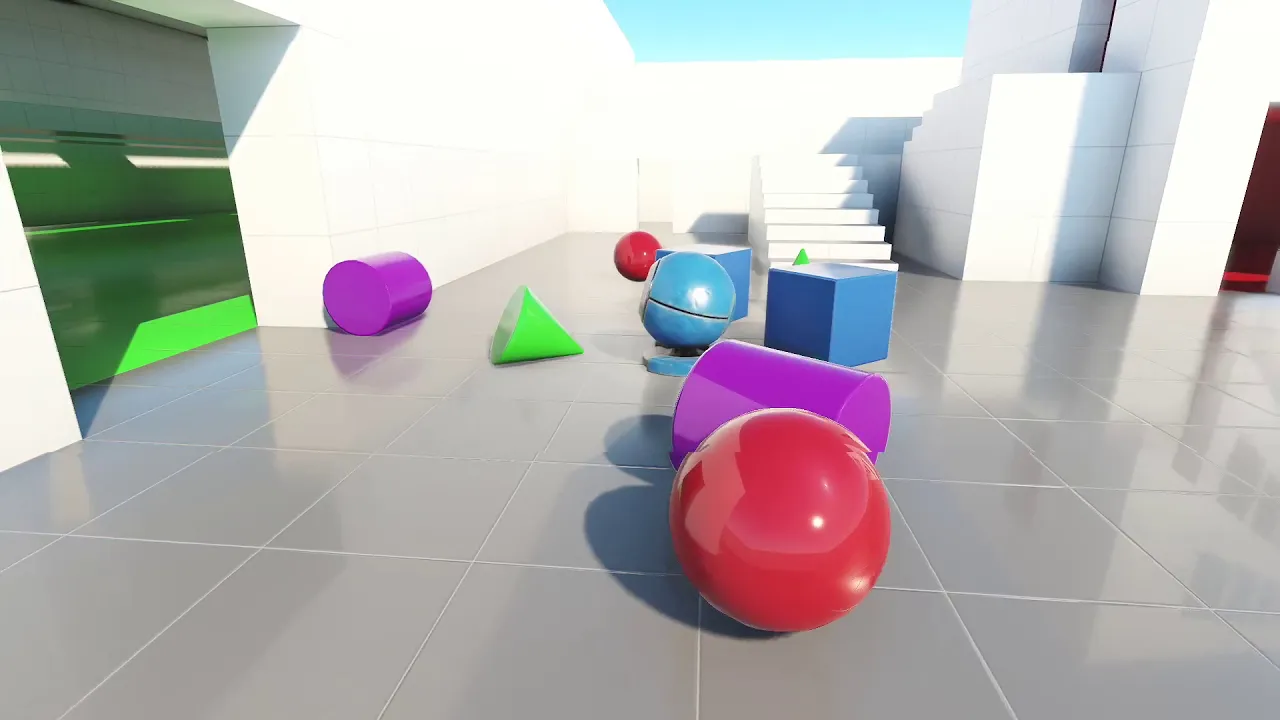

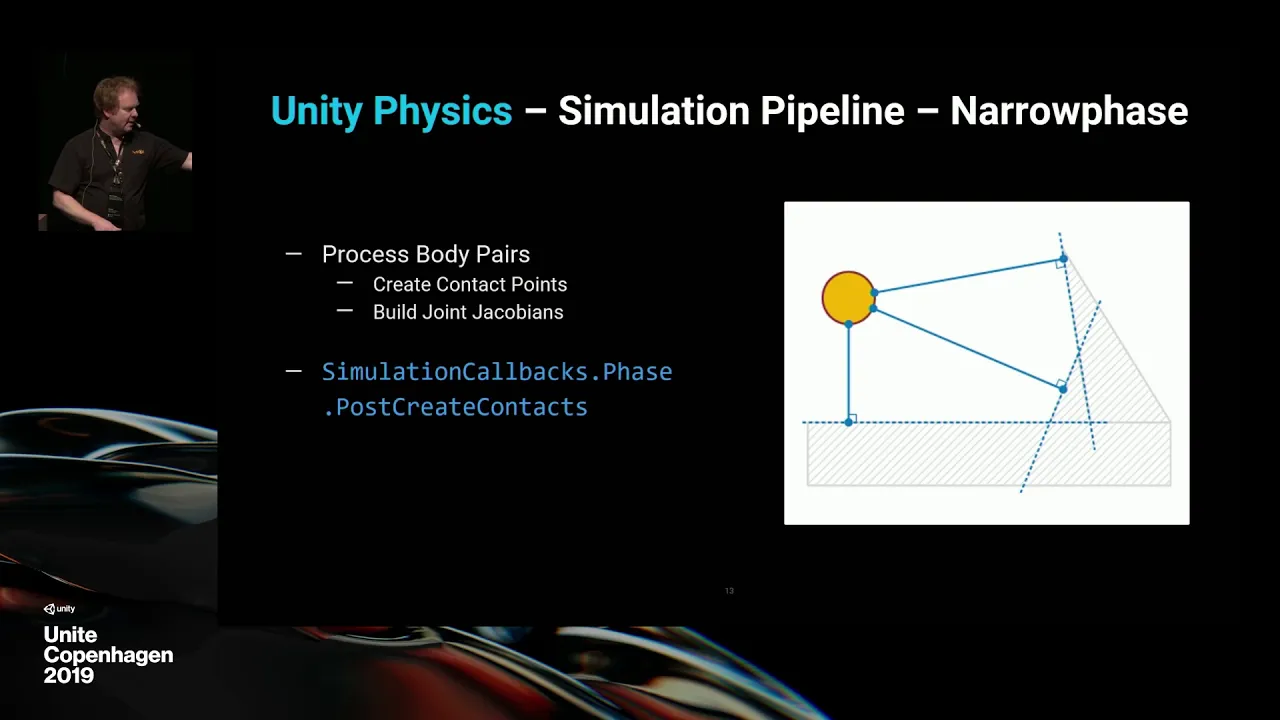
The Unity Physics engine is an entity-component system that simulates physical interactions between game objects using components like PhysicsCollider, PhysicsWorldIndex, PhysicsMass, and PhysicsVelocity. Static colliders (with PhysicsWorldIndex=0) don't respond to physics forces, while dynamic rigid bodies (with PhysicsWorldIndex=1) are fully simulated. Key concepts include compound colliders (multiple shapes acting as one rigid body), collision filtering (using layers to prevent certain objects from colliding), kinematic rigid bodies (controlled by code rather than physics simulation), collision events (detecting impacts between objects), trigger events (detecting when objects enter/exit zones), and joints (connecting rigid bodies with breakable connections). The physics engine generates events that developers can read to implement game mechanics like gravity wells, laser sight detection, breakable objects, and buoyancy systems.
Introduction to Unity Physics: API and Core Concepts
Added:in the GitHub repo for our entity component system samples you will find a lot of dots learning material including the main physics samples project but also this introductory material that includes a smaller sample project called Unity physics 101 and this accompanying document in it we start with an overview of just what are physics engs about what can they do and then it covers the essentials of the unity physics API and then it ends with a walkthrough of the samples in the unity physics 101 project if you want to understand you need physics and these samples I recommend giving this a read through but for the sake of a quicker even easier intro I want to walk through these samples one by one in this video so looking first at the sample called Pachinko uh we have these pegs these blue Pigs and the gray board behind them those are static colliders and all the yellow balls are Dynamic rigid bodies and if I pause here and go look in the entity inspector we can look at what a peg a static color letter looks like it has standard transform components rendering components and then for physics it has two things that has the physics Coller component and physics World index the idea of physics Worlds the idea is that within a single entity world you might sometimes want to have static colliders and physics bodies Dynamic rigid bodies that are simulated entirely independently and so you can control which logical physics world the physics entities belong to by setting this value by default the value is going to be zero so by default when you create physics bodies they belong to the the default physics world but in some scenarios maybe you would want a second physics World which would have well it doesn't really matter what the index value is as long as it's something other than zero but generally you would make it value one right anyway there are some new scenarios where that kind of physics simulation separation is is useful in most cases though probably you you will just have everything in the default physics World okay so the physics collider now this of course represents the collider geometry of the object and by virtue of having this component that's what makes it a collider recognized by the physic systems and you can see in this case for the peg we have a capsule collider shape in some scenarios you don't necessarily want every collider to collide with every other collider and so you can control this with the Collision filter as we'll see in a later sample this material for the collider has a few properties including friction and restitution which is a fancy word for bounciness uh and then under Mass properties here you have this Mass distribution which defines a center of mass and also this inertia tensor which basically describes how the body reacts to rotational forces when they're applied how it spins around its its Center of mass and then if we look at one of the spears what we have in addition to physics collider and physics World index is we also now have physics damping physics mass and physics velocity damping describes how the velocity of the body degrades over time it diminishes uh in this case though the damping values are both set to zero for linear and angular so actually if this component were removed then it would be treated as if the damping values were zero anyway so we don't strictly need it here the mass component of course specifies a value for the mass uh but it also has a center of mass value and an inertia which is a bit funny because we have that as well on the collider remember there's some reasons for this redundancy but in short when physics mass is present its value effectively overrides what's specified on the collider and then lastly we have the physics velocity component which describe the current linear and angular velocity of the body now if we look back at the regular hierarchy we can see how the scene is set up in the editor uh we have this subscene that contains say the surface and the Spheres and all the pegs and if we look say at this one sphere and look at the the game object that gets B what we have is we have the stock uh game object physics components the the physx engine components in this case sphere collider and rigid body and what happens then in baking is that uh by virtue of having these game object components what we get in baking as the entity baking preview shows us is we end up with the The Entity physics components we just saw Now understand that these game object components were of course created long before Unity physics even existed so there are some cases where the naming of the the properties here doesn't 100% exactly line up directly with what you get in the corresponding entity components and so how how these options correlate exactly to what you get in the baked entity can be a little confusing in some cases these discrepancies these mismatches or just the unintuitively wants to improve in the future as game AIC physics and entity physics ultimately converge at some point in the future but in the meantime keep in mind there are some cases that are a bit confusing looking now at this variant of the penko sample this pachenko compound collets uh these spheres now the balls have these extra pink boxes floating around them which are part of their colliders so here if I play the sample you will see uh that the each each sphere each ball with its pink boxes effectively act as if they're one rigid body even though they're made up of separate shapes now if we look at the runtime entities what we have for each one of the Spheres and its boxes is you have the sphere itself is this entity called compound uh that is a dynamic physics body it has velocity Mass damping World index and a collider uh but that collider is notice the type compound it is a composite of multiple pieces of geometry and that geometry is defined as you can see here as an array of of children there's the the boxes and I'm guessing the last one here no one of these is a sphere but be clear this is just invisible Collision geometry the actual rendered pink box that we're seeing that is a separate entity and so here for each compound sphere we have its four children these these Cube entities and if we look at them we see that they have this parent component because they are parented to the the sphere and so in the transform systems the cube transform is updated relative to its its parent but notice that they have rending components but no physics components these child entities these pink boxes at runtime they're not physics objects at all they're just they're just render entities if we look though at the compound prefab itself the original prefab before baking what we have is the root game object has a sphere collider as expected it has the rigid body component but then the child Cube they actually have their own collider components they're not their own rigid bodies be clear they're just colliders but what happens in the baking process is that the child colliders get in a sense hoisted up to the the parent entity the ancestor entity which is the actual rigid body so actually as an experiment here let's see what happens if I add rigid body to one of these children what are we going to get as you can see that one child entity is now its own separate rigid body and not part of the compound collider at all and so it just flies off independently we have one more variant of the pachenko sample called pachenko Collision filter and here now we have red and yellow balls which notice do not actually collide with each other they just phas through each other the way this is arranged is through Collision filtering the red balls filter out collisions with the yellow balls and vice versa if I look here at the red sphere prefab the red sphere is added to this layer called red a custom layer that I defined and if we look at its collider you can see under exclude layers it has the yellow layer excluded I could select multiple layers if I wanted but in this case we just want to exclude with yellow if we look at the yellow sphere yellow sphere of course belongs to the uh yellow layer and under its exclude layers property it says red now actually we don't really need the filtering to go both ways if I disable the filtering on the yellow sphere now and play again you can see that they still don't collide with each other keep in mind that you can exclude multiple layers so I'll not just reenable red on the yellow balls but also other yellow balls so now what we'll see is that the yellow balls will fade through each other as well not just through the red balls in the next sample called gravity well we have these two orbiting red spheres the gravity walls and then the other spheres the white spheres uh they gravitate towards these two positions there's a force being applied in our code uh every physics update that that moves them towards the two gravity Wells so looking at the code for the sample the main interesting thing is this gravity W system and in it uh first thing we are doing every update is we are moving the gravity Wells understand the wells themselves are not actually physics objects they're just rendered objects that we're moving in our code here um so that's not really interesting from a physics perspective um but the part that is interesting to physics is here where we are coring for all the dynamic bodies all the entities that have physics velocity a collider mass and a transform and we are applying through this uh helper method of velocity of the Velocity component we are applying an explosion force and that's how we are uh gravitating them towards the two Wells uh notice there's this inter Loop here for the two Wells so we're applying two forces on each sphere two explosion forces uh looking at this method here it takes a lot of arguments uh first you pass in the mass of the sphere uh its collider its current position its rotation then the strength of the explosion here which we make negative because we want it to be actually an implosion not really an explosion we want the balls to move in towards the gravity Wells not not outwards uh we also provide the position where the exposion originates which in this case is the well transformed position uh and then we specify the radius of the explosion uh normally with explosions or or implosions you would have a a nonzero radius which effectively means there's a cut off of how far the explosion reaches um and also effectively means there's like a a falloff effect so that the further towards the edge of the radius the lesser the the force so you know things closer to the origin the explosion should have a larger Force applied uh but in this case we just made it um zero which effectively makes the reach the radius infinite and so there actually is no fall off to the effect uh which arguably isn't really proper here because it's you know gravity of course is gets stronger with distance so it's not exactly accurate I suppose but good enough for our purposes uh and then you provide also here the time step and then this last argument is a vector that is supposed to specify the upper W Direction which for our purposes we just make up in the next example laser site this is a demonstration of using a ray cast we have this character moves around with a a laser site emitting from them and based on the detected uh Ray cast to the nearest wall we are modifying the length of the laser the main piece of code for this sample is this laser system and in its update we are first moving the player here and the way we do that is just to very ordinary logic having nothing to do with physics and then we have the logic here where we're doing a raycast to determine the laser length and the way we do a ray cast is first we have to get the Collision world uh by first accessing the Singleton called the physics World Singleton and from it it's property of the Collision world and then what we're going to do with this Collision world is we're going to call cast Ray to perform a ray cast and the first argument to the cast Ray is this Ray cast input struct which includes a start and end position which effectively denotes the the source of the raycast where it originates and what direction it travels in and how far it's going to potentially travel how far is it going to collide with things for Simplicity in the sample we make the laser just always point in the same direction of the z-axis so here for the end point we take the the player position the same as the start and add the max laser length on the z-axis and then the last field of the struct is this filter which we set to the default Collision filter make make sure you don't forget this because otherwise our raycast won't match anything it'll the the filter value will default to actually zero not default confusingly and so our Ray cast would never match anything so that sets up our Ray cast which is then actually performed by this cast Ray call if the ray cast doesn't hit anything castray returns false otherwise it returns true and the information about the hit is set to this outar closest hit so in the case of a of a collision when when the laser hits a wall we we then want to set the laser length to the distance from the player to the closest hit position otherwise if there is no hit then we just set the laser length to the max laser length anyway now we have the length of our laser and last thing we do here is we set the end points of the actual rendered laser the the line renderer uh which is not a physics specific thing uh but real quickly going through this uh in the player component here we have this Unity object ref that references the line renderer and we need to initialize that if it hasn't already been initialized so we find it from a game object then set it on the player component and then here is where we're setting the actual points on the line renderer we set position zero to be the the position of the player and position one to be the uh Endo of the laser in this next sample called elevator we have this elevator platform that moves up and down and notice that these other rigid bodies they collide with the elevator as it moves but the elevator itself does not respond to collisions with any rigid bodies uh or in fact its collisions with the static colliders around the edges the the class panels and the the side pillars and that's because this elevator platform is a so-called kinematic rigid body it's a rigid body that has an infinite mass and inertia and so the physics engine will not uh automatically modify the velocity of the uh kinematic itself itself uh the ktic velocity is only modified when you do so in your own code uh and so in fact when we look at the code for this uh what we see in this elevator system is all we are doing to get the elevator moving is we just have this logic that says well if you're not moving then will make you start moving up setting your linear velocity to the elevator speed in an upwards Direction on the y- axis and then if you are going up when you hit the top then we want you to reverse and if you're going down and you hit the bottom then we want you to go up so that's the only logic here to make the elevator uh Move Along its path all we're doing is setting the linear velocity and the physics engine itself is actually moving the the the elevator the kinematic but again the elevator itself is not in any way automatically responding to the collisions the setup for this in the scene is is very simple the way you make a kinematic is very simple just on the rigid body component you check is kinematic and then if we look at the preview for the physics Mass you can see that the mass and inertia are zero whereas if I uncheck they they wouldn't be zero in this sample called breaking bricks These Bricks here all have a hit point value and when they get struck by a ball the impact decrements the hit points and when the hit points Falls below zero the brick gets destroyed and you can see that the color of the brick reflects its current hit points where full green is full full health and full red is zero points now one thing we'll need to do in this sample is detect when the balls strike the bricks and determine what the force of the impact is and the simplest way to do those things is by reading the Collision events that are generated by the physics engine however these Collision events are not automatically generated for all collisions we need to enable them for specific colliders and so here for the brick on the box collider we need to check this provide contact and that is what will enable the Collision events for when the bricks collide with things we could also enable this on the balls but we don't need to as long as one of the two things involved in the collisions we care about uh has this enabled then we're good for the code all the interesting stuff is in this brick system and notice that we are putting it in the after physics system group because we want the system to update after each update of the physics and the first thing we're doing in the update is we spawn the brick if they haven't spawned already here's where they get instantiated and here's where we are setting their initial colors to the full hit points color value and setting their position to a random position next to read the Collision events we need to access this simulation Singleton and get it as a so-called simulation so we get back the simulation object before though we access the Collision events on the main thread we have to make sure that any jobs that might still be running get completed and then because we want to get Det details of the Collision events we need this other thing called the physics World which we get from the physics World Singleton as I described earlier there's this concept in unity physics of separate physics worlds that have their own separate sets of colliders and and bodies so that's what the physics World represents it represents all the colliders and dynamic things within that world now here's the code where we are looping over all the Collision events that have been generated in the last physics update and then in this logic here what we do is we take from the Collision event we take the the two entities involved entity a and entity B and we we do these uh component tests to determine which is the brick in which is the ball and assign them accordingly to these two entity references um notice we have to account for the case where maybe the brick is a and the ball is b or vice versa so that's why we have these two branches and then for all other cases of collisions we might have say collisions between bricks and other bricks or balls and other balls we don't care about those so here we're just continuing for those cases note this comment here that for a given collision between a pair of bodies you get one Collision event not two but you don't have any guarantee about which is going to be which so it's kind of arbitrary which is going to be entity a and which is going to be entity B so you have to test for both possibilities anyway now continuing for the case where we have a collision between a brick and a bow we call this calculate details to get more details about the Collision which includes this estimated impulse uh because here when we decrement the hit hit points of the brick we do so based on the the force of the impact the greater the impact the more hit points get deducted but then for cases where the impulse is below the certain minimum threshold which I set up here to 2f sort of just an arbitrary value uh we actually just want to ignore the impact and that's actually because when the balls come to a rest on the brick when they sit there that still generates Collision events in these Collision events generated by unity physics understand in this Collision events array there's no distinction between uh newly contacting pairs of bodies and bodies that are continuing to contact from some prior update so this logic here is effectively filtering out the case so the the ball remaining in contact resting on the on top of the brick and then after reducing the hit points we test to see if the hit points are now less than or equal to zero and if so we destroy the brick otherwise we update the color of the brick to reflect its new hit point value last thing uh when we destroy the brick we we don't do so immediately with the entity manager instead we're recording the command into an entity command buffer and then at the end we're doing the the playback of the ECB which does the actual destruction of the bricks in this next sample called activation plates I have this character I can move around and I have these trigger zones I can activate when I enter them and when I do so it'll spawn a little box but as the labels indicate these triggers have different Logic the one that left here the one time trigger I enter it and it'll trigger the one time but then if I leave and re-enter it won't trigger again whereas the second one The Continuous trigger when I enter it'll keep spawning boxes on a timer and the one over here the re-enter trigger I can enter exit and re-enter and it'll spawn again and then finally the one on the right here it doesn't trigger when I enter But it triggers when I exit every time I exit the Box okay so if we look at one of these triggers what we have is it has a collider component but no rigid body and so normally that would make it a static collider and in a sense it is a static collider except by virtue of having is trigger here selected uh that means that Dynamic bodies like my player will not collide with this thing they will phase through it and when things intersect the trigger Zone it'll fire trigger events notice the trigger also has this Zone author component that specifies a type and this case this is the onetime trigger if we go look at the code so uh in the zone component we have the Zone type also a state which indicates the the current intersection state if the player is inside outside entering as in going from outside to inside or exiting as in going from inside to outside the Zone component also has these other two Fields here that will explain when we look at the activation system which is the code responsible for uh reading these trigar events and responding accordingly so what we do in this system is we have here the code that gets the trigger events themselves and just like with the Collision events we do so by getting the simulation Singleton calling as simulation making sure to complete any jobs that might still be in flight so that we can safely access the events here on the main thread here is where we Loop over the trigger events and you can see this logic here which is basically the same as what we did for the Collision events in the breaking bricks sample we're testing the components of entities A and B and determining which is the player which is the zone and then here for the Zone we are updating this physics update count which is a counter in the system that increments every update of the system this will be significant in our logic later and then also for each trigger event we are setting the Zone state to either inside or enter for the case where the Zone was Prior in the ENT State and now should be inside and for the case where it was either Exit or outside in the prior update now should be enter for the case where the zone is already in the inside State we don't need to modify the value now for the case of the zones that in this Frame aren't triggering an event we have to do another loop over the zones and in the case where the last physics update count is the update count of the current frame well that must be a zone that we just saw in this Loop up here so we've already set its state to either inside or enter so we skip those cases otherwise this test here tells us if in the prior update this Zone triggered an event if that's the case the zone is transitioning from inside to outside and so we set a state to exit otherwise we set it state to outside in the next section here we're setting the colors of the zones for zones that are newly entered we set them to the active color and for zones that are exited we set them to the inactive color finally this last section is for the actual trigger logic uh we once again Loop over all the zones get the the type and the Zone State and for the case of a onetime trigger that we are entering well in the case that it hasn't already been entered before because the last trigger time is still zero then we spawn a box and we set the last Trigger Time so it'll be something non zero now and we'll trigger again for the case of a continuous trigger that is inside then we want to based on this timer we want to spawn a box when the timer expires and when it does expire this line effectively resets the trigger and then for the other two cases a rable Zone that's being entered that's when we spawn a box and onexit Zone that's being exited that's when we spawn a box finally last thing if spawn box is true we spawn an actual box now an important caveat about this logic is that the way we're tracking the enter and exit State assumes there's only one thing one player setting off the trigger if though you had multiple players or multiple separate things that might possibly set off the trigger then this logic would break down because it doesn't distinguish between different things intersecting the trigger Zone if we wanted to properly track the trigger state for multiple things that might intersect the trigger then each trigger would have to keep a list a buffer that tracks the individual entities that might intersect with it and only then could we correctly track the enter exit State uh for multiple things that might intersector trigger if you look in the main physics samples you actually will find such a solution in the events scripts stateful directory in the next sample called Stickman drop we have these two Stickman figures held together by joints and the green one on the left the joints are breakable so it falls apart when it hits the ground but the one on the right the red one stays intact if we look at the stickman prefab you'll see that the head arms and legs all have this fixed joint component which references the Torso the Torso itself meanwhile is just a regular rid body if we look at the two instances of this prefab you can see see that the components of the red Stickman the unbreakable one has brake force and Brake torque of infinity whereas for the green Stickman these are set to 05 now when you use physx the game object based physics engine when these brake force and Brake torque thresholds on the joint are exceeded the joint is automatically destroyed but in unity physics that doesn't happen instead what happens is that Unity physics generates an Impulse event which you then can access in your code and dest destroy the joint if you so choose so we have here this Stickman system which again is updating in the after physics system group and in the update we once again get the simulation Singleton as simulation complete the jobs so we have safe access on the main thread and we are looping here over the impulse events of the simulation and for each event we record a destroy entity command into our entity command buffer which we then play back after the loop now actually for these impulse events unlike the Collision and Trigger events is they get generated effectively twice once for each body connected to the joint and so in our logic here will end up calling destroy entity for the same entity twice in the same entity command buffer but that's actually not a problem because redundant destroy commands in a single ECB just get ignored and lastly to make What's Happening Here clear if we look in the entities hierarchy you'll see that for each of the pieces that have a joint they have a child entity which represents the actual joint itself you can see here the two key components physics joint which describes the property of the joint itself and physics constrained body pair which specifies which two entities are connected by The Joint in this case the leg and the Torso also understand that this parent relationship is really not necessary it has no implication for how the joint Works The Joint might as well just be a totally independent entity rather than a child of either of the entities that it connects in the last sample called blender we have these two blenders with rotating blades knocking around these little boxes but in the blender on the right it is filled with water and the boxes while they're in the water have some buoyancy they are being forced up towards the surface of the water but when they leave the surface of the water when they uh get ejected out of the water they lose their buoyancy this rotate blade system is what makes the blades rotate the blades are k kinematics so all we need to do is set their angular velocity to this value from the blade component in fact because a kinematic won't be slowed down by anything it collides with there's actually really no reason here why we are setting this every frame if we just set it one time they would keep spinning this buoyancy system here is responsible for applying a impulse force on the floating cubes the cubes in the water it also applies this drag effect by diminishing the linear velocity a bit and notice that the query here is operating only on the cubes which have the buoyancy component so what we need to do then in this buoyancy zone system is make sure that the buoyancy component is only enabled for the cubes which are currently in the water which is a trigger zone so first thing we do in the update here is disable the Bucy for all of the cubes and then we get the trigger events just like we saw in Prior sample we determine which of entity a and which of entity B is the buoyancy and which is the buoyancy Zone and then for each Cube here we are effectively copying the buoyancy information from the zone to the cube itself to its buoyancy and then enabling its buoyancy now in this sample of course we only have just the one water Zone and so we could just have a global with the buoyancy information we don't really need to copy it to the individual Cubes but if you imagine we had multiple uh buoyancy zones with different properties then the cubes inside different buoyancy zones would need different values and so that's why we are copying it to the individual cubes also it is a bit wasteful that we are repeating this work for the cubes while they remain inside the water in principle we should only really have to do it when they enter the water uh and so potentially what we could do is we could like in the prior sample we could have uh enter and exit detection logic and then only for the cubes in the ENT state would we have to do this business here
Up Next
6 Axis Robot Arm Kinematics Tutorial: DH Parameters with AR4-MK2
@anninrobotics
59.9K views•2024-02-10

MathWorks Virtual RoboSub Simulation Environment | Webinar 2026
@RoboNationInc
209 views•2026-03-10

How to Build a Self-Balancing Robot: Arduino Nano & MPU6050
@easytechzones
16.8K views•2022-03-09
Micromouse: The Fastest Maze-Solving Robots on Earth
@veritasium
23.5M views•2023-05-24
Related Study Plans & Knowledge Roadmaps
Structured learning paths in Robotics