









![[Ch-04] Linux cgroup 완전 정복 | 컨테이너 자원 통제의 핵심 기술](https://i.ytimg.com/vi/TCMJxVwctB8/maxresdefault.jpg)




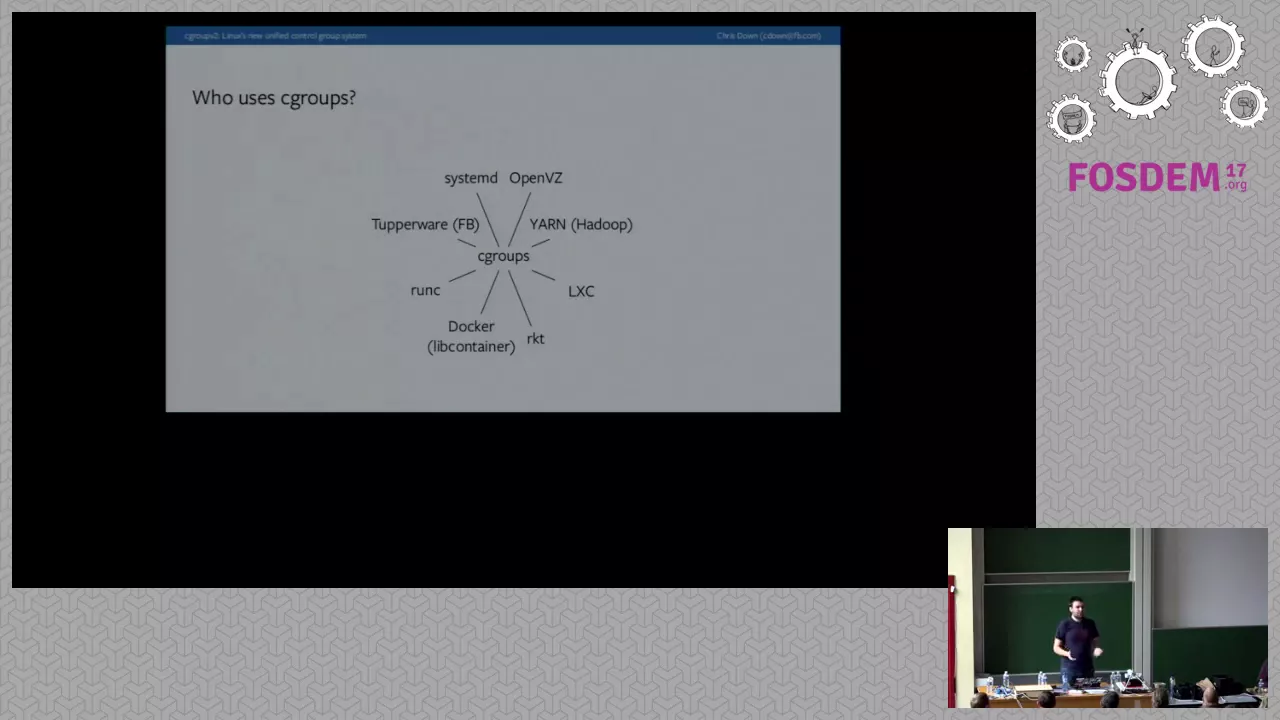
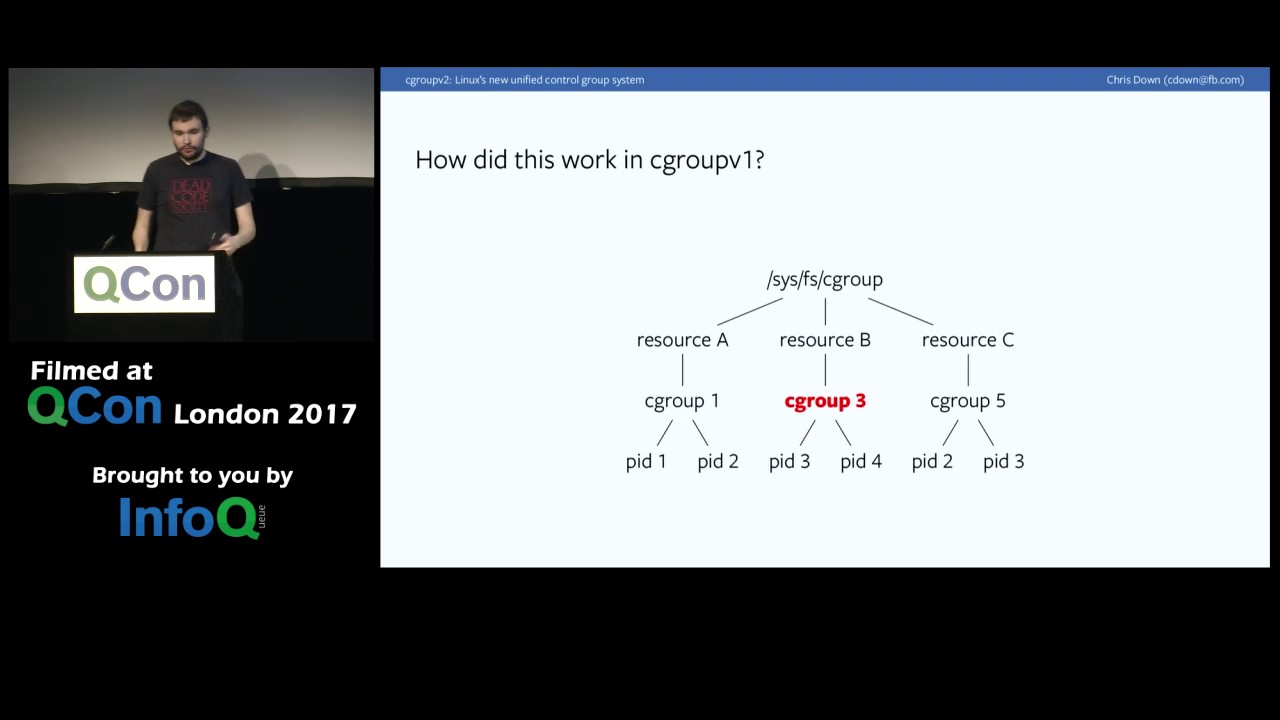

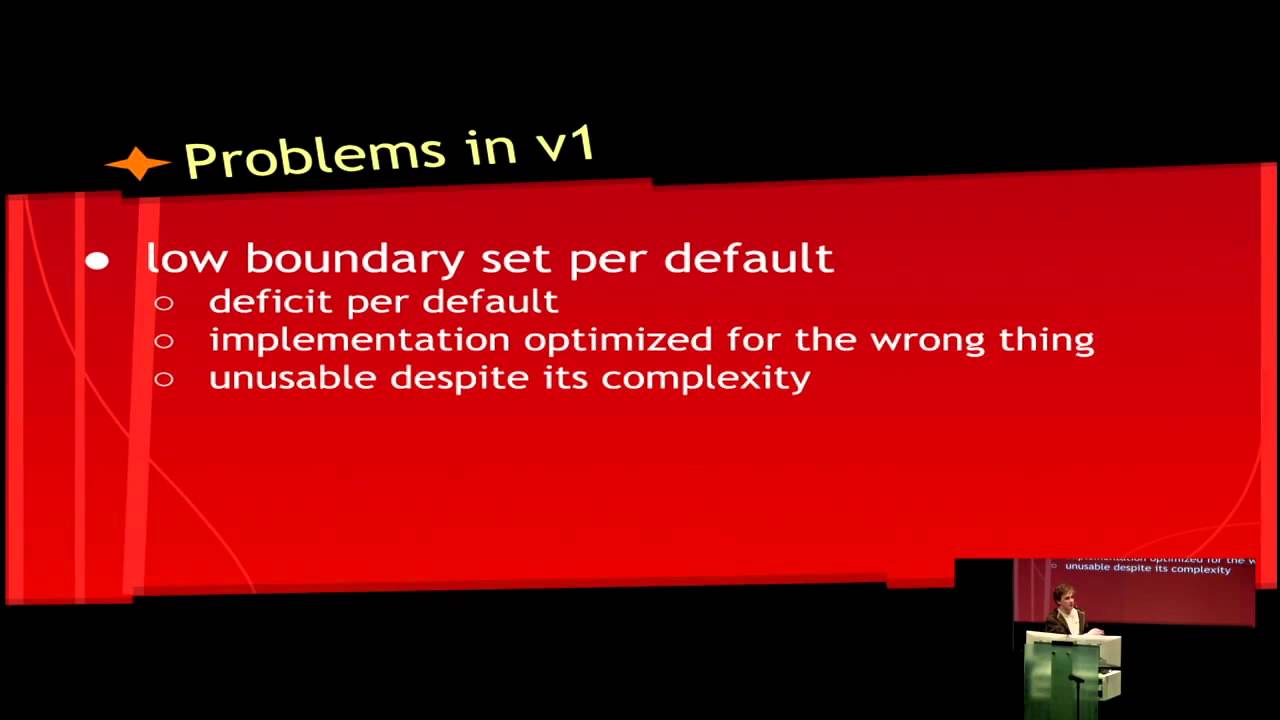
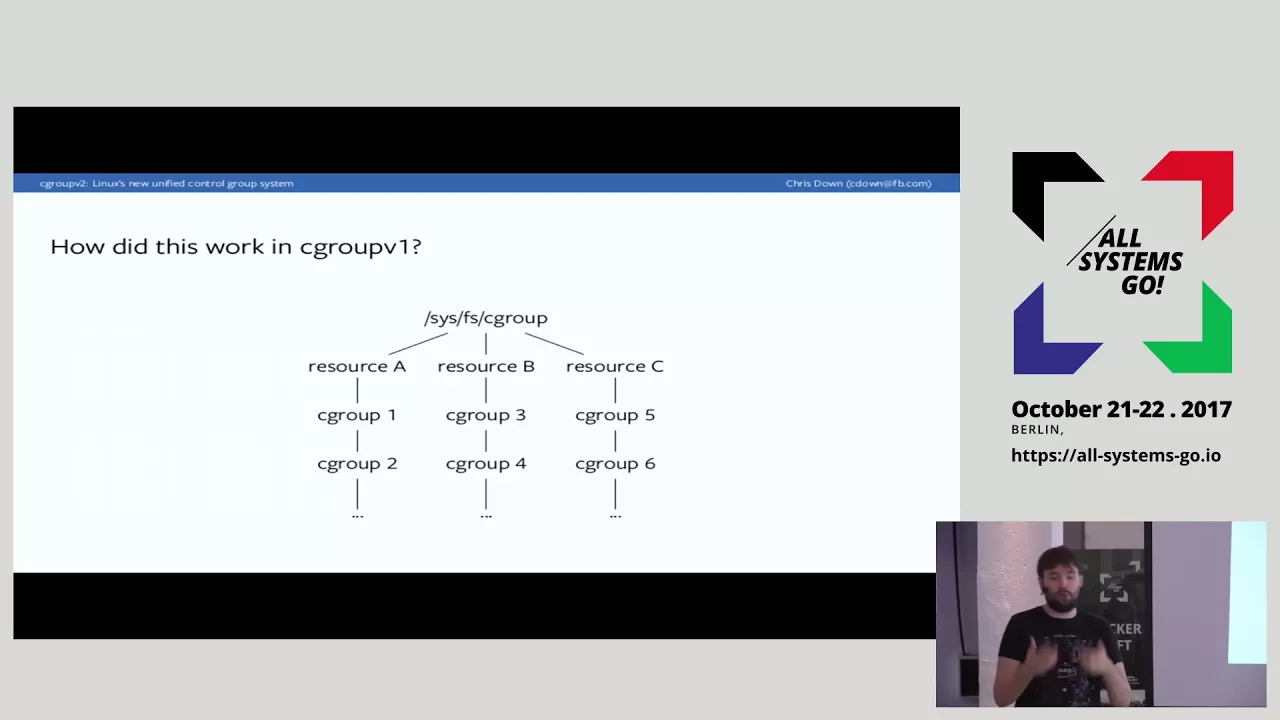







Linux cgroups (control groups) are kernel features that allow processes to be organized into hierarchical groups whose CPU and memory usage can be limited and monitored. To set resource limits, create a cgroup directory in /sys/fs/cgroup, configure CPU limits by writing to the CPU.max file (e.g., '10000 100000' for 10% CPU), configure memory limits by writing to memory.max (e.g., '500m' for 500MB), and add a running process to the cgroup by writing its PID to the cgroup.procs file. When a process exceeds its memory limit, the kernel's OOM killer terminates it, protecting the system from resource exhaustion.
How to Set CPU and Memory Limits Using Linux Control Groups (cgroups)
Added:Basic Linux command-line proficiency and process management concepts, including process IDs (PIDs) and tools like 'ps', 'top', or 'htop'.
Fundamental understanding of operating system resource allocation, specifically how the kernel schedules CPU time and manages RAM and swap memory.
Familiarity with the Linux virtual filesystem concept, as cgroups are configured and monitored through the hierarchical file interface under '/sys/fs/cgroup'.
Understanding of administrative privileges (superuser/root) and the usage of 'sudo' to modify kernel-level configurations.
Exploring the structural and functional differences between legacy cgroups v1 and the modern, unified hierarchy of cgroups v2.
Understanding how containerization technologies like Docker, containerd, and LXC leverage cgroups to enforce runtime resource limits on containers.
Implementing systemd slice and scope configurations to manage and restrict resource usage of system services and user sessions natively.
Configuring additional cgroup resource controllers, such as block I/O (blkio) bandwidth limits and network traffic controller (net_cls) tagging.
Using stress-testing tools (like 'stress-ng') to benchmark system performance and verify that cgroup limits are actively and correctly restricting processes.
616 views10likes36:13Original Release: 2025-07-13
Hey there. Uh, today we're going to be doing a challenge on on setting CPU and memory usage limits on Linux processes.
So, we'll learn a little bit about Croups and we're going to do this hands-on. My goal is to learn something and to get some uh hands-on experience doing Linux troubleshooting in Linux um exploring and hopefully we can get through this challenge in this video. It is labeled as easy um but there are more pro more challenges that build upon it. So I think this is going to be a good start for me and I hope you enjoy it. So here we go. Let's see what we have. Um we are on an Ubuntu 24 virtual machine and let's go ahead and start. So it says in this basic challenge you will need to start a Linux process while limiting its CPU and memory usage. The binary you will run is called Omnihog. A simple resource hog program that consumes all available CPU and memory resources when started.
run it in a croup with a CPU limit of 10% and a memory limit of 500 megabytes.
Um, so it's called Omnihog.
And there it is. I'm curious if it's just a bash file and what it looks like.
No, it's not a Bash script.
Um, I guess it's a binary. Yeah, I think it's it's a binary. Um, okay. So, cool.
Um, so I don't know how to create a croup.
So, I need to learn how to do that. Um, I'm going to go ahead and just click on the first hint. And let me expand this beautiful diagram. If you've never worked with Croups before, check out this step-by-step guide, controlling process resources with Linux Croups.
Okay, let's go ahead and pop that open.
Split the screen over here.
All right, cool. So, um controlling processes process resources with Linux control groups. Not a comprehensive guide, but a practical example of how to limit process CPU and RAM consumption using Linux croups. The technique may be used to protect the system from particularly resource hungry processes like Omnihog.
Ensure fair resource distribution among multiple applications. Test applications performance under constrained resources.
That's a good use case I didn't really think of, but yeah, guarantee resource availability in multi-tenant environments. All right. So, if you're very confused, um, that's okay. Uh, control C croups called control groups.
I'm familiar with them because they are one of the Linux primitives that are used to implement containers. And they basically will allow you to set memory and CPU limits for a given process. and super helpful um for security reasons, for performance reasons, and you know the stuff that I just read right here.
So, let's see. Um we'll start with creating, configuring, and adding a process to a croup using the most basic and labor intensive method manipulating the virtual file system croup fs.
Interesting. Okay.
After that we will see how exactly the same can be done using higher level tools like lib croups cgreate and cg exec or systemd's systemd run and slice units while the focus will be on Linux native ways to of controlling process resources. The covered techniques will also directly applicable to managing resources of containers and pods. So the tutorial is highly relevant for people practicing Docker and Kubernetes. Great.
So just take a look at this uh diagram here.
Um version check. Maybe we should run that.
So we'll do mount-l and um let's grab for croup.
Okay. So we have a so mount will show which um file systems are mounted on the machine and in this case we have one called croup 2 but it's actually a virtual file file system based on what we just read and not sure exactly what that means but we are just checking the version here. So croup 2. So here's croup hierarchy.
Um so control group slash has a dot slice init scope user slice session.
So all these are croups.
I don't know there's something about slices. I'm not sure what that is. a typical croup tree on a Linux host with systemd. So there's a croup tree. Okay.
Um here are some of those commands that were mentioned and croup operations. So let's try this ls command over here. So we'll do ls-lis fsc croup. I just want to see that level.
Let's make this a little bigger.
Okay. Um, it's saying new croup, but we don't actually I guess when you make a new croup, it creates a directory in CIS FSC croup.
Um, I'm not sure what croups we actually have available, but I see like these slices and scope. All right, let's just kind I'm confused. I'm still confused, but let's keep keep poking around here. Um, cgroup.controllers controllers, events, freeze, max depth. Okay, this is all the stuff I'm seeing over here. Um, these are limit controllers available in child croups echo plus CPU IO into croup subree control. Let's see if we can cis fsc croup.
Cg groupoup dot subtree control CPU memory pids.
See if we can cat anything else.
Controllers looks pretty empty. I don't know if we have any croups uh defined here yet.
Uh let's keep moving on. So create a croup and add a process to it. So we make Oh, we actually make a directory.
We just echo in the values.
Uh and they say everything's a file on Linux. Not I don't know if that's exactly true, but this is we're basically putting values inside of files on a virtual file system.
And I'm guessing kernel reads that. And somehow this is how we're setting the memory max. And this looks like maybe the number of wait no croups are set on processes, right? So I don't know what croups.prox Prox is Whoa.
H.
Well, okay. So I guess 1 2 3 4 in this example is the is the process ID of some process that we want to put a croup on. Oh, so we're just appending that to croups.procks which I think is the processes on the machine that have a croup associated with them. So maybe we do like let's look at this process here.
So if we do a cat proc that command line maybe that doesn't exist that might have been a ephemeral process. No. Okay.
Let's try this one.
Hm.
Com.
Oh, okay.
Come.
Oh, these are kernel processes. H.
Okay. Still confused, but let's move on.
Uh, all right. Let me zoom out of here real quick. What is a croup from the man page? Control groups, usually referred to as croups, are a Linux kernel feature which allow processes to be organized into hierarchical groups whose usage of various types of resources can then be limited and monitored.
allow pro processes to be organized into hierarchical groups that those might be the slices I'm thinking whose usage of various types of resources CPU and memory can then be limited and monitored the only kernel's croup interfaces a pseudo file system called croup fs I was calling it a virtual file system but maybe the correct term is pseudo file system there is no dedicated system calls to create modify or delete croups.
Okay, interesting. So that's why you have to do something like echoing a value into a file because you can't make a system call like you can when you're opening or reading a file.
All croup manipulation is done through creating folders and writing to specially named files in the croup pseudo file system. On modern Linux distros, the pseudo file system is usually mounted at CIS FSC group. So we've been there. We've been exploring that. Already did this stuff.
Okay. So creating a subfolder in Croup FS leads to a new croup creation. All right. So let's actually make our first croup. So, we're going to do a mder cis fs croup and we'll call it my cg groupoup.
And we can't do that. So, I'm actually just going to switch to root or I'll just do suda.
Okay, cool. So, we just created a croup.
The folder gets automatically populated with a set of files that can be used to configure the new croup.
Croup. Okay, let's check it out. All right, so when interesting when we made that directory, um, it actually generated a bunch of a bunch of files within it. So maybe that's why it's called a pseudo file system cuz that's typically not how file systems act. Like they just do the operation that you said like make a directory. This is actually doing more than that.
Um, okay. So, we have all those files.
Uh, the exact set of files depends on the enabled controllers which you can see in the croup.controllers file.
Let's check it out.
I'm just going to go into this directory.
Cgroup doc controllers CPU set CPU I mean huge table pids. Um I guess these are controllers.
Oh, maybe these are the types of resources that you can limit.
Not sure what huge TLB is or what's the difference between CPU set and CPU.
Okay. Um since croups are managed by pseudo file system folders and files granting right access to a certain folder or its file can be used to allow non-root users to configure croups including child croup creation if the set of available controllers for a child croup needs to be further restricted. It can be done by writing to the parents croup subree control file.
So here they are echoing plus CPU plus memory minus IO into the parent croup. Sububree control.
This is called croup delegation linking to kernel documentation.
Um we don't need to get all into that right now.
the set of available controllers for a child cgroup needs to be further restricted.
Okay. So in this case we're saying for the child croups only control CPU memory CPU and memory not IO I don't know anyways there's ways you can control which controllers are being used higher level tools like these are merely rappers performing make dur write and the like calls on the croup FS subree Um, that would be a pretty cool program to rewrite if you if I wanted to get a little more involved. That would be kind of a fun project to recreate one of these programs if they're just rappers, you know, probably not that comp complex.
Now, let's get our hands dirty and run some experiments using an improvised resource hog program. Uh, here's the source code that I was looking for earlier. It's a go program. Um says uh allocating chunks in 10 megabytes every second.
Um not super interesting to me right now, but basically it just uses a whole bunch of memory.
uh configuring a croup inside croup fs.
First, let's create a new croup by making a directory. Um okay, so I just made one called my croup, but let's make the other one following these instructions. So I'm already in CIS FSC group. So I'll do a make hog pen pseudo that.
Okay.
Um, oh, it does a little check. Okay.
Uh, yeah, I'm not doing this playground.
I'm over in the challenge here, so that's fine. Um, next, we'll set limits on CPU and memory usage. Let's say we want to limit the CPU usage to 50%. And the memory usage to 100. Okay, so this is how you limit the CPU and memory usage. You just write this into CPU max. Um, so we're limiting CPU usage to 50 to 50% and the memory usage to 100 megabytes.
So for 50. So for CPU, we'll write the CPU quota and the CPU period values to the so yeah it's 50,000 to 100,000. So I guess I don't know the CPU is sliced into 100,000 slices.
So we're going to limit this create a control group that limits the CPU to 50%. And then later on we're going to apply this control group to that pro that memory hog process. So let's set that CPU limit. Now we're going to echo five 50,000 and space 100,000 into hog pen CPU max.
And that's not in a pen. It's just writing it directly in there.
Um, let me just switch to root and we'll go into our hogpen control group.
Cat CPU max.
Oh, it says it right there. Max 100,000.
Okay, cool. So, let's try that again.
Echo 50,000.
100,000.
into CPU max.
Okay, that set the CPU max. And then here 50,000 is the maximum.
On multi-core systems, the maximum CPU usage can be above 100%. For instance, on a machine with two cores, specifying 200,000 100,000 is perfectly valid.
That's good to know considering there's hardly any CPUs with just a single core.
Um, so to limit memory usage, it's probably sim very similar. So if we do a cat on memory max, it just says max. So, we're going to echo 100 m into memory.mmax.
All good. Oh, wow. It actually um converted that to bytes. I think that's pretty cool.
Okay. Um now let's start the resource hungry process.
So, let's um exit out of our root and we'll go to our home directory.
Oh yeah, this sorry this we are a little bit confusing. We're in the challenge lab over here. This is the uh uh just like some guide. So I don't have that file. But basically if we go go back over here, let's see what our challenge is. is that we have this omni hog right and we want to first we need to create our croup and then associate it with that pro process so let's go ahead and create the croup now that we know how to do that so I'm actually going to switch to root again and we'll go to slisf cgroup And we'll make our croup.
Uh uh it doesn't specify a name. Let's just call it um omni.
Omnihog.
And we'll go into omnihog. We should see all these files uh populated. Right.
Great. So if we cat CPU max, the max is 100,000 here. So we'll just echo. We want 10% CPU. So that's going to be 10,000 100,000 into CPU max.
And then for memory, we're limiting it to 500 megabytes. So we'll echo 500m into memory.mmax.
Cat memory.mmax.
There we go. And just to verify CPU.mmax.
Cool. Okay. So we have our croup. Now, um, we're going to go back over to our guide here that's telling us how to, um, do associate it with a process, right?
Oh, I guess we're probably just going to be echoing the process ID into this.
Um, cuz if we switch over here, we ls inside of our control group and we cat croup.procks, probably nothing, right?
Yeah.
Um, so what they did here was they run hog, it starts the process, then they get the process ID using pgrep and then they echo that into the procs and then when a process running in a croup with a hits the memory limit, there's an OOM event that causes the process process termination.
So I think what we will probably do is start up omnihog get the p echo it into cp cr c cr c cr c cr c cr c cr c cr c cr c cr c cr cgroup.procks and then it should receive an oom after some time. So, let's go ahead and we'll just do a PS and make sure omnihog isn't running.
We'll grap for omni.
Okay, nothing there. So, we'll do a omnihog.
I guess we probably want to run that in the background. Um, so we just do an omni hog and and then we'll do a pds ox.
It's still running, but basically here's our process ID for Omnihog.
I actually need to get I'll probably just open another terminal.
Uh let's switch to root and we'll go to CIS FSC group omni.
Okay, so we have our process ID. We're going to echo that into and actually we'll append that even though there's nothing in there. I think that's what we generally would want to do and proc.
All right. So over here. Oh, we did it.
Okay.
Um, but I do want to see this process get killed, don't you?
So, it doesn't look like the screen's moving, but it actually is. And if we do just a ps and grip for omni, we'll see 11037 is still running.
Um, if we look at top, we can probably see Omnihog up there using a lot of memory.
So, I'm guessing in a little bit um, we're going to see this process get killed. So, let's try to remember there's 11 037.
Um, and then while that's running, I'm just going to go over here and and Oh, yeah. I think it just got killed perhaps.
Maybe not.
Let's see.
No, still running. Okay, but let's see if we can just kind of summarize wrap up wrap things up over here.
It's kind of interesting to me that like you have to start a process first and before you put it inside of a croup, so to speak.
When a process running in a croup, wait, hold on.
So you run, we ran Omnihog, it's not yet constrained by the Croup. We move it to the C group.
it. All you need to do is write its PID to that file. So we did that. When a process running in a croup with a memory limit approaches that limit, an out of memory event is triggered.
Um, adding an already running process to a croup by writing its pit is handy, but it doesn't work if you want to ensure that the process resource consumption is limited at all times, right? Cuz what about that time before you actually write the P into this file? like it could be using exceeding its limit without leaving even a short gap between the process starting and being added to the croup. Luckily, when a process is started, it inherits the croup of its parent process.
So, you can move the parent process to the required Cgroup and then make it start the already limited child process.
What?
When a process is started, it inherits the croup of its parent process. So in this case, it was bash was the parent process. Oh, by the way, it's killed.
I'm just looking over here.
I think hold on, let me get out of top and look at Omni. Okay, yeah, it was killed.
And maybe we could even I don't know journal ctl I don't know all the flags here but we might get uh yep there we go towards the bottom I see ankill memory croup out of memory killed process 1137 omnihog Beautiful.
So that's a log from the kernel.
And it looks like, yep, here's the process ID. Looks like um total VM.
I don't know if that's virtual memory or what, but resident set size set size.
See, I did a little stat on it and then killed it.
Pretty sweet.
Um, let's go back over here. So, yeah, the thing about the child process, parent process is kind of strange.
When a process is started, it inherits the croup of its parent process. So, you can move the parent process to the required croup and then make it start the already limited child process. So if we wanted to do that, we would have to put bash inside of a croup with the same limits that we want omnihog to use. Like that doesn't really make a lot of sense to me.
To demonstrate this, let's move the current shell process to the hog pen group. So echo double dollar sign.
Pretty sure that's actually what does that mean?
Is that the parent process ID?
This is the process. Oh. Oh, this is just the process ID I guess of what whatever process is running. Okay. Um, and interesting though that when we first did this, it also printed omnihog which would have been a child process of bash. So if we run Omnihog again and then over here we do an echo pit.
Oh, this is a different bash session though. Okay, let me kill this. Run it again in the background. Boom. And then do a echo dollar sign double dollar sign. So we get 9736.
We do a PS.
Ah, I just killed it. Um, PS grab 9376.
What was it? 9736.
Sorry, I'm I'm getting a little bit into the weeds, but this is how I like to learn, my friends. So, that's our bash process.
Interesting how it reported that child process, though. Anyways, um, so what is this doing? Let's move the current shell process into the hog penc finally when the croup is no longer needed, it can be removed using remover.
Notice that you won't be able to remove the croup if there are still processes inside it. So you have to wait for the hog process to get killed and also exit the shell session that you moved.
We can try that. I mean uh we we should this should fail if we do a remove dur on cis fs croup omnioop.
[Music] Is that not running?
seem to work.
No, it's not there.
But don't we have Omnihog running?
Yeah. And Oh, did we not? Yeah, we didn't put that in this in the um croup. pids.
Okay. Anyways, um I'm going to take that with a grain of salt. The thing or not a grain of salt, but I'm going to take that um as true here that you can't remove the croup directory if there's a process running in it that's part of the croup. The thing about the parent process though, let me just read that again because it's I'm not really groing this. Um luckily when a process is started it inherits the croup of its parent process so you can move the parent process to the required croup and then make it start the already. So I'm trying to think of like how like Docker and Podman and how they actually implement Croups um implement containers with croups and I guess there's some initial process that acts as like the default Cgroup. I mean there's got to be like a default croup because it doesn't make sense to me to you start up a process. So they say like Docker runs a container and then echoes the container process ID into the croup. That doesn't seem right. Um so there's probably some initial it's probably just inheriting from the parent process.
Anyways, um that was pretty cool. I think I Oh, there's more. Okay, so we could I'm not going to go on. It's already nearly 40 minutes into this, but we just uh created a croup and we limited uh we we restrained a process so that way that omnihog doesn't take up all the memory on the machine and crash other processes running on it. We set the croup. That was pretty sweet. We saw that it worked. saw the logs in journal ctl from the kernel and this was a good learning experience.
I hope you hope hope you enjoyed it. Um, shout outs to you if you're like watch the whole thing. That's wild. Um, but if you have any questions or tips, please leave it in the comments and I'll see you next time.
Up Next
61:50
Advanced cgroups v2: Release Notification, Delegation, Thread Mode
@NDC
5.6K views•2021-11-03

87:26
Introduction to Secure Multiparty Computation with Yehuda Lindell
@fhe_org
7.7K views•2021-02-04

4:55
HTTP Requests Explained: GET, POST, PUT, DELETE
@codecademy
103.1K views•2021-10-07

19:25
Enigma Machine Mechanics: WWII Encryption Explained
@JaredOwen
13.2M views•2021-12-11
Related Study Plans & Knowledge Roadmaps
Structured learning paths in Computer Science
computer-science
Container Runtimes: Namespaces, Cgroups & Go
01Linux Systems & Go Programming Foundations
02The Core of Isolation: Chroot and Filesystems
03Linux Namespaces: Process Isolation
+ 3 more learning modules
32h6 modules
Explore Roadmap
computer-science
Building a CHIP-8 Emulator: Rust & CPU Basics
01Computer Architecture Foundations (Bits & Bytes)
02Rust Programming for Systems Development
03CHIP-8 Virtual Hardware Specifications
+ 2 more learning modules
32h5 modules
Explore Roadmap
computer-science
Building BitTorrent: Go, P2P & Concurrency
01Go Fundamentals & Concurrency
02Networking Foundations & P2P Architecture
03Bencode Parsing & Torrent Metadata
+ 3 more learning modules
26h6 modules
Explore Roadmap
computer-science
Actor Models (C++ Concurrency & Lock-Free)
01C++ Multi-Threading Foundations
02Thread Pools and Task Scheduling
03Atomics and Lock-Free Queue Design
+ 3 more learning modules
45h6 modules
Explore Roadmap