




![สอนใช้ Make.com สร้าง Automation ลดงาน [ 2025 ]](https://i.ytimg.com/vi/iNynj54-lLw/maxresdefault.jpg)




![Este SISTEMA IA crea PAGINAS WEB AUTOMATICAS con MILES DE ARTICULOS GRATIS [ CURSO MAKE ]](https://i.ytimg.com/vi/tAs1ZXazI1w/maxresdefault.jpg)

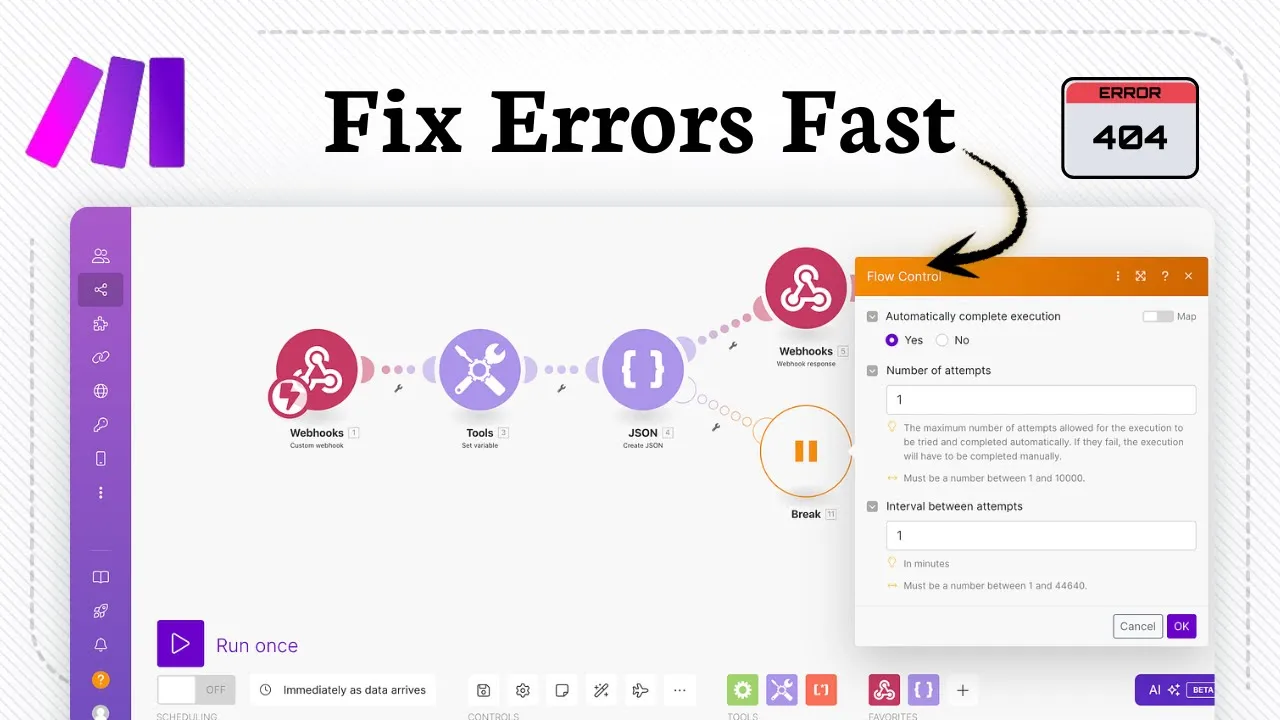








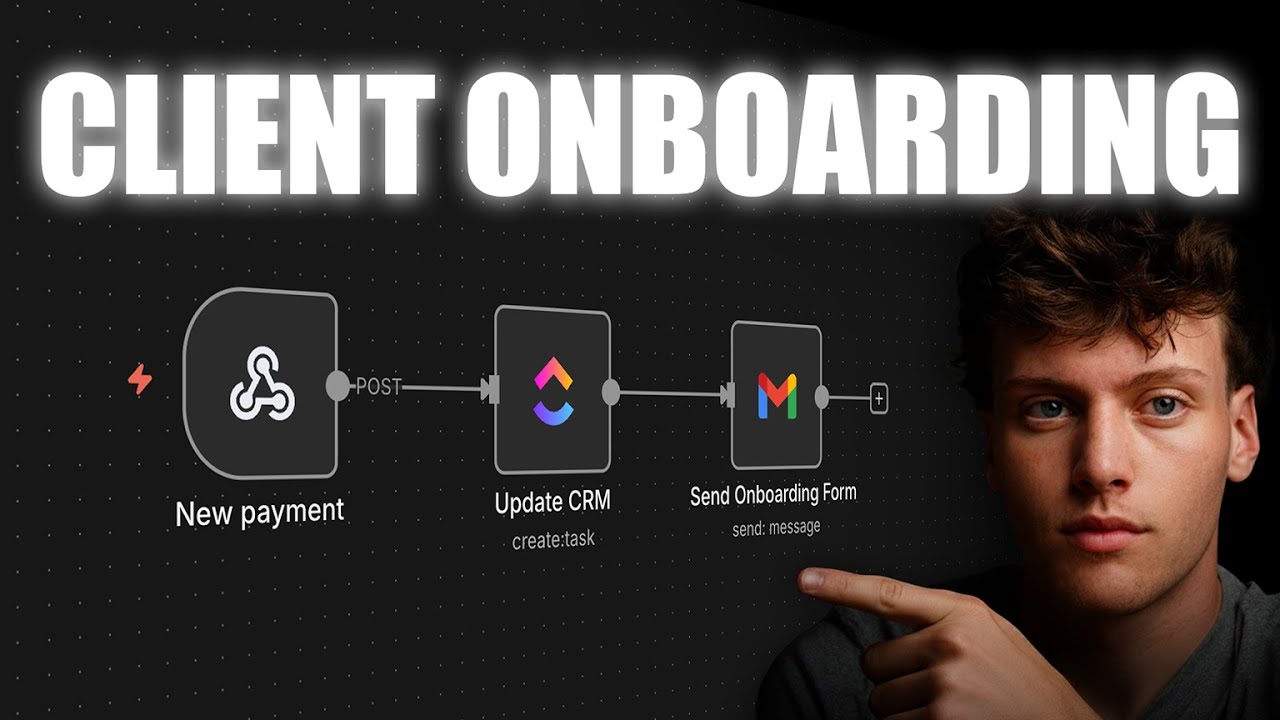


This video demonstrates how to build an automated client onboarding system by connecting a Typeform onboarding form to a CRM (PipeDrive) and project management tool (ClickUp) using Make.com automation, which automatically creates tasks, assigns team members, and updates client information when a client submits the onboarding form.
Client Onboarding Automation With ClickUp: A Step-by-Step Guide
Added:Understanding of Customer Relationship Management (CRM) fundamentals and lead-to-customer pipeline stages (e.g., in Pipedrive).
Basic knowledge of cloud-based project management structures, specifically spaces, folders, lists, and custom fields in ClickUp.
Familiarity with the concepts of APIs, webhooks, triggers, and actions used in integration platforms like Make.com (formerly Integromat).
The ability to map out a manual business process flow, specifically the sequence of events in a standard client onboarding journey.
Advanced error handling, debugging, and data routing techniques within Make.com to prevent workflow failures.
Designing and implementing multi-path onboarding scenarios based on client tier, industry, or specific product purchase.
Securing client data and ensuring compliance (such as GDPR or SOC 2) when transmitting data across multiple SaaS platforms.
Building automated performance dashboards in ClickUp to measure onboarding velocity and bottlenecks.
Integrating client-facing communication channels (e.g., Slack, email templates, or client portals) into the automated onboarding pipeline.
207 views7likes23:50Original Release: 2026-01-08
In today's video, I'm going to show you how to streamline and how to make the onboarding process for your clients in whatever CRM or project management tool you use as efficient as possible and as scalable as possible. And a couple of videos before, I showed how to build the best lead generation tracker. In this case, I'm going to show how to build the best onboarding tracker once you've actually closed the clients. And if you don't know, I am quick introduction. I'm Max. I'm the co-founder of welldesign and flow click. Uh this is currently a work in progress. Uh keep in mind and I've helped over 50 plus agencies scale with clickup operations um mon.com and different project management and CRM tools alongside of automations. So in this case I'm going to use the popular tool called pipe drive. But if you're using HubSpot, if you're using go high level, if you're using close.com, whatever you now decide to use, the process going to be the same and the automation is still going to work the same way. And the project management system of choice is the ClickUp build I've been doing for the past two episodes here. So check it out if you haven't seen it. I'm basically building a project management and CRM tool from scratch. But in this case, I'm going to fully go into automation and more alongside if you're using Asana, if you're using monday.com, this still will work for you exactly the same way. So, if you're excited, drop a thumbs up. I'm going to go in very much detail on how to actually build out ClickUp from the ground up. Not ClickUp, but of course, the automations. In this case, the first step is to have an onboarding form. I like the platform of Typeform, so I'm going to sign up for Typeform. Um if you're using something something else like fill out forms tally or whatever works the same way. I'm going to sign up for this like just from complete scratch and do this right. I'm going to sign up going to use let's say a new account this one correct and I'm going to sign up for ty form. This will be your onboarding form you have for your clients. So hopefully you have an onboarding form. If you don't then get one. Uh I think it's a must in my opinion. But yeah start with your onboarding form. Sure. Send me a bunch of emails and I'm going to start by automating the onboarding form. But before we automate all forming, I'm going to do some very simple fields.
Obviously, type form is very easy to use. Um quite streamlined and I think it's very effective. So, uh what I'm going to use, I'm going to use for work.
Just speedrun this.
Please, I don't have a website.
Now, first step is create our first onboarding, right? Damn, this is really okay. I want to have welcome screen. A or onboarding preparing onboarding form this will take kindly estimated time for completion I think 15 minutes or so right onboarding form let's just make this maybe a tiny bit better I can probably change the colors I do like having dark instead I don't like having bright is there something simple please plain dark let's see something more Nice. This one. Perfect. I'm going to use this.
This looks nice. That's premium. I don't have that currently. Let's just use this one for now. It will work. Um, and then we create another page. And I want to have a contact information page, right?
Enter your contact information here. Add content.
Let's do just a question. Long text.
What's the goal after working with us? Right, that's one one question. Second question is also long text. Let's say what current CRM tools are are you using or what current tools are you using for let's say onboarding, right? could be interesting to know. Two questions and then what parts of the onboarding would you like to automate? Perfect. Right. Those are the four questions I'm going to run with. Very straightforward. I can probably remove this. It's going to be now of course remove that email company.
That's enough. And then share, right? I think that's enough. So have your onboarding form. Make sure to get that set up. Use fill out forms if you want a free option. Use typform if you want the paid option. H I think both works. I'm going to now use this. Does it work perfectly? I just saw that um typer had an estimate numbers which is quite interesting. It's takes 45 seconds and not 50 minutes. But yeah, to the point here I want to this even true. Now once you have your onboarding form, the next step is to connect in that form with your project management or CRM system.
We're going to start by setting up the CRM system which is Pipe Drive. And then from there, we're going to connect the firms and then go from there. Right? So very important that we we go with pipe drive. Let me sign in with a brand new account. Let's say I'm just brand new user. I'm going to use the same account here. And let's start by creating our first couple of words, right? So in this case, we're going to have leads. Our first lead is called myself.
Organization of flow click. Value is of US dollars. I'm going to say a uh $10,000. It's a hot lead. Uh expected close date uh let's say in two weeks or tomorrow. Source channel it's um from let's skip it for now. phone number and save. Right, that's our first lead I have. Now I want to connect my T form.
Do I add Did I add my email? That's could be probably relevant.
Maxflowclick.com.
Now I'm going to add the um email here under. So I want to find the form, find the pipe information, but also add that to my project management of choice. So, if that's Monday, if that's Asana, if that's ClickUp, whatever, it'll work the same way. Let's sign up for make.com. If you don't have make.com, just go on make.com and then just sign up for the page and just go for the free plan. Um, so just don't pay for it yet. Just use this one. It should be more than enough to get started. Now once you have that um press on create a new scenario if you have used Zapier or anything or so on or make um formul integraat it's going to work the same way now I want the trigger to be once they have filled out the onboarding form we can start doing the work right so the first module will be type form and we want type form of watch responses so as soon as a form comes in we want to find that record in pipe drive and then add that to our project management This is of my choice so the team can start working on the client. So let me connect my account. Let me add a new account and then connect it. Accept.
You should be connected. Perfect. That's the first step. We find the form. Um probably rename it at least in my opinion. Maybe onboarding form. Perfect.
Now we go back to make.com.
We use this. We save. hopefully right and then um let me run this once and and see if it works in practice. So let me fill out the form. I'm going to share this link. I'm going to open a new tab and let's let's fill out the form like like a real human being here. My name is Max. Let me just put my full name, email click.com and then flow click. What's the goal after working with us? Building the best onboarding tool out there.
Pipe drive Monday. Oh, click up make.com and type for all of it.
And before I press submit, I want to run this scenario.
Submit.
Perfect. You see I got the here with the different answers.
Perfect. Perfect. Perfect. Pipe truck.
That's the first step done. Now we want to in this case I'm just going to get um hardcode this ID. So just I can have it test right. And I'm just going to move this so I can play around with it. Now next step is the pipe driver module. Now you can do this in multiple ways. Um I have to mention that the way I'm going to do it is probably not bulletproof. Um but you can ask question like this case I'm going to use the email that they use in the pipe drive to find the record.
But if they write a different email then it can be quite hard. So assuming you have the same email um just ask like hey what's uh the email or what's the email we have been communicating with or what's the name right? I'm just going to make it simple is the email. Uh but you can do it however you want. I want to get a uh lead.
I want to connect my account all hopefully.
Low click pipe drive account. See if I can connect.
Amazing. I'm now connected. I'm going to instead of this delete search leads I'm going to search it by perm. I wonder if I can just use [email protected].
Uh, sure. Let me see if this works.
Okay, so in this case instead, we're just going to do the company name. Very, very straightforward.
Um, just for the sake of simplicity here. You can see find me, person, my name, and my email hopefully. Yeah, value. See? Correct. So, I'm going to do it like this. I'm going to instead do it like this. I'm going to use the company name. Right? So, you can do this however you can probably search just the name of the person. Um I I doubt I like unless you have like multiple multiple hundreds of people that have the exact same name.
Okay, it won't find me. Never mind. So, let me just use okay the company name, right? There's other ways of finding workarounds. Instead you can also do like this um leads list leads archive not archived limit let's say to define me right and you can just probably get a lead by pressing me pressing the ID probably it like this.
Uh I assume this will work the same way.
Yep. Value currencies manually created. You get most of the information, right? So it works both ways. Um in this case, I'm just going to use the search term.
Search for leads.
I wonder if person works the same way.
Okay, I have to read correct. Let's just very simply do search for leads. We just do the company name properties. It's going to be the fields.
Let's see if I can search my if I now instead go through type form.
Let me find my response. There's so many fields. Let's see. on form fields title long text properties. Let me just get this quickly.
Do I get the thank you screen properties? Welcome screens. I see fields. There is my company. Wow. Okay, that's very very hacked. I'm getting probably the um get a response please.
Response.
I can probably just look at this then this search leads and then just use the company name. I see those are in a collection. I see the issue here. Okay.
So, if I just go some troubleshooting live here, list responses and just pick the ID here.
Copy and just paste. And you can just do like this. This this move this reattach this this and only run this.
Okay, that was not the right respond.
What did I configure?
Ah, here of course I can reconfigure this again. I kind of see um some troubleshooting live as well in practice. If I remove this, I can save this, unlink this, and then move it like just run it.
That was also not the right field. After some troubleshooting, I realized I had connected the wrong account and I was connecting my other account. And here was I was just looking like a dumbass.
And now I realized, okay, I was at the wrong account. Perfectly fine. It's now solved. Um, I can just map this. Um, no issues whatsoever. So, you just use the tok response, but just for testing purposes, I'm just going to use this one probably for now. Um, so I can run this at scale.
Unbelievable. Unbelievable. Run.
Perfect.
Then I can just probably find the if I can run and then f get the new data.
Let's go back here. Go back here and then press on the term and we can find the answers. I'm just going to use company.
Is this going to work?
Output owner person. Yes. Yes. Yes. Yes.
Perfect. Right. So I can now let me just not connect this yet. I can now connect my if I can just see if I can I can technically update a lead or connect account again and then just put the lead ID and once of course and I can of course change like the owners the expected close days the labels visible right you can see but in this case you would just put the deal as closed um I haven't connected this with any of these and so on I guess this is the only one so yeah to keep it simple let me just do it very straightforward here We go to ClickUp. We create a task.
I have to make sure. Let me just use this one. I have to believe. Let's see.
By the workspaces. Mhm. Space is YouTube. I think should do it. And then project management. And then audit and then test name. Call the client. I like to have it of course title flow click.
And then I want to put asseneees myself.
And I al also want to create a task. And then I want to add that under the right workspace as in the this one. This one is CRM as well. So we have CRM.
Then we have the active client.
Then we have task name. I'm going to put the client sign myself.
Let's remove it for now. Let's put the status to active client. Let's put the due date. Keep it for now. Or just like add days.
No, one two days. Uh I my wow. Okay. Um so it adds one day due date once we send a client just keep or two days uh further just we can keeping track. Yeah, I think that's quite straightforward, right? We can um technically add more custom stuff if we want.
So like update edit what's the fields I have to find the same workspace. This will all make sense in a second uh once I've showcased the templates. So if I just run this run this CRM and then active clients and then use the ID from this one we can put in okay I don't have anything content see I don't have any fields in here but yeah if I just do it like this uh let me remove this for once let me assume this would run very simply to see perfect So now if I go back to the clickup you can see flow click the automatic tasks have now been created.
I've been assigned they have also been added under active client as in active client and let me see if I've been notified at Slack as well. As you can see, I have now been added and also reminded inslack, hey, you have now been assigned to rankings and also create personal search account. And worth mentioning that the reason why all that happened was because we have created a system in the past couple of days. So, if you're curious how to that looks um just check out these two videos and I cover how all of the tasks are so populate in your project management system. H but that's more complex. I think I not going to go that deeply today. Now, in this case, uh, let me go back into the ClickUp and let me just put in the J audit and we'll run a real client test from the beginning. So, we go back into the make.com. I'm going to do it like this. Connect it. I'm going to make sure everything is completely listed from the beginning. So, all automated. Make sure it's from the token onboarding form search leads. Perfect.
Perfect. And perfect, right? I run this as active. It's now all saved, all up and running. And now if I decide to have a client in the leads, right, in the pipe drive, and they fill out this onboarding form, start with my name, with my email.
I want to actually let's add even more stuff to the to the project management system. Let's add into the clients notes or goals after working with us. This will correlate the same in your Asan or your so on every Monday and then what current tools they use and as well as what do you want to automate. I just to keep it simple here and then we go back to the make.com. We update a field with custom tasks. So edit a field with custom fields. Pick the right things here.
folder Sierra as per usual. Here we just picked active client of course and then we add the custom field. So um task ID is going to be the same as the other one.
Perfect.
And then let me add the type form responses which I got from the car.
What's the goal? Add this. What do you want to automate? This and what tools to currently use this.
Save. Save and question is can I go back to pipe drive in this case close this down I have this client over here deals do I have myself over here all these examples no I don't want to input any data create deal great just pick the I wonder if I go back to the leads click Um, we can technically convert it to deal if that's something relevant. But for now, let's just go back to make.
Let's press on save and let's run an actual test. I want to have faster turnar around time when signing clients singing signing clients. Uh, I currently use as said pipe drive. I use uh mate.com. I use ClickUp and I use Tform and then I said um I would love to automate the form fill out and it has creation in ClickUp and if I now press submit and now this gets started I can see this run live in action. I don't have to actually press this it will run either way. Um and then of course I can just press submit and I can see the live steps of this happening in real time. And just like that, like as soon as they fill out the thing, I have get now notified in Slack that I just show you before. I can go back into the ClickUp and we have okay the goals, the current tools, what do you love to automate? We also have the stuff like the business audit. We have now got our first couple of tasks for the team. So imagine this. Imagine you just sign a client. You get your first tasks on board. You get the first systems. you get assigned in Slack and everything just runs automatically. So you don't have to manually tell like hey we have now signed this client this is the form they get notified in Slack in your project management system if that's asana if that's moni.com if that's clickup it doesn't really matter the core structure still stays the same way and now when I as soon as I complete these tasks um the first things are done for the client the next things automatically populate and so on and I just covered on the last video you can see strategy plan and the key populate this on and on and on right and that's how you create an automated agency and kind automated business running very smoothly without the initial handovers and everything. And that's how I personally want you to build your own business. Make sure it's automated. Make sure everything flows automatically by itself step by step. Wishing you the best. Set this up. If you're using use level, if you use HubSpot, use HubSpot core structure and score still works the same way. And if that sounds interesting uh and you would love more implementations or have any thoughts of I will want to build or what you want to see next just comment uh and I would love for you to hear some thoughts and I'm going to build it out for you. So thank you and if you have any questions of course just email me at maxwellesign or at flowclick uh both work. Thank you.
Wishing you the best and good luck on your automating journey.
Up Next

5:54
AI Meeting Summarization: A Guide to Automated Transcription
@dansmarttutorials
39.2K views•2025-12-23

12:54
Triumph of Orthodoxy Icon: Byzantine Art & History Explained
@BenCallan
2.1K views•2024-08-06

9:49
FastAPI vs Flask vs Django: Choosing the Right Python Web Framework
@TechWithTim
302.5K views•2024-05-26

1:42
Game of Thrones Opening Credits: A Cinematic Analysis
@gameofthrones
46.3M views•2011-04-18
Related Study Plans & Knowledge Roadmaps
Structured learning paths in General & Interdisciplinary Studies
general-studies
Elevator Engineering: History, Physics & Cities
01From Hoists to Safety Brakes: The Dawn of Vertical Lift
02Hydraulic vs. Traction: The Engineering Physics of Elevators
03Modern Speed, Safety, and Algorithms
+ 2 more learning modules
12h5 modules
Explore Roadmap
general-studies
Rubber: Material Science, History & Geopolitics
01Origins of Natural Rubber & Mesoamerican History
02The Chemistry of Natural Rubber & Vulcanization
03The Geopolitics of the Rubber Boom & Colonization
+ 2 more learning modules
12h5 modules
Explore Roadmap
general-studies
Containerization: Evolution, Logistics & Trade
01Ancient Trade & Bulk Cargo: Amphorae to Barrels
02The Industrial Revolution & Cardboard Packaging
03The Containerization Revolution: Malcom McLean
+ 2 more learning modules
12h5 modules
Explore Roadmap
general-studies
Textile Tech: Evolution, Labor & Global Impact
01Pre-Industrial Textiles: Handloom & Cottage Industry
02Mechanization: The Spinning Jenny to the Power Loom
03The Factory System & Global Labor Transformation
+ 2 more learning modules
10h5 modules
Explore Roadmap