









![Python Data Structures: Full Tutorial for Complete Beginners [tuples, lists, dictionaries, sets]](https://i.ytimg.com/vi/TyZLNjD8kHs/maxresdefault.jpg)
![OOPS in Python (Object Oriented Programming) | Classes & Objects [Part 55] Python Tutorial in Hindi](https://i.ytimg.com/vi/rfl2Y3QAoYU/maxresdefault.jpg)








![O que Estudar p/ Trabalhar com Python em 2026 [Guia Completo]](https://i.ytimg.com/vi_webp/WfvUbukJz0A/maxresdefault.webp)


This tutorial covers fundamental Python programming concepts including functions with parameters, print statements, variables, strings, lists, dictionaries, string formatting and concatenation, time and date operations, random number generation, terminal command execution, while and for loops, user input, and file reading/writing operations.
Python Basics Tutorial for Beginners: Functions, Loops, and More
Added:Basic computer literacy, including how to navigate files and folders and install software.
Fundamental mathematical concepts, specifically basic algebra (understanding variables and operations) and logical reasoning.
A conceptual understanding of what programming is and how a computer executes written instructions.
Intermediate Python data structures, including lists, dictionaries, tuples, and sets, and how to manipulate them.
Object-Oriented Programming (OOP) in Python, focusing on concepts like classes, objects, and inheritance.
Error handling and debugging techniques using try-except blocks to build resilient applications.
File input/output (I/O) operations to read from and write data to external files.
Exploring specialized domains of Python, such as web development (Flask/Django) or data analysis (Pandas/NumPy).
143 views3likes41:15Original Release: 2018-03-26
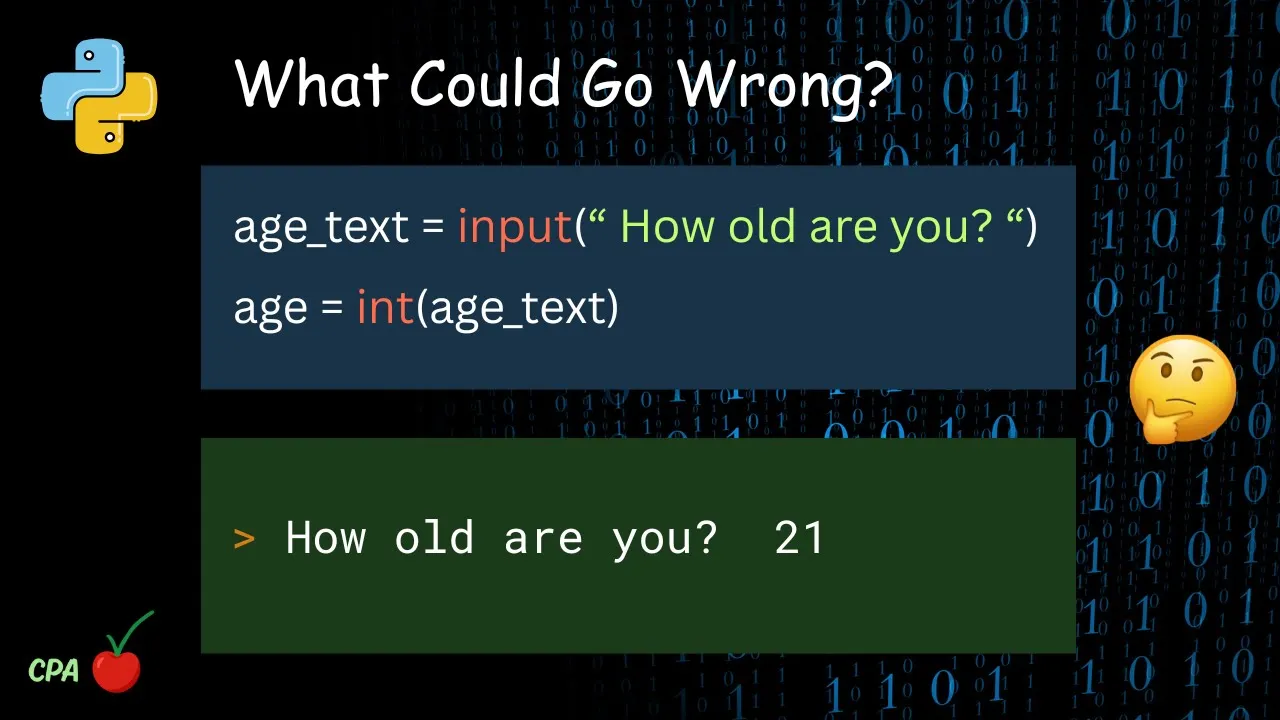
hey guys welcome back so I decided I have all kinds of Python tutorials on here I usually do a tutorial on a specific theme but I decided I was gonna make a Python for complete beginners tutorial and it's just gonna go over the basics so what I'm gonna go over in this tutorial is functions print variables and strings formatting concatenating time random numbers date as well generating random numbers I'm trying to read my own handwriting here Oh plugging commands into the terminal while loops for loops user inputs reading and writing the files and comments so this is for people who are completely new to Python so let's start with the first thing and you know if you I would suggest if you're completely brand-new to Python to watch this video before you watch any of the other of my tutorial videos after you watch this and then you watch the other videos you should have a better idea of how all this works but I do and most of my videos I try to explain everything as a the person watching it has never done any programming or any Python programming at all so and you know I try to make these videos qualities I mean I try to make I go out of my way to try and make sure you can understand I'm not here trying to make things sound more complicated and they can and trying to show off and trying to go real fast and throw a bunch of big words at you I'm not that kind of teacher I genuinely want you to understand so first thing we're gonna do and this is a university to make our shebang line and this line appears shebang line and it goes to the beginning of every single script there's not really much to know about it it just tells the computer that this is a piece of code written in Python so that's all you need to know about that and make our shebang long and then we always import our modules and the modules have to do with what your program is going to do if you want to put you make your program pause and do a delay import time if you want to get the time and the date will import date time if you want to plug commands into the command prompt or the terminal or whatever you want to call it you do import LS if you want to include system arguments in your application like for instance if you're familiar with Doss you could type in netstat tack in the tack in is the system argument so we import assist to do that so we're gonna look at functions functions are a way of thinking of a function is like you have a remote control it's got buttons on it when you press the button it does a certain thing so the button is like the function define and we'll call this function print message okay that's our function after we make a function we indent you leave this pressing the tab now once our function is over we can do that we don't have to or we can just go back to right here so that's our function but our function doesn't do anything until we call it and we call the function just like putting in its name print message and this symbol right here just means that whatever follows it's a comment so I'm just going to make a comment that you save it while teaching when visual effect every now and then I changed the color of my terminal text just to make things less boring like green to blue to yellow I like bright colors hmm go ahead and share with you a neat little trick that I use I created a Sh script I'm because I'm running Linux right now and it goes it just all it does is it changes the directory to the directory of my Python files in it so if you're on Windows you're gonna have to navigate to the Python folder and then type Python space the application and Linux you don't have to navigate to the Python folder you can just type in Python space and in the name of your script so use this little shortcut so now instead of having the type CD Slattery's let's desktop hi I can just type into that directory no Python teaching-learning and if that goes out hello world on the screen simple now let's talk about plugging parameters you know there's different terminology everywhere you go I'm just going to call it a parameter okay a parameter is going to be something to feed into the function from outside the function so we'll just go ahead you go ahead and give it a name and I'm not sure how to spell parameter if it's wrong I'm sorry I'd straight-up said I don't really know how to how to why spell parameter I know that's ridiculous but we stuck in a minute okay and let's make a variable called an integer rather let's make a string we'll call it something and then and here when we execute the function we put what we want to feed to the function into the function so we want to say we want to send the string something to the function print message now what you got to remember is these go in order right so say I have perimeter a H these are always gonna go in order something here it's gonna get plugged and the function print message it's gonna be called parameter but something is plugged to parameter E is plug to a F is plugged to B G is plugged to h H is plugged to the D so they always go in the same order if that makes sense now whatever you call it down here is what it's called down here but once it's plugged into the function it goes by whatever name is listed in here so H is H down here but in our function it's deep because it goes in from left to right so so now we're gonna pass something the string which is going to say hello world this is our parameter into the print message function and then it's going to print it I remember like I said over here print message or in print message our first parameter we call parameter we call it whatever we want but it's the same thing as the string something save that and there we go first prints out of the world and then it prints are something which we plug into their hell okay so that concludes the function portion of this tutorial let's move on to print and you've already seen a little bit of punch but I want to show you a few different things okay the reason I'm showing you this is the single quotation marks right here if you have a something inside the print comment and it has a single quote like that then you have to use the double quotes to start it because if we put single quotes out here it's gonna confuse it so now when it looks at this and sees this here it thinks that's the end so if you have single single quotations these inside your message use double quotes to tell it where to begin and where to end now you know you can use single quotes as long as you don't have any more of them inside another thing you can do say you have a program with system arguments and you want to be able to type in the name of your program attack help and it prints out you know how to use it we can do this now whatever we put in between there it's gonna print just like it so we can say to give you an idea how we're gonna do this and I know you want to get into the advanced stuff but you gotta start filming the game and you can see that prints it exactly how we type it so there's not really much to print well um now we're gonna go and come back to print a little bit later because I'm going to show you how to concatenate strings and do formatting and put you know variables in with your print and integers in with your print and stuff like that so don't think that that's over I just wanted to cover the basics of that for right now so now we're gonna move on to variables and string a nifty string is represented like this now you always want to make your string ahead of time because you know if you can't call the string or add to a string or a variable or an integer if it doesn't already exist so the first thing you do is you make it and that's what this now remember pound is a comment so everything after the pound doesn't it was not part of the syntax so always now an integer say x equals one notice integers never knew something that's the string is this quotation sort of variable it's really they're kind of the same thing just pick your choice of your terminology so actually I said variables and strings we're gonna look at variable strings lists and dictionaries okay so string there's a whole integer empty string now since we put something in the string something we don't have them we don't have to stay here and go you know make because it's it's been created at this point you just haven't done anything with it yet now a list like and there's other things there's tuples and we'll get into all that in another tutorial probably part two of them for free for beginners class series I hope this is recording okay so that's a list and then we have our dictionaries dictionary is has values and keys now I get the two of them mixed up but let's just show it this way name value I'm gonna make sure I'm doing this right now I kind of thought there'd be a syntax error and it's saying it's just go ahead eight Oh string equals okay so you can see our dictionary our list our string and our so and thing about dictionaries is say we have our names and our values we call it by name in a while I don't think we have to put boats in there okay hopefully this is recording I'm getting a ex over the window here finally got the thing to say so we can see the Prince value one so we told her to print list zero which is okay so let's try to space this apart here and make it confusing I might have to cut these videos up into pieces okay just to go over everything again string letters numbers symbols integer numbers strings have quotes single or double integers and none no quotes and call them whatever you want lists are identified by numbers starting with 0 1 2 square brackets quotation marks and comma separated a dictionary uses the truly awkward different bracket has names and values it's the only one that has a colon this as far as in the printed dictionary we can print you just do print dictionary and get rid of that or we can print a specific value out of the dictionary by calling it by its name you can print list the whole thing you can print the dictionary the whole thing or we can take a certain item out at our integer print our string that pretty much covers this section so let's move on I hope this is recording this if I go through all this and it's not this kind of stuff I'm gonna go ahead split meself in the separate videos I think so let's look at formatting now okay say we have a string and it's got whatever doesn't matter and we have another information for you okay so let's look at what we just did here we got our whatever we want to say inside single quotes and then two percent s is here now these go left to right just like kilometers so the first one it's going to plug string in there and the other one is going to plug another in there so string is going to go here and another is going to go here because we have them left to right and there you go so you'll learn a lot more about formatting and string formatting and some of my other videos I just wanted to go ahead and show you the basic on that now let's look at concatenation it just means to add two things together some text here plus plus the that right there is just going to add a space plus and there we go so that's the basics of that not really much to explain write it down study it practice it play with it so now let's look at time and date time so the only thing that I know how to use time for right now is delays now we'll go into the getting the date in the time in a minute but time that's sleep and then put a number you can put point five half a second point one seconds one second two seconds we'll make it two and you'll see that there will be a two-second delay between the time it prints this and this and make sure you have import time up here or this time that sleep won't work and there you have it you saw the delay so now let's look at getting the time in the day we can name the variable whatever we want but I'm gonna call it current time because that's what it's gonna represent we want it to be readable and here's the magic syntax equals write this down that's always going to be the same this is how you get the time daytime daytime now STR half time which means the string format of the time sent h4 our percent per minute let's go ahead and combine our string concatenation and formatting with the time comment and then remember a % modulus and then we put in what one person ste and I'm gonna bring up another point here in second okay the reason we have to know I all used to wonder this when I first began programming we got an open quote here wherever we open a quote we have to end one so we open one we end one we open one we end one so however many of these are there are there's going to be that many at the end and there we have it now you can also add to that month days all that so well let's move on now it's been a while since I've actually used random number generation I had a s CI AI encryption key generator and a random password generator though used it in defending the while so it wouldn't be surprised if there's a syntax when I tried to do this i'ma have to pause the video and look it up in my notes okay so what we just did here is we generated a random number between 1 and 30 and that's what this does we picked the integer name we're gonna call it X x equals import random of course random dot R and int which means random integer between 1 and 30 and then we printed out and we've got 21 - so we're getting random numbers and we can use that if we want to you know grab random pieces of information sometimes we need that password generators encryption key generators things like that so that's random numbers now we're gonna look at plugging if you're fluent in the bat you know command prompts of Windows or linings or bash or SH scripting or anything like that you might want to plug something directly into the terminal so we can do a Lescott system for that now whatever dos or Linux terminal command you want to put in there you can put in there like LS I'm since I'm running - Ellis is equal to dir and that'll show us our directory so whatever you know that's pretty straightforward you just it just plugs whatever you put in here it's plugged directly into the terminal here while loops my favorites I'm going to show you how to set up an infinite loop and I used to I used to do it like this I used to use the word for forever for the integer name forever equals one because it's going to be an infinite loop that goes forever while and that's a while of course you indent after that so while something is equal to or isn't equal to or is greater than or is less than then do this so if we want to do something over and over and over and then eventually make it stop we can say no while forever equals want to do this and then at some point in the while loop if we decide that we don't want to do it anymore we just make forever equal zero just treat this now we can say wow not or 1942 and always in debt after you make the loot this is how it ends this is how it begins and everything in between is indented okay so what's gonna do is it's gonna say print it's gonna say forever equals one and that's gonna wait three seconds and then it's gonna set forever to zero it's gonna leave that loop and it's gonna go down into here to the other loop forever equals one and wild forever is not equal to two so remember that equals is that not equals there we go this is making sense to you if we got rid of this though went that way forever always equals one they wouldn't go down to the forever doesn't equal one it just keeps moving in the first one okay for loops really a lot of fun it's or num and range now I'm going to kind of add on what we've been looking yeah and after we make a for loop we indent to it so that's important enough that's how we end it so this is our for loop so it's gonna pick a random number and then it's going to loop through a range and I'll show you numbers so what this is basically doing is it's going in a big circle right top to bottom top bottom makes a random number and then it goes through a range of numbers and then it sets num so that whatever numbers in that range and that that's not so pretty cool now there's other ways we can use for loops we can say for character and string location stream and and it'll go through all the characters in the stream now we couldn't make it a little easier to me half a second delayed just we just talked about strings and stuff let's go a little bit over that add two people I'm gonna show you how to add something to a stream and 2 plus equals R and character is this so you can see that it's algebraic basically this is like pre-algebra every character in this string will slowly be added to add to there we go so that's the basics of for loops you can use them in a lot of different ways now we're gonna go over user input and files and that's pretty much gonna sum up this short beginners tutorial okay so pick a variable whatever you want to say here now whatever the person types in is gonna come here on be known as whatever name we gave it and let's go ahead and add to what we've learned we can take a for loop for character see that's the problem is I didn't care about spelling at first but now I got a intentionally spell around the purpose your racket variable variable now we always end the four loops with a quote a letter : yeah so first it was printed it out like going oh man I went through each character in the neck time okay so that's user input if we just wanted to sum up user input one line that's it right there write that down so I need to remember and then you can plug that from there on out now files with open file est for tests comma read and then we give it a variable name file or mine and there's a reason file one line at a time and then whenever we're done with a file that's reading some spotty the same thing to write the file hit the path of the file in there now I'm on my neck so that's why the slashers they're different and you're going where's the cheapo one slash now if we want to keep adding to it we got to use a for a pinned and this is for a SCIF Isles we're going more than binary later on and you I made a mistake in there this is the way the color as file now you don't have to use file right whatever it goes whatever this is you make whatever you want to call it okay so if you want to add a new line in there we want just a blank line slashing so so we open the file called file that TST and we wrote whatever we wanted right to this file here yo yo yo new line new line testing here right here we're 1 2 and then we closed it and then we're gonna read from it and print all that so let's check this out oops I forgot to put a colon hand that I told you that really gotta put a colon at the end of it and these two you're missing one little thing it won't work okay so let's go over this again whatever we want to provide you the file you know don't weird let's go ahead and add some tension here writing so we get a better idea of like what it's doing it just makes it easier for you to see that and use a lot of prints when you're doing sorry about that my microphone starting to get alright save it okay so writing the file so in here it wrote to the file now reading from file and put to reading from table below whatever we want to write to the file here so all this right here it's reading and printing from the farm you can see where we put the new lines in there so that's pretty much that that pretty much covers this short beginners tutorial now I hope this was helpful but I do want to advise you to go through the video watch it a few times write all this out study it and I promise you you'll get it I know it's a lot to take in at first and it seems really overwhelming and confusing but when you write all this out on paper and you watch the video a few times and you'll start to understand it but one thing I want to caution you is when you're when you're looking at code and syntax don't look at it like it's English don't try to read it like it's a book and like looking at it like it's supposed to make sense I think about Python is the syntax is pretty readable I mean it does kind of make a lot of sense sometimes but not all that's gonna make sense because this is code that was designed by somebody and you might what does that mean that doesn't make any sense why does it say that what does it mean how does it work thing is Python code is not it's not the core of how computers work it's an interpreted language it's something that people can understand and use and then it's converted into something that computer uses so as far as computer science goes this is not the blueprints of how the very depth of complexity that the computer operates runs on works it's just something that lets human beings communicate to an interpreter which is Python which thus translates our intentions to something that the computer can understand so it doesn't necessarily always gonna make sense when you you just have to just know that this is what you have to type this is what you have to type this is what it means it doesn't always make sense it doesn't always seem doesn't always give you an explanation but it's a language you learn the words you can speak the language so that's all I hope this video is helpful please give me a thumbs up and subscribe check back I will make a part 2 for this for complete beginners and also note there's a link at the end of this video to to a Python tutorial playlist where I do individual tutorials this whole beginners thing is a new thing but I got tutorials on all kinds of separate syntax and things that you might need to do in Python so until next time I'm Scott I really hope you found this video helpful and peace out
Up Next

34:19
How to Build an AI Agent in Python: A Step-by-Step Tutorial for Beginners
@TechWithTim
525K views•2025-03-14

12:54
Triumph of Orthodoxy Icon: Byzantine Art & History Explained
@BenCallan
2.1K views•2024-08-06

9:49
FastAPI vs Flask vs Django: Choosing the Right Python Web Framework
@TechWithTim
302.5K views•2024-05-26

1:42
Game of Thrones Opening Credits: A Cinematic Analysis
@gameofthrones
46.3M views•2011-04-18
Related Study Plans & Knowledge Roadmaps
Structured learning paths in General & Interdisciplinary Studies
general-studies
Elevator Engineering: History, Physics & Cities
01From Hoists to Safety Brakes: The Dawn of Vertical Lift
02Hydraulic vs. Traction: The Engineering Physics of Elevators
03Modern Speed, Safety, and Algorithms
+ 2 more learning modules
12h5 modules
Explore Roadmap
general-studies
Rubber: Material Science, History & Geopolitics
01Origins of Natural Rubber & Mesoamerican History
02The Chemistry of Natural Rubber & Vulcanization
03The Geopolitics of the Rubber Boom & Colonization
+ 2 more learning modules
12h5 modules
Explore Roadmap
general-studies
Containerization: Evolution, Logistics & Trade
01Ancient Trade & Bulk Cargo: Amphorae to Barrels
02The Industrial Revolution & Cardboard Packaging
03The Containerization Revolution: Malcom McLean
+ 2 more learning modules
12h5 modules
Explore Roadmap
general-studies
Textile Tech: Evolution, Labor & Global Impact
01Pre-Industrial Textiles: Handloom & Cottage Industry
02Mechanization: The Spinning Jenny to the Power Loom
03The Factory System & Global Labor Transformation
+ 2 more learning modules
10h5 modules
Explore Roadmap