





























Ollama is a free open-source tool that enables users to run large language models (LLMs) locally on their own computers, providing privacy, security, and cost-free operation. Users can install Ollama from the official website, pull models from the Ollama library, and run them using simple commands like 'ollama run [model_name]'. Ollama also provides an HTTP server API for integrating models into applications, and supports custom model configurations through model files. The tool requires sufficient system resources, particularly RAM, as larger models with billions of parameters demand more memory to operate efficiently.
How to Install and Run LLMs Locally with Ollama: A Complete Guide
Added:Basic understanding of Large Language Models (LLMs), including foundational concepts like parameters, context windows, and tokenization.
Familiarity with command-line interface (CLI) operations for software installation and system navigation.
Fundamental Python programming skills, including virtual environment management and package installation via pip.
Basic concepts of web APIs, specifically RESTful architecture, HTTP request methods (GET/POST), and JSON data structures.
A general understanding of system hardware, particularly the roles of CPUs, GPUs, and VRAM in executing local AI workloads.
Implementing Retrieval-Augmented Generation (RAG) by integrating local Ollama models with vector databases and orchestration frameworks like LangChain or LlamaIndex.
Building interactive user interfaces for local LLMs using Python web frameworks such as Streamlit, Chainlit, or Gradio.
Advanced model customization using Ollama 'Modelfiles' to configure system prompts, temperature, and specific stop tokens for specialized agent behaviors.
Understanding model quantization formats (such as GGUF) and the process of converting and importing custom models from Hugging Face into Ollama.
Benchmarking local model execution by monitoring performance metrics such as latency, tokens-per-second, and hardware resource utilization.
687.6K views17.1Klikes14:01Original Release: 2025-01-13
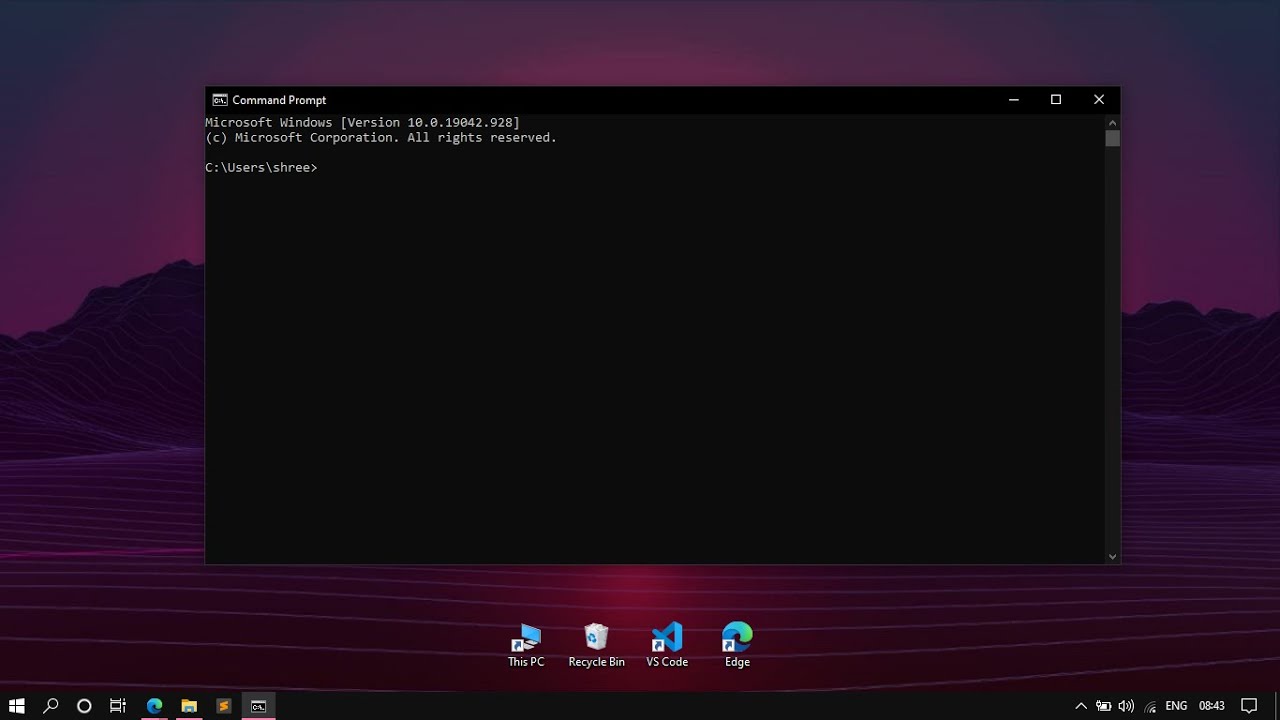
in this short video I'll teach you everything you need to know to get up and running with AMA which is a fantastic free open-source tool that allows you to manage and run llms locally rather than having to pay for Chad GPT or use these hosted services online you can actually run all of these models locally on your own computer so you get privacy security and best of all they are completely free so with that in mind let me show you how to set this up get it running and I'll also explain to you how you can utilize this through code because olama provides an HTTP server which means you can call your models from really any type of application so first things first we do need to install AMA so to do that you can go to the website which is ama.com I will link it in the description and you can simply press on download and then select your operating system in my case I'm using Windows but of course you have the command for Linux and then the installation for Mac now once that's downloaded simply double click it and install it and then I'll show you the next step so once you've installed AMA there's a few different ways to run it first of all you can just open the desktop application so if you're on Windows you can go here to the search bar and just search for ama if you're on Mac you can simply go to the spotlight search same for Linux and just run the application now when you do that nothing's going to appear on your screen and the reason for that is this just starts a backend server that's running the AMA service now the other way to do this is to open up a command prompt or a terminal so you can see I'm in command prompt here on Windows and then to simply just type O llama if you do this you should get some kind of out put and if you see that it means that you've installed o llama correctly at this point I'll assume that you have this installed correctly and that this command gave you some kind of output and now what we can do is start running models so the first thing to look at is the different models that we have access to with olama now truthfully you have access to pretty much any open-source model you want and you can even write some custom configurations to use your own models or things you pull in from something like hugging face now if you go to the AMA GitHub repository which I will link down below you can see some of the common mods mod that you may want to download now keep in mind that since you are running these locally you will need to download the entire model and you'll need to have enough space on your computer you can see some of these are 43 GB for example and enough RAM to run and load the model depending on how large it is so you see if we look through here it defines the number of parameters for these models if we look at something like llama 3.1 we have 231 GB and 45 billion parameters and if you go down here to this note it specifies how many gabt of ram you should have based on the different model parameters so even on my computer which has 64 GB of RAM it would be difficult to load the new llama 3.1 model with the 405 billion parameters so keep that in mind when you are choosing the models that you want to use for now I'm just going to go with the standard llama 2 model because this is older and it's not as large and I know that I can run it and most of you should be able to run it as well so I'm going to show you how we can pull that but if you're looking for a list of all of the models you have available you can go to the oama library so if you go to ama.com library and you can scroll through here and you'll see there are hundreds of different models you can sort them you can filter and you can find even multimodal models except things like video photos voice Etc so once you've decided on a Model that you'd like to run it's very simple to do so all you need to do is type a llama run and then the identifier of that model now in my case I just want to run llama 2 I know this is an outdated model I'm just doing it because it's smaller so I can simply type O llama run llama 2 and if this model is not already installed on my system then it will download it and install it for me if it is already installed it's just going to bring up a prompt where it allows me to actually start typing to the model and messaging with it so notice here that it's just loading and it kind of gives me these three arrows and I can just start typing something to the model and get some kind of response and you can see it's pretty much instant because there's no latency it's running on my own machine now again if this wasn't already installed it would start pulling the model for you and then you would have to wait for it to finish it would install then you can run the model and you can start using it now after some experimentation it's told me that you can type slash bu to get out of this so if I type slby you can see that it will enclose this window and then if we want we can type amaama and then list and we can list the different models that we have available on our system in this case you can see I have llama 2 which is the latest version if I had any other models they would show up here so that's the basics on running models using oama but there's a lot more to show you so make sure you stick around after a quick word from our sponsor today's video is sponsored by SEO writing a tool that's transforming content creation across different niches and industries their new brand voice feature lets you generate content that matches your Unique Style whether you're writing tutorials reviews or even industry analysis one click generates a complete blog post with AI generated images and relevant videos embedded automatically potentially saving you hours of manual work what sets SEO writing apart is their deep web research with built-in citations when you need accurate up-to-date information the platform pulls from reliable sources and adds citations automatically their humanized text feature helps your AI generated content stand out while their external linking feature intelligently connects to relevant resources and for all you WordPress users out there there's a gamechanging feature that lets you connect your site and autopost content directly this feature allows for consistent scheduling while focusing on other projects now if you're ready to try it for yourself then use my code TW wt20 5 for a 25% discount click the link in the description and see how SEO writing can fit into your content strategy all right so we are continuing here and I want to show you what happens when you pull multiple models so again if we go back to the library we can start looking through different models that we may want to utilize maybe I can even just go back here to the GitHub if I want to find them a little bit easier and maybe I want to use the mistal model as well if that's the case I can just copy this command or the name mistl I can go back here I can simply run the command AMA run mistl it will then pull that manifest for me pull the model once that's finished I'll be able to use this and I'll show you how so looks like this has been downloaded and now I can start using the model if I want I can exit out of this and if I want to switch between the two different models again I just type O llama run and then I can specify the model that I want to use so if I want to go back to llama 2 I use llama 2 if I want to go back to mistl I just type mistl and now I can start using Mistral so you can have as many models as you want and again you can list them by typing ol llama list and if you want all of the commands you can use simply type AMA and then it will show you which ones you have access to there's a lot of them for example you can also remove a model if you want to do that copy a model there's also customizations you can make to them which I'll show you in just one second all right so all of that is great but we probably want to know how to utilize these models from something like code from our applications sure they're great to use here in the terminal but a lot of times you want to integrate them with some kind of software especially if you're a programmer and you watch this channel so the interesting thing about olama is that it actually exposes an http API on Local Host that means that anything we just did here with commands we can actually trigger through the API so we can send request to this from something like curl Postman something like python code really any code at all that can send some type of HTTP request Now by default if you're running aama you should be able to see this if you're on Windows in kind of like the I don't know what you would call this Services bar wherever it's showing the running applications and you can see I have this little AMA logo now when olama is running as the desktop application by default that Port is going to be open so you'll be able to access the HTTP API but if for some reason this isn't running so for example if I quit this what I can do to trigger that to run is I can simply type AMA serve in my terminal if I do this it's now going to start running the HTTP API in this terminal instance and now I'll have access to it and here it will also show us what port it's running on although it should be standard and you can see if we look through here it gives us the exact Port so it's on 11,434 so if you wanted to you can copy that and save it for later so that we can use it in our code regardless now that the olama serve or the olama HTTP API is running we're able to call it and again just to clarify if you're running this as the desktop application it will already be running in the background but if for some reason you want to manually invoke this to run then you can run the command ol llama serve where it will give you all of this output and you'll be able to view all of the requests to the HTTP server so now that the server is running we can use something like the following python code here to send a request to it now this is done manually very intentionally I'm going to show you an easier way to do this in 1 second but it's just to illustrate that you do have kind of complete control over this if you want so you can see here in Python I'm using the requests and the Json module now just by the way if you want this to work on your machine you will need to install the request module so you can say pip install request or pip three install requests and I'm going to leave this code in the description uh Linked In A GitHub repo in case you want to check it out now what we do is we Define our base URL this is the URL of the server and then /i/ chat there's a lot of other endpoints that you can use here and you can even control deleting models adding models Etc but in this case we just want to chat with one of our models then we can define a payload this is the model that we want to chat with so in this case I've gone with mistl and then we can Define different messages here's a standard message with the role of a user next we can send a post request here using request. poost to our URL with our Chason payload which is this right here and enable the streaming mode which allows us to grab all of the responses as they are typed this way we can grab them in real time and we can show the model actually typing the response rather than waiting for the entire response to be generated and then viewing it now here's a little bit of code just to handle that streaming data for us so we're going through all of the lines that are returned from this response and then we are simply kind of printing them out okay so I'm going to show you what happens when I run this so we already have requests installed and if I go python sample request dopy just wait one second here it will stream in all of the data and then print it out so you can see that it's kind of printing it out line by line for us here as it gets it and there you go python is a high Lev language blah blah blah gives us the answer if we go back to the API we can see that the request was sent here it took 4.1 seconds to process and it returned to us that data sweet so there you go that is how you utilize the API manually but a lot of you probably don't want to write all of this code so instead we can use a very simple module from python called you guessed it ol llama so if you're using python or JavaScript there are packages that will do this for you so you can simply pip install olama or pip three install olama in your systems that you have this module and now you have access to the ol module you can simply create a client you can Define your model you can Define some kind of prompt and then you can use client. generate specify the model and the prompt and then you can grab the response okay so I'm going to quickly show this to you I can run this code with python package. piy and you will see here in just one second that we should be able to get the response okay and there you go we get the response and it gives us the answer so that is how you use the HTTP API now I'm going to show you how you can do some customizations to the models in ama so moving on I'll show you a quick customization that you can make to any of the models that you can pull with AMA so you can see on the right hand side of my screen that I've created something called a model file now I've just put this in a directory that's on my desktop you need to put the file in a location that you know and that you're able to access from your terminal and for the model file I've used this very simple syntax that I just took directly from the AMA website all you do is you specify from and then you have some kind of base model so in this case we're using llama 3.2 but you can use any model that you want that's available with a llama you can do something like set the temperature of the model you don't need to do this but there's some other parameters you can set as well and then you're able to pass something like a system message which is essentially kind of instructing the model what it's supposed to be doing and how it should handle the upcoming messages so in this case they've just written Ur Mario from Super Mario Bros answer as Mario the assistant only okay so we have this model file written notice I don't have any extension it's literally just called Model file no. txt or anything and what I've done is I've put my terminal in the same directory where this file exists now what I'm able to do is create a new model based on this model file in olama and have one that's set up as Mario so to do that I can type AMA create I can give this a name in this case I'll call it Mario you can call it anything that you want and then I'm going to specify DF which stands for file and then the location of my model file now in this case it's just simply at@ slm model file okay so I'm going to go ahead and create this and you'll see that it says success that's because I've already pulled model llama 3.2 so now if I want to utilize this customized model what I can do is type a llama run and then the name of the model which is Mario and now if I say hello you'll see that it says it's a me Mario and it kind of you know simulates like how Mario would reply so if you want to set up some custom models where they have some system prompts they have some different parameters set up with them you want to tweak them somehow you can do that using these model files then you can simply create them in olama now let's say you're done with this one and you want to remove it you can say RM or sorry AMA RM and then what is it the name of this one Mario and it will remove that so now if we type oama list you no longer see it and also it's worth noting that these uh models like Mario you can utilize them from code so in my python code here I can just specify Mario once that's created and then I can use that anyways guys that is it that's all I wanted to show you I hope you found this valuable if you did make sure to leave a like subscribe to the channel and I will see you in the next one [Music]
Up Next

48:51
TypeScript Crash Course: Learn Fundamentals in 50 Minutes
@PedroTechnologies
98.9K views•2024-05-27

12:54
Triumph of Orthodoxy Icon: Byzantine Art & History Explained
@BenCallan
2.1K views•2024-08-06

21:16
Python API Tutorial: FastAPI, Ollama, LLM Security & Deployment
@TechWithTim
125.8K views•2025-02-21

1:42
Game of Thrones Opening Credits: A Cinematic Analysis
@gameofthrones
46.3M views•2011-04-18
Related Study Plans & Knowledge Roadmaps
Structured learning paths in General & Interdisciplinary Studies
general-studies
Elevator Engineering: History, Physics & Cities
01From Hoists to Safety Brakes: The Dawn of Vertical Lift
02Hydraulic vs. Traction: The Engineering Physics of Elevators
03Modern Speed, Safety, and Algorithms
+ 2 more learning modules
12h5 modules
Explore Roadmap
general-studies
Rubber: Material Science, History & Geopolitics
01Origins of Natural Rubber & Mesoamerican History
02The Chemistry of Natural Rubber & Vulcanization
03The Geopolitics of the Rubber Boom & Colonization
+ 2 more learning modules
12h5 modules
Explore Roadmap
general-studies
Containerization: Evolution, Logistics & Trade
01Ancient Trade & Bulk Cargo: Amphorae to Barrels
02The Industrial Revolution & Cardboard Packaging
03The Containerization Revolution: Malcom McLean
+ 2 more learning modules
12h5 modules
Explore Roadmap
general-studies
Textile Tech: Evolution, Labor & Global Impact
01Pre-Industrial Textiles: Handloom & Cottage Industry
02Mechanization: The Spinning Jenny to the Power Loom
03The Factory System & Global Labor Transformation
+ 2 more learning modules
10h5 modules
Explore Roadmap