

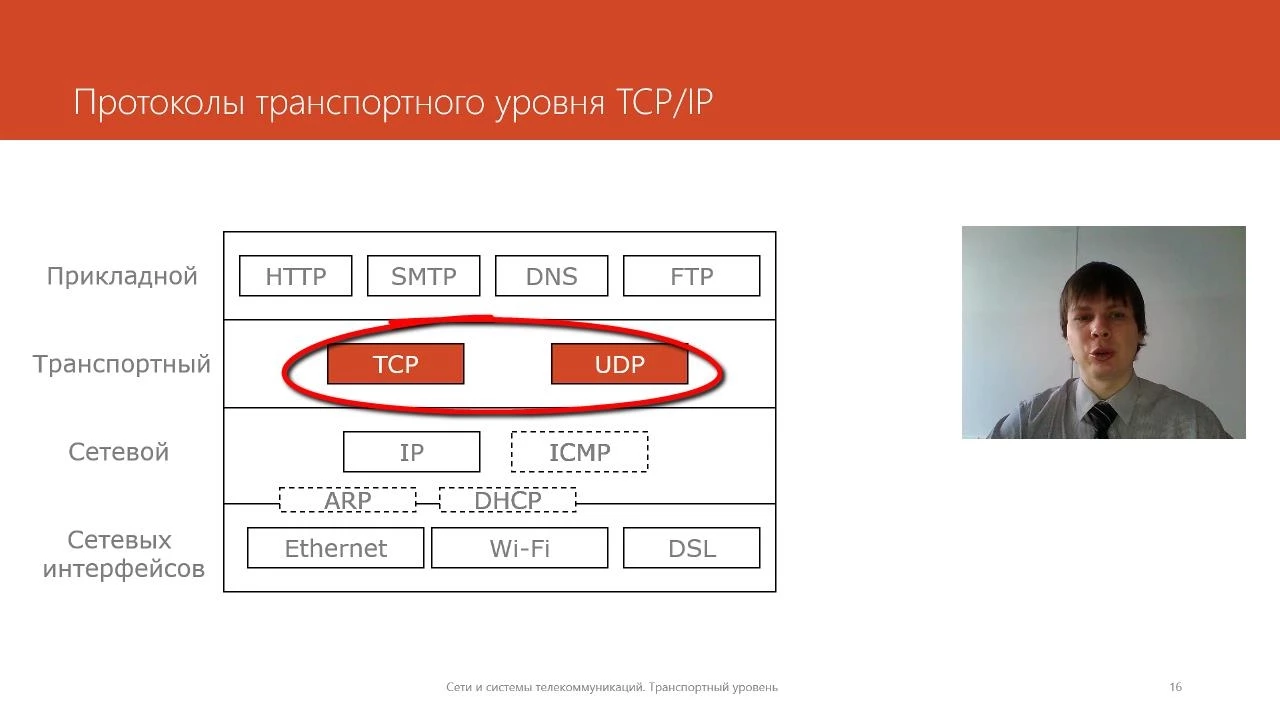
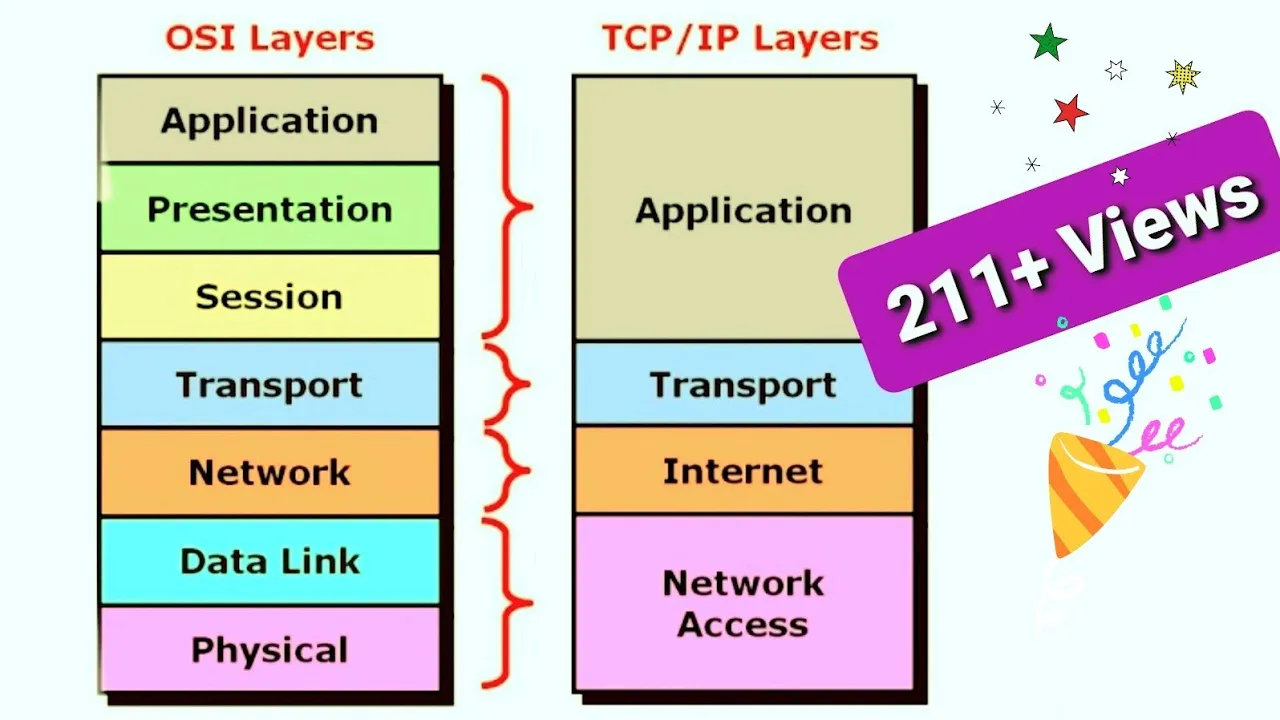



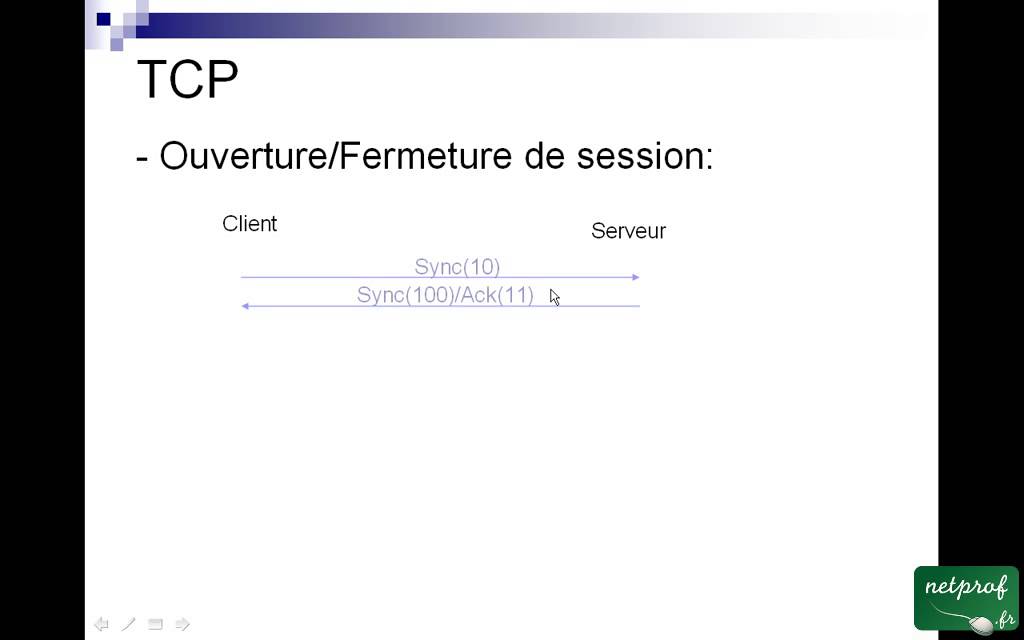











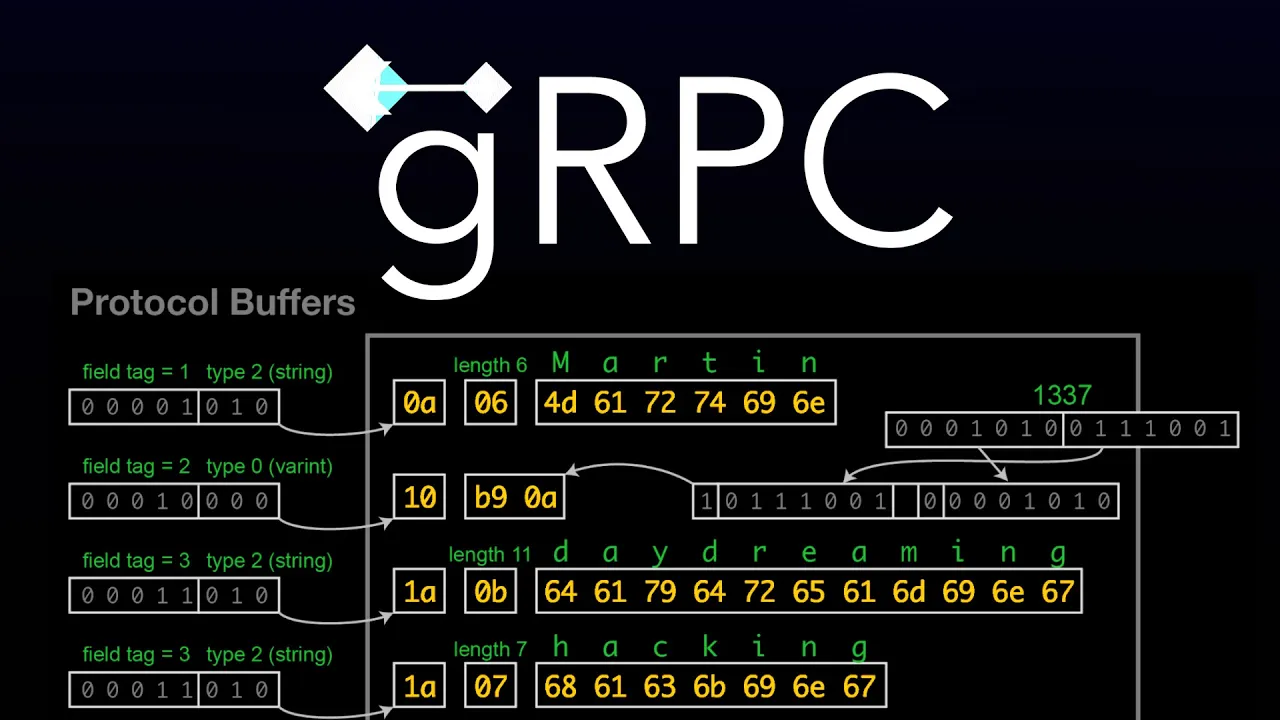


TCP (Transmission Control Protocol) is a reliable, ordered, and error-checked communication protocol that uses sockets (IP addresses combined with port numbers) to transmit data between applications; in Go programming, TCP communication is implemented using the net package, where clients establish connections via net.Dial(tcp, address) and servers listen for incoming connections via net.Listen(tcp, address), with the Conn interface providing methods for reading, writing, and managing TCP connections including setting timeouts to prevent resource exhaustion.
Implementing TCP Clients in Go with the net Package
Added:Fundamental programming proficiency in Go, including data types, error handling, and basic I/O operations.
Core concepts of the OSI model, specifically the Transport Layer, and how TCP differs from UDP.
Basic understanding of IP addressing, port numbers, and the client-server architecture.
Implementing concurrent TCP servers in Go using goroutines to handle multiple simultaneous client connections.
Securing network communications using TLS (Transport Layer Security) via Go's 'crypto/tls' package.
Managing connection lifecycles, deadlocks, and timeouts using Go's 'context' package.
Designing and parsing custom application-layer protocols using serialization formats like JSON, Gob, or Protocol Buffers over TCP streams.
5.5K views65likes20:43Original Release: 2017-02-16
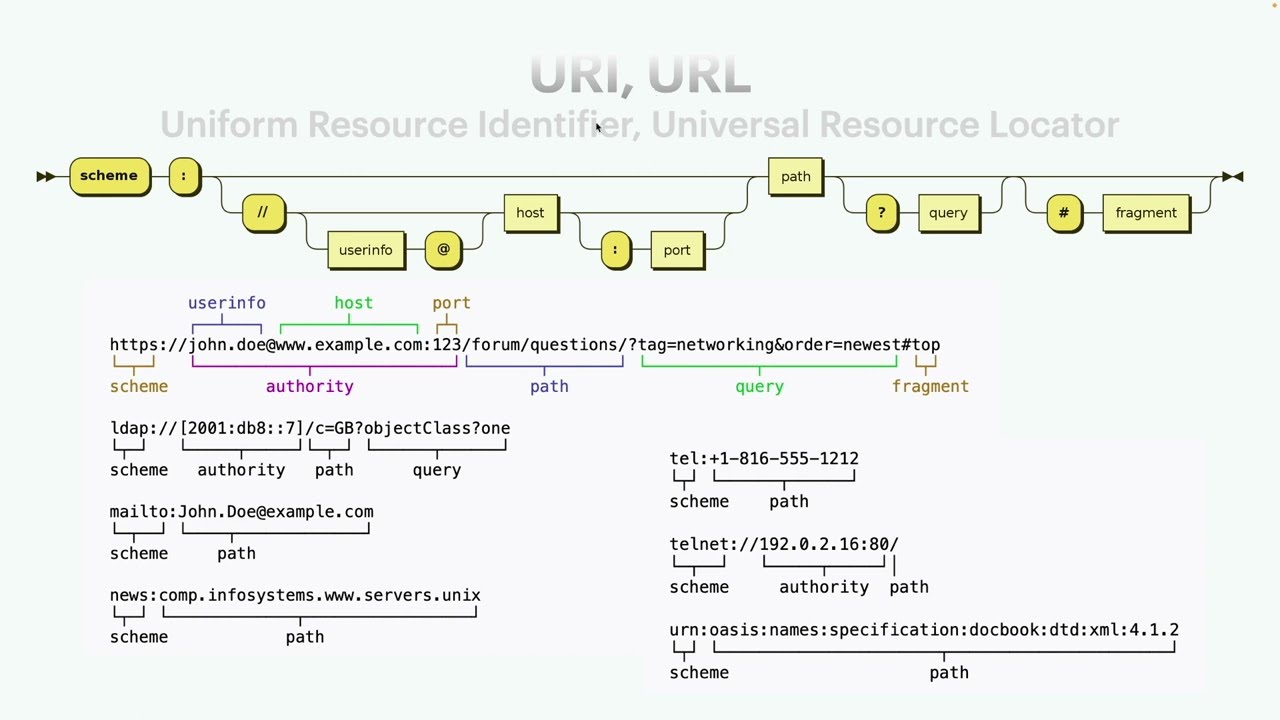
welcome to section nine in our exciting journey to learn the go language in the previous section without deep into how go interfaces with databases in this section will cover another practical aspect of go programming which is how to communicate between applications using the go language in this section will cover TCP communication by exploring how to write TCP clients in go and then how to write TCP servers and go and then from there we'll cover UDP communications and then at the end we'll explore the popular protocol buffer message format which is used in communications in modern software now we move to the first video of the section which is TCP communication clients let's get started in this video we'll start with a quick overview on the TCP protocol then we will move to discuss the net package which is goes Golden Gate 2 IP layered communications like TCP and UDP then we will conclude by writing some code to implement a TCP client angle so RS TCP TCP is a very popular transmission protocol used to transmit data reliably from one point to another it is one of the core components of the Internet we not only use it for the World Wide Web but also to transfer files and emails and messages of all sorts TCP communications use what is known as sockets which are IP addresses combined with port numbers and we'll cover sockets and more details shortly TCP is a reliable ordered and error check protocol it performs handshapes between the transmitter and the receiver to ensure the data was received and accepted on the other end so you can see the receiver sends acknowledgments as it receives data and then when the connection gets closed the transmitter sends an acknowledgment this technique however causes some latency due to all the checks that happen in between the transmitter and receiver however it is typically a small price to pay if the transmission needs to be very reliable and ordered by ordered I mean messages are received on the same order by which they were sent for more information on TCP please have a look at the Wikipedia article and end at Wikipedia or for a slash wiki for slash transmission underscore control underscore protocol to build a better idea on the TCP protocol it's not a small topic however it is a vital concept to understand for advanced and modern software in go to communicate via the TCP protocol we use the net package which is a standard package that go offers for IP communications the IP protocol is the underlying protocol to TCP and UDP so you can think of it as the building block we did use net package in the past to build the Hydra chat server in videos five point four and five point five so to initiate a TCP connection we simply use net dial as shown the two arguments to NATO dials would be the protocol name which in our case in this video will be TCP and the address to which were trying to connect so the address to which protractor Connect is in the form of a socket so as mentioned earlier in the video a socket is an address or an IP address combined with a port number and we separate them by the column this will give us a connection object which we can then use to read data and write data on the other hand to listen for an incoming TCP connection we use that net dog listen call which takes arguments the protocol type which is Anarchy's TCP and the socket address which in our case if we're listening to a local socket and our server we just indicate the port number and the caller so this is a socket address at which we want to listen so before we dive deep into the code let's discuss the stages we go through to write a TCP client and a TCP server for the TCP client we start by calling the nettle dial function to establish a connection which returns a Kahn interface that implements both IO reader and IO writer and in turn expose us to all the popular read and write methods that are supported by many go packages and then at the end we close the connection when we're done so again we dial get the connection then read right to the connection then we close the connection now at the server level we start by calling NAT don't listen to listen to incoming connection and this returns a listener interface which is an object we can use to accept incoming connections when we receive them and the accept will then return a Kahn interface again which we can use to read and write as before then close so to summarize at the server level we listen to connections then we accept connections when our client dials then we read or write to the accepted connection as we please and then at the end when are done using the connection we close it perfect so let's dig deeper into the con interface the cotton interface represents an active IP connection between a client and a server it supports the i/o Reader interface as well as IO writer interface as shown and this is done by implementing the read method and the write method it also supports a closer interface which closes the connection and between those three interface methods the con type gets the support of most of goes popular packages like the filmed package for example which has very heavy support for the reader interface read method on the writer interface write method as well as a buffaio package which also has support for those methods the read method and the write method are what we use to send and receive data over the IP TCP connection the con type also supports a method called local address which is used to get the local address of a connection and a remote address method which is used to get the remote address that's trying to connect to us the con type also supports three methods that can be used to set a timeout on the connection when there is no activity and reads or writes or either so that would set a timeout on either a TCP read or a TCP write this method will set read timeout on the TCP connection and then set write that line method would set a timeout on the writes on our TCP connection those methods are very helpful because they help us get rid of still connections and ensure our resources are not overused in a production environment now under the hood for TCP connections the con interface is implemented by the tcp con type which exposes methods that handle the concrete TCP connection features however most of the time we would typically use the con interface directly if we don't need to use advanced features of a TCP connection it's also important to point out the ducking interface supports concurrency which means multiple goroutines can use it at the same time so as mentioned earlier in the video the dial function is what we use to initiate a connection between a client and the server or a sender and a receiver the first argument to the dial function is our network protocol which indicate whether we would like TCP or TCP version for TCP version 6 or UDP etc as our protocol so this argument would be the deciding factor of the concrete type which the con interface will implement then the second argument to our dial function would be the socket address to the receiver we're trying to connect to so our socket is as mentioned earlier an IP address the Nichola then a port number and ipv6 is also supported which is the new generation of IP we can use protocol names here as port numbers so HTTP port 80 and we can use these send website names as our addresses because they translate into IP addresses and as mentioned earlier if we're either dialing or listening to a local connection we don't need to specify the IP address we just specify the port so the dial function ultimately returns the con interface as well as an error object type which would be nil if no errors occurred dial typically picks a randomly available port from the client machine to establish a connection to the defined address and port numbers at the server machine meaning that when we call dial this way this address would be the server address we will connect to however the client address from which were can we'll be dynamically selected another nice function that should be mentioned is the dial timeout which is very similar to dial except that it adds a timeout so that if we are unable to connect from a client to a server or sender to a receiver then the function would fail and return within the specified time out now it's time to write some code so let's create a folder called hydro comms which would be underneath the Hydra folder in our go source folder and then in the Hydra comms folder we'll create a file called TCP communications that go in there we will write a TCP client which will take a message from a user and then send it out to a TCP server and we'll also write a TCP server at the end which will listen to the incoming messages from our client and respond accordingly so we'll start by declaring the main package as shown since our entire application will reside in here and then we'll start to import a bunch of packages which we'll use in our code so notice how we imported the net package here which our main entry for TCP IP code from the rest of the packages we'll see how they are utilized as we go so we'll start our main function by defining a bunch of flags which we would need the user of our program to provide to us if you need a refresher on the flag package you can have a quick look at the flag package page in the golang.org website so for now we'll create two flags of type string so that will be done by calling flag to string the first flag would be called type which would dictate whether we are currently running as a server or as a client that would be either TCP server or TCP client and then our second flag would be the address which would be the address to which were sending data in case of a client operation or the address at which we're listening for incoming data in case of a TCP server we then do flag to parse to obtain that provided flags and then we convert the provided user flags to uppercase letters so that we can compare against them easily so we will use a switch case to compare and identify the type flag that the user provided so if the user provides an S then we call a function called run server which is where we will write our TCP server code otherwise and the user provides a C as the type then we will call a function called run client which will act as our client code so both functions will take the address string as an argument and if you're wondering why we dereferenced the address variable that is because the advertise variable which is provided by the flag dot string function is of type pointer to string so we need to dereference that pointer in order to obtain the actual string value represented by the pointer now let's look into the run client code so the first thing we would do is to call Ned Doe dial in order to establish a connection to a TCP server on the other end our protocol will be TCP which is our first argument to nettle dial and the address we would use is the address provided by the user now this will return a connection object as well as an error object if the error object is not nil then we return their object as shown otherwise if we get to that point of the code then we know that the connection have been successful and the Kon object here does indeed represent working TCP connection so we defer conduct close to ensure that the connection gets closed and resources gets cleaned up when we're done with run client now next thing we do is to use a buffaio package to create a new scanner and I have this new scanner tied to the standard input and that's why we needed a buffaio package and the OS package so building a scanner on top of the OS standard input will allow us to be able to read user input in real time and we'll see shortly how that works now that we have a scanner ready we will print a message to the user asking what message would the user like to send to the TCP server then we will call scanner to scan which will scan the OS standard input in real time and then whenever the user would input a string and hit enter the loop will iterate and we will get inside the for loop so the first thing we do here is identify that we captured the users input by printing out the message captured in our scanner by calling scanner dot txt now in order to write to our connection stream we can simply use a condo trite method which takes a slice of bytes as an argument so our slice of bytes would be the combination of the user message captured in our scanner in bytes by calling scanner the bytes and the slash are simple which represents an end line now what we do after that is create a buffer of bytes which we will use to host the reply message from the server and then we will call Conda treat and the buffer will be the input argument for Conda Treat in order to read the incoming message on the TCP connection now if we detect any errors and at the same time the error is not end-of-file we log and exit using log fatal however if error is IO dot IO F which stands for in the file then we know that something closed the connection and in this case we wouldn't consider it as an actual error but we would just print the fact that the connection was closed probably by the server and then we'll return nil now if there are no errors we would get to this point of the code and in here we would just print out the reply from the server and that is done by simply type casting the buffer which hosts the data received from the server to a string and then printing all of that to the standard output then at the end we return scanner dot error so type scanner supports a method called error which indicates if there were any errors observed during the scanning process if no errors occurred during the scanner dot scam process then the scanner dot error will just return nil and with this we wrote our tcp client in this video we started our journey into TCP communications by first a brief definition of TCP then we implemented a TCP client you
Up Next
7:32
How BitTorrent Works: Peer-to-Peer Networks Explained
@EpicNetworks
52.7K views•2020-07-20

87:26
Introduction to Secure Multiparty Computation with Yehuda Lindell
@fhe_org
7.7K views•2021-02-04
5:42
Building a TCP Server and Client in Rust: Network Programming Tutorial
@OfficialPackt
18.5K views•2018-08-07

19:25
Enigma Machine Mechanics: WWII Encryption Explained
@JaredOwen
13.2M views•2021-12-11
Related Study Plans & Knowledge Roadmaps
Structured learning paths in Computer Science
computer-science
Container Runtimes: Namespaces, Cgroups & Go
01Linux Systems & Go Programming Foundations
02The Core of Isolation: Chroot and Filesystems
03Linux Namespaces: Process Isolation
+ 3 more learning modules
32h6 modules
Explore Roadmap
computer-science
Building a CHIP-8 Emulator: Rust & CPU Basics
01Computer Architecture Foundations (Bits & Bytes)
02Rust Programming for Systems Development
03CHIP-8 Virtual Hardware Specifications
+ 2 more learning modules
32h5 modules
Explore Roadmap
computer-science
Building BitTorrent: Go, P2P & Concurrency
01Go Fundamentals & Concurrency
02Networking Foundations & P2P Architecture
03Bencode Parsing & Torrent Metadata
+ 3 more learning modules
26h6 modules
Explore Roadmap
computer-science
Actor Models (C++ Concurrency & Lock-Free)
01C++ Multi-Threading Foundations
02Thread Pools and Task Scheduling
03Atomics and Lock-Free Queue Design
+ 3 more learning modules
45h6 modules
Explore Roadmap