

















Docker is a containerization platform that packages applications with their dependencies, runtime, and environment configuration into portable containers, solving common problems in software development and deployment by standardizing environments across different machines and eliminating conflicts between different service versions; unlike virtual machines that virtualize the entire operating system (requiring gigabytes of storage and minutes to start), Docker virtualizes only the application layer by reusing the host's kernel, resulting in smaller images (megabytes) and near-instantaneous startup times; the core workflow involves pulling images from registries like Docker Hub, running containers from those images, and optionally creating custom images using Dockerfiles that define the build process from base images.
Docker Crash Course: Virtualization Fundamentals for Beginners
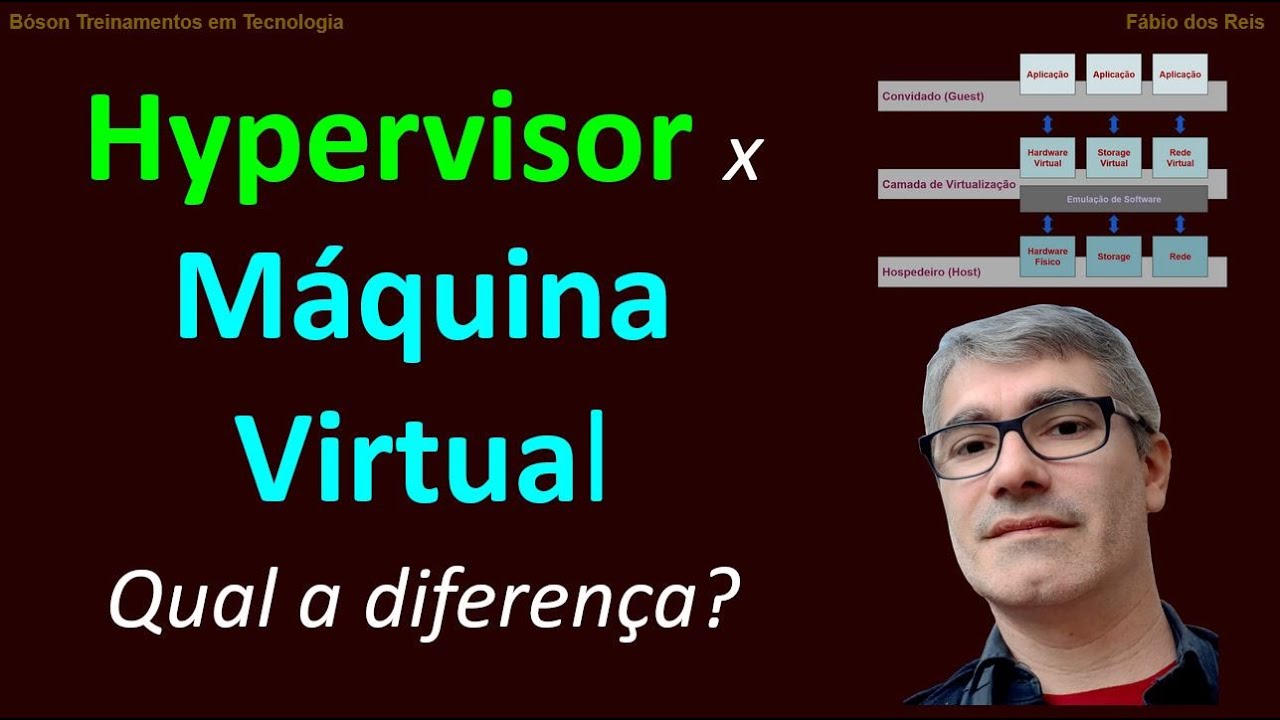
Added:in this video I will teach you all the main concepts of Docker including getting your first hands-on experience with it so if you have to use Docker at work or if you need to learn Docker to level up your engineering skills and need to get started fast and understand all the main Concepts and learn basics of how to work with Docker this crash course is exactly right for you first we'll start by explaining what Docker is why was it even created basically what problems it solves in engineering and how it helps in software development and deployment process so you will understand exactly why Docker is such a big deal and why it has become so popular and widely used in IT projects and as part of a virtualization solution Docker being an improvement over virtual machines or the next Evolution step I will also explain the difference between virtual machine and Docker and what are the advantages of Docker in this comparison after we've understood why we want to use Docker in the first place we will install Docker and learn how to actually work with it we will learn the concepts of Docker images containers Docker registry public and private Registries and we will run containers locally based on some of the images available on Dockers public registry called Docker Hub we will also learn the concept of creating your own images and learning about a Docker image blueprint called Docker file and of course we will see all these in action and learn all the docker commands for pulling images running containers building your own Docker image Etc we will also learn about versioning images with image text and finally after you've learned how to work with Docker I will also explain with graphical animations how Docker fits in the big picture of software development and deployment process so by the end of this video you will feel way more confident about your knowledge and understanding in Docker and and can easily build on that Foundation knowledge to become a Docker power user if you want to and under the video description I will provide some resources to learn even more about Docker and become more advanced in it but before we jump right in it seems like many of you watching the videos on our channel are still not subscribed so if you're getting some value out of the free tutorials I put out regularly on this channel be sure to subscribe not to miss any future videos or tutorials I would also be happy to connect with you on my other social media accounts where I post behind the scenes content weekly updates and so on so hope to connect to you there as well well I'm super excited to teach you all these so let's get into it let's start with the most important question what is Docker why was it even created and what problem does it solve in simple words Docker is a virtualization software that makes developing and deploying applications very easy much easier compared to how it was done before Docker was introduced and Docker does that by packaging an application into something called a container that has everything the application needs to run like the application code itself its libraries and dependencies but also the runtime and environment configuration so application and its running environment are both packaged in a single Docker package which you can easily share and distribute now why is this a big deal and how are applications actually developed and deployed before Docker was introduced let's see that to understand the benefits of Docker more clearly so how did we develop applications before containers usually when you have a team of developers working on some application they would have to install all the services that application depends on or needs like database Services Etc directly on their operating system right for example if you're developing a JavaScript application and you need a postgresql database maybe you need a redis for caching mosquito for messaging like you have a microservices application now you need all these Services locally on your development environment so you can actually develop and test the application right and every developer in the team would then have to go and install all those Services configure and run them on their local development environment and depending on which operating system they're using the installation process will be different because installing postgresql database on Mac OS is different from installing it on a Windows machine for example another thing with installing Services directly on an operating system following some installation guide is that you usually have multiple steps of installation and then configuration of the service so with multiple commands that you have to execute to install configure and set up the service the chances of something going wrong and error happening is actually pretty high and this approach or this process of setting up a development environment for a developer can actually be pretty tedious depending on how complex your application is for example if you have 10 services that your application is using then you would have to do that installation 10 times for each service and again it will differ within the team based on what operating system each developer is using now let's see how containers solve some of these problems with containers you actually do not have to install any of the services directly on your operating system because with Docker you have that service packaged in one isolated environment so you have postgresql with a specific version packaged with its whole configuration inside of a container so as a developer you don't have to go and look for some binaries to download and install on your machine but rather you just go ahead and start that service as a Docker container using a single Docker command which fetches the container package from internet and starts it on your computer and the docker command will be the same regardless of which operating system you're on and it will also be the same regardless of which service you are installing so if you have 10 services that your JavaScript application depends on you would just have to run 10 Docker commands for each container and that will be it so as you see Docker standardizes the process of running any service on your development environment and makes the whole process much easier so you can basically focus and work more on development instead of trying to install and configure services on your machine and this obviously makes setting up your local development environment much faster and easier than the option without containers plus with the docker you can even have different versions of the same application running on your local environment without having any conflict which is very difficult to do if you are installing that same application with different versions directly on your operating system and we will actually see all of this in action in the demo part of this video now let's see how containers can improve the application deployment process before containers a traditional deployment process would look like this development team would produce an application artifact or a package together with a set of instructions of how to actually install and configure that application package on the server so you would have something like a jar file for Java application or something similar depending on the programming language used and in addition of course you would have some kind of database service or some other services that your application needed also with a set of instructions of how to configure and set it up on the server so that application could connect to it and use it so development team would give that application artifact or package over to the operations team and the operations team would handle installing and configuring the application and all its dependent services like database for example now the problem with this kind of approach is that first of all you need to configure everything and install everything again indirectly on the operating system which I I mentioned in the development context that is actually very error prone and you can have various different problems during the setup process you can also have conflicts with dependency versions where two services are depending on the same library for example but with different versions and when that happens it's going to make the setup process way more difficult and complex so basically a lot of things that can go wrong when operations team is installing and setting up application any services on a server another problem that could arise from this kind of process is when there is a miscommunication between the development team and operations team because since everything is in a textual guide like an instruction list of how to configure and run the application or maybe some kind of checklist there could be cases where developers forget to mention some important step about configuration and when that part fails the operations team have to go back to developers and ask for more details and input and this could lead to some back and forth communication until the application is successfully deployed on the server so basically you have this additional communication overhead where developers have to communicate in some kind of textual graphical whatever format how the application should run and as I mentioned this could lead to issues and miscommunications with containers this process is actually simplified because now developers create an application package that doesn't only include the code itself but also all the dependencies and the configuration for the application so instead of having to write that in some textual format and document they basically just package all of that inside the application artifact and since it's already encapsulated in one environment the operations people don't have to configure any of this stuff directly on the server so it makes the whole process way easier and there is less room for issues that I mentioned previously so the only thing now that operations team need to do in this case is to run a Docker command that gets the container package that developers created and runs it on the server the same way operations team will run any services that application needs also as Docker containers and that makes the deployment process way easier on the operation side now of course the operations team will have to install all and set up the docker runtime on the server before they will be able to run containers but that's just one-time effort for one service or one technology and once you have Docker runtime installed you can simply run Docker containers on that server now at the beginning I mentioned that Docker is a virtualization tool just like a virtual machine and virtual machines have been around for a long time so why did Docker become so widely adopted what advantage is it has over virtual machines and what is the difference between the two for that we need to see a little bit of how Docker works on a technical level I also said that with Docker you don't need to install Services directly on operating system but in that case how does Docker run its containers on an operating system now in order to understand all this let's first look at how an operating system is made up operating systems have two main layers you have the operating system kernel and the operating system Apple locations layer and kernel is the part that communicates with the hardware components like CPU memory storage Etc so when you have a physical machine with all these resources and you install operating system on that physical machine the kernel of the operating system will actually be the one talking to the hardware components to allocate resources like CPU memory storage Etc to the applications then running on that operating system and those applications are part of the applications layer and they run on top of the kernel layer so kernel is kind of a middleman between the applications that you see when you interact with your computer and the underlying Hardware of your computer and now since Docker and virtual machine are both virtualization tools the question is what part of the operating system they actually virtualize and that's where the main difference between Docker and virtual machines actually lie so Docker virtualizes the applications layer this means when you run a Docker container it actually contains the applications layer of the operating system and some other applications installed on top of that application layer this could be a Java runtime or python or whatever and it uses the kernel of the host because it doesn't have its own kernel the virtual machine on the other hand has the applications layer and its own kernel so it virtualizes the complete operating system which means that when you download a virtual machine image on your host it doesn't use the host kernel it actually puts up its own so what is this difference between Docker and virtual machine actually mean first of all the size of the docker packages or images are much smaller because they just have to implement one layer of the operating system so Docker images are usually a couple of megabytes large virtual machine images on the other hand can be a couple of gigabytes this means when working with Docker you actually save a lot of disk space you can run and start Docker containers much faster than virtual machines because virtual machine has to put up a kernel every time it starts while Docker container just reuses the host kernel and you just start the application layer on top of it so while virtual machine needs a couple of minutes to start up Docker containers usually start up in a few milliseconds the third difference is compatibility so you can run virtual image of any operating system on any other operating system host so on a Windows machine you can run a Linux virtual machine for example but you can't do that with Docker at least not directly so what is the problem here let's say you have a Windows operating system with Windows kernel and its application layer and you want to run a Linux based Docker image directly on that Windows host the problem here is that Linux based Docker image cannot use the windows kernel it wouldn't need a Linux kernel to run because you can run a Linux application layer on a Windows kernel so that's kind of an issue with Docker however when you're developing on Windows or Mac OS you want to run various Services because most containers for the popular services are actually Linux based also interesting to note that Docker was originally written and built for Linux but later Docker actually made an update and developed what's called Docker desktop for Windows and Mac which made it possible to run Linux based containers on Windows and Mac computers as well so the way it works is that Docker desktop uses a hypervisor layer with a lightweight Linux Distribution on top of it to provide the needed Linux kernel and this way make running Linux based containers possible on Windows and Mac operating systems and by the way if you want to understand more about virtualization and how virtual machines work and what a hypervisor for example is you can watch my other video where I explain all of that in detail so this means for local development as an engineer you would install Docker desktop on your Windows or Mac OS computer to run Linux based images which as I mentioned most of the popular Services databases Etc are mostly Linux based so you would need that and that brings us to the installation of Docker in order to do some demos and learn Docker in practice you would first need to install it so in order to install Docker you just go to their official page for installation guide and follow the steps because Docker gets updated all the time the installation changes so instead of me just giving you some comments that may work now but we'll get updated in the future you should always refer to the latest documentation for installation guide for any tool so if we search for Docker desktop installation click on one of those links like install on windows so that's the docker desktop the tool that I mentioned that solves this problem of running Linux based images on a different operating system but it actually includes a lot of other things when you install it so what are you exactly installing with Docker desktop and you see exactly what's included in there so basically get the docker service itself it's called Docker engine that's the main part of the docker that makes this virtualization possible but when we have a service we need to communicate with that right so we need a client that can talk to that service so Docker desktop actually comes with a command line interface client which means we can execute Docker commands on a command line to start containers to create containers start stop them remove them Etc and do all kinds of things and it also comes with a graphical user interface client so if you're not comfortable working with command line you can actually use the graphical using interface where you can do all these things but in a nice user-friendly UI so you get all these things when you install Docker desktop basically everything that you need to get started with Docker and of course depending on which operating system you're on you're going to choose that one Mac windows on Linux so let's click on one of those and you basically just follow the instructions you have some system requirements you have to check things like the the version of your Mac OS how much resources you're going to need and you also have the options for Mac with Intel or Mac with apple silicon so you can toggle between those and basically just choose the guide that matches your computer specifications and once you have that check the system requirements go ahead and click on one of those in my case I have mac with Intel chip so I would click on this one and that's actually the docker desktop installer so if I click it's going to download this DMG image and once it's downloaded you basically just follow the steps described here right you double click on it open the application and so on and same for Windows if your windows you basically click on this one and download Docker desktop for Windows and make sure to check the system requirements and kind of prepare everything you need for starting Docker generally for latest versions of Windows Mac or whatever operating system it should be pretty easy and straightforward to install Docker so go ahead and do that once you're done with installation you can simply start the service by searching Docker and if I click on it you will see right here that it's actually starting up Docker service for Docker engine and there you go it's running and this view here that you're seeing this window is actually the graphical user interface of Docker that I mentioned so that's the client that you can use to interact with the docker engine so you have a list of containers running currently so there's no list same with images if I switched images I have cleaned up my environment so I'm starting with scratch with empty State just like you so we're ready to start using Docker But first you may be wondering what are images and that's what I'm gonna explain next because it's a very important Concept in docker now mentioned that Docker allows to package the application with its environment configuration in this package that you can share and distribute easily so just like an application artifact file like when we create a zip or tar file or a jar file which you can upload to a artifact storage and then download on the server or locally whenever you need it and then package or artifact that we produce with Docker is called a Docker image so it's basically an application artifact but different from jar file or from other application artifacts it not only has the compiled application code inside but additionally has information about the environment configuration it has the operating system application layer as I mentioned plus the tools like node npm or Java runtime installed on that depending on what programming language your application was written in for example you have a JavaScript application you would need node.js and npm to run your application right so in the docker image you would actually have node and npm installed already you can also add environment variables that your application needs for example you can create directories you can create files or any other environment configuration whatever you need around your application so all of the information is packaged in the docker image together with the application code and that's the great advantage of Docker that we talked about and as I said the package is called an image so if that's an image what is a container then well we need to start that application package somewhere right so when we take that package or image and download it to server or your local computer laptop we want to run it on that computer the application has to actually run and when we run that image on an operating system and the application inside starts in the pre-configured environment that gives us a container so a running instance of an image is a container so a container is basically a running instance of an image and from the same image from one image you can run multiple containers which is a legitimate use case if you need to run multiple instances of this same application for increased performance for example and that's exactly what we were seeing here so we have the images these are the application packages basically and then from those images we can start containers which we will see listed right here which are running instances of those images and I also said that in addition to the graphical user interface we get a command line interface client Docker client that can talk to Docker engine and since we installed Docker desktop we should have that Docker CLI also available locally which means if you open your terminal you should be able to execute Docker commits and Doc recommends we can do anything for example we can check what images we have available locally so if I do Docker images that will give me a list of images that I have locally which in this case I don't have any which we saw in the graphical user interface and I can also check the containers using a command docker occur PS and again I don't have any running containers yet now before moving on I want to give a shout out to Ned Hopper net Hopper's Cloud platform called kubernetes application operations offers an easy way for devops teams to deliver manage upgrade connect secure and monitor applications in one or more kubernetes clusters with this platform they basically create this virtual Network layer that connects multiple environments for example if you have multiple Cloud platforms and multiple kubernetes clusters even your own on-premise data center where your application gets deployed you can connect all these in one virtual Network so you can deploy and operate your kubernetes workloads as if it was in one cluster or one infrastructure environment and the GitHub Centric approach they use offers the visibility to know who did what and when for both your infrastructure and application so with net Hopper Enterprises can automate their operations and instead of building an own platform devops teams can focus on what matters the most which is releasing more application features faster so check them out you can actually sign up for a free account and take it for a spin to see if net Hopper is the right solution for you now it's clear that we get containers by running images but how do we get images to run containers from let's say we want to run a database container or redis or some log collector service container how do we get their Docker images well that's where Docker Registries come in so there are ready Docker images available online in image storage or registry so basically this is a storage specifically for Docker image type of artifacts and usually the company is developing those services like redis mongodb Etc as well as Docker Community itself will create what's called official images so you know this mongodb image was actually created by mongodb itself or the docker community so you know it's an official verified image from Docker itself and Docker itself offers the biggest Docker registry called Docker Hub where you can find any of these official images and many other images that different companies or individual developers have created and uploaded there so if we search for Docker hub right here you see Docker Hub container image Library and that's how it looks like and you don't actually have to register or sign up on Docker Hub to find those official images so anyone can go on this website and basically browse the container images and here in search bar you can type any service that you're looking for for example redis that I mentioned and if I hit enter you will basically see a list of various radius related images as well as the ready service itself as a Docker image and here you have this batch or label that says Docker official image for example for the reddish image that we are going to choose here you see that it is actually maintained by Docker Community the way it works is that Docker has a dedicated team that is responsible for reviewing and Publishing all content in the docker official images and this team works in the collaboration with the technology creators or maintainers as well as security expert words to create and manage those official Docker images so this way it is ensured that not only the technology creators are involved in the official image creation but also all the docker security best practices and production best practices are also considered in the image creation and that's basically the description page with all the information about how to use this Docker image what it includes Etc and again as I said Docker Hub is the largest Docker image registry so you can find images for any service that you want to use on Docker Hub now of course technology changes and there are updates to Applications those Technologies so you have a new version of redis or mongodb and in that case a new Docker image will be created so images are versioned as well and these are called image tags and on the page of each image you actually have the list of versions or tags of that image listed right here so this is for redis and if I search for postgres for example foreign you will see different image tags for postgres image also listed here so when you're using a technology and you need a specific version you can choose a Docker image that has that version of the technology and there is a special tag that all images have called latest so right here you see this latest tag or here as well in the recent text so latest tag is basically the latest the last image that was built so if you don't specify or choose a version explicitly you basically get the latest image from the docker Hub so now we've seen what images are and where you can get them so now the question is how do we actually get the image from Docker Hub and download it locally on our computer so we can start a container from that image so first we locate the image that we want to run as a container locally for our demo I'm going to use an nginx image so go ahead and search for nginx which is basically a simple web server and it has a UI so we will be able to access our container from the browser to validate the container has started successfully that's why I'm choosing nginx and here you have a bunch of image tags that you can choose from so the second step after locating the image is to pick a specific image tag and note that selecting a specific version of image is the best practice in most cases and let's say we choose version 1.23 so we're choosing this tag right here and to download an image we go back to our terminal and we execute docker pull comment and we specify the name of the image which is nginx so you have that whole command here as well so that's basically the name of the image that you have written here so that's nginx and then we specify the image tag by separating it with a column and then the version 1.23 that's what we chose that's the whole command so Docker client will contact Docker Hub and it will say I want to grab the nginx image with this specific tag and download it locally so let's execute and here we see that it's pulling the image from the image registry Docker Hub and the reason why we don't have to tell Docker to find that image on Docker Hub is because Docker Hub is actually the default location where Docker will look for any images that we specify right here so it's automatically configured as a location for downloading the images from and the download happened and now if we execute Docker images command again as we did here we should actually see one image now locally which is nginx with an image tag 1.23 and some other information like the size of the image which is usually in megabytes as I mentioned so we have an image now locally and if we pull an image without any specific tag so we do this basically Docker pull name of the image if I execute this you see that it is pulling the latest image automatically and now if I do Docker images again we're going to see two images of nginx with two different texts right so these are actually two separate images with different versions cool now we have images locally but obviously they're only useful when we run them in a container environment how can we do that also super easy we pick the image we already have available locally with the tag so let's say we want to run this image as a container and we execute Docker run command and with the name of the image and the tag super easy and let's execute and that command actually starts the container based on the image and we know the container started because we see the logs of nginx service starting up inside the container so these are actually container logs that we see in the console so it's launching a couple of scripts and right here we have start worker processes and the container is running so now if I open a new terminal session like this and to Docker PS I should actually see one container this one here in the running container list and we have some information about the container we have the ID we have the image that the container is based on including the tag when it was created and also the name of the container so we have the ID and name of the container this is the name which Docker actually automatically generates and assigns to a container when it's created so it's a random generated name now if I go back here you see that these locks the container logs actually are blocking the terminal so if I want to get the terminal back and do Ctrl C exit the container exits and the process actually dies so now if I do Docker PS you will see that there is no container running but we can start a container in the background without it blocking the terminal by adding a flag called minus D which stands for detached so it detaches the docker process from terminal if I execute this you see that it's not blocking the terminal anymore and instead of showing the logs from nginx starting up inside the container it just locks out the full ID of the container so now if I do Docker PS here in the same terminal I should see that container running again and that's basically the ID or the part of the this full ID string shown here but when we start a container in the background in a detached mode you may still want to see the application logs inside the container so you may want to see how did nginx start up what did it log actually so for that you can use another Docker command called Docker locks with the container ID like this and it will print out the application logs from the container now in order to create the container the nginx container we first pull the image and then we created a container from that image but we can actually save ourselves the pull command and execute run command directly even if the image is not available locally so right now we have these two images available locally but in the docker run command you can actually provide any image that exists on Docker Hub it doesn't necessarily have to exist locally on your computer so you don't have to pull that first so if I go back we can actually choose a different image version let's choose 1.22 Dash Alpine so this image tag which we don't have locally or of course this can be completely different service it doesn't matter so basically any image that we don't have locally you can run directly using Docker run command so what it does is first it will try to locate that image locally and if it doesn't find it it will go to Docker Hub by default and pull the image from there automatically which is very convenient so it does both in one command basically so it downloaded the image with this tag and started the container and now if we do Docker PS we should have two containers running with different nginx versions and remember I said Docker solves the problem of running different versions of the same application at once so that's how simple it is to do that with Docker so we can actually quit this container and now again we have that one nginx container with this version now the important question is how do we access this container well we can't right now because the container is running in the closed Docker Network so we can't access it from our local computer browser for example we need to First expose the container to our local network which may sound a little bit difficult but it's super easy so basically we're going to do what's called a port binding the container is running on some Port right and each application has some standard port on which it's running like nginx application always runs on Port 80 radius runs on Port 6379 so these are standard ports for these applications so that's the port where container is running on and for nginx we see the ports under the list of ports here application is running on Port 80 inside the container so now if I try to access nginx container on this port on Port 80 from the browser and let's try to do that we're eating and hit enter you see that nothing is available on this port on localhost so now we can tell Docker hey you know what bind that container Port 80 to our local host on any port that I tell you on some specific Port like 8080 or 9000 it doesn't actually matter so that I can access the container or whatever is running inside the container as if it was running on my Local Host Port 9000 and we do that with an additional flag when creating a Docker container so what we're going to do is first we're going to stop this container and create a new one so we're going to do Docker stop which basically stops this running container and we're going to create a new container so we're going to do Docker run nginx the same version and we're going to find it in the background in detached mode now we're going to do the port binding with an additional flag minus p and it's super easy we're telling Docker the nginx application Port inside container which is 80. please take that and find that on a host localhost on Port whatever 9000 for example right that's the port I'm choosing so this flag here will actually expose the container to our local network or localhost so these nginx process running in container will be accessible for us on Port 9000. so now if I execute this let's see that container is running and in the port section we see a different value so instead of just having 80 we have this port binding information so if you forgot which Port you chose or if you have 10 different containers with Docker PS you can actually see on which Port each container is accessible on your Local Host so this will be the port so now if I go back to the browser and instead of localhost 80 we're going to type in localhost 9000.
and hit enter there you go we have the welcome to nginx page so it means we are actually accessing our application and we can see that in the logs as well Docker locks container ID and there you go this is the log uh that nginx application produced that it got a request from MEC or Mac OS machine Chrome browser so we see that our request actually reached the nginx application running inside the container so that's how easy it is to run a service inside container and then access it locally now as I said you can choose whatever Port you want but it's also pretty much a standard to use the same port on your host machine as the container is using so if I was running a MySQL container which started at Port 3306. I would bind it on localhost 3306. so that's kind of a standard now there's one thing I want to point out here which is that Docker run command actually creates a new container every time it doesn't reuse the container that we created previously which means since we executed Docker run command a couple of times already we should actually have multiple containers on our laptop however if I do Docker PS I only see the running container I don't see the ones that I created but stopped but those containers actually still exist so if I do Docker PS with a Fleck a and execute this gives you actually a list of all containers whether they are running or stopped so this is the active container that is still running and these ones are the stopped ones it even says exited 10 minutes ago six minutes ago whatever so we have four containers with different configuration and previously I showed you Docker stop command which basically stops an actively running container so we can stop this one and now it will show it as a stopped container as well exited one second ago but the same way you can also restart a container that you created before without having to create a new one with Docker run command so for that we have a Docker start and that takes the ID of the container and starts the container again and again you can start multiple containers at once if you want like this and they have two containers running now you saw that we use ID of the container in various Docker commands so to start the container to restart it to check the logs Etc but ID is hard to remember and you have to look it up all the time so as an alternative you can also use container name for all these commands instead of the ID which gets auto-generated by Docker but we can actually rewrite that and we can give our containers a more meaningful names when we create them so we can stop those two containers using the ID or the name like this so these are two different containers one with the ID one with name and we're going to stop both of them there you go now when we create a new container we can actually give it a specific name and there is another flag for that which is dash dash name and then we provide the name that we want to give our container let's say this is a web app so that's what we're going to call our container and let's execute if I do Docker PS you see that the name is not some auto-generated random thing but instead our container is called web app so now we can do Docker locks and name of our container like this now we've learned about Docker Hub which is actually what's called a Public Image registry which means those images that we used are visible and available for public but when a company creates their own images of their own applications of course they don't want it to be available publicly so for that there are what's called private Docker Registries and there are many of them almost all Cloud providers have a service for private Docker registry for example AWS is ECR or elastic container registry service Google Azure they all have their own Docker Registries Nexus which is a popular artifact storage service has Docker registry even Docker Hub has a private Docker registry so on the landing page of Docker Hub you saw this get started form so basically if you want to store your private Docker images on Docker Hub you can actually create a private registry on Docker Hub or even create a public registry and upload your images there so that's why I actually have an account because I have uploaded a couple of images on Docker Hub that my students can download for different courses and there is one more concept I want to mention related to registry which is something called a repository which you also often hear Docker repository Docker registry so what is the difference between them very simply explained AWS ECR is a registry so basically that's a service that provides storage for images and inside that registry you can have multiple repositories for all your different application images so each application gets its own repository and in that repository you can store different image versions or tags of that same application the same way dockerhub is a registry it's a service for storing images and on Docker Hub you can have your public repositories for storing images that will be accessible publicly or you can have private repositories for different applications and again you can have repository dedicated for each application so that's a side note there if you hear these terms and Concepts and you know what is the difference between them now I mentioned that companies would want to create their own custom images for their applications so how does that actually work how can I create my own Docker image for my application and the use case for that is when I'm done with development the application is ready it has some features and we want to release it to the end users so we want to run it on a deployment server and to make the deployment process easier once you deploy our application as a Docker container along with the database and other services that are also going to run as Docker containers so how can we take our created deployed application code and package it into a Docker image for that we need to create a definition of how to build an image from our application and that definition is written in a file called a Docker file so that's how it should be called creating a simple Docker file is very easy and in this part we're going to take a super simple node.js application that I prepared and we're going to write a Docker file for that application to create a Docker image out of it and as I said it's very easy to do so this is the application it is extremely simple I just have one server.js file which basically just starts the application on Port 3000 and then it just says welcome when you access it from the browser and we have one package of Json file which contains this dependency but the express library that we use here to start the application super lean and simple and that's the application from which we're going to create a Docker image and start it as a Docker container so let's go ahead and do that so in the root of the application we're going to create a new file called Docker file so that's the name and you see that most code editors actually detect Docker file and we get this Docker icon here so in this Docker file we're going to write a definition of how the image should be built from this application so what does our application need it needs a node installed because node should run our application right so if I wanted to start this application luckily for my terminal I would execute node SRC so the source folder and server.js command to start the application so we need that node command available inside the image and that's where the concept of Base image comes in so each Docker image is actually based on this base image which is mostly a lightweight Linux operating system image that has the node npm or whatever tool you need for your application installed on top of it so for a JavaScript application you would have node base image if you have Java application we will use an image that has Java runtime installed again Linux operating system with Java installed on top of it and that's the base image and we Define the base image using a directive in Docker file called from we're saying build this image from the base image and if I go back to Docker Hub and search for node you will see that we have an image which has node and npm installed inside and base images are just like other images so basically you can pile and build on top of the images in Docker so they're just like any other image that we saw and they also have text or image versions so we're going to choose node image and a specific version and let's actually go for 19-alpine so that's our base image and our first directive in the docker file so again this will just make sure that when our node.js application starts in a container it will have a node and npm commands available inside to run our application now if we start our application with this command we will see that we get an error because we need to First install dependencies of an application we just have one dependency which is press Library which means we would have to execute npm install command which will check the package.json file read all the dependencies defined inside and install them locally in node modules folder so basically we're mapping the same thing that we would do to run the application locally we're making that inside the container so we would have to run npm install command also inside the container so as I mentioned before most of the docker images are Linux based Alpine is a Linux a lightweight Linux operating system distribution so so in Docker file you can write any Linux commands that you want to execute inside the container and whenever we want to run any command inside the container whether it's a Linux command or node command npm command whatever we executed using a run directive so that's another directive and you see that directives are written in all caps and then comes the command so npm install which will download dependencies inside the container and create a node modules folder inside the container before the application gets started so again think of a container as its own isolated environment it has a simple Linux operating system with node and npm installed and we're executing npm install however we need application code inside the container as well right so we need the server.js inside and we need the package.json because that's what npm command will need to actually read the dependencies and that's another directive where where we take the files from our local computer and we paste them copy them into the container and that's a directive called copy and you can copy individual files like package.json from here into the container and we can say where in container on which location in the file system it should be copied to and let's say it should be copied into a folder called slash app inside the container so this is on our machine right we have package.json here this is inside the container it's a completely isolated system from our local environment so we can copy individual files and we can also copy the complete directories so we also need our application code inside obviously to run the application so we can copy this whole Source directory so we have multiple files inside we can copy the whole directory into the Container again in slash app location and the slash at the end is also very important so the docker knows to create this folder if it doesn't exist in the container yet so the roots of Linux file system app folder inside and then slash so now all the relevant application files like package.json and the whole Source directory are copied into the container on this location the next thing we want to do before we can execute npm install command is to actually change into that directory right so in Linux we have this CD right to change into a directory in order to execute the following commands inside the directory in Docker file we have a directive for that called work dear it's a working directory which is an equivalent of changing into a directory to execute all the following commands in that directory so we can do slash app here so it sets this path as the default location for whatever comes afterwards okay so we're copying everything into the Container then we are setting the working directory or the default directory inside the container and then we're executing npm install again within the container to download all the dependencies that application needs that are defined here and finally we need to run the application right so after npm install the node command should be executed and we learned to execute commands we use the Run directive however if this is the last command in the docker file so something that actually starts the process itself the application inside we have a different directive for that called CMD so that's basically the last command in the docker file and that starts the application and the Syntax for that is the command which is node and the parameter gserver.js so we copied everything into slash app so we have the server.js inside the app directory and we're starting it or running it using node commit that's it that is the complete Docker file which will create a Docker image for our node.js application which we can then start as a container so now we have the definition in Docker file it's time to actually build the image from this definition I'm going to clear this up and without changing to the terminal we can actually reuse this one we can execute a Docker command to build a Docker image which is super easy we just do Docker build then we have a couple of options that we can provide the first one is the name of the image so just like all those images have names right like node release Etc and the text we can also name our image and give it some specific tag and we do that using this Dash T option and we can call our application node app maybe with Dash doesn't matter and we can give it a specific tag like 1.0 for example and the last parameter is the location of dockerfile so we're telling Docker build an image with this name with this tag from the definition in this specific Docker file right so this is a location of Docker file in this case we are in the directory where Docker file is located so it's going to be the current directory so this dot basically refers to the current folder where Docker file is located so now if we execute this as you see Docker is actually building the image from our Docker file and it looks like it succeeded where it started building the image you see those steps those directives that we defined here so we have the first one from directive got executed then we have the copy as a second step then we have copy The Source folder setting work directory and running npm install and then the last one just started the application so now if I do Docker images in addition to those nginx images we downloaded previously from Docker Hub we should actually see the image that we just created this is the node app image with tag 1.0 and some other information so that's our image and now we can start this image and work with it just like we work with any other image downloaded from Docker Hub so we're going to go ahead and run container from this node app image and make sure that the application inside is actually working so we're going to do Docker run node app image with 1.010 and we're going to pass in parameter to start in detach mode and also we want to expose the port right we want to be able to access the application the node application from localhost and we know that the application inside the container will start on Port 3000 because that's what we have defined here so the application itself will be running on Port 3000 so that's inside container and we can bind it to whatever Port we want on localhost and we can do 3000 the same as in the container so this is the host port and this is container port and now if I execute command and do Docker PS we should see our node app running on Port 3000 and now the moment of truth going back to the browser and opening localhost 3000 there is our welcome to my awesome app message from our application and we can even check the logs by grabbing the ID of our not app and doing Docker blocks with the ID and that's the output of our application inside the container so that's how easy it is to take your application package it into a Docker image using Docker file and then run it as a container and finally going back to this graphical user interface client that Docker desktop actually provides us with now we are able to see other containers and images here as well and that's how this UI actually looks like it gives you a pretty good overview of what containers you have which ones are currently running which ones are stopped with their names and so on and you even have some controls here to start a stop container like this or even stop it again restart container deleted whatever and the same way you have a list of images including our own image and you can also create containers directly from here using some controls so I personally prefer the command line interface to interact with Docker but some feel more comfortable using the visual UI so whichever you prefer you can actually choose to work with either now we've learned a lot of basic building blocks of Docker however it's also interesting to see how Docker actually fits in in the complete software development and deployment process with lots of other Technologies as well so in which steps throughout this whole process is Docker relevant so in this final part of the crash course we're gonna see Docker in big picture view of software development life cycle so let's consider a simplified scenario where you're developing a JavaScript application on your laptop right on your local development environment your JavaScript application uses a mongodb database and instead of installing it on your laptop you download a Docker container from the docker hub so you connect your JavaScript application with the mongodb and you start developing so now let's say you developed the application first version of the application locally and now you want to test it or you want to deploy it on the development environment where a tester in your team is gonna test it so you commit your JavaScript application in git or in some other version control system that will trigger a continuous integration a Jenkins build or whatever you have configured and Jenkins build will produce artifacts from your application so first you will build your JavaScript application and then create a Docker image out of that JavaScript artifact right so what happens to this Docker image once it gets created by Jenkins build it gets pushed to a private Docker repository so usually in a company you would have a private repository because you don't want other people to have access to your images so you push it there and now is the next step could be configured on Jenkins or some other scripts or tools that Docker image has to be deployed on a development server so you have a development server that pulls the image from the private repository your JavaScript application image and then pulls the mongodb that your JavaScript application depends on from a Docker Hub and now you have two containers one your custom container and a publicly available mongodb container running on dev server and they talk to each other you have to configure it of course they talk and communicate to each other and run as an app so now if a tester for example or another developer logs in to a Dev server they will be able to test the application so this is a simplified workflow how Docker will work in a real life development process so in a short time we actually learn all the basic building blocks the most important parts of Docker so you understand what images are how to start containers how they work and how to access them as well as how to actually create your own Docker image and run it as a container but if you want to learn more about Docker and practice your skills even more like how to connect your application to a Docker container learn about Docker compose Docker volumes Etc you can actually watch my full Docker tutorial and if you want to learn Docker in the context of devops and really really Master it with things like private Registries using Docker to run Jenkins integrate Docker in cicd pipelines and use it with various other Technologies like terraform ansible Etc you can check out our complete devops bootcamp where you learn all these and much more
Up Next
Debugging Docker Containers: Exec and Logs Commands Explained
@TechWorldwithNana
73.6K views•2019-10-28

Triumph of Orthodoxy Icon: Byzantine Art & History Explained
@BenCallan
2.1K views•2024-08-06

Learn Go Programming by Building a TodoList App | Full Golang Crash Course
@TechWorldwithNana
202.2K views•2024-10-14

Game of Thrones Opening Credits: A Cinematic Analysis
@gameofthrones
46.3M views•2011-04-18
Related Study Plans & Knowledge Roadmaps
Structured learning paths in General & Interdisciplinary Studies