








![[한국어 학습자 말뭉치 나눔터] 5. 통합본](https://i.ytimg.com/vi/LLcxNRVSEQI/maxresdefault.jpg)

![[한국어 학습자 말뭉치 나눔터] 4. 오류 주석 말뭉치 검색](https://i.ytimg.com/vi/CQSjmKU-TnY/maxresdefault.jpg)








This video demonstrates how to create a learner corpus by tagging student writing with part-of-speech information using Clause 7 free tagger, then analyzing vocabulary levels using AntWordProfiler with custom CEFR-aligned vocabulary lists (A1-C2), allowing teachers to systematically profile student language proficiency and identify areas needing intervention.
Creating a Learner Corpus with POS and Vocabulary Profiling
Added:Basic concepts of corpus linguistics, including what a corpus is and how it is used in linguistic research.
Fundamental understanding of grammatical categories and Parts of Speech (POS) tagging concepts.
Familiarity with vocabulary acquisition metrics, such as word frequency, lemmas, and word families.
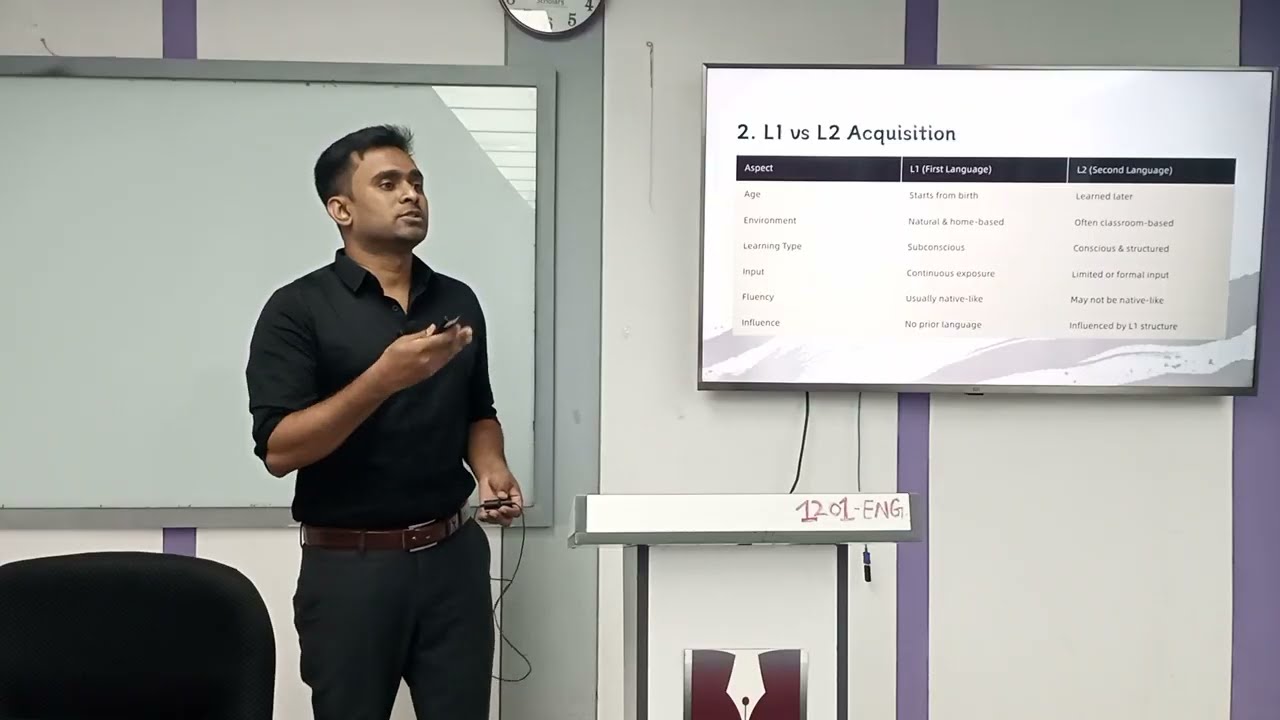
Introduction to second language acquisition (SLA) terminology and the significance of studying learner language.
Advanced corpus analysis using concordance software (like AntConc) to study collocations, n-grams, and lexical bundles.
Error annotation and analysis methodologies to systematically categorize and evaluate learner errors within the corpus.
Applying statistical methods (using R or Python) to measure lexical diversity, density, and significance of linguistic patterns.
Pedagogical application of learner corpora, such as designing data-driven learning (DDL) materials and tailored vocabulary curricula.
307 views6likes14:40Original Release: 2019-09-05
okay John Bosley here and today I'm going to talk about how to make a corpus of your own work that you choose and what you can do with it so I hope that's interesting for you maybe this will be long maybe it won't first of all you need to use armed text files so here I've got a piece of writing that a student wrote to me and it's just plain text so this is the start of the corpus and that's sitting in a file a sorry in a folder so the next step is to copy and paste it you can Google Clause 7 free tagger and that will give you this website I use the c7 which is seems to have more detail for me and that's all I use horizontal so it'll come up easy to read and basically just press the tag tag and then you can see I'm gonna copy that again I add that back into the original file and you can see that I'm keeping my normal one I didn't used to do that but it becomes quite unreadable you can see the length is getting quite long so when you want to reply to to it as actual writing you know it becomes quite hard to do that so yeah I recommend having the two versions there this should be remembered that this is actually a transcript and it's not very accurate of what the students said I used a computer audio and I haven't had a chance to listen to it so I will though and I'll mark in the any pronunciation areas there that need work with that effect meaning I highlighted this one here that the the tiger actually does understand Ghana and you can see they put a two here to show that it's actually not enough which is the nothing kind of sound so yeah quite a sophisticated tagger and I think we are ready for the next step I thought I'd just read through this and there are a few parts here like red zone makes no sense take food makes no sense and prison makes no sense without listening to actually what she said it's gonna be hard to choose for these two but this one I think is quite easy this says so every every people every prison with respect to do it so this is I would say this one is person so then we go up here to the code you can see prison I'm gonna leave that there as a kind of what maybe it is I'll still check this later but what I'm gonna do is tag this as an error even though I haven't listened to it but I will and I'm gonna probably type something like chronic I remember what code I use here so these parts here aren't seen under some views right so they'll actually still look like just the word the other thing I'll add to this noun singular now and you can see an N one is I'll put a comment next to it and probably just for the for the student to be aware of that it's person now without listening I can't guarantee this in a most definitely well this is just so that I can show you how these tags work and what you can do in the editing okay so let's save and we're going to the English profile dot-org that's our G there and you can find in the menus the text inspector which is free now I don't think it was before so I was very excited that they released it and I pasted my text here without the code otherwise you'll get lots of mistakes and all I'm gonna do is press start the workflow and it should instantly give me a bunch of data you can see here it's saying this 7% b1 types a to types but you know some of the vocabulary is not right like I really don't think she said prison or red zone for example so the other the other thing you can check is you know it's tagged all of these several levels into individual vocabulary but importantly you to understand how this this should work is that you need to choose the correct sense of the word give a true value now I'm not doing that I'm living it a default because I also go through the text manually as I'm responding to ideas as well so I just leave it at that at the lowest possible and then check those sorts of things later now what this is important to do here is here we only got one word at C to see one's only got one so I'm not even going to bother with that and so really it's only found a few words here that are in the b1 level so really I really don't have much to copy and paste or it already got tons of a1 words which all which will connect to this text yay to ones I think I don't really care too much about the a1 and a2 because my students should be at the b1 level so I imagine these words especially well zone and prison probably not so important recycle we've been doing this topics I know we've got it and then we've got the law he's probably the only word which maybe no one's used in my class before so won't get tags so in this case I don't need to do anything from this website I was just checking if there was a lot of new vocabulary that my computer system won't be able to become so I was just a quick check so this is where it gets all interesting for me at least anyway what we have here is ant word profiler this is a version and this comes and when you can google this it comes with ant conk the concordance on Laurence Anthony I believe I just said that correctly and it also comes default with the general service list of you know the first thousand words second and then it goes into the academic word lists down here by default so you don't have to do anything to get like a little 1 2 3 added to your codes so after the word school you know it's probably a level one word so it'll probably get a 1 should probably still a 1 it'll probably get a 1 added to it here in the code so all these codes it basically gives you more ability to choose words by level and things like that let's see what of what I've gone and done is I've press choose and then I've got to get my find the correct and file that we started which was called unfinished and click that so now it's added to this this is the user file which I'm going to manipulate but I'm not going to use these because I'm using my own system I'm gonna make sure that they're alphabetical they go to one two three so I'm going to clear them out and then I'm going to choose my own but before I do add them you know I want to check that my files are ok so basically instead of that Jeep general service list I have here a list you can see it's a text file I've got an a1 a2 b1 b2 c1 c2 and this is my list so I've got actually six levels so it'll give me a number one or number two number three number four so it'll add those six levels to it I'm also considering having a seventh level which I automatically tagged or manually just tagged when I see words which I think are away above you know or they're too specific to to be included in what students actually produce within McCambridge tests to be precise so you can see this is a vocabulary list let's have a look at a1 a1 should be okay because I I really really do I add to it after my first batch since most of the words that we use are almost you know all the same a - I need to check that looks ok a I'd be one here I might have exactly this is what I mean so when I get a new text on a new topic I generally come up with a lot of new vocabulary and that's when I copy it from that like that website that I just showed you but the problem when we copy things is that you've got these added numbers which were just numbers about how many times that word appeared in the text also you can do this really boring we're doing this or you could use other programs notepad the one that comes default with everything has nice little of replace thing if you don't know that's worth worth to mention so just put in exactly what you want it to remove and leave nothing here because you want it to do nothing there and then just say replace whoops well where nothing happened oh there we go why are replace all sorry unfortunately we've also got ones with two in there and that U is not working for me two and replace all and etc etc I'll do that so they're all clean now the space like this doesn't matter but you don't want to have sort of any strange things going because it won't recognize the word and and basically you cannot put in phrases so a space here would not show you that next word so yeah that's this is just individual words that it can do okay so we're back now with our Antwoord profiler and now we're going to put in our level list so I've cleaned it up and I'm gonna choose by pressing choose i've already navigated towards the folder after pressing choose and you can see that I've got a one and A two they're all in order alphabetically so they will give me the correct numbered sequence I just use Zed so it separates from all the other rubbish in the folder but these are these are my six and I'm going to open them and wallah okay so I've got my level lists and I've got the user file you can have minions in here but you're gonna end up working on one at a time anyway and do you make one mistake then you know now the the profiler is is made four million different things and there's so many other things you can do with it but I'm I'm not too interested in all this sort of linguistic stuff as the way this particular thing works I really love it for being able to tag everything like this there really isn't another way that can do you know to take so many lists like this run through them and and you know it's like a Find and Replace but from multiple lists which you know is just brilliant I don't have access to anything free like this anyway so let's let's stop speaking and press of you and see what comes up so we've got now this beautiful looking thing I don't like those colors I'm sorry to say if you see this Anthony and I'll just leave it on small view--the now because I'm sort of recording in this view and I can do that and I can do this and you can see that my text is still down there now if I don't remove that text it will tag that as well which is really annoying so what I what I basically have to do is I'm gonna copy that out of there clapping you copy and delete because I don't want that to be affected so what I will do now is press the level list words so now you can see all the red is level 1 that's a 1 green is supposedly is level 2 or a 2 words and you know little mistakes I don't like this if being tagged it shouldn't maybe that's a code but you can see the words blue recycle recycle recycle respect these words are B 1 so you can see these these words are starting to be what we expect an intermediate to kind of to make up and then we've got level 4 words everyone I'm surprised hobby is here as level 4 that is maybe possibly put into the wrong wrong file so when you see things like this you can go and and double check and you can also go and check the EVP which is also under the English profile maybe we'll do that later so next I'm going to press save and I have to check yeses and none so it will save nothing to it but I want it to add the level index tags and so now I'm going to press save and it will say where you gonna say that this is annoying I would I do wish this one would just say that where was because if when you're doing multiple files this can this can really kind of make or break your heart and you know we're doing this many times so I'm gonna save it back to where it originally was saying did you really want to you know cover the other one yes I do and then I'm gonna close it because I didn't need it for anything else I find it hard to work with with that if you know I was really excited at first I said I prefer to work here because I've got all the colors and I can change all the colors but because of this saving mechanism the way it keeps going to other folders I decided not to use it so this may be a little bit of feedback for pen to me yeah slow let's close do you want to say save already did say that didn't I I'm sure it was save I'm not saving again okay so I don't need this this one either but I'm just going to minimize that in case there's been a mistake so wallah and you can see that you have now got ones in front in front of all or you know a one sort of level words etc you've got a three has been automatically placed in front of the word I saw it connected to recycle
Up Next

11:42
Guide to Collocations in COCA: Corpus Linguistics Tutorial
@TheGrammarLab
27.3K views•2012-08-21

73:00
American English OKAY Over Time: A Diachronic Interactional Linguistic Study
@Abralin
1.2K views•2020-07-30

8:59
Forensic Linguistics: How Language Solves Crimes | PBS
@pbsstoried
1M views•2024-01-25

21:32
Accent Expert Explains U.S. Regional Dialects | Part 1
@WIRED
9.3M views•2021-01-21
Related Study Plans & Knowledge Roadmaps
Structured learning paths in Linguistics
linguistics
Corpus Linguistics: AntConc, COCA & Collocation
01Introduction to Corpus Linguistics & Digital Corpora
02Navigating the Corpus of Contemporary American English (COCA)
03Concordancing and Lexical Collocations using AntConc
+ 2 more learning modules
12h5 modules
Explore Roadmap
linguistics
Optimality Theory: Tableaux & Constraints
01Phonological Basics: Sounds, Syllables & Rules
02Foundations of Optimality Theory: GEN, CON, and EVAL
03The Constraint Inventory: Markedness vs. Faithfulness
+ 2 more learning modules
15h5 modules
Explore Roadmap
linguistics
Morphosyntactic Alignment: S, A & P Systems
01Foundations of Syntax: Transitivity and Arguments
02The Linguistic Variables: Mapping S, A, and P
03Nominative-Accusative Alignment
+ 3 more learning modules
12h6 modules
Explore Roadmap
linguistics
Analyzing Sign Language: Phonology & Syntax
01Foundations of Sign Language Linguistics
02Phonology: The Five Parameters of a Sign
03Morphology: Word Formation and Classifiers
+ 2 more learning modules
14h5 modules
Explore Roadmap