





![Парсим JSON и XML в Java библиотеками Gson, Jackson, JAXB [Вебинар]](https://i.ytimg.com/vi/merXDL4nJyo/maxresdefault.jpg)
















A .torrent file is a bencoded dictionary containing metadata about a file to be downloaded from the BitTorrent network, including the announce URL of a tracker, creation information, and most critically, the file's piece length and a concatenated list of 20-byte SHA-1 hashes for each piece; this structure enables peer-to-peer file sharing where users download pieces from multiple seeders and validate integrity through hash comparison.
Torrent File Format & Bencoding: A Technical Deep Dive
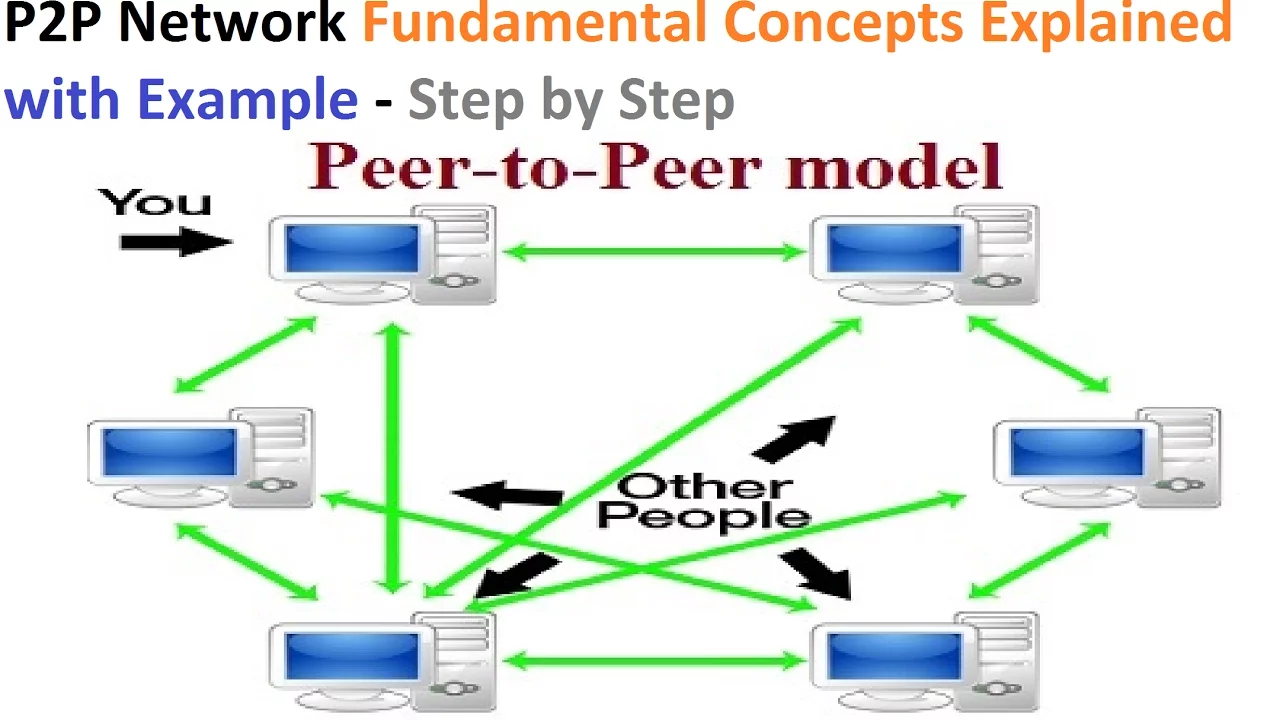
Added:Basic understanding of Peer-to-Peer (P2P) networking concepts and how they differ from traditional client-server models.
Familiarity with cryptographic hash functions, specifically SHA-1, and their role in data integrity verification.
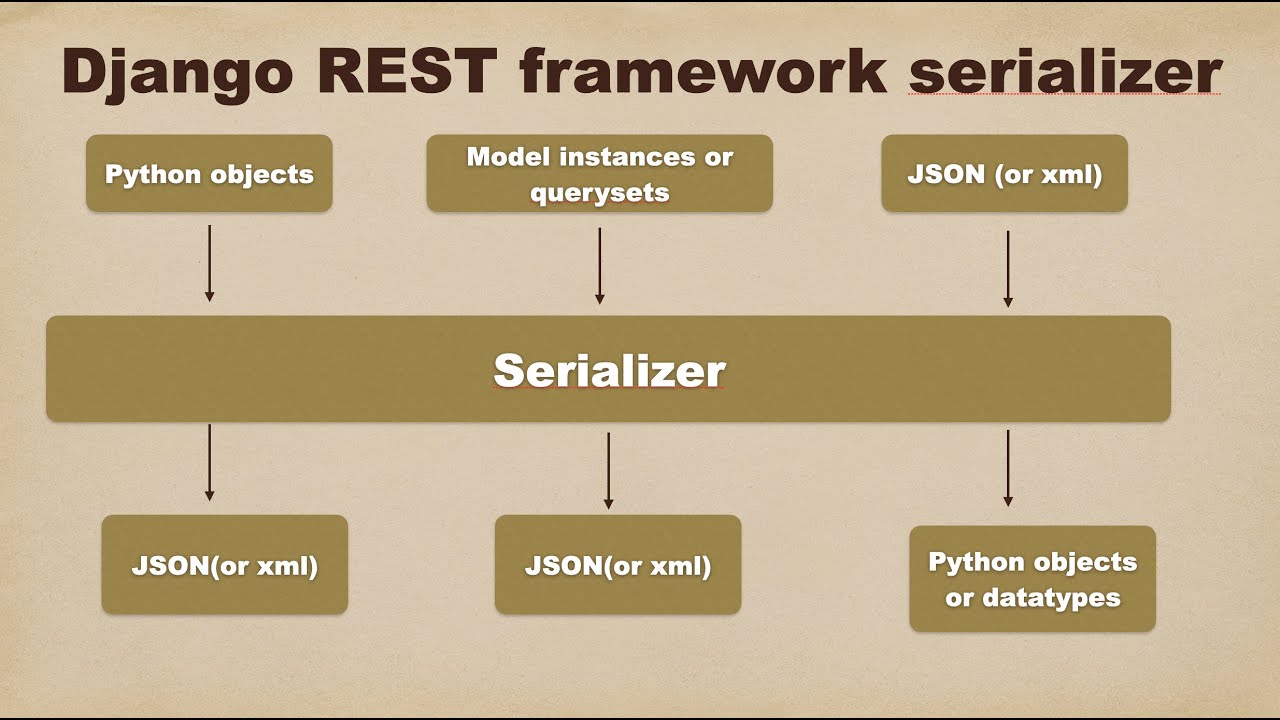
Fundamental knowledge of data serialization and deserialization concepts, akin to JSON or XML parsing.
Understanding of core computer science data structures, particularly dictionaries (associative arrays), lists, integers, and byte strings.
Implementing a functional BitTorrent client from scratch, utilizing the parsed torrent data to initiate downloads.
Studying the BitTorrent Peer Protocol (wire protocol) to learn how peers handshake, exchange pieces, and manage connection states like choking/unchoking.
Exploring Distributed Hash Tables (DHT) and the Kademlia routing algorithm to understand trackerless torrents and magnet links.
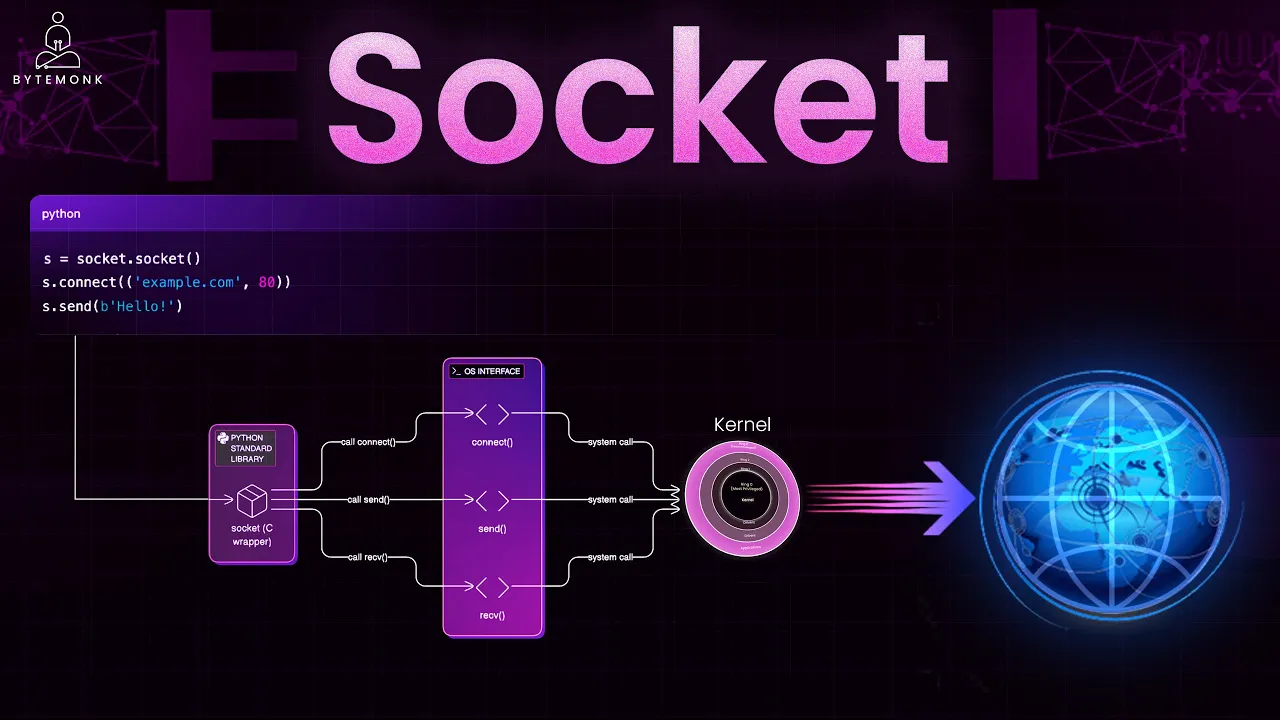
Delving into network socket programming and asynchronous I/O models to handle highly concurrent peer connections efficiently.
12.5K views488likes20:40Original Release: 2022-08-08
so to download or upload any file from the torrent network we need a torrent file but what exactly is this file in this second video of the bittorrent internal series we take a detailed look into the dot torrent file and understand its life cycle what information it holds and the encoding that it uses to structure the data internally but before we move forward i'd like to talk to you about a course on system design that i have been running for over a year now the course is a cohort based course which means i won't be rambling a solution and it will not be a monologue instead a small focused group of 50 60 engineers every cohort will be brainstorming systems and designing it together this way we build a solid system and learn from each other's experiences the course to date is enrolled by 600 plus engineers spanning nine cohorts and 10 countries engineers from companies like google microsoft github slack facebook tesla yelp flipkart dream 11 and many many many more have taken this course and have some wonderful things to say the coolest part about the course is the depth we go into and the breadth we cover we cover topics ranging from real-time text communication for slack to designing our own toy load balancer to qrik buses live text commentary to doing impressions counting at scale for any advertisement business in all we would cover roughly 28 questions and the detailed curriculum uh split week by week can be found on the course page which is linked in the description down below so if you're looking to learn system design from the first principles you will love this course i have two offerings for you the first one is the live cohort discourse which you see on the left side and the second one is the recorded course which you can see on the right side the live cover based course happens every two months and it will go on for eight weeks while the recorded course contains the recordings from one of the past cohorts as is if you are in a hurry and want to binge learn system design i would highly recommend you going for the recorded one otherwise the live code is where you can participate and discuss things live with me and the entire cohort and amplify your learnings the decision is totally up to you the course details prerequisites testimonials can be found in the course page at pitt binary dot me slash master class and i would highly recommend you to check that out i put the link of the course in the description down below so if you are interested to learn system design go for it check out the link in the description down below and i hope to see you in my next cohort thanks so when a user wants to download any file from the torrent network it needs a dot torrent file dot torrent file holds the information about the file that the user wants to download so for example if you'd want to download an ubuntu operating system from the torrent network that ubuntu operating system iso image would have a torrent file you download the torrent file which would have the meta information about the particular image and then you can go to the network and download the file with the usual flow so the life cycle of a torrent file is pretty simple seeders are seeding the data in the network right and so long as you have at least one seeder in the network who is serving the file your torrent is alive otherwise your torrent is dead right so it's very important in your network to have at least one seeder otherwise no one would be able to download it right and what separates this p2p network from a classic blockchain slash cryptocurrency use case is that with p2p with bittorrent there is no incentive for anyone to join a torrent and become a seeder because cedar is the one who is seeding the content nature is the one who is downloading cryptocurrency uh incentivizes you being part of the network bittorrent doesn't right this is one differentiating factor between the two and when now the overall flow that it looks like it becomes something like this user first downloads a torrent file from a website let's say you want to download ubuntu image you go to ubuntu.org and you can get the dot torrent file from that and then you use your client let's say you'd use bittorrent client and open the file in the bittorrent and it would start downloading the file from the p2p network of that particular ubuntu image right and then once your download is complete there are two choices either you can continue your bittorrent client and become a seeder because now you hold the file so you can now seed the file to the network if anyone wants to download it otherwise you can just discard the torrent file and just basically kill your process right so that's where the default configuration is once your file is downloaded you automatically from leecher become a seeder and you start seeding the content there right now let's take a look at what is there in the torrent file so torrent file is a static file so no matter when you download the file it would have the exact same content it holds the meta information about the file instead of the actual data so in the ubuntu images torrent file it would have the information about the image and not the data of the image right so what it holds the most critical thing it holds is called as announce announce is the announced url of a tracker remember torrent network is not a pure p2p network there is a central entity called tracker which keeps track of which all peers have what kind of data right it holds that information so given that it holds that information for a user to download the part and join the network it needs to know which tracker is every node sending data to right when i say data it's the meta data sending to that hey i am the node and i want to be part of this network all of this information is stored in a tracker which is a simple http server and this tracker has a url whoever wants to join the network needs to talk to the corresponding tracker but which tracker that it would find in the dot torrent file so if i want to download an ubuntu image i'll download the torrent file i'll read the announce i'll get the url and that is the tracker that i'll talk to right for that particular file second is meta fi meta info like created by like who like which program created it creation date as in when this torrent was created then encoding is the encoding of the strings it by default it's utf-8 but if there is some other format you can have it then comment is just description about it then comes a very important information called info so the torrent file that you have is just a dictionary it's just a dictionary of key value pairs where first five keys that i talked about is announce created by created date uh encoding comment the sixth one is very important it's called info info is a dictionary so it's a dictionary within a dictionary and what it holds is it holds the information about the file itself which means if i'm downloading the ubuntu image it would contain the information about the ubuntu image itself so what it holds so you would have seen that in torrent there are two types of downloads first is a single file download second is a multifile download right because you might want to download a folder from the torrent network so you can also stream a folder content directly instead of just a file so there are two types of thing that it supports it's a single file or multifile so depending on what you have the the structure of your dictionary might the structure of your info dictionary would change so in a single file format it would have the name of the file the length of the file which means how big your size is so let's open two images let's say 600 mb so it would be six zero zero something something something the length of the file the md5 sum of the file so that you can validate if your file is downloaded correctly or not that's a single file format that has three fields in the info dictionary then if you are streaming multi files multiple files or you are streaming a folder that has multiple files what you would have is you would have a key called name that would store the name of the directory then files files is a list of directory one for each file which means it would be sorry it would be list of dictionary not directly sorry files is a list of dictionary which would contain information about each file in the particular directory so now let me simplify it for you you have a directory that you would want to put out in the torrent network the directory would have a name the name field in the multifile format holds that information right in that directory you would have multiple files that you would want to put out right so for each file you would have a dictionary entry made in this info director in this info dictionary and each of that entry would have the length of that particular file the md5 sum of that file and the path of the file in like for example if i have a dictionary that i'm if i have a directory that i'm serving in that directory i have a file a dot txt b dot txt and c dot txt that's what i'll store so i'll have one dictionary entry for a a dot txt one for b dot dx t extent one for c dot txt right and i would store the path relative to the root path right once i have this information this is what i'll use to then i can just fire my normal i can upload the storage into my client it will start downloading the content right but one very interesting thing the weight stores the path of the file for example if i have path like slash a slash b c dot txt in the torrent file it would be stored as a list of strings a comma b comma c dot txt instead of storing slash a slash b c dot txt it just stores it as a list of strings a comma b comma c dot txt because of the operating system separator like every operating system has a different separator so why to store like slash only in the unix format if it's windows it might be something else if some other operating system is there is something else so thinking about that they store the path as as uh as list of strings that take you to that path it's a very important design decision that they took right now where now we saw the meta information there but where is it it's still not complete how would i know where to download from like where are the pieces in the blocks this is where in the info dictionary itself there is two very important fields which are like super critical first is piece length and second is pieces so piece length so we know that a file is split into pieces and each piece is then transferred as a block so we need to store somewhere that these file has these pieces this is also part of a torrent file so what you do is a file is down is split into equal pieces this the piece length tells you how big a piece is right so this is a piece length for example i can have a 1 mb piece of my file let's say i'm down i'm i'm having a 1 gb file that i'm putting out on the internet i can have a 1 mbp so i'll have 1000 entries 1024 entries for that right and each piece length is two four mb so this is stored in bytes so it's one mb it's one zero two four something or something right it would store that much uh that value there as a piece length and then the actual pieces so the actual pieces that it stores it does not obviously the torrent valve would not hold the data otherwise why what it would do is for each piece that it has it stores a 20 byte java hash of it and concatenated across so for example if i have a file that has three pieces right if i have a file let's say if i have a file of 3mb right and my piece length is 1 mb right so what i'll have i'll have total three files right uh sorry i have three pieces of my file so what would happen is i'll take my first piece and i'll pass it through my hash function compute the sha1 hash of it let's say it is s1 i'll take my second piece pass it through the hash function i'll get s2 i'll take my third third piece pass it through the hash function i'll get s3 and what i'll store in the pieces is concatenation of my sha hashes so my pieces would be a 60 byte array in which i'll have 20 byte for each piece that i have so that is sha 1 so s 1 continued with s2 concatenated with s3 and my piece length would be 1 mb right so piece length is 1 mb pieces would have 60 bytes of storage where each of the 20 byte in holds information is the sha of the corresponding piece right and this is what you and this is exactly the information that you are storing in your dot torrent file and this is what would help you get now that i have a torrent file do i have all the pieces with me or not the pieces that i would not have i'll go to the peers and download the corresponding piece and then i'll just concatenate it locally to have my entire file ready right and this is what your dot torrent file stores the dot torrent file the two most critical functions that you source is a piece length and pieces pieces is just a concatenation of 20 bytes of all the pieces of your particular file but how it actually stores or what encoding it uses to store to create that file when i say dictionary it's not json it's not json it's something called as be encoding right so todd all the torrent files that you have they are be encoded and what they do and what you have to do is when you download a torrent file and when you add it to your torrent client to download that but to download the actual file what it would do is it would first decode the dot torrent file and understand the information that we just discussed like what's the announce url what are the pieces what is the piece length who created it in other information right so it would need like it would need to read the dot torrent file to extract this inversion so that is where it would pass it through a small decoder and which would give you the torrent information in the human or into the into the processable format right and this decoder is a b encoding decoder right so the encoding is called b encoding it's a very simple encoding and a very fun one to write right so what is a b encoding specification so every torrent file is b encoded and it's a dictionary so torrent file is a dictionary of key value pair that we just saw and how the b encoding specification it supports only four types strings list integer and dictionaries right a string is formatted something like this it has a format of length colon string so for example if i want to store arpit a r p i t would be stored or would be b encoded as five colon a r p i t so five is the length because urban has five characters so five colon ar pid so if i'm having a b encoded string what i would do is i would first read the i would first read until i hit a colon i would interpret this as a length and then i would read those many bytes and then interpret it as a string this is what a b encoded string looks like second b encoded integers b encoded integers are stored as i then your actual integer and then e for end so integer start then your integer and then integer end so if i want to store 10 it would be stored as i 10 e integer start then up until e whatever is that is my integer and then as soon as i get an e that is the end of an integer so representing 10 in my b encoding would be i 10 e right then the third type is list list could store any b encoded values right so b encoded values could be string in list and dictionary so the format that a list holds is l then b encoded values and then e as an end of the list so if i want to store a list of string a string b and an integer 1 what i would have is i would have l 1 a 1 b sorry i'll have l one colon a one colon b one uh i one e right because i have first as a string of i'm storing a which is of one character uh the the length is one character so i have one colon a then my second element is b so that one colon b and my third element is integer one so i one e and then at the end e to end my list so that becomes my list encoding so a list of string a string b in t and integer one is encoded like this and then final element uh final time that it supports is dictionary dictionary is d and then b encoded string then b encoded value and a repetition of it is basically storing the key value pair that you have ending with an e so d and e and within that you would be having key value key value key value k value that you are storing and key has to be an integer it cannot be anything else so for example if i'm storing a dictionary of keys where keys i have is string a with value 1 string b with value 2 my dictionary which is b encoded would look something like this d 1 colon a i 1 e 1 colon b i to e e right so my dictionary ends so my dictionary starts with a d ends with an e within that i have a key a so a is a string so one colon a value is one as an integer if one is an integer so it would be i one e then key is b b is one colon b and then two is i to e right so key value key value key value and this would be my b encoded dictionary so your torrent file is nothing but a dictionary a dictionary of all the attributes we discussed like announce created ad creation date created by uh pieces piece info all of that so it's a b encoded dictionary so entire torrent file is be encoded so if you write a small parser a b encoding parser you can parse your torrent file itself and to be really honest it hardly takes 15 minutes to write a b encoding parser but i would highly encourage you to write one right i'll share the link of the github repository where i wrote my own b encoding parser uh hosted on github i'll put the link of the repository in the description down below so that you can so that you can basically validate it and see how easy it is to write it you just have to write a small recursive parser to pass the b encoding files and once you do that you can read your own torrent file and extract the information and then start writing your client and that would be our first step like when you get it on and when you get the torrent file you first need to understand the information of it and then start downloading the file from elsewhere right we'll do that so yeah it's very fun to write your b encoding parser i would highly encourage you to write one it's very simple you'll you'll have fun writing it to be honest right so yeah and that is how your torrent file is structured is encoded and serialized in the format that anyone in the world can understand so anyone in the world who can understand b encoding can understand the torrent file and then extract the information out of it and then do whatever it wants to right and the information that it holds announce pieces piece length very critical information using that information it would start downloading the file which will talk about it in the next video right next video we'll talk about the basic architecture of bittorrent and how each of the component plays and what it does and how it does what it does right so yeah that's it that's it for this video if you guys like this video give this video a thumbs up if you guys like the channel give this channel a sub i post three in-depth engineering videos every week and i'll see in the next one [Music] you
Up Next

4:46
Blockchain Technology Explained: How It Works and Its Features
@ZeedupELearning
6.6K views•2020-07-08

52:00
Hybrid Key Establishment in Production: Post-Quantum Cryptography
@durumcrustulum
14.7K views•2025-08-27
64:25
Operational Security Essentials: A Guide for Hacktivists (OPSEC)
@hitbsecconf
157.4K views•2012-11-26

11:49
Understanding Ethereum: A Comprehensive Beginner's Overview
@99Bitcoins
3.1M views•2018-06-26
Related Study Plans & Knowledge Roadmaps
Structured learning paths in Blockchain & Crypto
blockchain-and-crypto
MPC Wallets: TSS, DKG & Secure Custody
01Foundations of Cryptography & Digital Signatures
02Secret Sharing & Introduction to MPC
03Distributed Key Generation (DKG)
+ 2 more learning modules
24h5 modules
Explore Roadmap
blockchain-and-crypto
ERC-4626: Yield Aggregators & Leverage
01Blockchain, Ethereum, and Solidity Foundations
02DeFi Primitives: Lending, Pools, and Yield Farming
03Mastering the ERC-4626 Tokenized Vault Standard
+ 3 more learning modules
35h6 modules
Explore Roadmap
blockchain-and-crypto
DePIN: IoT Registries, Proofs & Rewards
01Foundations of Blockchain & IoT
02Introduction to DePIN and the Flywheel Effect
03Designing IoT Device Registries & Secure Identity
+ 3 more learning modules
30h6 modules
Explore Roadmap
blockchain-and-crypto
Building EigenLayer AVS: Operators & Contracts
01Blockchain, Ethereum, and Smart Contract Basics
02Proof of Stake and Ethereum Staking
03Introduction to EigenLayer and Restaking
+ 3 more learning modules
24h6 modules
Explore Roadmap