
























The BitTorrent protocol is a decentralized file-sharing system where peers (users) download files by connecting to multiple sources simultaneously, using a tracker to find peers, exchanging pieces of files through TCP/UDP connections, and employing mechanisms like handshaking, choking algorithms, and message types (interested, unchoked, have, bitfield, request, piece, cancel) to efficiently distribute content while ensuring all participants contribute to the network.
Understanding BitTorrent Protocol: A Technical Deep Dive
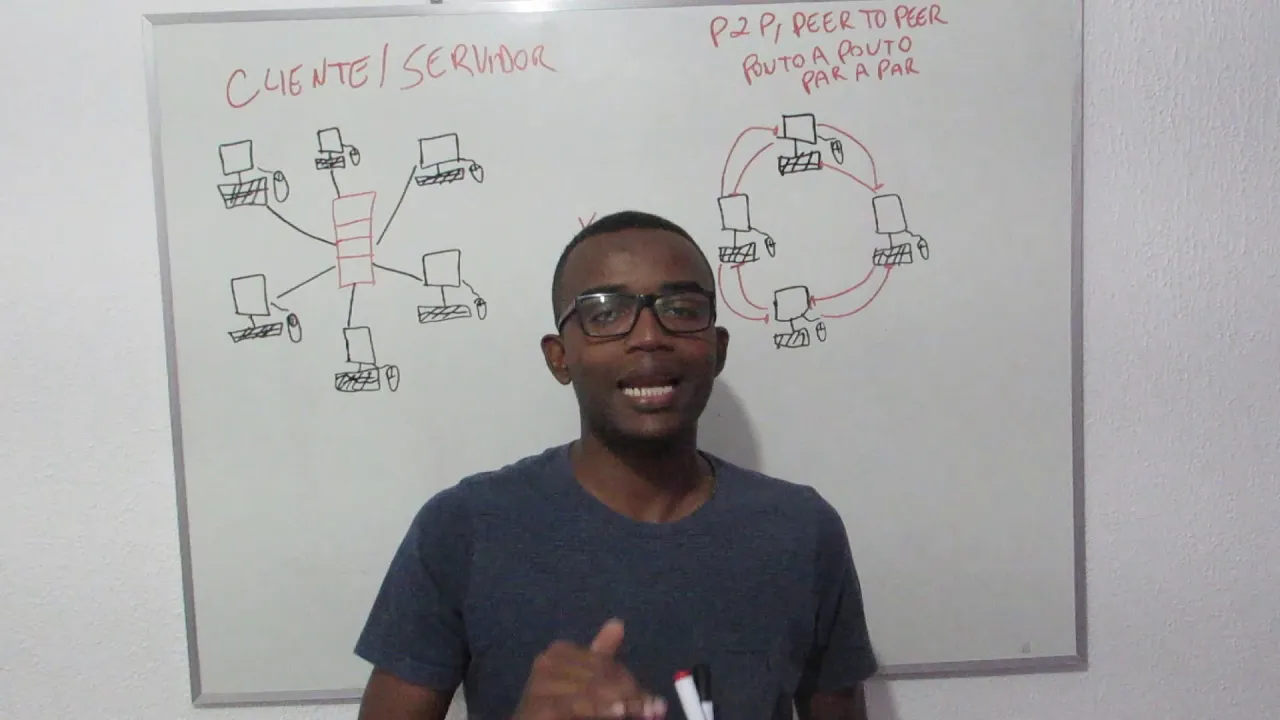
Added:Fundamentals of Peer-to-Peer (P2P) networking architecture versus traditional client-server models.
The basics of the TCP/IP protocol suite, including TCP connection establishment (handshaking) and socket-level data transfer.
Cryptographic hash functions, such as SHA-1, and how they are used to ensure data integrity during file transfers.
Understanding of data serialization formats and file division (chunking) techniques.
Distributed Hash Tables (DHT) and the Kademlia algorithm used for trackerless torrent networks.
Advanced BitTorrent features and extensions, such as Magnet links, Peer Exchange (PEX), and Local Peer Discovery (LPD).
Security, privacy, and encryption mechanisms in P2P networks, including Message Stream Encryption (MSE).
Next-generation decentralized protocols, such as the InterPlanetary File System (IPFS) and WebTorrent.
Practical software engineering of a custom P2P client to parse torrent files, manage peer states, and handle concurrent socket connections.
7.1K views361likes11:43Original Release: 2025-05-16
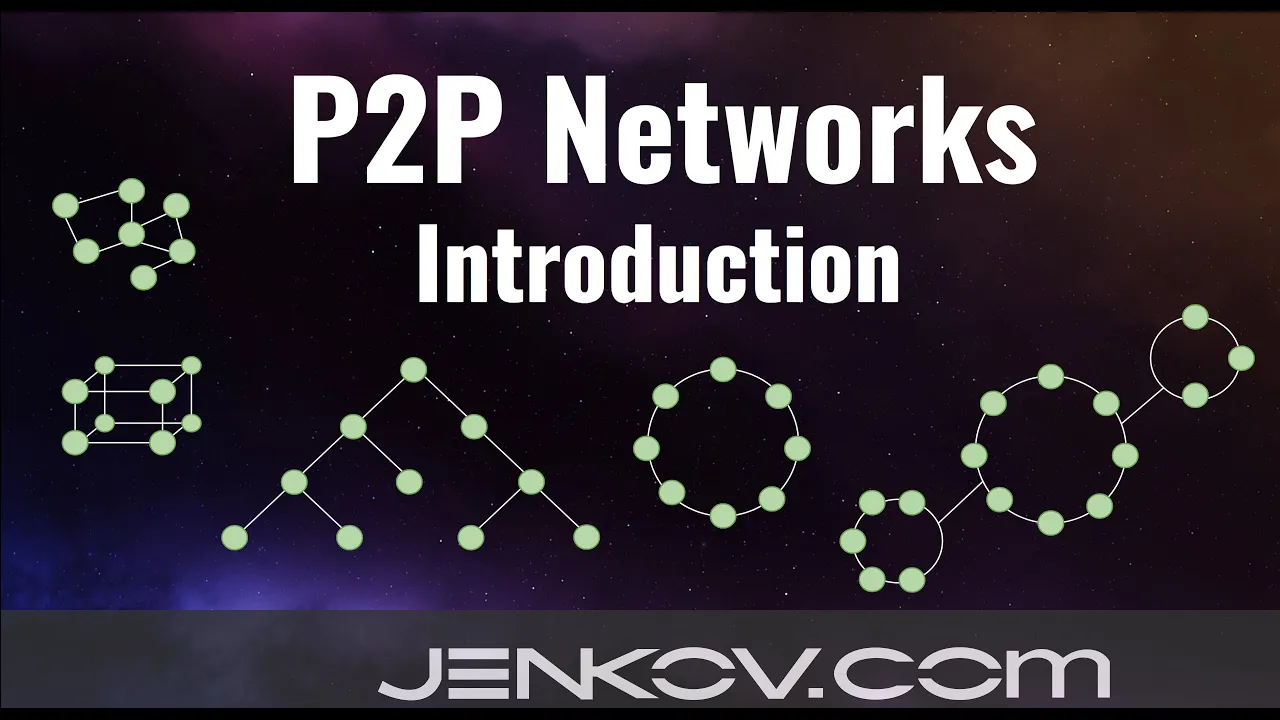
You may have heard of Bit Torrent or torrenting before, but you've probably never taken a look under the hood of how it all actually works. Torrenting is a surprisingly complex process and in this video we're going to take a deep dive into the Bit Torrent protocol and how it works. Okay, so what is Bit Torren and torrenting? Firstly, let's talk about how it and torrenting works. So Bit Torrent is, as you might know, decentralized and downloads occur between these decentralized nodes called peers. Why? Well, you can commonly get much better download speeds if you download from multiple servers or in this case peers at the same time. By the way, these peers are also called cedar sometimes as they seed the file that you're looking to download. Let's walk through a demo. To get a list of peers to download from, you contact what's called a tracker. A tracker maintains a list of all available peers for a certain file. And yes, this is kind of centralized, but you can do this in a decentralized way that we'll talk about later, and it updates that list when a new pier is available. So, we request this list from a tracker and move on to the next step. With this list, we start requesting pieces of the file from the peers that we just acquired. These pieces are literal pieces normally anywhere from 32 kilobytes to 16 megabytes in size. Finally, when we have all the pieces, we assemble the file and disconnect from the network. Actually, we can stay on the network and act as a cedar for other peers, but we'll talk about that later. Secondly, let's denote something important. Torrent refers to file type that maintains all of the data needed to torrent and bit torrent refers to the protocol. That is Bit Torrent is the protocol that allows the process of torrenting to occur and a dot torrent file is just the file that contains the information needed to contact that tracker get a list of peers and contact those peers. But it gets even more confusing. Bit Torrent also refers to the Bit Torrent client which is basically just a wrapper for the Bit Torren protocol. It has a GUI and allows you to easily torrent files. There are also a few other Bit Torrent again referring to the protocol here. Clients like Utorrrent that again act as a wrapper for the Bit Torren protocol. And to make it even more confusing, Bittor can operate on multiple different protocols like QDP and TCP. And if that confuses you, well, I don't blame you.
This might help you understand what we're talking about, though. This is the OSI model. You don't need to be aware of it or how it works. Just know that the physical layer refers to literal cable transmitting data. The transport layer refers to stuff like TCP and UDP, and the application layer refers to protocols like HTTP. So, the Bit Torrent protocol operates by being boxed up and sent by TCP or UDP. There's also this thing called UTP which is the Utor torrent transport protocol but don't worry about that. Okay, one final thing that is absolutely essential in understanding Bit Torrent. Everyone except for the affformentioned tracker servers is considered to be equal. In other words, everyone carries their own weight. That means that if your client connects to a few peers and downloads a few files, your client is also expected to provide those files to other potential peers. Just keep that in mind as we walk through the lower levels of Bit Torrent. And with that, we are also a peer in any Bit Torrent network that we are connected to. Okay, let's start with trackers basics first. We start with either a torrent file or this thing called a magnet URI. We extract the relevant information and make a request to tracker to a list of peers to start making requests to. Let's take a deeper dive into this. As I previously mentioned, this is the very first part of the Bittorm protocols process of downloading the files. That is getting a list of peers to download from.
Naturally, we need the IP address or URL of the tracker as well as a few other things. This data can come in one of two forms as just now mentioned. A dot torrent file or a magnet URI which is somewhat like a torrent file in the form of URI. Not exactly though. Now what are these other things that we need for the tracker you ask? Well, we need this thing called an info hash in our pure ID. The peer ID is just our client's ID on a given bit torrent network and the info hash is a shaan hash of a part of the torrent file. We need these so the tracker can identify what list of peers to return. Anyways, if it's a dot torrent file, we need to decode it.
torrent files are encoded in bend code and ben code is just a method of encoding nothing too fancy then we get the information that we need so we can calculate the info and send a request to the tracker now if it's a magnet URI things are a bit simpler or more complex depending on how you look at it a magnet URI has similar fields to a torrent file but not all fields are going to be there if the address tracker also known as the URL or IP to the tracker server is there we can just make a simple request to it and move on with our lives if it isn't we need to check if there is a list of peers to start with. This is where that more decentralized method of getting peers that I previously mentioned plays in and it's called DHT. If we're given a list of peers to start with, those peers may have another list of peers for us and those peers by as well and so on so forth. In other words, if we don't have a tracker, we can get peers from other peers. Finally, if none of those fields are present, we can attempt to download from the acceptable source. This is just a standard download, but it ensures that the user can at least download a file if nothing else works. Oh, and you may have noticed I've been saying peers plural.
This is because there does need to be at least one pier, but we could be connected to 20, 50, or even more peers.
This is incredibly important to note because throughout this video, I'll be referring to just one pier for the sake of simplicity. Just know that the same process would occur for a lot of other peers. Next, let's take a look at the initial handshake made with a pier. A highle interpretation of this portion of the protocol would go something like this. We want to connect with a pier, also known as a cedar in this case, as they're providing pieces of the file to us. So, we say to the pier, hey, I have this file that I'd like to download. Can you send me your info hash so I can see if your file is intact. Then, if the info hash the pier sends back is correct, we can continue with the process. With that, let's take a look at what the inards of this handshake actually look like. Recall that I'll refer to this whole list of peers that we got from the tracker or the magnet URI as a singular pier for the sake of simplicity. To connect to a pier, we need to start by handshaking with them.
Here's what the header looks like. It's 68 bytes long. It starts with the character 19 as a single bite and the string bit torrent protocol as 19 bytes.
There are then eight bytes of padding, the 20 byt shawan info hash that we just now discussed in our 20 byt pure ID. We send this off to the pier and await our response. The pier sends back what they think their shawan hash is and also ensures that everything else about the handshake is valid, is the right length, etc. We validate this handshake by checking if general features about the handshake are correct. Again, is at the right length and then ensuring the pier's shaan hash matches ours. If it doesn't, the pier's pieces of the file might be corrupted or simply incorrect.
Whatever the issue might be, if the pier shaw one hash does not match ours, we sever the connection to that pier. If everything looks right, we move on to the next step. We're able to start sending actual messages. Now, do note that we're also supposed to send keep alive messages every 2 minutes. I would jump directly into what messages we're sending, but we need to talk about the format first. On a fundamental level, there are nine different messages that we can send to appear. They are all denoted by the first bite 0 through 8 inclusive. Actually, that's a bit of a lie because there's four bytes of petting before the type bite. These four bytes are reserved for denoting the length of the message. After the length and the type bytes, we can do anything at least anything that the Bit Torren protocols spec allows. You'll see some examples of payload soon, but the first four message types I will talk about have no payload. They only represent the state of the pier. These types are choked, unchoked, interested, and not interested. The terminology behind these messages seems really weird initially, but trust me, it'll make sense soon. For now, you can think of these like messages that change the quote unquote state of a peer or us. The first message with a payload is have payload for this is a single bite representing the index of the piece that the downloader just completed and checked the hash of. Don't forget that pieces are simply separate parts of a given file that the pier has.
Next, we have bitfield. This is only ever sent as the first message and the bytes of the bitfield correspond to the indices of pieces of the file 0 to 7 8 to 15 and so on. Naturally, the payload is a bit field and yet yes, this means a literal field of bits with each index of the piece that the downloader has set to one and the rest set to zero. For example, this bit field tells us that the pier has pieces three, five, and six. The next message is request. This message acts as you guessed it, a request for a piece. It contains an index, begin, and length. The length refers to the length of the block we're requesting and it's usually a power of two. The index refers to the literal index of the literal piece. Think about the bit field here. And begin refers to the offset on that piece. This is a good time to mention something weird. We don't actually request pieces as an entire piece. We request each piece in blocks. To put it more aptly, we have the file which is broken up into pieces which are then requested in blocks. This is why we need an offset to tell the peer or cedar where to start sending a block. The next message is peace. This is a response to the request message.
For instance, imagine we request a piece from a pier with a request message. That peer would respond with peace. This contains an index, an offset, and a block, part of the actual piece that we requested. Both the index and the offset are copied over from the original request. The final message is cancel.
The use case of this is a little bit weird, but we'll get to that later. It's called endgame mode, by the way.
Naturally, it cancels an outstanding request, and it contains an index, an offset, and a length. We've already covered the index and the offset and the length simply refers to the length field of the request. Finally, we are almost able to download the file. The first message that we send is a bit field of the pieces we have if we have any. Don't forget that in Bittor, everyone is treated as an equal, meaning that we're expected to act as a cedar. Once we have pieces of the file, first message that we receive is a bit field telling us what pieces the pier has. The pier does not have any pieces. We can either sever the connection or let the pier download files from us. This is a great time to talk about choking. What is it and why is it implemented in the Bit Torren protocol? The concept of choking is essentially an algorithm that helps block peers that are leeching. What is leeching you ask? Well, it's the inverse of seeding. Imagine if that pier we just talked about intentionally sent an empty bitfield. This would mean that they did not intend to contribute to the network at all and instead wanted only to download a file. Naturally, leeching goes directly against the principle of equality in a bit torrent network and we need an efficient way to deal with this.
Choking does exactly this and it also helps with general performance and download speeds. All that being said, the choking algorithm is a bit too intricate for this video. Simply understand that it is a very useful tool for the Bit Torrent protocol and that anytime you see a choke on choke, interested or not interested message like you did earlier, we are just utilizing the choking algorithm.
Anyways, once we have sent and received any and all bitfield messages that we need, we can send an interested message and wait for and receive an unchoke message. If we have any files to supply, we will do the inverse. If these requests are successful, we can start working with the pier both in uploading and downloading files. If the pier sent a bit field of pieces, we can start requesting those pieces with a request and wait for a piece in response to each of those requests. If the pier asks for any pieces, we can do the same as long as we have a file to download or upload and no connections are unintentionally severed. We can stay connected to the pier or again multiple peers and continue to upload or download files.
Now would be a great time to mention what endgame mode is. I think the Bit Torrent doc summed this up pretty well, so I'll quote them here. When a download is almost complete, there's a tendency for the last few pieces to all be downloaded off of a single hosed modem line, taking a very long time. To make sure the last few pieces come in quickly, once requests for all pieces a given downloader doesn't have yet, are currently pending, it sends requests for everything to everyone it's downloading from. To keep this from becoming horribly inefficient, it sends cancels to everyone else every time a piece arrives. In other words, cancel can be used to speed up downloads towards the end of the download process. And finally, when we're all done, we can suffer the connection to the pier where again any all peers that we are connected to. As far as I'm aware, there's not much manual cleanup that needs to be done with the Bit Torren protocol. It's kind of just, okay, I'm done. Bye. Oh, and I kind of forgot to mention this in my original script for this video, but once we're done downloading pieces, we just collect them all and assemble them and save the file to the disc. I hope this would be obvious, but I just want to clarify. So, with that, I hope this video was able to give you a better understanding of the Bittorm Protocol. And if you enjoyed, please leave a like and consider subscribing. And if there's anything that I got wrong, please leave a comment and let me know.
[Music]
Up Next

77:27
Application Layer Protocols | HTTP, FTP, SMTP & DNS Explained | Computer Networks Lecture (Part 2 of 3)
@RajJainwashu
12.7K views•2014-06-04

87:26
Introduction to Secure Multiparty Computation with Yehuda Lindell
@fhe_org
7.7K views•2021-02-04

4:55
HTTP Requests Explained: GET, POST, PUT, DELETE
@codecademy
103.1K views•2021-10-07

19:25
Enigma Machine Mechanics: WWII Encryption Explained
@JaredOwen
13.2M views•2021-12-11
Related Study Plans & Knowledge Roadmaps
Structured learning paths in Computer Science
computer-science
Container Runtimes: Namespaces, Cgroups & Go
01Linux Systems & Go Programming Foundations
02The Core of Isolation: Chroot and Filesystems
03Linux Namespaces: Process Isolation
+ 3 more learning modules
32h6 modules
Explore Roadmap
computer-science
Building a CHIP-8 Emulator: Rust & CPU Basics
01Computer Architecture Foundations (Bits & Bytes)
02Rust Programming for Systems Development
03CHIP-8 Virtual Hardware Specifications
+ 2 more learning modules
32h5 modules
Explore Roadmap
computer-science
Building BitTorrent: Go, P2P & Concurrency
01Go Fundamentals & Concurrency
02Networking Foundations & P2P Architecture
03Bencode Parsing & Torrent Metadata
+ 3 more learning modules
26h6 modules
Explore Roadmap
computer-science
Actor Models (C++ Concurrency & Lock-Free)
01C++ Multi-Threading Foundations
02Thread Pools and Task Scheduling
03Atomics and Lock-Free Queue Design
+ 3 more learning modules
45h6 modules
Explore Roadmap