
























![KEYNOTE: What Everyone Should Know About How Amazing Compilers Are - Matt Godbolt [C++ on Sea 2019]](https://i.ytimg.com/vi_webp/w0sz5WbS5AM/maxresdefault.webp)


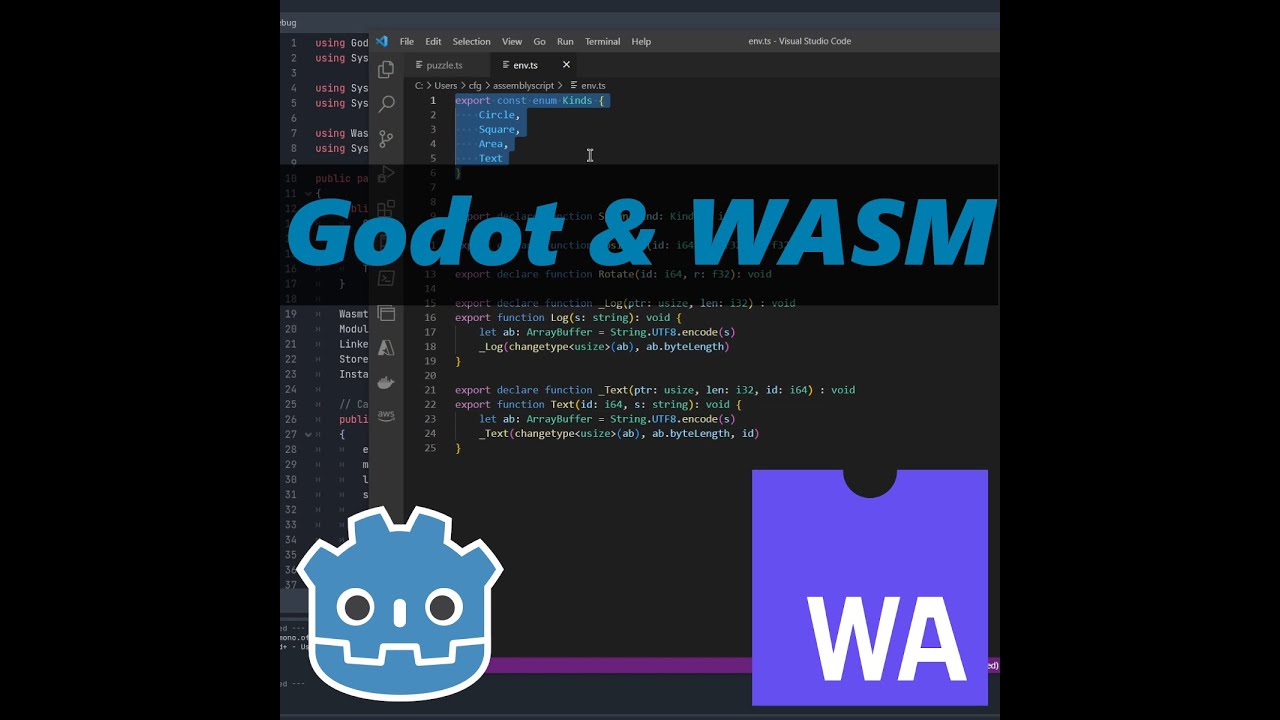





AssemblyScript is a TypeScript-like language designed specifically for WebAssembly that allows web developers to write optimized, performant code using familiar JavaScript/TypeScript syntax while providing lower-level control over memory management and performance characteristics. Unlike traditional WebAssembly compilers that target C/C++ or Rust, AssemblyScript was built from the ground up for WebAssembly, making it more accessible to web developers who already know JavaScript and TypeScript. The language offers multiple runtime options (incremental, minimal, and stop) to balance garbage collection overhead with performance needs, and supports module imports/exports with JavaScript interop through an imports object. AssemblyScript is particularly useful for leveraging existing C/C++ libraries, achieving predictable performance without JavaScript's warm-up phase, and accessing hardware features like SIMD that JavaScript cannot directly access.
AssemblyScript: A TypeScript-like Language Compiling to WebAssembly
Added:are you ready jake to get your acting face on and i'm going to pretend pretend to be surprised by all the content and it's totally not the third time we've tried regular knowledge i [Music] so assembly scripts um we've actually talked about it before like we mentioned it and kind of introduced a little bit um that was in our episode about loops loop tile link yeah i think that's where we talked tiling and rotating yes this is an assembly a web assembly topic is a semi script is a language for webassembly and we've talked about web webassembly in general as well before but i think most of the times i i showed webassembly a bit like this which is the webassembly human readable text format and i think you point out that many humans might not enjoy reading this at all even though it's you know letters the common file extension for this file format is what and it's very appropriate i i mean to be fair as far as assembly languages go it is a good one i actually i think it's more readable that's like saying as far as the cray twins go ronnie is the best right you know that's a loafer sure but you know it's there it can be up but i agree like this is not how you want to write code it's not how you want to read code this is not usually where you're going to put everything in production like this and i think the folks behind assembly script kinda agreed because the alt and the alternatives currently order to use c and c plus plus or rust which are i mean there's more languages now compiling to web assembly but i would argue c and rust are the most predominant ones the most well known ones um and i think part of that is that you know as a web developer we live our lives we live and breathe javascript and typescript and none of these languages just like c and rust are necessarily in our daily work i mean maybe you know them but if you don't in your web developer and you only use javascript and css and html web assembly seems a bit inaccessible and that's exactly i think what the assembly script folks wanted to change because it's a language designed for webassembly so in contrast to like c and rust which were languages that already existed and that then added support for webassembly assembly script was designed for web assembly specifically it is you know it is still fairly low level that's why they called assembly script and as you can see here on the landing page of the website they're saying they're using the familiar typescript syntax which is really nice because i think most of us are familiar with the typescript syntax because it is pretty much the javascript syntax with a couple of additions here and there yeah and i would say even if you're watching this and you're not familiar with typescript yeah the important bit there is it's additions to javascript so like you'll look at typescript and understand most of it and you'll be able to see like there's just a couple of extra bits yeah exactly yeah and although one thing we should be clear about and they are very clear about this on the repository it is definitely not a typescript to webassembly compiler it just reuses the syntax and the language and as far as they can the semantics the code that you know you read in assembly script looks like typescript you think you know what it does it is very very likely that that's also what it actually does once you compile it but it is not the case you can take just existing typescript throw in the assembly script and get working web assembly out the other side and when you say that it sounds like you're going to have this huge uncanny valley problem because it's oh it looks like typescript but it's not typescript it's not going to work like you expect typescript to work it's going to work like something else but in practice it's fine it actually works really well i think yeah and i think that's the thing they try to mimic the semantics of typescript as far as they can so that you know if it looks like typescript it will behave like typescript as far as you know webassembly allows it's just typescript in general has things just don't work in website like the same variable cannot hold a string a number an object a class you don't know until runtime those things don't work in webassembly so they had to add some restrictions to the language and also a different type system and that's kind of what i wanted to to talk about a little bit but before i think it's kind of important to talk about why would you even use webassembly and i think there's four major reasons why you would be looking into webassembly and the main reason we have seen so far in the web assembly ecosystem is making use of existing code so we have mscripten the compiler for that brings c and c plus web assembly rust supports webassembly and so that allows you to make use of the entire ecosystem of these two languages and bring them to the web even though those libraries might not have been written with a web in mind and that's really cool because not everything is available in a web compatible language and i think that's something that we kind of exploited almost with scrooge because yeah there might be you know a jpeg encoder written in javascript there might be a png encoder in javascript but i don't think anyone has written down i sat down yet and wrote a avif encoder in javascript or a jpeg xl encoder um so we were at a loss until either the browser shipped those or we sat down and wrote them but instead with webassembly we can make use of these libraries written in c and c plus and just bring them to the web and that's really cool however as i just said with assembly script that's kind of the case because you know there's now some assembly script specific libraries out there but it wasn't targeting an existing language so the whole you know bring legacy code to the web thing wasn't really in arguments for assembly script to begin with but it is one of the major use cases that we see for people to look into webassembly the next point which you know many people bring up is performance and even though like i've been very very vocal about the fact that webassembly and javascript for the longest time had the same peak performance they were optimized by the same engine they both generated you know machine code under the hood and so really they have the same peak performance they could reach the difference is that for javascript to get optimized it needs to run it needs to be observed because just from the code you cannot tell what kind of type a variable has which you need to generate machine code while with webassembly that is already encoded in the webassembly file so the engine for javascript needs to run the javascript observe it and then start optimizing as it runs the code and many javascript optimization experts have you know have experienced this this warm-up phase as they often call it when your code runs slower at the start and then gets faster which is often also seen in benchmark that run a couple of loops which they don't measure because warm-up in webassembly the optimizing compiler kicks in immediately and so we have a fast compiler which is called liftoff which generates code really really fast at the cost of not generating optimal code and then the website can start running as fast as possible but the second that compiler is done the optimizing compiler called turbofan kicks in and starts optimizing one function at a time and switches them out bit by bit um even if you haven't even run your web assembly so just with a bit of weighting you will just get optimized webassembly code under the hood yeah i think it was uh ashley williams who said the difference between javascript and web assembly is that the the performance is reliable with web assembly as in yo you're in control of when things like garbage collection happen that sort of thing and yeah a lot of the optimizations happen up front so it's easier to measure the performance of webassembly code and it's not going to change in between runs exactly i think that's really well put it it makes just ha webassembly is just much more predictable in how it will behave because in javascript you also have the phenomenon that you know you can call the same function with a string and with an object and with an array as i said like the engine observes if this function gets called with a string all the time then it generates machine code for handling a string but the first time you call it with a different type it then has to fall back to interpreting because the machine code is wrong now if you call it with an array all of a sudden and that is called a d optimization a d opt which will slow you back down and so while you can reach peak performance with javascript it can also be kind of fall back to becoming slower with webassembly that's all possible because everything is strongly typed the third point and there's actually something that you already kind of mentioned now which is there's more performance on the one hand webassembly is getting increasing access to things that javascript doesn't have access to like actual shared memory concurrency with threads simdee which there was proposals back in the day for javascript but they abandoned them all in favor of web assembly and what you just said because you are or the language decides what part of the runtime to ship things like garbage control can be under your control so in javascript there is a garbage collector and it will run and sometimes you don't want it to run but there's not much you can do about that except you know bend your coat backwards to prevent garbage collection the first base by keeping references around but in webassembly you can actually change the garbage collector for something that works more in how you like it and that is like something i think game engines for example would really really like because they often like to decide when there is a good time for garbage collection and when it is not a good time for garbage collection and lastly and this is going to be interesting is binary size because the spec says that one of the design goals is that the webassembly binary format the the virtual the bytecode file is a very small binary representation of the code that it contains but then i mean the codecs we have in squoosh are not small but yeah is that is that just because they're big code or is that down to more of the like the standard library sort of stuff that c and rust need it's it's all of the above really on the one hand an image encoder will have a lot of logic and i think if you wrote in javascript it would also be quite big but at the same time it is what you said that you know webassembly is a pure abstract vm and in javascript we already have you know people often say javascript doesn't have a standard library but the web platform does provide a huge amount of code that's just in the browser you can handle strings you can handle arrays you can iterate over them you can map them you can filter them you can split strings join strings filter strings all these things are just there if you do use that logic in webassembly or in a language compiling to webassembly that code needs to get compiled and put into the binary as well and then lastly there's also the aspect that webassembly has a strictly numerical interface to javascript so whenever you want to pass anything that is not a number an object an array a string from javascript to webassembly and back there needs to be a bit of javascript which is called the glue code often um that converts between what the webassembly file understands and what javascript understands that is also code that we actually ship over and over in scrooge um so we have actually not made great experiences with binary size although i will say a that web assembly compresses really really well with broadly in gzip it is very compressible often you know eighty percent of the file just goes away and you're left with twenty percent of the original size um but also that you can make these modules very very small at times but with tools like m script and russ it is quite hard to remove like it just assumes that you need a lot of standard library and even if you don't and it sometimes takes a lot of work to get rid of all these bits that you could sometimes do in a different way and but we've seen and i think we talked about this in our loop tiling episode where we made the web assembly actually be smaller than the comparable javascript code yes yes we did all right i think that was enough waffling it is time for some kodi bits at least something that is close to code which is install command it's closer it will it will lead us to the code jake you you don't worry uh you have seen the slight deck before three times you know you don't have to worry so with this command you install assemblyman it's actually kind of nice that it's just on npm um it uses web assembly itself under the hood which i thought was kind of interesting but you don't really notice when you use it if this is too much of a commitment for any of our viewers you can also just go to webassembly.studio where you can try out m scripting with c and c plus rust and assembly script in a little you know ide in the browser that compiles in the browser you can just play around without having to install anything so both of these uh paths are completely valid to play around with webassembly a little bit all right time for our first assembly script code this is a typescript file in this case it's an assembly script file it exports a function called main and returns 42 anyone who knows typescript should be fairly comfortable with reading this we can compile it so the assembly script compiler is called asc because it's the assembly script compiler very intuitive and we passed our main.ts file and with dash b we say the binary output file should be main.wasm and now the only thing left to do is really load this file somehow in the browser you know probably with an html page and that would look like this we just use webassembly.instantiatestreaming and throw the fetch in there of the wasm file it will give us back an instance and every exported function will be on instance dot exports so you really get a web assembly module instance and that module has exports just like the modules we have been writing in the same script file and so there's like a really nice clear mapping between webassembly modules and code modules if you want to talk about them that way and this would pretty much exactly log the number 42 into your console success if you're into it the compiler can also generate this human readable text format i showed at the start that can be helpful sometimes to see if certain exports are present or suddenly have a different name or maybe even you want to see what the function looks like it can sometimes be able but it's definitely not required to use this at all what is important is that the assembly script compiler by default uses no optimizations to make it a-fast but also to make source maps work really clearly there's a very clear mapping from webassembly code blocks to individual commands in the assembly script file which means you can step through your assembly script code in dev tools which is really really nice for a debugging experience even though one thing i should note something that doesn't work is like inspecting variables like you can't hover over a variable um to see its current value because source maps cannot contain that kind of mapping but there is something in the works there as far as i know but if you end up shipping your assembly script webassembly to production make sure you use the dash o flag which is you know an optimization path which will not only make your assembly script code even faster but probably also significantly smaller so this is quite important but this is pretty much it this is how you use a semi script and as you already pointed out the return type is a bit weird because if you know typescript you also know that this is not a typescript type um and i think this is so vs code if you use it will probably put a nice red squiggly line under it but this is one of the differences between assemblyscript and typescript in that they changed the types from you know javascript has numbers and string while webassembly only has unsigned 32-bit integers which is what this is it has a couple more i won't get into that but you know these types are a direct mapping from what webassembly supports to the language that you're writing which is actually quite nice so this is where it's different to typescript because in typescript the types are used as like validation as part of the compilation step but in assembly script here like these are runtime types exactly well they're both they're also validation at compile time but yeah that's exactly right that these carry over to the runtime and actually impact what kind of code is being generated as i said your assemblies vs code by default will probably put a red squiggly line under it to fix that they do provide a default ts config json that you can just extend and then it will actually the red squiggly lines will go away and vs code will nice i think this is kind of valid typescript so things like refactoring jump to definition all those things will work and that's actually really really neat all right let's make our assembly script code a bit more interesting we are now going to use an import we're going to import a function from a different module you can split up your code into multiple modules and import and export stuff like you're used to from javascript and typescript and the compiler will take care of like bundling it all together and you know linking and recognizing which function you're actually calling so that shouldn't be very surprising so in this case i also create a utils.ts file and now we want to look at the implementation of alert obviously but there is none and this is really interesting because the declare keyword also exists in typescript and it tells the typescript validator basically that i assure you this function exists once you run this code i just haven't implemented it myself yeah so it's common to use this like if there's a an api that the browser supports but typescript doesn't know about it yet this is you use declare for that to say look it's here it looks like this exactly and so you were saying you know we're declaring this function exists and that this module will export it which kind of doesn't make sense but you know we're just kind of saying this is what reality will look like in the end and so what this means that now the assembly script compiler will say all right i'm just gonna you know note down this function had takes a u32 and i will be provided a function for this later and so if we now used our instantiate streaming call this would actually throw because it says hey the utils module expected an alert function but you didn't give me one i can't run this and so what you need to do is you actually need to provide a so-called imports object for the instantiate function and it looks like this we're saying okay it's an object of modules and we can just provide functions and what you see here i'm literally just passing through window.alert which we all know and love our good old debugging days so this way it is really cool that we can not only call from javascript into webassembly our main function but our main function can now call back into javascript through this imports object that's amazing so like so here we're passing a javascript function into assembly script which we can call but presumably you could even you could compile some webassembly from c plus or rust and take its exports and make them imports into assembly scripts so you're using assembly script to call rust which is calling c plus plus which is called javascript and that just all works that that's exactly you could do that and that's actually kind of fascinating and think is something that even we and scooch don't do yet and we could look into that but yeah you can base just anything that is available in the host environment which in the browser is javascript you can just use that as an import and then that will just kind of work as long as you stick to the types that webassembly understands or that webassembly knows how to convert convert to javascript and vice versa let's make it a bit more interesting jake i've asked you this quiz before but i will ask it to you again what do you think is different about this example than all our other ones i don't think array.push will work because this is not typescript it's not javascript this is assemblyscript so like arrays work but maybe not like array methods work things like you know the prototype chain that sort of stuff's not going to be there right and no that is not right uh because that this is actually what people mean when they say a language is shipping its own runtime assembly script actually has an implementation for these growable arrays um so all these methods do exist and they will cause code to be added to your web assembly binary and this is what i mean like it starts to ship more and more runtime the more you start using it but this works they actually have memory management and i think this for me is the big difference in this we are now in memory management territory because we can push into arrays as much as we want which means our memory usage can grow which also means at some point we can run out of memory and so the second you use this kind of code um your instantiate streaming will start to fail again because it will say hey i'm expecting you to provide me in a board function because something we need something that gets called when things go wrong or assembly script needs something that it can call when things go wrong and so it expects for this u32 array to have an abort method in case the push doesn't succeed because it might you know try to grow the the memory and that's not available and the board function actually takes parameters so you can figure out which actual function from which actual file caused this abort so the way i'm handling the error here is probably not very elegant but i wanted to explain why this is suddenly there overall i would actually recommend to make use of the assembly script loader which takes care of all of this for you not only does it provide an abort function but it also generates the appropriate error messages to tell you in this file this function call on this line cost the abort and here is the actual error description fix your code right uh so the exchange loader takes care of all these little details under the hood for you gives you a proper board function that you know gives you in this file on this line something went wrong here's the error message fix your code so most of the time i would recommend using the same script loader because it is actually not that big and just takes care of the basic fundamentals of like good error messages for you right what's what's not that big like that like um well what are we talking here because the the glue code for inscription and rust can can be quite big so right so the good news about this code is that the loader is not module specific with m script you get glue code generated for each webassembly file and so even though they share some code you will your user will end up double loading it the same scripts loader you only need once for doesn't matter how many assembly script modules you have and i think even then if you use everything it provides i think we're talking about 1k gzipped so it's definitely not something that should hurt you that much to load into your bundle which i think is really really nice all right let's make it a bit more interesting because as i said the interface website supports is pretty strictly numerical but as developers we know that we work with more than just numbers most notably strings are usually a primitive that we often use and so you know i turned our main function now into a function that takes a name as a string and our alert function now also takes the string which you know in javascript land is true and so far the conversion just happened to work but now we want to pass an actual string value one thing that we will need to do is now to export the run time because strings are run time values they are not you know something that can just be passed along as a parameter but that needs to be a pointer to a string and so by exporting the runtime we can create those strings through the api that the module exposes and this is something again that the same script loader can take care of for you so it exposes two functions among many others a new string function that creates a new string in a semi script land that assembly script can then understand and a get string function that turns a number a message pointer back into a string in javascript land this is not very nice i it i think i kind of like the approach that they give you a non-automatic interface so that you are in control when the conversion happens and you exactly know you know no cost here is hidden from you you can see that there's extra function calls happening to make this interface work but i i definitely feel that you know you have to know your interface very well and it is a lot of extra work it makes it very noisy we can't just pass through a lot anymore we have to write a wrapper alert function there is something that does it better which is called asbind which is a library from one of the core maintainers of assembly script that tries to do all of this automatically for you and that can be really really nice so if you want to use that i would recommend looking at a readme and even this library i actually don't know how big it is but it is still way below the glue code that we usually see in some of the the more established languages all right one last thing i want to talk about which i mentioned earlier is the runtime itself by default the runtime that is used is called incremental so i have it explicitly as a flag here but you don't need to specify because that's the default that is a full automatic garbage collector that every now and then will just run and collect all the memory and freed up of things you don't use anymore that will add about three to four kilobytes of gzipped web assembly to your webassembly file depending on how many runtime functions you use and that's not too bad either i mean like we start to get concerned about that kind of file size when it's blocking your initial render or you're blocking fetching some data or something like that but we tend to use webassembly in a way that's it's lazy loaded right it's you you get an initial render down and then the web assembly comes to do something else so in terms of that a few k is nothing exactly i think it's an absolutely acceptable payload but it isn't garbage collector that will just run every now and then i think they just inject garbage collect calls at the end of functions or something i don't know but as i said you know sometimes when you have a really high performance use case like a game that wants to ship 60 frames a second that might be unacceptable and for that they provide a second runtime which is called minimal it is still a full garbage collector with memory management and everything but it doesn't garbage collect until you explicitly call the function to tell it to garbage collect and that can be really nice so sometimes it might be worth your while to you know build up some unused memory that is still allocated and then once you know you know the level is over you're showing your high score at the ends where the frame rate isn't as important anymore or you know there's not much input happening that's where you run the garbage collector and i think that's actually really interesting there even is a stop runtime which we used in the past for our image rotation example because we actually just we exactly knew what kind of memory we need how much we need we didn't want to free up any memory and that basically reduces the 3k almost completely from the file i think it's about 500 600 bytes gzip that are left because you can still allocate memory but you can't free it anymore but this is completely adequate for these modules that you instantiate you run them and you throw them away which is exactly what we did with the image rotation we just create a new instance put in the image waited for it to rotate the image got it back out and then the module gets destroyed and if we want to rotate again we create a new one and in that case you could actually use semiscript even for render critical code i probably wouldn't recommend that because you still need to load it and instantiate it but yeah you can you can really squash the file size down you could even this flag even accepts a file so if you wanted to you could write your own runtime but we're not going to get into that because that obviously needs a bit more detailed knowledge about about web assembly and memory management and let's start easy but the the design here is brilliant right and it's something that a lot of you know javascript projects libraries javascript frameworks could really learn from this uh layered approach because it's great to know that well okay so we've given you the the easiest thing but here's a flag you can swap it out for something simple or you can even write your own like you can control the whole stack if you want i really like this design i i also think it's it's a very nice approach and it's very extensible in general and they have a discord linked on their main website which is linked here which is super helpful community so if you are trying to get started but you're getting stuck there's always someone in that discord channel willing to help um but this was basically my assembly script speedrun introduction yes i would say like if you're unfamiliar with lower level uh programming languages like like me uh so i don't have a lot of background in c or c plus plus i found assembly scripts really easy to get started with because it was in that familiar javascript-esque typescript esque environment but it was just introducing the more manual memory management stuff and sort of lower level types i find it really easy to get going with and write some really optimized uh webassembly code well there's no better way to end them with that if the light falls over it it will change the shot quite dramatically and it'll knock all kinds of sorry okay it'll be funny if it falls over won't it [Music] breaks your nose blood everywhere humor
Up Next

AssemblyScript for Beginners: Compile TypeScript to WebAssembly
@VincentLabStudio
9.4K views•2021-04-19

Introduction to Secure Multiparty Computation with Yehuda Lindell
@fhe_org
7.7K views•2021-02-04

Optimizing Image Rotation with Loop Tiling | HTTP 203
@ChromeDevs
28.4K views•2019-03-19

Enigma Machine Mechanics: WWII Encryption Explained
@JaredOwen
13.2M views•2021-12-11
Related Study Plans & Knowledge Roadmaps
Structured learning paths in Computer Science