





![GarageBand Tutorial - Complete Course - [Everything You Need To Know For The SUPER Beginner]](https://i.ytimg.com/vi_webp/RpOfou3K-L8/maxresdefault.webp)







![Now and Xen Podcast: Easley Blackwood[10]](https://i.ytimg.com/vi/b1Ds63lTc_s/maxresdefault.jpg)



This tutorial demonstrates how to export custom microtonal scales created in Scala tuning software into three formats: .scl files (via File > Save As), .tun files (using set synth 1112 command), and MIDI tuning dumps (using set synth 107 command), enabling users to apply these tunings to various synthesizers that support microtonal capabilities.
Exporting Microtonal Tuning Files with Scala: A Practical Guide
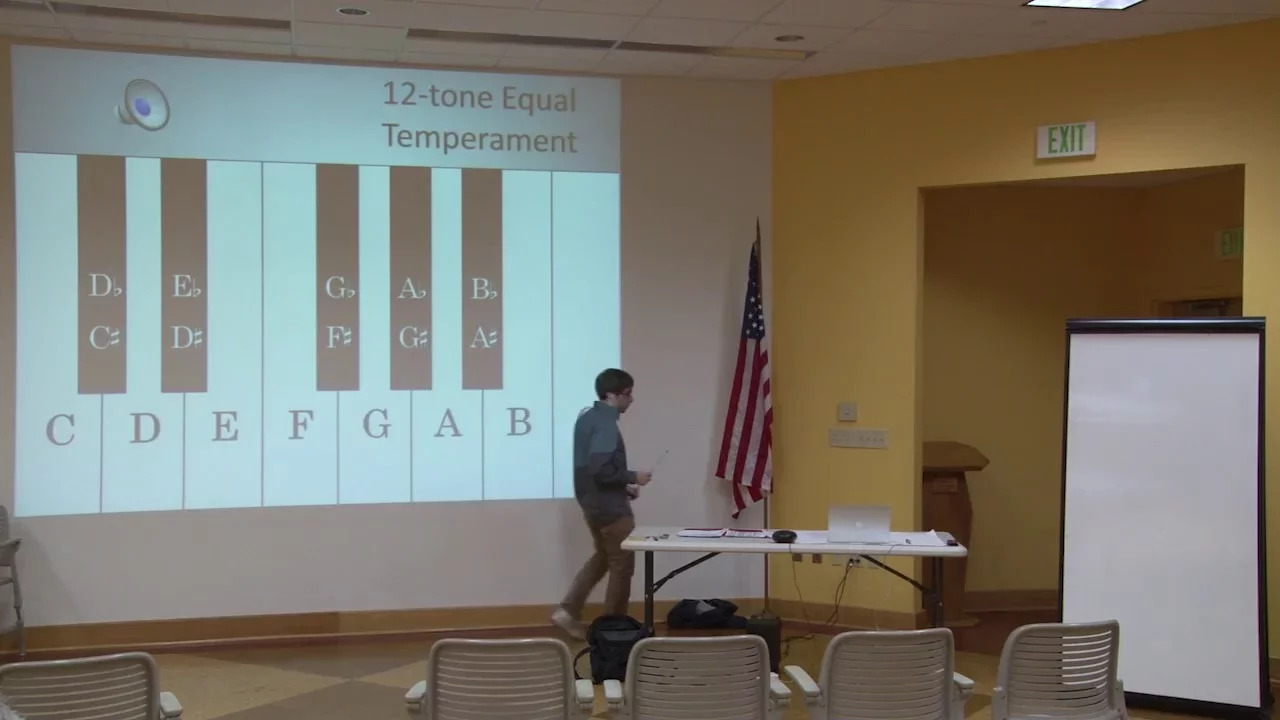
Added:Basic music theory concepts, specifically the 12-Tone Equal Temperament (12-TET) system and how octave division works.
The mathematical concepts of pitch representation, such as frequency ratios, cents, and logarithmic intervals.
An introductory understanding of what Scala software is and how scale definitions (.scl) and keyboard mappings (.kbm) are structured.
Fundamental knowledge of digital synthesizers, MIDI protocol, and how software instruments interpret pitch and note data.
Practical integration and troubleshooting of .SCL and .KBM files in major software synthesizers (e.g., Serum, Vital, Omnisphere).
Designing custom keyboard mappings (KBM) to adapt microtonal scales (such as 19-EDO or 22-EDO) to standard 12-key controller layouts.
Exploring xenharmonic music theory, including chord building and harmonic progressions within non-standard tuning systems.
Using MIDI Tuning Standard (MTS) and SysEx data to retune hardware synthesizers in real-time.
20.1K views441likes2:44Original Release: 2016-09-17
[Music] welcome to another microtonal music tutorial this time we're looking at Scala it's software that allows you to make your own microtonal scales for example I just made 22 tone equal temperament now the topic of today's tutorial is how are we going to export the very nice tuning that took us hours to craft how can we then use it in our synthesizers it's actually quite simple so there are three major types of tuning file that are supported one is the Scala file one is the anamar tune file and the last is the midi tuning dump which is just a midi file that contains some tuning data so to create a Scala file is very easy you just click file then you click save as you type in the scale name at the top 22 EO as you can see I already made one actually it's very important that you make a description as well since some synths tend to crash if you don't have a description for your tuning file click okay and it's good if you already have the file there then you just just type replace and hit enter it's saved it doesn't give you any confirmation but it's saved okay now the second type of file the anamar tuning file well for this one you need to type a command first we type set synth 1112 1112 is just the number that represents this kind of file I'll show you a complete list of them later so to export this we go file and we're not going to save as we're going to export synth tuning so here we can type 22o we don't need to write a description in fact you can't write a description because they're not needed for anamar tune files we click okay and we're good well that was simple now the last kind of file was the midi tuning dump so we type in set synth 107 this time hit enter aha okay that's good once again file export synth tuning it's really very simple I recommend you have your own tunings folder it makes things very nice and tidy type 22 EO again I already have one here because I used the tuning all the time click okay we're good to go and one final thing I'm going to show you if you type show synthesizer hit enter you'll see a ton of information just scroll up you'll get a list of all the different kinds of files to export and the corresponding number so if you have a Yamaha DX 72 you use this one you just type in set synth and Yamaha DX7 two number is two just type in two hit enter h there we go you just hit file export synth tuning and save your file it looks like the Yamaha D x72 also reads a midi file okay I'm just going to name it 22 EO Yamaha x72 well that's the end of the tutorial hope it was useful I have a ton of microtonal music on my YouTube page and I'll do more tutorials in the future so hit subscribe for more I've also been working on a new album of microna Music can't wait to get it out all right see you
Up Next

6:41
Surge Synth: A Comprehensive Guide to Microtonal Tuning
@JLMoriart
7.1K views•2020-07-28

12:54
Triumph of Orthodoxy Icon: Byzantine Art & History Explained
@BenCallan
2.1K views•2024-08-06

9:49
FastAPI vs Flask vs Django: Choosing the Right Python Web Framework
@TechWithTim
302.5K views•2024-05-26

1:42
Game of Thrones Opening Credits: A Cinematic Analysis
@gameofthrones
46.3M views•2011-04-18
Related Study Plans & Knowledge Roadmaps
Structured learning paths in General & Interdisciplinary Studies
general-studies
Elevator Engineering: History, Physics & Cities
01From Hoists to Safety Brakes: The Dawn of Vertical Lift
02Hydraulic vs. Traction: The Engineering Physics of Elevators
03Modern Speed, Safety, and Algorithms
+ 2 more learning modules
12h5 modules
Explore Roadmap
general-studies
Rubber: Material Science, History & Geopolitics
01Origins of Natural Rubber & Mesoamerican History
02The Chemistry of Natural Rubber & Vulcanization
03The Geopolitics of the Rubber Boom & Colonization
+ 2 more learning modules
12h5 modules
Explore Roadmap
general-studies
Containerization: Evolution, Logistics & Trade
01Ancient Trade & Bulk Cargo: Amphorae to Barrels
02The Industrial Revolution & Cardboard Packaging
03The Containerization Revolution: Malcom McLean
+ 2 more learning modules
12h5 modules
Explore Roadmap
general-studies
Textile Tech: Evolution, Labor & Global Impact
01Pre-Industrial Textiles: Handloom & Cottage Industry
02Mechanization: The Spinning Jenny to the Power Loom
03The Factory System & Global Labor Transformation
+ 2 more learning modules
10h5 modules
Explore Roadmap