











![Modern Linux C++ Debugging Tools - Under the Covers - Greg Law & Dewang Li [ ACCU 2021 ]](https://i.ytimg.com/vi/qYbGDDIsH4M/maxresdefault.jpg)




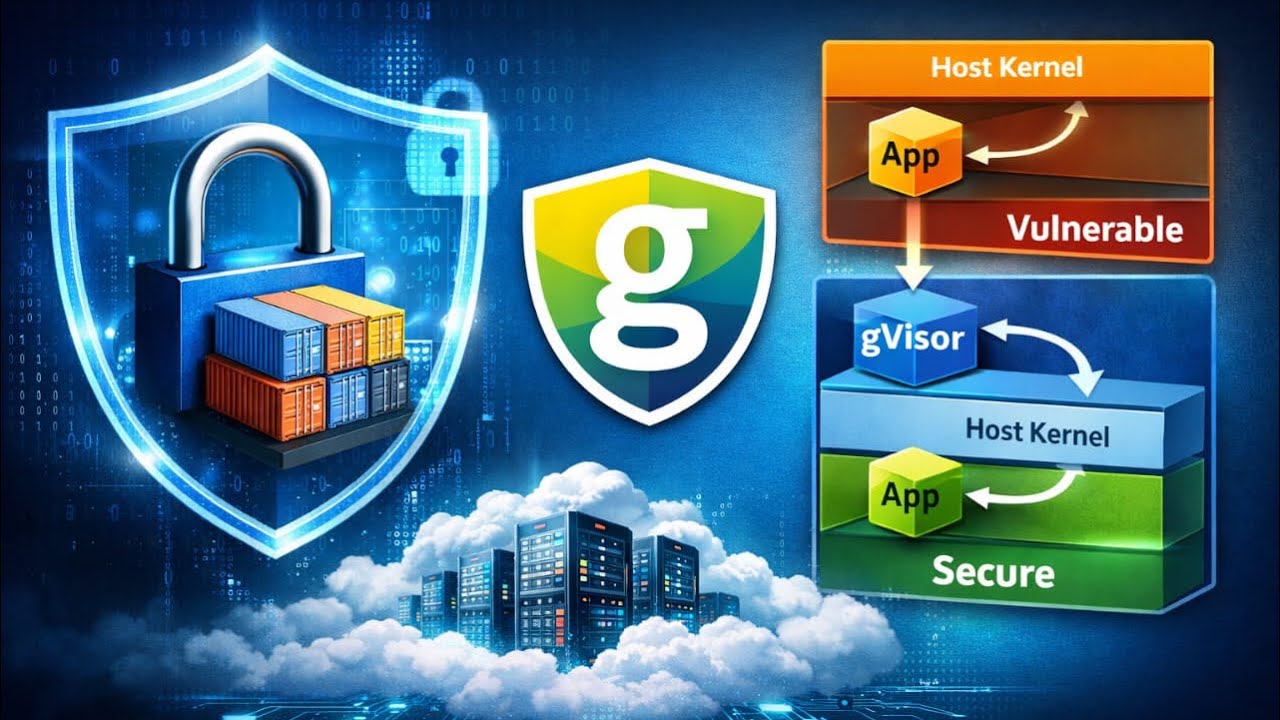
System calls are the interface between user-space programs and the operating system kernel, enabling programs to access hardware resources like files, devices, and network interfaces. In Go, the syscall package provides access to these low-level primitives, which vary by operating system and hardware platform. System calls work by setting CPU registers with parameters and triggering a trap to invoke kernel code, which executes the requested operation and returns results. Tools like strace and ptrace allow developers to observe and control system call execution, enabling security features such as seccomp profiles that restrict which system calls a process can execute, implementing the principle of least privilege for enhanced security in containerized environments.
A Go Programmer's Guide to Syscalls: Windows, Linux & Security
Added:uh I'm really excited to be here it's my first goer con um thank you so much for coming to to see this talk um yes so I'm Liz I work for a company called aqua security uh we do well we help Enterprises keep their container deployments secure and so yeah I'm as John says pretty into containers and I think a few of you You' seen that talk where I wrote a container from scratch and in that talk I would have said something like we use cisal to set up name spaces for the container and I said that you know a few times heard myself say it and thought I actually really want to understand what I mean when I say this word CIS what am I really talking about so over the last few months I've done quite a bit of uh playing and experimentation with CIS and hopefully I I understand them a little bit better certainly a lot better than I used to and I want to share that with you this morning here so we'll talk a bit about cisal we'll talk about how they work we will of course do a bit of coding we'll uh write some code and sort of dig into some of the things we can do with p trce and then we'll wrap up with uh some of the things that you can do to enhance security with CIS calls so like any good citizen the internet I want to find out what CIS calls are so I look them up on Wikipedia and I get a pretty good definition here system call is the way that a program your program your application running in user space it's the way that it requests services from the kernel of the operating system it's running on so your user space code really can't do very much by itself every time it wants to access things like Hardware it needs the kernel which is the only thing that's privileged to actually access those things to do it on its behalf you need CIS calls every time you access a file every time you access a device even writing to the screen you're going to need the help that CIS gives you from the kernel you can't start a process you certainly can't do anything like networking you can't even find out the time without this help from the konel even though you probably don't you know unless you're sort of specialized in that area you don't really think about these CIS calls they're all just handled for you but let's see what's going on let's see some of them in action so there's a nice Linux utility called estrace we've got a very very simple hello well not World we'll say hello gophercon uh application and we'll just very quickly see what estrace tells us us about it so we'll build it and we simply run it and we see o load of system calls now I could walk through this and tell you what all of these system calls do but it would be really really dull and we you know you want to have some lunch soon right so let's kind of skip over some of these you can ask me about them later if you really really want to know we get down here to where the work the interesting things are happening in a system call called write and we can see that that's where it does the work this is the system call that's writing the text we wanted onto the screen so how did we get there from my format print line here so well let's find out so print line calls FR print line passing in stood out FR print line uh does some stuff but the interesting thing is this W WR command we'll look at uh and W is stood out so we'll find out what that is stood out is a new file file a exported file internal file we go in here we'll search for um that right function and here finally at long last under all those levels we'll see something called CIS call so you have to go through all those steps before we got to the CIS call package which is going to call right goang CIS package let's have a look at that okay so the documentation tells us that CIS call is the interface to the low-level operating system Primitives it goes on to say that the implementation varies by operating system and by by the hardware that you're running on it also goes on to say please don't use this if you can use a higher level package if if something higher level is available and then it kind of rounds off by saying if you want to know any more details about this you're going to have to go and look at the Man pages for the appropriate operating system so from here on in we're looking at Linux Man pages to find out what's going on okay inside the uh the Cisco package there's some operating system specific files and there's a whole bunch of autogenerated files that uh depend on the OS and the platform you're running on and if we take WR as an example we can see what what that function actually looks like this is one of the autogenerated ones and we can see in there this function CIS call so all of these CIS calls are kind of boiling down to one function called CIS call and the first parameter that to that function is an identifier to say which of the system calls you want to run in this case it's this right there are like 303 of these on Linux some of them are really esoteric and some of them are you know read WR open close we can take a pretty good guess at what kind of things those are doing so every time we call a system code what's happening we'll check with the man page man page says CIS call saves the CPU registers before making the system call and it restores the registers after it returns and it says a little bit about error handling but what it doesn't say is what happens between the before making the system call and the after making the system call I think there a pretty big gap that I would like to understand better so I researched it what actually happens inside that CIS call function CIS call writes first of all that um identifier for the the system call that we want to actually call into a register the ax register if it happens to be an x86 platform and then depending on which system call it is that we're going to call there will be different parameters so for example if we want to read from a file we're going to use CIS read that's the gives us the code that we're going to write into um the ax register we're also going to pass in um a file descriptor and a pointer to where we want the the data to be written in memory and an indicator of how how much data we want written so those are all passed in through some registers so CIS callers set up those values in the registers and then it issues a trap like a an interrupt to say okay Kel I need you to do something for me please go away and run the system core code so the kernel can come along and uh get these values from the registers it knows which bits of code it needs to run based on uh what that system call code is it does the thing that it needs to do like reading the data and putting it into the appropriate place in memory and then it puts the return value into the ax register again and then it signals to users base code okay you can carry on now I have done my work so all system call are basically done in the same way there's this trap whatever Hardware you're on well different Hardwares have different registers they don't all have registers called ax and Di and Si and what have you so there's a table here that tells us for different platforms how do you pop populate those uh registers um with the different arguments and that's why we have Hardware specific versions of the the the files in the CIS package so that they can write the parameters into the right registers so CIS calls are really an a portability layer if you like it's what allows Linux to run on all these different uh Hardware environments and it's also something we can emulate if we can emulate the cisal interface we can uh allow all sorts of Linux code to run on top of that interface and that's exactly what Microsoft did when they uh when they support The Bash shell running on Windows it's an emulation layer at uh at CIS call and because it's just one function you don't actually need to implement the whole interface because it will compile even if you only support the code for you know even one uh of those well actually none of those uh underlying cisal codes so um I don't know if this is absolutely true but I heard that when Microsoft were uh implementing this bash uh emulation they actually have implementation for about 200 of the 300 calls so that probably says something about how hundred of those system calls are really not used very often how do we know which system calls are being used we already saw estrace showing us um a kind of list of the S the system calls and we can use the minus C like count flag to count them up and get a list of all of the CIS calls that have been uh used by that particular program so if I want to run uh my hello goon program on some other platform I only need to have an implementation for these dozen system calls and it would work which would be pretty cool okay so that made me think well how does estrace know what system calls are being run how does it get in to see what's what's happening and uh it does it using a thing called pce which is another system call which uh allow ows one process to observe and control what's going on in another process it is super powerful it lets you um manipulate registers and memory from in that other process which is kind of amazing and terrifying all at once and it's primarily used to implement breakpoint debugging and system call tracing okay it's a system call um just like the other system calls um the fact that this say CIS call six is a very small detail about how um the cisal function only lets you pass in I think it's three or four parameters and then there's another version called cisal six that lets you pass in six parameters really not very important underlying this it's exactly the same as CIS we pass in this CIS P trce this is the um goang implementation by the way passing this the pce system call code just like usual and then we also have a um a request parameter here and this is because p trce is kind of special and has a whole bunch of sub commands the goang cisal package actually sort of wraps up some of those uh subcommands into functions gives us a nice convenient way of accessing those functions it's not actually all not all of the pce subcommand s are implemented in this way but quite a few of them are and I think it gives us an idea of the kind of things you can do with P so for example we can get the registers from a particular process we can look at data inside a process we can change data inside a process we can set the value of registers and we can single step through on like a machine code instruction single step level so it's really you can do some really detailed stuff here so I thought well let's build our own estrace with the power of P trce so let's do it I've got a little bit of code to start us off with come on uh so at the moment this is just going to let us basically start another process and run any arbitrary command so it'll tell us what it is that we passed in let's say we um we invoke it and we say Echo hello it'll say it's going to run Echo hello and then it will create a command wire up stood in stood out stood uh so we can see what's going on at this point here with the starts we actually create a new process and run whatever the command is Echo hello or whatever and then we're going to wait for that process to finish so super easy at the moment moment and uh let's just uh we'll just build that and uh let's try running it on uh that hello go foron program oops hello okay so we can invoke the hello program from inside this program but it's really not very exciting at this point let's enable P tracing so we do that by um passing in some cispr attributes CIS call cispr attributes and we say p trce yes please okay so let's see what difference that makes okay so we can see it tells us that it's uh in some kind of stopped breakpoint state but then we also see the output hello gophercon so how is that working to illustrate I'm just going to put a little delay in here um we'll just sleep for like a couple of seconds okay f build it and run it so we see this trap happens immediately but we don't get the output for a couple of seconds and what's happening is uh we start that child process pach because it's being traced or because pich is being enabled it gets put into this kind of weight breakpoint State just like you know putting a breakpoint into debugging code meanwhile our sort of parent process uh comes here does the sleep for a couple of seconds then it exits once it finishes there's nothing to hold that break point up anymore so the child process is allowed to proceed and then it does its output as it would normally have done so that's why that's kind of happening in that order we'll take that sleep away okay so we've got our child process stopped and I would like to see what uh what the state of the registers are at that point and we can do that with Cisco CIS call uh P Trace get so it's actually a pce sub command get registers we specify the process ID which uh we will get for it's conveniently available for the process we just started and we're going to write the state of the registers into a structure um let's print that out so um so we'll print out everything we can possibly find out about this structure and I just need a variable for it which is p Trace R right um also if anything goes wrong let's Panic yeah okay so build it obviously I'm writing into it let's try that again build Run Okay so we've got back a structure that tells us the current state of all of the registers in that child process at the point where it's been stopped in our breakpoint Now cast your mind back a few slides and you'll remember that it was the ax register on the x86 I'm sure you all remembered it was the ax register so you might expect that uh we would get the the current CIS call from Rax in this structure for when I was researching this uh the best explanation I could find for why it's actually original Rax the best explanation I've found so far is technical Reasons I'm not very satisfied with that but I don't know the answer to why it's original Rax but that's where the Cisco code is so rather than printing out the um the whole registers let's just get the name of that um I have a little bit of convenience code um which I will make available later but we can you know it's very very simple to convert the code into a name uh so we'll print out the name and I just need to set that up CIS call counter okay don't worry about that okay so that should tell us what the um CIS call is that we're currently sort of executing in that or that we have just currently executed in the child process okay let's try it oh it's Rax isn't it feel free to shout out if you see me doing a typo that is fine okay so it's told us that the Cisco we were executing there was execve and that makes a lot of sense because the exec ve Cisco is what is used to create a new process and run the command that we want to run in it so perfect so we've kind of EST Tred the first of our CIS calls now we want to know what happens next so we want the child process to be able to run until it hits the next CIS and there's a convenient P sub command that uh that lets us do this so P Trace CIS call says restart the process that we're tracing and stop it again when we hit the next system call and that's going to look like a Sig trap to the calling proc or to the monitoring process the tracing process so I should be able to just do p trce CIS call versus ID if anything goes wrong we will collapse that is a typo and uh so that's going to take us to the next system call but we need to um wait for that Sig trap in the the parent process so um this there's a convenient wait for I don't really know whether it's called wait for because that sounds like waiting four or whether it's the fourth implementation of weight could be either of those things all right um let's do the same thing okay so once we've got that um weight for as finished we want to do the same thing again about looking at the registers and printing out the name of the CIS we've just seen so rather than type the code in again let's just create a nice Loop for it so all of this stuff is in a loop okay so we're just going to Loop Round getting the current uh CIS call printing it out letting the code run to the next CIS call and and waiting for that to to actually happen Okay so build it run it okay there is good news and bad news here the good news is we've got a bunch of system calls being traced out the bad news is kind of obvious we've got a panic no such process oops and um didn't mean to do that um so it's happened at line 37 we can uh find out what was going on there and we've clearly tried to get the registers from a process that doesn't exist uh the best explanation for that is that the process is actually finished so um this doesn't have to be production quality code right let's just assume that if we hit this error the underlying child process has done what it's done so we'll just break out at that point okay let's give that a world so again good news and bad news good news is we've got past that panic but there is something suspicious about how all of these CIS calls kind of come in pairs and also if we look at uh you know the bit that's really doing the thing we're interested in writing hello goer on to the screen it's well the text is sandwiched between two right calls and we know that's not you know it's not being called twice and there was a clue here it did actually say we'll get uh the Tracy will get stopped at entry to or or exit from a system call we dig into the man page a bit further so the Tracy enters a stopped State just before the CIS call is executed and it enters another stop State when the system call has completed those two stop states are indistinguishable from each other and it is our responsibility to keep track of which one of those things is happening I'm not making this up this came from the man page okay so when we got that first exec ve I'm pretty confident that it must have completed because we've got a new process so I'm going to say that we start with an exit and then uh every time through this loop we're going to flip between entries and exits so we'll just flip okay and then we will only only get the registers and uh print out the name of what we've traced if we've just completed that uh CIS call if it's an exit Okay so let's try this one more time that's looking pretty convincing to me we've got uh individual system calls being you know we're not seeing those doubled up system calls the one last thing I'd like to do is sum them all up so that we can compare it to um to the output from srace uh I am going to slightly cheat here with some code I wrote earlier so this little convenient function that will uh increment a counter for each different I'll spell this right in a minute there we go and at the end it'll print it all out okay okay so we can see a summary of how many different times each system core got called let's just compare that to um the S trce output so and if we can fit it all on the screen we can see actually these are pretty similar so we've got one right seven M Maps one m unmap and so on and so forth ladies and gentlemen boys and girls we have just implemented CRA or estray in 60 lines of code which is pretty cool ship it right okay so um one last little thing that we can do with um sis well there's probably a million other things we can do with cisor but the thing I'm going to talk about is how we can um use them to help with security of our code that's you know executing in the world so there's a principle in security called least privilege this is the idea that you give an entity the sort of most restrictive permissions you can um and then that will make everything more secure it's the same Principle as you know if you've got a safe you don't tell everybody in the world what the combination is to that safe you don't you tell as few people as possible so we just saw that hello world only needed to use I don't know a dozen different CIS calls uh we know that of the 300 possible CIS calls maybe you know only 200 of them are ever really used and we also know that P TR for example is really really dangerous because it lets you manipulate other executing functions so what if we were able to say this particular process is only allowed to execute a subset of the possible CIS calls and this makes a lot of sense if you've got a microservice architecture like if you've got a big monolith it probably needs to do everything so it's maybe not quite so sensible but in a microservices world you're going to have lots of different pieces of code that only need a subset of the CIS calls so um there is there are a few different approaches few different um Kernel Security modules for doing this we're going to talk about one that's called set comp so you can set up a set comp profile describing which cisor a piece of code is allowed to use or not allowed to use and Docker for example lets you specify a setc comp profile and then it applies it to that particular container that you're running so that's something you can do in the real world um a set comp profile this is uh an example of one that Jess felle uh put on the internet um the thing about setcom profiles is they are quite long I don't know if this is big enough to see but it's like 1500 lines of code in a typical setc comp profile um so they could be a little bit painful to um maintain if you've got hundreds and hundreds of different microservices that's one of the reasons why security companies like Aqua exist to help manage this kind of thing but you can do it yourself and uh let's let's see how this work let's see how set comp does what it does so in the interest of time I am going to slightly cheat I tried to squeeze this in and I can't type fast enough so here is a function I wrote earlier called disallow so we're going to pass in the name of a CIS that we want to disallow we're going to find out what the the ID for that CIS call is and then we're going to create a set comp filter when we create the new filter we give it this uh default allow so by default you're allowed to do any CIS call but then we add a rule that says if you see that particular CIS call we're we're bothered about uh return an error code and we're going to return eerm which is Operation not permitted and then we apply this filter so let's try that in here in the piece of code we had earlier so let's try disallowing our friend oops right okay so we need to go build and let's do my Trace Echo hello so it traced out what it was going to do and then it did didn't write anything else to the screen because it can't because I've disallowed WR and that's kind of well okay it works but it's not really very convincing is it like you can't see what's going on so let's try doing it with another um another uh cisal let's before we do that just uh check uh what Echo hello actually uses uh candidate I'm going to pick arbitrarily as if I had never tried this before is uh open so let's change this to open so it's going to be allowed to do everything except open and we'll build that run it again okay and we can see that we did hit uh operation not permitted exactly as we expected and it hit that error while it was trying to open a file it works that's how set comp works that is the demonstration of set comp okay so just to summarize even though well hands up any of you who have ever actively sort of written the word Cisco in any of your code before so actually a few of you have and the rest of you never realized probably that you were actually calling CIS calls all the time your is using this stuff every single day of your programming life even if you're not um consciously calling those um CIS calls I think it's really interesting the way that um they all boil down to this same mechanism of setting up the registers and triggering a a trap I think that's pretty inter interesting and um the fact that you can use them for emulation and and portability is is kind of cool um we've seen how you can use estrace to to see what CIS calls are being called we've seen how you can well we've we've scratched the surface really of what you could do with P trce because you can manipulate so much with that and then we've also seen how you can use security profiles to limit what a particular process is allowed to do in terms of CIS calls I will um be putting that code on the internet I'm afraid I didn't quite have time to do that already but it will be at estr from scratch and uh we have a few minutes between now and lunch where you can ask some questions
Up Next
Advanced Linux C++ Debugging Techniques with GDB Tools
@CppCon
38.7K views•2018-10-18

Solving the Heat Equation with DeepXDE and PINNs
@Dr.Mohammad_Samara
8.5K views•2023-07-17

GopherCon 2017: Understanding Channels | Kavya Joshi
@GopherAcademy
129.1K views•2017-07-24

Enigma Machine Mechanics: WWII Encryption Explained
@JaredOwen
13.2M views•2021-12-11
Related Study Plans & Knowledge Roadmaps
Structured learning paths in Computer Science