This tutorial teaches beginners how to create reproducible machine learning pipelines using DVC and Git, covering the fundamentals of connecting data, code, and models through DVC's pipeline feature for version control and automated workflow execution.
Building Reproducible ML Pipelines with DVC | Hands-On Tutorial
Added:Deep Dive
Basic Git and Version Control: Understanding repositories, commits, and branching, as DVC operates on top of Git to track data and code together.
Aprende Git en 15 Minutos
274.3K
This tutorial covers the essential Git commands needed for version control: installing Git and verifying installation with 'git --version', configuring username and email with 'git config --global user.name' and 'git config --global user.email', creating a repository with 'git init', adding files with 'git add', making commits with 'git commit -m', viewing history with 'git log', switching branches with 'git checkout', creating new branches with 'git checkout -b', and connecting to GitHub with 'git remote add origin' followed by 'git push origin master'.
Click to watch →

Vibe Coding Fundamentals In 33 minutes
754.2K
Always have checkpoints and version control in vibe coding. Things will inevitably break, and without version control, you risk losing all your work. Git is the version control software itself, while GitHub is a website for storing repositories in the cloud. The basic workflow: (1) Install Git via website or terminal; (2) Initialize a new project with 'git init'; (3) Track files with 'git add' or 'git add .'; (4) Save changes with 'git commit -m "message"'; (5) View history with 'git log'; (6) Roll back commits with 'git reset'; (7) Link to GitHub with 'git remote add origin URL'; (8) Rename branch to main with 'git branch -m main'; (9) Push to GitHub with 'git push origin main'. Even if you don't remember exact commands, knowing this structure allows you to direct the AI using natural language like 'use git to commit these changes and push to GitHub'.
Click to watch →

Лучший Гайд по Git Для Начинающих За 15 Минут
196.8K
Git is a version control system that tracks changes to files in a project. It monitors all files and records every text change made, allowing developers to view code at any specific point in time and revert to previous versions. The core workflow involves three key commands: Git Clone downloads a repository from a remote server (like GitHub) to your local computer, creating a local copy under Git's control. Git Commit saves the current state of your project as a new version in the repository's history, with each commit receiving a unique hash identifier. The -m flag allows adding descriptive messages to commits. This system enables multiple developers to collaborate on the same codebase while maintaining a complete history of all changes.
Click to watch →
Что такое Git для Начинающих / GitHub за 30 минут / Git Уроки
415.5K
Git is the most popular version control system in the industry and is the second most important skill for developers after learning a programming language. It is used in every team and project in modern companies. The main challenge for beginners is that Git's command-line interface can be intimidating with countless commands. Version control is essential because it allows developers to track who changed what and when in collaborative projects. Without version control, reverting code after deploying to production becomes extremely difficult when multiple files have been changed. Git solves this by tracking all changes including which lines were modified, when changes occurred, and who made them. This enables instant reversion to stable versions while preserving unstable versions for debugging.
Click to watch →
Git & GitHub in 45 mins 🟠| كورس أساسيات جيت وجيتهاب في 45 دقيقة للمبتدئين
60.7K
Git is a version control system that tracks changes in files by creating snapshots called commits, allowing multiple developers to work on the same project simultaneously without conflicts. The basic workflow involves: initializing a repository with 'git init', staging changes with 'git add', committing with 'git commit -m "message"', and pushing to a remote repository like GitHub. Branches allow developers to work on features independently without affecting the main codebase, and merging combines changes back to the main branch. GitHub provides cloud-based remote repositories for collaboration, backup, and code sharing among team members.
Click to watch →
Deep Dive
Fundamentals of Machine Learning Workflows: Conceptual knowledge of standard ML pipeline stages, including data ingestion, preprocessing, model training, and evaluation.
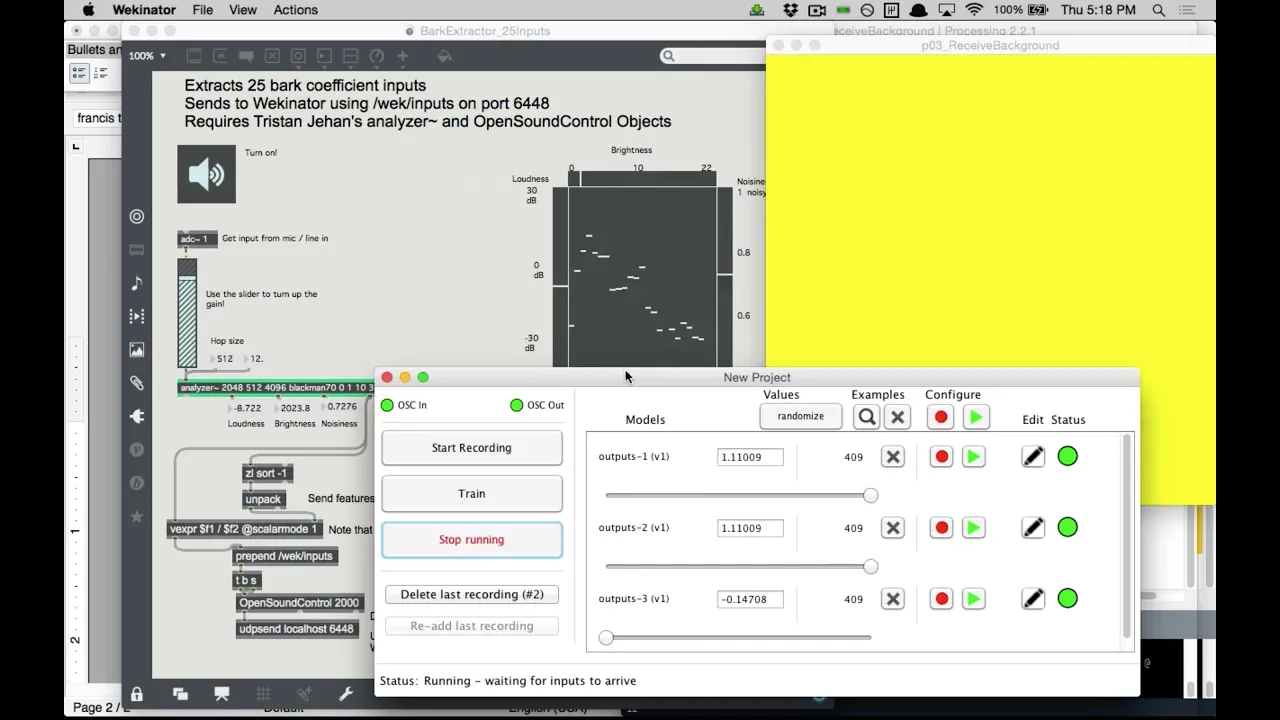
ml4a @ itp nyu :: 02 applications, wekinator
3K
The core machine learning workflow consists of three interconnected phases: (1) Data collection - gathering representative training examples with input-output pairs, (2) Training - iteratively adjusting model parameters to minimize prediction error on training data, and (3) Prediction - applying the trained model to new, unseen data to generate useful outputs. This workflow applies universally across different frameworks and platforms, whether using openFrameworks, Python libraries like scikit-learn, or specialized tools like Wekinator. Understanding this workflow enables systematic approach to building intelligent systems regardless of the specific implementation details.
Click to watch →

Machine Learning Fundamentals in 30 Minutes | AI and Machine Learning Tutorial | Simplilearn
4.5K
The ML workflow provides project structure: define problems, collect data, prepare data (handle missing values, outliers), select/train models (linear regression, decision trees, SVMs, neural networks), evaluate performance, deploy, and continuously monitor/retrain. Domain knowledge enhances effectiveness. Common algorithms predict continuous values (linear regression), classify categories (logistic regression, decision trees), or handle complex patterns (neural networks). Quality labeled data drives supervised learning performance.
Click to watch →

Rebecca Bilbro | Visual diagnostics for more informed machine learning
701
The fundamental machine learning workflow consists of five interconnected stages: (1) Data preparation and wrangling, (2) Model selection and instantiation, (3) Model fitting using training data, (4) Model validation using appropriate metrics (mean squared error for regression, F1 score, precision, recall for classification), and (5) Deployment for making predictions on new input data. This streamlined process can be implemented in just four lines of code using scikit-learn, making machine learning accessible even to those without extensive programming experience.
Click to watch →

Module 3- Part 1- Machine Learning fundamentals (all you need to know in 1 hour, 2023 version)
1.6K
The complete machine learning workflow includes: (1) Data collection and problem definition; (2) Train-test-validation split (or cross-validation for small data); (3) Model architecture selection based on data type; (4) Random initialization of parameters; (5) Forward pass to generate predictions; (6) Performance evaluation using appropriate metrics; (7) Parameter optimization using gradient-based methods; (8) Hyperparameter tuning using validation performance; (9) Final test set evaluation for generalization assessment. The ultimate goal is creating models that generalize well to unseen data.
Click to watch →

Machine Learning | Session 16 | Supervised Learning, Simple Linear Regression
156
The complete machine learning workflow consists of several interconnected steps: (1) Data Import - loading datasets from files using pandas; (2) Data Exploration - examining data structure, statistics, and relationships using descriptive methods; (3) Data Preprocessing - cleaning data by handling missing values, removing duplicates, correcting formats, and eliminating outliers; (4) Feature Selection - identifying relevant predictor variables and separating them from target variables; (5) Train-Test Split - dividing data into training (70-80%) and testing (20-30%) sets; (6) Model Training - fitting the algorithm to training data; (7) Model Evaluation - assessing performance on training and testing data; (8) Prediction - applying the trained model to new data; (9) Visualization - plotting results to interpret model behavior and accuracy.
Click to watch →
Deep Dive
Command Line Interface (CLI) Basics: Comfort with executing shell commands, navigating directories, and running scripts from the terminal.

Computer Theory and MCQs For 4th Grade, Driver & All Rajasthan Exams | Pradeep Sir
136.6K
Command Line Interface (CLI), also known as Character User Interface (CUI) or Text User Interface (TUI), is the oldest type of computer interface. It uses text-based commands to interact with the computer. Users type commands on a black screen (like DOS prompt) to perform operations. Examples include commands like 'DIR' to list files, 'CD' to change directories, and 'CLS' to clear the screen. CLI is faster but more difficult to use compared to graphical interfaces.
Click to watch →

170+ PYQs for RRB NTPC 2025 Computer 📘 | Detailed Explanation📚| Sunday Special Class by Pravin sir
47K
Graphical User Interface (GUI) is based on Windows, Icons, Menus, and Pointers (WIMP), allowing users to interact with computers through visual elements. Command Line Interface (CLI) or Character User Interface (CUI) uses only text commands without visual elements like windows, icons, menus, or pointers. GUI is used by general users, while CLI is used by technical experts who know specific commands. In CLI, the first character indicates the drive (e.g., C:), followed by folder and subfolder names. Commands like 'CD' (Change Directory) navigate between folders, while 'MD' (Make Directory) creates new folders. The 'CD..' command moves back to the parent directory. Ctrl+Tab switches between open applications, while Ctrl+Shift+Tab switches to the previous application. Ctrl+O opens the File menu in most Windows applications.
Click to watch →
CLI (A "temida" Command Line Interface) // Dicionário do Programador
15.5K
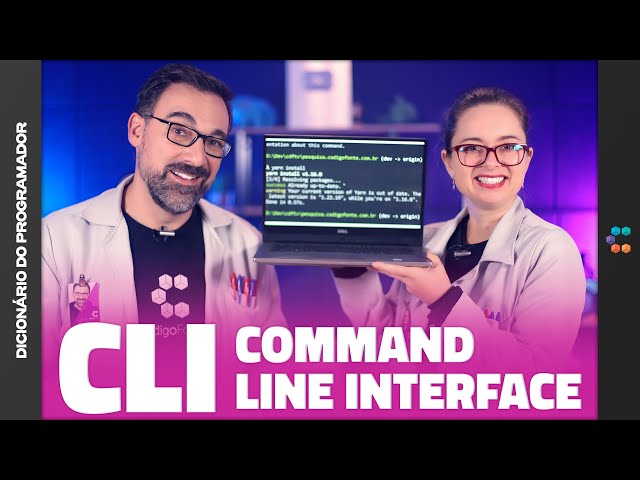
CLI is a text-based interaction method with computers, contrasting with graphical interfaces. Originating from mainframe terminals in the 1960s-1980s, it was popularized by Windows in the 1980s and remains essential for developers. Commands consist of main commands plus arguments. Common CLIs include Linux terminal, Bash, PowerShell, and Command Prompt. CLI offers advantages: faster execution of complex tasks and automation through scripts. The main disadvantage is the learning curve. Practical applications include version control with Git (init, add, commit), cloud management with AWS CLI (configure, s3 ls, ec2 run-instances), and database tools like MySQL, PostgreSQL, MongoDB, and Redis. Shell scripting enables automation through conditional logic. Users can create custom CLIs using Python, Java, Rust, or PHP.
Click to watch →
CUI AND GUI Voc class -6
414
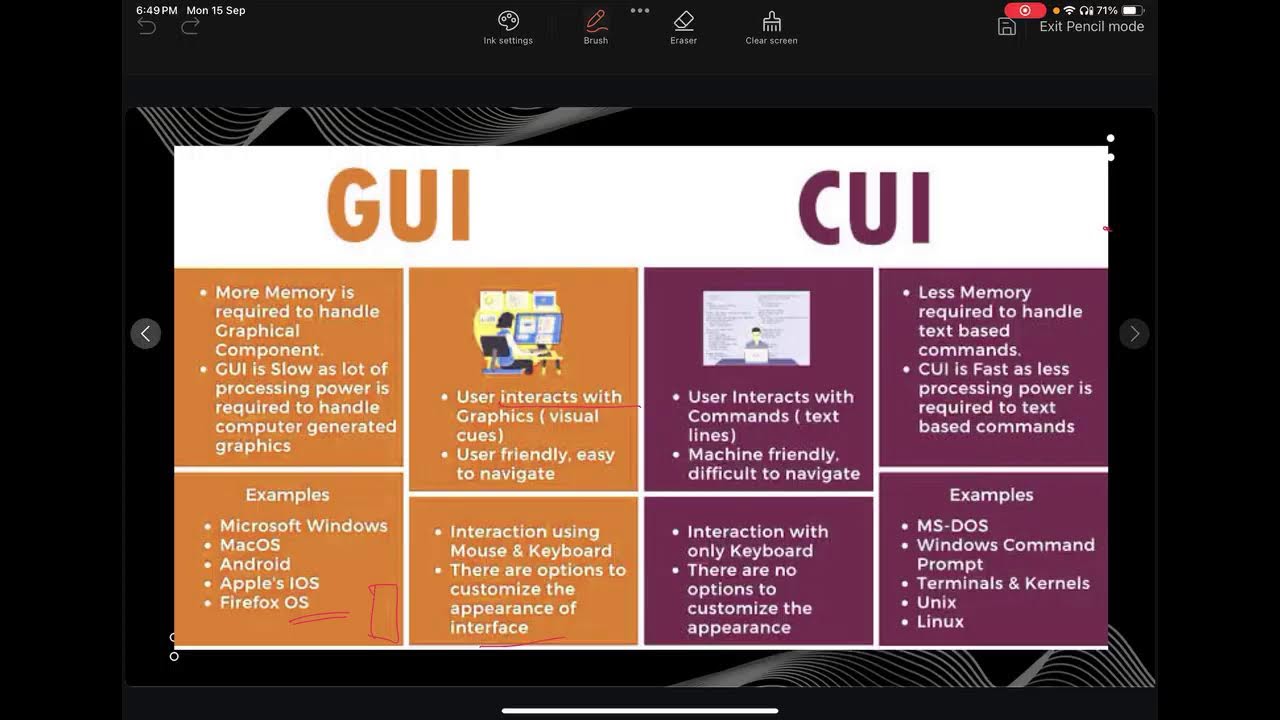
Command Line Interface (CLI) is a type of user interface where users interact with the computer using only a keyboard. In CLI, all information is displayed in text format, and users must type commands to perform actions. CLI does not require a mouse for interaction. Commands can be sent to computer programs as single lines or multiple lines of text. The computer processes these commands and provides output responses to the user. Examples include MS-DOS, Windows Command Prompt, Linux terminals, and Unix shells.
Click to watch →

Belajar Perintah Dasar Linux untuk Pemula | Panduan Lengkap CLI Linux
129
This tutorial introduces fundamental Linux command line interface (CLI) commands for beginners, covering directory navigation (cd, ls, pwd), file and directory management (mkdir, rm), file viewing (cat, more), and system information commands (uname, hostname, who). The video explains how to access the terminal, understand command structure, and use the help system (man, --help) to learn new commands. Key concepts include the difference between CLI and GUI interfaces, file permissions, user switching (sudo, su), and basic file operations like creating, viewing, and deleting files and directories.
Click to watch →
Deep Dive
Python Programming and Scripting: Ability to write and read modular Python scripts that perform machine learning tasks (e.g., using pandas and scikit-learn).

Python para Peões (integração de programas e práticas simples)
624
This section introduces Python programming for beginners, covering the speaker's professional background in software development since 1999, including work at Nokia and the development of tools like Retriever. The speaker explains the purpose of the talk: teaching basic Python scripting for automation tasks. The talk aims to be accessible to beginners without requiring advanced knowledge, focusing on practical skills like creating scripts, using functions, and understanding command-line interfaces. The speaker emphasizes that Python provides significant freedom and flexibility even at basic levels, making it ideal for learning programming concepts.
Click to watch →
Python Introduction & Installation Guide in Tamil | Python Part 1 | Feat. GreensTechnologies
3.8K
Python serves dual purposes as both a programming language and a scripting language. As a programming language, Python can write complex applications with multiple lines of code. As a scripting language, Python allows quick, interactive programming with single-line commands that produce immediate output. This versatility makes Python suitable for both beginners learning programming concepts and professionals building complex software applications. Python's line-by-line execution capability is a defining feature of scripting languages, enabling rapid experimentation and learning.
Click to watch →

Assunto mais importante de Informática para Polícia Federal - Mega Revisão com Prof. Rani Passos
27.6K
Python is a scripting language, allowing small code pieces (scripts) to be executed independently or embedded within other programs. It is also an imperative programming language, operating through commands and instructions that tell the computer what to do. Each command tells the computer to perform a specific operation, and the computer executes these commands in sequence to achieve desired results.
Click to watch →

Noções de Programação Python para PCDF e PF - Prof. Rani Passos
87.3K
Python is an interpreted language that does not require compilation into an executable file before running. Instead, the code is executed line by line by an interpreter built into the Python language. Python is also a scripting language, meaning it works with scripts (code segments) that can be saved as files and executed directly. Python has an extensive community that shares code and libraries, allowing programmers to import pre-written code instead of writing everything from scratch. Python is open-source, meaning its source code is freely available for anyone to view and modify. The Python Software Foundation manages and maintains the language. Python is cross-platform, running on Windows, Linux, and macOS. Python uses dynamic typing, meaning variable types are determined automatically when values are assigned, making code more concise and flexible.
Click to watch →
Python Scripting Tutorial For Beginners | Python Tutorial | Python Programming | Simplilearn
119K
Python scripting involves writing programs to automate tasks using interpreted code executed at runtime, with key libraries like OS for file operations (getcwd, abspath), time for timestamp management (epoch time, localtime), and SMTP for email automation, combined with advanced features like variable arguments (*args, **kwargs), nested functions, dynamic class creation, decorators, and GUI development with tkinter.
Click to watch →
Prerequisite Knowledge
- Concept 01Basic Git and Version Control: Understanding repositories, commits, and branching, as DVC operates on top of Git to track data and code together.
- Concept 02Fundamentals of Machine Learning Workflows: Conceptual knowledge of standard ML pipeline stages, including data ingestion, preprocessing, model training, and evaluation.
- Concept 03Command Line Interface (CLI) Basics: Comfort with executing shell commands, navigating directories, and running scripts from the terminal.
- Concept 04Python Programming and Scripting: Ability to write and read modular Python scripts that perform machine learning tasks (e.g., using pandas and scikit-learn).
Subsequent Learning
- Step 01DVC Remote Storage Integration: Learning how to configure and push/pull tracked datasets and models to cloud storage providers like AWS S3, Google Cloud Storage, or Azure Blob.
- Step 02Continuous Machine Learning (CML): Integrating DVC pipelines into CI/CD platforms (such as GitHub Actions) to automate model training and report generation on code changes.
- Step 03Experiment Tracking and Metrics Visualization: Utilizing DVC's native metrics, plots, and experiment management features to compare different pipeline runs and hyperparameter choices.
- Step 04Model Registry and Deployment: Transitioning from versioned pipeline artifacts to registering models and serving them in production using containerization (Docker) and web frameworks.
Tuning
Tuning
6:28Playing Section
- 1
Adjust model parameter train.n_est for optimization.
- 2
Focus on setting the number of estimators.
- 3
Apply the adjustment to improve performance.
The Overhead of Git-Centric Data Versioning and the Shift to Unified Orchestrators
While DVC is highly regarded for bringing Git-like versioning to machine learning, critics argue that its Git-centric approach introduces significant operational overhead. Managing a dual state—where code is tracked in Git, data metadata in local .dvc files, and actual artifacts in remote storage—can lead to synchronization conflicts, a steep learning curve, and fragile pipelines in collaborative environments. As ML operations scale, decoupling pipeline orchestration from data tracking often becomes cumbersome. Opposing viewpoints suggest using unified orchestrators (such as Flyte, Prefect, or Dagster) or storage-level versioning engines (like lakeFS or Delta Lake). These alternatives manage data lineage, execution, and reproducibility natively within the platform or data lake itself. This eliminates the need to manually coordinate Git with external data pointers, offering a more robust and scalable developer experience for complex workflows.
Deep Dive
DVC Remote Storage Integration: Learning how to configure and push/pull tracked datasets and models to cloud storage providers like AWS S3, Google Cloud Storage, or Azure Blob.

6. End to End MLOps Portfolio Project | Data and Code Versioning | MLOps | DVC Pipeline
1.4K
DVC requires external storage for managing large datasets. To configure DVC remote storage: (1) Use 'dvc remote add <name> <path>' to create a remote storage location, (2) The path can be a local directory (like a temp folder) or cloud storage, (3) Multiple remote storage locations can be created using different remote names, (4) The remote directory maintains different versions of the data. This configuration keeps the Git repository lightweight while enabling data versioning through DVC.
Click to watch →

Lesson 4 - Github DVC and Amazon S3 | from scratch | MLOps
226
This segment demonstrates configuring DVC to use Amazon S3 as remote storage. The process involves installing DVC with S3 support using 'pip install dvc[s3]', obtaining the S3 URL for the configured bucket and folder, and using the 'dvc remote add -d' command to set the remote storage location. The '-d' flag designates the remote as default, meaning all subsequent DVC push and pull commands will use this remote unless specified otherwise.
Click to watch →

MLOps: Day 22 - App Building & Automation Using DVC | Capstone Project
5.7K
DVC push uploads tracked outputs to remote storage. The process involves: (1) running 'dvc push', (2) DVC uploading all tracked outputs to the remote storage, (3) creating a remote reference for each output, and (4) updating the local DVC repository. Setting up DVC remote storage involves: (1) installing required dependencies (dvc-aws, pip), (2) configuring AWS credentials, (3) creating an S3 bucket, (4) removing any existing remote storage, (5) adding the new remote storage using 'dvc remote add', and (6) configuring the remote with 'dvc remote config'.
Click to watch →
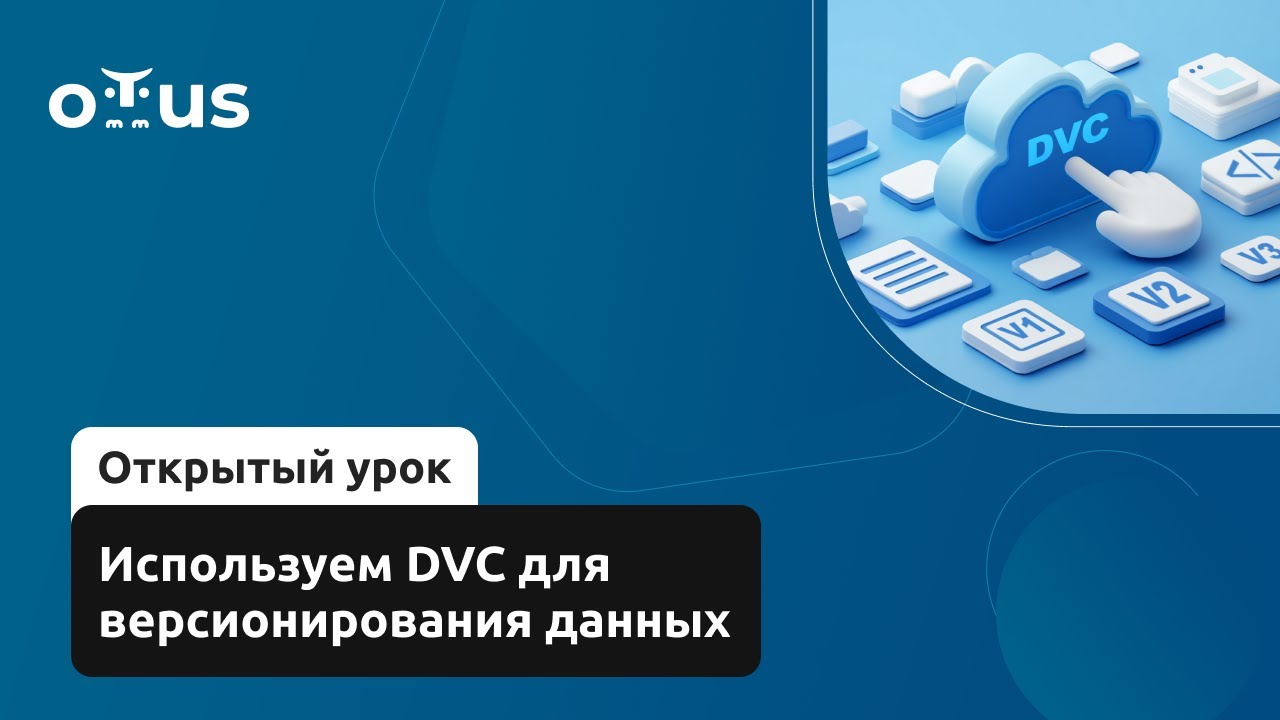
Используем DVC для версионирования данных // Демо-занятие курса «MLOps»
148
This segment covers the complete process of configuring cloud storage for DVC. After initializing a Git repository, DVC is initialized using dvc init. The instructor demonstrates creating an S3 bucket in Yandex Cloud for remote storage, configuring service accounts with appropriate roles (Storage Editor, Uploader, Viewer), and generating static access keys. The critical security step involves using the local flag when configuring DVC remotes to prevent credentials from being committed to Git. Data is then pushed to remote storage using dvc push, which uploads tracked files while maintaining version control through configuration files stored in Git.
Click to watch →

Learn DVC In 20 Minutes | What Is DVC | DVC Tutorial For Beginners (Hands-on Tutorials)
9.2K
This section explains DVC's core functionality for tracking data sets and their versions. The video demonstrates how to track data changes using DVC commands, maintain history of modifications, and access different versions remotely. It covers remote storage integration with cloud solutions like Google Drive, enabling collaboration and backup of machine learning projects. The content emphasizes how DVC prevents data loss and enables systematic version management for data-intensive machine learning workflows.
Click to watch →
Deep Dive
Continuous Machine Learning (CML): Integrating DVC pipelines into CI/CD platforms (such as GitHub Actions) to automate model training and report generation on code changes.

Best MLOps Practices for Building End-to-End Machine Learning Computer Vision Projects with Alex Kim
11.7K
CML (Continuous Machine Learning) is an open-source tool that enables git flow for machine learning with auto-reporting features for pull requests and merge requests in GitHub, GitLab, or Bitbucket. It integrates seamlessly with cloud services like AWS, Azure, Google Cloud Platform, or Kubernetes. In a typical CI/CD workflow, engineers push changes to remote git servers, triggering jobs in CI/CD tools like GitHub Actions. CML can launch cloud VMs in AWS (potentially spot instances for cost savings), run pipelines, push metrics and reports, and automatically post customizable reports as comments in pull requests.
Click to watch →
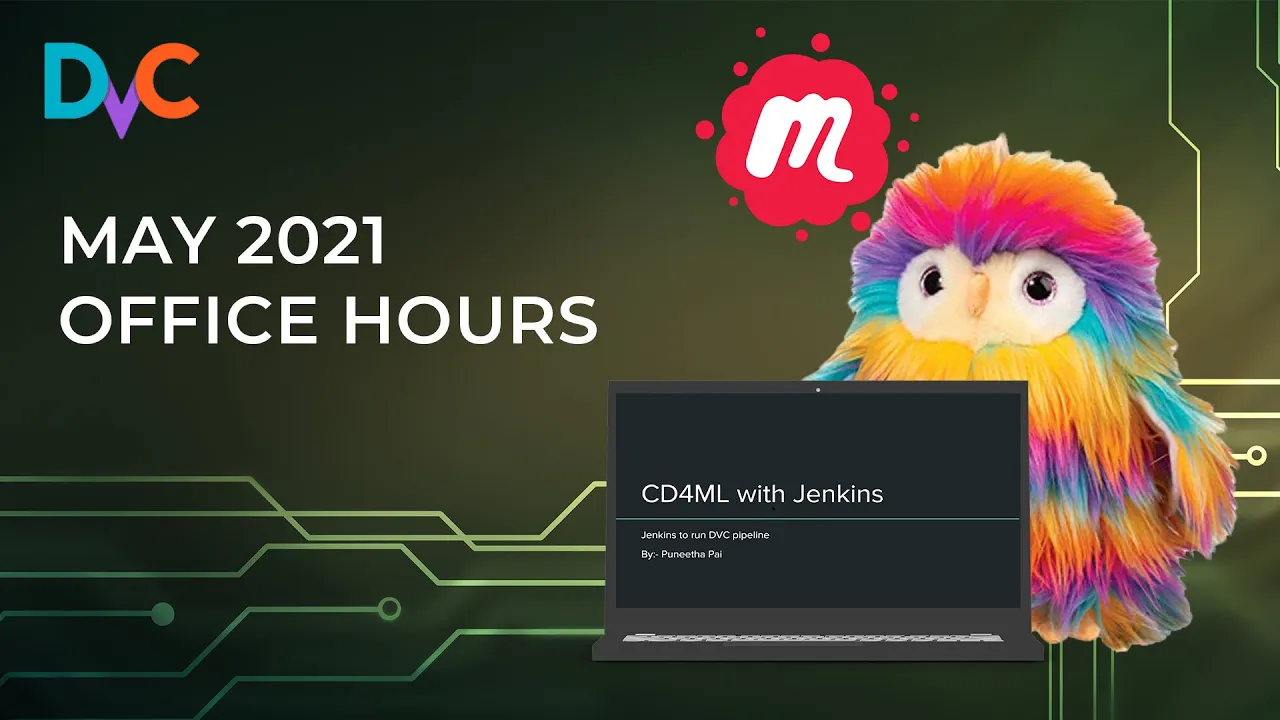
May 2021 Office Hours Meetup - Community DVC Use Cases and New CML Pull Request Features
273
The UK Hydrographic Office demonstrates enterprise ML operations using DVC and CML for processing hundreds of gigabytes to terabytes of noisy marine sensor data. Before DVC, data preparation took 10-15 hours with manual server transfers between on-premise systems. DVC synchronizes data across environments and provides reproducibility for managing multiple model candidates with numerous experiment branches. CML enables automated GPU training by allowing local experiment design, GitHub code pushes, and AWS GPU runner creation. Results are saved via DVC to S3 and returned as metrics in Pull Requests. Teams transition from branch-per-model architectures to monorepos with subdirectories, using DVC's monorepo support for shared components. Key challenges include maintaining git hooks in subrepos, persisting model directories iteratively, and determining what constitutes an experiment versus local iteration.
Click to watch →

Cisco Modeling Labs (CML) – Full Setup, SD-WAN and other Nodes & Storage Fixes!
3.3K
Deploying CML involves creating a virtual machine using the OVA package. Users name the VM, select storage location, and configure network settings (typically DHCP for automatic IP assignment). The hypervisor reads default configurations from the OVA file and automatically sets up the VM. After deployment, CML boots and requires initial configuration through a wizard. Users must select network type (DHCP), configure system administrator credentials, and set up the CML controller username and password. The system applies all settings before allowing access to the CML GUI. This process prepares CML for network simulation operations.
Click to watch →

CML Personal Edition | Simula CCNA/CCNP este 2025
1.7K
CML installation requires VMware Workstation Pro and two files: a .ova file and a reference platform ISO. After importing the .ova, configure the VM with at least 4 CPUs, 24+ GB RAM (recommended 28 GB), and 150-180 GB disk. Set network adapter to Bridged mode with 'Connect at Power On'. The installation process involves accepting the license, setting admin credentials, and copying reference platform images from the ISO to the VM disk. The system assigns an IP address (e.g., 10.10.10.59) for dashboard access via HTTPS.
Click to watch →
Continuous Integration for Machine Learning - Elle O'Brien
477
Continuous Integration (CI) practices from DevOps can be adapted for Machine Learning projects by extending CI systems to version data like code using tools like DVC, allocate cloud resources for model training, and provide feedback through metric reports in pull requests using libraries like CML (Continuous Machine Learning). This approach addresses the unique challenges of ML workflows where data changes significantly impact model outcomes, requiring specialized handling of large datasets, hardware allocation, and multi-metric evaluation beyond simple pass/fail tests.
Click to watch →
Deep Dive
Experiment Tracking and Metrics Visualization: Utilizing DVC's native metrics, plots, and experiment management features to compare different pipeline runs and hyperparameter choices.
![[DLOps] Trackeando entrenamientos](https://i.ytimg.com/vi/2oDddHFkybQ/maxresdefault.jpg)
[DLOps] Trackeando entrenamientos
9.7K
This section covers the complete workflow for tracking and comparing deep learning experiments. PyTorch Lightning automatically integrates with TensorBoard for real-time visualization of training metrics. Configuration files enable automatic logging of all metrics in the required format. Each experiment run is saved as a new version, allowing side-by-side comparison of different models. Alternative logging methods include CSV files, which can be read with pandas for custom analysis. The lightning_logs folder stores all training data during the training process, enabling continuous monitoring and comparison of model performance across different training runs.
Click to watch →
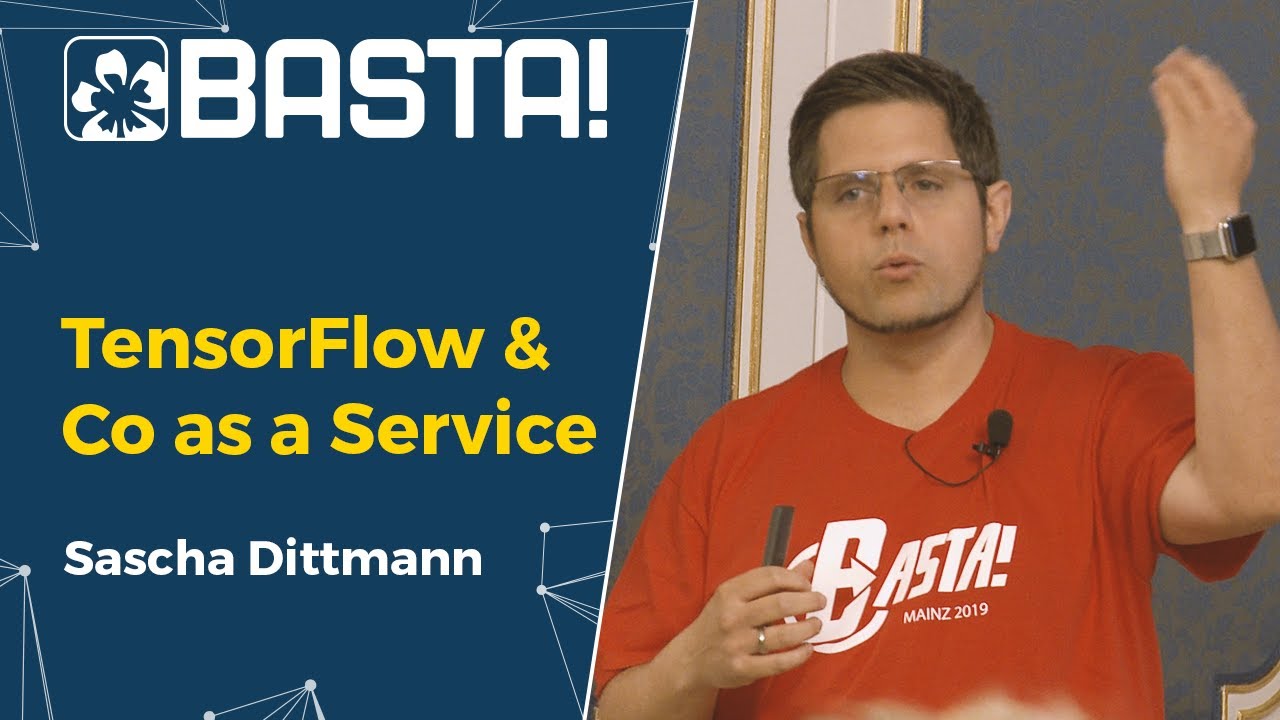
TensorFlow & Co as a Service | Sascha Dittmann
260
Experiment tracking systems record and visualize the results of machine learning experiments, including model performance metrics, training curves, and hyperparameter configurations. These systems enable data scientists to compare different experiments, identify successful configurations, and document the development process. Visualization tools help communicate results to stakeholders and support decision-making about model selection and deployment.
Click to watch →

Deep Learning at Scale with Apache Spark and Determined
691
Determined provides comprehensive experiment tracking and visualization capabilities. The platform tracks data versions, model configurations, hyperparameter settings, training checkpoints, and evaluation metrics. Visualization tools like TensorBoard integration allow analysis of per-class validation metrics to diagnose model performance issues. In the demo, TensorBoard revealed that the 'dog' class had significantly lower accuracy (0.35-0.45 mAP) compared to other classes, indicating a data imbalance problem where the training dataset contained only 50 dog images compared to thousands of people images.
Click to watch →

Введение в глубокое обучение 3. Цикл обучения в PyTorch
310
Experiment tracking enables easy comparison of multiple runs through visualization tools. The instructor explains that tracking systems can plot metrics from different runs on the same graph, calculate statistics, and highlight significant differences. The session covers tagging runs with labels for organization, smoothing metrics to identify trends, and customizing visualization options. The instructor emphasizes that comparison tools save time and reduce errors in manual analysis, enabling researchers to quickly identify which configurations perform best.
Click to watch →

Exam Prep | Run Experiments & Train Machines Learning Models | DP-100 | K21Academy
466
After model training, all information is captured in log files using the Machine Learning Flow Logger. Logs record metrics, experiment names, run IDs, and tracking information for error diagnosis and performance tracking. Metrics are accessed via run.get_metrics() or through the workspace experiments section. For visualizations like box plots (used to detect outliers and anomalies), the log_image() method renders plots as images. This systematic logging enables comprehensive experiment tracking and analysis.
Click to watch →
Deep Dive
Model Registry and Deployment: Transitioning from versioned pipeline artifacts to registering models and serving them in production using containerization (Docker) and web frameworks.

MLflow Crash Course - Model Registry and Model Deployment
11.7K
MLflow's Model Registry is a centralized system for managing machine learning models through versioning and stage transitions (None, Staging, Production, Archived), enabling organizations to track model lineage and ensure consistent deployment across environments. Models can be logged and registered using mlflow.log_model() or mlflow.register_model(), with model URIs following the format 'models:/{model_name}/{version}'. Deployment options include serving models locally via mlflow model serve, deploying to Amazon SageMaker using mlflow sagemaker deploy, or creating flexible Docker images that can run on any cloud platform. The model registry supports both framework-specific models (Keras, PyTorch) and generic Python functions through mlflow.pyfunc.PythonModel wrappers, making it a versatile tool for the entire ML lifecycle from experiment tracking to production deployment.
Click to watch →
Deliver high-performance ML models faster with MLOps tools
21K
This section demonstrates the complete ML deployment pipeline from training to production. It covers registering models in SageMaker Model Registry, organizing models into package groups (e.g., 'credit card fraud detection'), and setting approval statuses (pending, approved, rejected). The workflow shows how best-performing hyperparameter configurations identified through parallel tuning can be registered as model packages. Model registration includes defining input/output content types, allowed instance types, and approval workflows requiring ML operations team review before production deployment. This integration creates a complete governance loop from model development through deployment-ready registration.
Click to watch →

🚀Hike Your Salary💰Become an MLOps Engineer 🤖 Ultimate Course With Full Demo Line By Line Explanation
727
Model registry is a centralized versioned storage for models, similar to Docker registry for containers. Register models using 'mlflow.register_model(run_id, name='model_name')' or through the UI. Models get version numbers (v1, v2) and can be tagged with metadata. Load models from registry using 'mlflow.sklearn.load_model(model_uri)' where URI follows 'models:/{model_name}/{version}'. Make predictions using the loaded model's predict method. This completes the MLOps workflow: data preparation, model training, experiment tracking, model validation, model registration, and deployment-ready prediction. The registry enables tracking different versions, managing deployments, and ensuring reproducibility.
Click to watch →

Introduction to Vertex AI Studio
110K
After starting the tuning job, you can monitor its status in the Google Cloud console. When the tuning job completes, you'll see the tuned model in the Vertex AI model registry. From there, you can deploy it to an endpoint for serving or further test it in Vertex AI Studio. This workflow enables deploying customized models to production environments.
Click to watch →

Introducing MLflow for End-to-End Machine Learning on Databricks
49.6K
This section covers model lifecycle management and production deployment. MLflow enables logging models along with hyperparameters, metrics, and artifacts like SHAP explanations. The Model Registry provides a central place for tracking model versions and their lifecycle states, tracking which version is currently in production, which is a staging candidate, and who is authorized to move models between states. Before promotion, models typically undergo validation through automated tests or manual review. SHAP (Shapley Additive Explanations) provides model interpretability by showing which features most influenced each prediction, identifying top features affecting predictions, and revealing how feature effects change over time or across different groups. Moving models to production is challenging because development environments differ significantly from production systems. MLflow addresses this by providing standardized ways to export models for production use, including as Spark UDFs for batch and streaming processing.
Click to watch →
Tuning
Tuning
6:28- 1
Adjust model parameter train.n_est for optimization.
- 2
Focus on setting the number of estimators.
- 3
Apply the adjustment to improve performance.
The Overhead of Git-Centric Data Versioning and the Shift to Unified Orchestrators
While DVC is highly regarded for bringing Git-like versioning to machine learning, critics argue that its Git-centric approach introduces significant operational overhead. Managing a dual state—where code is tracked in Git, data metadata in local .dvc files, and actual artifacts in remote storage—can lead to synchronization conflicts, a steep learning curve, and fragile pipelines in collaborative environments. As ML operations scale, decoupling pipeline orchestration from data tracking often becomes cumbersome. Opposing viewpoints suggest using unified orchestrators (such as Flyte, Prefect, or Dagster) or storage-level versioning engines (like lakeFS or Delta Lake). These alternatives manage data lineage, execution, and reproducibility natively within the platform or data lake itself. This eliminates the need to manually coordinate Git with external data pointers, offering a more robust and scalable developer experience for complex workflows.
Basic Git and Version Control: Understanding repositories, commits, and branching, as DVC operates on top of Git to track data and code together.
Fundamentals of Machine Learning Workflows: Conceptual knowledge of standard ML pipeline stages, including data ingestion, preprocessing, model training, and evaluation.
Command Line Interface (CLI) Basics: Comfort with executing shell commands, navigating directories, and running scripts from the terminal.
Python Programming and Scripting: Ability to write and read modular Python scripts that perform machine learning tasks (e.g., using pandas and scikit-learn).
DVC Remote Storage Integration: Learning how to configure and push/pull tracked datasets and models to cloud storage providers like AWS S3, Google Cloud Storage, or Azure Blob.
Continuous Machine Learning (CML): Integrating DVC pipelines into CI/CD platforms (such as GitHub Actions) to automate model training and report generation on code changes.
Experiment Tracking and Metrics Visualization: Utilizing DVC's native metrics, plots, and experiment management features to compare different pipeline runs and hyperparameter choices.
Model Registry and Deployment: Transitioning from versioned pipeline artifacts to registering models and serving them in production using containerization (Docker) and web frameworks.
24.6K views402likes10:03@dvcorg8370Original Release: 2020-11-24
Please adjust to train.n_est
Up Next

42:19
Testing Machine Learning Models with pytest: A Complete Guide
@JoinIdeasOrg
1.1K views•2019-08-03

12:54
Triumph of Orthodoxy Icon: Byzantine Art & History Explained
@BenCallan
2.1K views•2024-08-06

9:49
FastAPI vs Flask vs Django: Choosing the Right Python Web Framework
@TechWithTim
302.5K views•2024-05-26

1:42
Game of Thrones Opening Credits: A Cinematic Analysis
@gameofthrones
46.3M views•2011-04-18
Related Study Plans & Knowledge Roadmaps
Structured learning paths in General & Interdisciplinary Studies
general-studies
Elevator Engineering: History, Physics & Cities
01From Hoists to Safety Brakes: The Dawn of Vertical Lift
02Hydraulic vs. Traction: The Engineering Physics of Elevators
03Modern Speed, Safety, and Algorithms
+ 2 more learning modules
12h5 modules
Explore Roadmap
general-studies
Rubber: Material Science, History & Geopolitics
01Origins of Natural Rubber & Mesoamerican History
02The Chemistry of Natural Rubber & Vulcanization
03The Geopolitics of the Rubber Boom & Colonization
+ 2 more learning modules
12h5 modules
Explore Roadmap
general-studies
Containerization: Evolution, Logistics & Trade
01Ancient Trade & Bulk Cargo: Amphorae to Barrels
02The Industrial Revolution & Cardboard Packaging
03The Containerization Revolution: Malcom McLean
+ 2 more learning modules
12h5 modules
Explore Roadmap
general-studies
Textile Tech: Evolution, Labor & Global Impact
01Pre-Industrial Textiles: Handloom & Cottage Industry
02Mechanization: The Spinning Jenny to the Power Loom
03The Factory System & Global Labor Transformation
+ 2 more learning modules
10h5 modules
Explore Roadmap