

![FastAPI полный курс от А до Я | Часть 1 [Junior]](https://i.ytimg.com/vi/WLch1agbg1s/maxresdefault.jpg)



















Alembic is a database migration tool that manages schema changes over time by generating migration scripts from SQLAlchemy models; it uses autogenerate to detect schema differences between the current database state and model definitions, then creates upgrade/downgrade scripts that can be applied using commands like 'alembic upgrade' or 'alembic downgrade', with configuration options to handle database-specific issues like SQLite's batch alter table requirements.
FastAPI Database Migrations with Alembic and SQLAlchemy
Added:Basic understanding of the FastAPI framework, including routing, dependencies, and application setup.
Fundamental knowledge of Relational Database Management Systems (RDBMS) and SQL concepts such as tables, schemas, and primary/foreign keys.
Familiarity with Object-Relational Mapping (ORM) concepts, specifically defining database models and relationships using SQLAlchemy.
An understanding of why database migrations are necessary to manage schema changes over time without data loss.
Implementing database migrations in a production environment with PostgreSQL or MySQL, highlighting differences from SQLite's file-based system.
Integrating Alembic migrations into CI/CD pipelines to automate database schema updates safely during application deployment.
Writing custom data migrations (as opposed to structural schema migrations) to transform, seed, or clean existing database records.
Handling complex migration scenarios such as resolving conflicting migration branches in collaborative team environments.
359 views4likes11:47Original Release: 2024-01-09
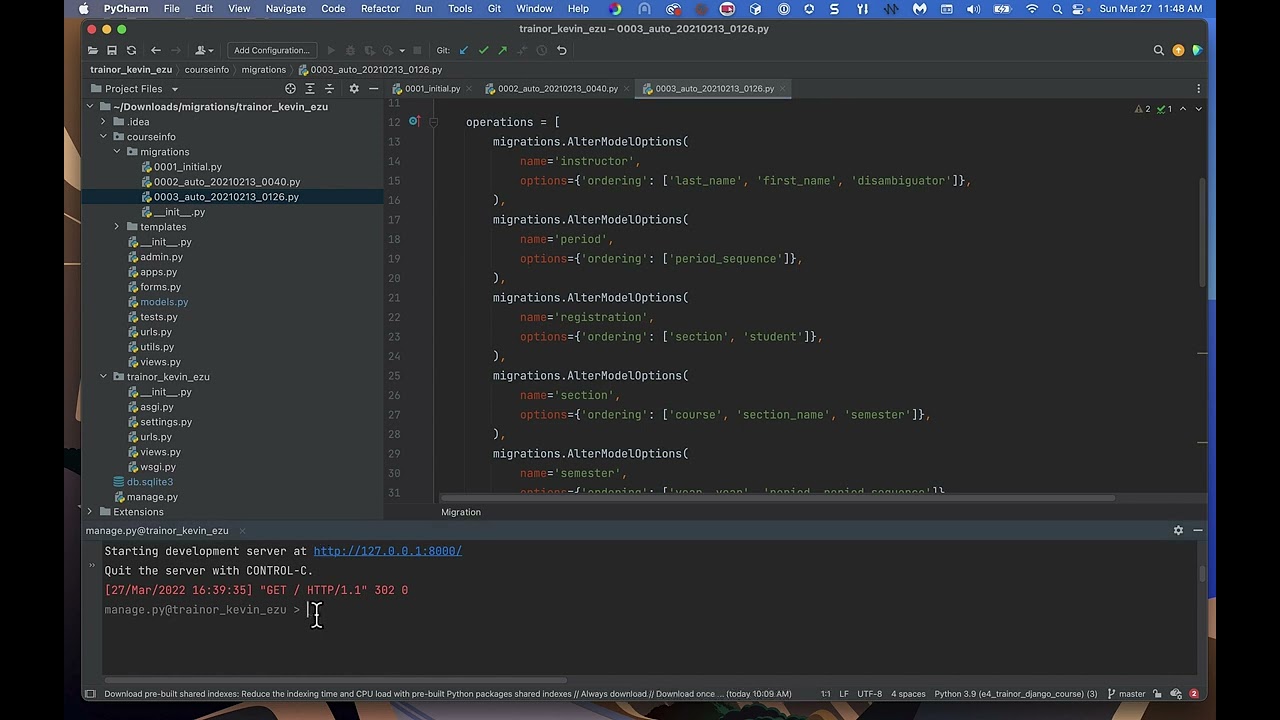
now we'll add DB migration support using alumic and SQL Alchemy let's check DB manager. Pi our database module so we are creating the tables explicitly here so first install almic python module install almic let's just see if it's working we have access to it so now we'll see that we just have test. DB available as of now so so let's do alic inet migrations this should create an al.
file and a migrations directory L.I manages the configurations for it the CQ database URL and other bits and the migration directory has an n.p which actually manages the running of the migrations generation of them uh and the versions directory that it has would be where the generated migrations will be saved so let's first check lm. it has a SQL el. URL since we are using sqlite here uh but the thing is we shouldn't put in the actual DB path here but use it from our config module so we can change it with the N file so let's import this moduel into our n.p that's in migrations directory so from L.C config import settings settings is what we are making available in our config.py and Via settings we have access to CQB path variable and now we can overwrite the al. value that is there using config do setman options that available to us using context. config so config do setman options uh the name of the variable comma the value so let's pull in the name of the variable that's c.
URL let's place it in here this should overwrite our value for L URL from config.py which we can make it use NV file now what we need to do is we need access to the metadata of our SEC base so let's import base from there uh and this metadata actually lets our alic know how to generate the new migrations so pleas b. metadata and this targeted metadata gets passed to the online and offline migration generators so now that we already have a C.M file and not don't have a dev. DP file as of now so let's generate autogenerate the first migrations for this test so LM revision Hy app and autogen rate as you see a file named 1 F4 and it has a def upgrade and the downgrade which has a create table users and the downgrade has drop tables so since we still don't have a dev.
DV we can make use of our chat EnV file envirment variable pass it the in file that we have and apply the migration using alumic so Char file isal to present working directory slm alumic upgrade let's see what all it allows us to do so we can pass it the revisions which can be had or the direct reion of the file H SQL let say just dump SQL of what it will be applying when we remove hql it will actually apply it now we should have the table created in dev. DB let's just do a quick check so we have a users table and we have an alic version table which actually stores the current version that has been applied from the migration as you'll see it's the same now moving forward let's make a change so let's add an email field we'll just tweak the size of it let's keep the other bits because we'll see some more issues with that so alumic revision I auto generate as before should generate new migration for the field but oh I need to pass the chat in file so it has access to the dev. DP that it applied onto the earli Migration app now let's check this migration file that got created as you see it has an add column and a create unique constraint now when we try to apply it we see there's a issue the thing is this issue is for sqlite specific if you're not using sqlite you shouldn't be seeing this issue uh so the documentation tells us that if we have a migration with alter statements we'll have to use batch alter table strategy let's copy it from here we'll open the migrations file so what what we can do is we can either directly apply it here make the changes like this at the web width block but the thing is we won't be doing it like this this just to show that one of the way of doing it let's just finish so this is what it would look if we were making change here uh what we can do is directly we can open the pi and in the Run migrations offline and online for the context configure uh we can add a render as patch equal to True BM and this should help us with auto generation in the batch mode itself so let's save it let's clean the older migration that was there and let's to generate it again now let's check the new autogenerated file uh yeah as you see we have the batch Al the table block already applied in this now we'll see another issue that comes with site and alumic and solve it so when you're doing the batch mod it won't give the SQL bit you can still try to apply it but the thing is since our migration had a constraint with this particular patch block uh we have to explicitly provide it with a constant name so let's Define a constant name for The Unique email and we'll use this variable and our create uni constant and drop constant as well otherwise the downgrade will fail let me fix this I already completed with the value not the variable name the SQL output still not working but the apply is so we can check again with SQL light we have the new constraint available here we have the email field added as well now let's do one other thing we'll try a downgrade so for that let's add a new table itself we'll just rename it to reward as we'll be deleting it later on let's use to re this the table name as well clean it up just have ID field let's autogenerate a new migration for us let's just check what it has it should have a create table and field yep so let's apply it upgrade head to get the latest migration applied now we'll see what tables are available here we have the two table now schema of it should match what we wanted as well nice uh now we see that the miction has a upgrade from 3685 to 8297 let's just make it sure we using alumic version so now what we need to do is since we want to go back to 36 5D we can simply do our Nile environment variable Al downg grd and the revision so 3685 no errors in the log let's make it sure that we have the right version 36 5 shown in the limic version make sure we don't don't have the rendant table yep so the two reward table has been dropped and that's a downgrade feature now let's clean up doesn't delete the downgraded migration as it shouldn't SC it up from the code as well and now since we have migration we don't need to explicitly create the tables from our app code so let's delete the create all from TB class get TB more later
Up Next
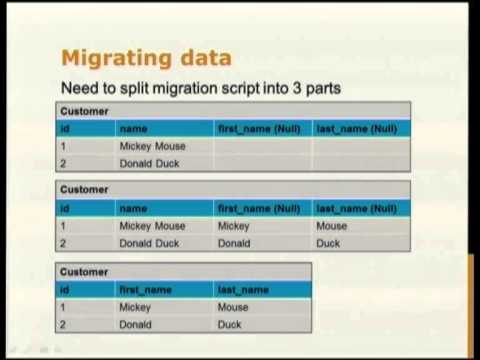
25:33
Database Schema Migrations with Alembic: A Practical Guide
@PythonNewZealand
15.4K views•2015-09-09

87:26
Introduction to Secure Multiparty Computation with Yehuda Lindell
@fhe_org
7.7K views•2021-02-04

4:55
HTTP Requests Explained: GET, POST, PUT, DELETE
@codecademy
103.1K views•2021-10-07

19:25
Enigma Machine Mechanics: WWII Encryption Explained
@JaredOwen
13.2M views•2021-12-11
Related Study Plans & Knowledge Roadmaps
Structured learning paths in Computer Science
computer-science
Container Runtimes: Namespaces, Cgroups & Go
01Linux Systems & Go Programming Foundations
02The Core of Isolation: Chroot and Filesystems
03Linux Namespaces: Process Isolation
+ 3 more learning modules
32h6 modules
Explore Roadmap
computer-science
Building a CHIP-8 Emulator: Rust & CPU Basics
01Computer Architecture Foundations (Bits & Bytes)
02Rust Programming for Systems Development
03CHIP-8 Virtual Hardware Specifications
+ 2 more learning modules
32h5 modules
Explore Roadmap
computer-science
Building BitTorrent: Go, P2P & Concurrency
01Go Fundamentals & Concurrency
02Networking Foundations & P2P Architecture
03Bencode Parsing & Torrent Metadata
+ 3 more learning modules
26h6 modules
Explore Roadmap
computer-science
Actor Models (C++ Concurrency & Lock-Free)
01C++ Multi-Threading Foundations
02Thread Pools and Task Scheduling
03Atomics and Lock-Free Queue Design
+ 3 more learning modules
45h6 modules
Explore Roadmap