









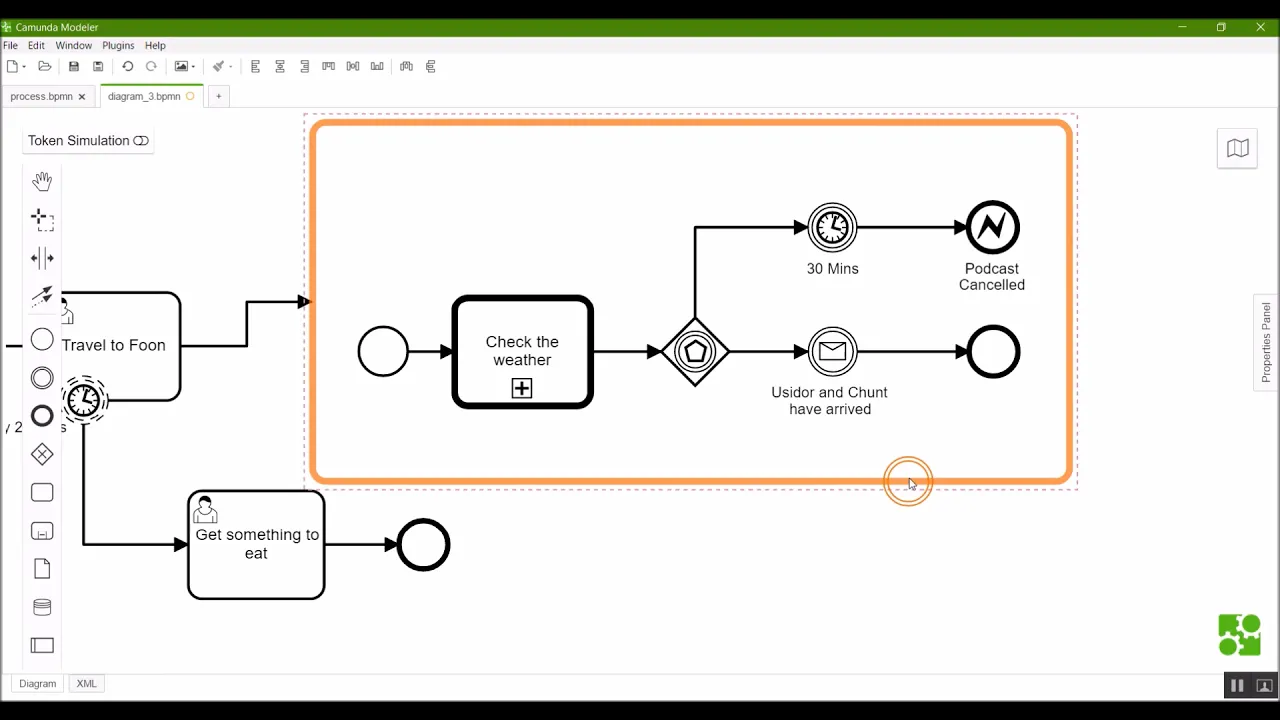

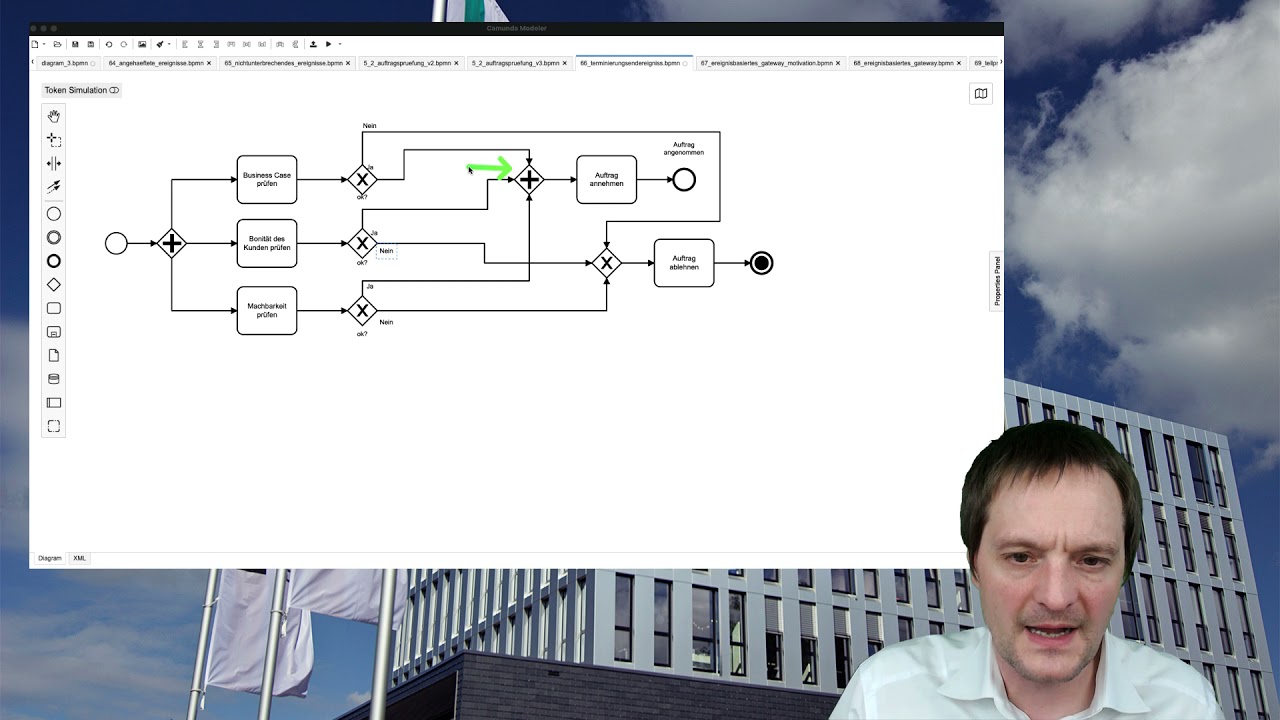
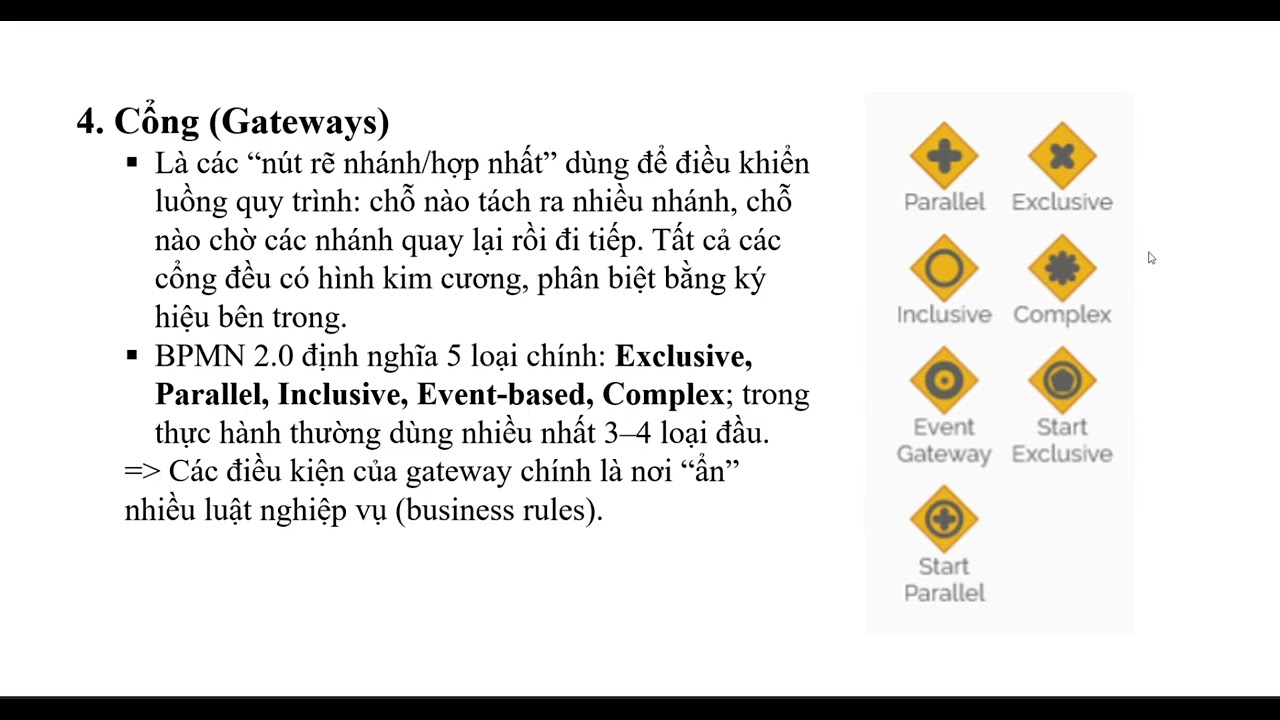

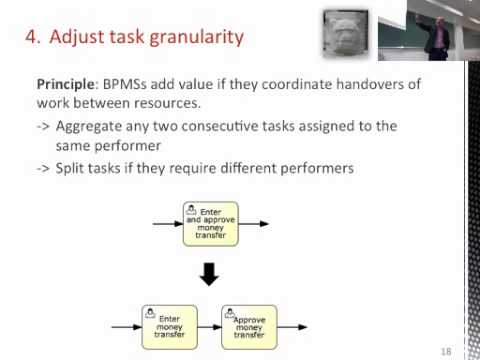




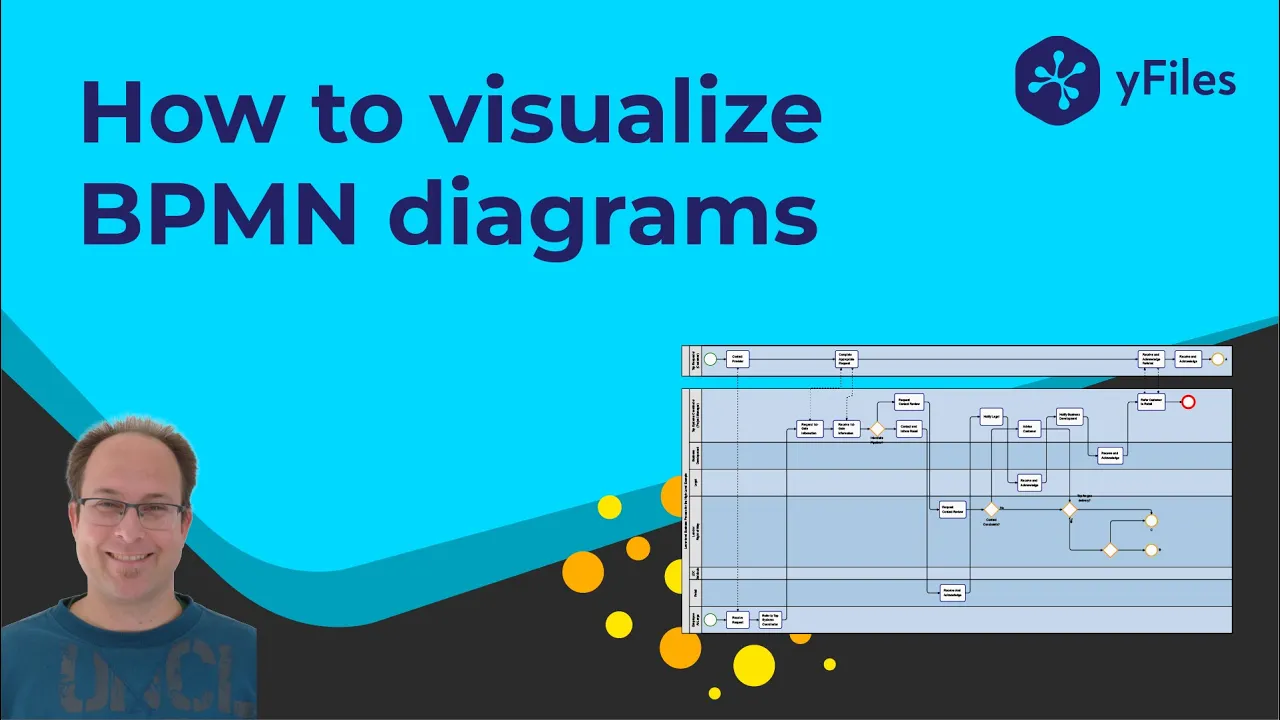

BPMN 2.0 (Business Process Model and Notation) is a standardized notation developed by the Object Management Group to provide a universal language for mapping business processes, enabling collaboration between business users and IT professionals; the three fundamental elements of BPMN are Events (indicating occurrences like start, intermediate, or end points), Activities/Tasks (representing work performed by humans or systems), and Gateways (controlling process flow through exclusive, parallel, inclusive, or event-based routing), which together enable modeling of any business process complexity from simple linear workflows to complex conditional and parallel execution paths.
BPMN 2.0 Notation: A Comprehensive Process Mapping Tutorial
Added:Fundamental concepts of Business Process Management (BPM) and the general lifecycle of business processes.
Basic understanding of traditional flowcharts and standard diagramming symbols (e.g., decisions, actions, start and end points).
An appreciation of organizational structures, functional roles, and how different departments collaborate within a workflow.
The core objectives of process mapping, such as identifying organizational inefficiencies, standardizing procedures, and preparing for automation.
Advanced BPMN 2.0 constructs, including boundary events, multi-instance activities, transaction sub-processes, and complex gateways.
Methods for translating conceptual BPMN diagrams into executable digital workflows within a Business Process Management Suite (BPMS).
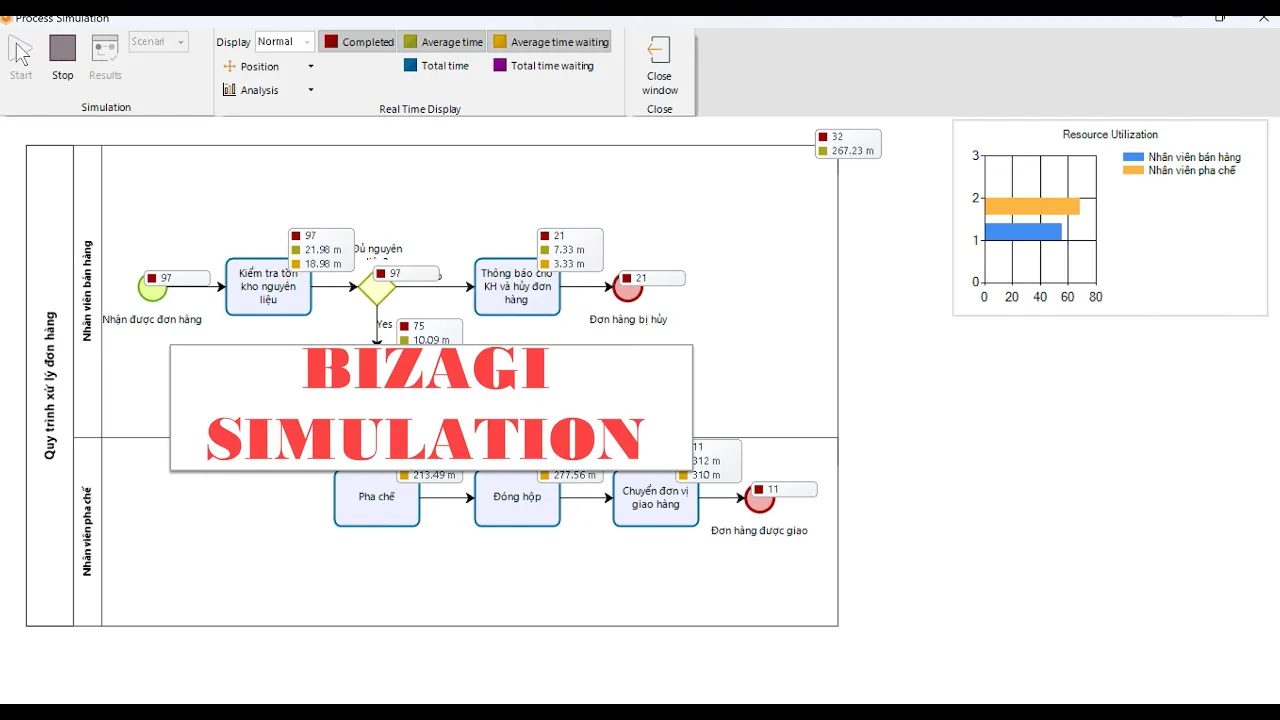
Process simulation and quantitative analysis techniques to detect bottlenecks and optimize modeled business workflows.
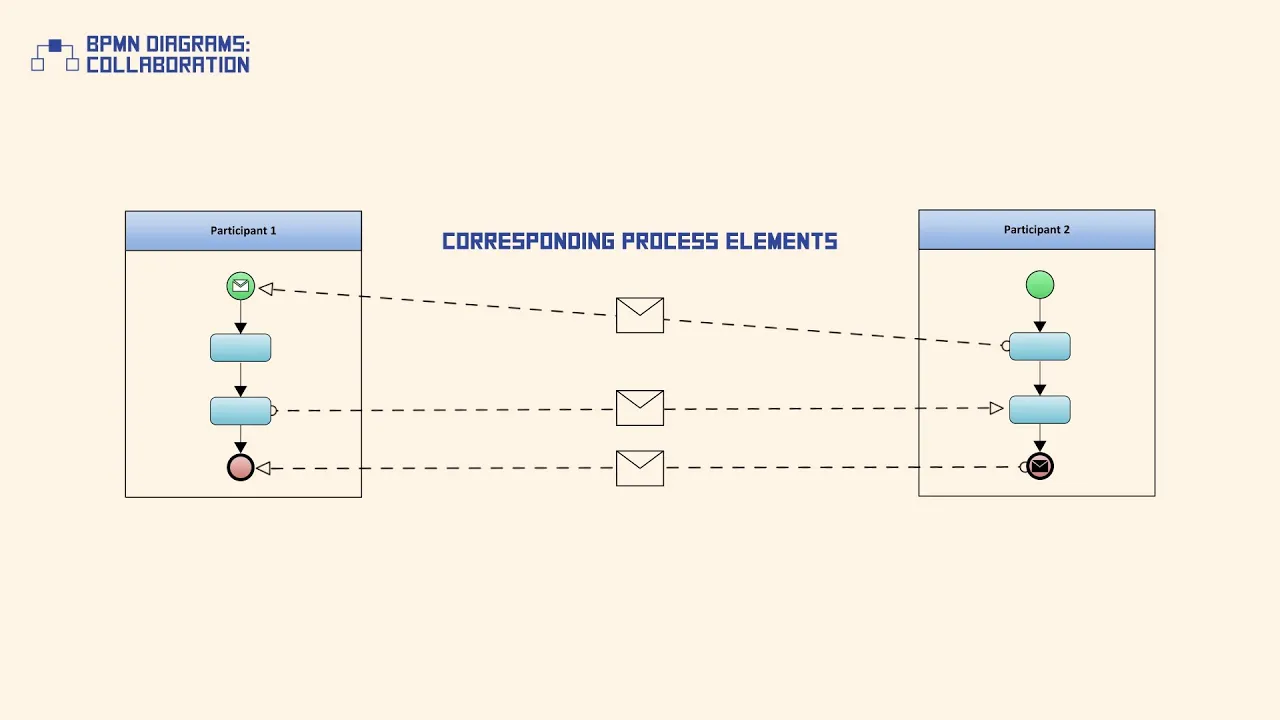
The use of BPMN collaboration and choreography diagrams to model complex, multi-party interactions between separate organizations or IT systems.
166.1K views1.3Klikes1:56:38Original Release: 2020-07-14
okay welcome everybody thank you for taking the time to attend this short course I truly hope all of you are doing well during these times I hope that everybody can see my screen and hear me well if you have any issues if you have any questions or comments during the presentation and you know that you can always interrupt me send me a message using the zoom interface so without further ado we're ready to get started here you know that today we're going to be talking about VBA mentor you're about to learn everything you need to know to successfully map your business processes with pba mentor even though it may seem like a hassle at first to learn an entire notation just map approaches after these circles you'll have tools for life to help companies map out any business process besides we're going to break it down to make process design with BPMN tool easy and fun okay so let me go to the next slide before we get started just mentioned that this training webinar is brought to you by process maker my name is Giovanni Lopez I'm training manager at process maker and today we're gonna be using the process maker BPA Mentor compliant process modeler process makers award-winning local business process management software makes it easy to rapidly design and deploy automated workflows to the labor truth Digital agility to your organization to find more information about this amazing solution you can always visit us process maker com so let's start with the basics here what our business processes and why your business needs to understand a business process is a series of repeatable steps taken by a team or company to achieve some sort of a business goal as you can see on your screen it can be related to managing the library's assembling product onboarding employees etc the key aspect of a business process is repeatability a process is not a one-time thing for example let's consider the hiring process of an HR department maybe that's a more common scenario for you although this cambrai from organization to organization and you can imagine that a simple workflow for hiring a new employee in your organization my include steps like the HR executive posts the job update multiple candidates apply in a portal then the HR executive screens the candidates and filters the best fit then the selected candidates are called for the next stages of the recruitment the right candidate is chosen at the last stage of the recruitment process and maybe we will also need to consider solarium policy negotiations and finally to generate an offer letter for the candidate to accept right now if you can notice what I'm doing here I'm just taking the documentation and the knowledge that I have about the process that is currently working in my organization and I'm just making a list of the tasks that need to be completed in order to successfully complete this process right also notice that every step here is structure and repeatable no matter how many employees you hire you'll have to go through the exact same steps this process although it seems simple actually involves some rather complex process design concepts that we're going to be today just to summarize everything here the main benefit of business processes is that they streamline your business now that we have the concept of a business process clear it's time to talk about B be a mentor be a mentor is a notation standard developed by the oMG group the object management group to standardize the way that business process are mapped just to provide you with some historical background in the eighties businesses used flowcharts that included symbols that were unique from company to company or even from person to person you can imagine that this resulted in confusion where an outside parties try to make sense of process maps that contained elements completely foreign to them so in order to ensure that process maps were mutually understandable by all stakeholders bpmn was developed with BPMN all elements only need to be learned once to read any process map that uses this standard notation BPMN has been evolving over the years of course to adapt to changes in technology and to expand to include elements that peaked workflows from any industry it is also usable by both IT and business users so process models can be automated by IT without changing the model design it by business users this makes BPMN the best tool for workflow design for any business process now why you should be using BPMN tool to map out your processes one of the biggest benefits of implementing BPMN is the fact that it has been designed based on the collaboration of end-users vendors academic institutions and government agencies this means that only one notation needs to be used to map any type of process from any industry consultants and business analysts can move from company to company and Industry to industry without needing to learn a different notation therefore the processes map of mapping is sped up as no effort is needed to learn another notation when mapping a process from another department or different vertical because BPMN is so universal it gives processes stakeholders a common language in which to describe and map workflows no longer our process models only intelligible to the person who designed them now everybody can vote model and analyze processes with clarity even though there is a learning curve at the beginning once everyone masters became in they can use it to understand any process just to wrap up this concept another benefit of BPMN is that it comes with an XML schema business users and management can design processes that can be replicated by IT without changing any part of the model this way no process gets lost in translation as it goes from paper to platform the payment tool is also used by many workflow tools and process designers so processes only need to be designed in one platform and empowerment imported into another even though BPM n2o offers an extensive library of process symbols only three are needed to have a basic understanding of any process mapped with BPMN tool on the next slide we'll see what those three elements are these are the three basic symbols that you need to know to be able to map and understand most processes you have events gateways and tasks while BPMN tour contains hundreds of symbols they are all based off of these three elements therefore even if you don't know what a specific symbols represent you have a general year of its role within the process so let's take a closer look at each of these symbols events indicate something that happens during the course of the process usually events have a cause and out reaction there are three main types of events that we're going to be covering today of course start advanced intermediate events and end event start events always start a process for example you can use timer study bands to start a process at designated dates or intervals intermediate events indicate something that happens during the course of a process using intermediate email events for example you can send an email at a particular point of the process and finally end event indicate the end of a process of course as sign I'll end event for example indicates that the end of the current process triggers the start of another process as you can guess there are many types of events but all you need to know are the three main types stardom and intermediate events and end events once you know this the other types are easy to understand activities or tasks they represent work that accompany performs if you remember in order to describe the employee hiring process that I mentioned a moment ago I made a list of tasks that needed to be completed right now task is how we refer to this symbol in our process designer tasks are the most important element on a process map the work that a task represents might be taking items off of a shelf filling out the form and action performed through a connection to an external service a script set to go off at a certain point in the process and any and many more types of actions generally a task is performed by one person in the process but it can also be assigned to more than one person or a group of people there are many types of tasks but tasks always mean that some sort of action is performed at a point in the process whether it be by a human or a program finally we are going to be talking about gateways you can consider the main four types of gateways here exclusive gateways inclusive gateways parallel gateways and finally event based gateways today we're going to be building some examples using all of these types goodway's are like a fork in the road they separate the process into multiple branches and how the process continues down the branches is determined by the type of gateway we have exclusive gateways here I personally consider it the most important gateway type which routes their request down a certain pathway or pathways based on safe conditions in the example that you can see on your screen we router in a purchase request down three potential pathways based on the amount of the purchase the request will be routed down the top pathway to the direct to the direct supervisor if the total of the porches is less than 500 right if the purchase is greater than 500 then it goes to the degree director if the approaches is greater than a thousand then the request is routed to both the director and the CFO as you can see we first consider which conditions are met before routing the request down the correct path ways then we have parallel gateways and these are different from exclusive gateways in one may way they have no conditions parallel gateways route the request down multiple pathways at the same time there are two types of parallel gateways diverging and converging diverging parallel gateways separate the flow into multiple pathways and converging parallel gateways are where those pathways it this way even if one branch is completed before the others the request is forced to wait until all branches are complete at the converging parallel gateway before the request is routed further along the flow you can see those two types here in this example in we can mention event-based gateways this type of gateways is the most unique a been typed due to the fact that they technically technically route to both flows at once but continue the flow along the path depending on which event completes first for this reason this gateway is often referred as the race gateway it is basically a race between the two alternative events in the example on this slide the event based gateway is waiting for either the intermediate timer event to complete first or for the intermediate message catch event to receive a message first if the amount of time said in the timer event passes before a message is received then the process is routed along the path of the intermediate timer event in summary the process is routed along both paths but only continues along the path of the event that occurs first that's the main definition that you need to bear in mind okay now we're gonna consider how to go from process analysis as with us we're doing right now to workflow modeling well design business processes set up your teams on the path to success everyone is clear on their roles and responsibilities and work with a clear vision towards the end goal the situations when companies hard/expensive consultants for designing business processes are fading away you don't want another person to create a business process for you when you are the expert that knows they in and out of your business right now let's see how we can take the idea and concept we have about a business process in our organization and translate it into a visual workflow easy to understand for all stakeholders you seen the basic elements we just described we're going to be using events activities and gateways and you're gonna see how easy is to take an idea of our process in then translate it into graphic workflow for this task we're going to use the process maker for process modeler you're about to see how business analyst and subject matter experts can build a process model using the BPM n2o compliant process model by simply dragging and dropping process elements onto the process map remember that after this presentation you're going to receive an email including all of the required information for you to gain access to this amazing modeler so let's get down to business here let me go to my process maker environment real quick there we go so the first thing that we're gonna be doing here is to create a couple of processes here in order to exemplify how you're going to be using the basic elements we just described you can see that I'm already in my process maker environment let me let me go fullscreen so maybe you can see it a little better okay so I was mentioning that we're going to create a new process here from the whole platform that process maker represents we'll just going to be using the process design let me just quickly create a new process here you see that all of the configuration that I need to do here is to name the process other brief description about it at the end of this presentation I'm gonna show you how important is to add this type of descriptions to the elements that you're going to create here because we're going to be generating documentation related to the processes that we're going to be designing today the first process that we're going to build here could be related maybe to a basic vendor of registration process so that's going to be the name from a process band or registration process there we are we're going to add a short description for it we can have something like allows vendors to submit a registration request to be included in the company's database there we are we can also add a category here you see that I even have a category for my personnel processes maybe we can add it to finance ok you can create as many categories you need here in process maker but just for this example let's use this category here you can also see that I'm able to upload that BPMN file whenever I'm creating a new process so if you're using an external modeler maybe an online BPM into a compliant modeler you can always take that bpmn file export that process and then import it in process maker in that way you're gonna have the design ready in process maker and you're gonna be able to apply the the amazing bpmn engine that process maker includes so let's create this process the first thing that we're going to be able to see here is the process modeler you're going to be able to see the tools that I'm going to use in order to map out our processes today and if you remember during the presentation we were talking about three main elements right and you can see them right here you have all types of events start bands intermediate events and end event you have tasks or activities and finally gateways and of course we have some additional elements that are going to help us make the process map a little more understandable for everybody things that you're going to be noticing here in this modeler is that we have some tools here to undo and redo design actions here you can swim in and zoom out we're gonna be able to hide the menus in order to have a little more space to work in and I'm gonna be showing you how to use the mini-map in order to focus on an a specific section of our work from okay so as I was telling you this is really easy to use you just need to drag and drop different elements here now if we get back to how we made the list of the tasks that need to be completed for for hiring a new employee we're going to be doing the same here we're going to think about that bender registration process and here we just need to consider that the steps that we need to complete in order to register a new bender maybe we can start with a very basic example here I'm gonna just start adding elements we're going to need an start event you can see how easy is to drag and drop different elements and we can consider their first task doing the first task maybe we can think of bender that's going to submit the end of registration form of course for that we can use a web form or different types of communication with the band right now you can notice that using this designer is really easy to configure any of these elements I don't need to look for the properties or maybe right-click on these elements looking for a menu you can always select any of these elements when you have all of the parameters related to them right here in the configuration panel so for example I would like to change the the label that I have for this activity then we can change it to submit registration form you there we are once the bandage that meets this form the next thing that's going to happen in this process is that may be an internal spur Weiser is going to be in charge of reviewing the information that we have in that form right so that's the next task that I'm going to have here there we are review registration form let me continue and finally we can think that we're going to update our paint or database right we're going to be including this bender as part of the database that we have for them perfect okay so as I was telling you is it's as easy as that we just need to make a list of the actions that we need to complete for this process let me just connect these different elements you can see that I have the sequence flow here in order to represent how the information is going to flow in this process that's it we already have a process here some best practices that we're going to be mentioning today and of course I'm going to show you our summary of then at the end for example check out the labels that I'm using for these tasks you need to always try to use verb noun format for them so you will always see tasks that are labeled as submit registration form or review registration form or update paint or database generate report okay but what I have done here as I was telling you was to just to list the tasks that I need to complete here now of course we need to consider different events that may happen during this process but this basic version of this process is called the happy pad and that's the first step whenever you're trying to automate a process is to first of all consider the happy path in which for example with considering that the registration form will always include all of the information that we need we're considering that the registration form will always be approved and that the database is going to be always updated at the end of this process of course this is not going to be true always right for example what if we need more information about this band what if the contact number that they are providing is not the correct number or what if they forgot to enter the email address which is our key point of contact with them so we need to consider those kind of scenarios and for that we're gonna be using a gateway if you remember the definition that we have for a gateway we're going to be able to enable different paths in this process depending on a set condition that's what we're going to do here but before we do that I would like to organize a little better this process right here and for that we're going to be using an additional bbm element which is the pool you have it right here a pool is used in a process map in order to limit all of the elements that are going to compose a process so maybe you're wondering why will we do subpool if we're already working in a single BPMN project right but you can imagine that I can add a second pool here in case I need two different processes interacting for this BPMN project so that's something that we're going to be covering as well maybe not today we're going to be covering in doing an advanced BPMN to all process modeling course that we're gonna have at the end of the month but I'm gonna be providing you more details about this AB and course later okay now you can see how I'm using the pool in order to comprise all of the elements that are related to the bender registration process and it also change the name that I have for this pool maybe just to paint a really straight okay something that we're going to be using here and I really want you to know this are they swimlanes that we're going to define for this poor these lanes are going to allow us to separate the tasks that are going and the elements that are going to compose this process in two different sections for example we can do lanes in order to represent who's in charge of completing the the different actions that we have here or maybe we can try to maybe we can try to define the different stages that we're going to have in this process so for example here I would like to separate the activities that are going to be performed by the band or the activities that are going to be performed by our internal supervisor and maybe we can also consider a database manager that's going to help us updating the bendure database right for that let me include a couple of swim links here you can see that I just need to click on this option right here during the first part of this process I'm gonna have all of the activities related to the bender okay we're starting to receive some questions here James is asking us this has been recording does this mean that there will be a copy available because I attended the seminar yeah of course we're going to be sending you a link for you to access the recorded version of this webinar okay so let me continue here I was showing you that we're going to be labeling this different swim lanes right so I'm going to include all activities assigned to the bender here here we're gonna have an lane for our internal supervisor finally we're gonna be working with our database manager okay let me just adjust the size that I have for these lanes a little bit perfect now we just need to start moving this element okay so you can see the first stage here here we're going to start the event where the bender is going to submit that registration form then an internal supervisor is going to reveal this form and finally we're going to have our database manager update the bender database okay now you can see how this is a little more understandable right okay what I was telling you a moment ago is that we need to consider the different events during this process so we're gonna start adding gateways here maybe we can add an exclusive gateway that's going to help us in case we need to look back this process to the vendor for example if we need more information about his company we're gonna be using this type of flow now let me also show you how easy is to change the connections points that we have for this you can see that I can play a little bit with the connection that I have for these two tasks right and let me remove this one since we're going to be working with a gateway right here now if you remember the Gateway types that I mentioned during the initial presentation we have all of them right here we can work with exclusive gateways inclusive gateways parallel gateways and finally event base gateways to give you more information about the exclusive gateway what we're going to do here is to set a group of conditionals logical conditions that are going to allow us or actually a low process maker to decide which path is going to be completed after this gateway track right here so let me connect this element and that's going to make it a little more understandable for you as well so you can see the different paths that I'm going to have here as I was telling you maybe we are going to need to look back the process to our band or for 10 to provide us with more information about their company right okay and finally maybe we can also consider the band where this band of registration is rejected there we are okay this is there we go okay so this looks a little better now then let me take the opportunity to mention another best practice that you have to always keep in mind whenever you remodel in a process you can see that here I have an exclusive gateway here we're gonna have three possible paths right we can reject the bender in case the reveals registration form is completed and the internal supervisor decides to reject this bender we can update our paint or data base in case this request is accepted now finally we can look back to the bender for them to provide us more information or maybe to to fix a detail in the registration form now our best practice here in order to fully understand how this gateway is going to work is to include text labels that are going to make graphic what's happening there what's the condition that these parts need to meet in order to be activated or to be completed for that we can select this element you can see that I can change the name right here and I'm just going to describe what is being evaluated here for example we can have something like approved since we're trying to check if this reviews registration form ended up with an approved request and if the answer to this question is yes there we go then we're going to update our vendor database if the answer to this question is no then we're going to end this process finally we will have this third pad in case more details are needed right okay so you can see that now this process is even more understandable you can share this process with a business analyst with an IT manager and everybody is going to be able to see what's going to happen in this process now another best practice here is to also label the end events in case you have more than one and what you're going to try to do here is to explain what's the final status of this request for example if the process reaches this ant event that means that the vendor was rejected there you go and if we reach this point of the process it means that the vendor has been already registered actually perfect okay in case you have also multiple start events which is possible as we're gonna see in other examples it is also a great idea to label this element so you can see where the request is coming from for example if you have different start point for requests that come from a webform that come from an email message or are manually included in the system by an internal supervisor as we're doing here then you're gonna want to label this kind of events as well okay so maybe we can have something like this Neil Ben door registration request okay okay this is kind of too close okay so um just to finish with this example you saw that the only thing that I had to do first was to create the happy path for this process right which was including all of the tasks that need to be completed for this specific process we can do that with more detail example maybe we're gonna start talking about the different types of events that we're going to be using here I mentioned during the initial presentation I told you that you can have different types of events different types of star demands intermediate events and finally and events we're gonna have different types of tasks and different types of gateways and you're gonna also notice that using these three types of elements we're going to be able to map out any process in our companies okay so let me save this process you can see how process maker even allows you to do some versioning here so this is going to be the initial version for this process you can also add some additional details here but for now we're just going to save it as it is okay you saw that it took like 15 minutes or less to to map out a complete process and now that we have that experience maybe we can build a little more complex example here what we can do here is to map out a purchase order process okay so that's going to be the name of this process we have to add a description here and we can have something to something like this process allows employees to submit request to purchase and ID there we are the category this could be also related to finance of course we should create a more specific category for these kind of processes something like warehouse or something like that and here we can create this process again we have an empty canvas here where we're going to be including elements that are going to compose this process and again well I'm going to do first is to consider all of the tasks that need to be completed for this process so we're going to be doing that over and over again actually I'm going to include a pool here which is going to be the first action that I'm going to complete here this pool is going to include all of the elements related to purchase order request there we go now I mentioned that we can use the swim lanes that we were using in order to exemplify the different actors that we're going to have in this process we can also use the swim lanes in order to separate the different stages in this process for example if we include a couple of swim lanes here let me just give a little more space to work with and I'm going to be including a second swim lane here there we are maybe we can consider three different stages in this process let me include another streamline here okay so why am i including these three lengths in this pool I'm going to consider three different stages that are going to take place during our purchase or their request you can you can imagine that the initial part of these requests is going to involve filling out our purchase or therefore right then we're going to need someone to approve this purchase order we need to choose a band or maybe notify this band or we need to generate a contract for this band or and finally we need to check the goods and pay the invoice right so those are the stages that we're going to have here as I was telling you it's as easy as start dragging and dropping different elements here we're gonna happen start a band you can see the different types of starred events that we have here since this is used in order to define the start of your process you can see that you're gonna have different options to start a process we have already used a regular star event in order to create a new registration vendor registration request you can see that you have start time events which are events that are going to allow you to automatically create a new request depending on our period of time or a specific date and hour so if you can see the configuration that we have here it's also related to timing control right for us since this course is totally focused on BPM in to all this is going to allow us to represent how this process is going to start so if you see in circle with a clock in it it means that it is an start timer event which is as I was telling you triggered by a specific date or a specific time interval you have a sinus star event which is going to be receiving a message from another process and you can see that you can also receive an specific message I'm going to be showing you also the difference between these two types of events in their advanced course that we're going to have but for now you can see that each of these elements is going to be represented in a different way right you can see that this one includes a triangle related to a sign now finally they made such start Bennet there you go so for example we can complete another process and send out a message to this specific process in order to start a purchase order request so as soon as will receive this message from another process we're going to start this process okay so for now let me just look at us a message event because we can assume that we're going to be receiving this message from another process now the next thing that we're going to do is going to be practically the same procedure that we have for the burned off registration process but here what we're trying to do is to start working with different types of element the first task that I need to be completed here it's going to be related to maybe filling the purchase order form right there we are that's going to be the first activity in this process and then what I need to happen here is that someone approve this request so for that I'm going to include another task here and I'm going to include this kind of label here a probe purchase order in the same way that we were using the Gateway during the end of registration process we're going to be also able to use an exclusive gateway right here which is going to again help us with the different scenarios that we could have here an approved request a rejected request maybe a different path that is needed in order to approve or reject the request and once this request is approved we can consider the last actions or the last activities that are going to take place here for example if this was already approved we're going to need to choose a bender so that's the task that I'm going to include here choose bender we need to notify this bender actually in order to notify the bender in a moment I'm gonna show you how we are going to be able to use an intermediate event but for now let's leave it as a task let me just get some more space here in order to add the last activities that I wanted to include here we're gonna have another activity in order to mmm generate the bender contract for example notice how I'm always using a verb and then a noun right in order to label this kind of activities okay and finally we are going to pay the invoice which should be the last activity in this process okay and dad's going to be the last activities oh I'm going to be able to include an end event right here perfect so let me just connect all of these elements so you can have a general idea of how this process is going to add there we are we're going to be using sequence flows to connect all of this you can see how easy is to just include different elements in this process map and then start working with the options that we had to manipulate how this process map is going to look ok we're going to notify the Pandora generate a panel contract and finally pay the invoice perfect so if will remove this gateway right here you can see that the first thing that we did here was to create the happy path right which includes all of the tasks that need to be completed of course as you start working with this kind of processes you're going to notice some improvements that can be done with them for example including more activities or maybe labeling the activities differently so you can represent the action that is being performed there a little better and those are the kind of changes that you do once you have this process running for a while but for now what I want to do here is to start using different types of elements here for example you can see that in this task right here we just need to notify the band but that should be done automatically by the system so we can change these to an intermediate event so what I'm going to do here is to delete this element and you're gonna see how I'm gonna be able to include an intermediate event here now let me show you this element in a more detailed way you can see the options that I have whenever I add an intermediate event the first type that comes by default with this element this element is intermediate time element so if you remember how we were user is start time events which were supposed or are supposed to automatically start the process based on a specific date or time interval well you're gonna have here is a timeout within your process so for example if we need to wait for like a day or two days or maybe awake before we generate the bender contract here is how we're gonna be able to set up that timeout right and of course in the name that we're gonna have here we're gonna try to describe the time that it's being used for this intermediate right the timeout duration now let's check out the other options that we have here we're again working with signals in messages so we're gonna be able to also send out a message and also to receive a message right so we can have all of these options right here maybe something that is more related to process maker but you're gonna be able to notice how useful it is is the send email task there we go so you can see that the icon that were using here is different here we have a user task you can see the user icon here of course you're going to be able to also use the different types of tasks just checking out the list that you have here you can have a user task or a form task where you're gonna have a user just filling out the form you can have a manual task which is going to be related to activities that are manually performed I mean outside of the system that you're using for this process an example for that will be for example to manually get in an item from the shelf you have a script task which is a task that is not going to be assigned to any user but this is just going to execute a piece of code right in the middle of your process in a moment I'm gonna be showing you also how to use this kind of tasks and finally the call action or the sub process this is going to allow us to call a different process than the one we're working with for example if I need to trigger another process right here I can always select this type of element in a moment we're going to be able to see an example related to this okay so you can see that here we're just going to send out a message of course as I as I was telling you this is going to be done automatically by the system that we are using so that's going to allow me to make this kind of process even more understandable so what we can do here is to also change the label that we have notify Beth perfect in order to generate a vendor contract maybe this can be also done by our system so what we're gonna have here is a script task there we go and let me just move this a little bit so you can see it a little better ok so you can see the two different types of actions that I'm using here here we're gonna have a user choosing the bender I can imagine that we're gonna be providing them with a list of pandora's in a form where they can and choose where they can choose from then we're going to notify the vendor you can see that this is an automatically completed task and finally we're going to be generating a vendor contract right even for that we're going to be just executing a piece of code in order to generate this contract finally someone is going to pay the poison for that we can have a menial task why am i using a manual task here this is not going to be done through the system we're going to actually pay for the invoice manually right and so you can see this little hand icon that represents that kind of activities in your processes so this example is really useful to see how the different types of actions are going to take place in your different processes part of the best practices is to always try to use this kind of task or this kind of differentiation between the different types of tasks that are going to compose your processes in order to make them more understandable okay before we continue talking about the different types of tasks that you're going to be using and the different types of events that are going to take place during your processes I would like to provide you more information about this element right here maybe something that we are forgetting to do here is to label this element of course as I was telling you this is very important maybe we can have something like we had for the bend of registration process right just trying to the fine was happening here he let me use the zoom tool that we have for this modeler here I'm just going to add no label there we go so as you can see this also took us like 15 minutes in order to create this process map what we're going to do now is to reveal the different types of gateways that you can use I'm gonna be creating another example here because I really want you to understand the logic that we have behind these gateway types I want you to make completely clear for you what are the scenarios when these types of gateways are used so let me save this process again we're going to save it as an initial version we're going to go to the process list in order to create a new process I'm okay we received a question from Joseph who's asking hello will I clear the nose from this webinar yes we're gonna be sharing with you the recorded version of this webinar and of course we're gonna be also including the the slide deck that I used for the introductory part okay so what's gonna be into the name of the process that we're gonna create here I'm just going to use a new process in order to exemplify the different types of gateways so maybe I can leave it as gateways example actually we can have a little more structure example here something like project evaluation process there we go for the description we can have something like eight ways example okay let me add this to my own personal category and we can create this process okay here I'm not going Clou the pool I just need you to understand how the different types of gateways work so let me quickly start adding different elements here just to give you an idea of the process that I'm trying to build here this is going to be a project evaluation process what's going to happen here is that we're going to receive a new project proposal here and depending on the type of project that we're going to be tackling we're going to have the different department managers to review this project proposal for that we're going to be using a gateway there we go maybe you can have three different options in order to review this project let me include those three different tasks here okay and finally once this project has been revealed maybe we can generate a final report and that's going to be the end of this process okay let me start labeling these activities the first thing that we're gonna do here is to submit the project pause okay here here what we're going to be evaluating here is the project type so we're going to have something like this if this process is related to the financial department we're going to be reviewing the financial details if this is going to be related to an HR project we'll have something live review HR details and you can imagine that I'm going to be assigning these activities or these tasks to the manager that I have in each of this department finally if this is related to sales maybe we can have something like review sales details okay let me change these to lowercase things will using that kind of format here and finally we're going to generate a final report okay so you can imagine that I'm gonna be working with this kind of work once we receive the project proposal we're going to be working with a different project type and this is going to depend on the information that we have in this proposal if we are working with a financial project we're gonna just select this pad right in order to review the financial details we're gonna do the same for HR project and also for sales project now you will see that I'm gonna need an additional element here in order to join this information flow so I'm gonna be using another gateway here in order to converge the flow that I'm going to have after this three optional tasks okay so this is going to be used as a diverging work gateway and this is going to be used as a converging gateway right maybe we can't get rid of this okay another best practice here is that if you're using an exclusive gateway in order to diverge the the workgroup that you have you really need to use the same gateway type in order to rejoin the the information flow or the work flow that you're gonna have here now the scenario that we'll consider here is that we're going to be receiving a project proposal fully related to the financial department to the HR department or the sales department right but what if we need to have all of these managers reveal the subject proposal that we're going to receive here for example and if all of our project proposals are gonna include information related to the financial department the HR department and also the sales department we're gonna need all of these tasks to be completed in a parallel way right so for that we're going to be using this second type of gateway called parallel so let me change this and as I was telling you if I'm going to work with this kind of gateway in order to fork the works of that we're going to have here I have to use the same get we type in order to rejoin this work so let me do some connections here and you're going to see how the information is going to flow through this different tasks okay what I was telling you here is that I really need to use a parallel gateway here there we go just some final connections if you take a look at the symbol or the icon that we're using in order to describe this different gateways you can see that it may look like we're working with the same element here right but I can tell you right now that the functionality that this type of gateways are going to have is completely different here this element right here is going to make sure that the same information and the complete information is sent to this three different tasks well this element here is going to make sure that all of these tasks are completed before we proceed to the final task in this process because if you can imagine that we need to generate a final report you can imagine that we're going to need complete information before we generate a report like that right if the financial details are completed or are revealed before we complete the HR bill we need to wait for the other tasks to be completed so we can generate a final report having the complete information okay as I mentioned during the presentation we were working with an exclusive gateway we were working with that logical condition right which was related to the project type if the project type is equal to financial then we're going to work with this task if the project type is equal to HR then we go here and finally if the project type is equal to sales then we work with this specific task but since we are using a parallel gateway we don't have any set condition here this is going to always activate all of the tasks that we'll have before this gateway right here we can use the same example that we have here in order to talk about the third gateway type that we're going to be reviewing today which is the inclusive get you have it right here let me also change this one as I was telling you you have to always use the same gateway type for diverging and converging point perfect now what's the difference between an exclusive gateway in an inclusive gateway when we when you are working with exclusive gateways only one of these paths is going to be completed but if you're gonna work with inclusive gateways one or more of these paths it's going to be completed so this is going to be like a conditional gateway that's going to allow you to follow one or more paths in this diverging point an example for this will be that we're going to be receiving different types of projects here some projects that only involve the financial department or the projects that involve the three departments that we have here or other projects that involve only the financial and the sales departments but we don't need to send this information to HR so that's what this type of gateway is going to allow you to do to conditionally enable one or more of these but okay again just to summarize the tree get with types that we have seen today the exclusive gateway allows you to conditionally follow one of these pads the parallel gateway is going to always enable all of the pads that you have after a parallel gateway and finally the inclusive gateway which is this one with a circle in the middle it's going to allow you to conditionally enable one or more of these pads okay so with that in mind we can review also the third type of or actually the four type of gateways that we have which is the event based gateway and during the presentation I was mentioning that event based gateways work directly with intermediate events that happen during the process I would like to prepare another example for you let me just save this one and I'm just going to save it as an example of course not required for you to name the version that you're saving but it's always a good practice to the word okay so for this example we're going to be using an event based gateway I would like to also start using some intermediate events may be an intermediate message events I'm also an intermediate timer event and finally I would like you to see also how we're going to be working with subprocesses okay for this we're going to create a new process let me create a new process here and we can imagine a process that's going to be related to [Music] maybe to prepare an order for a supplier okay okay bad maybe we can have something like a band based getaway example so we know what this is going to be about since this is just going to be in an example let me include the same name for the description and I'm going to assign it to the category that I have under my name we can save this and this is going to send us directly to the process modeler that we already know okay since this is going to be an order for a supplier maybe I can include a pool here then I'm not going to spend too much time labeling this elements I want you to see the concept of their event base gateway okay so the elements that I'm going to include here of course we always need an start event which is going to describe the start of this event or where this request is coming from the first task that I can imagine to be completed here will be to maybe prepare the order that we're going to send out and we can have something like this there we go in here I'm gonna be sending out a message to another process here we're going to be sending out this order so you can imagine that I'm going to be using this type of event right and intermediate message troll event there we go and we can change this long description that we have here just to send order which is gonna make it more understandable as well okay and right after sending out this message we're gonna be including an event based gateway okay so does the icon that's going to allow you to identify this type of gateways here let me remove this label for now and after this type of gateways let me start connecting elements while I describe this type of gateway whenever you have an abandoned base gateway you will always have different options that are going to be described by different events that may happen during this process so for example here we can start working with the different intermediate events as well here you can see that we are sending out a message but if we want to represent that a message is required in order to continue with this process you're going to be including an element like this one an intermediate message catch event right so we're going to be actually receiving a message here what kind of message could we receive here maybe a message that's going to confirm that we have received the supplies so maybe we can have something like this we say supplies if there was an error during the fulfillment of this order maybe we can also receive a an error message here which is going to be the same type of intermediate message about there we go we see error message finally so we're not waiting forever for receiving this kind of messages we can also establish a timeout here we're just gonna be waiting maybe for a day okay let me just make this a little bigger a little bigger so you can see it better there we are discern the options that we have for this gateway so what I was trying to explain you a moment ago is that whenever we work with an exclusive gateway or an inclusive gateway you're gonna be working with different logical conditions right but here we're gonna be working with different events that may happen or may be may not happen during this process there we go if you remember the initial presentation this gateway is also described as the raised gateway since it's going to be a race between these three elements with chamber happens first is going to define the path that we're going to follow after this point right here for this for example we can directly write here start a different group of processes as I was telling you it is possible to call a different process from this process and for that we're going to be using a special type of task here which is they call action on the call task it has different names depending on the solution that you're using but of course this is a very important element in the notation standard that we were learning today so we have it as a sub process here and you can see that in the configuration panel the only thing that I need to do here is to select the process that I want to be completed at this point you can see the complete list of processes that I have and this is going to happen if we receive this message right here okay so what's going to happen if we receive the the supplies then maybe we're going to be able to build their product right there we go you can see that their symbol that we use for an coal action or a Sioux process is different from the usual symbol that we use for a task so that's how you're going to be able to identify this time this type of element we're going to do the same for the other paths that we have here we're going to be executing different processes depending on the event that we have here let me do some connections let me also expand this pool a little bit and this is where this process is going to end okay I know that this process may look like a very basic process but you have to consider that very technical things are happening here we're waiting for a message from another process in order to confirm that it's plants were received we are going to be able to handle an error message here and here we're going to be able to set a time limit for receiving this kind of messages right so we're going to be also able to handle that situation if we receive an error message of course we're going to be handling those errors right and if we reach this time limit this could be related maybe also to some errors that happened during their the order fulfillment or maybe we're gonna need to just to generate a new order for this supplier so we can have something like that reorder okay let me hide the menu so you can see it a little better that's how you're gonna be using u-bend base gateways so I was describing jus during the introductory part of this webinar this is going to activate all of these pads but we're going to continue only through the path that includes the event that happens first between this tree element if we receive this message then we're going to build the product actually let me change the type of activities that we have here because these are not going to be foreign tasks right we're going to be working with sub processes and I'm gonna do the same for this okay and maybe the biggest thing that is happening here is that we're going to be able to call a totally different process to be completed depending on this event okay so does the fourth type of event that I wanted to the fourth type of gateway that I wanted to display you today finally I would like to talk about different types of events that we're gonna have in these processes we can talk about boundary bends since we have already started talking about handling errors in your processes we're going to be able to consider how an error can be tackled within a process so for that I'm going to be modeling two other processes here but let me save this example as first something really useful here is that in stuffing that is going to really help you understand how you can identify this kind of elements within your processes you can see the difference that we have between the icon or the symbol that we use in order to send a message or receive a message so you can see that we have a full envelop here in an empty envelope here so that's how you differentiate if you see a full envelope it means that you are sending out a message if you see an empty envelope it means that you need to receive a message in order to be able to continue with this process okay I have already saved aspersion let me go back to my process list okay and you can see that I have a warning here which is related to the process model that I have here because I haven't configured their processes that we are using there but I'm gonna be talking to you about this validation tool in a mall you're gonna see how useful is to have a modeler that actually validates the work that you're doing there gives you some suggestions allows you to kind of kind of recreate the process flow the workroom that you're gonna have there so we're going to be talking that about that in a moment then you just create a neural process here this is going to be related to an online sales process but first of all I would like you to see how we're going to be cough urine there's a process that we're going to have in the main process for this I'm going to just create a process named the liver package maybe we can call it package delivery process there we go just to make it a little faster let me use the same name the description again we need we really need an a category here related to this type of processes but for now we can use this one okay this is going to be a really basic process this is just related to how a package is delivered and you can imagine that that's going to be a manual task which I mentioned that is performed outside of the system right is going to be manually completed by an employee or the person assigned to it to this task ok for this let me just include a new pool here there we go and let me start including some elements here so we're going to begin right here and maybe we can include this type of flavor we're gonna call it initiate delivery there we go and we just need someone to manually deliver this package so I was telling you this is going to be a manual task you can see how the icon that I have here is going to change again the verb noun format that I always use for labeling this kind of tasks here what I want you to see is how we're gonna be handling an error or or any issue that may run into while delivering this package so for that I'm going to be using a gateway I'm going to be using an exclusive gateway since I'm only going to have two different options here whether the package was delivered of or not okay I have a couple of questions here the first one minyul tasks are done by anyone who does not identify that's not correct maybe for the BPM n2o standard is not really clear how you assign users but whenever you're working with a solution like process maker you're always gonna have a user or a group of users assigned to this kind of tasks actually if you take a look at the configuration that we have here we can compute the assignment rules right here I'm gonna be able to assign this task to a specific user so it's not just any employee or any user but we can define who's gonna be in charge of it let me take a look at another question shouldn't they start we enter message based and be sent by another process yeah I I think that I don't know if that's related today to the current example that we are showing but here we're not going to be waiting for a message we're actually going to include the whole process as part of a workflow that we're gonna have in our main process maybe after we configure this sub process it's going to become a little more clear for you okay so as I was telling you that I'm going to use an exclusive gateway here since we're gonna have only two options whether they the package was successfully delivered or maybe if we had any issue during the delivery so for that I'm gonna have two different end events two different options or different two different final statuses that we can have for this package delivery process let me just connect this element it's really easy to manipulate how this is going to look like and once we complete the explanation that we have for these different elements I'm gonna also show you how we're going to be able to generate documentation related to all of the processes that we are reviewing today okay so I was telling you that we have two different options here first of all we have to describe what's happening here right we're going to be evaluating if the package was delivered there we go that's going to be the question that we have to solve here here we're going to have the different options to end this process whether the package was delivered or not perfect okay now what I want you to see here is the specific and the band type that I'm going to use here because I want to notify that something's wrong with this specific process or there's an issue that needs to be handled so for that I'm going to be using an error Antibes and you can see that we have other options that so something you were going to be also revealing in in a more advanced course but for today let me show you how we're going to be working with an and error event so this is going to broadcast message indicating that something went wrong with this package to delivery and in the main process we're going to be able to handle this type of situations so let me save this process this is going to be just the initial version that I'm going to have for it okay and let me open my process list on a different tab so we can come back to this process in order to see how that's going to work okay so what I was telling you is that we're going to be including that delivery package process in a bigger process related to an online sale okay so we're going to have an online sales process again let me use the name as a description here and I'm going to assign it to the category under my name okay so you already have the idea of how sub processes work as I was telling you that allows you to include a different process into the main design that you are working on and now I will show you how you're going to be able to use this special type of events called boundary bends so let me include a pool here this is going to be related to an online sales process let me start adding some elements here of course or as always we're going to need an start event this is just going to be a regular stir event and we're gonna have a task here maybe we can have something like get item I love in Bentley there we go that could be a manual task right since this is going to be performed manually and once we have this idea we just need for it to be delivered so I'm not going to really make this example too complex I just want you to see how I'm gonna be able to handle that error message that we're going to receive from their delivery from the package delivery process so here I'm gonna have a process and here I'm gonna be able to select the package delivery process and for the name we can stick to the burp down format that we have been using and that you have to always use deliver package okay so if everything goes well with this package delivery we can assume that that's going to be the end of this process right so you can notice that I'm including this up here because I'm going to also define how we're gonna be handling a possible error message okay so for that I'm gonna be using a boundary event just to give you the definition that we have for boundary bands you know that intermediate means for example start events and end events happen during the process between these tasks whereas boundary bands actually happened during a task so if we're going to have the event where an error message was received from this sub process then we're gonna be able to handle that message using a boundary event for that I have that option here you can see on the ribbons there we go which kind of event is going to be used here you can assume that we're going to be using a boundary error event right there we go we can even move this a little bit okay and this is going to be related to an issue doing the delivery okay and how are we going to handle this if we can think of the possible issues that we can run into maybe we got the wrong address for the delivery or we weren't able to actually contact the customer here you so please notice that they flow that I'm going to be using in order to handle this exception it's not going to come out of this sub process element but we're gonna be working directly with this boundary band you there we go and what are we going to do here is to contact the customer in order to get the correct address or try to handle the issue with that we have here right and you can also assume that this is going to be a manual task there we go here we can also handle the situation where we weren't able to contact the customer so we can have something like this Samara conduct it there we go that's what we're going to be evaluating here and this is the workflow that were you going to have and if we were able to contact this customer and maybe get more information about this package delivery then we're going to be able to try to deliver the package again right so if we're able to contact the customer this is the path that we're going to follow let me include this label just to make it clear here we're going to be handling the situation where we're not able to contact this customer so maybe we can set up a timeout here in order to try to contact this customer a day later right there we go that's the timeout duration and I just need to define the flow that we're going to have between these two words okay so you can see how we are going to handle the possible error message that we received from the daily package delivery sub process right okay I have a question from Cynthia who's asking how how is it possible to represent an event which happens sometimes like when you identify an error during the process and have to send an alert okay we have already seen how we can send out these kind of events right in there at the end of a process or you have also seen how we can just define these type of events intermediate events and you can send out a message like this one right and using this type of boundary bands you're going to be able to also handle this kind of situations if there's an issue during this process for example you are able to try to contact the customer and then retry the package delivery okay so today we reveal different elements that can be used in order to model your processes as I was telling you is really easy you saw that the the only thing that I was doing with these processes was to take the general idea that I have for these processes and start dragging and dropping elements in order to describe graphically describe the different situations they tasks that need to be completed if there's an error there how you're going to handle this error the messages that you're going to have between your processes how your processes are going to start how your processes are going to end how we're going to be using this type of gateways in order to describe the different possible paths data process can follow so you saw that during the initial presentation I told you that only using events gateways and activities you were going to be able to map out any process you saw that during the different samples we only use those three elements and we already have like three or four processes fully described in this platform right so let me just say this as an initial version and let me go back to the presentation so in order just to wrap everything up let me remind you some simple rules that we describe today in order to model processes so these are best practices that you should always consider whenever you are modeling a process remember representing actions in a bear noun format as I was telling you you will always see my my tasks or the different activities that compose a process label like that validate order verify credit generate report reveal form submit form so please also always consider that the second rule will be making the bpmn diagram accurately reflect process logic complete with labels for activities the importance of labeling the and events the gateways that you're gonna have there was the evaluation that's being performed in each gateway what are the possible outcomes that you're gonna have for those gateways in order to see which part is going to be followed after that making models hierarchical and this more related to how you're going to be using sub processes you saw how I try to divide the the online sales process into different modules right I have a complete module only related to package delivery so I'm gonna be handling that task in a single process and that's going to be included in a bigger process related to the online sales so that's going to help you make how your processes interact a little more understandable and finally always remembers using the available tasks type to differentiate how each activity is going to be performed right you saw how different activities are performed by a user I related to a forum and need to be completed in the system I mean you're gonna for example if you're working with process maker you're gonna need to complete a form in process maker we have also seen how you can use script tasks in order to just execute a piece of code in your process in an example that we revealed today we were talking about how we are going to use for example and script in order to generate a report or generate a contract and finally the manual tasks that are something you are performed out of the system are performed manually we have one for delivering the package we have another one for contacting the customer so those aren't the rules that you should always consider as I was telling you we're gonna share the the recorded version of this webinar we're going to be sharing there the presentation that I'm using here so I think that's it thank you all for joining me today hopefully we'll meet again in a future training webinar if you enjoy today's presentation I'm sure you'll be interested in taking the advanced BPM n2o process modeling course which is taking place at the end of the month on July the 8th in this free advanced training webinar you'll expand your knowledge of business processes designs with BPM into all we will dive into some of them more difficult but more interesting elements and design paradigms in BPMN the objective of course is to help organizations intuitively map out any process regardless of complexity I hope you'll join us for this free training event as we break down advanced process design with BPA mentor remember that to find more details about it and more content like this you can always visit us at process make it that kind okay so that's it for today thank you all for joining me and have a great day
Up Next

22:07
The Quartz Crisis: How Japan Revolutionized Watchmaking
@Sideprojects
821.9K views•2022-06-14
46:36
Retention Habits of Top DTC Ecommerce Brands Revealed
@SendItPodcast
44K views•2026-03-03

15:23
Decoy Effect: How Pricing Psychology Influences Consumer Spending
@bobinvestsUS
90K views•2026-01-05

17:30
The Planned Obsolescence of Light Bulbs and Tech
@veritasium
25.3M views•2021-03-26
Related Study Plans & Knowledge Roadmaps
Structured learning paths in Business
business
Pop-Up Retail: Strategy, Design & Execution
01Introduction to Pop-Up Retail & Strategic Goal Setting
02Budgeting, Site Selection, and Legal Essentials
03Experiential Retail Design & Visual Merchandising
+ 2 more learning modules
15h5 modules
Explore Roadmap
business
Reg CF: Startup Funding, Marketing & Launch
01Introduction to Equity Crowdfunding & Reg CF
02Platform Selection & Legal Preparation
03Crafting High-Converting Campaign Assets
+ 2 more learning modules
14h5 modules
Explore Roadmap
business
Productized Services: Scaling Solo Freelance
01Foundations of Productized Services
02Packaging and Scope Definition
03Pricing and Subscription Models
+ 2 more learning modules
15h5 modules
Explore Roadmap
business
Gov Procurement: Find, Bid & Win Contracts
01Introduction to Government Procurement & Business Setup
02Small Business Certifications & Set-Asides
03Finding and Analyzing Contract Opportunities
+ 2 more learning modules
14h5 modules
Explore Roadmap