![Principles of User-Centered Design [ With The Help Of Examples] #usercentereddesign #uiuxdesign](https://i.ytimg.com/vi/Bm5BTP6u9pU/maxresdefault.jpg)










![[Replay] 데이터 분석가 없이 데이터 드리븐 디자인하기 | 17년 경력의 프로덕트 디자이너 이미진(란란) | #데이터리안세미나 다시보기](https://i.ytimg.com/vi/GYN2iD8pSNk/maxresdefault.jpg)


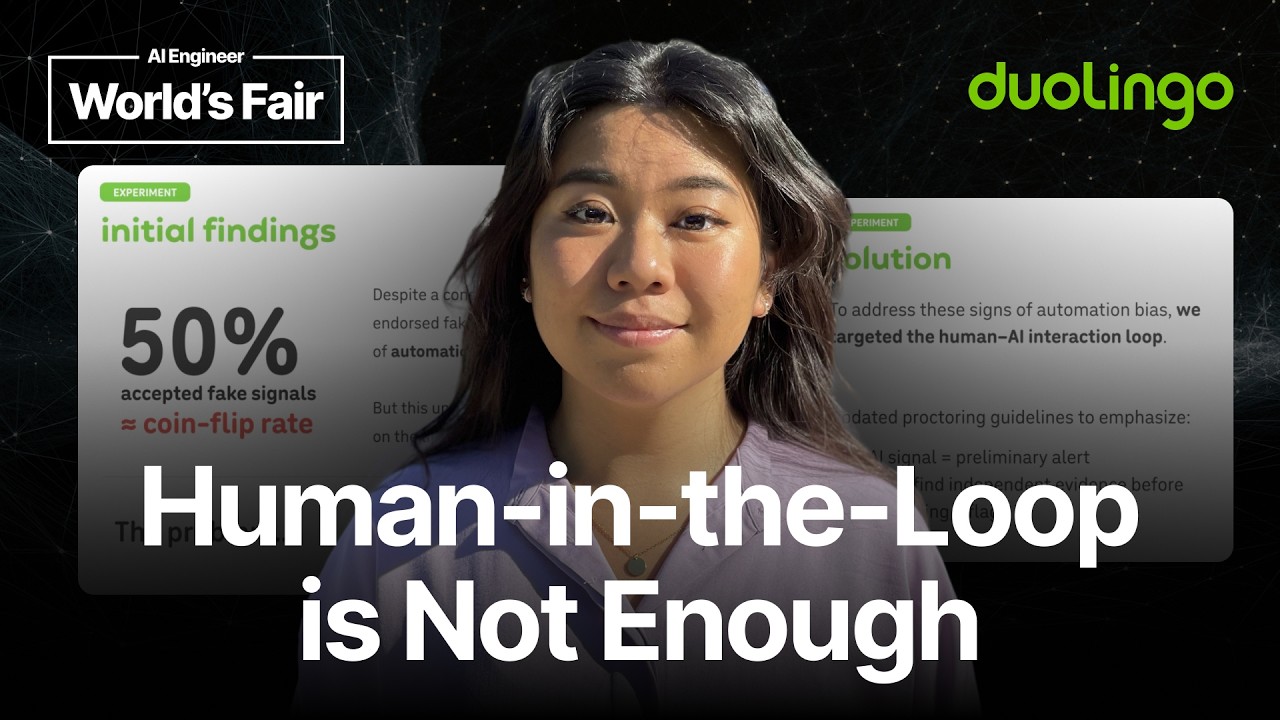
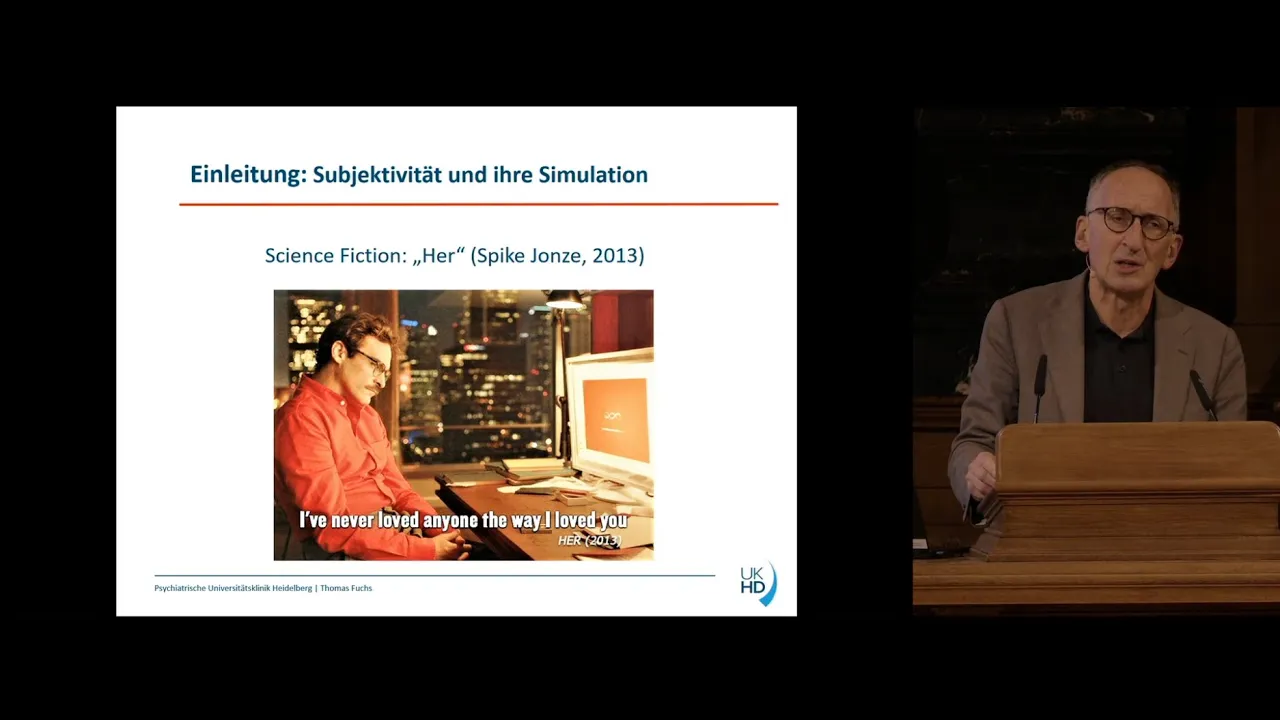








Effective AI product design requires a three-phase framework: first defining the product by understanding user needs and core jobs-to-be-done, then designing with awareness of AI's non-deterministic nature through collaboration with research teams and implementation of safeguards, and finally building while maintaining simplicity and focusing on core user workflows rather than forcing AI into chat interfaces; successful AI products emerge from deeply understanding real-world user contexts and baking AI capabilities into existing workflows rather than adding them as superficial features.
AI Product Design: Framework for User-Centric Applications
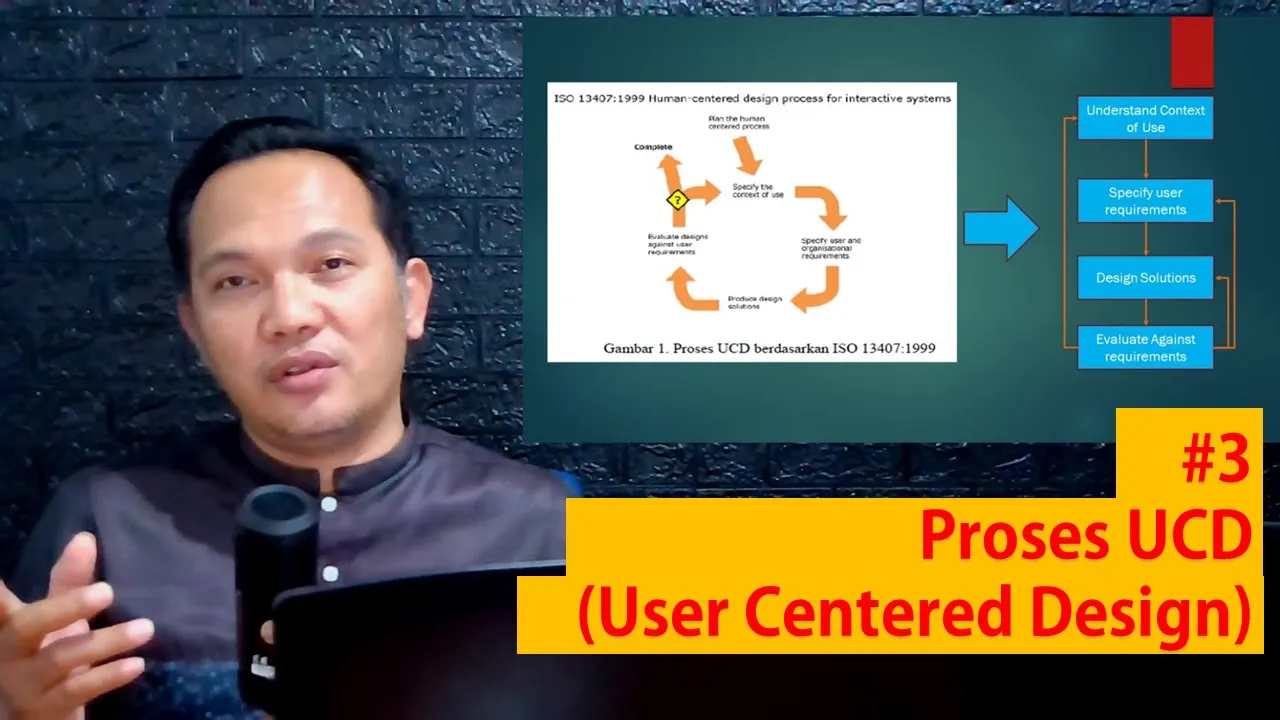
Added:Foundational User-Centered Design (UCD) Principles: Understanding the core phases of design thinking, empathy mapping, and user research methodologies.
Basic AI and Machine Learning Concepts: Familiarity with how AI models function, including the differences between deterministic programming and probabilistic AI outputs.
Interaction Design (IxD) Fundamentals: Mastery of standard user interface patterns, heuristics, and user flow mapping in traditional software environments.
Data Literacy for Designers: Understanding how data is collected, labeled, and used to train algorithms, as data is the foundational material of AI.
Advanced Human-AI Interaction Guidelines: Deep diving into industry-standard frameworks like Google's People + AI Guidebook and Microsoft's Guidelines for Human-AI Interaction.
Prototyping for AI Systems: Learning how to prototype probabilistic experiences using low-fidelity methods (such as Wizard of Oz testing) or high-fidelity API integrations.
Designing for AI Trust and Explainability: Crafting user interfaces that effectively communicate AI uncertainty, confidence levels, and system errors to build user trust.
Feedback Loops and Continuous Learning: Designing UI patterns that capture implicit and explicit user feedback to dynamically retrain and improve machine learning models.
Ethical AI and Algorithmic Bias: Studying how design choices can mitigate bias, respect user privacy, and promote inclusivity in automated decision-making.
6.1K views171likes1:12:48Original Release: 2025-10-07
who helped launch Google Maps in India.
India doesn't use street names. Normally the way it works in India is you just ask somebody on the side of the street and they say you go three gullies this way, then you turn left, then you turn right at the temple. And you're like, okay, there we go. That's how I'm going to get there.
>> Ultimately ended up building and launching direction systems that were much more landmark based.
>> Elizabeth Lari is one of the original designers on Google search and maps.
She's going to break down AI product design from every angle, including how to design AI features, how to use AI design tools for anyone building AI products, founders, PMs, designers, engineers. This episode is packed full of insights. Google was always kind of nerdy and kind of quirky sort of. I mean, even from the logo that was all primary colors, looking at the old versus the new, the new one at a glance just looks like Apple Maps. And two, like just feels colder and less real.
What is the highle process for designing AI features?
>> There are really kind of three key steps. One is defining the product that you're building. The second is designing it. And the third is building it.
>> What are some AI products that you think are designed really well?
>> I think that there are tons of highly useful AI products. I think CHBT has nailed things.
>> I think you have a pretty crazy story about an AI image expander tool.
>> It was one of those things if I just kind of it made me pause for a minute.
Really quickly, I think a crazy stat is that more than 50% of you listening are not subscribed. If you can subscribe on YouTube, follow on Apple or Spotify podcasts, my commitment to you is that we'll continue to make this content better and better. And now on to today's episode.
Product design for AI products is incredibly difficult. How do you break out of the conversational chat UX? How do you design for the next generation of AI products?
Today we are meeting with Elizabeth Laraki. She is one of the original designers on Google Maps and Google search. She is one of the most knowledgeable people in product design in the entire world. And today she is going to break down how to design AI features, how to use AI tools for design, and everything else you need to know.
about product design for AI features. We are not going to gatekeep any of the knowledge. We are going to actually demo and show you guys the sauce. So, strap in and let's get started. Elizabeth, welcome to the podcast.
>> Thank you, Akash.
>> In 2006, you were one of four designers on Google Search. And what's amazing about Google search is that those designs you guys created in 2006 and 2007, that's basically what we were seeing all the way until 2023. How did you guys nail those designs back then?
Sure. Um so I think kind of at that time one of the first things that we were focused on so if you look if you look at Google search results um they are textonly list of kind of the top matching results based on keyword um and at the time we were really trying to diversify what we could show in the results. So we were looking at how do you begin to mix in images, how do you begin to mix in videos, map results and kind of this growing corpus of of information. And I mean if you look at where Google results is today, it does look quite similar. This is maybe not the best example um here, but it's kind of a you have kind of dedicated information here um so I mean today what what kind of so one designers have been evolving Google search this entire time.
There's a lot of like little nuances and details that kind of have made it cleaner, have made it simpler, have kind of really allowed it to continue to be dynamic and fold in more and more information. Obviously, today you're starting to see kind of AI summaries show up as well. Um, and if you were to search for some place like Chicago, being able to see maps and images and all sorts of hotels, all sorts of information um about about that particular search.
>> So, I think there's a couple key takeaways there, right? You don't need to necessarily redesign the whole thing to be doing really good design work.
It's a lot of it is in the details. A lot of it is in taking in the corpus of new information or what's being added new, whether it's video, whether it's maps. And as we both know, the latest new thing of course is AI search.
So you mentioned this as well. What is your take on how Google is leaning into AI in its search results? A lot of people actually seem to hate it. A lot of people seem to love it. It sometimes hallucinates and forces an answer that is not even true. How would you approach designing for this?
>> I mean, one, I think it's great. Um, I'll I'll put put myself squarely in the great camp. Um, that I think especially when trying to compete with something like chat GBT, right? So, whenever I think, you know, for the last decade, 15 years when people had 20 years, when people had a question, they went to Google, right? like Google became the answer of all things and I think what we're seeing is with chat GBT more and more people are starting to go to chat GBT for answers versus go to Google for answers. So rather than Google staying static and having chat GBT be very different right I think beginning to fold AI naturally into the places that people already are makes a huge amount of sense. Um yes sure it hallucinates so does every other LLM and AI tool on the planet right so I think there are safeguards with which as users we need to think about when kind of um assuming any answer I think it's very much like the early internet right where it was kind of people would be like oh no no no it's true I read it on the internet right which is absolutely not like the internet is not kind of a um definitive credible source in and of itself and neither is AI right so I Yes, it still takes um some some user discretion, but I think it's actually very smart of Google to be trying to fold AI thoughtfully into where people already are.
>> Yeah. When designing products, I think it's like how do we figure out what are the core jobs to be done with new technology? How do we place it into that current flow that they're doing? So, actually where they're putting it is good. But this example we have here for instance where shake hands with an old bear, they're literally talking about shaking hands with an old bear. That's part of that is a problem of working with the research teams, working with your eval teams, minimizing hallucinations, maybe not even showing these AI search results when we aren't as confident in them. So, I think there's this key element around AI products that people need to acknowledge also when they're building. So, that this is a non-deterministic product and we need to design accordingly.
>> Yeah, I think yes, that all makes sense.
Yeah. You've talked about how Google could use image and video in search.
What would be a revolutionary new way to design for that?
>> Yeah. So, this example was actually not specifically Google. It was for chat GBT. Um, and um I think one of the failings I think with a chat interface and a chat UI is that the entire conversation is linear, right? And like um Chachubid had shared a video about wanting to lower my bike or wanting somebody wanting to lower their bike seat and using chat to figure out how how they could do it. Um and I think when thinking about AI or thinking about kind of any any product, I think what you're trying to figure out is okay like what is the best possible kind of version of answers? Like in this case to the left or the experience that actually existed in chat GBT, it felt like I walked into a bike shop and got like the least helpful bike mechanic I could possibly find. Right? It's sort of like I ask a specific question, they give a specific answer, right? So it's kind of a what you really want to have unfold is a much more dynamic dialogue.
Right? If I were to walk into a bike shop with somebody who like was really in service of me and my needs, it would be, "Okay, well, let's take a look at your bike seat. Let's sort of see, does it have a quick release lever? Do you need an Allen key? It looks like maybe it's this kind of size Allen key here.
Grab this one. Okay. Um, now let's check out the height. Don't forget to tighten it. And, you know, go take a spin. See how that feels. If not, like let's readjust it." And I think that's really really hard to have in a linear conversation. Um, on the other hand, like kind of what you'd want in sort of a remote interaction with a great bike mechanic would sort of be FaceTime, right? So, I can kind of pop open a video and have a dialogue going on at the same time and this back and forth or even have the image stay central and just have a video or sorry, have an audio conversation kind of happening around the fringes, but the video stays central versus or the photo stays central and video stays central versus it being this thing that kind of disappears um off the off the screen while we're, you know, talking back and forth.
>> Yeah. uh and one could imagine this could be a place even where potentially product design feeds input into research to say okay the ideal design experience here is that we're actually we're highlighting where that bolt lever is because just reading those words people may not know that we're highlighting oh this might be the place to check do you need an allen wrench so turn that and see and so then you can go back to the research team the research team can help you build that and then you can almost implement that into your product.
>> Yep.
>> Awesome. So, at this point, we've given people a taste and a preview like AI design doesn't need to just sit in the conversational chat UX of chat GPT or in the AI search overview answers of Google. You should be thinking about new ways to do that. And one of the ways, of course, that people have been doing a lot of that is within pictures. Things like image expander tools. I think you have a pretty crazy story about an AI image expander tool.
>> It really highlights to me the pitfalls of AI design. Can you talk us through this?
>> Yeah. Um so um I was attending a conference and they asked for a headsh shot. I gave it was an AI conference. I um provided a headsh shot which was the image um I'm not sure which direction we're facing. the image that's in color and um uh and then yeah I'm like what happened behind the scenes basic well I'll start with the beginning I sent them the image which is in color and later I saw a couple weeks later I saw a promotional kind of image for the for the the conference that had the black and white image and it was one of those things if I just kind of it made me pause for a minute and I was like wait some something's different. And it took me like to be to be fair, it took me a minute to figure out it was. And then I was like, oh my god, my bra is showing in this image, like, has it been showing in my profile picture? And I have never noticed it.
Um, and that's when I then like looked back at my profile picture. No, it wasn't there. And was like, oh my god, are they trying to like make me sexier for the conference or like what what is like what is going on? Um, and it turned out it was like completely innocuous. um and unintentional, but that basically I had sent my profile picture who had sent it to the person who was doing the website who had cropped all of the images to be square and then somebody who was doing social media for the conference took that square image and used an image expander tool to kind of make it a um make it a a portrait kind of size picture. and the image expander tool created this um completely unintentional, completely reasonable workflow, right? But with very unintended consequences. And I think the there like there are lots of lots of points to think about here, but I think one in particular is that like when you are interacting with like real people or the sort of hybrid AI people mix which can happen in many different ways beyond just image expansion that I think there's needs to be additional scrutiny in place. Now, also I tried to replicate the same flow using a bunch of different tools and like this was really good in comparison to what a lot of other what a lot of other tools ended up with. Um, obviously it points to interesting cultural biases and all sorts of things that we can we could we could dive into, but I think the key is really that AI can have very unintended consequences. And um, as people using these tools, we need to have like a heightened level of scrutiny and discretion.
>> And how do I solve the design challenge?
like we don't want to be adding in even I've even felt we are just putting this image on the screen like we don't want to be creating these types of images how do we correctly build that as designers >> um do you mean as far as the tools or kind of what >> how do we build the right safeguards into the product or how do we work with our research teams to make sure it's not happening what is the right approach here >> well I mean you can kind of go full cycle right so one there's kind of what data are these models actually being trained on. I think one at least early models had a huge amount of porn content. So I hear I haven't looked at kind of the exact but it's like these are the images that are accessible. Um and so I think there's that there's like a whole training piece of like what what is going what are the what are the models being trained on? What's what's going in into this? Like I mean I don't normally like to talk about my my breasts in public. It is not something that you know I spend a lot of time thinking about nor this but it's like some of these like actually Photoshop's auto expander you know I mean gave me enormous breasts right where it's just kind of like oh well this is an interesting this is an interesting kind of model or an interesting sort of I don't know pattern that clearly the model has assumed that like when sort of shaped like this then you know we expand in this way or that way. So one is obviously kind of training data. Um and then I think the other piece is like one I I do feel like I'm sure there will be tools that automate a lot of this and so that becomes another another question as well. But certainly like with human involvement I think even in this case like it's when expanding an image you go from original image to expanded image and you don't necessarily see like a very clear differentiation of what was expanded versus what was original, right? you just sort of have original as an input and then you have like the options for the outputs. But um I mean some tools cover up just based on where how the um how the screen is organized and where the pixels are. Like some have tools that overlay the new part of the image, right? Which obviously isn't helpful for discerning like what what what was added looks like. Um, and nine times out of ten it doesn't matter because you're adding, you know, a little bit of extra uh space on the sides to a landscape image or all of these different things. Um, so I think it is hard to necessarily put these safeguards in and I think it really has to be something more that lives in people's heads. Um, but there are sort of ways with the UI to kind of make the actual versus AI generated portions of these sort of mixed or hybrid images much clearer as to what was original content versus what was AI fililled content.
Today's episode is brought to you by Vant. As a founder, you're moving fast toward product market fit, your next round, or your first big enterprise deal. But with AI accelerating how quickly startups build and ship, security expectations are higher earlier than ever. Getting security and compliance right can unlock growth or stall it if you wait too long. With deep integrations and automated workflows built for fastmoving teams, Vanta gets you audit ready fast and keeps you secure with continuous monitoring as your models, infra, and customers evolve. Fast growing startups like Lingchain, Writer, and Curser trust Advant to build a scalable foundation from the start. So go to vanta.com/acos, that's v a nta.com/ a kh to save $1,000 and join over 10,000 ambitious companies already scaling with fant.
Today's episode is brought to you by the experimentation platform Chameleon. Nine out of 10 companies that see themselves as industry leaders and expect to grow this year say experimentation is critical to their business. But most companies still fail at it. Why? Because most experiments require too much developer involvement, Chameleon handles experimentation differently, it enables product and growth teams to create and test prototypes in minutes with prompt-based experimentation. You describe what you want. Chameleon builds a variation of your web page, lets you target a cohort of users, choose KPIs, and runs the experiment for you.
Prompt-based experimentation makes what used to take days of developer time turn into minutes. Try promptbased experimentation on your own web apps.
Visit chameleon.com/prompt to join the wait list. That's k a m e l e o n.com/prompt.
So, a consistent takeaway I'm hearing about AI features versus regular features is that you're going to have to go work with the research team on the underlying AI. Whether that is the training data that is going into it or some of the evals that are built on top of it. Perhaps they create an eval that >> when expanding human body around private parts go through these checks. Are we showing enough diversity? Maybe that's a good time for us to show an A and B option to a user.
>> Small large press. I don't know. We have to think through it correctly. But there could be some more sensitive ways to handle it. And I really liked your point on then outside of working with the AI actually working with the UI as well. So having that UI really clear to whoever it was poor person on that social media team for that conference.
>> This is what we expanded so that they can just see it very clearly and they can do their own human in the loop check. So improving the underlying AI but also making these human in the loop checks I think is probably the best way for people to deal with AI's non-deterministic nature. No.
>> So we covered the basics of AI. What is the highle process for designing AI features?
>> So I think there are really kind of key three steps or three key steps. Um one is defining the product that you're building. The second is designing it and the third is building it.
>> Can you say more? What are some AI products that you think are designed really well? Um, so I think that there are how I think that there are tons of highly useful AI products. Um, some of the ones that I'm just pulling up right here are kind of I mean one I think CHBT has has nailed things, right? Where it has really become this like allpurpose tool for like anything and everything under the sun. And whether it's that I just have a question to something, whether it's I want to, you know, begin to think about planning a trip or what would be interesting places there or um I want to translate um uh a WhatsApp message, right? It's kind of like it does or look at a recipe for how to cook something. It's just kind of it's like it's so good at so many different things that it really has become this kind of indispensable tool for me and for many many others. Um, and I was thinking about this where like I also do use Claude and Gemini, but like more as like reference checkers than sort of my first line of knowledge. And I was thinking um kind of reminds me a little bit of like early Uber Lift usage, right? where I would default Uber was my app, but then I would also just either if it was taking a while to find a driver or if you know the pricing seemed really ridiculous, I would go check Lyft as sort of this like back pocket app, but that it really Uber was my dominant app.
And I feel the same way with Chat GBT.
It has just become so ingrained in like being the dominant go-to for so many things um that I think yeah, they have done and continue to do an incredible job. Um and then I think um so one I would say um there are so many AI tools that cover such an incredibly diverse set of use cases that like I don't even know the half of them.
Um and it's impossible I would also say to stay up to speed on on what's changing what's happening day-to-day unless it is like your full-time job um to just like try to keep track of of what's changing and what's new and what what's happening. Um, but I think I'll add some like new use cases that have opened up uh or that I think kind of AI tools have opened up for me. Um, is that one um sort of either Riverside or Dcript, but like I don't really know video editing all that much, but I can really trim something down very effectively and very easily using Dcript or Riverside. um which is just kind of it begins to open up a new tool um a new kind of output for for me and for others. Um and then midjourney is another one that I use quite a bit as well and I don't I mean I tend to be fairly utilitarian in my usage of things. Um, and so I think what it has really replaced is like trying to find stock imagery or just even looking at is there a possible way to add in imagery that otherwise I would have just just skipped and not used imagery for anything. And there are, you know, a thousand different tools. I have a lot of commentary about Midjourney's UI because I feel like it could be a lot better in many different ways. And there are a whole bunch of other of other AI image generation tools, but um, those are some that come to mind.
>> So let's walk through these one by one.
Chat GPT.
What are the design takeaways for somebody building their own product that they should be noticing in chat GPT that they've done really well?
>> So I mean I think the like common wisdom on the street right is like find a target audience and a target use case and build for that and then expand. And obviously like Google or chat GBT are like the total inverse of that where they're everybody's tool for everything.
Um, and I think most I think many um kind of AI tools start with this kind of general purpose for everybody piece that I think is kind of harder to replicate.
Um, as far as takeaways, I I mean, one, there's just like not a lot of crap cluttering things. There's a downside to that too though um which I think we can dive into a little later about like how do you for newer people like how do you start how do you kind of overcome the blank the blank screen problem and obviously they have sort of like suggestions and tips and things. Um you can use it under many different modes right so like I can converse back and forth with it or or sorry via text or I can input via voice or I can use it solely in voice mode. I can do all of these kind of hyperhoned um sort of wrapper GPTs within it like for translation and kind of things like that. Um and so I think maybe main lessons are one like the core use case which is to come and find information is really dead simple and easy to do and then it's like all these different like um sort of levelups right of like oh you can also use it for this and you can use it for that and you can use it for that and you can go in and specialize it and make your own GPT and things but that the most common core use case is just very simple and approachable.
Exactly. And I think that they're really genius in rem getting out of the user's way where your average product, they always trying to stuff in those walkthroughs, the stepbystep everything.
They're just like, "Here, here's some suggested prompts. Let's go." And it's been able to handle so many different use cases. And they've been layering in so many cool things like voice mode.
It's kind of a masterclass in product application design on top of AI. The next category you mentioned was descript and riverside. So for people who haven't used those, what are the AI features within let's take one of those maybe descript that you think are really powerful and how did they from a design perspective execute on those? Well, >> yeah. So I think what's interesting with some of these right is that like I don't necessarily actually know specifically what's happening with AI versus what is not. So um and it kind of doesn't matter that much either. Um, but I mean I think the fact that I can like was maybe there a couple things like one the being able to just edit from the transcript and have that edit the video versus having to listen to the video and go back and edit it. I don't actually know. I mean obviously the auto translation is happening from AI. So AI is in there somewhere, but I think the easy tools of being able to edit in what feels like a very intuitive way um is quite different than any and I'm also not not very well verssed in video production, but it's kind of it feels very approachable from an amateur for an amateur. Um, and then I think things like being able to remove filler words, like we all talk with a lot of likes and ums and a's and things and the fact that like it can just go and identify those. It's not perfect, but like it pulls out a big chunk of them. Um, and then sort of loop them or kind of try to fill in or loop things pretty seamlessly is pretty incredible. And there also features that, again, I don't even know if it's AI, but it's like being able to make it look like somebody is always looking at the camera versus looking at the person they're talking to on the screen, which I hope maybe you use for this cuz it's a lot harder to look at the camera than look at somebody that you're actually interacting with um on the screen. Um and um and then like even then I think there and I haven't used these sets of tools but the ability to kind of then autogenerate a bunch of sort of clips and even thinking about things like titles um or sort of sections and titles for sections based on the content that was there. like it really provides so much. It kind of extracts so much data and information that it feels more like kind of almost putting together puzzle pieces versus starting from this massive unapproachable like 60 or 90 minutes of video or whatever it is. Um, and so it does a lot of the the sort of pre-work for you.
>> What I'm taking away from this is that they're not sprinkling AI on top.
They're baking it into the cake. What are the core jobs to be done of editing a podcast? Removing ums and o's. Having a transcript that you can edit off of, being able to create magic clips, being able to brainstorm titles for those magic clips, being able to add the word transcriptions, being able to think about what the description once you put it on YouTube is. So they've basically taken the entire life cycle of editing a video and they've put AI into each of those steps and they've allowed you to see that okay this is powered by AI so I might need to double check it but otherwise they're not shoving AI into your face. They're just putting it into the key jobs to be done.
>> Yeah.
And then the final category of product we were talking about is these products like Midjourney which have very controversial user interfaces. People who haven't used Midjourney you might have heard or you have to sign up for Discord. You join the Midjourney Discord server. Then you join a channel then you type in like slash imagagine or slashcreate and you give it a prompt and then it comes up with four options and then you click on that option. it's very convoluted sort of core user interface or user experience. So why has it succeeded despite it and how might they improve it?
>> So to be fair like I never used Journey I never used Midjourney through Discord.
Um so I'm trying to think of when maybe it was sometime last fall that I maybe a year ago or so that they made an entry in without having to sign up for Discord. Um, so that being said, I think I did actually sign up through Discord, but like I just use a web interface for MidJourney. So I don't I' like Discord could be a whole another conversation for another time. I have like nothing positive to say about the interface for Discord. Um, and I don't I wouldn't have used it if if Discord had been the kind of hurdle that which for which through which I had to use it because there are so many different tools available now. Um, but what I'm showing here is the web interface. So, I literally just pull up my Journey um in a browser tab and then have it start creating images.
>> Um and um and I think there are several things that I like about it. Um um relative to some others, I think one of the things that's really hard with all these different AI tools is obviously it's expensive to run any of these AI tools. And so like there's not a lot as a user.
Um it's hard to kind of have like lightweight interactions with many because usually it allows sort of a few free interactions and then then you have to sign up for a subscription or sort of monthly monthly pass for these. um and which limits the field of things I'm I'm exploring just because I don't feel like paying 20 bucks a month to you know 10 different AI tools to be or AI image generation tools to be um exploring them but um I think it is actually I would say like quite simple and quite fast to go from idea to set of four possibilities um it doesn't always nail it and sometimes I'm kind of curious to see like what chachib BT or Freepic or anything else will will create instead or Visual Electric will do instead of this uh instead of MidJourney. But I feel like it's output is pretty consistently decent. Um so that being said, I actually have a lot more to say about image generation tools, but I don't think now is the time.
Today's episode is brought to you by the AI PM certification on Maven run by McDad Jaffer who is a product leader at OpenAI. This is not your typical course.
It's 8 weeks of live cohort-based learning with the leader at one of the top companies in tech. As you know by now, the future of PM is AI and this certificate will give you the learnings plus the hardware to show you are ready for an AIPM role. I myself took the course and recommend it. Put on by the amazing team at product faculty including Moali and Paul Hearn. It's worth it. Former students come from companies like OpenAI, Shopify, Stripe, Google, and Meta. The best part, your company can probably cover the cost. So, if you want to get $550 off, use my code AOS550C7.
That's a A K A S550C.
and head to maven.com-faculty.
[Music] That's mavn.com/prct-facy.
AI evals are one of the most important skills for PMs. And do you know who large parts of the OpenAI and anthropic teams learned AI evals from? Hl Hussein and Treya Shunker. Today's episode is brought to you by their AI evals for engineers and PM scores on Maven. Most teams are winging it with basic metrics and hoping for the best. Meanwhile, the teams that actually ship reliable AI, they've cracked the code on systematic evaluation. HML and Shrea's live Maven course will teach you their battle tested frameworks behind 25 plus production AI implementations.
It's 4 weeks with live instruction and insane guest speakers, plus a free book.
Enroll at maven.com with my code ag-vas for over $1,330 off. That's ag-Vlas.
Start shipping AI that actually works.
Okay, so it sounds like key takeaway is big unlock was moving it out of the Discord platform into the web browser, making it easier for people to onboard.
Similar way chat GPT, open it up, you can use it. That's really important for an AI product, whether that's a chat product or an image generation product.
The other really important category of AI products is voice products. How do you design for AI voice?
>> Um, so I think voice UI is interesting one. I don't actually have a background in voice UI. I haven't done much. I know that there has been a lot of research and especially from um uh sort of engineering accessibility um sort of these different these different lenses of like how do you kind of replicate interfaces through through voice um I think a couple of examples that I will share is that one like with Chacha BT's voice UI so my husband um actually uh set the kind of shortcut button on um on his iPhone to just be chatgt voice. And so we were driving with the kids in the car the other day.
Someone was like, "Ask I have three kids. They always have all sorts of just kind of random questions they're asking, right?" And um so he's like, "Well, just ask chat GBT." And then it was kind of like, "What else do you want to know?"
And it was fascinating for me to have the kids just kind of be piping up with question after question. and it became sort of like educational um entertainment in a way. Um but it was just sort of always on on the background or in the in the background. Um and I think what's interesting about designing a UI for this is that like the visual UI doesn't matter, right? It's not even like visible on the screen. In this case, we were driving. like nobody was even looking at the screen, but it was like it I think there what felt so magical was that it truly felt just like a conversation.
>> Yeah.
>> Like we had another person in the car hanging out with us. Um and so I think it's very important to think about the cont the context and different contexts people are in when thinking about designing um uh designing kind of the the interface for it. Um I think liinals and or sorry li um limit is it limitless?
>> Yeah. um is another interesting example that I've had. I actually don't um use it, but I have several friends who've had and especially the um the I mean I think there are several utilitarian use cases for it of like oh you know give me the summary of this conversation or remind me what you know this person said about this thing. But I think one of the most interesting aspects of it is the sort of coaching or feedback piece that comes from it. It's like the thing that everybody who has it talks about first of like, oh, you know, it gave me feedback on like, oh, I really shouldn't hog the conversation so much. Um, or I should, you know, make sure to kind of really like let my children finish what they're saying about something before I interrupt and jump in. And I think what's so interesting there is it's like this omnipresent sort of um the context is it is omnipresent and then there's a question of okay what what can you do kind of with with this data um and then how do people kind of inter interact and interface with with the data that it's that it's um sort of creating um one other interesting one I think to think about is um Uh, I gave my husband a pair of um the um Meta AI glasses, >> the Ray-B bands. Um, which one of the interesting things I have a lot to say about them that I think is awesome. But um, one of the things like we were in Spain and um, the menu was all in Spanish. My husband was like, "Oh, I'm kind of curious how they'll translate uh the menu for me." and he asked it to translate the menu, which it did or which the glasses did, but like they read it through the menu like a screen reader. What? Like it just started at the top of the menu and literally read every single description for every item. And it's like wo and okay, now that's not how you actually read a menu, right? Like it's kind of more this this dialogue that you would expect to unfold. Like okay, here are the appetizers. Here are the main courses. Is there anything in particular you're in the mood for or do you want me to go through like the full section of what's here for you? Um where there was a lot of opportunity there to make it much more human. Um so anyhow those are some thoughts there. So it's all about understanding people's correct context being approachable being able to like the chat GPT voice mode. But if you had asked it to analyze a menu, I don't think it would have necessarily responded that way and it would have actually given you like, you know, there's 12 appetizers and 16 mains that are across fish, beef, and chicken. Do you have any preferences or do you want me to read all of them out to you?
Something like that it probably would have done. So also about bringing in like we've been saying from the beginning the right AI and like really testing your product a lot around these different actual contexts that users are going to be using maybe even collecting the data around okay these are the top ways people are interacting with it going out in the field testing out how it's working and then potentially sculpting that response as a result how do you design for AI without chat because everybody is just relying on this tired forgotten paradigm and the future is supposedly something else. What is that future?
>> I think we talked about this a little bit earlier. Um, right, which is that a chat gives you I I think one of the biggest constraints with chat is that it gives you a linear output. Um, and it is difficult to go back and reference sort of in uh relevant information that happened before. Um, and it does I think by nature of being linear limits the use cases that it can do well. So we talked a bit earlier about kind of instead of having a linear conversation being able to have an image sort of be the central theme and having a conversation around that image. I think another example um is um I had tried to use CHBT to create an itinerary for my son and I for a weekend in Madrid. And I was actually very surprised in some ways by how good it was at pulling out kind of salient information, but how bad it was at helping me get to what I wanted, which was effectively like a word document, right? that was okay here's the here are the things we're going to do here are the timets um here are options if we decide not to do this or that and I think the challenge was really the UI that it was it would kind of create this information in line and then I would say oh you know well I don't want to do this thing or this place actually looks to be closed and it would say okay no problem regenerate the itinerary but it would also hallucinate a little bit each time And I think just due to the sort of more dynamic and non-deterministic nature of it makes it really hard to do more deterministic tasks. So in this case like I want control over being able to have a fixed body of content and I want chatgbt to help me co-create it. And so I think the more that we can think about these experiences where you know AI is helping co-create something I think the more we can sort of position chat as a tool versus chat as the interface.
Um one company that I have seen um kind of begin to break away from this is Cove. Um and this was started by the same duo that did Google Street View and Uber Eatats. um and Andy and Steven. But like I think what is interesting is that it basically gives you a canvas to work from and kind of pull bits and pieces of different information from. So you could think of it as almost sort of having different chats or documents that you're working kind of on in parallel um versus having one linear one linear chat box.
Very cool. So this is what the future of AI products is going to look like. We're going to continue to be shaping it. I think the future isn't totally written.
Whoever's watching this video and building that next generation of AI products. Comment below. Let us know what you think it is. Share your tool.
We'll take a look at it as well and see.
But it seems like it's heading in this direction like a cove direction. So, we've gone pretty deep on designing AI features. I want to kind of flip gears a little bit and talk a little bit about AI design tools because there's all those AI design tools out there. We talked a little bit about AI image expanders. What AI design tools should people have on their radar and how should they be using them?
>> So, I think this is a this is an interesting question. So, I am not actually using that many AI design tools. Um, and I probably should be using a lot more than I am. But I think in the same way that I can now do as an amateur a little bit of video editing, a little bit of image creation, a little bit of coding, like I think what I find frustrating with design tools is that my expectations are pretty high and the output does not match what I want from them. And so I keep not using them and just going back to Figma, not using any of the kind of suite of AI tools around it. Um, so I don't, um, that being said, I have several colleagues and friends who are using them more throughout the design process, both kind of using Chat GBT as far as figuring out product spec um, using Figma and Figma Copilot to kind of really um, sort of get a first pass of something and then edit it um, and then plug it into kind of making sort of prototypes, prototypes and demos. Um, but I like keep getting stuck as I try to use these. So, >> so what would be your recommendation for the average person and the product designer? It sounds like for the average person, you're saying, you know, maybe AI design tools can help just like they're helping you when who is below average on video production get up to average. So if you want to get an average result, yeah, use Figma copilot, use, you know, your V3 midjourney cling workflow to create your design or use the AI prototyping tool design that comes out of VZO lovable bolt replet.
But if you're a product designer, probably just apply your own taste and where possible use it for productivity like alignment and those types of things. But don't expect it to suddenly create the design for you. So for designers like I think some of these tools can be helpful around the edges with sort of different aspects but I think that fundamentally we all still have to rely on our own taste and our own kind of processes to really get the output that is at the bar that we expect. M.
So, some potential, but probably the tools aren't there yet, guys, for you to just solve your design. Vibe designing is not quite here yet, but we'll do an updated video if it comes out in the future. I want to talk a little bit about the design process. I want to do a little bit of a live design session so people can get inside the mind of a master designer like yourself. Sam Alman recently said he's working on a LinkedIn at OpenAI. So, can you break down LinkedIn for us and help live design what a LinkedIn for AI would look like?
>> Sure. Um um the first that I had actually sort of heard about this really was through through your comments about about kind of uh Sam Alman saying they were designing LinkedIn for AI. And then I went and looked up a little bit about it. Um actually know Fiji quite well from having worked with her um at Meta.
And um I think I would say like my top level thinking was okay is this actually more um uh I don't want to say like a marketing piece. So I think this could go a couple different ways, right? But one I think is it like what's actually the real objective of this? Is it to make it less scary that AI is, you know, eating and has the ability to eat a whole kind of class of of different jobs across many different sectors? Um, or is it really about the AI kind of education and certification and things like that? or is it more like some of the um uh dating apps that are really kind of trying to look deeper than like um uh sort of bits and and pieces of people's character or attributes and matching them. So is it trying to use like more sophisticated sort of matching technology? And um so I think one there are some questions right about kind of what really what really is the objective of of doing this kind of LinkedIn for AI app. Um then I also think about okay so there's LinkedIn and what are people actually really using LinkedIn for? So, um, I've never actually personally used LinkedIn to look for a job myself. Um, I have used it for helping try to either find people that I'm looking to hire or helping other people try to hire for for different jobs, but like there is an entire set of LinkedIn that I have never used, really not interacted with at all, which is the job hunting and jobseeking kind of chunk of things. it is sort of equivalent to sort of the dating piece that I mentioned earlier. Um the sort of matchmaking piece. Um I think there is a whole another piece of LinkedIn and this would be very biased by my own usage of LinkedIn versus like how LinkedIn is actually used. Um, so I will I will caveat that as a bias, but I think um I am seeing and have been seeing LinkedIn be used more and more as just kind of another sort of social feed in many ways. um where it is about sharing content, it's about interacting with content, it's about kind of connecting with people and sort of building out this kind of network um that is very different to me than just the job searching, right? That feels more equivalent to a Twitter or Instagram or Facebook or whatever, but kind of around the context of work.
>> Does that make sense?
>> Yep.
>> Okay.
So I think like where we really sit with this as at kind of product positioning.
So I will also say like I didn't even like open LinkedIn for a very long time until I was at um some kind of happy hour that we were hosting in the city um I don't know a year ago, a year and a half ago and somebody was like oh we should connect on LinkedIn and I was like is this person trolling me? Like I don't because I like look old and I don't belong here.
like I don't what is going on but okay sure we can connect on LinkedIn and then somebody else said it too and I was like man either everybody here really jerks or like maybe LinkedIn is starting to like grow again and um and then like it kind of felt like this wave maybe my time frame is off here a bit but I um like and there was this wave of like another colleague being like oh yeah no my kids who are graduating high school and in college like are totally using LinkedIn and they have like their kind of like resumes all set up and um you know they're trying to connect and network through LinkedIn. I was like, "Oh, this is fascinating that it really does feel like LinkedIn is like beginning to make a comeback." Um so I think all of this leads it like obviously I'm not like I am not moving pixels around as we're talking but I think this is where I had said earlier as far as like you know the first thing is really defining the product like who is this for and what are the tasks or kind of use cases that that it supports. So I think the first thing I would ask would be okay we've got we've got this idea like which which direction do we want to take it and I think there's some guesswork here because obviously I don't know what Sam and Fiji and everybody is actually thinking about kind of behind this. Um so I think what I would do um and I don't I'm like I can pull out pen and paper if we want. Do you want to do that? Do you not? I don't know how to make it.
>> I would love to understand how you break down a hazy problem like this because that's the type of problem people are given >> create LinkedIn open AI and you're like okay well this is how an expert will break it down.
>> Yeah.
Okay. But I think I would just start with All right. So we've got this idea. Can you see this or no?
>> Yep.
>> Okay. We've got this idea of like LinkedIn for AI. Um, so we've got a couple options, right? One is about like matchmaking. Sorry, I do this in chicken scratch, but one is kind of about matchmaking.
One sort of direction is really about like certification and training. And a third would be um sort of more about well I guess we could say like networking and another would be more about like content.
>> Yeah. So many >> sharing and distribution. So let's say we just were inside the mind of Fiji and Sam and they said, you know, all we really care about is matchmaking because a lot of people are going to chat GPT and they're looking for jobs and they're trying to apply for jobs via ChatGpt and so we really want to break that part of it and disrupt LinkedIn there.
>> Yep. So we'll double down on matchmaking and I actually feel like this could be quite a smart direction.
Um, yeah, I'll just leave it at that for now. Okay, so let's say we're going to go into matchmaking. I think first I would start with the question of like what makes a good match, right? So you have obviously I'll just put like job seekers and then you have um uh we could put employers.
Um, and then I think what what you're sort of looking for here is the magic that is between those. To get to there, you need a set of attributes across each to kind of understand like what what matches well with the other. Um, just thinking about sort of UI here as well that you'd mentioned, there's obviously going to need to be some sort of like onboarding or kind of input flow for these for these pieces. Um but then I think you know this feels still pretty unsophisticated right? So I think the question is like what is like what would be the things that the patterns and things that AI could see that humans or just like a very rudimentary like match a with a um kind of means like what what goes beyond that like what additional class of things could could we begin to capture and and input right is it like >> um I don't know like just thinking I um had a conversation with someone a couple weeks ago whose job is actually administering personality tests to um CE potential CEOs for hire um uh so that they can actually the the company has a much better sense of kind of how they'll fit into the organization. I'm like, well, that's actually pretty interesting. Like, I'm sure there are ways you could sort of automate that and make it much more accessible beyond it being right now prohib prohibitably expensive and just doing it for CEOs, you could do that for anybody and everybody, right? Like, and through a series of questions like, you know, um I don't even think of like how do you start your morning, right? Is it more social and talking to your colleagues or is it like you like to get in and just kind of start doing your work right away? Um, obviously aspects of like introversion, extroversion, do you get more energy being in the office with people or you kind of prefer to be at home? Um, I think there's a whole set of kind of skills and potential that could begin to be identified as well and maybe even sort of predicting potent potential and fit um within a certain group even within a within a company. Um and so I think what's interesting when I think about the UI for this is that you know you have kind of two separate UIs. You have and it is yeah you have sort of it's a marketplace right? Right. But you have UIs for job seekers and you have UIs for employers and then all the sort of magic and the AI is kind of happening in in the middle.
>> Yeah. Um, I think there are opportunities to look at, okay, where does AI fit potentially on either on either end of this. Um, but I think, you know, I don't know. Then I'm like, there even could be like a Tinder a Tinder swipe or something along those lines of like yes fit, no fit. Um, but I would also sort of look at other kind of matchmaking apps. Like I wouldn't I think link I think the only parallels with LinkedIn really would be that LinkedIn is about jobs and work and that you can post and look for jobs through LinkedIn, right? But I would then diversify and look a lot further um beyond beyond sorry this beyond um kind of LinkedIn to kind of look more at dating apps and all sorts I don't know even think about like college admissions right like all of these things of kind of where are you really trying to sort of find good fit so I don't know those are my two cents >> so what I took away from this is you're not just going to dive into pixel and Figma when you're solving a hairy design problem. The very first thing is actually create alignment on well what is the business goal here. Then it sound like you were going very deep on well what is the new technical innovation that we are bringing to market. Then you go deep on okay well what are the different user groups that we need to design user interfaces for. And that's where we kind of end it here right and so there's this stepwise process in design. This is a classic design problem that somebody probably created 60 70 years ago that still applies for AI features and you can't just all of a sudden I think what people want to do instead is they just want to go into lovable and say design me LinkedIn for AI and they would have expected us to just open up Figma and then go iterate on that design. But there's this actual classic design process is super super important first. Um, is there anything else people should know about as they're tackling and building these hairy sort of vague design challenges?
>> Um, I mean, I think like the goal I would say is really to emerge from ambiguity with a clear sense of what you're building and for whom and what you want it to do in the world.
>> Love it.
So that is most of our master class on AI. You worked not just on Google search but actually on Google maps. In 2007 you were one of two designers on Google maps but it was becoming a cluttered mess.
How did you guys redesign Google maps into one of the most loved apps in the world?
Um, so I think one of the things that I love about the story is it didn't seem um I don't know quite frankly like that interesting or that revolutionary at the time. Um, but similar to your question about like how does um why does Google search still look so much today like it did 20 years ago, I think the same is actually true with Google Maps. So um when I joined Google Maps um the uh the UI looked very much like you're showing here um which is that there was at the top a tab effectively for maps for local search and for directions. And um maps allowed you to look for one place. Local search allowed you to look for a category or restaurant name whatever in a place. So, two input boxes and directions had a from and a two with also two input boxes. And um you know, we had a lot of other things that we wanted to fold into the mix of things that you could search for on maps. Um we were looking to integrate with transit. So, it wasn't just driving directions, but you also had to be able to then figure out like different modes of of transport for how you wanted to get places. And um and also we were bringing in userenerated content. um as sort of a whole field of content and basically you very quickly start to run out of space at the top for these tabs and it just starts to get more cognitively hard to use it because you're showing up and you're having to make all these different choices. Um so what we ended up and and actually I think like it's funny because I was talking with a colleague who worked on maps um after my time um and I think Google Maps has gone through this cycle over and over again of be trying to kind of add more and more features and then it's starting to feel too crowded and too cluttered and having to go back to core principles and kind of design a UI that works well for core principles. Um so what we were looking at is really what are the use cases for Google maps?
Well there is like trying to find places there is um trying to um get directions and then we were kind of and I feel like every project starts to stretch a little bit where it's like oh we should really be a place for discovery. Oh, and also wouldn't people want to create? But one of the things that we did was sort of look at really what's the what's the model for this? Um, and so this is an example of diving into get directions, but you know, you have kind of the four main categories, and then within directions, um, you know, you have sort of the starting point, you have the destination, how you're going to get there, any specific kind of elements of the route. Um, and then how does that play in, right? So that you start with directions, you get the route, you have an a list and a map. How do these things work? What are the actions that sit over all of these different use cases versus what are the actions that are specific to sort of a specific use case or one use case and how do they play together?
And so this is where I do talk quite a bit about like design architecture, but it's kind of a you have the user experience for the product, you have the UI, people are looking at how are all the all the parts and pieces organized and then how do people move through them and where does it make sense to allow people to go from one path to another for example. Um, and um, I don't know if you have the kind of um, next UI in this, but basically, okay, the TLDDR is that we went from effectively three tabs with a total of five different search boxes to one single search box. That I mean, this like seems very like a no-brainer at this point, but at the time it was highly controversial because directions was the bread and butter for Google Maps. Um, obviously we were inspired by Google search that had a single search box that worked for everything and felt like it really could work for maps, but that also we were probably going to have to teach people what they could search for and how they could use maps in the same way with only a single search box instead of, for example, two with directions.
>> Very interesting.
It strikes me that it's one of like the most used probably AI back-end products out there now and they've been in it in iterating with the design a lot. One of the most recent designs you actually said you didn't love. Why?
>> Um I don't love it because I don't feel like they focused on what matters, right? So, I think there are sort of visceral just responses that like Google was always kind of nerdy and kind of quirky and sort of I mean even from the logo that was all primary colors, right? That looking at the old versus the new um the new I mean one at a glance just looks like Apple Maps and two like just feels colder and less more less real, right? it looks much more digitized and um uh than kind of representing just I don't know more human colors. So that was a visceral response that I had in just kind of looking at one versus the other. Um but then it's like okay now when you start looking oh my god there's so much crap all over the screen and what are all these things and I've just ignored them for so long but now that I'm actually looking like why are all these things here? And if you're going to do a cleanup, why don't you actually like really clean things up? And as I had mentioned earlier that I think Google has >> um one of the things Google Maps has done extraordinarily well is it keeps purging features um and keeping things clean and I feel like they're very they're very overdue um for a round of that at this point. um that you know I don't know the usage of any of these things but you have like work you have pills for like work restaurant gas parks at the top plus the weather and um then you have explore and go and saved and contribute and updates and then also like another sheet that's like between that and the map for like latest happening in this area and predominantly I use Google Maps in the area that I know which is where I live and I'm trying to use it to like beat traffic um or avoid traffic going between a set of common routes that I often do um or I'm leaving the area and going somewhere. But that feels like a less common use case. Again, I'm a user of one, but things feel very crowded and cluttered to me on Google Maps today.
>> Yeah. And that was the key takeaway.
It's really full circle to where our discussion started at the beginning of being able to simplify some of these things. get look at the magic of Chad GBT of making things relatively uncluttered.
One of the most phenomenal things you did in your tenure on Google Maps was you helped launch Google Maps in India.
And if people haven't been there, I've been there. I go there every year. India doesn't use street names. Normally the way it works in India is you just ask somebody on the side of the street and they say you go three gullies this way, then you turn left, then you turn right at the temple. And you're like, "Okay, there we go. That's how I'm going to get there. How did you guys manage this innovation? I think it's got to be one of the world's most important.
>> So, um I think this was 2007208 kind of somewhere in there that Google did launch. So, Google was looking to expand internationally. Obviously India was a very attractive market as far as um as far as number of people and um and Google maps did launch in India and I think it was like I don't think any designers were involved at all at that point. It was like you turn a few switches and you just expand the the geo space that that maps is available in. um and um but it wasn't it didn't have a lot of a lot of usage and one of the researchers one of the user researchers on our team started to look into why and she was like oh it's because the directions look like this I mean here she is sitting in Mountain View just trying to get directions from A to B and is looking at the UI and it's like oh yeah turn left at NH17 in 11 km turn left in 7 turn left in point 2 And this is also like before people had you know geoloccation or geo um uh geo enabled um smartphones. And so unless you had like a compass and a pedometer right that like these are totally useless directions. Um and so from that she so yes also she was originally from Russia.
She knew and and I think kind of the team was aware that you know obviously different parts of the world navigate in different ways that we do it very much in the US by term through turnbyturn directions but other places in the world do it much more of um landmark based where um my husband's from Morocco and we laugh about this too but it's kind of like you have like a rough approximation of where you're going and then you have human GPS when you get closer right of kind of you ask the person on the street to go here and then the person there and eventually you get you get to where you're going and um uh and so this kind of unleashed this question of okay well actually like how do people navigate in India and if people are navigating through landmarks like one what landmarks are important and two how do they actually use them in in the navigation and um so Olga who's the researcher who worked on this um grabbed the designer who was working on directions at the time Janet hopped on a plane, they went to India and they started to just do a bunch of research to begin to understand these parts and pieces. Um, and obviously was working with the engineering team as well to understand, okay, what was possible?
What landmarks did we have? What landmarks could we possibly grab and pull in? Um, and ultimately they ended up launching directions that were building and launching direction systems that were much more landmark-based. Um, as you see here, like take the first right towards Arabic College Main Road.
um passed by UNA cycle traders on the right. And so also I think like some of the interesting things they found as far as like what landmarks were useful and interesting was like something like the Empire State Building in New York is not a good example. Um because you're walking by on the ground and it doesn't stand out from everything else, right?
So, it's really it really was these things that were prominent and noticeable from the streets that were good landmarks and that included things like temples, petrol stations at the time, Big Bazaar, and kind of things that were that were sort of highly noticeable.
>> And so, they ended up rewriting maps to integrate directions. And it wasn't just sort of turn by turn, but it also was, you know, oh, also landmarks are used for verifying that you're still on the right path, right? Of like, oh, you'll pass this on your left or like if you hit the roundabout, you've gone too far.
Um, and I think, yeah, did um a really wonderful job kind of integrating landmarks back in into directions. Um, and one thing I learned recently is actually that landmarks are available everywhere. Like this wasn't a feature that that Google built just for India.
Um, but it's only turned on in locations where it makes sense to be using landmarks to navigate. So >> I think it's a fascinating story and wanted to end on that because it is so timeless. It goes back to the key lessons that we've emphasized throughout this episode for you guys, which is the core user research, problem discovery, solution discovery process has not changed for AI features. We did go through a bunch of stuff that did change, whether that's working with your AI researchers, understanding edge cases and pitfalls, building the UX to accommodate that. But fundamentally, these core problems are what you're going to be doing. Most of you guys are going to be building, you know, an application on top of a model company.
So, deeply understanding just like we left you with with that Indian user, understanding how they're doing it today, bringing it in not as sprinkles on the cake, but baking it into the cake is the key lesson from today's episode that you guys should walk away with.
Before we go, one final question. What What are you focused on today? What is that business? And if people want to learn more, how can they help you?
>> Sure. So, I'm a design partner with Electric Capital. Um we have about a billion dollars um of investments are invested. Um and I also am kind of really trying to tell the story of design and how how we all can design for humans and for people um and really design products that resonate and work well for people.
>> And where can people find you? Is Twitter the best place?
>> Um so a couple different places.
Substack is probably where I enjoy writing for um the most. Um although I tend to try to use both Twitter and um and LinkedIn as sort of pointers to Substack articles.
>> Amazing. And what is that Substack called?
>> Um so I am just Eliz Lorrai. E L I Z L A R A K I on all three places.
>> Awesome. Find her there. She has the most amazing storytelling posts out there. It's a really worthwhile follow.
Elizabeth, thank you so much for being on the podcast.
>> Thank you, Akash.
>> Bye, everyone. So, if you want to learn more about how to shift to this way of working, check out our full conversation on Apple or Spotify podcasts. And if you want the actual documents that we showed, the tools and frameworks and public links, be sure to check out my newsletter post with all of the details.
Finally, thank you so much for watching.
It would really mean a lot if you could make sure you are subscribed on YouTube, following on Apple or Spotify podcasts, and leave us a review on those platforms. that really helps grow the podcast and support our work so that we can do bigger and better productions.
I'll see you in the next one.
Up Next

60:00
Medical Malpractice: What Every Physician Should Know
@DeBakeyCVEdu
31.1K views•2018-03-09

12:54
Triumph of Orthodoxy Icon: Byzantine Art & History Explained
@BenCallan
2.1K views•2024-08-06

9:49
FastAPI vs Flask vs Django: Choosing the Right Python Web Framework
@TechWithTim
302.5K views•2024-05-26

1:42
Game of Thrones Opening Credits: A Cinematic Analysis
@gameofthrones
46.3M views•2011-04-18
Related Study Plans & Knowledge Roadmaps
Structured learning paths in General & Interdisciplinary Studies
general-studies
Elevator Engineering: History, Physics & Cities
01From Hoists to Safety Brakes: The Dawn of Vertical Lift
02Hydraulic vs. Traction: The Engineering Physics of Elevators
03Modern Speed, Safety, and Algorithms
+ 2 more learning modules
12h5 modules
Explore Roadmap
general-studies
Rubber: Material Science, History & Geopolitics
01Origins of Natural Rubber & Mesoamerican History
02The Chemistry of Natural Rubber & Vulcanization
03The Geopolitics of the Rubber Boom & Colonization
+ 2 more learning modules
12h5 modules
Explore Roadmap
general-studies
Containerization: Evolution, Logistics & Trade
01Ancient Trade & Bulk Cargo: Amphorae to Barrels
02The Industrial Revolution & Cardboard Packaging
03The Containerization Revolution: Malcom McLean
+ 2 more learning modules
12h5 modules
Explore Roadmap
general-studies
Textile Tech: Evolution, Labor & Global Impact
01Pre-Industrial Textiles: Handloom & Cottage Industry
02Mechanization: The Spinning Jenny to the Power Loom
03The Factory System & Global Labor Transformation
+ 2 more learning modules
10h5 modules
Explore Roadmap