





![[FOSDEM 2014] A/B testing: what your mother never told you](https://i.ytimg.com/vi/IQHpNAYqaB4/sddefault.jpg)











![GOOGLE PLAY CONSOLE ANALYTICS [2026]📲 5 Funciones que debes conocer](https://i.ytimg.com/vi_webp/WA9GzFTwo34/maxresdefault.webp)






Google Play's Store Listing Experiments feature enables developers to run A/B tests on their app's text and graphics without coding, allowing them to determine which variations drive the highest installation rates; effective store listings should clearly communicate value to users with concise descriptions, high-quality icons, and strategically ordered screenshots, as demonstrated by case studies showing improvements of over 33% and 39% in install rates.
Optimizing Google Play Store Listings with Experiments
Added:Fundamentals of App Store Optimization (ASO), including how icons, screenshots, and descriptions impact user conversion.
Basic principles of A/B testing, such as hypotheses, control vs. variant groups, and the concept of statistical significance.
Familiarity with navigating the Google Play Console and the general app publishing workflow.
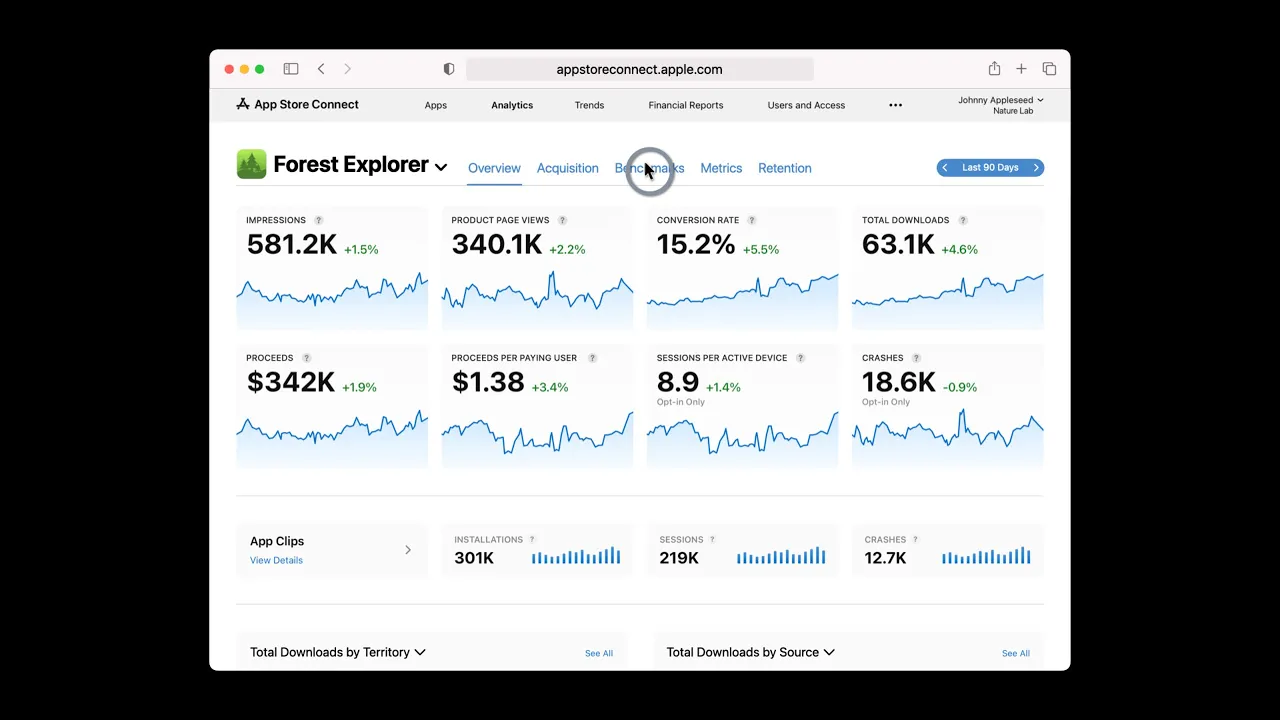
Understanding of key mobile acquisition metrics, specifically impressions, conversion rates, and store page traffic sources.
Advanced statistical analysis for ASO, including managing false positives, handling seasonal trends, and testing multiple variables simultaneously.
Implementing Custom Store Listings to target specific user segments and marketing campaigns with tailored creative assets.
Global localization and culturalization strategies, adapting visual and textual assets for diverse international audiences.
Post-install performance correlation, evaluating how store listing changes affect long-term user retention and cohort quality.
33.7K views215likes3:30Original Release: 2015-06-12
Users often decide whether to install an app based on its Play Store listing, so you need to make sure you have the best possible listing for your app.
I'm Kobi, from the Google Play team, and I'm going to tell you how you can experiment with the text and graphics of your app's listing on Google Play, with our new Store Listing Experiments feature.
You can use data, instead of intuition, to optimize your store listing, increasing the number of visitors to your page who actually convert and install your app.
There's no coding required.
All you need is someone who can create graphics and write text.
For example, Kongregate, creators of the popular game "Epic Skater," created four versions of the app icon for their game.
They tested the icon with Store Listing Experiments, and found that the best icon is improving install rates by more than 39%.
Starting today, you too can run your own test to see what changes drive the most installs.
First, log into the Google Play Developer Console.
Under Store Listing, go to the new Experiments page.
There, you can create an experiment with up to three variants of your app's text and graphics.
You can decide how many users will see each of these variants.
You may want to start your experiments on a small group of users, such as 10%.
You can run two types of experiments.
Global, which will pertain to all users.
And localized, which will pertain to users of a specific language.
In global experiments, you can only change the graphics, while in localized experiments you can change the graphics or text for a particular language.
Go to the Developer Console to track your experiments.
Once we've gathered enough data, you will see the conclusion, and you can apply the winning variant as your store listing.
So how do you optimize your Store Listing?
We found that store listing pages perform best when they clearly highlight value to users.
An app description should be clear and to the point.
For example, an app description like, photo editor producing professional results, works better than, an awesome app where you have fun with photos.
You can also use Store Listing Experiments to gain insight into users, and how they think about your app.
For example, do users prefer to think of your game as one with beautiful and realistic graphics, or one with exciting action game play?
As you've seen before, icons matter, so make sure they're of high quality and beautiful.
Choose the app screenshots carefully, and experiment with their order, we found it matters.
Be bold, try things.
Don't assume your store listing is good enough.
But at the same time, remember that not all experiments will increase your app's install rate.
The developers of the app EverythingMe wanted to test two hypothesises.
That their app icon should be more colorful, and that the letters "me" do not work well globally.
Take a look at their experiment, which confirmed both hypothesis, and allowed them to change their icon, improving install rates by more than 33%.
Optimizing your Store listing is perhaps the most important thing you can do for your app acquisition, because it affects traffic coming from all sources.
It amplifies organic user acquisition in Google Play, as well as your own marketing efforts.
Well, good luck, and we hope you enjoy optimizing your Store listing.
Up Next
5:13
App Store Connect A/B Testing for App Store Optimization
@FloWritesCode
112 views•2026-03-28

12:54
Triumph of Orthodoxy Icon: Byzantine Art & History Explained
@BenCallan
2.1K views•2024-08-06

39:13
App Discovery & Growth Strategies: Google I/O 2015 Techniques
@GoogleDevelopers
121.1K views•2015-05-29

1:42
Game of Thrones Opening Credits: A Cinematic Analysis
@gameofthrones
46.3M views•2011-04-18
Related Study Plans & Knowledge Roadmaps
Structured learning paths in General & Interdisciplinary Studies
general-studies
Elevator Engineering: History, Physics & Cities
01From Hoists to Safety Brakes: The Dawn of Vertical Lift
02Hydraulic vs. Traction: The Engineering Physics of Elevators
03Modern Speed, Safety, and Algorithms
+ 2 more learning modules
12h5 modules
Explore Roadmap
general-studies
Rubber: Material Science, History & Geopolitics
01Origins of Natural Rubber & Mesoamerican History
02The Chemistry of Natural Rubber & Vulcanization
03The Geopolitics of the Rubber Boom & Colonization
+ 2 more learning modules
12h5 modules
Explore Roadmap
general-studies
Containerization: Evolution, Logistics & Trade
01Ancient Trade & Bulk Cargo: Amphorae to Barrels
02The Industrial Revolution & Cardboard Packaging
03The Containerization Revolution: Malcom McLean
+ 2 more learning modules
12h5 modules
Explore Roadmap
general-studies
Textile Tech: Evolution, Labor & Global Impact
01Pre-Industrial Textiles: Handloom & Cottage Industry
02Mechanization: The Spinning Jenny to the Power Loom
03The Factory System & Global Labor Transformation
+ 2 more learning modules
10h5 modules
Explore Roadmap