






This video demonstrates how to create a Hollywood thriller using digital screen interfaces by building computer screens layer by layer in Adobe Premiere Pro with adjustment layers, then replacing temporary graphics with high-resolution vector files in After Effects for cinematic quality; the workflow involves shooting through the edit, using pre-production testing, and employing tools like Cinematch for color matching across different cameras, while maintaining continuity through careful mouse movement animation and attention to detail in UI elements.
Editing a Screen-Life Thriller: Inside an Editor's Workflow
Added:Basic proficiency in Adobe Premiere Pro, including timeline management, nesting, and non-linear editing workflows.
Fundamental concepts of motion graphics, layer parenting, and keyframing within Adobe After Effects.
Familiarity with the 'screen-life' cinematic genre (stories told entirely through digital interfaces, such as in the movies 'Searching' or 'Unfriended').
An understanding of basic narrative structure, pacing, and how tension is constructed in thriller films.
Advanced integration of Adobe Dynamic Link to manage complex pipelines between Premiere Pro and After Effects seamlessly.
Designing and animating realistic custom UI/UX assets in Adobe Illustrator and Photoshop for screen-simulation purposes.
Mastery of motion tracking, screen replacement, and camera shake emulation in After Effects to ground virtual elements in physical spaces.
Diegetic sound design techniques tailored for screen-life films, focusing on user-interface sounds, keystrokes, digital distortion, and ambient room tone.
32.3K views1.8Klikes11:43Original Release: 2023-01-23
I met up with the editors of the new Sony Pictures film missing out in theaters now and they told me all about their unique workflow for editing this very specific type of thrilling you need to let the police handle this I tried I'm not giving up on my mom hey what's up nice to meet you yeah good to meet you this is Ben Ben and this was your first Studio feature right was this yours as well wow so this is about an 18 year old girl who's looking for her missing mother and her mom went missing while on vacation in another country and it's told all through screens so we're looking at the main character's laptop and seeing what she's doing on the laptop While She searches for her mom and then also phones and different screens like that the directors of this film Nick and wild they edited the first film so when we came on board this we already had a lot of support in terms of how this whole workflow works we chose in the edit basically how to cover the laptop so punching in on close-up shots doing pans all kinds of things like that we essentially shot the film through the edit and then there were certain sequences that weren't necessarily like shop for shot outlined in the script so that we would film ourselves in our living rooms and stuff like acting it out just to like rough it out in a way that we could show it to them and all lot of that ended up informing what was shot on set oh yeah there we are ever since they met obviously they were closer than I thought June Caldwell I think there's a good answer for why she was so you know best actor Awards too wow yeah just us in our rooms during the pandemic but in that way it really did feel very film school or very just like you know teenagers being like we want to make a movie let's do it yeah and well that's the beginning that's the cool thing about these movies this is obviously like an upscale bigger budget version of this thing but you could take the same concept and film it super cheap with actual just iPhone footage absolutely yeah yeah other than the footage itself everything else was made by using Adobe tools all of it was out of the box Adobe like we didn't use any special plugins so we're looking at this timeline here this looks crazy there's a lot of layers tell me what's happening this was one of our final timelines for one scene in Premiere before we moved it over to After Effects and it's just layer upon layer of pngs to build up the computer screen and all the assets we'd start in a wide like here we have June's desktop background and then we'd start adding elements to it each of these things that you can edit and move on its own so you'd start to build these things up and then place them and then that way they could each be animated and moved with keyframes and then so what we would do is build this wide and then we used adjustment layers inside Premiere to build the shots so up at the top we have those adjustment layers so these are all just like empty adjustment layers just like a transform effect yeah so then we want to be closer like then suddenly we're closer and move around and and so just to be clear when you make a screen recorded Thriller you're not actually recording the screen creating the entire screen from scratch so you have full control over the entire exactly full control and infinite resolution is that's really the main reason for the Illustrator files so all the graphics they're working with in Premiere up to this point are just temp Graphics at the same time they're having designers build out UI elements from the mac and the iPhone in Illustrator files so that they're based on vector graphics which means you can scale them up infinitely and keep them looking super sharp which is a requirement for viewing a movie like this on the big screen so once they've finished all their work in Premiere they brought the whole project into after effects and replaced all these temp graphics with those infinite resolution Illustrator files and are these right now the temp these are these are temp Graphics some of them are from our final Illustrator files but we went through and replaced everything essentially and when you get close it does lose a lot of resolution and that's something that was so nice about moving it over for the finishing phases that we could finally get those High yeah it's like a Claritin ad Apple UI actually like updated three times like for Max while we were making them so we three times had to change the total like look of them and so that was like a big big stress we probably know Apple UI better than they do yeah you look at a movie like this and sometimes you're like oh they just recorded it on their screen yeah like we we really chose yeah and I think some of these movies you could definitely see that especially for like short film versions of this yeah YouTube or something but this does take it to a cinematic level where the way you cut around and make it feel like a normal dialogue scene even though it's just through like a FaceTime on a screen you can punch into the person when you want there over the shoulder or whatever and then follow their Mouse around as they're typing the coolest part to me was you can see them typing something in the way they type it in or if they go back and change what they're typing it's almost like a novel you're getting their internal monologue in a way that you wouldn't normally be able to get in yeah in a normal scene as far as like continuity goes you cut to one person you cut away from them and you don't see them at all when you're on the reverse shot but when you're dealing with a picture in picture on a FaceTime window the person down here is always being seen and so sometimes it was actually tricky to maintain some semblance of continuity so when you have those distortions in the video of like lag in the video from FaceTime whatever that's when you're hiding little jump Cuts or a lot of times yeah slowing down Clips slowing down Clips sometimes combining takes even they also shot on a bunch of different cameras so there's a point in the film where there's a lot of security cameras being used and that was shot on actual security cameras okay speaking of shooting on multiple cameras what if you're doing a multi-camera shoot and you don't have two of the same cameras well most of us don't for example I'm shooting on an iPhone over here and my gh5s over here but fortunately I'm able to match the colors on these two very different cameras perfectly using cinematch the sponsor of this video cinematch is a plug-in that works with some of your favorite editing programs like Premiere resolve and Final Cut and it's just an effect you drop on the clip you tell it what camera you're using what camera you're trying to match it to and it does all the rest they've analyzed the sensors for all the most popular cameras and it will match any log footage to any other log footage perfectly and you can even apply your Rec 709 transformation for your camera and the effect and because it's made for your camera sensor you get some raw like camera controls built into the app too for manipulating the color or you can apply your favorite creative Lut and it will work perfectly for your camera even if it wasn't designed for your camera so check out cinematch today you can use the code standard at checkout for 10 off or just click the link in my description to get that discount applied automatically thank you cinematch now back to the interview how does the mouse movement work with this kind of a timeline here's our Mouse and so the mouse is just its own asset and if we need to move it keyframe one keyframe two those are very important key frames right because that's the closest thing you have to the characters internal world it's just that Mouse and we spent a lot of time especially in really key moments sometimes those keyframes get very intense in terms of the little pauses and whatnot but one of the things that was nice is then this was again just getting it to the point where we had our timing and the intention of it and then when we moved to the finishing after the lock we were able in After Effects to motion sketch the mouse so that it had more of a realistic natural flow to it yeah in Premiere everything obviously like footage timing shots all of that was completely locked but it was in the after effects phase that like the real detail stuff was really dialed in with oh now we're into After Effects land yeah so this is what our After Effects project looks like for one scene one scene so essentially what you saw earlier with the adjustment layers as being each shot is now mimicked here so each of these is a different shot of the film and if you step inside that's where it gets oh yeah these are all pre-comps yeah oh my God I know you start to see some of them no again we had never used this project before this film so this is it's all doable like anyone can learn this I really do think I found with After Effects I wasn't comfortable with it until I absolutely needed to learn it for a project and then yeah yes and you're thrown into the fire you learn it but exactly it comes down to like little details like whenever you open a new tab it has to animate out and then there's a little loading wheel that goes through two phases and actually if you hover your mouse over tabs it has like a little spot yeah there's so many details that we had to dig in and yeah you can see this one layer is just the mouse and anytime you see all these keyframes that's where we're getting that motion sketch to give us that realistic movement of how the mouse moves across the page then if you step in it's just this is the mouse asset but looks like here it probably hovers over something with a hand so it changes to a hand and then changes back it's like passing over a button so it'll change for one second not even a second a frame or whatever you're working as co-editors on this have you all worked with a co-editor before on a big project we did not really know each other before becoming Partners on this we started during the pandemic in our homes and we'd pull each other up on zoom and just keep ourselves muted all day how meta is that oh my God editing this thing so we were just like unmute and be like hey I have a question yeah like can you look at this what do you think about this what would you say were the biggest things that helped get you here to like this level because this is a big step up I feel like this specific project had a lot to do with us just all sort of knowing of each other from Film School it was less about the classes and what we learned there and more just about knowing people because a lot of film jobs happen just from people you know and stuff but I also think that everything we did between you know college and this project allowed us to be ready to be considered for a film like this this is definitely the biggest thing I've ever edited but even when I wasn't on jobs for editing I always do my own personal projects a lot and I think just staying kind of active in this field and just having the confidence to know what you can and can't accomplish 100 it's more important that you're doing something than that you're doing the exact right thing right yeah just like don't sit around you're gonna lose more by indecism and I think just saying yes to kind of almost anything that comes up along the way like will lead you somewhere I started in commercials and like started as an assistant editor at a commercial house and knew even then like I really want to do films but like okay I'm going to start this commercial place and learn a ton here it all does help push push you in a direction I think definitely so just saying yes to as much as you can and this movie comes out January 20th in theaters in theaters now this is the super cut down version of this interview but if you want to see the full video that's 45 minutes long where we get into all the nitty-gritty of their workflow check it out on my patreon thanks so much to Arielle and Austin for having me and go check out missing it's in theaters now I love the movie and I love this format you can tell such a big scale story on such a tiny scale you can tell a whole movie without even leaving your desk folks so go give it a shot see y'all next week there's actually a lot I want to talk with you about oh my God honestly the most unrealistic part of this whole movie is that nothing ever crashes on the computer she's got great internet yeah thank God she wasn't using Premiere in the uh yes no yeah
Up Next
8:24
Akira Kurosawa's Cinematic Movement: Composition Analysis
@jldaudio
24.1K views•2015-08-01
20:12
Unfriended (2014) Screenlife Horror Film Analysis and Review
@theboredcyborg
372 views•2019-08-20
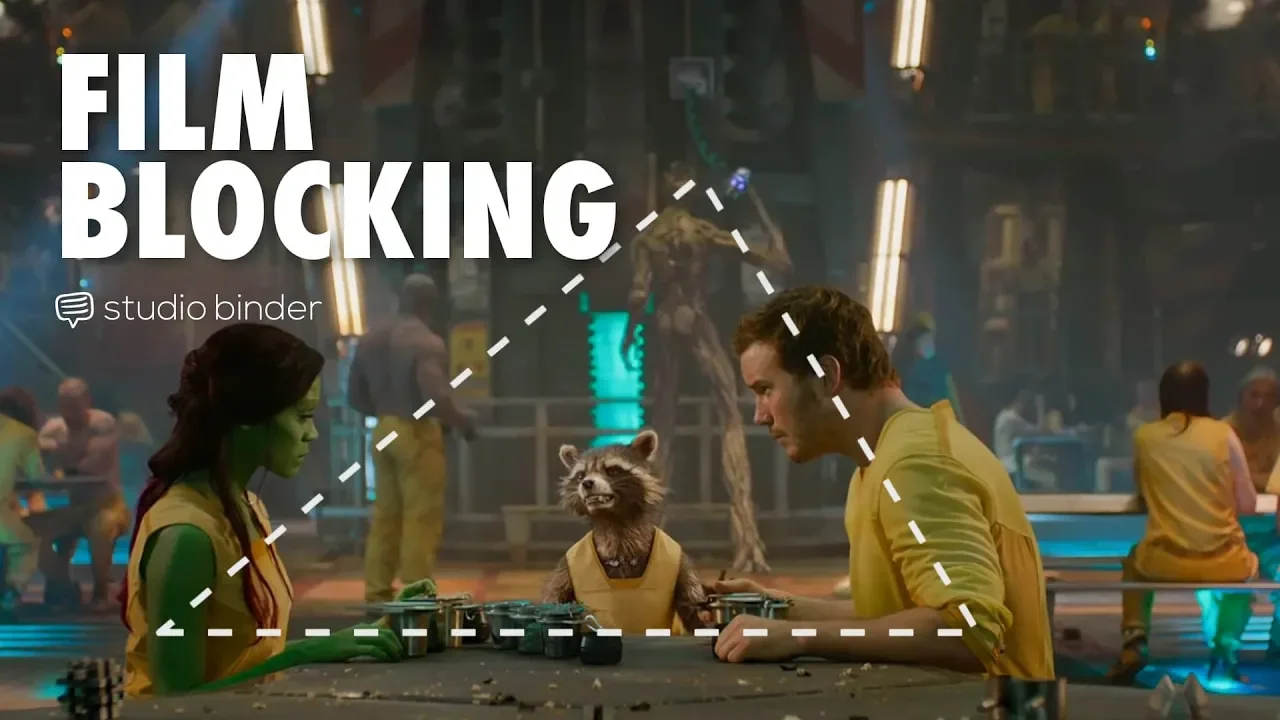
4:55
Film Blocking Techniques for Directors: Space, Shapes, Lines
@StudioBinder
1.9M views•2018-07-23

4:00
Evolution of Darth Vader: Anakin Skywalker's Animated Journey Across Star Wars Films
@TellItAnimated
13.4M views•2019-03-30
Related Study Plans & Knowledge Roadmaps
Structured learning paths in Film Analysis
film-analysis
Sensory Cinema: Foley, Haptic Sound & Texture
01Introduction to Film Sound and Foley Artistry
02Micro-Sounds, Textures, and Extreme Amplification
03Haptic Audition and Film Phenomenology
+ 1 more learning modules
12h4 modules
Explore Roadmap
film-analysis
Breaking the Fourth Wall: Mockumentary & Satire
01The Invisible Wall: Basics of Cinematic Illusion
02Looking at the Lens: Direct Address & Character Glances
03The Mockumentary: Satire, Realism, and Complicity
+ 2 more learning modules
12h5 modules
Explore Roadmap
film-analysis
Analyzing the Long Take: Cinema, Space & Ethics
01Foundations of Film Grammar: Montage vs. The Long Take
02Choreography and Mechanics of the Simulated One-Shot
03Phenomenology of Film: Real-Time Spatial Continuity
+ 1 more learning modules
14h4 modules
Explore Roadmap
film-analysis
Anachronistic Music: Period Drama & Subversion
01Foundations of Film Sound and the 'Needle Drop'
02Traditional Authenticity vs. Revisionist History
03The Rise of the Anachronistic Soundtrack
+ 2 more learning modules
12h5 modules
Explore Roadmap