












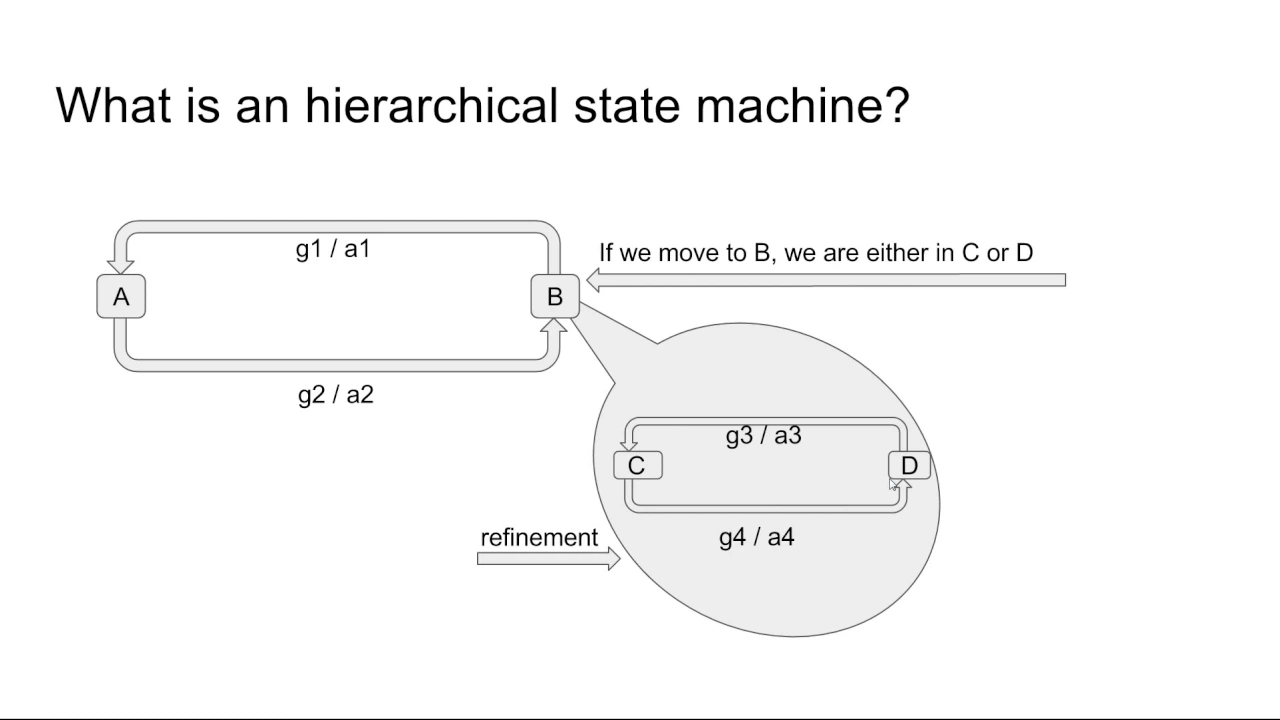
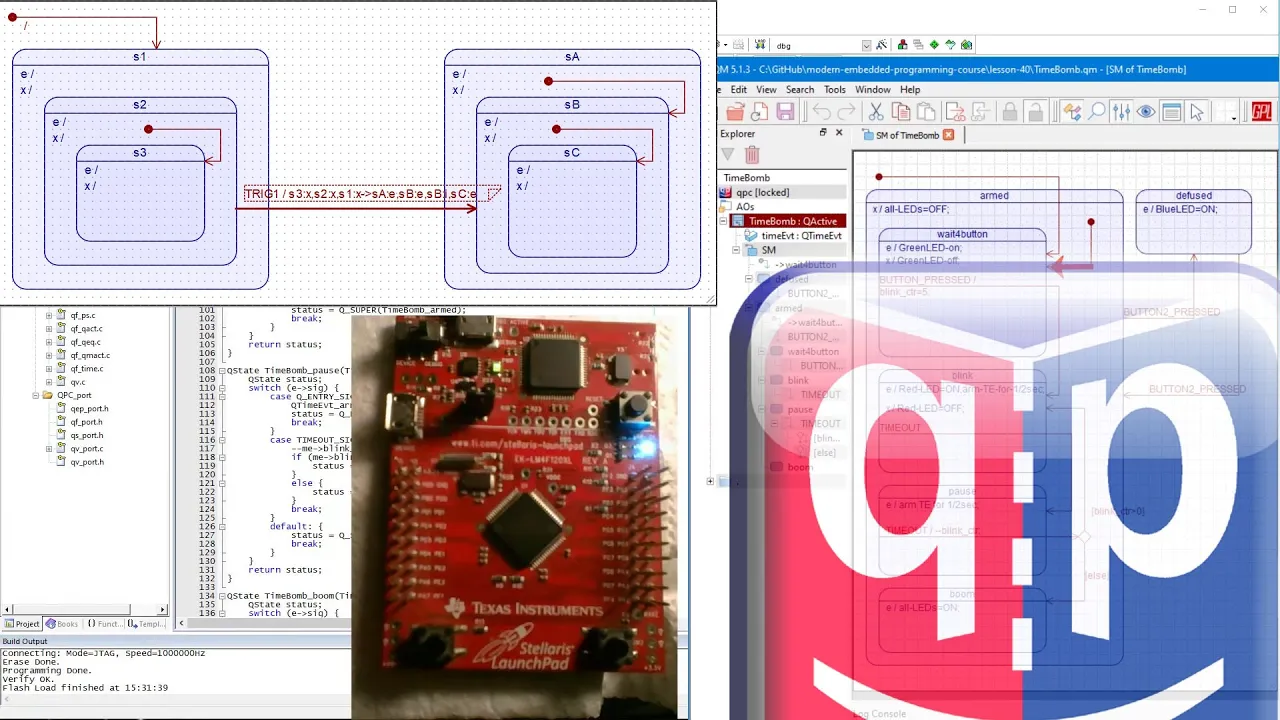









A Finite-State Machine (FSM) is a programming paradigm that organizes logic by defining a limited number of discrete states and the conditions under which the system transitions between them, commonly used to implement AI behavior in games and algorithms; the implementation involves creating a base State class with execute methods, a Transition class to handle state changes, and an FSM class that manages the current state and transitions, with the execute flow following: if a transition exists, call the exit function of the current state, execute the transition, set the new state, call the enter function of the new state, and finally execute the new state's actions.
Finite-State Machines (FSM) Explained with Python Tutorial
Added:Basic Python programming, including Object-Oriented Programming (OOP) concepts such as classes, inheritance, and methods.
Fundamental control flow logic, particularly conditional statements (if-elif-else) and loop structures.
Basic understanding of discrete mathematics, specifically the concept of sets, inputs, and outputs.
Familiarity with the concept of abstraction and modular software design.
Hierarchical State Machines (HSMs) and Statecharts for managing highly complex or nested state structures.
Behavior Trees and Utility AI, which are more scalable alternatives to FSMs in advanced game AI and robotics.
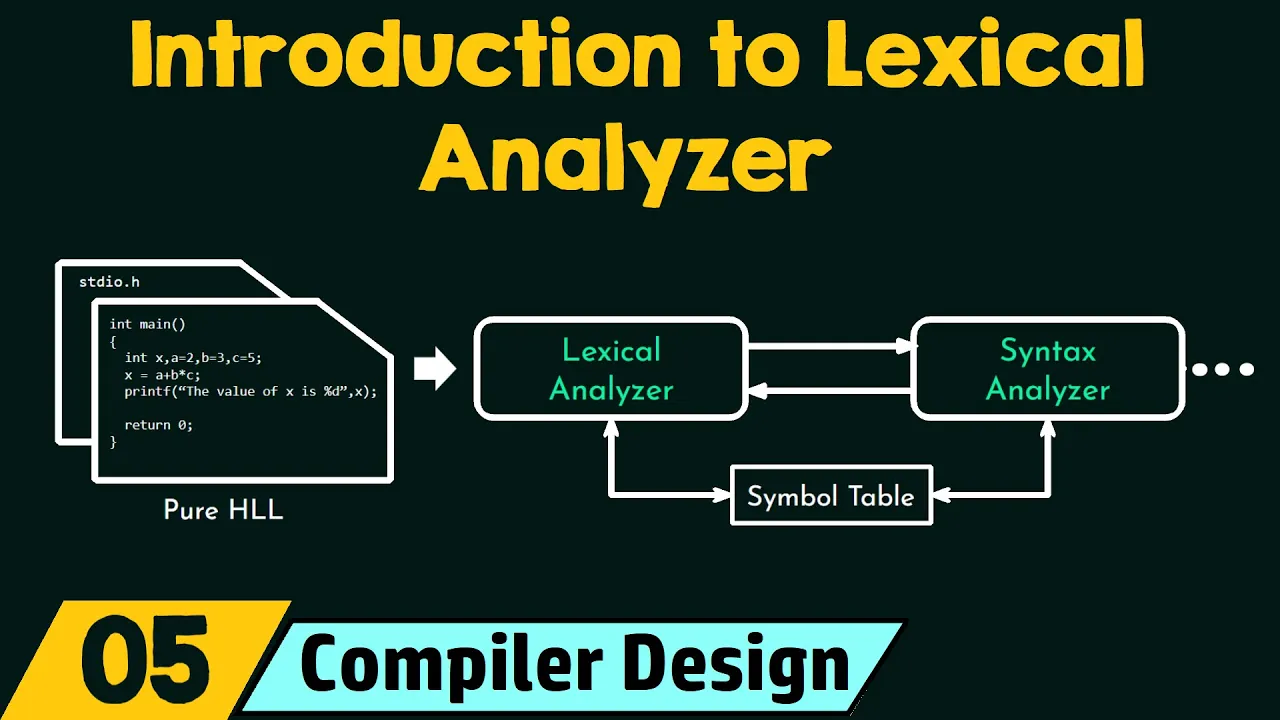
Lexical analysis and compiler design, exploring how FSMs (like DFAs and NFAs) are used to parse text and programming languages.
Implementation of state management libraries in production frameworks, such as Redux or Python's 'transitions' package.
88.1K views824likes22:11Original Release: 2013-10-13
good morning fellow programmers thanks for joining me I'm T pay and welcome to Let's Learn Python feel free to use the skip ahead feature on the right hand side to jump to any specific sections or examples today we'll be using Python 2.7.4 and you can download it from python.org slet it today we're going to be focusing on finite State machines this will build heavily on past lessons so feel free to go back and watch them again if anything is unclear all right a finite State Ma machine what is it a finite State machine is a way of controlling or organizing logic in a program it is commonly used to program AI or artificial intelligence this could be for games this could be for algorithms this could be for any number of things so breaking it down why do we call it finite State machines well finite means that there's a limited number there could be five there could be 100 but there's a known number of states and then what's a state state is how something is is in that exact moment so if you're thinking about the real world something could be hot could be cold could be liquid could be gas or could be on or off in the case of a light bulb the machine what is a machine machine is a French rabbit who checks his mail just kidding a machine is something automated yeah I don't need to tell you you already know what a machine is now with the finite State machine the program can only have one active State at a time unless you program it otherwise but typically only one state is active all right so how do we use it well first step is we plan creating a finite State machine can be tough and it is imperative that you organize all your thoughts and get them down on paper or pen or digitally whatever it may be so you can visually see how everything's going to lay out so here's my method of planning out my finite State machine first I'll draw out a whole bunch of circles for all the different states I need to create next I'll draw arrows that represent transitions one way to a different state connecting them and creating a network each Arrow describes a condition as to why one state changes to another it's important to label your arrows so that you know exactly what triggers the transition between states for example let's look at a finite State machine for a light bulb it has an on and an off State and that's it we create those within circles next we have transitions we describe how one state changes into another another and that's as simple as somebody flicks the light switch on or somebody flicks the light switch off all right so let's go ahead and begin programming this light example I just described let's go ahead and crack open idle and we're going to create a new file and save it to the desktop and call it light bulb uncore Capital FSM for finite State machine. py save it this is going to be about 70 lines of code we'll crank out so brace yourself all right let's get started first we're going to type from random import Rand int and this Rand int function that we're importing is just a simple function to generate a random integer next we'll type from time import clock this will be used to keep track of the time of our program these two functions combined are what we're going to use to actually iterate through different states very slowly so we can see the finite State machine at work next we're going to type state is equal to to type open parenthesis quotation State close quotation comma object comma in parenthesis comma open close bra squiggly bracket in parenthesis enter enter and this is to create a state Base Class that's all next we're going to go ahead and create the two states for the Lio so type class light on open parentheses State Clos parentheses colon enter def execute open parenthesis self close parenthesis colon enter print quotations light is on in the quote then we're going to create another class after that for the off and it's just going to be the same so I'm going to go ahead and copy and paste and just change this to off and then down below to off perfect so these are our States I'm going to go ahead and start separating outer code into chunks this will make it easier to navigate when we want to add more code so I'm going to type enter pound sign pound sign and then a whole bunch of equal signs and then shift click to copy and paste it below and I'm going to do this a couple times okay so we have our states separated in one section and here we're going to create our transition so type class transition and it's going to inherit from object class colon enter type it's Constructor underscore nit underscore uncore and then in the arguments we're going to have self and two stat colon enter Then type self. two state is equal to two State and then we're going include another function called execute and it's just going to include self and then we're just going to print transitioning all right and that's our transition class all that is asking for is that when it's constructed we pass in a two State whatever state it's going to be transitioning to and it's going to be as a string so let's scroll down and now we're going to create our finite State machine so type class simple FSM open parenthesis object then we're going to access its Constructor with self and Char in the arguments and the Char is going to be our character that's going to be passed in when this object's created so let's find that self. Char is equal to char and then we're also going to create a dictionary called States and here is where we're going to store all of our states go ahead and save right now so we don't lose any of our work and before we go any further let's go ahead and make sure that there are no Errors By compiling it real quick so save F5 to run it and we still we have no errors cool so let's continue it's important to check to make sure that your program compiles correctly throughout it rather than waiting until the end next we're going to create a dictionary for the transitions self. transitions is equal to open close parenthesis self. Cur State and this is going to be to store our current state is equal to none and then we're going to do the same for a transition trans is equal to none okay so we're going to store our past in character we're going to have all the states within a dictionary and all the transitions within a dictionary and have our current states and our current transition next we're going to go ahead and create another function called set state so type def set State and in the arguments you can have self and state name and down below type self. Cur state is equal to self. States open parenthesis state name close parenthesis and this is just a function that will look will look for whatever string we pass in within the states dictionary so above when we create the state dictionary it's going to be paired with whatever the state name is to an actual instance of that state and this function is how we're going to set the current state to the Past in state by passing in just a simple string down below we're going to create a function for transition so type def transition open parenthesis self comma trans name in the arguments then below type self. trans it's equal to self. Transitions Open Bracket trans name close bracket and all this function is doing the exact same as up above but this is actually going to be setting the transitions State finally we're going to create one last function we're going to type def execute open parentheses self close parentheses colon enter if self.
trans colon self.
trans. execute open close parenthesis enter self. set State open parentheses self.
trans. two state in pares Enter self.
Trans is equal to none and finally an indent from out of that if statement and type self. Cur state. execute open close parenthesis so what's going on here is if there is a transition stored within self. trans then we will execute that transition we will set the current state to whatever that transition is to and then we'll reset the transition to a value of none and finally we'll go ahead and execute that current states so next we're going to create a character class and this character is going to hold all the character attributes and properties so if your character was going to have a weapon armor a helmet whatever it may be it would be stored within this class the finite State machine would also be stored within the character class all right so let's go ahead and create this class type class Char open parentheses object close parenthesis then we're going to access its Constructor the nitor self first thing we're going to do is create an instance of that finite State machine we created up above that says simple finite State machine so we're going to type self. FSM is equal to simple FSM open parenthesis self close parenthesis and then we're going to next we're going to go ahead and say self. light on is equal to true and what's going on here is we're creating an instance of the finite State machine and then we're storing this property called light on and setting it to a value of true all right we're almost there guys now at the very end we're going to go ahead and basically create and run this program so first we're going to type if uncore uncore name uncore uncore is equal to main colon enter light is equal to char and this is decreed an instance of the character next we're going to go light do FSM do states and we're going to call one state on in a string set that state equal to the state that we created way up above so type light on open close parenthesis so what we did here is we created an instance of the light on state that we declared up above and then we stored it within that state dictionary inside the finite State machine let's go ahead and copy and paste this down below and create an the off State and just replace that n with two FS next we're going to go ahead and create the transitions so light. FSM do transitions open parentheses to on is equal to transition open parentheses on open close parenthesis copy that line and paste it down below and replace those ends with two FS okay save it and what we did down here is we did the exact same thing we created an instance of those Transitions and stored them within the dictionary of transitions note that this string right here on matches the dictionaries instance of on up above so what this is going to do is when we is when we want to transition States we're going to pass this string into here and it'll spit out this state instance of light on and the same for the off transition state so next we need to actually set the initial state of the finite State machine light. FSM doet State open parenthesis on close parenthesis and now we're going to create the main program that runs through this so we're going to type for I in range open parentheses 20 close parenthesis colon enter and type start time is equal to clock open close parenthesis enter time interval is equal to 1 enter while start time plus time interval is greater than clock open close parenthesis in parenthesis colon enter pass so what this code is doing is saying for I in range 20 so we're going to run through this program 20 times we're going to record the starting time and the time interval which is going to be one and then here we're saying while uh the clock has is not passed 1 second then we're just going to continue looping on it once the clock has passed 1 second we're going to move on below next type if randant that function we imported above open parentheses 0 comma 2 in parentheses colon enter if light.
light on open parentheses colon enter light. FS sm. transition open parentheses to off in parenthesis colon light. light on is equal to false and then we're going to type an L statement to reverse it so let's just type copy this these lines above cuz I'm lazy paste them below and then we're going to replace this false with true and put two on right above save it press enter un indent all the way back down light. FS sm. execute all right so what's this next block saying well this random integer is going to pick a value between zero and two which is going to result in integers Z or one if it's zero it's just going to skip everything below and just execute whatever it currently is it's not going to change States otherwise it will trigger a transition to whatever the opposite state is so if the light is currently on we're going to transition to off otherwise we're going to transition to on and that's it go ahead and save it let's shrink this down so note there was a little error I had a typo at line 60 I'm going to go ahead and fix that real quick that's right here all I needed to include was s for the plural save it run it again and I and I got another error in which I had not spelled the state transition right run it again all right now it's working so it's saying transitioning whenever it's transitioning from an on to an off State and we're just switching between the on and off states of the lights and randomly picking which one we want to have on and after about 20 seconds it'll stop perfect and the program ended beautiful beautiful all right so our program worked beautifully but what about like longer and more complex examples well rather than sit here and type for like 2 hours and and showing you how to create a longer example I'm actually going to zip through one that I already created this one is called FSM robotm made. py and you're welcome to pause the video and type this out for yourself if you'd like in fact I'd encourage it it's important to note that there are there are many different ways to create a finite State machine I'm merely showing you one way but what's most important is the concept not so much the way you implement it all right so again I imported the clock and the random in to keep track of time and in integrate through this code code here's my transitions same as above that we created next we have States we have a base object and here I have three functions rather than one in the previous light example we had two functions we had the execute for the main State and then we had the execute for the transition and that was it but that may not be enough in fact in most cases it won't be you'll need two additional functions the enter and the exit functions in each state the reason being is say for instance you were going to do the dishes when you started on uh to enter the state you would turn on the sink and then in the execute you'd actually clean the dishes and then when you got done you would turn off the stink and this happens for everything you could have a simple pass in here if it's not going to do anything but it's important to have enter and exit functions as well as the main execute the enter and exits will only be called when there is a transition happening so the first state that I actually created is this clean dishes state I'm going to expand this a little bit so in the Constructor of clean dishes I'm going to go ahead and call the Constructor of the base State class right here and I'm also going to ask that a finite State machine be passed into the Constructor so we can so we can make adjustments and grab data from it next I print preparing to clean dishes next I initiate the enter function from the inherited state which will just create a simple timer as seen right here in the execute I have the print dishes so we can do whatever task we want and it's important that we have a condition within the execute of the state that we are in to check to see if we need to transition to another state if the condition is met then the finite State machine is triggered to transition to whatever condition we want in this case I have the program randomly choose if it's going to vacuum or going to send the robot to sleep finally I have finished cleaning dishes at the exiting print statement now we're going to scroll down to the vacuum State below and in the vacuum State we do the same before we initialize the Constructor of the base class and then with the within the answer function we call the answer function of the base State class to initialize the timer and then we have that check within the function to see if we need to trigger a transition to a new state and then we randomly choose between the sleep and cleaning dishes function and finally we finish vacuuming and at this point everything's starting to look exactly the same and for the Sleep State everything's just exactly the same as the other two functions we print starting to sleep we call the enter function of the base State class to start the timer and then in the execute we have the transition to the other two states and finally print that we're waking up from sleep and that's it so here's the finite State machine implementation enthesis is very similar from what we did above we have a dictionary for States transitions we have a current state value and we also have a trans transition value we also store one more type of State in here um the prev state or previous state this previous state is used to store uh the pr the last state that it had that the robot had this is to prevent the code from looping on itself um I didn't actually implement it in here but you you should definitely implement it for more complex problems or programming just so the program doesn't loop on itself forever next we have a function to add Transitions and add States this is just a cleaner way to add something to a dictionary ordinarily you'd have these variables States and transitions as privates in other words uh outside classes and objects would not be able to access them directly and that's why you'd implement the ad transition and add States just so that they could put them in but they couldn't remove them and then just as before we have the set States but this time we store the current state into the previous state and then pass in the current state down below we have the two transition state to set the current transition finally we have the execute function in which we check to see if there was a transition state set we then if it is set we call the exit function of the current state we execute the current transitions function we set the state to the transition's Target State then we call the enter function of the current state because it's been changed over to the new state and finally we reset the transition to a value of none and lastly we execute the current function cool and down below going to scroll down so next we have a simple base character class which has just inherits from the object and that's it then we have the robot made class which inherits from the base character class and here's where we add the states that we declared above we add the Transitions and then we set the default state to sleep finally our function that says execute on our character just executes the finite State machine that's it for the character class and here's our final implementation of the ual code we check to see if we're in the ma file we create an instance of the robot made and then we integrate through 20 different times to this code using X range we have the start time time interval and we have this while loop so that uh we know that it's going to interval every second and call the code okay and I'm going to change this x range to 10 just so it's quicker for demonstration purposes and then we just keep calling execute that's it we just keep calling it and we're like hey has a second pass all right then execute second pass execute let's go ahead and run it to see it in action okay I'm going to press F5 and here we see our code working so it starts off sleeping then it transitions to cleaning dishes and then it's sleeping again and transitioning cleaning dishes now it's vacuuming it's going back and preparing dish is perfect the code worked beautifully awesome all right lastly why do we use finite State machines well if we didn't use finite seat machines we would have a huge amount of code that would just if and lse statements that would look terrible that would be very difficult to navigate and very difficult to manage if you'd like to learn more on the subject I recommend programming for AI by example and there will be a link Down Below in the description thank you so much for watching great job keeping up definitely take a few minutes to investigate these final challenges you are a brilliant programmer and I'm sure this will be a piece of cake for you please leave me a comment below if this helped you at all and please do me a huge favor and subscribe to my channel it would really mean a lot to me thank you so much for your support and keep the dream alive
Up Next

5:30
OCaml and Functional Programming: A Beginner's Guide
@gabriellechang
33.8K views•2023-05-02

87:26
Introduction to Secure Multiparty Computation with Yehuda Lindell
@fhe_org
7.7K views•2021-02-04

4:55
HTTP Requests Explained: GET, POST, PUT, DELETE
@codecademy
103.1K views•2021-10-07

19:25
Enigma Machine Mechanics: WWII Encryption Explained
@JaredOwen
13.2M views•2021-12-11
Related Study Plans & Knowledge Roadmaps
Structured learning paths in Computer Science
computer-science
Container Runtimes: Namespaces, Cgroups & Go
01Linux Systems & Go Programming Foundations
02The Core of Isolation: Chroot and Filesystems
03Linux Namespaces: Process Isolation
+ 3 more learning modules
32h6 modules
Explore Roadmap
computer-science
Building a CHIP-8 Emulator: Rust & CPU Basics
01Computer Architecture Foundations (Bits & Bytes)
02Rust Programming for Systems Development
03CHIP-8 Virtual Hardware Specifications
+ 2 more learning modules
32h5 modules
Explore Roadmap
computer-science
Building BitTorrent: Go, P2P & Concurrency
01Go Fundamentals & Concurrency
02Networking Foundations & P2P Architecture
03Bencode Parsing & Torrent Metadata
+ 3 more learning modules
26h6 modules
Explore Roadmap
computer-science
Actor Models (C++ Concurrency & Lock-Free)
01C++ Multi-Threading Foundations
02Thread Pools and Task Scheduling
03Atomics and Lock-Free Queue Design
+ 3 more learning modules
45h6 modules
Explore Roadmap