To set up a geofenced mobile marketing campaign, first create a campaign with a name and ID, then configure targeting by selecting dates/times, choosing between ZIP code, address-based radius (down to 0.1 mile), or free-draw geofencing for precise areas; note that demographic targeting is not recommended for mobile geofencing campaigns; upload mobile ad sizes (320x50 or 300x250 pixels), configure the landing URL, and launch the campaign to access analytics showing clicks and views.
How to Set Up Geofencing for Mobile Marketing Campaigns
Added:Deep Dive
Fundamentals of mobile advertising, including key metrics like CTR, CPC, and basic ad design principles.

FACEBOOK ADS: COMO ANALISAR MÉTRICAS E ESCALAR (Tráfego Direto)
1.1K
CTR (Click-Through Rate) measures clicks per 100 impressions, directly influenced by creative quality. Higher curiosity in creatives increases CTR, but meaningless clickbait brings wrong audiences. A good reference is CTR above 3%. CPC (Cost Per Click) is influenced by creative quality - better creatives yield lower CPC. Seek CPC below R$1 for medium-ticket products. CPM (Cost Per Mille) is the cost per 1000 impressions, affected by audience size and quality. Smaller, specific audiences cost more; larger, generic audiences cost less. Facebook's auction system rewards quality ads that increase user retention, even when competitors invest more money.
Click to watch →
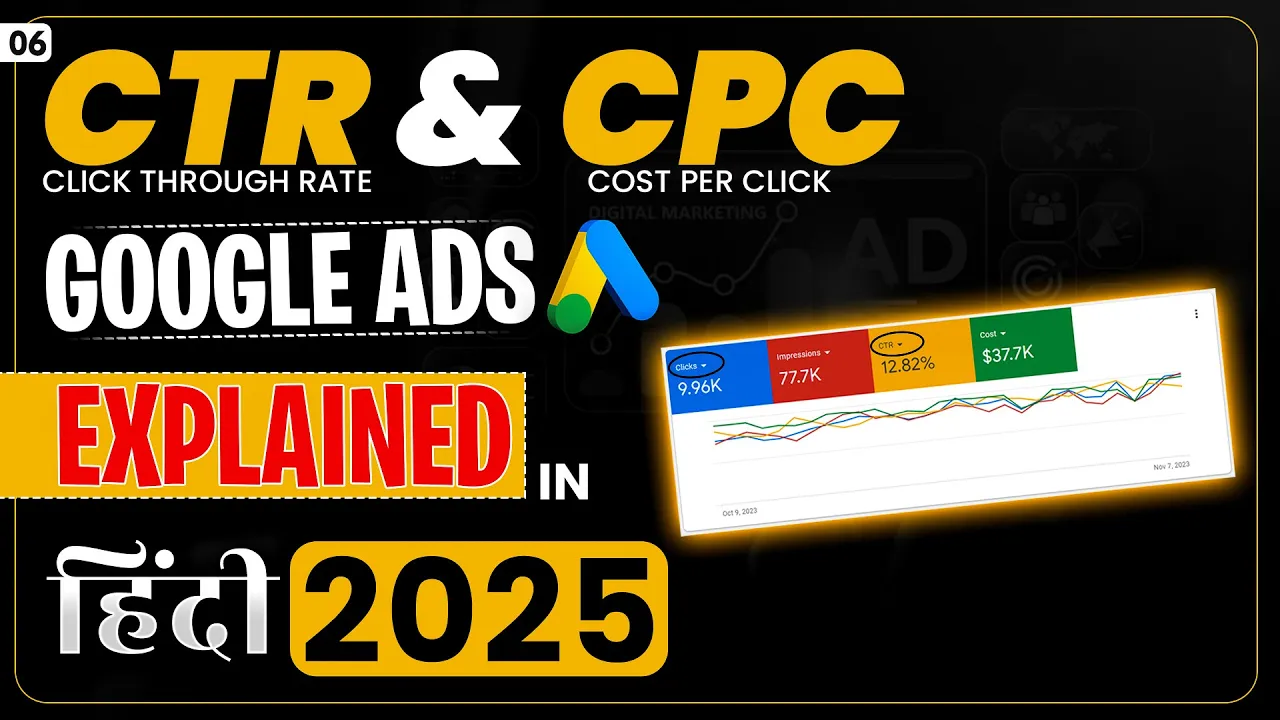
Google Ads CTR and CPC Full Tutorial 2025 | Google Ads Latest Course in Hindi 2025 #googleads2025
3.2K
This comprehensive tutorial covers two essential digital advertising metrics. CTR (Click Through Rate), also called Interaction Rate, measures ad effectiveness as (Clicks/Impressions) × 100. For search ads, 3-4% is the industry standard; 15-30% indicates poor quality traffic. Video ads measure views instead of clicks. CPC (Cost Per Click) represents average cost per click, with lower values generally better. The actual CPC formula is: (Competitor's Rank Score / Your Quality Score) + 0.01. CPC varies by keyword (₹1 to ₹50+). Low CPC alone doesn't guarantee quality traffic—wrong audience targeting or problematic ad copy can result in poor conversions. Performance marketing agencies continuously optimize campaigns to achieve the best possible CPC while maintaining quality traffic for maximum client profitability.
Click to watch →
Digital Marketing Metrics & KPI's Explained (With Examples)
138.2K
Ad platform metrics include impressions (total views of ads, counting repeated exposures to the same person), reach (unique individuals seeing the ad), and click-through rate (CTR, percentage clicking on the ad). CTR indicates ad relevance to the target audience. Frequency measures how often individuals see ads, which varies by industry—B2B businesses may tolerate higher frequency due to longer buying cycles. Cost Per Click (CPC) shows spending per click, with separate metrics for overall clicks versus link clicks (clicks through to website). Link click metrics are most valuable for assessing actual traffic quality.
Click to watch →

7 Métricas Importantes no GOOGLE ADS Para Vender Como Afiliado Todos os Dias
69.2K
For campaigns not yet generating sales, four metrics are most important. Impressions indicate if your campaign is running. Average CPC shows your average cost per click, influenced by bidding strategy. CTR (Click-Through Rate) measures ad effectiveness, calculated as clicks divided by impressions. A good CTR depends on funnel stage: 10% for bottom-funnel keywords, 15% for top-funnel. Quality Score (1-10) measures ad quality for user experience, affecting auction position and costs. It depends on three correlated pillars: keyword, ad text, and landing page relevance.
Click to watch →

Como anunciar no Facebook Ads em 2026
25K
Three essential metrics for campaign analysis: CPA (Cost Per Acquisition) measures how much you spend per sale (e.g., R$ 100 spent for 10 sales = R$ 10 CPA). Lower CPA is better. CTR (Click-Through Rate) measures the percentage of viewers who click your ad (e.g., 2% means 2 clicks per 100 views). CTR below 1% is poor, 1-3% is acceptable, and above 3% is excellent. CPC (Cost Per Click) measures how much you pay for each click (e.g., R$ 100 spent for 50 clicks = R$ 2 CPC).
Click to watch →
Deep Dive
How mobile location services work technically, such as GPS, Wi-Fi triangulation, and cellular network tracking.

How THEY are Watching your MOBILE. Triangulation, Relative Tracking, GPS Tracking, WiFi Tracking.
4.8K
Mobile phones track location through cellular networks using two mechanisms: (1) radio modules for calls/texts, and (2) smartphones as concealed computers. Phones maintain constant connection with cellular base stations, with signal strength measured in decibels correlating to distance. Triangulation uses at least three base stations to calculate position in real-time, with accuracy ranging from hundreds to tens of meters. Even in standby mode, phones transmit service data to maintain network availability. 3G/4G/LTE networks keep radio modules active, enabling faster tracking. Relative tracking identifies individuals by finding phones that followed identical paths at the same time, which also links users with multiple devices if they're carried together.
Click to watch →

CompTIA A+ Core 1 (220-1201) | Location Services | Exam Objective 1.3 | Course Training Video
198
Mobile devices determine location through multiple technologies: GPS uses satellite signals for precise positioning, cellular triangulation measures signal strength from multiple towers to infer location, and devices offer accuracy settings that balance precision with battery consumption by combining GPS, Wi-Fi, Bluetooth, and cellular signals. Users can control which applications access location data through permission settings to protect privacy.
Click to watch →

Ubuntu Touch Q&A 188
177
Modern mobile devices use multiple technologies for location determination. Cellular-based location uses signal strength from cellular towers to triangulate position, while Wi-Fi positioning uses known network locations. AGPS (Assisted GPS) improves GPS acquisition by providing satellite location information through the network, reducing the time needed to establish a GPS fix. These technologies work particularly well indoors where GPS signals are weak.
Click to watch →

Your Phone Tracks You Even When Location Is Off
487
Modern smartphones track location through multiple redundant systems beyond GPS, including cell tower triangulation, Wi-Fi MAC address scanning, 5G small cell positioning, and internal motion sensors (accelerometer, gyroscope, barometer, magnetometer), which continue to collect and store location data even when GPS and location services are disabled, creating a comprehensive tracking system that persists through airplane mode and offline periods.
Click to watch →

Johnathan Thought He Was Slick… But That Phone Told EVERY Move He Made!… JUST LIKE JARVIS
15K
Phones use three methods to track location: (1) Assisted GPS uses cell towers to connect to servers that know satellite locations, allowing indoor tracking and faster processing with 3-5 meter accuracy; (2) Wi-Fi data points use patented algorithms to triangulate device location using Wi-Fi networks; (3) Cell towers are used when Wi-Fi is unavailable. If no cell towers exist in an area, no location records can be obtained. This multi-layered approach ensures tracking works in various environments.
Click to watch →
Deep Dive
The basics of audience segmentation and targeting in digital marketing campaigns.

GRATIS Belajar Digital Marketing: 15 thn dalam 15 menit
14.2K
Digital marketing fundamentally consists of two elements: the audience (people in the market) and the treatment (what marketers offer them). Channels are the pathways used to approach the market. Effective marketing requires segmenting target markets into specific target audiences and providing appropriate treatment for each segment. The more specific the audience, the easier it becomes to understand their problems and provide solutions. This segmentation enables marketers to move customers through the marketing funnel more effectively by addressing their specific needs and pain points.
Click to watch →

O PODER DA ALTA SEGMENTAÇÃO | PODCAST EXTREMO #2
41.9K
The more you know about your target audience, the more money you can make. Understanding your audience deeply changes your marketing game. Digital platforms like Google, Facebook, and Instagram track user behavior to enable highly targeted advertising. Effective segmentation goes far beyond basic demographics, allowing targeting based on specific interests, behaviors, and content consumption patterns. Remarketing targets users who have already visited your website, keeping your products visible as they browse other sites. Creating a customer list is essential for effective targeted advertising. Effective marketing requires thorough research about your target audience, including understanding their demographics, interests, challenges, and how they prefer to receive information. Even talking to just three or four potential customers can provide enough information to start creating effective campaigns.
Click to watch →

Understanding Audience Segmentation for Digital Marketing
138
Audience segmentation is the practice of dividing your target market into smaller, more specific groups based on shared characteristics such as demographics (age, income, education), geography (location, climate), behaviors (purchase history, website interactions), and psychographics (interests, lifestyle, personality) to enable more effective and personalized marketing communication, ultimately improving engagement rates and return on investment by focusing resources on the most relevant audiences rather than using a broad, one-size-fits-all approach.
Click to watch →

Як сегментувати клієнтів: визначення ЦА за універсальною методикою 5W - На Пальцях 25 (Netpeak)
13.1K
Modern consumers make faster purchasing decisions with unlimited choices, making effective segmentation essential for marketers. Survey data shows most businesses struggle to define their target audience, with only 30% properly segmenting their audience. Effective segmentation uses three main criteria: demographic characteristics (age, gender, education, occupation), psychographic features (strives, fears, motivations), and geographic parameters (region, language). For digital marketing, also consider internet experience, time online, purchase locations, and devices used. Measure market demand using Google Trends for regional popularity and seasonality, and keyword tools for query frequency and costs. Identify target segments with highest long-term profitability potential, then map the customer journey from initial awareness to loyalty, selecting appropriate communication tools for each stage.
Click to watch →

CLASE 01 · TRAFFICKER DIGITAL: GOOGLE, TIKTOK, LINKEDIN Y META ADS - (FEBRERO 03 - 2026)
275
Audience segmentation is the process of selecting specific groups of people within the internet community to show advertisements to, avoiding ineffective mass communication. Effective segmentation requires specificity about products, services, and offerings to better connect with target audiences. Customer profiles are fictional personas representing ideal customers, including information about work, family, hobbies, and preferences. There are three main types of segmentation: demographic (age, location, income), behavioral (purchasing habits, interactions), and customer journey (awareness, consideration, decision). Geographic segmentation is the most common method, requiring consideration of location and service boundaries. Behavioral segmentation involves analyzing purchasing frequency and seasonal patterns. The customer journey consists of three stages: awareness, consideration, and decision/conversion. Full funnel marketing involves working across all stages. Customers with different commitment levels require different marketing approaches. Device-based segmentation is crucial because over 90% of social media consumption occurs on mobile devices. Effective segmentation requires asking questions across five levels: demographic, psychographic, behavioral, and strategic. The most powerful segmentation is emotional, focusing on what problems customers want to solve.
Click to watch →
Deep Dive
Understanding user privacy regulations and consent frameworks regarding location data, such as GDPR, CCPA, and mobile OS permissions.

CPDP 2015: Location privacy: what problems - which solutions?
402
The EU protects location data through two complementary legal tools: the ePrivacy Directive Article 9 requiring consent from telecommunications operators processing location data, and the Data Protection Directive applying to other entities like geolocation applications and operating systems. Together, these frameworks generally require user consent for location data processing, though data protection authorities have interpreted this broadly to make consent effectively mandatory across most scenarios. Three main implementation challenges exist: (1) Information disclosure - providers inform users through subscription contracts or app interfaces, but effectiveness is questionable; (2) Consent mechanisms - users must actively agree via checkboxes or settings, but this may not constitute meaningful choice; (3) Framework complexity - different legal tools apply to different entities (telecom operators vs. apps vs. OS developers), creating implementation difficulties. The EU is currently reviewing the ePrivacy Directive to examine whether consent provisions are effective and whether the current scope adequately addresses modern data flows.
Click to watch →
Location Data: Will Downstream Abuse Sink Legitimate Use?
3.5K
Companies can implement multiple privacy protection measures: OS manufacturers should make it easy for apps to explain consent requests and for consumers to withdraw consent. Apps should only request location access when needed for functionality, use OS-level prompts, and clearly disclose advertising purposes. Key practices include minimizing data retention, de-identifying or aggregating data, being careful about sharing with third parties without oversight, and using data only for collection purposes. Transparency is core, requiring companies to make users aware of data collection and use. Just-in-time notice provides opportunities for informed consent by laying out specific use cases. However, the notice and choice framework has fundamental limitations: no law requires notice and choice industry-wide, consumers don't realize hundreds of companies could be getting their location data, and location data is highly sensitive, revealing comings and goings, safety threats, religion, politics, health, and personal habits.
Click to watch →
Apps Are Tracking Your Location, How Worried Should You Be? | Through the Rabbit Hole EP4
285.3K
Both iOS and Android have implemented strict privacy controls limiting app access to location data. iOS offers three permission levels: 'Never' (no data), 'While Using App' (data only when app is active), and 'Always' (continuous background tracking). The 'Always' option requires manual settings configuration, not in-app requests. Android has similar restrictions, making it increasingly difficult for developers to obtain continuous background location data. These platform-level protections prevent apps from silently tracking users without explicit consent.
Click to watch →

#HITB2021SIN D2T2 - Framework to Examine Mobile App Privacy - Zhang Qing, Zeyu Wang & Guangdong Bai
134
This comprehensive section covers the mobile application privacy landscape and global data protection regulations. It begins with an introduction to the research team from University of Queensland and WhiteDance, followed by an explanation of how mobile applications collect personal data including geographic location, device ID, SIM card information, and browsing history. The section then provides an in-depth overview of GDPR (General Data Protection Regulation), which came into force in May 2018 in the EU and UK. Key topics include: GDPR's scope applying to any entity processing personal data of EU/UK residents; the six core principles (lawful/fair/transparent processing, purpose limitation, data minimization, accuracy, storage limitation, and security); and penalties reaching 4% of global turnover or 20 million euros. The section also covers CCPA (California Consumer Privacy Act) and Google Play's privacy policy requirements, which mandate transparency about data collection, use, and sharing.
Click to watch →

CCPA vs. GDPR - What About Consent?
14.3K
The CCPA does not require a legal basis for data collection like the GDPR does, meaning businesses generally do not need consent to collect personal information from California residents; however, consent is required for children aged 13-16 (from the child) and under 13 (from parents), and there may be consent requirements for third-party tracking through cookies or web beacons due to the broad definition of 'sale of information' in the CCPA.
Click to watch →
Prerequisite Knowledge
- Concept 01Fundamentals of mobile advertising, including key metrics like CTR, CPC, and basic ad design principles.
- Concept 02How mobile location services work technically, such as GPS, Wi-Fi triangulation, and cellular network tracking.
- Concept 03The basics of audience segmentation and targeting in digital marketing campaigns.
- Concept 04Understanding user privacy regulations and consent frameworks regarding location data, such as GDPR, CCPA, and mobile OS permissions.
Subsequent Learning
- Step 01Implementing Bluetooth Low Energy (BLE) beacon technology for hyper-precise indoor location targeting.
- Step 02Advanced foot-traffic attribution modeling to accurately measure physical store visits driven by digital ads.
- Step 03Dynamic Creative Optimization (DCO) to automatically tailor ad copy based on real-time weather, local events, or traffic.
- Step 04Techniques for identifying and mitigating location-based ad fraud, such as GPS spoofing.
Campaign Setup
Finalize & Launch
Campaign Setup
0:00Playing Section
- 1
Guides dashboard navigation and campaign naming.
- 2
Covers budget setting and audience targeting defaults.
- 3
Explains location targeting via zip, radius, or geofence.
Privacy-First Marketing and the Backlash Against Geolocation Tracking
While geofencing offers marketers precise location-based targeting, it faces significant opposition from privacy advocates, regulators, and consumers. Critics argue that geofencing contributes to "surveillance capitalism" by constantly harvesting sensitive real-world movement data, often without explicit or fully understood user consent. This has triggered strict data privacy regulations like GDPR and CCPA, alongside sweeping mobile operating system updates (such as Apple's App Tracking Transparency) that allow users to easily opt out of location tracking. This counter-perspective advocates for "privacy-first" or contextual marketing. It argues that over-reliance on geofencing not only risks legal non-compliance but can also alienate consumers who find hyper-targeted, location-aware ads intrusive or "creepy," ultimately damaging brand trust and long-term customer relationships.
Deep Dive
Implementing Bluetooth Low Energy (BLE) beacon technology for hyper-precise indoor location targeting.

Home Assistant AUTOMAZIONI: WifiTracker e BLE Beacon ! | EP: 7
138
Bluetooth Low Energy (BLE) enables precise proximity detection at centimeter-to-meter ranges. A BLE beacon is a radio signal transmitted by devices like smartphones. Home Assistant uses BLE receivers (typically ESP32-based) to detect these signals and measure signal strength for distance estimation. To implement: configure beacon transmission in Companion app with a unique UUID, then use an ESP32C Mini as a receiver. The ESP32 listens for BLE packets, identifies specific UUIDs, and reports detection status, signal strength, and estimated distance. This technology enables applications like detecting specific people near house locations.
Click to watch →
Collin's Lab - Bluetooth Low Energy
155.3K
BLE beacons enable proximity sensing without requiring manual device pairing. When configured as a beacon, a BLE device continuously broadcasts advertising data containing a unique identifier string. Mobile applications like Locate register these identifiers and continuously scan for nearby BLE advertising data. When the phone enters range of a beacon with a matching identifier, the application automatically detects the presence and displays notifications, enabling location-based services and presence detection applications.
Click to watch →

【2017】T04 BLEビーコンを用いた屋内位置測位技術「BLEGONIO」について/株式会社イーアールアイ
653
BLEGONIO is an indoor positioning system that uses BLE (Bluetooth Low Energy) beacons and direction-of-arrival detection technology to determine user location in GPS-denied indoor environments. The system employs a 3-element antenna array with 180-degree and 90-degree hybrid circuits to create directional radio patterns, enabling the detection of signal arrival angles from multiple beacons. By combining these angles using triangulation, the system calculates the user's precise position. This approach overcomes the limitation that standard smartphones cannot perform phase difference measurements, making it compatible with consumer devices. The system was developed through collaboration between ERI Corporation and Iwate University and won 3rd place in the 2017 Microsoft Indoor Localization Competition.
Click to watch →

Indoor GPS demo - powered by angular, pouchdb and ble beacons...
36K
BLE (Bluetooth Low-Energy) beacons enable indoor GPS tracking by using strategically placed devices with unique codes. The system works by: (1) placing beacons at known locations throughout a building, (2) using an Android app to detect nearby beacons and triangulate user position, (3) displaying real-time location via an avatar on a map. New beacons can be easily added by noting their codes and placing them at desired locations. The system integrates with barcode scanning capabilities, allowing the app to capture various barcode types (including GS1 barcodes) and associate them with the user's current location for applications like tracking patient files or equipment.
Click to watch →
Unlock Door using BLE keychain,Earpods,Smart Watch etc.. | BLE Beacon | Smart Lock
52K
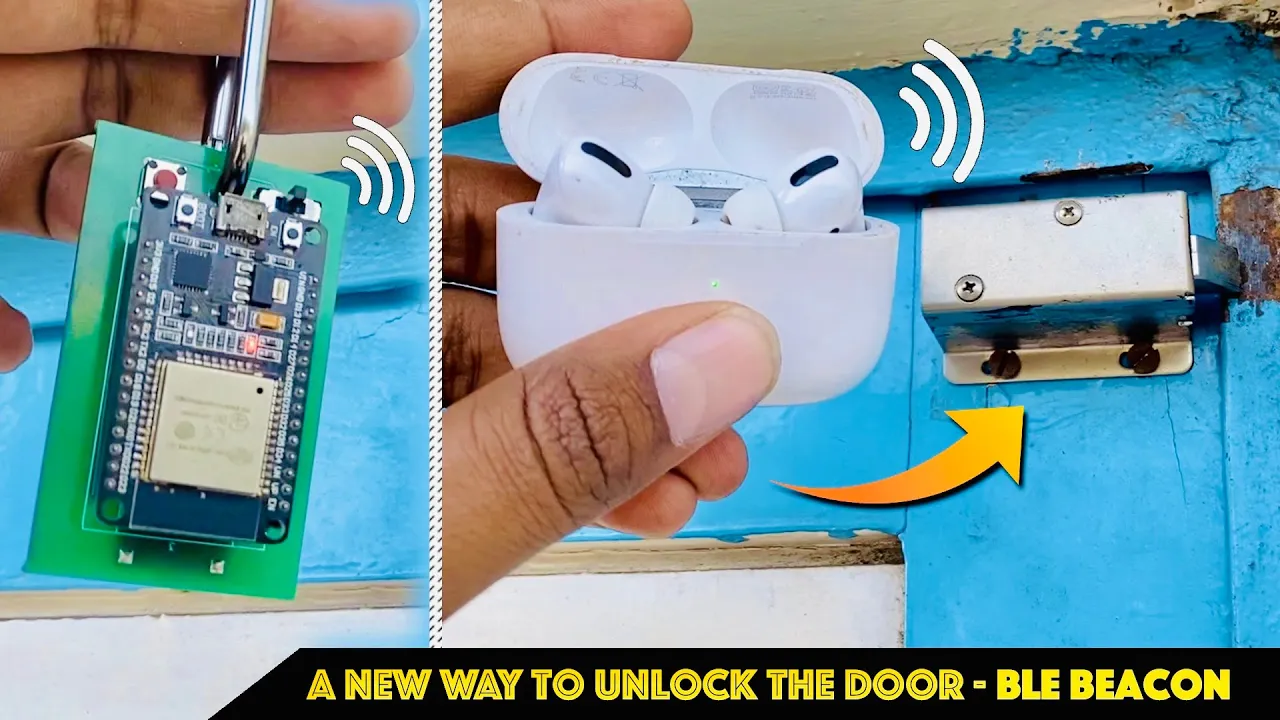
BLE beacons are wireless devices that continuously transmit identification signals, which can be used to automatically unlock doors when a specific beacon comes within range; this is achieved by having one ESP32 board act as a beacon transmitter (advertising its unique ID) and another ESP32 board act as a receiver that listens for the beacon's signal, compares it against a predefined list of authorized devices, and triggers a relay to unlock the door when the signal strength exceeds a set threshold.
Click to watch →
Deep Dive
Advanced foot-traffic attribution modeling to accurately measure physical store visits driven by digital ads.

Foursquare & Jeff Glueck: data mapping the world; Houzz & Adi Tatarko: designing for 35m worldwide
2K
Foursquare tracks billions of visits to enable targeted advertising and business intelligence. They can identify specific behaviors like 'phones that frequent gyms three times a week' for advertisers. The platform developed attribution technology to measure whether ads drive foot traffic, demonstrating that Super Bowl ads drove 5% more dealership visits than industry average. This bridges the gap between 50% of digital attention and 93% of consumer spending in physical stores.
Click to watch →
David Shim of Placed
354
Placed operates the world's largest opt-in location panel, tracking user movements 24/7 through installed applications. Users participate for gift cards, charitable donations, or premium features. This enables Placed attribution, which connects digital ad exposure with physical store conversions. Traditional mobile attribution only tracks on-device actions like clicks and installations, missing the critical question of whether users subsequently visited physical stores. Analysis of hundreds of campaigns reveals that nine out of ten conversions from mobile ad exposure actually occur in the physical world, meaning current measurement methods miss approximately 90% of mobile advertising value. Placed enables calculation of cost per store visit (48 cents in one example) and measures incremental lift, showing users exposed to ads were 23% more likely to visit stores compared to control groups.
Click to watch →

Leveraging Device ID to win and grow business now with AdCellerant
299
Foot traffic attribution tracks when people in the target audience who received ads subsequently walk into brick-and-mortar locations. This provides advertisers with actualized ROI data by showing how many people from their community came to their physical location as a result of campaigns. For luxury real estate companies, this means seeing zip codes of people who walked into sales centers after receiving targeted ads. This capability allows advertisers to attribute specific conversions to advertising efforts, answering the critical question of campaign ROI and demonstrating tangible business impact beyond clicks and impressions.
Click to watch →
![Master Your Data to Unlock Advanced Media-Buying Strategies [StackAdapt Webinar]](https://i.ytimg.com/vi/Qo2blOJdS58/maxresdefault.jpg)
Master Your Data to Unlock Advanced Media-Buying Strategies [StackAdapt Webinar]
489
Foot traffic measurement connects online advertising to physical store visits, measuring visits, visitation lift, trends by time, and Cost per Visit. Brand Lift measures advertising effectiveness in terms of brand awareness, ad recall, sales lift, and purchase intent. Advanced reporting includes Revenue Attribution for multi-currency, multi-country businesses, showing which products were sold and which channels contributed to each conversion.
Click to watch →
Google Ads Store Visits Report
5.5K
Google Ads offers a Store Visits Report to measure how online advertising impacts physical store foot traffic. This feature tracks users who engage with ads (clicks, video views, display interactions) and subsequently visit physical locations. The system requires users to be logged into their Google account with location history enabled. Google uses aggregated statistics and AI prediction models to estimate visits, combining verified survey data with algorithmic predictions. Store visit tracking helps businesses assess whether their digital advertising efforts are driving offline customer visits.
Click to watch →
Deep Dive
Dynamic Creative Optimization (DCO) to automatically tailor ad copy based on real-time weather, local events, or traffic.

What Is Dynamic Creative Optimization (DCO)? - Marketing and Advertising Guru
402
Dynamic Creative Optimization (DCO) is a programmatic advertising technique that uses machine learning algorithms and real-time data inputs (such as browsing history, location, and device type) to automatically customize digital ad content for individual viewers in real-time, enabling small businesses to deliver personalized advertising experiences that improve engagement, save time and resources, enhance campaign performance, and maximize return on ad spend without requiring extensive creative resources.
Click to watch →
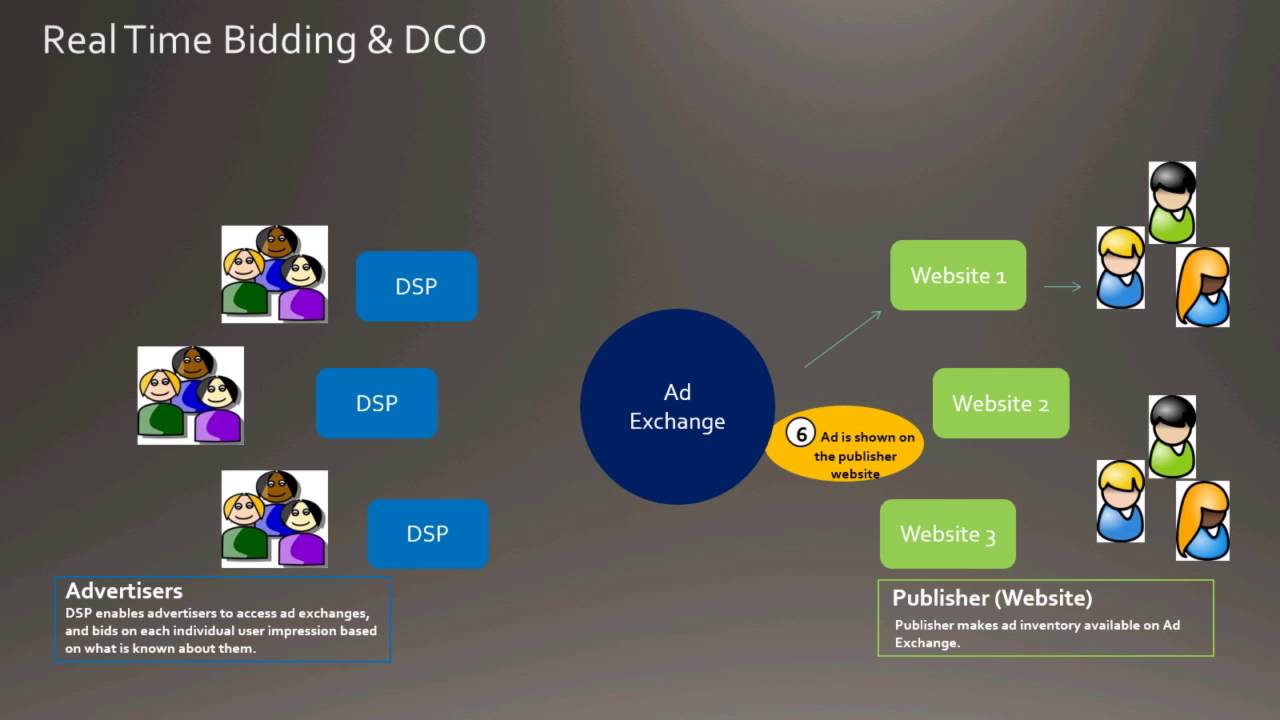
Dynamic Creative Optimization (DCO) & Programmatic Display Advertising Overview - Pete Kluge, Adobe
24.3K
Dynamic Creative Optimization (DCO) enables advertisers to deliver personalized ad experiences in real-time across the entire marketing funnel, from retargeting to prospecting campaigns. The technology connects vast amounts of data to creative assets, allowing advertisers to deliver relevant personalized ads that drive better engagement, click-through rates, and conversions compared to static ads. DCO provides significant time and cost savings by requiring only one ad layout with all content populated dynamically in real-time. The real-time bidding process operates in less than 100 milliseconds, where DSPs evaluate user data and return bid amounts based on user value. DCO relies on cookies and data feeds containing product IDs, descriptions, categories, prices, and promotional copy. Dynamic triggers captured by pixels activate corresponding content within data feeds to personalize ads. Beyond retargeting, DCO optimizes creative for prospecting campaigns by evaluating all possible ad permutations. Adobe integrates DCO with Marketing Cloud audiences from Media Optimizer, Analytics, and Audience Manager, enabling deeper personalization through audience segments like luxury customers, loyalty members, or value-focused families.
Click to watch →

Webinar ABOOH: Plataformas de Compras para DOOH - Ep. 2
152
Dynamic Creative Optimization (DCO) enables context-aware OOH campaigns. Advertisers can deliver different messages based on real-time conditions like UV index, traffic severity, or weather. Iconic screens (large formats at metro stations or building facades) capture attention and enhance advertiser credibility. These premium locations create powerful advertising environments where consumers perceive advertised products as more legitimate and valuable.
Click to watch →

Ciblage contextuel, expérience utilisateur & performances publicitaires avec Sofia Bekhti de Bliink
133
Dynamic Creative Optimization (DCO) allows advertisers to display different advertisement versions based on specific parameters like temperature or location. DCO can be combined with contextual advertising to create highly relevant advertisements—for example, showing swimming goggles when content is about swimming. Advertisers provide product data, descriptions, photos, and prices, and the system automatically generates relevant advertisements in milliseconds. This technology enables hyper-personalized advertising that matches user context and intent, leading to higher engagement and better conversion rates.
Click to watch →

M+R Roundtable: Beyond Personas (Data-Driven Audience Insights and How to Use Them)
209
Dynamic Creative Optimization (DCO) is a technology that automatically tests multiple variations of ad components—including images, logos, colors, ad copy, call-to-action text, text colors, and background colors—to determine the optimal creative combination for each individual viewer. In one case study, using DCO increased average performance by three times compared to running a single version of ads, while also extending creative lifespan by preventing ad fatigue through constant rotation of many variants.
Click to watch →
Deep Dive
Techniques for identifying and mitigating location-based ad fraud, such as GPS spoofing.

Giải Mã Hiện Tượng TÀI XẾ MA
614.6K
GPS spoofing is a technique that manipulates Global Positioning System signals to make devices appear to be in different locations than they actually are. In the Ghost Driver case, fraudsters used specialized software to fake GPS coordinates, making it appear as if their phones were moving at 40 km/h through city streets in Beijing or Shanghai. The fraudsters sat in dark rooms with multiple modified smartphones, using software to trick ride-hailing applications into believing they were real vehicles. This technology exploits the fundamental assumption that GPS signals accurately represent physical location, demonstrating how easily modern location-based services can be manipulated by those with technical knowledge.
Click to watch →

GPS brasileiro é "salvação" contra TRUMP? ft. Ayub e Teske
4.3K
GPS spoofing involves transmitting fake GPS signals that are stronger than legitimate satellite signals, causing receivers to accept false location information. The technique works because GPS receivers prioritize the strongest signal they receive. Detection methods include comparing the constellation of satellites reported by different receivers - if multiple receivers in the same area report different satellite constellations, spoofing may be occurring. Some receivers have built-in spoofing detection that can identify inconsistencies in the received signals.
Click to watch →
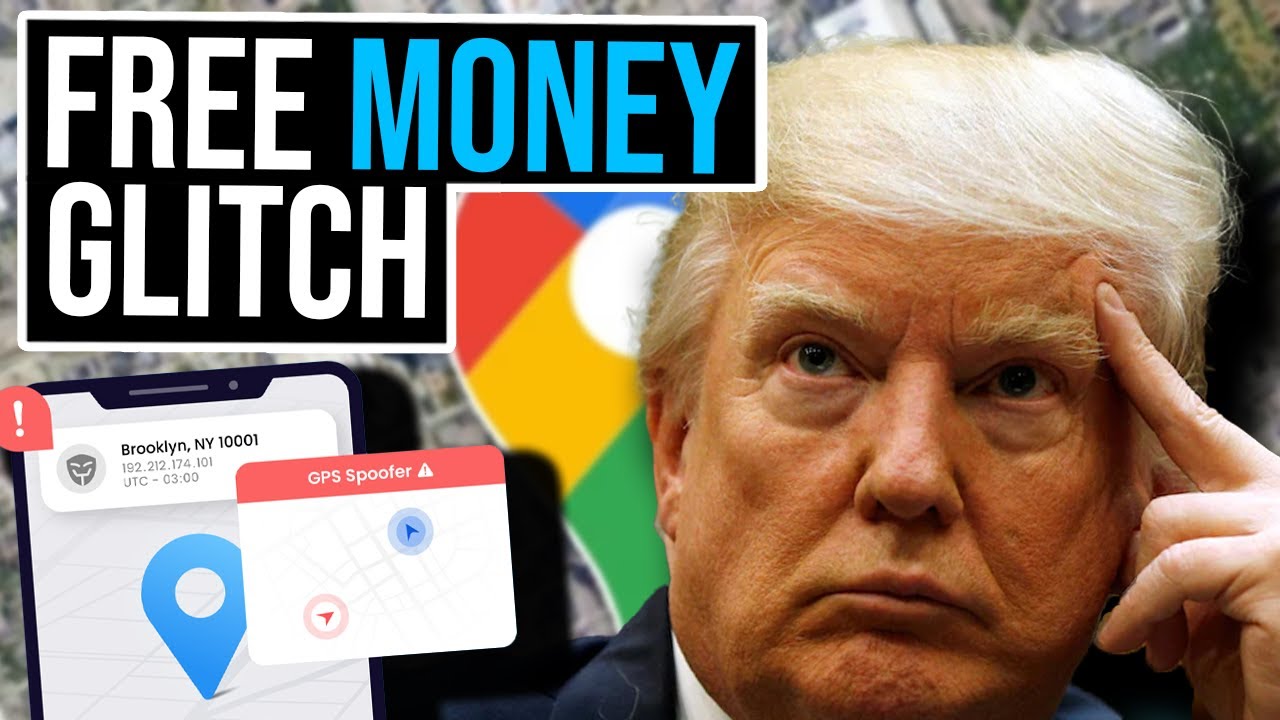
Trump & Elon Get Robbed Blind By Their Own Supporters Using A GPS Glitch
8.4K
GPS spoofing technology enables individuals to fake their physical location using smartphone applications, creating significant vulnerabilities in political campaigns. In the context of door knocking operations, canvassers can mark themselves as having completed assigned tasks without actually visiting voter locations, deceiving campaign coordinators about voter outreach progress. This fraud wastes substantial campaign resources, with approximately 30% of money allocated for door knocking operations in key battleground states being wasted. Detection presents significant challenges: when spoofers use apps that simulate walking movements with joystick-like controls, their GPS movements become indistinguishable from real physical movement, making detection nearly impossible. However, if spoofers simply teleport their GPS location to each address without simulating movement, the sudden jumps in location data can be easily detected. This distinction between sophisticated and simple spoofing methods affects how easily fraud can be identified and prevented.
Click to watch →

A "CAÇA" AOS FLY GPS! O erro revelou quem tomou tela preta? A Poketreta foi intensa !
48.6K
In Pokémon GO, players who use GPS spoofing software (tela preta) to fake their location can be identified through specific error messages in the game, such as receiving error notifications when trying to send invitations to friends who have already participated in raids or events, which has led to community 'witch hunts' where players try to identify and report others using these unauthorized tools.
Click to watch →

POKEMON GO HACKS!! FAKE GPS TRICK!! (iOS no jailbreak!)
526.5K
After running the application, users verify success by checking Google Maps shows the spoofed location. The device appears to walk along the route, though it may take 1-2 minutes to start. To avoid detection, users should close the game, turn off location services, launch the spoofing app, open the game while location services are disabled (game shows 'no GPS signal'), then turn location services back on once the game no longer detects teleportation. Common issues include teleporting (causes game to prevent catching Pokémon) and Pokémon escaping immediately.
Click to watch →
Campaign Setup
Finalize & Launch
Campaign Setup
0:00- 1
Guides dashboard navigation and campaign naming.
- 2
Covers budget setting and audience targeting defaults.
- 3
Explains location targeting via zip, radius, or geofence.
Privacy-First Marketing and the Backlash Against Geolocation Tracking
While geofencing offers marketers precise location-based targeting, it faces significant opposition from privacy advocates, regulators, and consumers. Critics argue that geofencing contributes to "surveillance capitalism" by constantly harvesting sensitive real-world movement data, often without explicit or fully understood user consent. This has triggered strict data privacy regulations like GDPR and CCPA, alongside sweeping mobile operating system updates (such as Apple's App Tracking Transparency) that allow users to easily opt out of location tracking. This counter-perspective advocates for "privacy-first" or contextual marketing. It argues that over-reliance on geofencing not only risks legal non-compliance but can also alienate consumers who find hyper-targeted, location-aware ads intrusive or "creepy," ultimately damaging brand trust and long-term customer relationships.
Fundamentals of mobile advertising, including key metrics like CTR, CPC, and basic ad design principles.
How mobile location services work technically, such as GPS, Wi-Fi triangulation, and cellular network tracking.
The basics of audience segmentation and targeting in digital marketing campaigns.
Understanding user privacy regulations and consent frameworks regarding location data, such as GDPR, CCPA, and mobile OS permissions.
Implementing Bluetooth Low Energy (BLE) beacon technology for hyper-precise indoor location targeting.
Advanced foot-traffic attribution modeling to accurately measure physical store visits driven by digital ads.
Dynamic Creative Optimization (DCO) to automatically tailor ad copy based on real-time weather, local events, or traffic.
Techniques for identifying and mitigating location-based ad fraud, such as GPS spoofing.
3.9K views26likes3:01@ThumbvistaOriginal Release: 2023-01-19
welcome to thumb vista's self-service option in this demo we will show how easy it is to get a basic location targeted campaign up and running once you get your login credentials you are ready to enter the dashboard the dashboard will show any running or completed campaigns the additional action buttons will allow you to copy the campaign retarget view more details or Analytics let's begin a new campaign we start by naming the campaign all campaigns will also be assigned in ID then you will create an account name or use your account previously created this differs from your login then you will choose goals and targeting these are at default to the most common style of campaigns we do offer other targeting types and a representative can cover these in detail simply identify the type of business and then select what your budget will be all of your targeting for the campaign is in the ad group area in the ad group you can start by choosing the dates and times you would like to run for any help or troubleshooting needed please refer to the help desk widget in the bottom left corner the next section is the location targeting section there are a few options you can Target by ZIP code or enter an address for a radius option down to one tenth of a mile or you can even choose to free draw the location geofence to Target precise areas in polygon or other shapes the next section is an option to add demographic targeting this works well with zip code or desktop campaigns and is not recommended for mobile geofencing campaigns [Music] now it is time to upload your creative ad sizes supported are listed with a simple click the top sizes for a mobile campaign are 320 by 50 and 300 by 250.
once you upload your ads you can select them to run in the campaign there is a design option as well just in case you need it the next area is the landing URL this is where the ads go after a click this can be a special landing page or offer you have set up this area also has a landing page design tool if needed need the process brings you back to the beginning for the addition of new ad group or you can process with the review of The Campaign and launch once the campaign is launched you can access your analytics showing clicks views and more thumb Vista also provides managed services that include a few more bells and whistles including data use direct ad placements private Marketplace buys and or special creative designs for more details reach out to your representative today [Music]
Up Next
18:06
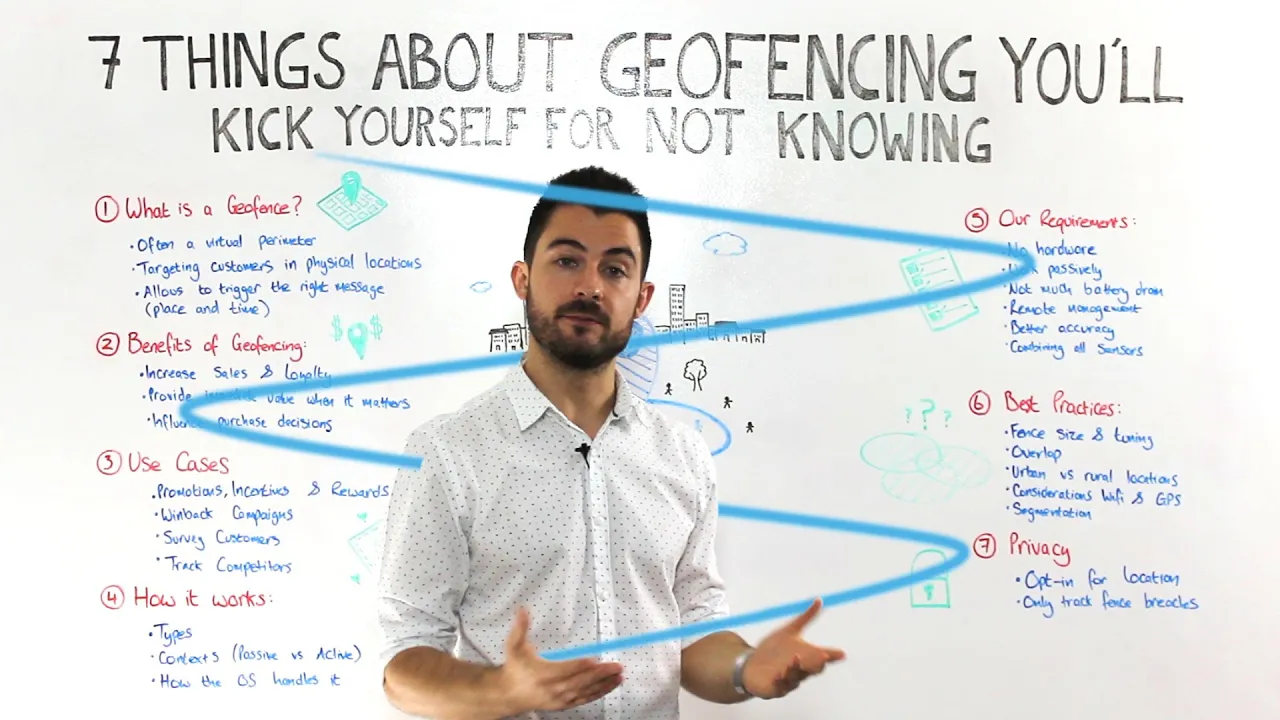
Geofencing Marketing: Complete Guide to Location-Based Targeting
@pulsatehq
79.1K views•2015-07-31

46:36
Retention Habits of Top DTC Ecommerce Brands Revealed
@SendItPodcast
44K views•2026-03-03

15:23
Decoy Effect: How Pricing Psychology Influences Consumer Spending
@bobinvestsUS
90K views•2026-01-05

17:30
The Planned Obsolescence of Light Bulbs and Tech
@veritasium
25.3M views•2021-03-26
Related Study Plans & Knowledge Roadmaps
Structured learning paths in Business
business
Pop-Up Retail: Strategy, Design & Execution
01Introduction to Pop-Up Retail & Strategic Goal Setting
02Budgeting, Site Selection, and Legal Essentials
03Experiential Retail Design & Visual Merchandising
+ 2 more learning modules
15h5 modules
Explore Roadmap
business
Reg CF: Startup Funding, Marketing & Launch
01Introduction to Equity Crowdfunding & Reg CF
02Platform Selection & Legal Preparation
03Crafting High-Converting Campaign Assets
+ 2 more learning modules
14h5 modules
Explore Roadmap
business
Productized Services: Scaling Solo Freelance
01Foundations of Productized Services
02Packaging and Scope Definition
03Pricing and Subscription Models
+ 2 more learning modules
15h5 modules
Explore Roadmap
business
Gov Procurement: Find, Bid & Win Contracts
01Introduction to Government Procurement & Business Setup
02Small Business Certifications & Set-Asides
03Finding and Analyzing Contract Opportunities
+ 2 more learning modules
14h5 modules
Explore Roadmap