




![¿Cómo funcionan las Promises y Async/Await en JavaScript? [2022]](https://i.ytimg.com/vi_webp/rKK1q7nFt7M/maxresdefault.webp)





![JavaScript Under The Hood [5] - JavaScript Engine Overview](https://i.ytimg.com/vi/oc6faXVc54E/sddefault.jpg)




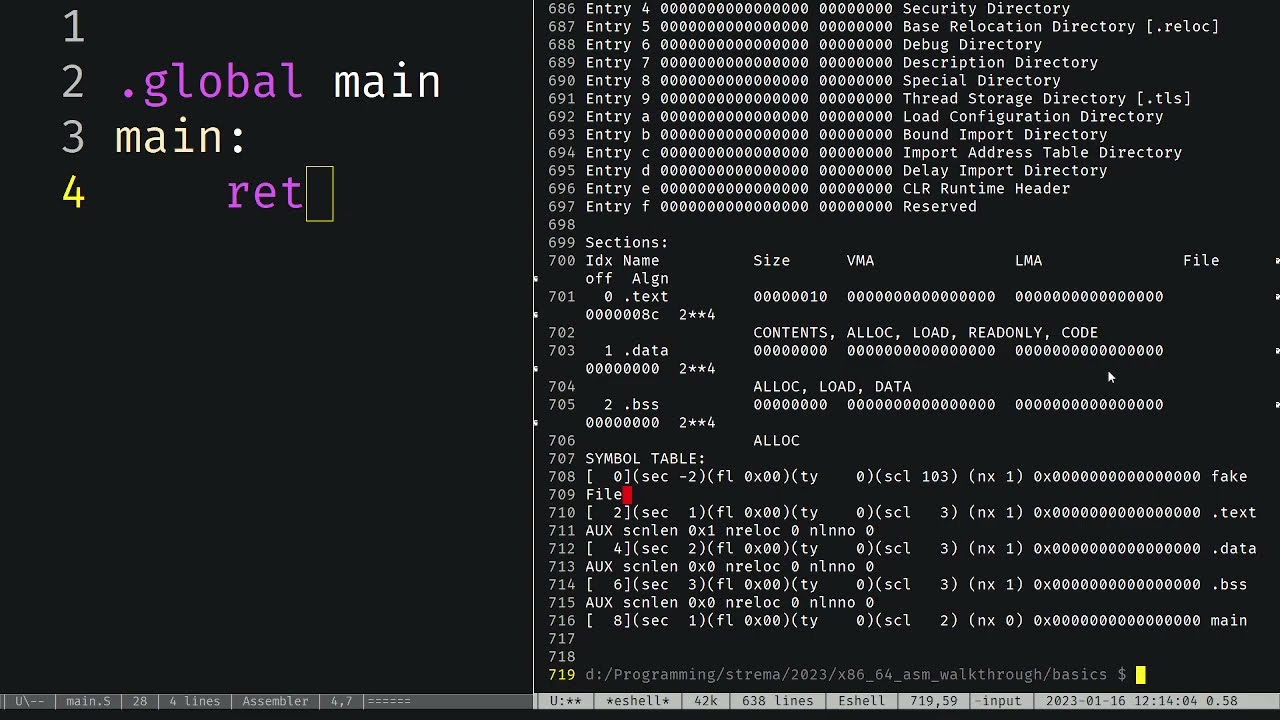
















WebAssembly is a binary instruction format that enables browsers to execute code compiled from low-level languages like C/C++, and Emscripten (emsdk) provides the toolchain to compile C/C++ programs into WebAssembly modules using Clang for the front-end and LLVM for the back-end, where modules contain exported functions, memories (linear memory similar to JavaScript typed arrays), and tables (function reference arrays), and these modules can be instantiated in JavaScript using WebAssembly.instantiate() with an import object defining the memory and other external resources.
WebAssembly with C: Emscripten Tutorial from Hello World to Instantiation
Added:Fundamental C programming concepts, including pointers, manual memory management (malloc and free), and the standard C library.
Basic JavaScript proficiency, particularly asynchronous operations (Promises, async/await) which are crucial for loading and instantiating Wasm modules.
Familiarity with the command-line interface (CLI) for executing compilation commands and navigating directories.
Conceptual understanding of how web browsers run code, including the distinction between interpreted languages like JavaScript and compiled machine code.
Advanced Emscripten interoperability, specifically utilizing ccall, cwrap, and the EM_ASM macros for complex bidirectional communication.
WebAssembly memory sharing and optimization, focusing on direct manipulation of the Emscripten HEAP via JavaScript TypedArrays.
Multi-threading in WebAssembly using Web Workers and POSIX threads (pthreads) compiled through Emscripten.
Integration of WebAssembly modules into modern web application bundlers (such as Webpack, Vite, or Rollup) and front-end frameworks.
Introduction to the WebAssembly System Interface (WASI) for executing compiled C code in non-browser runtimes like Node.js, Wasmer, or Wasmtime.
1.7K views31likes16:36Original Release: 2023-09-06
hey there this is Sumit so I am a front-end web developer and as always I'm super excited to share this video so in this tutorial and videos I will be uploading in future will explore how we can compile low level language like CEC plus plus or rest into webassembly you know there are so many videos on webassembly uh explaining web similar to this web similar to do that but you will find very few video on YouTube that could actually help you to create something okay so so this video is just a base or foundation for a future video in this video we'll start with very simple hello world program and then we'll see how we can instantiate a web assembly module if we somehow manage to convert low level language and language like python into webassembly then webassembly is easily understood by web browser so ultimately we can run these low level language in our web browser so in this video we're gonna use this Tools in amp script and so I'm scripting contain two part one is M scripting itself and another is emsdk so I'm script and provide different header file which we can Import in our low level code imagine you are writing Logic for HTML5 game so you can import HTML file Library I mean HTML5 had a file from amp script and am SDK is implemented using python you know we can write different script in terminal to compile CAC plus plus program so uh M scripting is used to compile C C plus plus into webassembly now let me tell you how this entire compilation process work so M scripting uses two thing one is C lamb and another is llvm llvm is low level virtual machine it is a powerful tool you know you can create your own language using llvm so uh imagine this is your C C plus plus code so first step is to convert this code into intermediate code so first we are optimizing this code so we can finally compile optimized code into webassembly in this part we use C length and it is called front and part so this is first part in second part we finally compile optimized code into webassembly here we use llvm so llvm is a low level virtual machine and this tab is called backend step so this is back-end step if I use these terms in this video so this is what I meant if I am using word module then I'm probably talking about webassembly module I'm talking about a compiled version of C plus plus I'm talking about dot osm file if I use word memory then I'm talking about webassembly memory so webassembly memories are just like JavaScript typed array so what are JavaScript typed JavaScript typed eraser array like object that provide a mechanism for reading and writing row binary data from memory before now let's understand this in this way imagine you have a 16 byte buffer so one byte is equal to 8 bit right so we can store 60 number of 8 bit in 16 byte buffer we can store eight number of 16 bit and we can store uh four number of 32 bit and we can store two number of 64 bit in 16 byte buffer now tables are just like array in webassembly in Array we have different slots so we can store different functions at particular slot so for example this is index 0 we can store function F1 at index one we can store function F2 and index 2 we can store function F3 so uh tables are used to store functions in webassembly last thing we have is instance so instance is combination of all these guys instances combination of module memory and tables now let's start with a very basic example I'm 100 sure that you are all familiar with this code so I have just one file in my project directory which is hello world.c and I am just displaying this hello world message now uh if you have worked with mean GW then you might familiar with compiler like GCC and G plus plus those compiler used to compile CC plus plus program into executable file so now let's run this program into our system before compiling this C code into webassembly so we can use GCC over G plus plus so type GCC provide name of input file and use this flag use this flag Dash o and finally type name for executable file then hit enter as you can see we have one more file in our project directory and we can run this file by just typing dot forward slash name of the executable file then hit enter as you can see we uh so hello world program is displayed in our terminal now uh let's see what are different steps involved when we want to compile this program into webassembly but first I request you to download emsdk because using emsdk we can write different scripts in our terminal to compile CC plus plus program if you want to download uh emsd in the religious section you will find all the different version to download the latest version hit this top link there you can download source code for emsd so I have already downloaded em SDK after downloading uh provide the path of this emsdk into your environment variable so you can use emsdk from wherever you want in environment variables so in system variables you will find this path variable just click on new and paste that uh that path here so I have already added path for EMS together hit OK three times now we can use emsdk from wherever we want all right now uh let's compile this program into webassembly and after that we'll see how we can instantiate our webassembly module and eventually we can run that module in our web browser so just like we did in GCC type okay first let me tell you a few things oh now how this e m s TK work so we are writing low level language so we so we are writing our program in low level language like C C plus plus so we are importing different header file from M script and in order to use different header files from amp script and first we need to set an environment for M script and right so the First Command we are going to use is emsdk activate it will activate M script and environment after that we can use EMCC program so uh EMCC program is just like GCC it take input file and produce some output so let's see how it work so first let's start by activating the environment for amp script and type em SDK activate it will activate for environment it will activate the environment so type EMCC add name of input file and we can use this flag dash one finally type name of output file for now let's just run this command e MCC hello world.c as you can see it is generating to file one is a DOT out dot JS and another is webassembly file what happen if I run this output file Javascript file using node.js so type node.out.js as you can see it is also displaying hello world but problem with this Javascript file is it contains 200 lines of code I mean in order to run hello world it contains 200 lines of code so we don't need this Javascript file why we don't need this Javascript file because this Javascript file which is randomly generated by emsdk is first in instantiating this binary code and then using all the functionality we have added in C C plus plus in our web browser so what we're gonna do we'll create our own Javascript file to instantiate this webassembly module and then we can use all those functionality we have provided in CEC plus plus so obviously we are not going to use 200 lines of code okay so it was very simple program now let's see how we can instant share to webassembly module the way our system can understand executable file in similar passion web browser can understand ozone file so we no longer need this automatically generated Javascript file so we have deleted that file for now let's delete this version file also because we are going to recompile this new C program into version file okay so one more thing in this hello world program we have this main entry file so what time script run does and script and only compile this main entry file and whatever code present in inside this main file it ignore all the definitions and functions in rrc program so in order to keep this function alive we need to add this m script on header file here type M scripting if light will keep this function alive so we can compile this add dot C into ozone file so type EMCC add dot C and output file is add to awesome use this flag no entry because there is no main file that is why we are adding this no entry flag and in order to ensure that no Javascript file is created type Dash as wasum equal to zero now hit enter so add to awesome file is created and we can instantiate this file in order to instantiate Let's create one more file which is index.js file so in this Javascript file we are going to read this webassembly file so here you can instantiate version file now uh the question is how we can how our JavaScript file can read this version file so this was on file contain bytes which is compiled C C plus plus program so JavaScript provide web assembly JavaScript provide web assembly JavaScript apis which we can use I have already talked about what instances memories are when tables are obviously we cannot discuss everything in one video so in this video only thing we are focusing on is how we can instantiate this ozone module in order to instantiate this ozone module we are going to use webassembly dot instantiate property so first let's fetch add go to awesome now we'll convert the response from this file into the bytes so use so it returns us webassembly byte then these bytes are consumed by webassembly API webassembly dot instantiate as you can see we do not have to install anything from for web assembly because JavaScript Sports web assembly okay so pass these bytes it expects one more function which is I mean it expects one more thing which is import object for now let's just type empty object finally we have wasn't module so let's see what this was the module contains so console.log awesome module all right create one more file which is index file in that Javascript file we are all set now we can run this index.html5 okay so in console we are getting this error module is not an object why we are getting this error I've already talked about webassembly memory so for our program we need some memory right okay so what is webassembly memory web assembly memory is a linear memory so this memory has access to both web assembly and JavaScript Okay so how we can create this webassembly memory you will find this webassembly so you will find this memory object we can use this webassembly dot memory so let's create let's let's copy this code now uh in this let's just add initial equal to one so initial equal to 1 means we are creating just one page of memory one page of memory is equal to 64 kilobyte okay so one more thing let's define the import object which we are going to pass here in this import object we need to Define this child object e and V which stands for environment here we can pass this memory object so it like this now instead of using empty object use this import object okay if I open console I had new error okay initials I so import is smaller than initial size I think it requires initial size of 256 okay now uh let's add maximum value also now it is returning us webassembly module so this module contain two thing one is instance and another is module so in this instance we have this export export object in export object we have this add function so now we can call this function from JavaScript Okay so [Music] you can call this function from JavaScript so what's the module contain instance object in this instance object we have this export object in this export object we have this add function so in this add function we can pass two parameters so let's add two and three if I save this okay let me just refresh it console is not a function okay console.log I'm sorry what's going on okay as you can see so we have called that function which we have defined in C program so this video is just an introduction about how we can use M scripton and how we can how we can instantiate a web assembly module so in future videos I am going to explain uh more advanced
Up Next

37:14
WebAssembly in Production: A Compiler in a Web Page
@GOTO-
104.9K views•2024-03-29

87:26
Introduction to Secure Multiparty Computation with Yehuda Lindell
@fhe_org
7.7K views•2021-02-04

4:55
HTTP Requests Explained: GET, POST, PUT, DELETE
@codecademy
103.1K views•2021-10-07

19:25
Enigma Machine Mechanics: WWII Encryption Explained
@JaredOwen
13.2M views•2021-12-11
Related Study Plans & Knowledge Roadmaps
Structured learning paths in Computer Science
computer-science
Container Runtimes: Namespaces, Cgroups & Go
01Linux Systems & Go Programming Foundations
02The Core of Isolation: Chroot and Filesystems
03Linux Namespaces: Process Isolation
+ 3 more learning modules
32h6 modules
Explore Roadmap
computer-science
Building a CHIP-8 Emulator: Rust & CPU Basics
01Computer Architecture Foundations (Bits & Bytes)
02Rust Programming for Systems Development
03CHIP-8 Virtual Hardware Specifications
+ 2 more learning modules
32h5 modules
Explore Roadmap
computer-science
Building BitTorrent: Go, P2P & Concurrency
01Go Fundamentals & Concurrency
02Networking Foundations & P2P Architecture
03Bencode Parsing & Torrent Metadata
+ 3 more learning modules
26h6 modules
Explore Roadmap
computer-science
Actor Models (C++ Concurrency & Lock-Free)
01C++ Multi-Threading Foundations
02Thread Pools and Task Scheduling
03Atomics and Lock-Free Queue Design
+ 3 more learning modules
45h6 modules
Explore Roadmap