



![Git & GitHub Crash Course for Beginners [2026]](https://i.ytimg.com/vi_webp/mAFoROnOfHs/maxresdefault.webp)

![Docker Explained: What, Why, and How? | Containers, Architecture & How Docker Works [HINDI]](https://i.ytimg.com/vi/xvm9E6C8I4A/maxresdefault.jpg)
![Docker Course For Beginners 2025: Basic to Advance Tutorial 🔥 [HINDI] | MPrashant](https://i.ytimg.com/vi/OhnTMWmfTBE/maxresdefault.jpg)







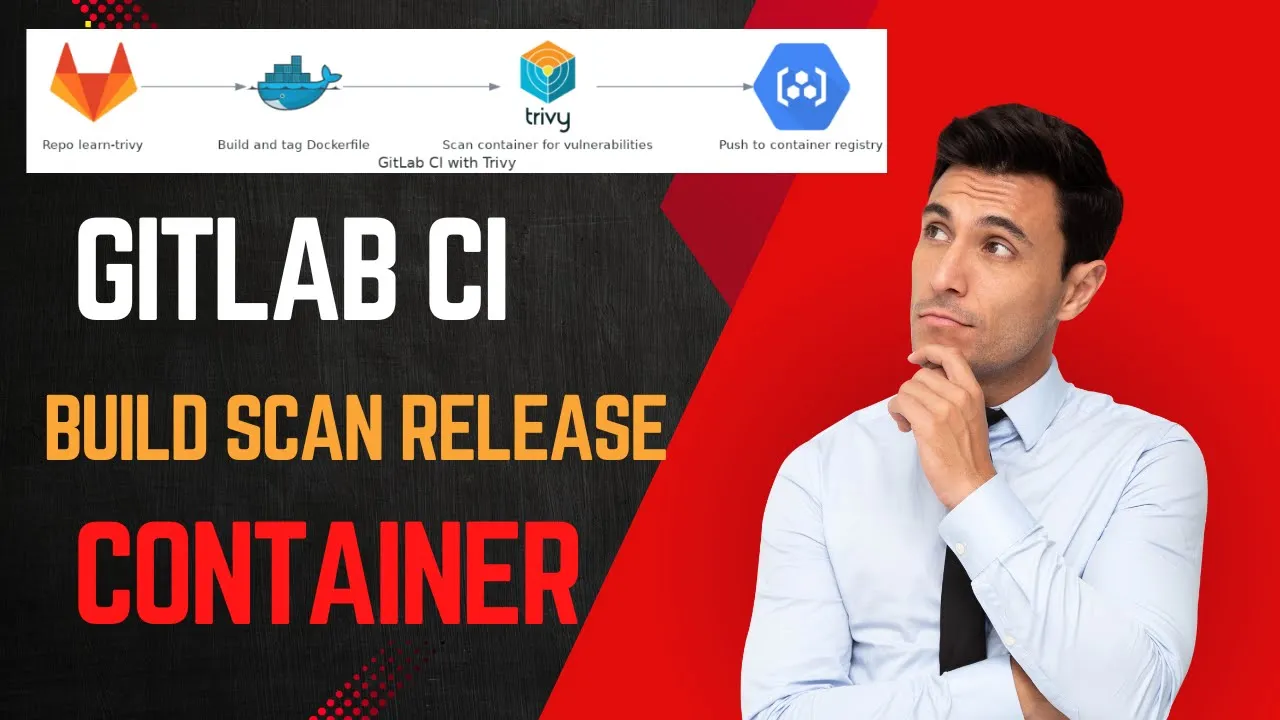






GitHub Actions is a platform for automating developer workflows, where workflows consist of events (triggers like push or pull request), actions (individual tasks), and jobs (groups of actions); the platform simplifies CI/CD pipeline setup by providing pre-configured templates, using predefined actions from the GitHub Actions marketplace, and executing workflows on GitHub-managed runners with support for multiple operating systems (Ubuntu, Windows, Mac), allowing developers to automate tasks like building Java Gradle projects, creating Docker images, and pushing to private repositories without manual infrastructure configuration.
GitHub Actions Tutorial: CI/CD Pipeline with Docker
Added:Basic understanding of Git version control, including repositories, committing, branching, and pushing code to GitHub.
Fundamental concepts of Docker, including containers, images, registry (Docker Hub), and how to write a basic Dockerfile.
Familiarity with YAML syntax, as GitHub Actions workflow configuration files are written exclusively in YAML.
Theoretical understanding of CI/CD (Continuous Integration and Continuous Deployment) principles and the software development lifecycle.
Advanced GitHub Actions techniques, such as environment secrets management, matrix builds, artifact caching, and custom runner configurations.
Automated security analysis, including integrating linting tools, static application security testing (SAST), and container vulnerability scanning (e.g., Trivy) into the pipeline.
Continuous Deployment (CD) to cloud platforms (AWS, Azure, GCP) or container orchestration systems like Kubernetes and Amazon ECS.
Implementing Infrastructure as Code (IaC) using tools like Terraform or Ansible within automated deployment workflows.
2.1M views37.2Klikes32:30Original Release: 2020-10-08
in this GitHub actions tutorial we'll go through the following topics first I'm going to explain what GitHub actions actually is and we're going to look at specific developer workflow use cases that you can automate with GitHub actions after that I will explain the basic concepts of GitHub actions including the events and actions and workflow and how GitHub actions actually automates these workflows using these components having understood what GitHub action solves and how it makes it possible I will go through the most common workflow which is CI CD pipeline I will explain shortly why it's not just another CI CD tool or what are the benefits of GitHub actions CI CD pipeline finally we will go through a Hands-On demo where I explain the syntax of GitHub action's workflow file and then we will go through a complete CI pipeline setup with my example Java Gradle project which we will build into a Docker image and push to a private Docker repository on Docker hub so what is GitHub actions GitHub actions is a platform to automate developer workflows so software development workflows many of the tutorials that I've seen seem to convey that GitHub actions is a CI CD platform but as I said it's for automating developer workflows and CI CD pipeline is just one of the many workflows that you can automate with GitHub actions so now we need to understand what are those developer workflows in other words what is that the developers typically do that is so time consuming or air prone or just tedious that it needs automation so let's go through a couple of specific examples now as you probably already know GitHub is a platform for a lot of Open Source projects so a lot of developers who have developed their own libraries for Java or some other programming language they can host their projects on GitHub and make them publicly available is open source projects so that the community can use those projects but also to contribute to those projects so when a team or individual developers who manage those projects can new contributors or things happen inside the repository people creating pull requests people joining in as contributors and so on they have a lot of organizational tasks to manage let's see examples of such tasks let's say you have created a library that makes it easier to work with daytime in Java so it's a Java library that you created and you have some contributors and users of that library and whenever a use of the library sees that a new release of the library has a bug or something isn't more working they can create an issue that something is not working so you have to check that issue you have to sort it is it minor is it major is it something urgent is it something that others may have also reported is it reproducible for example maybe you assign it to one of the contributors or to yourself and so on let's say one of the contributors fixes the issue and creates a pull request so that you can merge it into the next release of that Library so you look at the pull request you review the code you make sure that the issue is not reproducible anymore with the fix and you merge it into the master node so this is going to be part of the next release so to say so you want to release the next version so the people who use the library can upgrade the version where the issue is fixed so after the pull request is merged into the master Branch you want to start a pipeline a build pipeline that will test your code build your artifact and so on you also want to maybe prepare some release notes where you document and what got added in the new version and maybe also adjust the version tag or the version number so all these things are workflow examples of what you have to do as a maintainer of such repository so you can imagine the bigger the project gets and the more contributors you get and the more features and issues they fix and more pull requests they create and the more people use your project the more organizational effort it is going to be so obviously as a developer you don't want to be sitting there doing all these tedious organizational stuff you want to automate as much as possible of those management tasks so that you can also concentrate on programming and developing new features and new functionalities in the project and for that purpose GitHub actions was created so with GitHub actions every time something happens in your repository or to your repository you can configure automatic actions to get executed in response and these things that are happening in your repository or to your repository are events in the GitHub space so someone creating a pull request is an event someone creating an issue is an event someone joining as a contributor is an event or you merging that pull request into the master branch is an event also note that other applications or tools that you may have integrated into your GitHub can also produce such events that you can respond to with automatic actions so when you automate these flows basically the concept is pretty simple you listen to any such events and depending on what event happens you want a certain workflow to execute automatically so every time someone creates an issue that's an event maybe you want to automatically sort that issue maybe label it assign it to respective contributor or maybe assign it to you per default maybe categorize it and also maybe write a script or a test that will try to automatically reproduce the issue and then add some status or comment or something that says reproducible or not reproducible so all these things can be automated with actions so each small task that you automatically trigger on an event is going to be a separate action so writing a comment putting a label on an issue assigning it to someone etc those are actions and this chain of actions or these combination of actions actually make up workflow so now that we understand the basic concepts of GitHub actions let's look at a specific workflow example so obviously not everybody has an open source project on GitHub you can have your own private projects of GitHub for the application that you're developing so the most common workflow you will think of for your repository would be CI CD pipeline you commit your code the build starts it tests your code builds it into an artifact then pushes the artifact in some storage and then deploys the application on a deployment server now why is it a big deal to have just another CI CD tool well the first and obvious Advantage is that if you're already hosting your code on GitHub now you can use the same tool for CI CD pipeline as well you don't have to set up another third-party tool and manage it separately you have the integrated into your code Repository another advantage of GitHub actions that I see is that it makes it really easy to build your pipeline so the setup process of the CI CD pipeline is really easy it is actually meant to be a tool for developers so they made it so that if you have a developers team you don't need an extra devops person who is dedicated to setting up and maintaining that CI CD pipeline in your project so now the question is how did they make it easy or how does it compare to other CI CD tools like Jenkins for example and why is it much easier to set up and manage so you know that when you think about CI CD pipeline one of the most important things is it's integration with different tools so what do I mean by that whether you are developing a node.js application which will be built into a Docker image and then pushed into a Nexus repository and deployed on digitalocean server or you're developing a Java application with Maven you have integration tests to test your application on Linux and windows servers then build it into a Docker image and push it to AWS container registry and deploy it on AWS eks so basically you can have many different combinations of tools that you're using in your development process so you don't want to be sitting there trying to configure your CI CD Pipeline with all these tools like installing Java and Maven and Docker and all these Integrations with Nexus and AWS and so on installing plugins and configuring them instead you want a simpler way of saying hey I need an environment which has node and Docker both available without me installing any of it with a version that I want and the same way I wanted to do the deployment part easily by simply connecting to the Target environment and deploying the application there and that's exactly the advantage that you have when you're using CI CD pipeline in GitHub actions and of course I will show you and explain how this works in the next demo part with my example Java Gradle project which we will build into a Docker image and push to our private Docker Repository so to see all this in action let's go to GitHub in here we can create a test repository call it my project public and that's it so this is my Mt project so to say so whenever you create a new project you have this actions tab integrated into the project that lets you get started with automating one of your workflows so now I can push my local code to the remote Repository so let's go back and refresh it and here I have my Java application which uses Gradle project so let's go to actions so here if we scroll down we see a big list of workflow templates which means you don't have to start writing your workflow file from scratch you can use one of the templates that matches technology your project uses and these are actually grouped in three main categories here we see the deployment workflows to deploy your code to cloud services or using some automation tools and here we have big section of continuous integration workflows and here if you look at the list a lot of options based on what programming language you're using what tools you're using and also combinations of such tools so for example you have Java with Gradle and you also have Java with Maven and so on so you have the build and test workflows as well as publish workflows where you publish your artifact to some repository and that's where I was talking about when I mentioned that different applications use different combination of tools and it's important for Sci CD tool to have an easy integration with many different tools so that it works for different projects all the way down these are the workflow examples that I mentioned at the beginning like greeting someone for example if a contributor joins your project you might want to send an automated greeting message to welcome or labeling your issues and so on and obviously you can make your own workflow with different combination and adjust it so let's create a build workflow for our Java Gradle application and obviously I will choose the Java Gradle workflow template and let's see what the workflow file looks like and see what happens it automatically creates this configuration view in my project or my repository it creates this path dot GitHub workflows and this is the file that basically holds my workflow logic it is written in yaml it's a yaml format and what's great with this list of workflow suggestions is that you get a pre-configured workflow that you may need to adjust just a little bit but most of the stuff is already here so you don't have to start from blank file so let's go through the syntax of this workflow file in detail so that we understand how to write our own workflows so I'm gonna copy this in my editor so we can see better so first of all we have the name of the workflow this is basically for you to describe what the workflow is doing these are the events that I mentioned so every time an event happens or events happen we can trigger a certain workflow so this is a section where we Define events that should trigger the following workflow and I think it's pretty intuitive every time someone pushes to master Branch we want to trigger this workflow or every time a pull request gets created with Master Branch as a Target this workflow will get executed which in this case makes sense because every time something gets pushed into a master or you want to merge something into Master it makes sense to run tests or to test our application to make sure that it's mergeable so to say or that we didn't break something in the master branch so that's pretty straightforward other examples that I mentioned could be creating an issue or a contributor joining this will be all events listed here you have a complete list of such events documented on this page so here you see the list and here you see some more detailed explanation and also the usage and as always I will put all the relevant links for this tutorial in the video description and this is a part that gets executed whenever these events happen so we have jobs these are the names of the job this could be arbitrary just like the name of the workflow so you can name it yourself and job basically groups a set of actions that will be executed right so as I mentioned events trigger a chain of actions or combination of actions and these are defined here so let's look at the first one pretty logical whenever we want to build application or run tests we need to check out the repository or the code first so how does this get executed or what is behind this syntax so the actions path in GitHub is where pre-created or predefined actions are hosted so basically you can assume that everybody who uses a CI CD pipeline in GitHub actions will need to use checkout Command right so instead of letting everybody do that on their own they're creating an action called checkout that people can use so if I go to GitHub slash actions I will see list of repositories that contain all those actions so let's look for our checkout action so these are all these actions are basically repositories let's go inside and here you have action yemo so this is a normal repository with some code in it and we have action EML file here this is basically what checkout action does in the background or the logic that people already wrote so you don't have to write it in your workflow and just reuse it and each action in the repository will have some sort of documentation where you see if you can configure some additional parameters for this checkout action and this here is version of that action so to say because as I said these are simple repositories that are built and released and have versioning so this is our checkout step and whenever you're using an action that is already available either at slash actions or maybe some other community or team has created one you can basically use any such action using the uses attribute so these are the official ones but whenever someone creates an action basically a repository with action yaml file you can use it here using the uses attribute so the second one second step is action called setup Java which is another repository in this actions list and what it does is basically prepares your environment with Java with a version that you defined here and this is the part where I mentioned that you don't have to install or configure anything like in Jenkins for example you would go and configure job version here you just Define that you want to use environment with Java on it so Java version 1.8 will be installed and available there the next one is a command so here you see the difference whenever we are referring to action in repository we use this attribute whenever we're running a command just like a Linux command for example command line command we are using run attribute so this basically just changes the permissions of Gradle file and the next step just calls Gradle build and all of this is done in the same environment so your code gets checked out Java version gets installed and then you call Gradle build in the same environment so obviously for this to work you have to have Java application that is built with cradle and now let's actually go ahead and execute this workflow for our Java project the name of the yaml file is also something that you can decide for yourself we can actually call it CI and start commit let's create a new branch and create a pull request that will be merged into Master branch and here you see that the workflow got triggered because our event matched to what just happened so we created a pull request against must branch and that triggered the workflow this is in progress and if I go into details we're gonna see what is actually happening so the bill completed so let's actually look at the steps that got executed setup job which basically prepares the job environment for executing the workflow here you see for example this action repositories got downloaded so that it can be used here you see the checkout action and you actually see pretty helpful information in all these steps and they also highlight the comment that gets executed so that you can easily see first of all the command and differentiate it from the logs and also see how they kind of interpret your comments for example with the options and flags and environmental variables and so on then we have the setup jdk again these are the commands that are got executed and some log files this is where the build the actual build happened build successful and then we have some post build actions which we didn't Define these are out of the box things get cleaned up so in my opinion for an initial setup of workflow or such a workflow it it's actually pretty straightforward and easy to set up and it's pretty difficult to mess this up so now you may be asking where do all these things get actually executed because you see that the code got checked out then you see some commands got executed Java version got installed and the Gradle build actually happened so where do all these things happen and how do they get executed so the way it works is that workflows on GitHub actions get executed on GitHub servers so it's managed by GitHub you don't need to set up some servers and configure your build tool install some plugins or whatever and prepare it for building the application so GitHub will manage all of this for you the servers will be configured and ready to execute your jobs an important to note here is that whenever you create a new job or whenever you create a new workflow with a set of jobs for every single job a fresh new GitHub server will be prepared or used to execute all those steps inside the job so one job will run on a single server at a time so for example if you have a list of jobs here maybe you have a job that builds the application and then you have another job that publishes Java artifact let's say to a repository so one job will run on one server another job will run on another server by default these jobs will run in parallel but of course in such a case you would want to wait until the first job was successful to execute the publish so here I could have a publish job of course in this case we want to wait for the build job to successfully execute before we publish the artifact so we can override this default parallel execution using needs and we can reference the build that it depends on and then we'll have a set of steps and actions here and another thing that should be noted here as well is this line here runs on so the servers that I mentioned that GitHub makes available for the workflows to run come in three categories so you can choose either Ubuntu Windows or Mac OS so for example if you have an application that you are shipping out to customers that have all three operating systems you can test each release for example or each commit to master you can test that on all three operating systems and the way we do that is using those attributes so we have a strategy a metrics metrics is used basically whenever you want to use multiple operating systems or maybe multiple versions of Java or whatever technology you're using for your application and here I'm going to Define OS options as an array so we have the Ubuntu latest we have Windows latest and we have Mac OS latest and here on runs on we're going to reference at least using metrics dot OS and let's actually try to apply this change so I have merged my pull request so here you see in the master Branch we have this dot GitHub workflows path with the CI EML file inside so now this has become part of the application code so I can adjust it here and let's actually commit straight to master branch and let's see our workflow and here you see three builds are getting executed in parallel on all three operating systems so as next steps we are gonna take that Java artifact file and we're gonna build a Docker image out of it because we live in world with containerization so jar file won't do it so once we have the docker image built we're gonna publish that to a Docker Hub private repository so let's do that first of all I have my Docker repository set up on Docker Hub it is super easy actually just create an account and you get one private repository for free so this is my private repository and I just have two images here of different application and this is where we're gonna push our Java demo image so what we're gonna do is uh let's go back to the editor so we can see the syntax highlighting better so here as a next step I will add a step and let's call it build and push Docker image because that's what we are doing and here we have a choice of either running the commands or using an action so of course we can write here all the commands we need for building and pushing Docker image this will be Docker login with credentials because first we need to log into the repository from GitHub so that it can push the image there um Docker build Docker tag and Docker push two nodes here whenever you want to execute a step with multiple commands so our own command line command so to say you can do that using the pipe syntax so this is a multi-line syntax in yeml so here we would have Docker login and some credentials here then we would have Docker builds Docker tag and so on and another point is that on a Linux Ubuntu machine so this one here we have Docker pre-installed so I don't have to set up environment I can execute Docker commands right away but as an alternative to command as I mentioned we can use an action and since building and pushing a Docker image is a pretty common step something that a lot of projects will be doing we can expect an action to exist or multiple such actions to already exist so what I'm going to do is I'm gonna go and find an action that does exactly that so we can Google and here you see we land on the marketplace of GitHub actions so if I go here I see a bunch of actions and here I can look for different functionalism I may need in my pipeline so we can go with this action and here you see the usage example so what's important with actions is that you have a possibility to pass in the parameters so it basically does all those Docker login Docker build Etc commands but obviously we want to set our own credentials we want to tell which Docker registry it should connect to in this case we have a Docker Hub registry and of course the image name so we can actually pass all those as parameters here you see it supports multiple Docker Registries here we have the docker Hub and here we have the example usage as well so I'm just going to copy that and we can paste it right here so this is the action with the version this has a version four right here and these are the parameters that we can overwrite you also have the description of the parameters and which one does what and what parameters you have available so let's see which ones we need to overwrite the docker registry name for Docker Hub is Docker dot IO we need to set the image repository name and image name so I'm going to go back to my Docker Hub and just copy that so this is the docker ID and this is the repository name and here you see credentials for username and password because as I mentioned GitHub needs to authenticate itself with the private Docker registry because it's obviously secured and we need to provide credentials here and since this yaml file this workflow yaml file is part of the code we can't just put plain text credentials here so we're using placeholders instead so these are referencing secret so where do those Secrets come from these ones actually can be created in the GitHub itself which is pretty convenient way to store all your secrets for your repository so if you go to settings and secrets here you can add secrets that your workflow uses so I'm gonna post my secrets in here so this is the username and this is a docus password the name should be of course what you're referencing here so I'm going to put in the password so these are the username and password that you use to log in in the docker Hub right here so I have my secrets here for my repository so now I can reference those secrets from my workflow files using secrets.the name of that secret and note that the syntax right here is the same as here this is basically yaml Syntax for referencing values and for this example we actually don't need all three operating systems let's go back to Ubuntu also as I mentioned Ubuntu is the one that has Docker pre-installed so this will be basically our step for building and pushing Docker image and I think this is more convenient because I don't have to write out all this Docker commands for building and pushing the image it all happens in the background you can also override the tag name here you can override the location of dockerfi but default is just the current directory we're going to leave this at defaults so let's actually go ahead and execute this step so I'm going to copy the whole file and let's place that and let's start our commit I'm just going to commit it straight to the master branch so here is our new file and if I go to actions here I see that the workflow ran and it completed so let's actually look inside the steps here we have built with Gradle and here we have built-in push Docker images let's actually open this one up seems like everything executed just fine it was successful so if I go to my Docker Hub repository and refresh here I have a new tag of my Java application and this is the default tag that this action gives my Docker image which has a branch name as a prefix and as you saw here in the parameters you can actually override that tag as well with the tech para so that was our continuous integration workflow we built Java artifact we built a Docker image and we pushed it to Docker repository I will make a full course on the GitHub actions for multiple other use cases including deploying the docker image on cloud or kubernetes environment testing and building with node.js application as well and also automating some other workflows so if you're interested stay tuned for that so hope you learned a lot in this video let me know your feedback also what else you would like to see and learn on this channel or if you have any questions in the comment section below thank you for watching and see you in the next video
Up Next
8:10
How to Deploy FastAPI on Render: Free Tutorial
@kumaresankp
1.7K views•2025-08-24

12:54
Triumph of Orthodoxy Icon: Byzantine Art & History Explained
@BenCallan
2.1K views•2024-08-06

94:55
Learn Go Programming by Building a TodoList App | Full Golang Crash Course
@TechWorldwithNana
202.2K views•2024-10-14

1:42
Game of Thrones Opening Credits: A Cinematic Analysis
@gameofthrones
46.3M views•2011-04-18
Related Study Plans & Knowledge Roadmaps
Structured learning paths in General & Interdisciplinary Studies
general-studies
Elevator Engineering: History, Physics & Cities
01From Hoists to Safety Brakes: The Dawn of Vertical Lift
02Hydraulic vs. Traction: The Engineering Physics of Elevators
03Modern Speed, Safety, and Algorithms
+ 2 more learning modules
12h5 modules
Explore Roadmap
general-studies
Rubber: Material Science, History & Geopolitics
01Origins of Natural Rubber & Mesoamerican History
02The Chemistry of Natural Rubber & Vulcanization
03The Geopolitics of the Rubber Boom & Colonization
+ 2 more learning modules
12h5 modules
Explore Roadmap
general-studies
Containerization: Evolution, Logistics & Trade
01Ancient Trade & Bulk Cargo: Amphorae to Barrels
02The Industrial Revolution & Cardboard Packaging
03The Containerization Revolution: Malcom McLean
+ 2 more learning modules
12h5 modules
Explore Roadmap
general-studies
Textile Tech: Evolution, Labor & Global Impact
01Pre-Industrial Textiles: Handloom & Cottage Industry
02Mechanization: The Spinning Jenny to the Power Loom
03The Factory System & Global Labor Transformation
+ 2 more learning modules
10h5 modules
Explore Roadmap