





![[네트워크 기초 강의] 31강. TCP와 UDP](https://i.ytimg.com/vi/d6pUy1Z56h8/maxresdefault.jpg)
![VTU COMPUTER NETWORKS AND SECURITY(18CS52)[TCP-Connection Oriented Protocol] (M2 L19)](https://i.ytimg.com/vi/yw-rUQGW28w/maxresdefault.jpg)


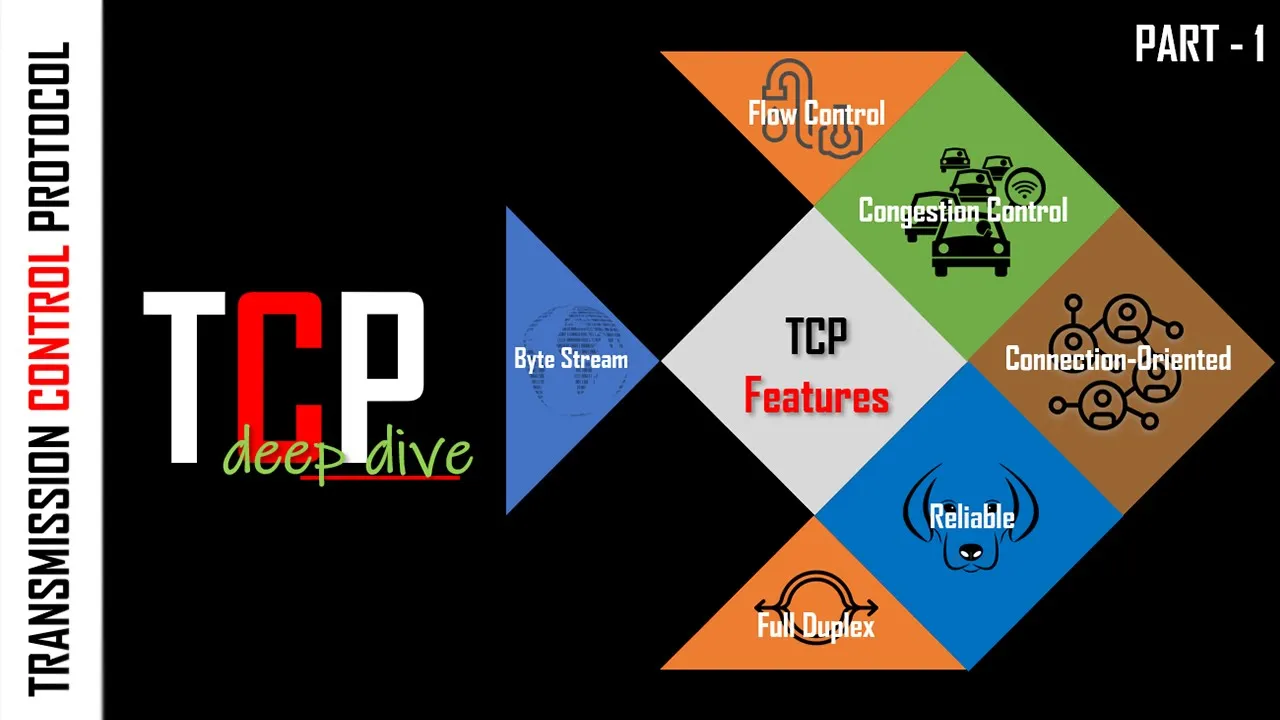













Transport protocols like UDP and TCP operate at the transport layer of the internet's five-layer structure, enabling multiple applications to share a single network connection through port numbers; UDP offers lightweight, connectionless communication with smaller headers (8 bytes vs. TCP's 20 bytes) but lacks reliability features such as error recovery, congestion control, and ordered delivery, while TCP provides reliable, connection-based communication with features like three-way handshakes, acknowledgments, retransmissions, and congestion control at the cost of higher overhead, making UDP suitable for real-time applications like multimedia streaming and DNS lookups while TCP excels for file transfers, web browsing, and applications requiring guaranteed data delivery.
Transport Protocols Explained: UDP vs TCP in Computer Networks
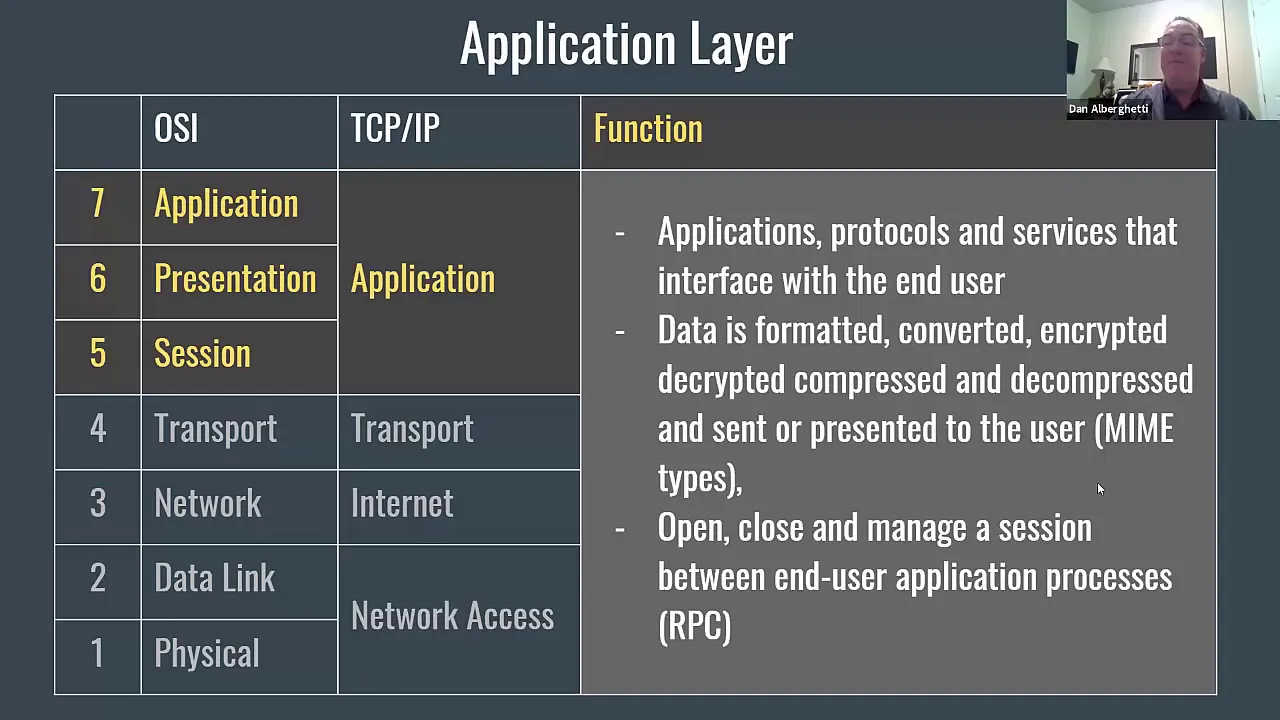
Added:in this video we'll cover the two major transport protocols UDP and TCP before we do that though let's talk about transport protocols in general to understand why we need them in the first place on the internet every Network packet follows this five layer structure we have the application layer the transport layer the network layer the link layer and the physical layer I might do a full video on this five layer structure at some point but for now just remember that UDP and TCP are part of the transport layer have you ever wondered why it's possible that two applications can use the same internet connection at the same time well that's because of what the transport layer provides it allows multiple applications to use one network connection simultaneously much like street names have house numbers the transport layer creates about 65,000 ports on your computer per network connection these ports can be reserved and used by applications on your computer and one application can use multiple ports at the same time if it wants let's say that an application reserved port 12437 to send a message to Port 80 on some other machine whenever the application layer creates a message it is passed on to the transport layer on this layer we wrap the message inside what we call a segment this segment contains some additional information like the source Port as well as the destination Port then when the segment is created it is passed on to the network layer for further processing our segment will show up on the receiver side when it is passed on from its Network layer to the transport layer the segment will be examined to determine the destiny ation port and then the message is unwrapped and delivered to Port 80 so that's the general idea of the transport layer but there's more to it than that we have two major transport protocols UDP and TCP and they both have their own characteristics let's look at UDP first one of the biggest advantages of UDP is that its packet sizes are smaller than TCP about 60% even UDP headers are 8 bytes and TCP headers are 20 bytes so that's a big difference UDP is connectionless this means that you don't have to create a connection first before sending out data and finally you have more control over when data is being sent out now I do realize that this may sound a little vague to you but once we get TCP into the mix this will become clearer because data corruption is a common occurrence on the internet UDP has has a primitive form of error detection its packets carry a 16bit check sum but it is not that reliable when UDP does detect corruption it will not try to recover from it in most cases the corrupted segment will just be discarded in some cases it will keep the corrupted segment but turn on a warning flag for the application UDP does not attempt to compensate for lost packets every packet gets get sent out once if it gets dropped on its way to the receiver tough luck it's gone UDP does not guarantee in order packet delivery packets won't necessarily arrive in the application in the order that they were sent there's no congestion control in UDP even if your Network's really busy UDP will just try to cram those packets in there this is usually a bad strategy because on a congested Network work packets get dropped more often in conclusion UDP may be lightweight but it's not that reliable this is where TCP comes in the transmission control protocol has certain features that make it more reliable than UDP however it also has bigger communication overhead than UDP since TCP is connection based we have to negotiate a connection first before we can do anything this procedure is known as a three-way handshake first the initiator will ask the acceptor if it wants to set up a connection the acceptor will reply to this request and when the initiator receives this reply it will send a packet to the acceptor that acknowledges that the connection has now been established a similar song and dance takes place when they close down a connection now that we have this connection we can Implement all kinds of nice features like delivery acknowledgements when data gets sent from one host to another the receiver will acknowledge that it got that data this is one of the reasons why TCP segments carry a number another feature that TCP offers is re transmission when a sender doesn't get a delivery acknowledgement within a certain amount of time it will assume that the packet got lost on its way so it will send it again because segments are numbered in TCP it can also Implement in order delivery although packets may still arrive out of order TCP will rearrange them before sending them to the application other TCP enhancements include congestion control this feature will delay transmission of data when the network is congested it eases the strain on the network and it helps minimize packet loss TCP enforces a small change to error detection while there is no technical Improvement of the error detection feature the check sum has now been made mandatory for ipv4 as well as IPv6 for UDP segments the check sum is only mandatory for IPv6 packets let's look at the downsides of fusing TCP TCP segments need bigger headers than UDP segments as you may remember UDP headers are about 60% smaller than TCP headers a side effect of tcp's congestion control mechanism is that data doesn't always get sent out immediately this is of course done on purpose to ease Network congestion but sometimes that's not what you want take Skype for example when you're making a voice call you kind of want it to feel like a realtime conversation right well what tcp's congestion control does is when the network is congested it deliberately introduces latency so your realtime conversation will not feel as real time as you want it to be as you can see congestion control can be either a nuisance or an enhancement it all depends on the context really finally TCP has a bigger overhead Al those retransmissions and packet ements and all that jazzzz well that's overhead sometimes you don't want every pack packet to arrive sure you want packets to arrive but if certain packets drop out you don't care that much for example to stream HD video you need lots of bandwidth but if you use TCP for it you need even more because you have to send around acknowledgements you have to do retransmissions and besides video streaming can deal with a certain amount of packet loss they have ways to compensate for that in this case it makes more sense to use UDP than TCP both Protocols are also different on a conceptual level we call UDP message oriented which means that applications send their data in distinct chunks think of it as snail mail email or text messaging now TCP on the other hand is stream oriented it is used as a continuous flow of data under TCP your application does not choose how data is sliced into packets just let it know whenever anything needs to be sent and then TCP will slice that into packets and recompose everything on the other end it could use lots of small packets but it could also choose to go with few big packets it just picks whatever works best at that time rest assured though you don't have to worry about how the packets are sliced all you need to know is that on the receiver end everything gets recomposed into a stream that you can read from so which one's better UDP or TCP it all depends on the type of application that you're building let's look at text communication performance-wise this isn't a big challenge because you don't need a lot of bandwidth to send some text around after all under TCP everything will work fine with UDP however you could get text in the wrong order or text could get lost along the way there's no guarantee anything could go wrong there because UDP doesn't do retransmissions and it doesn't guarantee in order delivery when it comes to text communication TCP clearly Takes the Cake now I don't know about you but when I download files off the internet I'd like to have all the parts including the chunks that didn't make it through the first time TCP offers retransmission UDP does not we're also going to need in order delivery because seriously what good is a scrambled J Peg for similar reasons remote access protocols like SSH also use TCP if you need delivery acknowledgements UDP isn't going to do you any good if you insist on using UDP you could Implement some sort of acknowledgement system in your application layer for important packets but most of the time it's not worth the hassle with multimedia streaming things are a little more ambiguous it could either be UDP or TCP P traditionally people have chosen UDP because it has less overhead it doesn't do that congestion control thing that introduces latency and we can compensate for a certain percentage of lost packets more recently people have started to use TCP for multimedia streaming if the bandwidth is there you might as well enjoy the benefits that TCP brings also some firewalls block UDP Al together for security reasons and then you're forced to use TCP UDP can also be used for small question and answer transactions such as DNS lookups the main benefit here is that you don't have the overhead of creating and closing a connection every time you need something as is the case with multimedia streaming bent with intensive apps that can tolerate some amount of packet loss usually go with UDP and that about wraps up today's discussion if there's anything you'd like to see explained here please let me know in the comments thanks for watching see you next time
Up Next
How the Internet Works: IP Addresses, DNS, and Vint Cerf's Protocol
@codeorg
1.6M views•2015-09-10

Introduction to Secure Multiparty Computation with Yehuda Lindell
@fhe_org
7.7K views•2021-02-04

HTTP Requests Explained: GET, POST, PUT, DELETE
@codecademy
103.1K views•2021-10-07

Enigma Machine Mechanics: WWII Encryption Explained
@JaredOwen
13.2M views•2021-12-11
Related Study Plans & Knowledge Roadmaps
Structured learning paths in Computer Science