







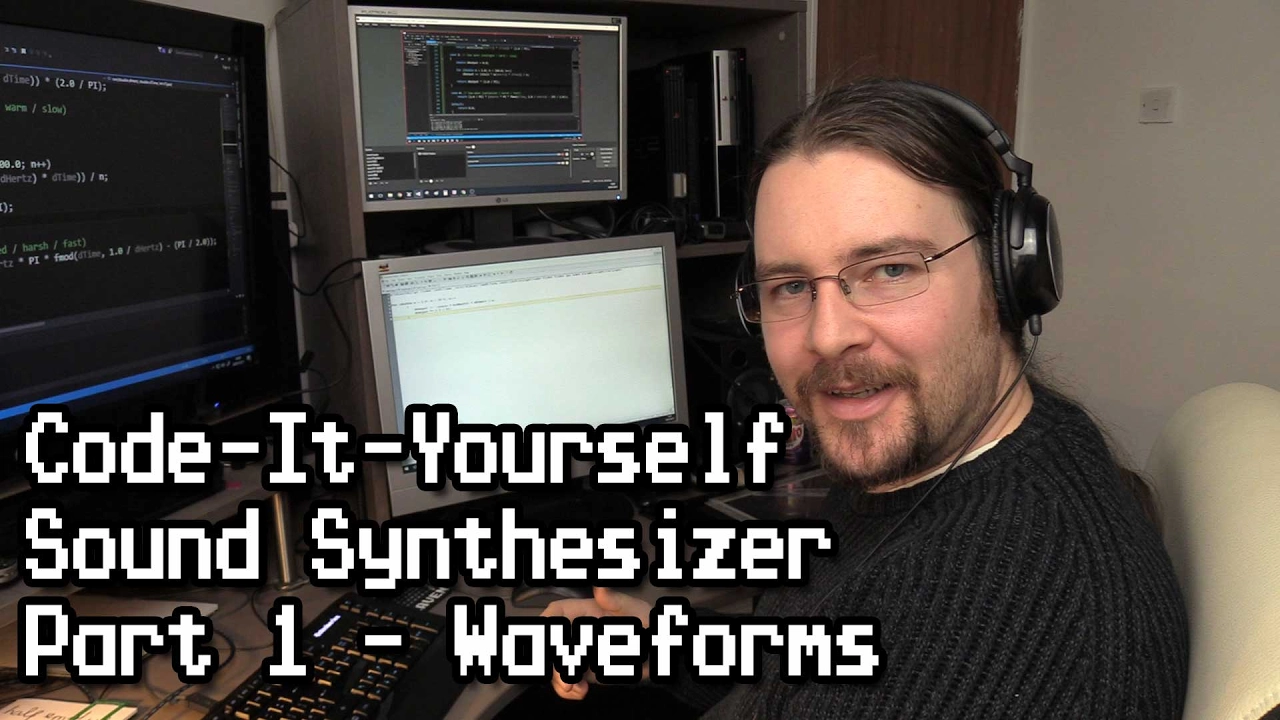








Function pointers in C allow you to pass functions as parameters, enabling polymorphic behavior in code. In synthesizer development, function pointers can be used to handle different wave shapes (sine, sawtooth, triangle, square) through a generic update function, eliminating code duplication. The syntax involves defining a function pointer type with typedef, assigning function addresses using the ampersand operator, and calling functions through the pointer using the arrow operator (->) for struct members or bracket notation for arrays.
C Programming Tutorial: Building a Synthesizer with Function Pointers
Added:Proficiency in C programming, specifically understanding pointers, memory allocation, and array manipulation (for audio buffers).
Understanding of function declarations, definitions, and how to pass function addresses (the basis of function pointers) in C.
Basic knowledge of digital audio representation, including concepts like sampling rate (e.g., 44.1kHz), bit depth, and how waveforms (sine, square, triangle) are represented mathematically.
Implementation of ADSR (Attack, Decay, Sustain, Release) envelopes and LFOs (Low-Frequency Oscillators) to modulate the synthesizer's parameters over time.
Integration with real-time audio APIs and libraries such as PortAudio, RtAudio, or SDL to output audio from the C code directly to hardware.
Exploration of digital signal processing (DSP) techniques, such as designing IIR/FIR digital filters (low-pass, band-pass) for subtractive synthesis.
Developing polyphony (handling multiple notes simultaneously) and parsing MIDI (Musical Instrument Digital Interface) input data in C to control the synthesizer.
1.5K views35likes53:16Original Release: 2021-03-10
all right welcome back to making a synthesizer in c oh this is episode three right um so when i was reviewing the last episode i actually noticed that our update oscillator array doesn't actually handle the different shapes we've been making so you remember we made a sine wave a sawtooth wave and a triangle wave um and then in our handle audio stream whenever the audio stream needs to process a new block of samples we're updating it three times once for the sine wave the sorted waves and the triangle but we then actually need to handle that because it's still if we look to accumulate signal it's just doing triangle waves at the moment so let's go ahead and handle that okay so what we need to do is you know what i'm going to get rid of this accumulate signal function and pull it into the oscillator right because that's the only place it gets called so there's no point having those two separate functions um so what do we need we're looping over the oscillator so already you can see a book here where we're setting the frequency on oscillator but this is actually an array of oscillators um so i'm going to call that oscillator array just to be clear that we then need to do oscillator rate high and then set the frequency and then for the sample we need to update the lfo each oscillator has its own lfo and then ask array i that needs to be a pointer and square i lfo so this is for the sine wave case so now we need to do one for the triangle wave case so this will be update oscar a sine and this one will be actually we'll do the saw two first so this just becomes sawtooth wave now we're already seeing duplication like all this logic if we if we ever want to change something here we're gonna have to remember to change it here so shall we deduplicate this the only thing different between these two functions is this so this lets me introduce function pointers what i can do is instead of telling it to call this specific named function i instead pass in a pointer to a function so this can change to whatever we pass inside our list here so this get rid of that because now i just become just a generic update oscar a synth oscillator i'm going to make it the first so we want something like um wave shape fn function fn short for function and just call this wave shape this is the wave shape f function so we need to define what that looks like so we do that with yeah function pointers and see they always look rather peculiar if you start off it looks like a function which takes in an oscillator so this is called a function signature and you notice if i if i get rid of the name because the name is just there for us to be able to refer to it they all have the same signature so what i'm doing here is creating a type that refers to that specific signature to do that we have to wrap the name and then put a star behind it that's just the convention and see that's how a function pointer is defined [Music] um so that takes an away shake function and then this just becomes wave shape fm so that's updating so an oscillator has sound waves a bunch of oscillators oh it's not that it's this it's a synth wait yeah yeah see oscillator frequency but then it's the synth lfo it's one there's one low frequency oscillator that drives the numerous base oscillators and then update over c where's that is that correct i don't think it tears don't we want to so where do we actually apply that to the signal we need to accumulate so yeah we're just missing the accumulation step so that's uh synth signal t equals oh i'm doing this in the wrong function let me get rid of this one uh same signal t and then it's the wave shape function and then we pass in osprey i and it's plus equals because we're accumulating now we're using the same we might want a different shape for the lfo so this this would then just be the the base the base oscillator shape and then the lfo shape and now this becomes um the base oscillator shape for the sign is sine wave loss i'm gonna do uh sine wave for the lfo as well so we have sawtooth and we'll do sine wave for all the lfos just for now then we got the triangle sine wave so that looks good um four oscillators yep fine fine fine let's give this a run see how it feels um make sure audio isn't too high again yet we set that really low didn't we make it a little bit higher build then run here we go uh-oh error 67 let's go to line 67 expected comma got bass ask shape function does this need to be a pointer is that what's going on there well i never why why why do we need to another way we can do this is pull that out and do a typedef so there's a point a function pointer point expected 75 frequency let me move this all the way just clear what is going on here all right in situations like this i can't remember everything about a language so trusty google i'm just gonna google how to do function pointers in c function pointer e for gigs in c like normal data pointers int char etc we can have pointers to functions following is a simple example that shows declaration and function call using function pointer this is the normal function fun pointer is a pointer to function fun so do we need to oh of course we forgot the ampersand although i i assumed that it automatically infers that you're trying to do a function pointer but that assumption was probably wrong so basically you need to put an ampersand between each of these to say hey this is a pointer to that function coming up uh oh we don't need the name of the argument because again the names are just there for us as labels see if that works still no let's go back read more let's do typed f function pointers and c understanding typedef okay so we got the signature on so this does go here um i'm just reading this example code see see they're not putting a star because it's already a pointer the type is a pointer oh the it's referring to this line there i see i see it i see it uh we don't want this arrow here so let me explain if oscillator was a single object this is a pointer to a single object well to access we can't do dot frequency because basically in memory this oscillator is a number some random number that points this number is referring to an address in memory if you imagine in memory almost like a spreadsheet it's referring to a row and a column to then look look and the value is in that so that's why we do the arrow to say hey we need to jump we need to look at this address and then jump to that location to find the actual data which is the frequency um but when oscillator is an array of values this brackets and a number inside is doing that jump it's you know this brackets is doing the the logic of the arrow so now that we've actually got to that specific place in memory we can now use the dot notation dot frequency so that's the mistake i was making um so we need a dot there synth it's a single object we need an arrow oscillator we're doing the jump to memory so then we need to get that memory location because this except expects a pointer so this also needs it because this expects the wave shape function expects a pointer to an oscillator so that should now work fingers crossed cannot cast struct anonymous destruct anonymous 79 this needs a pointer 100 saw too fast oh the function's called sawtooth wave 101 if you got a comma [Music] finally cure all right let's um again we'll simplify it down to one [Music] hey [Music] cool um so another thing we can do now is say so this was saying the amplitude to all of them and if you remember the logic here we're setting the first first oscillator number oscillators minus i said the first oscillator would equal norm oscillators let's go back to an example of four so this whole expression if this was the first oscillator it would come to 4 and then it would be times 1 over 4.
so we do that well if we do one divided by four obviously we'll get four again if we times that by four so this all wraps to 1 times 0.2 if this was the second oscillator we'd get 4 minus 1 because don't forget i starts at 0 so we get three times one over four so we get 0.75 times number two so each one gets lower and lower that makes sense but then we could say hey the let me get rid of this one if you just wanted to make the sine wave louder we could minimize the other two shapes [Music] maybe we need to really minimize them [Music] i'm feeling oh amplitude isn't getting set correctly so the amplitude lives on the oscillator let's have a look yeah look we're only doing amplitude on the sine wave not this little two from the triangle so we do that or maybe we pull it out of the actual shape function and do it here so then it becomes oscary an amplitude [Music] here so we can come back to where we're setting the volumes pump these up a little bit [Music] let's just play with some different numbers [Music] [Music] i'm going to change the way this renders now because we're drawing pixel by pixel i'm going to make it into a line um let's see let's get our rayleigh cheat sheets um let's have a look at this um line line line line line we're looking for shapes so we can either draw single lines there's a draw polyline well that's drawing a regular polygon so just like i draw a list of lines draw line sequence draw a line strip takes in an array or a pointer to points the number of points and a color that is exactly what we want healing and we come down to our drawing code where we do a drill pixel really what we want is a vector2 call this points signal points how many is going to be the same size which is as uh is it buffer stream buffer stream buffer size and then for each one i'm going to say signal points i x equals i make that float signal points i got y equals this one here and then i copied it and then i never draw a line for it i'm going to pass in signal points right so this is uh drawing the signal [Music] so if we come back to our to-do list that's done fix the way the signal is rendered we've improved it i think we can improve it more because it does it's stable in some places but in other places i think what we can do is [Music] um tell you what i'm also going to draw a line that's like the the horizontal zero point so what's that gonna be it's gonna start at x zero uh the y needs to be half and then it's going to end at screen width and then the y would be the same and then i'm going to make that i don't know what colors what are colors even something like uh is it like a dark red or just dark gray should be fine uh so this needs to be um tell you what let's hoist this up screen height over two so i'm gonna call this const flow [Music] screen vertical mid point and these just become both screen vertical midpoints right so here's our waveform what we can do is look for let me try and find the stable there we go for when the signal drops from positive to negative or vice versa overdrop if it goes from negative to positive we'll actually start rendering from the first time that happens that's called a zero crossing because the the waveform crosses the zero point so we're going to pin basically to the left side of the screen first zero crossing hopefully that should help um so how can we do that might need to change the way this is constructed so i'm going to create a new block and we're just going to create a size t i i'm going to start at 1 not 0 because i need to compare this value from the last value so we're gonna use a new um loop format called while so how a while works is everything between these braces are going to loop over and over again while what's in here evaluates to true um so we're gonna have a counter that does start at zero so while the counter is less than the stream buffer size i'm gonna i didn't even know just make it explicit i'll say counter plus equals one one in the loop um so we need to check if signal i what case we're going to go when it goes from negative to positive is greater than or equal to zero and signal i minus one is less than zero then we have a zero crossing um [Music] so if that's true we can start adding points into the signal points uh vector two array and at this point we want to start incrementing our counter we also need to say if i ever reaches stream buffer size then i needs to go back to zero now there's a potential infinite loop that could happen if the signal never goes above zero which shouldn't happen with a cyclical signal um then this will this block will never enter so the counter will never increase so this will always evaluate to true the counter will always be smaller than the stream buffer size um so we're going to need to keep another one which is the this the loop prevention counter so this will get increased outside um and our loop prevention will just be like as long as our loop prevention counter is less than stream buffer size times two and then we draw the line if and only if we actually our counter is equal to extreme buffer size actually because then this would become zero so i wanna i wanna put this at the top let's see if that works obviously not um let's have a look so i is equal to one now actually if it's just mean we're never gonna insert sample zero the better way to do this is as soon as we find the zero crossing we stopped the loop so we just say like instead of doing all this uh let's just say um oh zero crossing index is equal to zero and then as soon as we find the zero crossing we set the zero crossing index to i get rid of this loop prevention thing get rid of this uh and hoist this out and then we want to say and then we will do a loop so four we're going to use a bit of modulo mathematics so our actual index so our point index idx for index is going to be i plus the zero crossing index modulo the stream for size so it will wrap around like a clock and then this becomes point index and yeah we keep i no no no this becomes i this becomes signal signal index and just to make it a bit clearer i'm gonna instead of calling it i call this the point index and then the signal index is here ah this can get again it's good to keep related data near to each other once that counted said one as well i'll counter die oh there we go i think we've got our first infinite loop this needs to go outside the if [Music] we don't need to do this if counter well because if we can't find the zebra crossing then it's just going to start from zero [Music] still not working why why why why why why why i also bring this down greater than zero less than zero zero crossing and then we break so we exit this loop for index zero for index on index plus single index equals point index i'm using the high here [Music] and then again that needs to be point index there we go [Music] so still [Music] not quite so that shouldn't be scrolling like that i don't think let's draw some more text 10 30 uh zero crossing index is equal to i oh you know what i don't need to do a while loop here it's causing more issues than it's worth i think this can be a full loop we can do before size ti start at one end at the end which is a stream buffer size plus then we can get rid of that a lot simpler um but yeah we'll we'll still print it just to see zero xerox there you go so it still can be weird at times but it should be a little bit more stable but you can sort of get that pinning effect by how it shrinks and stretches but that should be really obvious if i um just clear out and only have sign yeah i think can you see how it's pinned to the left side of the screen not sure why it goes a bit weird on the right side though [Music] i guess that's because that's the um that's the point when it starts to wrap around so obviously it's not going to line up properly when it wraps around so i can show that by saying when we're actually constructing the signal points um we actually minus we only go up to stream buffer size minus the zero crossing index but it means we won't draw the hole or instead of doing that here actually we could just do it in our draw line strip we only draw that many points but it does mean let me get this depending on how chaotic the uh signal is and let's make you triangle [Music] [Music] i was trying to play mary had a little um but that was terrible cool i'm pretty i mean we can come back to this um any other way to improve signal rendering who knows so our next one is to add a graphical user interface um how do you know what we never did a square wave let's do a square wave so flow square wave takes in an oscillator pointer square wave should be pretty simple because it's just either high or it jumps down to low i'm not going to break out audacity for this one so i mean we could do like if possible phase is greater than or equal to 0.5 we just return one otherwise if it's less we return negative one um there's a slightly more succinct way to do this logic could just do return and this is called the ternary operator uh so we put that and then we've got a question mark after it and then we say one point f and negative uh so that's exactly the same as this you can see here this is the if this expression is true then we have the question mark this is the ternary operator and then if it is true we return this value and then a colon to say else this is just a short-term thing else return this value um i only use i only use the turning operator if it's a really simple line like this and it can fit i'm like otherwise i'd rather just do it in this more expressive form so we need to how do we add this in pretty simple we just create square ask we add it to our synth and we just need to add another update so this becomes square wave lse keep a sine wave for the lfo square and then we'll keep it as just the base frequency or maybe base frequency like square waves make good uh bass noises so we could half the bass frequency um and then we need to set its amplitude so let's set the saw two from the triangle to not five and maybe this one to not put two five see if this works it did not well i need to actually pass in to the simp structure i mean let's just clear out all the other ones for now so we can see the square wave [Music] yeah we're getting that funny funky shake shape because of our lfo so i'm going to set the lfo amplitude to zero as well [Music] are we not using the lfo amplitude oh yeah because we took we need to times it by the synth lfo that amplitude here there you go [Music] nice so now if we come back to our lfo and bump this up so what it was 10 whoa [Music] when we uh controlling the frequency as well so what if we just make it quite subtle i want the lfo to go even slower at times hmm i like it let's uh half you we'll do 2.5 7.5 0.75 and then all of the sign get some funky sounds [Music] sounds like a old school racing noise so you can imagine like using this real-time synthesis if you're doing a racing game and you can actually drive rather than having pre-made sound effects you could actually drive the sounds procedural procedurally okay uh this is a short one today uh this is all pretty good i think tomorrow we'll look at this gui and also i might talk a little bit about um audio aliasing uh with the um the non-sine shapes like the saw the triangle on the square wave and there's actually a hidden issue with them that i'll explain next time cool and i will see you uh in episode four yes four bye you
Up Next

94:39
C++ Programming Crash Course for Beginners: Core Concepts
@TraversyMedia
365.2K views•2020-08-12

87:26
Introduction to Secure Multiparty Computation with Yehuda Lindell
@fhe_org
7.7K views•2021-02-04

4:55
HTTP Requests Explained: GET, POST, PUT, DELETE
@codecademy
103.1K views•2021-10-07

19:25
Enigma Machine Mechanics: WWII Encryption Explained
@JaredOwen
13.2M views•2021-12-11
Related Study Plans & Knowledge Roadmaps
Structured learning paths in Computer Science
computer-science
Container Runtimes: Namespaces, Cgroups & Go
01Linux Systems & Go Programming Foundations
02The Core of Isolation: Chroot and Filesystems
03Linux Namespaces: Process Isolation
+ 3 more learning modules
32h6 modules
Explore Roadmap
computer-science
Building a CHIP-8 Emulator: Rust & CPU Basics
01Computer Architecture Foundations (Bits & Bytes)
02Rust Programming for Systems Development
03CHIP-8 Virtual Hardware Specifications
+ 2 more learning modules
32h5 modules
Explore Roadmap
computer-science
Building BitTorrent: Go, P2P & Concurrency
01Go Fundamentals & Concurrency
02Networking Foundations & P2P Architecture
03Bencode Parsing & Torrent Metadata
+ 3 more learning modules
26h6 modules
Explore Roadmap
computer-science
Actor Models (C++ Concurrency & Lock-Free)
01C++ Multi-Threading Foundations
02Thread Pools and Task Scheduling
03Atomics and Lock-Free Queue Design
+ 3 more learning modules
45h6 modules
Explore Roadmap