


















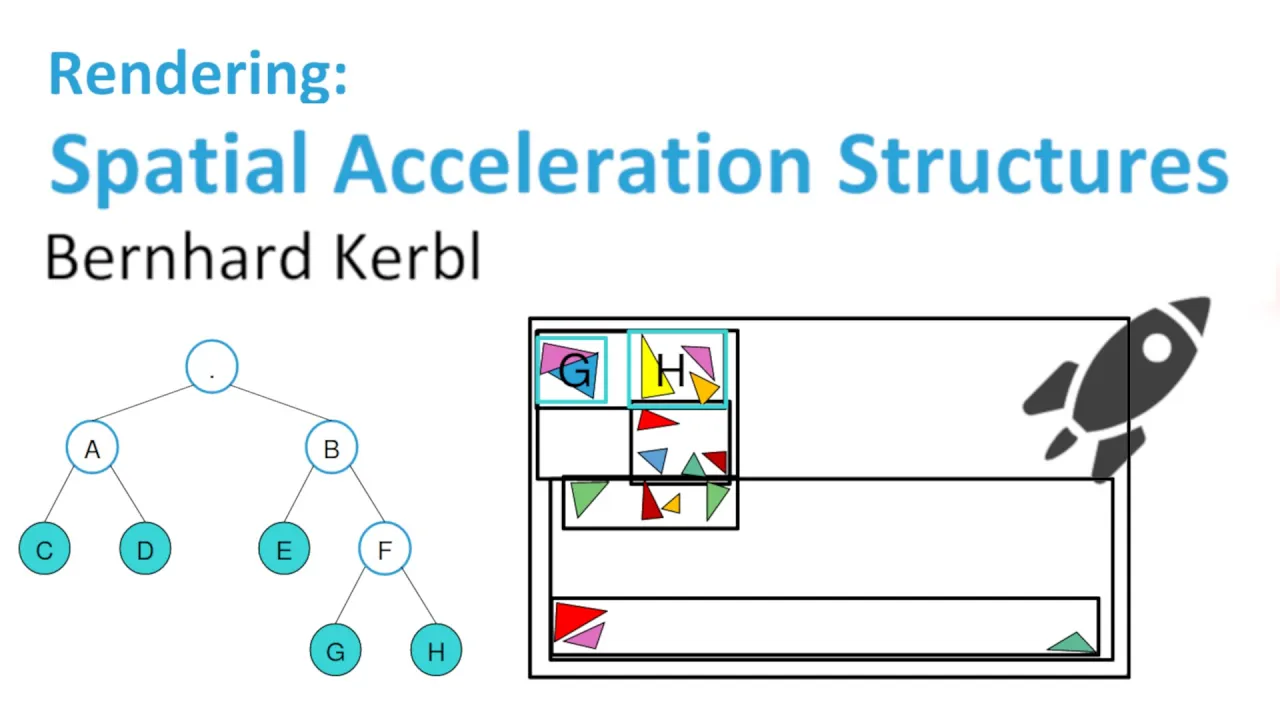


This tutorial demonstrates how to implement a basic ray tracer in GLSL that renders a single sphere with basic shading by calculating ray-sphere intersections using vector algebra and quadratic equations, where the intersection points are determined by solving the equation (O + tD - C) · (O + tD - C) = R², yielding two solutions for t that indicate where the ray hits the sphere surface, and then computing surface normals to apply simple diffuse shading based on the angle between the view direction and the normal vector.
Ray Tracing Tutorial: Render a 3D Sphere with Shaders
Added:Vector Mathematics: A solid grasp of 3D vectors, dot products, vector normalization, and distance formulas.
Basic Shader Programming: Familiarity with GPU fragment/pixel shaders and languages like GLSL or HLSL.
Mathematical Ray Definition: Understanding how a ray is represented parametrically as an origin and a direction vector.
3D Coordinate Systems: Comprehension of screen-space to world-space transformations and camera positioning.
Advanced Material Models: Implementing reflections, refractions (using Snell's Law), and Physically Based Rendering (PBR).
Constructive Solid Geometry (CSG): Combining multiple primitive shapes (spheres, boxes, planes) using Boolean operations.
Acceleration Structures: Exploring Bounding Volume Hierarchies (BVH) and Octrees to handle scenes with millions of polygons efficiently.
Path Tracing and Global Illumination: Transitioning from basic ray tracing to Monte Carlo path tracing for realistic indirect lighting and soft shadows.
6.4K views189likes1:04:46Original Release: 2020-05-27
hello everyone my name is Darko and I will be posting a lot of good game that content on this channel it's a pleasure to have you here [Music] I said I'm gonna be doing game dev stuff but I didn't explain what exactly so the plan is to do a lot of different tutorials about different programming aspects of game development in general and I was thinking where to start and it's hard like if you have some programming background you might want to go into C++ stuff more that doesn't expose the game deaf perspective of the whole thing that easily like it's not visual as it can be but it's not as easy to make it visual for this specific first tutorial as as I imagine the series of tutorials we're gonna make a shader in using shiritori which is a web page basically that enables you to write shader stuff directly and you don't need to set up any IDs or anything like that to be to actually make it right so it's easy you just open this page press mu which is basically here you create you don't even need to create your own account you can just press new but create an account so you can save yourself save your work and you can also share it easier with your friends later on and for this specific tutorial I choose to make a ray tracer implementation ray ray marcher as some may call it which enables us to translate the 3d world into 2d world you don't need to be a programming expert any basic programming knowledge is definitely a big plus you might not be able to follow some parts of this because you might not know how vector algebra works general or how different aspects of GLSL work but that's not really important I just want you to see what you can do with very little amount of code you can do for real we're gonna make a ray tracer that ray tracer is gonna be rendering one sphere and that sphere is gonna have just a basic illumination or shading not really illumination you'll see so it looks like a sphere in 3d space and not a circle right so with thing you see on the screen right here that's inflator toy the screen you see here it's basically what's being rendered when this code is compiled over here and this main image function what it does it sets this argument that's fragment color out means that it's gonna that's basically a reference or not not to confuse anyone it's basically whatever you set whatever this is being set to whoever is calling this function is gonna see the changed value kind of but the whole idea of this main image function is to set something to set the frag color to something and this frag color it's actually the color of each pixel on your screen which means this function gets called for each pixel on your screen so if you have a resolution 800 times 450 just multiply those that's how many pixels you have and basically that's how many times per frame this function is gonna get called to color your specific pixels a pixel on on a specific coordinate right so if you have so what will happen if you had let's say if you returned only one color here and not something that that differs so I'll give you a second to think about it so if you set this to fried color to a color that's kind of let's say let's say we set it to blue so color is a vector with three dimensional vector in this case which is just RGB values so red green and blue so if you set blue to one and the other is you set to zero it should be blue right so R is gonna be zero also the notation you write here you gotta write the number and a dot to indicate that it's a float float value so it's gonna be red zero to green is zero and blue is gonna be one right so these colors they go from zero to one so it's not 256 like you might have seen in many other scenarios it goes from zero to one most of these that you're gonna we're gonna treat these coordinates on screen you're gonna see that we're also gonna go from zero to one or we're gonna shift it by 0.5 but you'll see how it'll all works how it all works so we have this color color is this this should be blue RGB so we basically it's a set up color to blue and we compile it guess what our screen is now completely filled because each pixel now receives this scholar but what if we said like what if he said I don't know so what was important to know as well is that each GLSL program here has exposed has some parameters exposed like this program over here actually has something called 5-time which is built in as a variable that you can use and i time is the number of pics it's a floating point value so it's not number of things but it's the time that has the since the beginning of your program execution so item is gonna be in this case I assume five thousand one nine seven point something so that's gonna be your item so it just keeps flowing so you can just imagine if I put five time over here as this one it wouldn't help a lot because it will always be larger than one so if I compile it it's still blue it's now it's five thousand which is larger than one which basically climbs it clamps it to one point zero but can you remember any sort of functions that we could use to actually go between zero and one for example like in in shaders you're gonna see sinus and cosinus functions all over the place because you can do many many things with it and your custom functions are all going to be written using different math expressions so in this case if I said sinus of Python yeah so sinus fluctuates which basically means that the sinus of your Python is going to go between zero and one all the time and that's a pretty good way to that's a pretty good way to do to do stuff like to do these animations with different animations with fade out fading and so on so let's not waste any more time on these basic things like you get the basic idea and I assume from this point on I assume that you know super basic stuff you know that a pixel has a color that you assign here and so on but now there is a question you want to you want to render a sphere that's a three-dimensional body that you want to render in this 2d screen right so how do you go about it well let's say we have a sphere and let's say we have let's say this this is our eye this is a badly drawn I would really bad people so this this is your eye and you're looking at this sphere so it's it's basically a 3d body and drawing with my mouse bear with me and you want to display display this sphere on the screen and it's a 2d screen so how do you do that well let's say we shoot rays from our eyes we shoot race so if from your eye here it can either hit the sphere or it can miss it right so the whole logic of ray tracing is that you already marching is that you should erase somewhere if it hits something you're gonna basically drop something on that pixel but you might be thinking now okay fine but which pixel do I draw into so how does that work well your screen is a canvas basically it's a canvas of a specific resolution so each pixel shows something each pixel has a color information so it can be any color so what you need to do in this scenario is that let's say you have I'm gonna try it I'm gonna try to draw this in a way that it makes sense in 3d so this is a 3d 3d plane which is basically in front of your eyes like this right so you're looking at it and let's let's imagine so in this scenario let's imagine that that this whole thing is that canvas so in that scenario each pixel carries the color information right what's gonna happen here this canvas is canvas with the resolution we had 800 times 450 so what's gonna happen you're gonna shoot into each of those pixels imaginary you're gonna shoot a rate through it it's gonna go through the plane and that way is gonna go here right and let's say it hits the plane over here this pixel will have a color value of this thing here which is basically nothing daniken well you'll see what we can do we can just render a black pixel on that well what happens if you go let's say through here you hid it somewhere here this is one pixel it's not the line the Ray goes here that's behind it right and then it hits the sphere let's say so when it hits the sphere this picks over here has the color of the sphere so what happens like how does how does this canvas look like once you go through all the pixels once you go through all the pixels you have the full picture right so basically you have the sphere on your cam if it looks like this so you have this and then you're gonna have in the middle your sphere it's somewhere I mean you position it somewhere you guys see it right so this whole thing this thing over here it looks like a flag of Japan almost that's good this is the end result we want to have at the end of this tutorial video and we're gonna spice it up with some magic in this first part I think we should hurry up a bit because we're never gonna finish this ray tracer so we want to have a canvas and we want to have our eye or camera position somewhere and we want to shoot rays from that camera through the canvas and we want to hit or we want to hit an object or if we don't hit it we're just draw something sky or black we are in the space we're in space we don't care about what's behind right so and that's what we're gonna be doing so let's start let's imagine let's imagine so yeah we can we can basically define our camera and our sphere as two objects and that we can easily set up and change their their their properties as we go but we can basically write a it might be here in my keyboard and that might be a super annoying I gotta check that in post-production kill it you might you might not hear I don't know so the our camera is our eye like I explained it just a moment ago and that eye has a position and that position is in this case it's see it's a three-dimensional vector because in 3d space you have three coordinates that try assume I assume I mean this is something that it will be hard hard to follow anything if you don't know this if you don't know this that just google it and 3d coordinate space I should probably know that so then you have vector three Direction Direction is a normalized vector normalized means that it has length one it doesn't really matter in this context it can be pointing anywhere and have any length three the magnitude doesn't really matter but you have your position right where is positioned then you can also look in in a specific direction you could tilt the camera if you want to right so you've got to have that freedom and a camera has a focal distance as well and this context focal distance will be the distance between your eye and or your cameras so how does this focal distance work well just imagine shooting these Ray's like this it depends how many pixels you have your rates are going to shoot through that canvas so if your eye is here and the canvas is here if you got closer to your eye the Rays are going to disperse more right so that distance or it's basically in this context is more of a zoom so if you have if you if we if we change this zoom to if you change the canvas to be here the Rays are going to disperse more which means that the less many less amount of preys are gonna hit the sphere in the end so your sphere is gonna look smaller more or less if you go this way that means that much more that the screen the sphere is gonna be taking a lot of your screen because now the Rays are shooting more straight so by changing this focal this is I call it in this context you're gonna change this but we can call it zoom just for this record so you'll figure it out in your own anyway and this is how you know GLSL this is how we can create structure instance instantly basically just naming it like this and it's a global thing and we can use GLSL is like when writing stuff engineer lacell i feel super dirty let's just say that but anyway it works and I think the whole intention of the video is not setting up the a standard in GLSL so we want to have that so besides that we want to have a sphere we want to have a sphere that also the sphere itself needs to have a position so it's also 3d space it needs to have its needs to have a it needs to have radius right it's a sphere so we're gonna add this and maybe color we can let's skip the color part so what else we have the position we have the radius so is gonna determine where and how big the sphere is it's actually safer right and now what what what I like to do I like to have this function called set up sphere they set up scene so if you have a big number of primitives on your screen like let's say a sphere and a cube and a bunch of other bodies you might want to have a function where you set them up in a different way and set their props and set their size and you can call this you need to call this function in each frame because this is being recalculated inside of this fragment shader concept so in setup scene what what you do you do camera position equals something we'll see we can also do can direction and we can do camera I'm missing all the keys now as I'm looking and I'm not used to looking to this side and zoom is gonna be let's say 1 and then we can do fear position equals position is also 3 dimensional vector and we can do sphere radius equals let's say 0.3 I don't know we'll see how we'll see how big the things are gonna be on our scene how different sizes are gonna be scaled up and down we'll see very weak in a position or camera as well so in in three-dimensional coordinate system you have three axes so you have X Y Z X that's this one right it's it's the image is mirror but basically had Y you have X and then Z is the three that the third dimension that you're adding and in in in this code in this concept Z can be plus or minus depending on if it's on in one direction or another or one side of the coordinate system and that's where there are two paradigms one paradigm is that you can that Z is positive on the side of coordinate system where of the yeah two-dimensional system were that that that's away from you so as the more it gets away from you it gets more positive that's one concept and the the more negative the coordinate is it's basically closer to you that's one concept the other concept is the opposite that means that if you go further away from yourself if you're looking at the system and Z is going to your screen that means the further away you get from your screen from your eyes there's gonna be more negative or it's gonna be it's gonna be lesser than it would be it would be if it was closer right so we're gonna take this other approach so if it goes if it's if the center is zero right then if you go further further away from your eye or your stand point it will become more negative so I said if you go this way which is towards your yourself it should get more positive so if your camera is here let's say we place it on one this axis let's say we place the camera over here that means that the coordinates are gonna be x0 y0 and they will be z will be three point five here let's say right and the direction should go towards the center now okay what we want to look at the third direction right now look at--look anywhere but in this example if you want to have the sphere somewhere in the middle here in the middle we want to we want to look at that direction and directional vector is just basically it has x and y components set to zero and then it has this equal component set to a number or to a direction in this case if we are on three point five here and this is zero we should be pointing to minus -1 because the direction of minus 1 on z coordinate will would be this so it's that's zero zero minus one so it's zero zero minus one directional vector which means that it's zero and y 0 X and it points towards the screen towards negative Z so we said zero zero minus one cool zoom is one sphere position we want to place it in the center let's go with the center cool so I think this is pretty much the basic setup we need then on each main image call we want to do set up see he's gonna call this let's try to compile it that's good cold so now the set the scene is set up and it's day two of recording as you can see and we stopped where did we stop we stopped here so we said that we need to rate race to the sphere to be able to see it and we need to have a basic function we're gonna use for it so let's make let's make it to vote for now and call it ray and create trace and this function is gonna we'll see what I can work we're gonna pass this arguments but what its gonna do it's just gonna intersect and intersect with try to intersect with the sphere so it's gonna be something like we're gonna be calling this intersect function and we're gonna say if it's intersecting it's gonna return one color I'm gonna just write color or else we're gonna return for example we're gonna return sky color and we can can do we can do we can do a black one for now and let's make our sphere I don't want to I don't want to make it anything super bright it's gonna look Jeep let's do I don't know 0.43 0.5 0.1 so we're gonna return this one which means that rate rate should return the scholar right if you compile this of course there is no intersect function we're gonna have an intersect function that is gonna test if our array is intersecting I'm gonna need to explain it a bit more in details and probably on paper because I think that's the easiest way to do it and once we have that on paper once we solved it then we can just write route and it should just work fine for now we can we can return true always which means that we are always intersecting if we compile this it works that's fine and this color over here which one's going to do raytrace boom so we the whole screen is now this color and we'll see what we're gonna do next so let's jump into the math part of it so we need to know how mathematically speaking this thing works and then we can continue okay now the hard part we need to have a way of calculating where our sphere in the scene is and we need to have a way of actually know if our array hit the sphere and we need to do some math for that so bear with me just go with it and and if you don't if you don't figure it out on the first fly it's fine just just do it and then later on you can go back to it I'm not I might also skip some parts as it might be too much for me to do now but I'll just go through it and yeah we'll figure it out as we go so we have our sphere and that's sphere to be able that sphere looks like this right so it's in 3d space and we are looking at it from this point here so if we shoot the Ray here we hit it here if you shoot it right here we hit here right so we can do this we have a sphere right then we have our eye we can say that we should array here and we hit the sphere on this point over here here is the center of the sphere itself here is the origin we can label them with though and see just so we know where we where we are this is the Rays so this is we can make this a vector the direction we're looking at is this one it's length or magnitude is one directional vector and we have this thing one that we can label L which is the distance or a yeah basically the distance between o and C at the origin and the center of the sphere we're going to label L just for this purpose P is the point where we hit the sphere so and let's say that if we extend this ray we get the sphere again and then we go out and this other point is be cooked so we have two points where we hit the spear and that's cool so how do we get these points we got to know if we hit it and we got to know where we hit it just because you'll see like it's gonna make a difference okay we're going to render depending on what we hit first and so on so we have these three important or two important distances which is t0 and t1 and those are the distances from our bite site or the origin itself to a - to a point or the first one or the second one it doesn't really matter and how do we solve this how do you find these guys so we need we have to find these to be able to do something so the rates of or the point this point can be identified as can be identified as P in equals origin which is this one right plus T times D D is a vector of magnitude one so if we multiply this by T we can get to this P so we're just gonna know how big this T is to actually know where this point is in vector space right so P the other P is the same thing this is T 0 this is T 1 times D so we've got to find we gotta find these two so there are two ways to solve this problem one is a pure geometry calculation we can do geometrical solution the other one is the analytical solution or we can use vectors to solve it and that's basically using these and you'll see these are important for us as we go further so start the sphere formula in 3d space goes like this so this is the x coordinate y currency coordinates and this is the radius and this means that there are some points inside of the coordinate system which fall into this equation and they are all on the surface of this sphere and that's cool then we can do some math magic and this is what we're gonna we're gonna take a few shortcuts but just follow through you will do figure it out we can call this P squared and kind of sub all of this with P squared and say P squared equals R squared and then we can say P squared minus R squared equals 0 so we have this this basic equation over here let's see if we Mona so this is this is assuming so we can sub this and and do this and possibly then sub sub B with with this over here directly but what we want to do we we don't want to place it we if you want to place this point somewhere not in origin or we also have to need to have a constant in this equation that we need to add and what we're going to solve this one with P minus C squared minus R squared equals 0 and then we're gonna save well P is this one right so so we can substitute this P with this this over here you don't see it so this over here and what when we do that I'll actually move here maybe it's easier so we're gonna say subbing this one it's basically origin plus T V minus C squared minus R squared equals 0 and then how do we solve these we can sub this with X and then we can say virgin plus x squared minus R squared equals zero and then when we do this we just solve it right 2x plus x squared minus R squared equals zero and then we know to need to unwrap the X and to be able to proceed with the solution so what we're going to do we're gonna say let's bring the X back which was this one TD minus C we can do let's do this whole squared plus two o TD minus c plus plus T B minus C squared minus R squared equals zero and so let's let's let's rewrite this so we have better overview TD minus C plus D minus C squared minus R squared equals zero let's do stuff so we can do this try to figure out what to do see the - to see also where all the names are a bit problematic here but it's good enough for this scenario I suppose we can do this T Square D squared just so it's obvious to the the C plus C squared minus R squared equals equals zero ok so now we're going to try to solve this be sure to get to get expression that will enable us to get the T value so we need to bring this form into a code I think mountain poor which means that we're gonna bring this numbers at the beginning and then all the ones that have T next to them they're going to be second in place and then the rest of it is gonna be at the end you'll see what happens then so we're gonna move this one here then we have this one and this one that contain T so it's too old TB minus 2bc so I like to do this when I do this and then we have this this and this so we have this one whole squared plus minus two C plus C squared minus four squared equals zero one of us and now we'll do more and more things tidy it up so it's quite it's more obvious what's happening so if we do D times to D home and C so we converted this one to this one and then look at this one it's a quadratic function so we can basically do this is o minus C squared just the regular one minus R squared equals zero perfect so the thing you see here now is it's also quadratic function but it's not that easy to abstract parameters from it and finding solutions for them is it's not super straightforward but there should be nice formula that you probably all learned in in high school or even in elementary I don't remember is that T from this case it's D equals minus b plus/minus square root from there B squared yes minus 4ac and now here here we cut we cut to a and that's the formula so this will gonna guess new solution for the distance from our I until the point we hit on the sphere or it's gonna give us nothing if there is no point this thing over here is called discriminant and we label it with Delta and it's basically b squared minus 4ac and on what this thing is we can have either what solution to Cerebus or zero solutions so if this thing is larger than zero we have or actually yeah ice is larger than zero we have two solutions if it's equals if it equals zero we have only one solution if it's less than 0 we have 0 solutions and if you think about how this works with sphere array two solutions would be this scenario where you have rain and a year and then we have two points right so you have two distances makes sense they have this one where you kind of just the sphere that's the thing and this third thing is basically used to use here and your way is somewhere here and it doesn't this so we're gonna from this formula we can extract these a B and C depending on where they lie in the equation so this is a this is B and this is C I'm just gonna write it down so a is d squared and I'm spacing from the first equation B is to the Oh - see because this one and C equals but C C is C squared minus R squared and we have these the guys when we when we do the math with them they should give us all the numbers we need actually get these and once we get these we can return to that primary primary function or yeah exactly primary expression that we had for a point which was the origin plus T times the origin we know Direction we also know and T is what we're gonna get here we're gonna go to one or two T's there we gonna do some math there as well but basically this is a race fear intersection we're done in smallness it's mostly high school math or or even elementary school math so once you've wants to get it you realize that it's not that hard to make it work so let's dive into coma I'm gonna display an equation up here and we're gonna try to map that equation to code and once we so solve that and the code is written that means that we're gonna see a sphere in our scene so let's try to start doing that first things first our camera has a general direction where it's pointing towards but the direction we're aiming we have in this function inside of this a B and C parameters that Direction is not the basic camera direction that's the direction where we're looking at when we're looking to a specific pixel so to be able to we gotta have a specific direction for each pixel we have we're currently calculating color for which means that our direction is actually let's do it here it's actually the the vector that stretches from our eye to that pixel in stone that cannabis if you remember the eye and the canvas it's that's the direction so we're gonna take the pixel coordinate inside of this canvas which is this UV coordinate which is not normalized yet as we want it to be but we'll we'll figure that that thing out later that direction is basically UB which is gonna be x and y coordinates of our canvas - our eye or position of the camera camera that position this is not going to compile and it's not going to compile because UV is a two-dimensional vector and canvas itself is just 2d canvas so what's the position of that canvas so we said that the camera has zoom that cannabis moves as the zoom moves which means that the third or z coordinate of this canvas is gonna be that zoom so we what we can do here we can do like type 3 do this and then this is gonna take UV x and y coordinates and then the the z coordinate is going to be they recall it zoom we call the zoom if we compile this now it works so we have the direction this is the direction we need to have and we're going to pass that direction here this one is gonna accept that direction also one more thing this direction right now is not normalized so it has a specific length and direction as itself in concept is just the direction so it doesn't need to have a magnitude so we're gonna do this when we do this we normalize it to be of length one it just points the direction and won't affect other calculations we're gonna be doing so we passed the direction here then we're going to send this direction here as well we need to know for intersection purposes what's happening this guy's going to accept it compiling fine cool so we have the direction now we've got to find these three arguments that we mentioned for the quadratic function and I'm gonna write them on the screen so you can follow but basically we had float a that we got a salt float a equals we said a equals B squared when we're multiplying vectors we are we are doing a so called the dot product and there is a built-in GLSL function that you can use for that it's called the dot so you can do this they're like I don't want to spoil it but there's dot product of two directions that are of length one is gonna be one so a in theory is gonna be one in this case and it won't affect the calculation at all but I'm gonna set it I'm gonna leave it because it brings values so you can map it easier more easily to the quadratic function now we have float D and B was mc2 times D times oh minus C in parentheses so two we have two times D and D is the direction right times Oh - see and what is all - II always the origin C is the center of the sphere so let's let's calculate that first and then just use that all - see it's gonna be a vector right so it's the vector that spreads from our eye to the center it's gonna be roughly three we'll call it L like we did in that picture and it's sphere position - and then we're again so it was Oh minus C so two x Direction times well we said if we're multiplying vectors and scalars we use dot product then we do this direction time L and L is OH - see there we have flow C fold C was the constant part of the equation and it was Oh minus C squared in parentheses minus R squared which oh minus C we know it's L so we can write a dot product of L it's all C squared times radius to the power 2 squared and now we have all the arguments now we gotta solve the quadratic function so we got to write a new function that's going to solve this for us it's going to accept a B and C as arguments all right and then we're going to try to calculate basically get the T T 1 or T 0 and T 1 out of this equation using a B and C so let's see first thing when you've got a calculator is in discriminant which we said depending on this value we're going to have zero one or two solutions and discriminant was equal to B squared minus four times a times C if this discriminant is we said if it's less than zero then there is no solutions if discriminant is equal to zero then we have one one solution since discriminant is in that formula it's the whole thing under the square root if it's zero that whole part the whole chunk goes away and the only thing that remains is minus B divided by two times a which means it's going to be minus V divided by two times times a and that's gonna be loads yeah okay now we have that's t we're also gonna since we got a return t0 and t1 as when you've got to return them back from this function we're going to write out load t0 and t1 out keyword enables you to pass a specific argument to function and then set our argument to a value and that value is going to be available outside of the function to whoever call to that function and this is an easy way to return multiple arguments if you need to so instead of doing this we can do t0 equals t1 so both the 0 and the 1 aren't the same number same yeah same point or same distance and we'll turn this since there is only one solution in any other case and we also return true because there is a solution here whatever what we write here it means that we have two solutions so we just need to calculate those two solutions and return true and we should be good to go if discriminant is larger than 0 there's two solutions the first solution is - B you can go with - b + square root of b squared - or sorry we already have discriminant up there so we can do this so all of this divided by 2a and that's the solution respond the second one is basically the same thing what - since we have plus and minus and we return true okay that compile is fine it doesn't why because we didn't pass these parameters we also need to add t0 and just gonna solve quadratic a b c t1 t 0 t 1 so it works works fine so we're gonna say oh if you can solve this quadratic equation then we're good to go if not if not then we are not ok we don't see it as fear with this way okay so this thing now should we should be seeing this fear and i don't see it so we're gonna try to figure out what's wrong our sphere is position that zero radius is 0.3 we can just reduce it a bit to position our camera a bit behind zoom made zoom is maybe too big to this we're setting up the sphere correctly the radius is finds and direction its find direction it's pointing towards the sphere we can can the thing we can do we can make this fear we can just push it a bit back cool and we're still we're still getting this result so why is that so this is one of those moments I figured out what's wrong and its basic and it's stupid and it's basic but I'm gonna give you if you want to try it out on your own try it out I'm gonna give you a hint there's two mistakes inside of intersect function and they are not that obvious really try it give it a go if you find them that Congrats good job that means that you learned a lot if if you don't find it it's fine just following along so the first thing I noticed is that we don't the the the this is completely wrong this should be - and when I do that look at this magic something happens and also these two are twisted which doesn't change anything really but it's still it's a minor mistake just ins forms of mathematics surrounding but you'll notice one thing now which is although we fixed it if the sphere is not in the center and that feels kind of off and you remember earlier that I mentioned normalization of these UV canvas coordinates so this the thing you see now happens because our coordinates are at least on x-axis they are normalized between 0 & 1 and it's it's not so the aspect ratio is not correct and it's it's also not normalized between minus 0.5 and 0.5 which we usually want to do so you want to have from minus 0.5 to 0.5 x + y that's pretty much what you want what you want to do so okay we will do will do two things and the first one is obviously since this goes from zero and one we need to deduce 0.5 when we do that the thing it happens that we jump the sphere jumps to the middle it's because now we are between the rights between 0.5 - between minus 0.5 is 0.5 which is what we want to have but you're still you can still notice that the sphere looks like an egg it's not the ratio it's not correct aspect ratio it's something we gotta fix so the way you do it is you're probably gonna be pasting this line everywhere really because it's just something that's that you'll need to do for pretty much any project you'll be doing so you've gotta know the ratio between your x and y coordinates and that that's your aspect ratio the thing is you need parentheses and then you multiply your X with it I wrote it like this because just to be more clear but you can write it like this which means you UV X is UV x times this expectation boom if I do this we get a nice little round shape finally and this looks like a circle it doesn't look like a sphere it just looks like like a plain circle so now the thing that comes into play to be able to illuminate it or share it so it looks like a sphere we're gonna do a little hack for this first tutorial because it's already way way way too long but we'll do a custom custom easy sharing of this thing so it looks like a sphere and then in next parts we're gonna be dealing with reflections shadows and mass will add some movement as well and we'll also add textures at some point but this is the first step towards it so if you if you managed to get to this point I congratulate you it's a really nice achievement you already know how basically racer works and that's a good thing so we we want to add custom we want to add custom shilling on this one I already talked about when I when I drew the sphere thing I already talked about normals right so if you want to have shading your rays that are shooting towards the sphere they they cannot return the same color every time they hit this view they need to return a different color based on where they hit so usually when you have lightning you're gonna have a source of light your sphere and then that light will shoot towards the sphere in a certain angle and depending on the angle and where you are at you're gonna see it in a different way more or less so if you have a sphere that's somewhere here and then you have a source of light that's over here or let's let's let's draw it as we did before on this side so if we have it here and our eye and I'm gonna I'm not gonna draw the eye or action let's draw the eye again just go with it is here then this light won't have much effect it's gonna eliminate this part of the sphere but it's not gonna be as obvious if it's here what's gonna happen you're gonna have array we're gonna shoot array from our eyes and then we're going to bounce it from this and hit the light and so on so we're not gonna do it right now let's forget about the light we're gonna create our own light depending on where we are so if we're looking directly to towards the sphere we want that part that's aim that's basically in front of us so or we're shooting at the sphere in the wrong in the right angle we're gonna make that part of the sphere the brightest so for shooting like this it's gonna be bright if this point where we should here it should be darker why because we have the the center is somewhere over here right let's take this one somewhere over here and we're gonna calculate it this way we're gonna shoot a ray or we're gonna make a vector from this center thing the walls here and that vector or the angle between this vector and this vector we're shooting our Ray towards is gonna determine how bright this point is so if you have if you have a ray that shoots in an angle that's a bit bit less then it's a bit smaller than the this one so it looks like this the normal or the normal from the surface or the vector that goes like this its extension will go like this so this angle is of course much much smaller than this one and it's gonna look brightly so the smaller the angle we're gonna make it brighter so let's do that that's that should be super straightforward so let's remove this one and do stuff to some magic we know where we hit the sphere we have the T we said P equals all plus TD so we have if we have T we have T we have P we have the point where we hit it so what they do this intersection here we already know that T is a first things first we got to know which T is smaller because that's the one we hit so we're gonna say if T [Music] if I'm gonna float T that's gonna be the one we're going to use if T 1 is smaller than T 2 for some reason we're gonna say T equals T 1 and this one is going to be T 0 okay and now our T is the distance which means that our point we hit is the origin plus we said T times reaction guess what this you just write this and it should be fine we compile it in compile fine so this is the point we hit we're gonna name it point hit point hit is the point on the sphere surface right now so the way to get the vector that's aiming in the direction from the sphere surface so so if we want to get this vector that goes like this we basically need to deduce this point from this point and we get this one and that that's the one we're looking for because if we have this one we have the angle between these two because we're gonna do we're gonna do a dot product which is gonna which basically projects one one vector to another and then the length of that project that vector is going to tell us a lot about the angle the angle between those two so if we do be hit that we can get the normal which is the surface normal surface normal is gonna be be hit - sphere Center - your position and then what we're gonna do we have the surface normal we're gonna try to make a dot product between our incoming ray or that's actually our direction and the surface normal and that's gonna be a number so we're gonna do some hocus pocus here float reflection or reflection let's go call it infection for now and we'll probably name it later is dot product between we're gonna project our direction onto surface normal also since it's a normal by definition it needs to be analyzed or or magnitude one going to do that and we do a dot product of direction and surface normal we should get a number and this is of course direction that number is gonna now cause some changes to our color so we want to make it brighter or we want to make it darker so what I'm gonna do the sect is gonna return it's gonna return a boolean but we're gonna return a color here or we can return you can return a love reflection let's say a reflection factor and then this one can do this and then here we can do this okay and now this color is gonna we want it to be dependent on this reflection coefficient or color whatever it's not really refraction so let's see what happens if we do if we multiply this vector by this we get nothing we get nothing probable because our reflection over here it might be negative negative it's always negative one and one it when you do a product of factors that go in the opposite direction so if I put minus over here we should start seeing the sphere we actually see it as you can see it it's a sphere it's round and it has some sphere props so you can see this is a sphere now I should probably change the color a bit so it's a bit more more vivid just for the sake of it I think it's better let's make it six five and maybe this one let's make it this is not vivid but we can make it more let's make it more red and then we can tune this down cool so now you can see this you know you can see the sphere you can see that we're we're we're looking at which is this area it's the brightest area and these are this area around it is darker because the surface normals from the center to that point where we hit it that normal and the angle between our rate from our eyes and this one is actually larger it's bigger and that's how we modelled it and now we see it like that in future what we're gonna do we're going to test light source or maybe a few light sources and then this illumination is or shading is gonna look different depending on where that illumination is so it's not going to depend on now away from our eyes only it's gonna depend where the light is as well and that's that's super fun it just for for for fun we can we can try moving this sphere a bit so it feels more alive let's here let's do this let's move it on this coordinate so it jumps up and down so if you do this what's from the my typing you should go up and down and of course it's gonna go between minus 1 and 1 so if we want to decrease that or do something with it we can divide it by I don't know - now it's gonna go much much lower or we can just do this it's gonna go like this if you want to make it faster than we can multiply this one it goes faster let's make it faster make it crazy and then what you can do with shaders and usually do then you do then you do stuff like this just for fun until it looks nice so now it doesn't go linearly it does stuff and then you can open up a custom function you were and plot the graph of the movement you want to see and then you can see that moving manifesting life which is pretty damn crazy like yeah but yeah I think this is pretty much it for this tutorial it was I spent a lot of time recording it and the thing we have here in the end it's super basic but I think that I at least managed to explain the basics if you have any any comments if you have any questions shoot them up down there feel free I'll answer and I really hope you enjoyed it and I'm gonna start I'm gonna continue recording these serious and next tutorials are going to be much shorter much more comprehensive I'm gonna cut it a bit more and it's gonna it's gonna be more I'm gonna be assuming that you already know these kinds of things so we can deal with more fun things and we'll see where this goes after I do this rate racing thing we can jump into some other forms of shading we can do cool shaders and cool effects later on but good job thanks for following through this don't definitely don't forget to press subscribe if you want to follow I'm gonna be posting this content every now and then and depending on how good response I get I might be uploading more I might be uploading more videos if not then fine I'll just keep doing it for fun as it is right now so enjoy your day and thanks for following [Music] you
Up Next
87:26
Ray Tracing from Scratch: A Step-by-Step Implementation Guide
@eszotec
205 views•2024-08-17

87:26
Introduction to Secure Multiparty Computation with Yehuda Lindell
@fhe_org
7.7K views•2021-02-04

4:55
HTTP Requests Explained: GET, POST, PUT, DELETE
@codecademy
103.1K views•2021-10-07

19:25
Enigma Machine Mechanics: WWII Encryption Explained
@JaredOwen
13.2M views•2021-12-11
Related Study Plans & Knowledge Roadmaps
Structured learning paths in Computer Science
computer-science
Container Runtimes: Namespaces, Cgroups & Go
01Linux Systems & Go Programming Foundations
02The Core of Isolation: Chroot and Filesystems
03Linux Namespaces: Process Isolation
+ 3 more learning modules
32h6 modules
Explore Roadmap
computer-science
Building a CHIP-8 Emulator: Rust & CPU Basics
01Computer Architecture Foundations (Bits & Bytes)
02Rust Programming for Systems Development
03CHIP-8 Virtual Hardware Specifications
+ 2 more learning modules
32h5 modules
Explore Roadmap
computer-science
Building BitTorrent: Go, P2P & Concurrency
01Go Fundamentals & Concurrency
02Networking Foundations & P2P Architecture
03Bencode Parsing & Torrent Metadata
+ 3 more learning modules
26h6 modules
Explore Roadmap
computer-science
Actor Models (C++ Concurrency & Lock-Free)
01C++ Multi-Threading Foundations
02Thread Pools and Task Scheduling
03Atomics and Lock-Free Queue Design
+ 3 more learning modules
45h6 modules
Explore Roadmap