












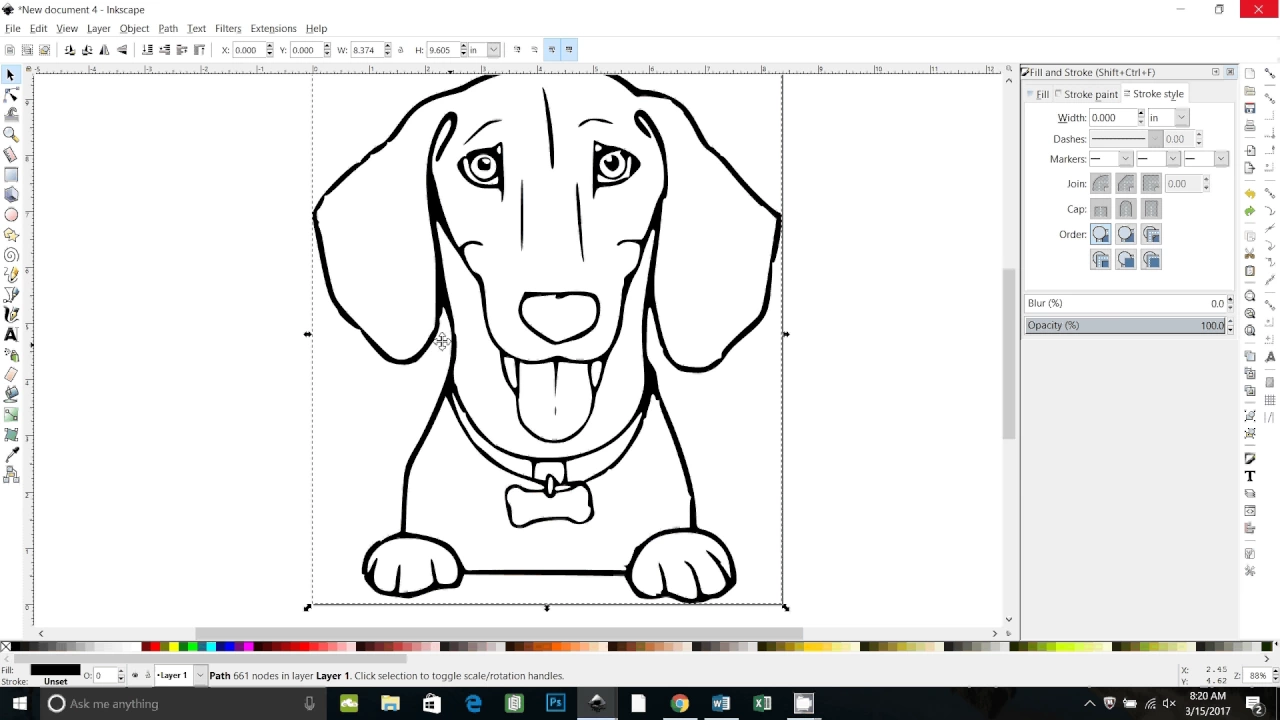









This tutorial demonstrates how to convert raster images (like JPEGs) into scalable vector graphics (SVG) files using Inkscape, a free vector-based design software. The process involves importing the image into Inkscape, using the Trace Bitmap function to separate colors into distinct layers, ungrouping the traced elements, and saving as a plain SVG file. The converted SVG can then be imported into Cricut Design Space, where it will display as separate color layers that can be cut individually, unlike non-SVG files which only provide print and cut options.
Convert Images to SVG with Inkscape for Cricut Design Space
Added:Understanding the fundamental differences between raster graphics (pixels, e.g., PNG, JPEG) and vector graphics (mathematical paths, e.g., SVG).
Basic familiarity with the Inkscape user interface, including canvas navigation, selection tools, and the layers panel.
The concept of image vectorization (image tracing) and how software algorithms detect edges, color thresholds, and contrasts to generate paths.
Basic knowledge of Cricut Design Space, specifically how to upload external files and understand standard cutting operations.
Advanced node editing and path manipulation in Inkscape to clean up, smooth, and simplify complex traced vector lines.
Techniques for multi-layered color separation and aligning registration marks for complex, multi-colored vinyl or paper craft projects.
Troubleshooting common SVG import errors in Cricut Design Space, such as incorrect scaling, merged layers, or unsupported path types.
Optimizing vector designs for different physical cutting materials, such as cardstock, HTV (heat transfer vinyl), or thick chipboard.
170.8K views5.8Klikes12:34Original Release: 2018-09-16
[Music] hi everybody Tracy Jo Kaelin here with Callens crafting studio and in today's video I'm going to show everybody how to take an image off of the internet and convert it to an SVG file which is a scalable vector file and import it into design space a scalable vector file is a higher-quality file that won't lose its quality when you change the size much like a JPEG or a bitmap or a PNG file also if you want to layer your colors and be able to cut them separately you need to bring them in as an SVG so all of the files that are within the Cricut design space image library are already SVG files so I know for me personally I like to find particular files especially if I'm making like a concert t-shirt for myself and I want to have a logo or something on it obviously you can't sell those because that there would be copyright infringement there but I make them for myself just to wear to concerts because I love my glitter bling t-shirts so I like to take logos and things off the internet or sometimes you just have an image that is gonna work better than what you can find and you can't quite figure out how to bring it in to Cricut design space when you do bring something in other than an SVG it generally won't layer the colors for you and separate them it will just make it a print and cut picture and you'll notice and I'll show you how that it only usually gives you that option so I'm going to show you how to use Inkscape Inkscape is a free vector based software design software that allows you to work with these images outside of design space and then import them in and it's really pretty simple it's a very complex software and it does lots of things you can draw images from scratch I'm certainly not that time a graphic designer and I don't usually do that I usually find my image and then I work with it within the software so I'll give everybody the link down below which will allow you to go in and download it for yourself on you will want to do it on a computer on a personal computer PC I don't believe there's an app for Inkscape maybe there is I don't know I've only usually done it on my desktop so that's what we're gonna do today I'm gonna walk everybody through its really just a few simple steps and it can be intimidating when you first get Inkscape because it is such a vast program but to do what we need to do it's pretty easy to use and it's free and free is always good so let's get started okay so again this software is called Inkscape and the web address is Inkscape dot org and I'll put that web link down below in the information section below this video and you can just go right here and you can download it and it is free I believe it's a pretty large file so you want to make sure you have ample room on your desktop or your laptop whatever you're gonna use whichever PC you're going to use but that's where you get it so I have design space open I just have a blank canvas started and generally when you need to upload an image you click on the upload button you click on upload image and then you can either drag and drop or you can browse to where your file is but I'm going to show you what happens here if I upload we're gonna use the American flag today so it's just a clipart American flag I found on the Internet and you would normally click open you would bring this in I'm not sure what this file is I believe it's probably a jpg file and I always go right to complex now when it's not in an FSS PG format you'll get these simple moderate and complex selection types if it's an SVG it generally will just skip all this and take you right to the end so I always click on complex because I just found that sometimes if you click on moderate or anything below you'll get some other issues arise so I usually just go right to complex and I don't seem to have any problems with that so you'll see here it's asking me if I want to erase anything in this particular image I don't sometimes you want to erase your background but when you hit click on continue it generally will only give you an option to save and print or you get this big grey blurb so if I were to save it to cut it's just going to cut a square it's not going to give me any of the layer detail so that's when you run into issues when you don't have your color separated and in an SVG format so I'm going to show you how to do that so I'm gonna cancel out of this and we already have Inkscape open so I'm gonna go here and so this is what the program looks like when you first open Inkscape so you want to go to file after you've already saved your image that you want to use to your desktop and you want to click on import I'm gonna take this American flag file that I've already saved and I'm gonna hit open everything here that I get I just leave it to the default and the none and I click OK and it brings in my American flag now this little box back here the canvas box doesn't really matter you can enlarge this to where you can see it a little bit better but this is what our image is and this is flattened or it's in other words it doesn't have the layer separated in the color so you want to click on the image and then you want to go up to path and then you want to click on trace bitmap and what happens is is you get this little dialog box that opens up and mine's already defaulting because I was working in it earlier and you click on colors and now sometimes if you want to remove the background because you don't want a background in here you would click remove background and that will give you a transparent background I want the background because the background is gonna be white and that would be a square white piece of paper or whatever I'm going to cut this on that I would want to include to layer the blue red and the white on top of it and then you have this scans right here I know that we the American flag is three colors blue red white and blue so those are the colors that I'm going to use so if I go down to two here you'll see it starts to remove some of the colors and we don't want to do that if we go down to one I don't even think it's gonna let us go down to one because it's gonna be a minimum of two colors but if you sometimes it'll start it like eight and it'll give you a lot of different layering if you have shadows and things and an image of the image is extremely sort of complex you're gonna get a lot more and you want to make sure that you scale it down to a number of colors that you want to be able to work with so you might have to play with that a little bit to kind of get what's gonna work for you I picked the American flag because I knew it was easy it was gonna be three solid colors so I'm gonna take it back down to three whoops three and then you just go ahead and you click on you one I just leave colors here I leave this one smooth I don't even know what stack sands means but it's always checked and it seems to work so I don't change it and then I hit the ok' button and that'll go away for a second now you think that it didn't do anything but it did actually so we're actually done with this window but before I close that I'm going to show you so if I take this image and I click on and I move it you'll see now that there's two images here the one behind was your original image we don't need that anymore so you can click on it and then hit your delete key on your keyboard and get rid of it and we're gonna just move this one back over so this is the one that it traced the bitmap and it has separated the colors so now you want to go up here to object and you want to click on ungroup and then click off of it and then you'll see it has now separated the colors into three different pieces so here's the white background the blue and the red we don't need this box anymore so you can just X out of it and it goes away now if I save this it's gonna see but kind of separated I'm not really worried about it because it once it's in design space I can make it align all up again but so there it's now in the red white and blue the three different layers so you don't we want to save it to our desktop so you want to go back to file and then you want to click save as now it will give you an Inkscape SVG option I change that to say plain SVG I go ahead we'll just leave that name on there I'm putting it on my desktop and I click on save and that's it we're done with this particular software so now I can go back in here into design space I can click on upload this was one I had already done earlier I'm just gonna go ahead and delete that one out of here so we don't confuse it so that one's gone now I'm going to go to upload image I'm gonna click on browse and I'm gonna browse to where that file is now it's not this one because that's showing me that I just know that that was my original JPEG it's this one here for my computer it doesn't show what it looks like because I don't have I guess a software save to where it shows it but I know that this is my SVG file so you just want to make sure you know where you saved it and click on open now when I open it it skips the whole simple moderate and complex thing it takes us right to naming it so I'm just gonna go ahead and leave that name you can tag it if you want I'm not gonna save this so I'm not gonna really worry about it right now I'm just gonna go ahead and I'm gonna click on save now I have this image in here so I'm going to click on it and as you can see it down here to be inserted I'm gonna say insert image now why that's loading you can already see that I've got three different layers of colors here I'm gonna bring this down a little bit so we can see it I'll probably just make the whole thing white still grouped a little bit smaller so it's a little bit easier to work with here is it brought it in at a pretty large file they weren't exactly lined up actually let's bring it down just a little bit more so I can move it over here you can see they weren't exactly lined up so I'm gonna go ahead and ungroup those layers so it separated out the white the red and the blue so you can see they're all separate layers here now and behind here it's transparent so you would want to lay that on top of something white to get the white effect in the back also the the inside the stars is also transparent which is perfect because when you lay it on a piece of white if the white will show through now I want to line all these up just for the sake of lining them up to see what they look like on the screen so I'm going to select them all by clicking on and dragging down on my mouse and I'm going to hit a line and then I'm just gonna hit center and that's gonna bring whoops actually we don't want to Center the middle of this one here so I'll just kind of eyeball that one just kind of see what it looks like but there we go we have our American flag so when you click make it you can see now you've got your separate three colors of paper that you can then send to your mat which I don't need to cut it so I'm not going to do that but it's pretty simple it's um not nearly as intimidating now again sometimes you bring in very intense logos and things that have more than just very simple sharp colors so you're really gonna have to play with those scan colors that I showed you within the software itself but you know if you play with it enough you can kind of generally get to where you want to go or just you know trying to pick images that you know are just gonna be a few solid colors and that's pretty much it it's pretty simple pretty straightforward if anybody has any questions you please leave them below I appreciate you watching my video if you liked it a thumbs up would be fantastic and don't forget to subscribe to my page I really appreciate it and I hope everybody has a great day and keep on crafting take care [Music]
Up Next

9:25
Integrating Servo Control with GRBL CNC: A Technical Guide
@oddjobsworkshop922
12.4K views•2022-04-28

12:54
Triumph of Orthodoxy Icon: Byzantine Art & History Explained
@BenCallan
2.1K views•2024-08-06

9:49
FastAPI vs Flask vs Django: Choosing the Right Python Web Framework
@TechWithTim
302.5K views•2024-05-26

1:42
Game of Thrones Opening Credits: A Cinematic Analysis
@gameofthrones
46.3M views•2011-04-18
Related Study Plans & Knowledge Roadmaps
Structured learning paths in General & Interdisciplinary Studies
general-studies
Elevator Engineering: History, Physics & Cities
01From Hoists to Safety Brakes: The Dawn of Vertical Lift
02Hydraulic vs. Traction: The Engineering Physics of Elevators
03Modern Speed, Safety, and Algorithms
+ 2 more learning modules
12h5 modules
Explore Roadmap
general-studies
Rubber: Material Science, History & Geopolitics
01Origins of Natural Rubber & Mesoamerican History
02The Chemistry of Natural Rubber & Vulcanization
03The Geopolitics of the Rubber Boom & Colonization
+ 2 more learning modules
12h5 modules
Explore Roadmap
general-studies
Containerization: Evolution, Logistics & Trade
01Ancient Trade & Bulk Cargo: Amphorae to Barrels
02The Industrial Revolution & Cardboard Packaging
03The Containerization Revolution: Malcom McLean
+ 2 more learning modules
12h5 modules
Explore Roadmap
general-studies
Textile Tech: Evolution, Labor & Global Impact
01Pre-Industrial Textiles: Handloom & Cottage Industry
02Mechanization: The Spinning Jenny to the Power Loom
03The Factory System & Global Labor Transformation
+ 2 more learning modules
10h5 modules
Explore Roadmap