


















Python sockets enable network communication by creating endpoints for data exchange between servers and clients, supporting both connection-oriented TCP (using socket.SOCK_STREAM) and connectionless UDP (using socket.SOCK_DGRAM) protocols; TCP requires binding, listening, accepting connections, and using recv/send methods, while UDP uses recvfrom/sendto for direct message exchange without maintaining persistent connections.
Python Sockets Tutorial: TCP and UDP Explained
Added:Basic proficiency in Python programming, including working with the standard library, exception handling, and data types (especially bytes and strings).
Foundational understanding of IP addressing and port numbers, which are essential for identifying endpoints on a network.
Conceptual knowledge of the Client-Server architecture, illustrating how hosts request and serve data over a network.
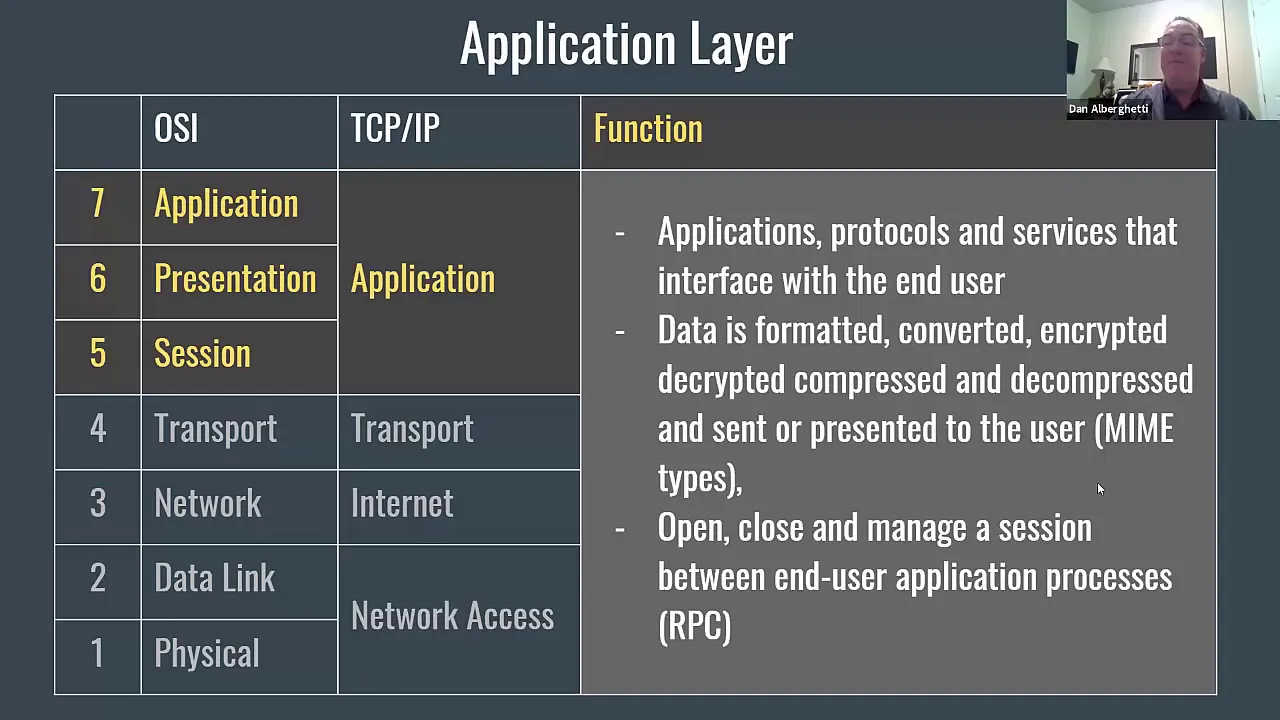
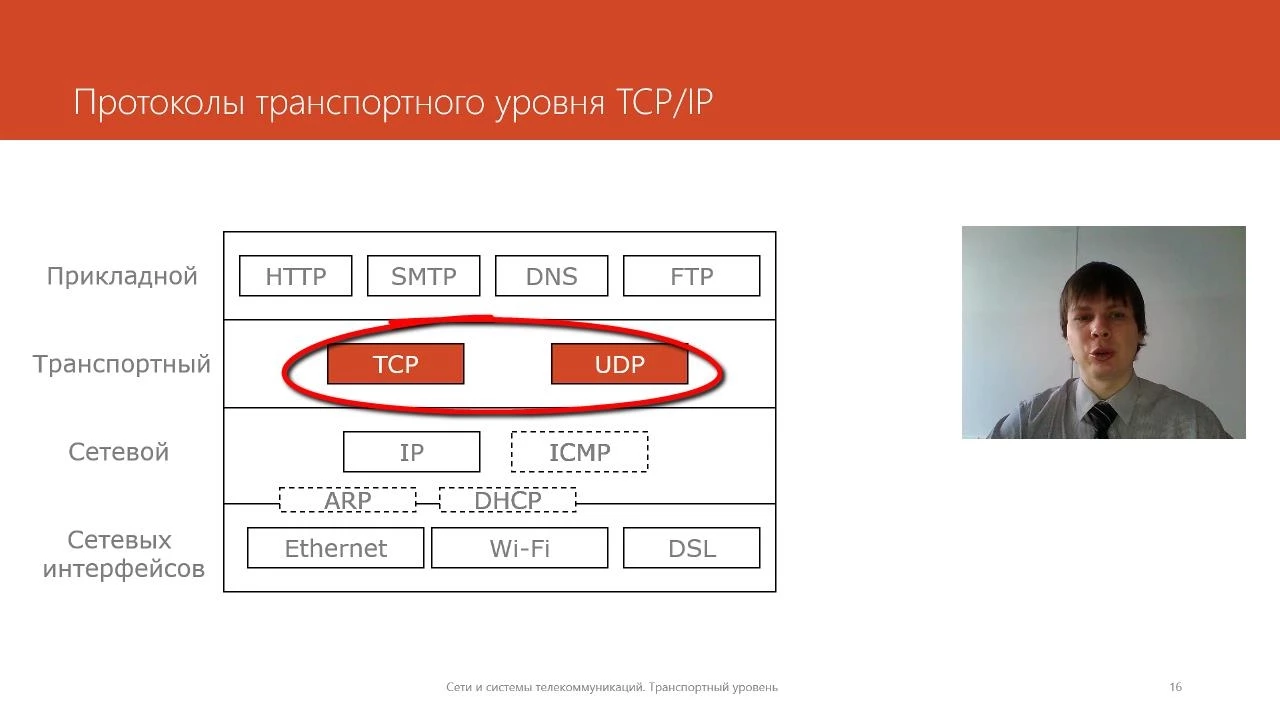
A general awareness of the OSI or TCP/IP model, specifically the roles of the Transport layer and the Network layer.
Handling concurrent client connections using multi-threading, multi-processing, or asynchronous I/O (such as Python's `asyncio` or `select` modules).
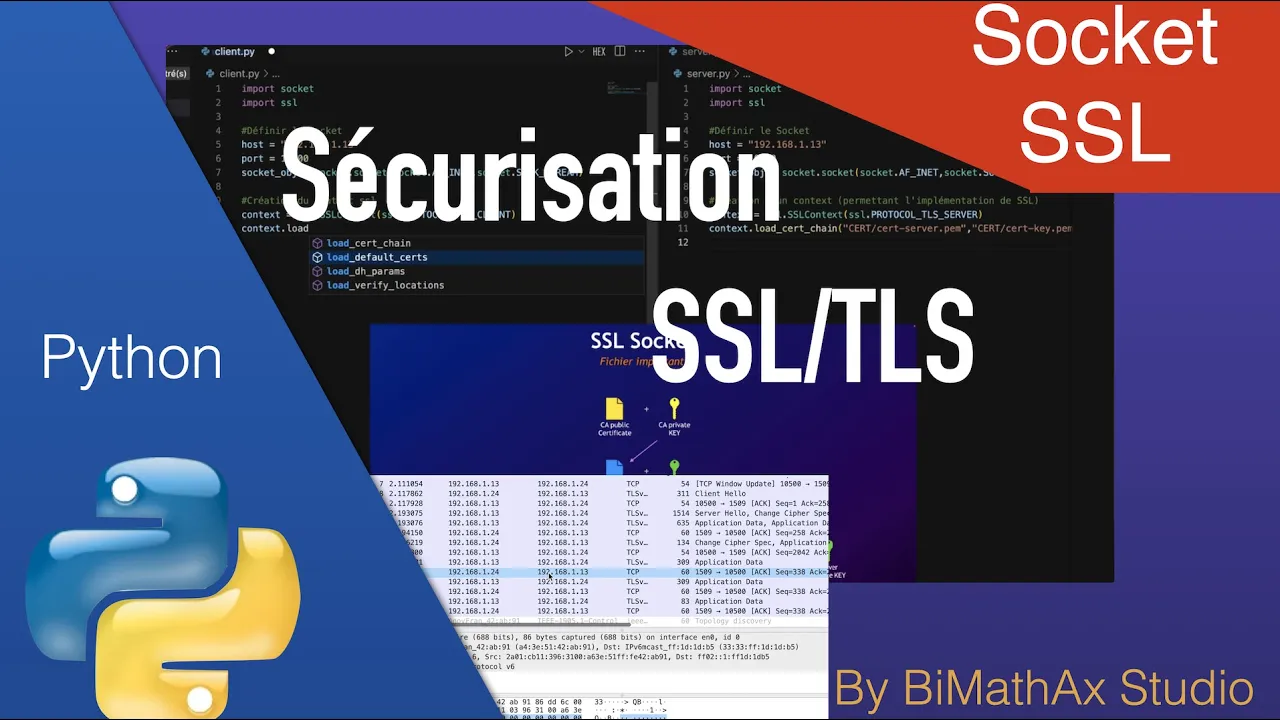
Implementing network security and data encryption by wrapping raw sockets with SSL/TLS using Python's built-in `ssl` module.
Developing custom application-layer protocols, focusing on message framing, data serialization (e.g., JSON, Protocol Buffers), and robust error handling.
Exploring higher-level networking frameworks and protocols, such as WebSockets, HTTP programming, or remote procedure calls (gRPC).
58.6K views1.8Klikes9:31Original Release: 2024-06-19
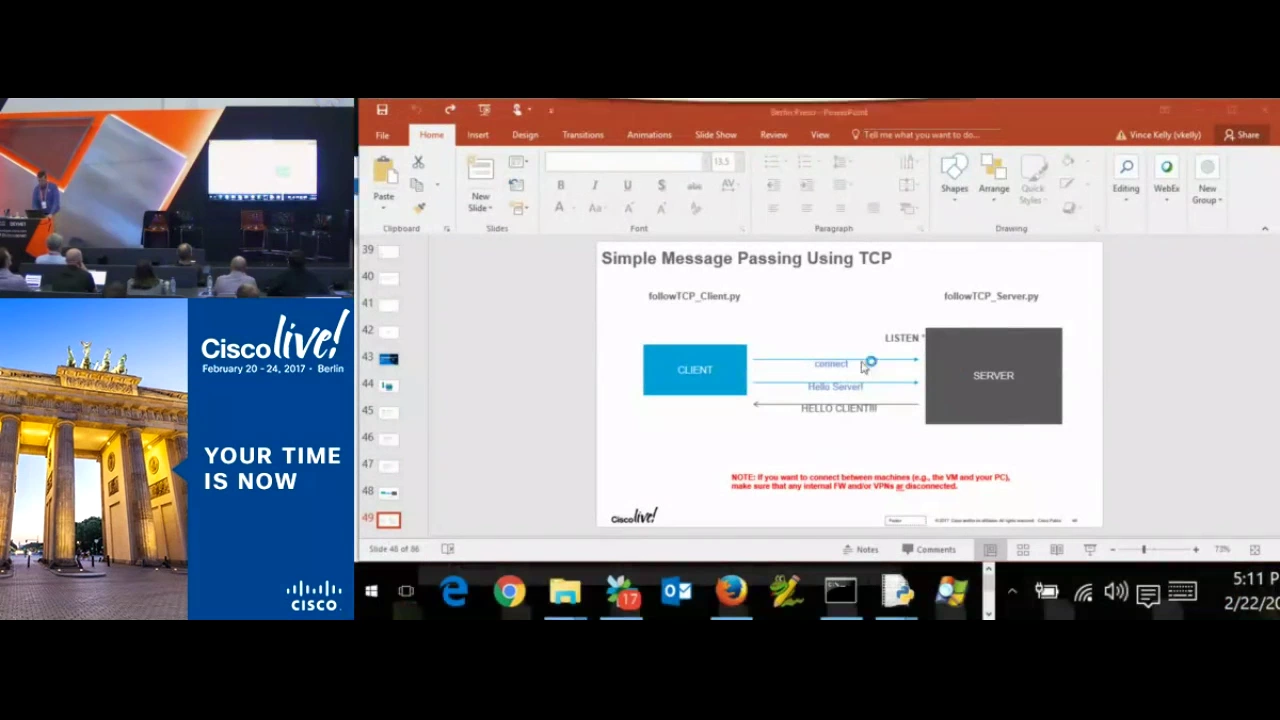
what is going on guys welcome back in this video today I'm going to explain to you as simply and as quickly as possible sockets in Python so let us get right into it not [Music] AED all right so this today is going to be a speedrun on python socket so we're not going to go into a lot of detail I do have a video on this channel where I explain sockets in more detail for 40 minutes if you want to watch that and I also have many videos where I show you how to implement chats or chat rooms in Python using socket so you can watch those as well if you want to go into more depth today is going to be quick and simple so we're going to start right away by creating two different python files because we're going to model in order to understand uh sockets a server and client relationship so client server system or client server architecture we're going to have a server py and a client py now what you need to understand about sockets is that sockets are basically just communication or connection endpoints so we Import in Python socket and we can create our server socket by saying that we want to have a socket from the package socket now what we specify here first is the type of socket so the family of socket is it an internet socket is it an infrared socket is it a Bluetooth socket and so on uh I also have a video on a Bluetooth chat in Python using Bluetooth sockets if you want to watch that uh but the most common one is to just go with the internet socket so internet internet communication the second thing that we provide here is the type of socket are we working with a connection oriented or a connectionless uh protocol so TCP or UDP in the case of an Internet socket difference being that when I have a TCP connection I actually have a connection and I exchange messages over that connection whereas with a UDP socket I just send and receive without maintaining a connection so we can say in order to have a TCP socket we just say socket. sock stream and now we have created the server socket uh for the TCP uh protocol here now in order to bind This Server now to a specific address we're going to say server bind and we pass the IP address and the port now the IP address will be either Local Host if you're running this locally here it will be your private IP address that you can get in your command line just Google how to do it on your operating system uh so something like 1 921 1680 something I don't know something like this um or it will be 00 0 to do that automatically if you're running this on an actual server on the internet you should go either with a private IP address or with the uh 000000 0 so I'm going to just go with a 0000 0 here uh and then we specify a port number I'm just going to go with uh 4 * 9 here and that's basically now our server being bound to that specific address on this port then all I have to do is I have to say server listen I can specify how many connections I want to be um allowing for at the same time let's say five for example and then basically I can do whatever I want to handle connection so I can say while true constantly accept connections I do that by saying server accept and This Server accept returns two things first of all a client second of all an address the address is just the address of the client that connected to our server and the client that we get is the client instance that we can use to communicate with the other clients so the server socket here is just a server for accepting connections to actually talk to the other client that is connecting to the server we need to have another socket the client socket that communicates with this other client um so basically to keep it simple here to not make it too complicated we're just going to um to send a message and receive a message or to First receive a message and then send a message so we're going to say print client receive we're going to receive 1,24 bytes we're going to decode the message uh and then we print that and then we can send a message to the client and we could say something like hello from server we're going to have to encode this and that's basically it then we can uh accept another connection or we can we can keep going with the while true Loop to now connect to the server with a client we have to say import socket as well now we create a client socket which is going to be socket socket socket afet socket sock stream again so a TCP socket basically the same thing as the server but this time what we're going to do is we're going to save say connect and the important thing is on Local Host it's easy you just connect to Local Host uh but in the case of an actual server you want to use the public IP address unless it's in the same network then you can use the private one but always when you're hosting you use the private one when you're connecting you use the public one unless you're connecting in the same network not via the Internet then you want to go with the private one so in this case I'm just going to go with Local Host here uh I hope this works like this we're going to pass the port number 9999 again and then we're going to just say client doent we're going to send hello from client and code the message and then we're going to print whatever we get from the server so we're going to receive 1,24 bytes from the server all right now to actually see that this works we run this one and we run this one as well now you can see the server received hello from client is still running the client received hello from server I can run the client again I will always get hello from server and the client uh sends the message to the server as well important thing is here I forgot to decode which is why we get the bytes every time but there you go now hello from server hello from client that's TCP now we can also change that to be UDP so to be connection less because as I said here we accept the connection we can send and receive messages back and forth we can handle Connections in separate uh threats and functions um if you want to use something else if you want to use a connection less protocol you go with sock degram for UDP in this case and um the basic difference here is you still bind but you use different functions so instead of returning a client that you can use for the connection you just get the data that you get from the server and you don't even accept the connection so let's actually remove all of this um and we also don't listen because we're not accepting connections what we do is we create a server socket with sock dgram we bind it to the address and then what we do is we say the data is uh the data and the address is whatever I get from server receive from rece from is the function you want to use here 1024 bytes and the idea here is now I don't get a client I don't get a connection I just get the raw data that I got from somebody who is the somebody well it's the address I don't have really um more details here but I know it's the address so what I can do is I can say uh I want to print a message so data decode and then I can say server send to now who do I send this to if I don't have a client well I just use the address so I can say hello from server and code this and sent this to the address that I got this message from so you can see this is one single transaction I get some data from somebody uh I'm going to print it and then I'm going to send back some data to the same address that I got here but I don't have a connection I don't have a client that I can work with here uh for the client here what do I do I basically do the same thing I change sock stream to Sock degram um I connect to the same uh or actually I don't even have to connect to the server since we're not using a connection so what I do instead is I say client sent to I sent client uh hello from client and code and what I pass here is the tupo that I used before for connecting uh just every single time I send a message so of course this needs to be in quotations but that's the basic idea I encode the message I send it and I specify who I send it to in this send to function here and then I do the same thing I get data address is client.
receive from uh actually you know it's not necessarily even a client server connection anymore it's just UDP sockets talking to one another um uh or actually I mean yeah it is because you're yeah doesn't matter uh so we say client from um client received from 1024 bytes and then print receive message uh which is the data decode um so let's go ahead run the server server is running waiting for input the client sends something to the server server gets hello from client client gets hello from server no connection used because we used sock dgram so that's the basic idea behind sockets you have two communication or connection points they can talk with some protocol they have to have a certain family internet Bluetooth infrared whatever and then a certain type of protocol be it connection oriented connection lesson they also other types that is the most basic explanation of a socket in Python now you can go on and watch more advanced videos on more detailed explanations on different protocols on Bluetooth sockets on Chats on chat rooms and handling multiple connections and so on and so forth so that's it for today's video I hope you enjoyed it and hope you learned something if so let me know by hitting a like button and leaving a comment in the comment section down below and of course don't forget to subscribe to this Channel and hit the notification Bell to not miss a single future video for free other than that thank you much for watching see you in the next video and bye
Up Next

15:07
Bits, Bytes, and Words: Computer Memory Units Explained
@hhp3
157K views•2015-01-12

87:26
Introduction to Secure Multiparty Computation with Yehuda Lindell
@fhe_org
7.7K views•2021-02-04

13:31
Machine Learning Model Explainability with SHAP in Python
@NeuralNine
10.1K views•2024-02-26

19:25
Enigma Machine Mechanics: WWII Encryption Explained
@JaredOwen
13.2M views•2021-12-11
Related Study Plans & Knowledge Roadmaps
Structured learning paths in Computer Science
computer-science
Container Runtimes: Namespaces, Cgroups & Go
01Linux Systems & Go Programming Foundations
02The Core of Isolation: Chroot and Filesystems
03Linux Namespaces: Process Isolation
+ 3 more learning modules
32h6 modules
Explore Roadmap
computer-science
Building a CHIP-8 Emulator: Rust & CPU Basics
01Computer Architecture Foundations (Bits & Bytes)
02Rust Programming for Systems Development
03CHIP-8 Virtual Hardware Specifications
+ 2 more learning modules
32h5 modules
Explore Roadmap
computer-science
Building BitTorrent: Go, P2P & Concurrency
01Go Fundamentals & Concurrency
02Networking Foundations & P2P Architecture
03Bencode Parsing & Torrent Metadata
+ 3 more learning modules
26h6 modules
Explore Roadmap
computer-science
Actor Models (C++ Concurrency & Lock-Free)
01C++ Multi-Threading Foundations
02Thread Pools and Task Scheduling
03Atomics and Lock-Free Queue Design
+ 3 more learning modules
45h6 modules
Explore Roadmap