

















![#41. [C++]. Lập Trình Hướng Đối Tượng Trong C++ Phần 1 | Nạp Chồng Toán Tử.](https://i.ytimg.com/vi/L-BabT96Zmk/maxresdefault.jpg)




Python supports seven categories of operators: arithmetic (+, -, *, /, %, //, **) for mathematical operations, relational (==, !=, >, <, >=, <=) for comparisons, logical (and, or, not) for boolean operations, assignment (=, +=, -=, etc.) for variable assignment, bitwise (&, |, ~, ^, >>, <<) for bit-level operations, membership (in, not in) for sequence checking, and identity (is, is not) for memory location comparison. Operator precedence determines evaluation order, with parentheses overriding default priority, and associativity rules (left-to-right for most, right-to-left for exponentiation) resolve equal-precedence operations.
Python Operators and Expressions: A Complete Tutorial Guide
Added:Basic Python syntax and how to write and execute a simple script.
Fundamental Python data types, including integers, floats, booleans, and strings.
The concept of variables and how variable assignment works in Python.
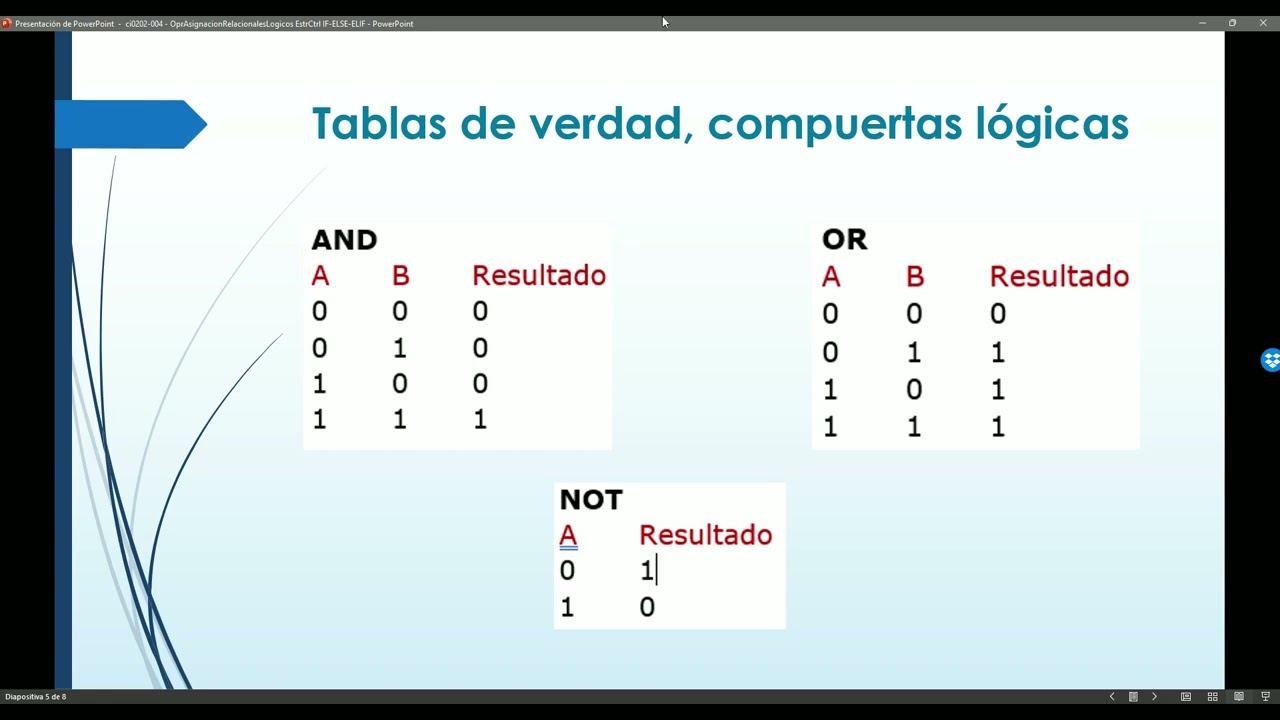
Elementary mathematical concepts (such as addition, division, and remainders) and basic logic (AND, OR, NOT).
Control Flow structures (if-elif-else statements and loops) that utilize relational and logical operators for decision-making.
Operator Precedence and Associativity rules to understand how Python evaluates complex compound expressions.
Operator Overloading in Object-Oriented Programming (OOP) to define custom behaviors for operators in user-defined classes.
List Comprehensions and conditional expressions (ternary operators) to write more concise and Pythonic code.
189 views62likes46:57Original Release: 2026-05-25
Hello everyone myself Dr. Rahmed Kumar Polari working as associate professor and associate dean at school of CS and SR University Vangal Telangana India. In this lecture I'm going to explain you about what are the operators available in Python.
Prior to that first I'll be explaining you about what is an operator and what is an operand and what is an expression.
How the expression is going to be evaluated based on the operators involved in the expression.
First I will start with what is an operator. Basically to perform any operation by the computer first we have to give certain instructions to the computer. Once we give an instruction to a computer then the computer starts performing an operation. That instruction whichever is helping the computer to perform an operation actually requires certain operators.
Basically operator is a symbol which is to perform certain mathematical or logical operations.
Once any symbol is placed either in between two values or prior to a value or among certain values then some specific operation will be proceeded.
Either that specific operation can be as I said mathematical or logical operation.
The values which actually involves in the operation to be performed by an operator are called as operate operants.
Yes. For example, here is a expression.
That expression is 10 + number.
Basically, expression is a a mathematical equation type where which has certain combinations of values and operators.
In this example, 10 plus num. 10 and num both are the operants and plus is the operator. That operand either can be a constant value or a variable. In this example, 10 is the constant value and num is the variable. Means 10 can be always same in the operation and num can be a variable one. Num can vary from time to time. Right? In order to perform certain kinds of operations, the Python supports for various kinds of operators.
Now we'll list out what are the operators supported by Python. Coming to the first operator set arithmetic operators. Second one is relational operators and third one is logical operators and fourth one is assignment operators and fifth one is bitwise operators. Sixth one is membership operators and finally the seventh one is identity operators. Each set of operators has certain number of symbols.
So this classification has been made based on the similarity. If you take arithmetic operators, all arithmetic related operators has been grouped into that class. Similarly relational, similarly logical until identity operators.
Yes. Next is arithmetic operators. What is an arithmetic operator?
Generally arithmetic operators are the operators which are to perform basic mathematical operations like plus that is addition, minus that is subtraction and multiplication, division. In addition to these four mathematical operations even the Python supports for three more arithmetic operators those are modulo division, floor division and exponentiation. So these are the three additional altogether the Python supports for seven symbols which are to perform arithmetic operators. Now we'll look into each of the symbol and its corresponding operation. Yes, here is a table wherein we can see what are the symbols and what are the corresponding operations and what is the meaning of each and every symbol and an example.
Yes. Coming to a very first symbol that is plus that is unary place or that is addition operator. Generally that addition operation operator is used to perform addition operation. So once you put a addition operator in between two operants it carries it carry outs the summation operation. Yes. Coming to this example here. Number one is the variable which is holding the value five and number two is the another variable which is holding value six. When I add number one plus number two then both the values will be added. Hence the result becomes 11. So in that way it performs the addition operation and second one is subtraction operation where it is also same if you place it in between two operants then it performs the subtraction operation. Example 5 - 6 is -1. Then multiplication it is similar to the normal mathematical operation. The normal mathematical multiplication operation where if you place it in between two operants the first and second operator will be multiplied.
Hence the result will be shown. Now if you look at five into six the result becomes 30. Then next one is division.
So division operation is also same. If you place it in between two operants, the first operent will be divided by the second operent. But here in case of a division operation, it returns the coefficient.
If that cofficient value is the float, even that float result will be given. 5 by 2 means the result is 2.5. The next one is modulo division operation that is by percentage symbol. So if I place that percentage symbol in between two operants, it also performs a division operation. But instead of giving the coefficient as a result, now the modular division operator gives the result as a remainder. See in this example, number one is 13. Then number two is five. When I perform 13 modular division five, it results the result. It returns result as a three. The three is the remainder. The three is the remainder. Then there is one more operator that is floor division operator which is two division symbols combination of two division symbols.
Here it will give us the result as a integer division. If you look at number one is five and number two is two. Now I would like to divide five with two by using a floor division operation. If I just perform the division operation the result becomes 2.5. But as I'm performing the floor division operation, it will neglect the decimal part. Hence, instead of giving a 2.5, just it gives us only two. So, integer part only will be considered. The rest nothing but the decimal part will be truncated. Right?
That is the difference between division operation and floor division operation.
Division operation just gives us the coefficient as a result. Then the model division sorry the floor division operation gives us the result as a integer division. Right? Coming to the last symbol that is combination of two multiplication symbols that we call as a exponent operator.
This operator is to perform a power operation. See in this example number one is three and number two is four.
When I perform number one exponent number two, the number one will be multiplied by itself for number two times for number two times. See if you take number one as three and number one two as four three will be multiplied by itself for four times that is 3 to the^ four. Hence the result becomes 81. So these are the seven operators which comes under arithmetic category. Yes.
Coming to the next one. Yeah, arithmetic operators. Some of the arithmetic operators not only for operations to perform on numbers. Even the plus and multiplication operator perform the operations on strings also.
Coming to the first example, plus operator can also be used to concatenate two strings on either side of the operator. doesn't mean that when you place that place symbol in between two numbers that performs the addition operation but the same symbol if you put in between two strings that performs the concatenation operation. Concordination operation doesn't mean that combining two strings together that at the end of the first string second string will be appended. Here is an example. String one is equals to hello. When I placed that hello in between two pairs of two double quotes means that is a string. Then string two is India where I kept that India in pair of double quotes. Of course in the Python either I can place collection of characters in between pair of double quotes or single quotes or even in triple quotes. Right now coming to this example, string one is hello and string two is India. I would like to join them. I would like to concatenate them. For that purpose, I am using place operator in between. Hence, at the end of the hello, the India will be appended. Then the result becomes hello India. Then second one that multiplication operator repeats the item on left side. So here is the example string one is India and string one into two means it is for repetition purpose.
Whatever the characters are there in string one those will be repeated for two times. In string one what we have in string one we have India as a set of characters those has been repeated for twice. Hence the result became India India. So if you have observed clearly in the first example I kept the string content in pair of double quotes. In the second example I kept the characters in a pair of single quotes. There is no difference at all. Both are same. Right?
Coming to precedence of operators.
Right. Prior to discuss about the precedence of operators here I would like to tell you one important point.
Generally when you give an expression to a computer before the computer is going to evaluate that expression first it checks with two things whether the operators involved in an expression are with the same priority or different priority once again I'm repeating once we give an expression to a computer to evaluate then the computer checks whether all the operators involved in that expression are with the same priority or with a different priority.
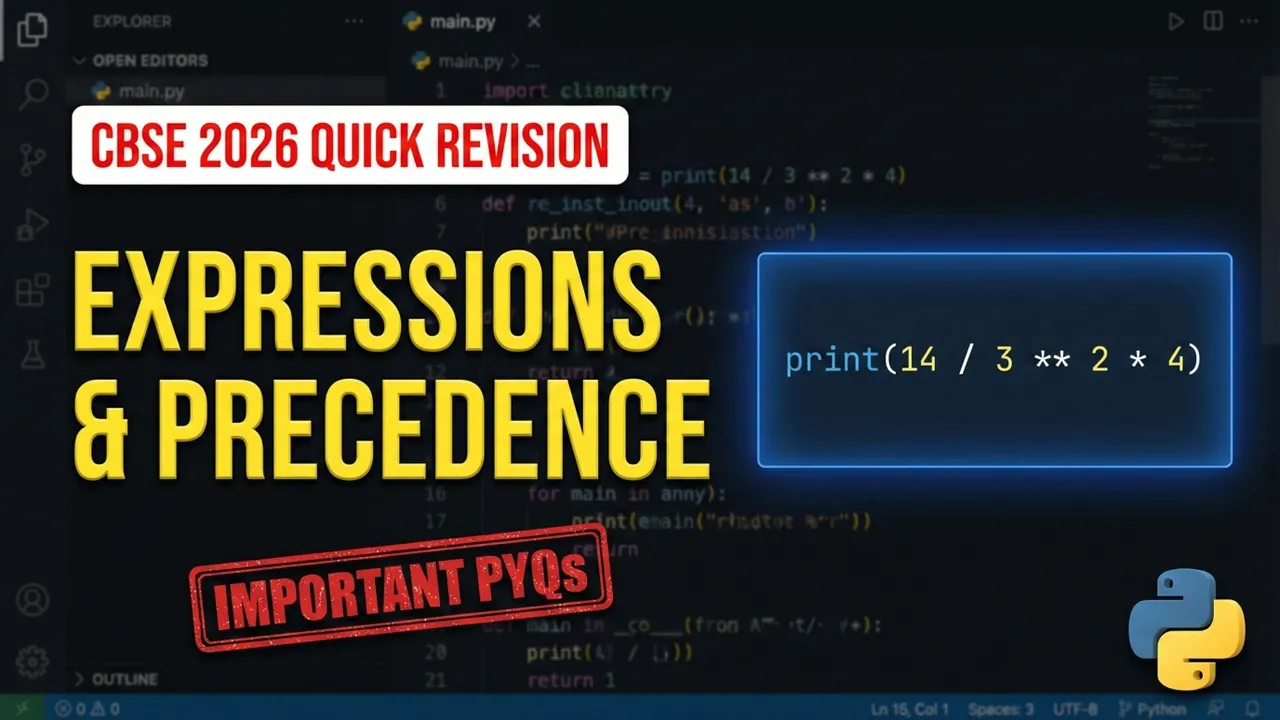
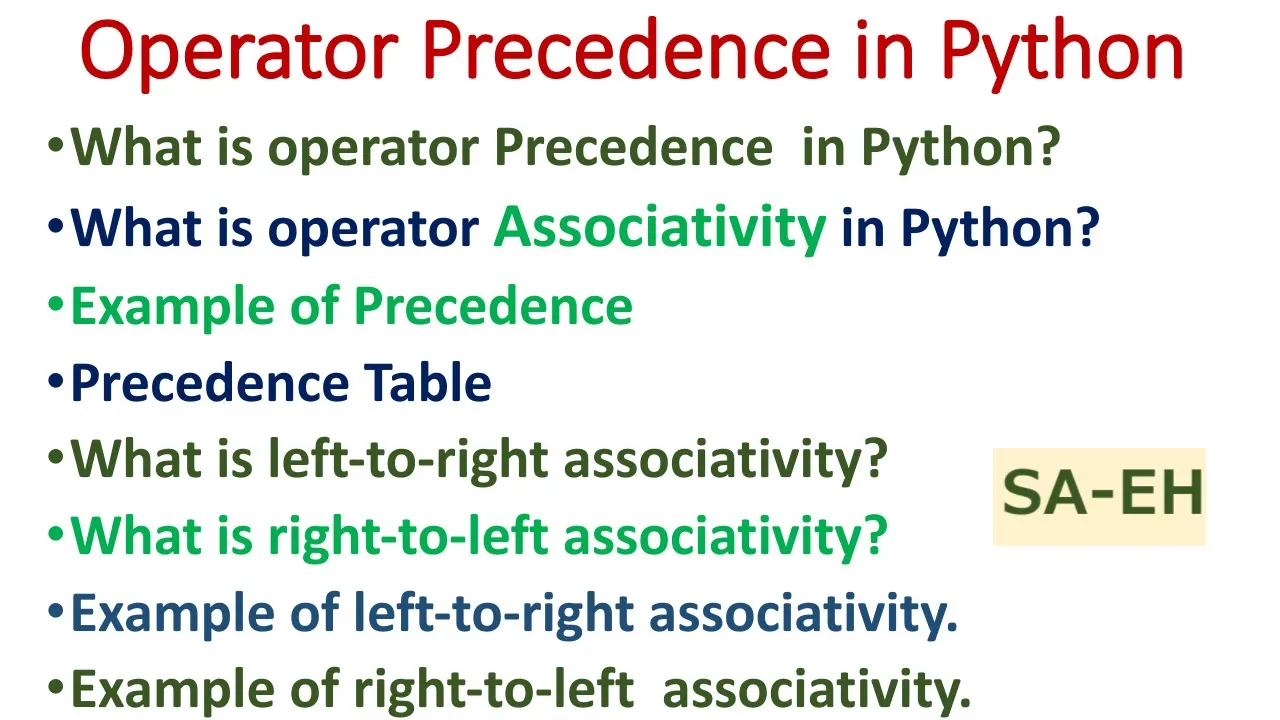
If all the operators are with the different priority then priority rules doesn't mean that precedence rules are applied. If all the operators involved in that expression with the same priority then the associivity rules will be applied. Now we will discuss about when the president's rules are going to be applied and when the associative rules are going to be applied with an examples. Okay. When an expression contains more than one operator then their precedence determines which operator should be applied first.
Higher precedence operator generally evaluated first than the lower precedence operator. If you take arithmetic operators like multiplication, division, plus and minus, basically the multiplication and division are having a highest priority than the plus and minus. There are certain important points to be noted down here we discuss the examples.
Parenthesis can be used to override the precedence of operators. Of course, set of parenthesis also we call as an operator which is having a highest priority than these operators. So once if you put something in between a pair of parenthesis that will be given a highest priority than the other operators. So the expression within parenthesis is evaluated first. That's the reason why I have told you which is having highest priority. For operators with equal precedence the expression is evaluated from left to right that we'll discuss in the next example.
Right? Here are examples. The first example is 20 + 30 into 40. If you look at this example carefully, this example is an expression. Actually, as I've told you, expression is a combination of operators and operants.
Before it is going to be evaluated, first what happens? It will check with the number of operators available in the expression. Now, how many operators we have? We have a two operators. One is the addition operator, other one is the multiplication operator. Are they having a same priority? No, they are having a different level of priority. Nothing but precedence. In that case, the highest precedent operator will be applied first. Which is having highest priority?
Multiplication. Hence, that will be applied first. Means 30 into 40 will be the first operation. That result becomes 1200. Then later that 20 will be added 1200. Final result becomes 1220. So in this example what I have told you is the highest pity operator will be applied first then the lowest pity operator that is precedence of operators. Coming to the second one in the same example what I'm trying to do is instead of giving an priority to the multiplication symbol I'm keeping that 20 + 30 within a parenthesis. Hence par whichever the sub expression you keep inside the parenthesis that will be given a highest priority. So instead of getting a 1220 as a result now we will be getting 2,000 as a result because first 20 + 30 will be the operation. Hence the result becomes 50. Then that result will be multiplied by 40. Hence it becomes 2,000. So the basic priority of the operators is going to be changed via a parenthesis.
Yes, this is all about the precedence of operators.
One more example here. Here is an expression where we have three operators involved and four operants involved.
15.0 and 4.0 8 and 3.0 zero are the values among the four values three are the floating values and one is the integer value then coming to its solution of course as I've told you when something is placed in between pair of parenthesis that will be given highest priority hence 8 + 3.0 will be the operation to be proceeded first but when you look at the step one here the 8 become 8.0 zero means when any mixed expression is given to a computer it checks with the type of the operators involved the operators with the lower type gets converted to a higher type the meaning is that in this expression as I've told you there are three operators with the float data and one operent with the integer data that integer data is the lower data type than the float. Hence, automatically that integer 8 gets converted into a float.
Hence, it became 8.0. That's the reason why here I have mentioned 8.0. That will be done implicitly automatically by the interpreter. We no need to write anything there. Right? In the step one first what I'm doing, I'm performing 8.0 + 3.0. Hence, it becomes 7.0 in the step. Then, now at step number two, we have two operators. One is division, other one is addition. Of course division is having a highest reality.
Hence that will be done first. The result becomes 3.75. Later that will be added to 11.0. Finally the result final result becomes 14.75.
Yes. Coming to associivity of operators.
Yes. If the operators are involving in an expression with a different priority of course we will be applying a precedence of operators. But when an expression wherein if you encounter the operators with the same priority then you cannot apply the precedence rules wherein you are supposed to apply the other rule. That other rule we are calling as a associivity rule. Right?
This associivity rule in Python determines the order in which operators of the same precedence are evaluated.
If multiple operators have the same priority, the associative decides whether evaluation should proceed from left to right or from right to left.
Here are two examples. Basically, most of the times the associivity is applied from left to right only. In fewer cases that associivity is going to be applied from right to left. In the first example, how that is going to be applied from left to right? If you look at this carefully, there is an expression result = to 20 - 5 - 3. How many operators we have? We have two operators which are minus and minus. That is subtraction and subtraction. It is appeared twice. Whether should I perform 20 - 5 first or 5 - 3 first? That is ambiguity. In such cases implicitly internally by the interpreter automatically one rule will be applied.
That rule is the associate with rule where the operator which is encountering at left side will be applied first followed by subsequent followed by subsequent. In this example the first subtraction operator is appearing in between 20 and five. Hence the result becomes 20 minus 5 is a 15. Then 15 minus 3 will be the next operation. then the result becomes 12. Then there is another example here where repeatation operator I'm using when result equals to two exponent three exponent two when I perform that operation of course here also exponent operator is used twice in an expression should I apply that first exponent first or the second exponent operator first from left to right means in such cases interpreter automatically decides because This operator is having associated rule from right to left.
Hence the second exponent operator will be applied first that is 3 ^ 2 then that result will be 9. Then the 2 to the^ of 9 the 2 to the^ of 9 result becomes 512.
So in majority of the cases when the expressions are under evaluation with the same priority left to right associate will be applied. In the fewer cases right to left associated with rule will be applied. This we no need to remember just we write an expression we hand over that expression to the CPU to perform an operation. So internally the interpreter will decide whether the left to right or right to left associated rule to be applied. Right?
Then the next set of operators are relational operators.
What are relational operators and when we apply the relational operators?
Generally, not only in Python programming language, in any programming language, the relational operators are used to compare two quantities. Here the quantity means an operent. When a two values are given to a a symbol, that symbol actually compares both the values and decides whether the value whether the result is true or false.
So basically the relational operators yields the result either as true or false means the result is of boolean type. Right? Then here are some uh examples. I before I explain about the example first I want to consider certain values with the variables where number one I'm considering as 10 number two I'm considering as zero number three again I'm considering as 10 string one I'm considering as good and string two I'm considering as of afternoon so with these I would like to explain the relational operators right how many relational operators we have the Python supports are six relational operators. Of course, in this chart, I have shown you only four, but at the bottom you can find two more. The first relational operator is the equals to. The second relational operator is the not equals to and third relational operator is the greater than. And fourth relational operator is the less than.
Even we have two more. Similarly, greater than, less than, greater than, or equals to and less than or equals to.
Yes. Coming to the examples here. So in the previous slide I have shown you know the values which are which I'm going to consider here.
Here I would like to compare number one against number two whether both of them are same or not equal or not. Number one value is the 10 and number two value is the zero I'm considering. So 10 is not same as or not equals to zero. Hence the result becomes false. That is boolean result. Now one more string one is equals to string two. String one content is good and string two content is afternoon. Of course, good is not same as the afternoon. Hence the result becomes false. Then coming to the not equals to symbol here or not equals relation operator here. Here I would like to check whether the number one content is not equals to number two or not. Of course number one content is 10 and number two content is zero. They're not equals to. Hence the result became true and string one is not equals to string two. Of course this is also true because string one is good and string two is after no both the strings are not same with each other not equals to with each other. Then next one is number one is not equals to number three. Of course here it is false because the content which we given to number one is 10 and the content which we given to number three is also 10. 10 is not equals to 10 is false. Hence result becomes false and the third operator is greater than symbol. Here in the greater than symbol while applying a greater than symbol I'm considering the same values. Number one is greater than number two. Is it true or false? Of course true. 10 is greater than that of zero. Then string one is greater than string two. True or false?
Of course string one is good and string two is afternoon.
In in terms of the string comparison, the string one is obviously greater than that of string two. Hence the result becomes true. So about this comparison, we'll be discussing more when we discuss about the strings topic. Then second one is less than. Of course number one is 10. Less than that of number three that is also 10. This is false. Then similarly we can apply the less than or equals to and greater than or equals to.
So the relational operators are six here. equals to, not equals to, greater than, greater than, equals to, less than, less than or equals to. Every relation operator yields the result as either true or false. That is of type boolean.
Right? Next set of operators which are supported by Python is logical operators. Basically, there are three logical operators. These three logical operators are also to perform a logical operation. The result of all the three logical operators is again either true or false that is of type boolean. So generally in C, C++ and Java the logical operators are the symbols. But coming to Python these are logical operators are non symbols. These are the words those must be written in lower case and a n o r r n t not these all must be written in the lowerase letters. Yes. Coming to examples and this basically logical and purpose and is basically for logical or purpose and not is basically for logical not purpose. Yes. Coming to first example where number one is 10 and number two is minus 20. Now I would like to now see basically logical expression is a compound relational expression wherein more than one relational operators are involved.
Coming to the first example here number one equals to 10. This is what it is a relational expression one and number two is equals to minus 20. This is also a relational expression. in between two relational expressions I'm using a logical and so when I apply logical and operator prior to that the relational operation will be done because the relational operators are having a highest priority than the logical operators. Similarly, when I include an arithmetic operator in the relational expression, first priority will be given to arithmetic operator because until and unless you perform arithmetic operation, you cannot perform a relational.
Similarly, until and unless you complete the relational operation, you cannot perform the logical end operation. So, first number one equals to 10 will be tested against. Of course, that is true.
Then number two is equals to minus 20 that is also true. True and true becomes true. So logical and operation result when result is true when both of them are true. If any one of them is false the result becomes false. Coming to the second example. Number one is 10. Of course that is true. But number two is not 10 that is minus 20. So this is false. True and false becomes false.
When both the operants are true then only it gives the result as a true. If any one of them is false obviously the result becomes false. Coming to the logical operation where number one is 10 and number two is true. Now I would like to check number one is greater than or equals to 10. Is it true or false? Of course 10 is greater than or equals to 10. True. Then number two is greater than or equals to 10. Is it true or false? Of course this is false because number two is true.
Though this is false the result becomes true because if any one of the operent result is true then the result becomes true. In case of a logical or anyone can be true to get result as true. Then in the second example number one is less than or equals to 5. This is false and number two is greater than equals to this is also false. False and false becomes obviously false. And third operator is logical not. In case of a logical not see number one is equals to 10 and number two.
Now I I would like to check whether the number one is equals to 20 or not. Of course it is not false. But as I'm applying a not the result becomes true.
This is negation kind of thing. Then number one equals to 10 means that is true but I'm applying a not operator.
know hence it becomes false. So these are the three logical operators.
Now coming to next operators that is bitwise. Basically bitwise operator's purpose is to perform an operation at bit level. Though you give a decimal value of course the bitwise operators basically performs an operation on inteious only. When you give any decimal integer first that decimal integer gets converted into a binary on the binary at bit level operations can be proceeded.
Hence we are calling it as a bit level operators. In order to perform bitwise operations at bit level in the Python Python supports for the below operators altogether it supports for six operators. The first is bitwise and and second one is bitwise r and third one is bitwise not and and fourth one is bitwise xr and fifth one is bitwise right shift and sixth one is bitwise left shift. So these are the four six operators. We'll discuss about each of them with an example.
Yes. Coming to here bitwise and. So bitwise and is the operator which returns one if both the bits are one otherwise it returns result as a zero.
Coming to this example here a is 10 and b is four doesn't mean that 10 and four are the decimal values before we apply the and operation that is bitw bit wise and operation first the 10 and four have to be converted into a binary form. The binary equivalent form for the decimal 10 is 1 0 1 0 and the binary equivalent value for decimal 4 is 0 1 0. Now on this binary values I'm performing a operation here bitwise operation. So first I'm starting from lsb bit position to msb bit coition that lsb is the least significant bit and msb is the most significant bit. Generally we start from LSB and we'll reach towards MSB bit to complete the operation. First I'm sending it LSB that is zero and zero that doesn't become zero because false and false true and false is also the false because it is bitwise and then false and true also the false then true and false is also the false hence the result becomes zero that zero if you convert into decimal that becomes zero. The next one is bitwise or operators. So the bitwise or returns one if either of them are one. Doesn't mean that if any one of them are one then the result becomes one. Here are some examples. Same 10 and four. I'm taking 10 equivalent binary values 1 0 1 0 four equivalent binary values 0 1 0. I'm applying here same process from LSB position to MSB position. I'm applying the operation. So false and false. Of course, false. True and false. As one of them is true, the result becomes true. Here false or true.
As one of them is true, the result becomes true. Here true or false. As one of them is true, the result becomes true. Right? Hence the result becomes triple 1 0. It's equivalent decimal is 14. Then one more example here where both of them are true. Then what happens that we'll also see so five and on five and three I'm applying bitwise r one two or true result becomes true false or true the result becomes true then true or false the result becomes true then false or false the result becomes false doesn't mean that if any one of them is true then only the result becomes true if both of them are false the result becomes false. If both of them are true then the result becomes true right that is how this bitwise or operator works.
Coming to the next example that is bitwise not so the the bitwise not operator returns once's complement of the given number. Here I'm giving a number as a 10. So on it the once complement operation will be applied.
Once complement operation means what's the decimal value gets converted into a binary for that one will be added that is the on complement operation after adding 1 to 1 0 1 0 then it becomes 101 that is equals to 11 so as it is once complement the result becomes negative that is minus 11 then the next bitwise operator is the bitwise XR it returns one if one of the bits is one and the other is zero else returns false right coming to this example where same 10 and four I'm considering as the operants of course you know very well that 10 equivalent binary is 1 0 1 0 four equivalent binary is 0 1 0 1 0 on that I'm applying bitwise exclusive or operator C false and false of course zero true and true false the result becomes true. Then false true the result becomes true. Then true false the result becomes true. This is equals to a 14. Coming to another example where the one and one zero means what? In case of exclusive or exclusively one of the bit must be true to get the result as true. If both of them are true, we will be getting zero only. But in case of a normal bitwise operator, if both of them are true, the result becomes true. That is the difference between bitwise R and bitwise exclusive R. Right? Then here is the example. So program which I have executed, I'm printing the result of A bitwise and B. Then the result becomes zero. Then I'm printing the a bit wise or b result that is 14. Then I'm printing the one complement of a that is bitwise not that is minus 11. Then I'm printing the a that is exclusive or bitwise exclusive or b then the result becomes 14.
Yes. Shift operators. These are the two important operators which we have in Python.
These operators are used to shift the bits of a number left or right thereby either multiplying or dividing the number by two respectively. Done. Coming to this generally when we shift the bits of a binary number towards a right side the value of the number gets decreased.
doesn't mean that it is equals to a division operation. When you multiply when you shift the bits of a binary number towards left side then the value of the number gets increased. Doesn't mean that the number is going to be multiplied by two. Here either division or multiplication both can be done with two only. Right? Coming to the first bitwise right shift. Here is an example.
The example I'm considering is a = 10.
So the equivalent binary value for 10 is 0 1 0 1 0. I would like to shift a right shift one doesn't mean that the binary digits of a will be shifted towards the right side by one position. So when I shift the bits by one position this is equals to five. So simply we can understand that when I divide 10 by two the result is five. One shift equals to dividing the value by two. If I would like to go with two shifts then that is dividing that value by two twice. So here two operants one operent is the value actual one which is going to be divided and the second operent is the other one that is representing number of times that value is going to be divided by two right the second example for example if I take a equals to 20 and a right shift two then the 20 will be divided by two twice the result becomes five again right then here is the second example that is a negative value. Then bitwise left shift shifting a bits of the binary value towards the left side obviously leads to a incrementation in its value. Then here is an example the a decimal value is five. It equal 0 0 1 0 1. Then when I say a left shift one means the bits in the value a has to be shifted towards left side only once.
Then when I shift it towards left side only once it value becomes 10 because it is equals to multiplying that value by two one time. So five into 2 becomes 10.
Then a left shift to two doesn't mean that the same a value has to be multiplied by two two times else that becomes 5 into 2 into 2 that is 20 right same is applicable even for negative values also then this is example where I'm considering a value as decimal 60 b value as decimal 13 and c value as decimal 5. So when I perform obviously those gets convert into the equivalent binary values. These are the equivalent binary values for 16 and 13. Then a and b a r are b a exclus then plus bitwise not then a left shift a right shift. These are the corresponding values after evaluating the bitwise expressions.
Right? Then next one is assignment operator. The meaning of assignment operator is before we use a variable in the expression first that variable should be assigned with a particular value.
Until and unless you assign a value to a variable, it is not going to hold that value. Until and unless it holds a value, it is not going to be involved in an expression. So that is the reason why the important point here is that variable must be assigned with a value.
Either that value can be integer or float or string or even it can be a boolean. Whichever the type of type of the value we assign but it must be assigned. So without assignment we cannot proceed. In order to assign the value to a variable there are certain operators. Of course, basically there is a single operator that is assignment operator. In general mathematics, we call as equals to symbol, right? So this general assignment operator assigns a value to a variable. In this case, number one equals to two means two as a value assign variable called number two.
From now on, whenever I use a number two in expression that represents value two, that's the meaning of it. Then number two is equals to number one. doesn't mean that whichever the value assigned to number one will be copied into the number two right then means both are pointing to the same value now then other example country is a variable to that I'm assigning India as a string then when I print country automatically prints India then in addition to a normal assignment operator when I use that assignment operator along with the arithmetic operators it works like a shorthand assignment operators shorthand assignment operators. If you look at this example x + = y. This is same as x = x + y. So instead of writing x = x + y, I can write it in a short form as x + = y. That is shorthand notation. This is applicable for all the arithmetic operators. Here is example.
Number 1= to 10 and number two= to two.
Now number one is equals to number one plus number two. Instead of writing number one plus number two, I'm writing here as a number one plus equals to number two in a short form. Such a way all the arithmetic operators can be notated in a short way by using this notation right membership operator. So this is one of the important operators among all the operators in Python where this operator is used to check if a value is a member of the particular sequence or not.
If you have a set of values with you to check whether a particular member is available in that set is present in that set or not we can use the membership operator. So here membership operators are of two types. One is in other one is not in. So in operator basically returns true if the variable or a value is found in a specified sequence otherwise it returns false. Come example I'm considering a sequence 1 2 3. This is one sequence. So in that sequence now I would like to check for two whether two in is present in number sequence or not. As the two is present in number sequence, it is returning result as two. Then next in next example, I would like to check for one string one in number sequence. I'm putting that one inside a pair of single quotes. It is not number one. It is a string one. So there is no string one present in a number sequence. Hence, it is returning for result as a false. Then the next one is not in. It returns true if the variable or the value is not found in the specified sequence otherwise it returns false. Coming to same example number sequence is 1 2 3. I would like to check whether 10 is not in number sequence or not. Of course 10 is not present in number sequence. Hence it returns result as true. Now one not in number sequence. Of course it is this is false because one is present in a sequence it has given result as false.
So basically the membership operator is to check whether a particular value is a member of that sequence or not. Then one more operator this is the final operators in a python that is identity operator. Generally it supports for two one is is other one is is not. Then the purpose of this identity operator is to check whether both of them are identical to each other or not.
What is the meaning of whether they are identical to each other or not? Means whether both of them are located on a same part of the memory or not. If two variables that are equal does not imply that they are identical. Right? Coming to this example, x1 value is five. Means x1 as a variable is holding the value five. Y1 is a variable also holding a five. In a python what happens you know though you give a different variable names both will point to your same memory. The values are clearly stored in a locations. When you say x1 equals to 5 x1 will point to a location where five is present. when you say y1 = to x that y1 = to 5 even the y1 is also referring to the same memory location. So as x1 and y1 both are referring to the same location where five is stored both are identical. When I ask whether the x1 is identical to y1 or not it gives the result as true. The next one is uh string example x2 is equals hello. Hello is a string stored at a particular location. Say it location address is 1,000. Now I'm assigning same hello to Y2. When I assign same hello to Y2, it is not going to preserve that in another location. Example 2,00. It also refer to your same location where the th00and already having hello. So X2 is referring to,000 location. Y2 is also referring,000 location. As both of them are referring to the same location, each of them are both of them are identical to each other. Hence the result is true.
Then one more is is not. So here I would like to ask the interpreter whether X1 is not identical to Y1 or not. Of course the result becomes false because the X1 is representing location 1,000 and Y1 is also representing location 1,000. As both of them are representing the same location the result becomes true. Here both of them are representing the same location the result becomes false. In case of is not.
Thank you. Hope you understood the concepts clearly.
Up Next

5:53
Building a UDP DNS Server in Python: Core Concepts Explained
@howCode
37.5K views•2016-09-15

87:26
Introduction to Secure Multiparty Computation with Yehuda Lindell
@fhe_org
7.7K views•2021-02-04

4:55
HTTP Requests Explained: GET, POST, PUT, DELETE
@codecademy
103.1K views•2021-10-07

19:25
Enigma Machine Mechanics: WWII Encryption Explained
@JaredOwen
13.2M views•2021-12-11
Related Study Plans & Knowledge Roadmaps
Structured learning paths in Computer Science
computer-science
Container Runtimes: Namespaces, Cgroups & Go
01Linux Systems & Go Programming Foundations
02The Core of Isolation: Chroot and Filesystems
03Linux Namespaces: Process Isolation
+ 3 more learning modules
32h6 modules
Explore Roadmap
computer-science
Building a CHIP-8 Emulator: Rust & CPU Basics
01Computer Architecture Foundations (Bits & Bytes)
02Rust Programming for Systems Development
03CHIP-8 Virtual Hardware Specifications
+ 2 more learning modules
32h5 modules
Explore Roadmap
computer-science
Building BitTorrent: Go, P2P & Concurrency
01Go Fundamentals & Concurrency
02Networking Foundations & P2P Architecture
03Bencode Parsing & Torrent Metadata
+ 3 more learning modules
26h6 modules
Explore Roadmap
computer-science
Actor Models (C++ Concurrency & Lock-Free)
01C++ Multi-Threading Foundations
02Thread Pools and Task Scheduling
03Atomics and Lock-Free Queue Design
+ 3 more learning modules
45h6 modules
Explore Roadmap