


![A 40 minute tour of macOS for Programmers [Crash Course]](https://i.ytimg.com/vi/2yj3zPIeBrk/maxresdefault.jpg)








![Chat With Your PDF's Using Local LLM's [Ollama RAG]](https://i.ytimg.com/vi/zS47gE-Pg3w/maxresdefault.jpg)





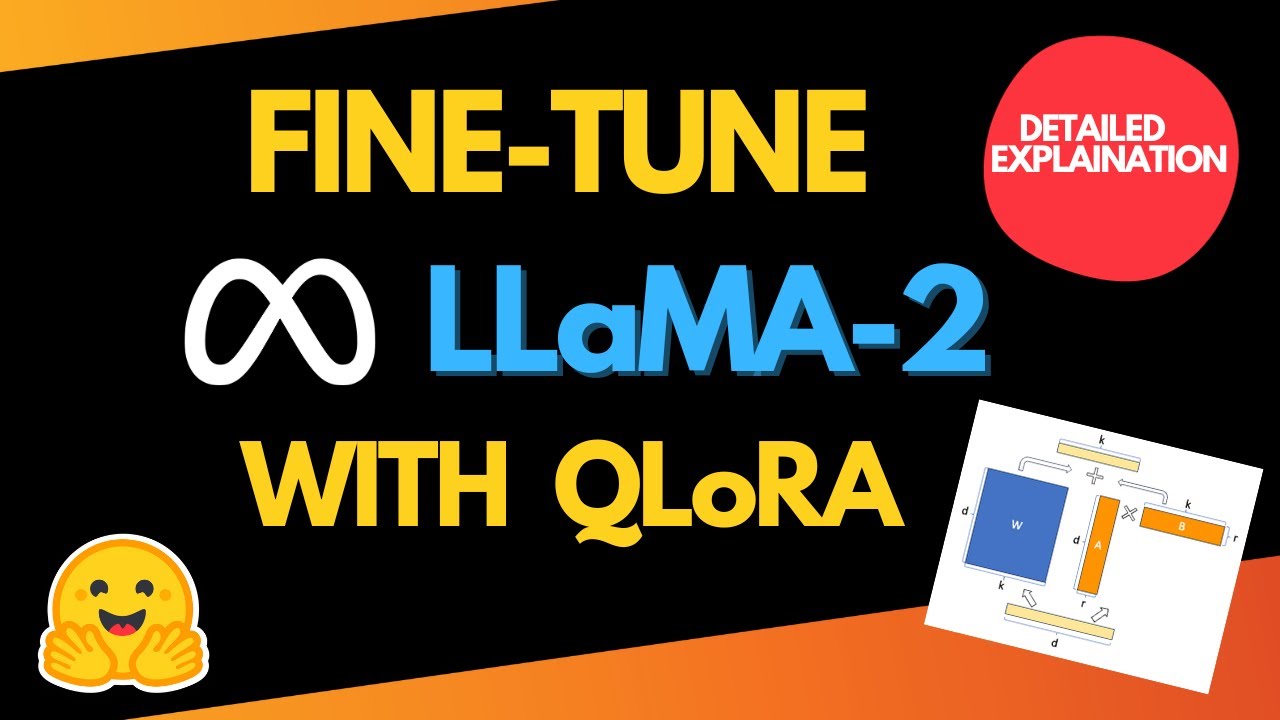




This video demonstrates three methods to run large language models locally on Mac computers: LM Studio (GUI-based, easiest for beginners), Ollama (terminal-based, lightweight for developers), and Hugging Face Transformers (code-based, most flexible for advanced users). Each tool allows users to download and evaluate open-source models like Llama and Qwen without cloud services or subscriptions, enabling offline AI experimentation and application development.
How to Run Large Language Models Locally on Mac
Added:Basic proficiency in Python programming, including package management (pip) and virtual environments (venv/conda).
Familiarity with the macOS Terminal/Command Line interface for executing scripts and installing software.
Foundational understanding of Large Language Models (LLMs), including concepts like tokens, parameters, and prompt engineering.
Basic knowledge of computer hardware specifications, particularly Apple Silicon (M-series chips) and Unified Memory, and how they relate to AI model execution.
Implementing Retrieval-Augmented Generation (RAG) to connect local LLMs to custom external data sources using frameworks like LangChain or LlamaIndex.
Understanding model quantization techniques (such as GGUF format) to optimize model size and execution speed on local hardware constraints.
Fine-tuning local models on custom datasets using parameter-efficient fine-tuning (PEFT) techniques like LoRA or QLoRA.
Building and deploying local API endpoints (e.g., using FastAPI) to integrate local LLMs into broader software architectures and web applications.
19.7K views368likes36:34Original Release: 2024-09-30
imagine unlocking the full power of AI right from your Mac no cloud services no expensive subscriptions and use it as much as you want sound impossible stick around because I'll show you exactly how to do it in just a few steps by the end of this video you'll be running state-of-the-art AI models like a pro on your Mac in minutes I'm Jeremy Morgan and you're going to learn something about AI today we'll go from the easiest to use tools to ones that need a bit more knowledge and we'll explore three awesome tools today LM Studio AMA and hugging face Transformers each platform is unique it caters to different needs and preferences now let's kick it off with LM Studio this platform is easy to use and it's packed with features it's perfect for both beginners and experts so let's say you have an idea for an AI based application there are tons of models out there to use but how can you evaluate them what if there's a really easy to ous application out there to try out models and and see how each one responds heck maybe even one that you can write some code and interact with it well enter LM Studio okay so I'm here at the LM Studio website at LM studio. right when you load it up you might notice that it's available on all three platforms Mac windows and Linux which is pretty awesome so personally I have downloaded and installed this on all three platforms and I can say that it works great on all of those platforms I've spent the most time with LM studio for Linux and it runs on Arch Linux where frankly a lot of stuff doesn't run quite properly or great if I'm being honest and it runs great in Arch Linux it also runs great on Mac I run this on my M1 Mac mini um and I'm on a Mac Studio right now and it just works great now on this web page uh they have a list here with LM Studio youan blank it actually shows all of the reasons why you'd want to run a large language model on your local machine so it says runs llms on your laptops entirely offline which is really cool uh chat with your local documents use models to the inapp chat UI or open AI compatible local server that's super important because things you build here it's open AI compatible so you can build things here and then you can plug it into other cloud-based llms later if you want you can download compatible model files from hugging face all this kind of stuff and what's really cool is there's no uh monthly costs there's no uh API limits things like that you just basically run this thing and have fun so that's what we're going to do so you go up here to download and you click the download button and here it says LM Studio 4 I'm going to select Mac OSX I am running an M2 and the different versions so we'll just download it okay and then we'll click on the file and then we take this LM studio and drag it into applications and now let's check it out it's going to ask it's downloaded from the Internet you sure you want to open it yes I am and here we go a nice blank screen here so now it's loaded up and this is like basically our blank canvas uh there isn't a whole lot of instructions about what you need to do next though right because uh if we type in a message here hello it's going to say no model selected cuz there's no model selected now you can click on here to select a model load and it suggests this long one which is cool or you can click load a model same thing now here we have this new and not wordy list this is pretty cool so this basically shows some of the newer models that people are downloading that they're working with and you can get a ton of information about them so to start out I really like the Llama models these things I've had a lot of really good experiences with them as far as generating content um generating code things like that very very cool so I think I'm going to select llama 3.2 3 billion parameter and we'll get started with that one so we'll just click on download and you can see here it's a GG UF engine uh it's got 3 billion parameters llama architecture authored by meta uh you can copy this basically this is a small but surprisingly powerful model another cool thing here you can click on the hugging face model card so you can get even more information about it if you'd like all right now it's finalizing the download and our download is completed so we can click on load model and now we can see up here that it's loaded up tell me a funny joke about python click Send here's one why did python go to therapy because it had a lot of indented issues and was struggling to loop back to its feelings that's terrible uh but honestly none of these models have ever produced a really funny python joke doesn't matter so this has just a basic chat interface one of the things that I think is really cool is so at the bottom here it shows how many tokens a second this one came back at 108 tokens a second which is super fast and down here it says context is 3.1% full now this is important the context is going to be judged by you know how much back and forth you were doing here in this chat model so if you're just going in and and saying hey give me this thing and then close it it's gone your context isn't to worry but if you have a longg goinging thread where it's like that didn't work let's try this that didn't Etc then that context becomes pretty important and you can just start a new chat like this and we can say something like um write a tutorial on how to connect to my SQL with python and it comes back with a full tutorial here which we could actually try but these are the kind of things uh that are neat you know I use this on my website on my blog and I don't write my blog articles with AI obviously um that's a terrible idea but I use it for outlining and so the last you know year or two I can kind of outline things and say you know I could look at this and say this is connecting to my SQL with python I can kind of go through all this and say well maybe I want this and maybe I want that and you know we could say things like add in some security best practices and notice now my context is 20.8% full so uh this context can fill up quite a bit but now it's rendering this tutorial with some of that security stuff in mind so if I want to write an article about uh connecting to my SQL of python something I've done a million times um I could write it straight from the top of my head like I've did for the last 20 years on my blog but this will help kind of get my thoughts together kind of outline things pop up some stuff that you know I hadn't thought of before and this is really cool now this is great if you want to just use a chat interface this is just like chat GPT you can go through here we can switch to different models um and let's go ahead and and do another model here let's do this quen coder 7B model here or we could do 14b 20b I mean I mean there's uh several different ones let's do the 14 billion model here and let's see what it generates and see if it's a little bit different than what we just got from llama so this is a 9 gab download one of the things you'll have to keep in mind with all of these tools that we're looking at today is that they're going to take up hard drive space a lot of hard drive space I have an external drive an external 4 terabyte drive um that I'm going to be putting in service on this uh on this Mac Studio because these things can just get huge um on my one of my other machines I have a 4 tbte internal drive on my machine with the 490 and I have put two terabytes worth of models on that thing at times so it's one of the things to keep in mind you can always delete them and redownload them later but just keep in mind that these things take up a ton of space all right and our download is finalizing a quick note this is a 14 billion model that's what the 14b is previous one is a 3 billion model now what is that that's parameters so basically think about it like a library uh the first one has three billion books in it probably has uh good coverage of most subjects and this one that we downloaded has 14 billion books in it so there's going to be more broader coverage of a broader range of topics that doesn't necessarily mean it's going to give a better result or a longer result it just means that there's more data in there to pull from so let's load that model and we'll do the same thing with this model that we did with the other one tell me a funny python joke why do programmers always mix up Christmas and Halloween because o 31 equals decimal 30 okay ah that's good yeah that's a little bit better than one now remember the prompt that we sent the earlier one here scroll up here we said write a tutorial on how to connect to mySQL with python we will do the same thing we'll create a new chat just to make sure our context is clear we've got selected up here and let's send it the exact same one it send and here we go we have another uh tutorial being generated and we're not going to dig too deep into the differences between these two but I wanted to show you one of the great use cases for LM studio is to just go out grab a model and say what does this one look like Pull It in well what if we do it with this one what does this one look like um this one looks pretty good I mean we can go through here and say uh just kind of look at the headings of this and the headings are importing the library establishing a connection verifying the connection executing queries closing the connection some example code Etc this one might be a little more thorough so in this one we have step one installed required libraries import necessary modules Define database connection parameters establish a connection create a cursor object perform crud operations close the connection here's how to put it all together in a single script so just right off the bat we can tell that uh this one has less tokens but it uh it does seem a little more in depth this seems like a little bit more of an in-depth tutorial than the other one produced so to prove my point this is a great way to just download different models and see which models you like if you're building an application and you want to download some of these open source models and use them in your application this is a fantastic way to evaluate them you can just send queries and go back and forth but what if you want to write an application what if you're building something in Python well as it turns out LM Studio has a very cool feature that we're going to check out okay so this chat interface is awesome let's check out this button over here what's this do oh check this out so we have here server status server Port I wonder what that means well what this is is a server and it has open AI like endpoints so if we look over here we can see we can get models we can send posts to it Etc let's figure out what that's all about let's start a server and now our server is started up and it says the local server is reachable at this address so we will copy it okay so I can open this up in my handy dandy Postman here and for the body we're going to send raw Json rather than uh make you watch me type all this out I'm just going to copy it and we've got here a sample request you're a helpful jokester let's put you are a helpful jokester who knows a lot about Python and then we're going to say tell me a funny python joke and you can get everything you need uh for this in their sample code so right here what I did is I just took this curl code uh turned it into Json so I can send it to Json so I'll copy this and we're going to want to do V1 chat completions so actually it's autoc completed because I have done this before okay so here we go so we have a post here that we're going to send this post is going to go back to our server slv1 chat SL completions we've got some Json here we can see that we're selecting a model for our messages system roll you're a helpful jokester who knows a lot about python then the user is going to say tell me a funny python joke and in here we have our response format that we can specify we can do temperatures Max tokens and stream equals false now stream is one of those things um if you've worked with large language models before you can have it come out as a stream which is great for chat Bots like if you're building an actual chatbot or if you put stream.
false or sorry stream equals false in this case then it's just going to dump the entire thing in one shot so we'll click Send and then we go down here and say why do python developers prefer dark mode because they hear Light attracts indentations very funny so uh this is a great way to interact any language you want so this is just a an API that here this uh runs on your Local Host so any language you want rust python go C whatever um JavaScript you can build your applications and send it back and forth to the server um you can build out your entire application infrastructure and then you could point it towards something else or you can start hosting this model somewhere so this is great for developers this is fantastic I've spent a lot of time working with this API um just kind of building silly applications and it's great so this is LM Studio it's available at LM studio. this one is probably the easiest one to work with and set up if you know nothing about programming and you know nothing about large language models and you know nothing about any of this stuff this is the easiest way to get started however if you're an expert programmer llm person this is also super valuable so this is just a really cool thing check it out like I said it runs great on Mac windows or Linux depending on your what environment you prefer to develop in and it's just great next we introduce olama a simple tool for deploying large language models so if you need speed and efficiency AMA is ideal you can learn to download install and use this lightweight tool on your Mac right now now olama is a little less userfriendly than LM Studio but it's incredibly powerful and if you want to start building that AI application the olama API is about as easy as it gets to use so let's jump right into it okay now we're going to check out another one of my personal favorites AMA now this is the one that I'm probably working with the most these days um just because it's really easy to work with it's really fun um there's a ton of cool models available and speaking of that we can click on models up here and just see what's available we've got llama 32 31 Gemma all the different sizes right so we've got uh llama 31 70 Bill parameter um just a ton of really cool models here and this is really easy to set up really easy to run so we click on download here we can go to Mac OS X if you click on Linux you can just run it with a curl uh you can curl and install.sh some people are a little weary about that but I can tell you that I've done this a million times it's perfectly fine I've inspected The Bash file myself if you choose to go that route so here it requires Mac OSX 11 big server later we'll click download for Mac OSX and we'll download it and then you'll download that file and just drag it into your applications it's already in my applications so I replaced it and then you can go here and click on AMA and it says it's an app downloaded from the internet yes of course now you might see this little icon up here well you will see this little icon up here and it says an update is available restart to update so I will restart and we'll get the latest version of AMA available now this is a new machine of mine but I have run it on several MAC machines uh windows and Linux it runs great so now we have Ama here running and what we can do is we can jump into a terminal and we can do o llama list this lists the models that are available as you can see I downloaded a few of these earlier but let's see how easy it is to download a model we'll go over here to models and let's say uh Gemma 2 Quin there's a few of them here let's get that uh quen 14 Bill model that we were working with earlier now we look at this here we can select and I say I want the 14 Bill model it gives you a convenient command that you copy jump back into the terminal and just say oama run quen 2.5 14b and it'll pull it down and download it to my computer and we'll be able to run it here in just a minute all right and it's downloaded now it's it's going to process and load up here now AMA is great if you like working from the terminal I love working from the terminal not everybody does but as you can see here now it says send a message tell me a funny joke about python why did the python programmer go broke because he used up all his cash and had nothing left to store in his variable [Applause] all right well llms as a humor generating device not so great these days but this is pretty cool and so when we do slash type in slby to exit out of it now what happens if we want to run this again is it going to download it again of course not it'll just do AMA run whatever you like and then you can send a message which is really cool and we can do something like write a tutorial about connecting to mySQL in Python and here we go it's going to Output it in markdown format uh as so many of these are and so this is the interface like this is one of the primary interfaces of AMA um it's really good for just testing spot checking models you know I like to just throw a bunch of prompts at it see what the heck it comes up with um and so AMA is really good for that now we type in slby olama list you can list the models that you have here available these are the ones that I have um I was not able to get this 405 billion parameter model to run so if you're looking at that and saying oh my gosh that's impressive uh I wasn't actually able to get it to run however I can get this uh 70 billion one to run and I just do that by saying AMA run and it will load it up and I can run the 70 billion parameter model and it's pretty much that easy to switch back and forth with these and you can quit o llama at any time one question you might be having so I you see the O llama icon up there does that mean this thing is running all the time and there's you know taking up memory and processes and resources no I leave o llama running on my machine all day long on all my machines because it does go into kind of an idle mode when you're not using it that doesn't use up a ton of resources so it's not like you're sitting here taking up a whole bunch of vram or RAM on your machine or things like that while it's waiting for a prompt as long as you don't have a model loaded up uh this thing can just sit and idle in the background it doesn't use up hardly anything for power and as you can see I am using a Mac Studio however this 70 billion parameter model still takes a long time to load but now it's here we could say tell me a funny joke about python I don't know how many times I've sent this exact prompt to all the various models out there but here we go now is there another way to communicate with it yes definitely and so here um I should show this you can do slash question mark to see and so we can set session variables you can show model information load models save your current session Etc all of this with these shortcuts you can also run these verbose which is pretty neat um because then you can kind of see some output right so let's go with a faster running one say Das Das verbose and now I can say tell me a funny joke about python it's going to spit it out with some extra information here so we got the total duration uh evaluation information all of this stuff uh you know our rate here it looks like our prompt was evaluated at 71.2 tokens a second super fast all these quen models are are generally really fast but how else can we interact with this thing well let's find out hey quick break here if you like this kind of stuff subscribe to my channel I've been a professional software developer for over 20 years and I use this channel to share knowledge of what I've learned in those 20 years and what I'm learning right now I cover a lot of software development Linux Mac Windows whatever and tons of AI stuff so follow me if you're a programmer who wants to get better at what they do and you want to get into AI let's learn together okay so now we have olama up and serving right now let's go back into Postman okay now we're here in Postman and we will put in our URL here which is going to be localhost 11434 and we'll go to /ap i/ generate here we're going to send it Json and we need to select our model so we can go back here and just copy this and then for the prompt we have tell me a funny joke about Python and this is probably the most simplistic way to do this now you might notice we have a whole bunch of tokens being sent out one by one that's because we're in the stream mode and so this is what we talked about earlier that streaming mode right so we can just go in here and say stream equals false and then we will get it all back in one single Json object so again you can use that streaming if you really want to use it for things like chat modes and and things where you want it to stream or you can just do it all in one hit like this so we can see in our response here we have sure here's a light-hearted joke for you why do python programmers prefer dark mode because light attracts bugs great one so this is another way to programmatically interact with AMA again you can use Python go C JavaScript whatever all the languages and you could interact with this API just like this and they have some hosted olama Solutions coming out now to where you can get these big uh giant models hosted in the cloud with an olama interface and so you can build your application on your local machine here pointing towards AMA and then you can deploy that application out connect it to one of those services and have an AI based application it's pretty awesome I want to show you one more thing about AMA that I really like AMA has a python Library so we're here in ama test and I'm going to create a virtual environment here so this is the olama python library and it comes with with a really good set of instructions on how to set this up so what we're going to do is we'll just dump some code in here and try it out but you can see we have streaming responses we have the API usage uh all the different commands for working with models this thing is really cool I'm going to Deep dive into this on a YouTube video uh sometime here in the future but let's uh jump in and try it out okay so we'll do pip install AMA so let's dump in the sample code we'll do AMA list we're going to use this quen model again tell me a funny joke about goang we're going to switch it up on this one and now we can do Python main.py and there we go why did the go programmer cross the road to get to the other side without any dead code I'm not sure if I really understand that I'm a go programmer also and uh yeah I'm not really sure what that means but it works and that's what I wanted to prove here is that uh this is really easy I mean of course you can get more complex with uh with how you use it but this is how easy it is to just install a python library and run with python so AMA is a great awesome choice for working with large language models on your local machine let's check out the next one hey I wrote a book it's called the quick guide decoding with AI and it can help you the software developer Embrace AI tools and become way more productive so don't be left behind Embrace these tools and become a super programmer the link is in the description now AMA is great but if you want to run an even larger set of more complicated models Transformers is for you now we're going to dig into hugging face Transformers this open- Source library is versatile and it offers a ton of models now with this one you have to write code to use it so you can start prototyping your application with a wide variety of models very easily let's jump into it all right now let's check out hugging face surely if you've been involved with large language models and AI in any way you're familiar with hugging face if not welcome to hugging face at huggingface doco this is a cool uh open-source project website that just hosts a ton of different models for large language models models of various different types custom models that people have built uh just some really cool exciting stuff and we're going to use their Transformers library to interact with a model okay and to start out we're going to try out the Llama 3.2 3 billion parameter instruct model now in order to use meta's models you have a license agreement here here scroll down make sure and read every single line of this before you agree I'm going to put Jeremy Morgan and all the rest of my info here and then we will get an approval what's cool about this is it'll actually give you some sample code right away so that you can use this model let's just copy that and then we're going to install Transformers and so this one unlike the previous two this one you have to code python in order to use it in this manner so I'm here in Visual Studio code let's dump this code in here and we're going to need to install torch and Transformers and that is actually included in the instructions here somewhere but we'll install those and I'm going to create a virtual environment here we'll install torch P torch and then we'll do pip install Transformers okay and that installs a bunch of stuff for us okay and if we go to the model card you can see here where it says use this model we can do it in Transformers or V VM I have not tried VM yet I will try it uh and I'll put it on this channel but right now I know how to use Transformers now one of the things since I picked a meta model I need to log in hugging face in order to use this so to do that we'll need to use the command line interface and this is part of the Hub python Library here and so we'll do a pip install dasu hugging face h CLI we'll just copy this this command here and we're going to install the CLI and we can see here once installed you can check the CLI is correctly set up now here's a couple of other ways you can install it directly use package X you could use home brew um whatever you'd like now let's log into the CLI all right and so we type in hugging face- CLI login says to login requires a token generated from settings tokens perfect so I'll go back here to tokens you can see I've created one before I'm going to create a new token and I'm going to call this one um demo stuff so in here uh we have fine grained read and write tokens let's just do a read token right now and this says it has read access to you and your org's resources can make calls Etc but as you can see there's there's a bunch of different uh org permissions here that you may need to use but we just want to WR read stuff so create token copy it done I can go back here enter your token paste hit enter add token as get credential yeah why not okay now it's been saved and it says login successful I do hug in login face again you will have to enter a token again and since I ran that command I'll just run it again we'll store it okay and it says login successful now there's one more thing that I will need to install and that's accelerate if you're on a Mac machine looks like it is installed awesome let's go ahead and run the file as you can see it's starting to download everything okay now we ran the script and it's a little bit hard to see down here but here is our content I you're looking for a swash bookland pirate chatbot e Al righty then M I'll be Captain bite Beard the scarest pirate to ever sail the seven seas okay you get it I'm driving you crazy but this is how easy it is to set up the Transformers library now a good question is why the heck would you want to use this this requires that you know python at least at a a pretty beginner level and it requires you to use python in order to interact with it and change it so why would you do it one of the main reasons is hugging face contains a ton of models I have no idea how many models but it contains tons and tons of models so if you can't find it on hugging face then it's probably not open sourced anywhere and so this gives you an access to tons of different models you can write your software around it um you can make interactive chat models or you can make things like this you know the the uh The Prompt and response type things uh very very powerful very easy to use and uh this is a great way to write awesome applications so I hope that you've learned a lot in us going through all of these things um hugging face is definitely an awesome option to check out especially when you get very serious about developing AI applications so we went through these awesome models for running large language models on your Mac we started with LM Studio that's about as easy as it can be all the way to hugging face Transformers which is tricky but powerful and and then of course AMA is right there in the middle now I hope you've learned a lot here and if you have any questions or feedback leave it in the comments don't forget to like subscribe and hit that notification Bell to stay updated on all my silly projects and all things AI
Up Next

10:37
Running Ollama on Docker: A Comprehensive Setup Guide
@technovangelist
89.9K views•2024-02-27

12:54
Triumph of Orthodoxy Icon: Byzantine Art & History Explained
@BenCallan
2.1K views•2024-08-06

9:49
FastAPI vs Flask vs Django: Choosing the Right Python Web Framework
@TechWithTim
302.5K views•2024-05-26

1:42
Game of Thrones Opening Credits: A Cinematic Analysis
@gameofthrones
46.3M views•2011-04-18
Related Study Plans & Knowledge Roadmaps
Structured learning paths in General & Interdisciplinary Studies
general-studies
Elevator Engineering: History, Physics & Cities
01From Hoists to Safety Brakes: The Dawn of Vertical Lift
02Hydraulic vs. Traction: The Engineering Physics of Elevators
03Modern Speed, Safety, and Algorithms
+ 2 more learning modules
12h5 modules
Explore Roadmap
general-studies
Rubber: Material Science, History & Geopolitics
01Origins of Natural Rubber & Mesoamerican History
02The Chemistry of Natural Rubber & Vulcanization
03The Geopolitics of the Rubber Boom & Colonization
+ 2 more learning modules
12h5 modules
Explore Roadmap
general-studies
Containerization: Evolution, Logistics & Trade
01Ancient Trade & Bulk Cargo: Amphorae to Barrels
02The Industrial Revolution & Cardboard Packaging
03The Containerization Revolution: Malcom McLean
+ 2 more learning modules
12h5 modules
Explore Roadmap
general-studies
Textile Tech: Evolution, Labor & Global Impact
01Pre-Industrial Textiles: Handloom & Cottage Industry
02Mechanization: The Spinning Jenny to the Power Loom
03The Factory System & Global Labor Transformation
+ 2 more learning modules
10h5 modules
Explore Roadmap