








![LES NOUVEAUTÉS DE LA VERSION 4.5 | Blender 4.5 [TUTO FR]](https://i.ytimg.com/vi_webp/8-oUS79GRHE/maxresdefault.webp)



![🎮 GameObjects und Components! || Spiele Entwickeln für Anfänger mit Unity [01-03] 🎮](https://i.ytimg.com/vi/NkvIvo7VpoQ/maxresdefault.jpg)


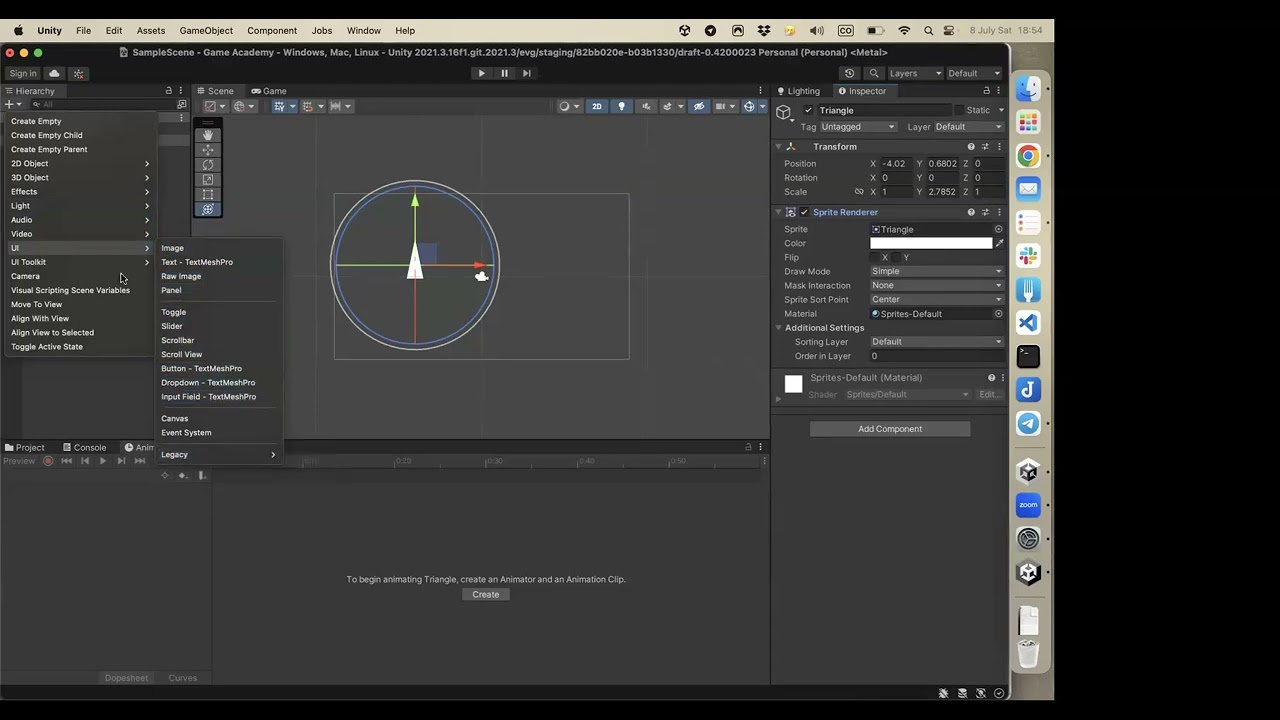





This tutorial demonstrates how to download Unity, install Unity Hub, create a new project using the Universal Render Pipeline (URP) template, and set up starter assets like the Third Person Controller, providing a complete beginner-friendly workflow for starting game development in Unity.
Unity for Beginners: How to Download, Install, and Create a New Project
Added:Basic computer literacy, including downloading files, managing directories, and installing desktop applications.
A general understanding of what a game engine is and how it facilitates game development.
Awareness of your computer's hardware specifications to ensure it meets Unity's system requirements.
Familiarity with the concept of software versioning, specifically LTS (Long Term Support) versus beta versions.
Navigating the Unity Editor interface, including the Scene view, Game view, Hierarchy, Inspector, and Project window.
Understanding the Game Object and Component architecture, which forms the foundation of all Unity projects.
Introduction to C# programming within Unity to create basic scripts for game logic and player input.
Learning how to import and manage external assets such as 3D models, 2D sprites, and audio files.
Exploring Unity's physics engine, including how to apply Rigidbodies and Colliders for basic physical interactions.
173.6K views4.1Klikes12:14Original Release: 2022-07-25
hello and welcome I'm your code monkey here's a super quick video for complete beginners let's see how to download Unity how to create a new project and set it up so you can get started building games also in the end I will show some links and video references where you can continue your Learning Journey there's time STS in the video if you want to skip ahead so let's get started right away from the beginning first up you need to download Unity so for that just go into unity.com then over here click on the top right on the big get started button and when you do takes you to this page where you you can see all the plans and pricing chances are the one that you want is over here on the individual tab so if you click on it over here you see the personal which is completely free also just one quick note so you don't get confused with all the plans basically don't worry about the fact that there are multiple all of them the engine is exactly the same there's no limitations on the free version compared to the paid version nothing like that the engine is the same on all of them the only difference is over here the eligibility you can only use the free personal version if you have revenue or funding of less than 100K in the last 12 months now if you're watching this complete beginner video then chances are you're just getting started so the free version is more than perfect so go ahead click on get started then you download you can download for Windows or Mac or Linux personally I'm on windows so I'm going to click on the big button this downloads the unity Hub Unity Hub is the program to manage all of the various Unity versions and all of your various Unity projects so just go ahead and sell it and open okay so here we have the unity Hub and right away it asks you to sign in or create an account if you already have an account go ahead and sign in if not click on create you just fill in your data and create then back into Unity Hub now you can sign in next up it asks you about a un version and by default at the time of recording it selects version 20213 LTS now if you want to learn more about un versions and I made a quick video explainer in there I explain what is LTS what is Tech preview and what all the numbers mean so go watch that video if you want to learn some more but over here Unity Hub already selects the best version you should be using which in this case version 21.3 which is the latest LTS version so just go ahead choose that one choose a folder and install then asks you to select a license like I said the personal license is exactly the one you want the limitation is having Revenue under 100K per year but again if you're watching this beginner video I'm guessing this is perfect for you so go ahead and select it it will automatically begin downloading the entire editor okay so when it's done you can close the downloads window then over here we can see the full Unity Hub on the side view we can see the various tabs you have the learn tab this has a bunch of official Unity links where you can learn how to do all kinds of things with unity then you also have the community tab a bunch of links for the forums documentation and so on then the installs tab is where you can download other Unity versions and for what we want right now let's go into the projects tab then click on the create new project button now in this window up top we can see the version selector if you have multiple versions installed then you can choose which one you want to use for this new project in our case we just have one version so let's keep using that one next up we need to select the template there's a whole bunch of them depending on what kind of game you want to make you can see the categories over here on the side by default it starts by showing you the unity micro games these are small complete games on various genres they are complete projects so these can be great for learning as a beginner so maybe you can look into these ones later but in this video we want to create a brand new empty project so let's keep looking then you have the sample scenes these are preconfigured to work with a certain render Pipeline and they have a really nice demo scene setup speaking of render pipelines Unity has three of them there's the Legacy built-in render pipeline the universal render pipeline or urp and the high definition render pipeline or hdrp now if you're a beginner you don't need to worry about that at all just choose the universal render pipeline or urp and you're good to go it's what I always use it's perfect for 99% of use cases you can make games that run on mobile mobile desktop console or anything so it runs on everything and it also looks great so here we see the various samples there's one for hrp one for urp and a cinematic sample but again let's keep searching then we have the core templates you have a 2d and a 3D template these two are for the Legacy render pipeline so don't use these then you have the same two for urp and the final ones for hdrp down here you also have the official Unity start assets we're actually going to be using this in a bit but like I said right now we want to create a completely new empty project in most cases you want to be using urp so you should choose one of these two if you want to make a 2d game choose 2D if not choose 3D by the way also just another quick note here choosing a template doesn't really block you from anything meaning you can choose to start with the 3D template and then make a 2d game or you can pick the 2D template and then make a 3D game basically what these templates do is they just install a bunch of relevant packages so the 2D template when you create it it already has lots of 2 packages added so you can make Sprite style maps and so on and the 3D template already comes with 3D packages but again after creating the project you can install any more packages you want so like I said don't worry too much about choosing the quote unquote wrong template whatever you select you can then later on do anything in any Dimension so over here I'm going to choose the 3D urp template then go ahead and download it now just give it a project name name it whatever you want you select the folder where you want the project to be created and finally when everything is set up just go ahead click on create okay so with that the project is being created now let's just wait a bit and yep over here is the main Unity window by default you can see it already comes with a bunch of packages pre-installed and over here on the assets you can see a nice read me file if you want to learn more about the universal render pipeline over here you've got some documentation forms and so on or if you want you can also clean it up so click on the button to remove the readme assets and there you go it cleans it up all right so now let's just quickly get something playable like I mentioned un has some EX excellent free star assets that are really awesome they are really great starring points so over here on the unity asset or let's find the unity star assets you can use the search bar or just go over here under the essential stab let's go to the ones by unity now here we see all of unity's assets and over here we've got these two the star assets the third person controller and the first person controller these are really excellent staring points so just go ahead and pick which one you want for me I'm going to choose the third person St controller so just go here and click on the button to add to your assets then click on the button to open it in unity with this it opens up the package manager and automatically Scrolls down into the start assets just in case this doesn't happen automatically you can always just go into window open up the package manager then on the package manager on the top left corner click on this drop- down menu and select my assets then on the search bar here you can search for SAR assets and Y here we see both of them so just go ahead and click on the button to download in my case I just need to update then click on import here's the import window let's make sure all of them are selected so click on all and let's import okay after a while everything is important now for this specific asset this use the new input system again as a beginner don't worry too much but when working with this asset let's go ahead click on yes to make sure we switch the new input system okay so it restart the editor also just in case you click on no in that one you can also go into edit then go into the project settings then here scroll down and find the player tab then scroll down and under other settings down here we can find the input system so here it is the active input handling and basically clicking on yes simply swapped it from the input manager into new input system so just in case you click on no you can go up here and manually swap into this one or you can select both of them okay so with that now we see all of our star assets so let's go inside let's go inside the third person controller inside the scenes folder and over here we've got the playground scene let's open this and by default we see this in pink now if you don't know pink usually means a Shad or error so what we have here is because by default these assets are imported using the Legacy render pipeline but again if you remember we select the universal render pipeline again this is not a problem it's super easy to convert so for that let's go up here into window then go into rendering and let's find the render pipeline converter and on this one on the drop- down menu let's select upgrade from built-in to urp then just go ahead and talk on this checkbox next to material upgrade this will automatically upgrade all the materials so let's click to initialize the converted now it finds all the materials that need importing just click on convert assets and it does automatically and we can see the background already updates so we can just go ahead exit this now hit on the play button and Y here it is here we have our project created and we have a character we can walk around we can jump we can do anything we want all right awesome so this is a great starting point to build upon now one thing you should probably do is move around these windows to organize your layout to something that feels comfortable to you all of these windows all these tabs like for example the game window you can swap it out drag it over here create a new one and so on so all of these can be placed exactly where you want it you can Define the kind of layout that you like and then when you have that you can go up here to the top right corner click on the layout button and then you can click on the button to save your layout or if you already have a layout just like I have my layout you can just go ahead click to select it and automatically loads the previous layout so for me after using Unity for over 10 years this the layout that I like so I like to have the inspector on the side down here the hierarchy next to it the project over here with nice compact list then next to with the console Tab and in the main big window I've got the game and next we the scene view so again this is the only layout that I personally like but you can go ahead and select anything and with this here it is here we have our fully working star project so now that you know how to create a brand new UN project if you want to get a super quick overview of the UN Basics then check out this other video explaining tons of unity things in just 17 minutes there's links in the description and then the unity programming language is CP if you want to learn Basics I also have another video on it and after that after learning the absolute Basics you can start to look for more complex things you can use the various search buttons on my website to find video tutorials on all kinds of topics maybe you can learn some more about C maybe learn about events delegates or more advanced things or you can get started making a really versatile grid system which allows you to make a city Builder Factory game Tetris inventory system and much more you can learn how to make Unity glow how to use S machine to control your cameras how to do character customization or just swap out your character learn where you can get free characters and animations how to make a 2d character controller how to build a crafting system or make a third person shooter controller so I've been making videos for over four years now I've got tons of tutorials on lots of topics over 500 videos so if you browse around you'll find something for whatever you want to learn or if you prefer a more guide path then check out my complete step-by-step courses I have a course on making a builder Defender game using C just like I make my own Steam games or if you prefer visual scripting then I made a complete course on that it involves making three unique games all internally with visual scripting there isn't a single line of code in any of these games or if you want to learn about all of the tools the engine has and check out what they do you can go watch My ultimate unity overview course each lecture is on explaining a different tool or feature of the engine and then once you know the basics and you feel really confident that you're ready to make the jump from beginner to Advanced at that point you can get my turnbas strategy course I designed it specifically to help guide you and take you from beginner to advance so in that course I assume know the absolute Basics and then help you take the Le to the next level by making a more complex game using things like C generics delegates using S machine Ai and all of it while focusing on writing good clean code again this one is a more advanced course if you're a beginner make sure you learn the basics first all right so that's my super quick getting start guide for creating a new Unity project the engine Escape M of anything so the only limit is really just your own skills in your imagination now go ahead and start learning and building your dream games all right hope that's useful check check out these videos to learn some more thanks to these awesome patreon supporters for making these videos possible thank you for watching and I'll see you next time [Music]
Up Next
8:08
Unity XR Toolkit: Configuring Action-Based Input Effectively
@VRwithAndrew
56.9K views•2020-11-18

12:54
Triumph of Orthodoxy Icon: Byzantine Art & History Explained
@BenCallan
2.1K views•2024-08-06

9:49
FastAPI vs Flask vs Django: Choosing the Right Python Web Framework
@TechWithTim
302.5K views•2024-05-26

1:42
Game of Thrones Opening Credits: A Cinematic Analysis
@gameofthrones
46.3M views•2011-04-18
Related Study Plans & Knowledge Roadmaps
Structured learning paths in General & Interdisciplinary Studies
general-studies
Elevator Engineering: History, Physics & Cities
01From Hoists to Safety Brakes: The Dawn of Vertical Lift
02Hydraulic vs. Traction: The Engineering Physics of Elevators
03Modern Speed, Safety, and Algorithms
+ 2 more learning modules
12h5 modules
Explore Roadmap
general-studies
Rubber: Material Science, History & Geopolitics
01Origins of Natural Rubber & Mesoamerican History
02The Chemistry of Natural Rubber & Vulcanization
03The Geopolitics of the Rubber Boom & Colonization
+ 2 more learning modules
12h5 modules
Explore Roadmap
general-studies
Containerization: Evolution, Logistics & Trade
01Ancient Trade & Bulk Cargo: Amphorae to Barrels
02The Industrial Revolution & Cardboard Packaging
03The Containerization Revolution: Malcom McLean
+ 2 more learning modules
12h5 modules
Explore Roadmap
general-studies
Textile Tech: Evolution, Labor & Global Impact
01Pre-Industrial Textiles: Handloom & Cottage Industry
02Mechanization: The Spinning Jenny to the Power Loom
03The Factory System & Global Labor Transformation
+ 2 more learning modules
10h5 modules
Explore Roadmap